
TL;DR
A software engineer has demonstrated that an M5 Max MacBook Pro can run an Nvidia RTX 5090 GPU through an eGPU dock using virtualization. The setup delivers playable frame rates in Cyberpunk 2077, especially with frame generation enabled. However, the process is complex and performance is limited by translation layers and virtualization overhead.
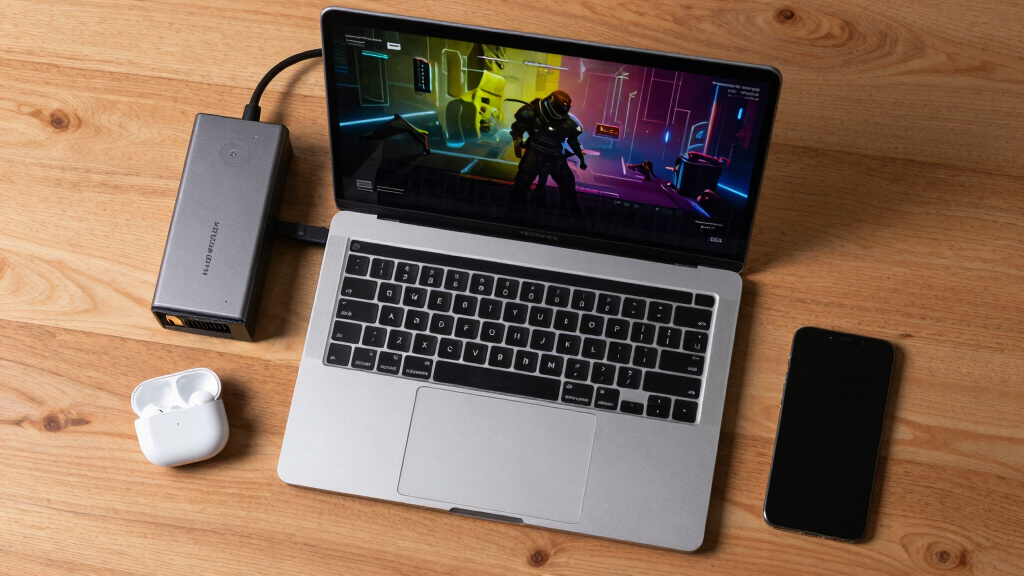
Scott J. Goldman, a software engineer, has successfully run Nvidia’s RTX 5090 graphics card on an M5 Max-powered MacBook Pro using virtualization and an eGPU dock, achieving over 100 frames per second in Cyberpunk 2077 with frame generation enabled. This demonstrates the potential for high-end gaming on Apple silicon Macs, despite significant technical hurdles.
Goldman’s setup involved virtualization with Linux to bypass macOS’s lack of support for Nvidia GPUs and the absence of native Thunderbolt support for Linux on Apple silicon. His benchmarks show that Cyberpunk 2077 can run at over 100 FPS at the RT Ultra preset on an M5 Max MacBook Pro when frame generation is enabled, despite the overhead of virtualization and translation layers.
Without frame generation, performance drops significantly: around 60 FPS on the M5 Max and below 50 FPS on a MacBook Air with M4 silicon. The bottleneck appears to be the FEX translation layer, which incurs roughly a 50% performance penalty compared to native ARM processing, as evidenced by Geekbench scores. Performance in other titles like Shadow of the Tomb Raider and Crysis Remastered was below 60 FPS, with some stability issues.
Why It Matters
This development highlights the possibility of gaming with high-end Nvidia GPUs on Apple silicon Macs, a platform historically limited in this area. While the current process is complex and performance constrained, it opens a window into future potential for Mac gamers and enthusiasts seeking more flexible hardware options.
It underscores the limitations imposed by current virtualization and driver support, and suggests that improvements in MacOS and Apple’s ecosystem could eventually make such setups more practical and accessible, expanding the gaming capabilities of Macs.

Plugable Thunderbolt 4 Dock for M4/M5 MacBook Air & Pro: 100W Charging Driverless Laptop Docking Station with 4K HDMI Dual Monitor or Single 6K, 6X USB, SD, Ethernet, Thunderbolt Certified (TBT-UDM)
13-in-1 Thunderbolt Performance: Need a high-performance Mac docking station? The Plugable TBT-UDM laptop docking station is a space…
As an affiliate, we earn on qualifying purchases.
As an affiliate, we earn on qualifying purchases.
Background
Apple’s M5 Max SoC is among the fastest ARM-based chips, capable of competing with high-end desktop CPUs. Traditionally, Macs do not support Nvidia GPUs or eGPU configurations effectively, especially with Apple silicon. Enthusiasts have attempted to push these boundaries through complex workarounds involving virtualization and Linux, but performance and stability remain challenging. Goldman’s experiment builds on these efforts, testing the limits of current hardware and software.
“Gaming on an RTX 5090 via a MacBook is possible, especially with frame generation enabled, but the process is complex and performance is limited by virtualization overhead.”
— Scott J. Goldman
“The FEX translation layer incurs a roughly 50% performance penalty on the CPU compared to native ARM processing.”
— Goldman

ASUS ROG Astral NVIDIA GeForce RTX 5090 32GB GDDR7 OC Edition Gaming Graphics Card (PCIe 5.0, HDMI/DP 2.1, 3.8-Slot, 4-Fan Design, Axial-tech Fans, Patented Vapor Chamber), 3 Year Warranty
Powered by the NVIDIA Blackwell architecture and DLSS 4
As an affiliate, we earn on qualifying purchases.
As an affiliate, we earn on qualifying purchases.
What Remains Unclear
It remains unclear how scalable or stable this setup is for extended gaming sessions or broader software support. The process requires significant technical expertise, and hardware or software updates could alter its viability.

Razer Core X V2 External Graphics Enclosure (eGPU): Compatible with Windows 11 Thunderbolt 4/5 and USB 4 Laptops & Devices – 4 Slot Wide NVIDIA/AMD Graphics Cards PCIe 4.0 Support – 140W PD via USB C
NVIDIA & AMD DESKTOP GPU READY — Designed to fit PCIe desktop graphics cards up to 4 slots…
As an affiliate, we earn on qualifying purchases.
As an affiliate, we earn on qualifying purchases.
What’s Next
Further developments may include improved virtualization tools, native driver support, and possibly official support from Apple for eGPU configurations on Apple silicon Macs. Future benchmarks will clarify whether performance can be optimized for mainstream use.

Maxonar 80Gbps Thunderbolt 5 Cable 4FT, 240W Charging, Dual 8K Display, 3X Faster Than TB4 for 16K Video Editors/3D Designers, Compatible with MacBook Pro/Air, eGPU/SSD
The Speed Standard for Pro-Workflows: Engineered for 80Gbps bi-directional data & 120Gbps video boost. 3x faster than Thunderbolt…
As an affiliate, we earn on qualifying purchases.
As an affiliate, we earn on qualifying purchases.
Key Questions
Can I replicate this setup on my MacBook Pro?
Currently, this setup requires advanced technical knowledge, virtualization, and custom configurations. It is not straightforward for average users and involves significant trial and error.
Will Apple support Nvidia eGPUs natively on Apple silicon Macs?
There is no official support from Apple for Nvidia GPUs or eGPU configurations on Apple silicon Macs as of now. Future updates are uncertain.
What performance can I expect running games this way?
Performance varies; in tests, Cyberpunk 2077 achieved over 100 FPS with frame generation, but without it, FPS drops significantly. Other games may perform worse due to virtualization overhead.
Is this setup practical for regular gaming?
Currently, due to complexity and performance limitations, it is not practical for everyday gaming but demonstrates potential for high-end gaming on Macs in the future.