
TL;DR

Get the latest gadgets delivered free — and shop member deals
- Fast, free delivery on millions of items
- Access to Prime Big Deal Days deals on October 6–7
- Prime Video, Amazon Music and more included
Microsoft has publicly defended its new ‘Low Latency Profile’ for Windows 11, which temporarily boosts CPU speeds to enhance responsiveness. The company emphasizes this is standard industry behavior, despite community backlash. The development aims to address performance concerns in Windows 11, but some critics remain skeptical about its effectiveness and underlying issues.
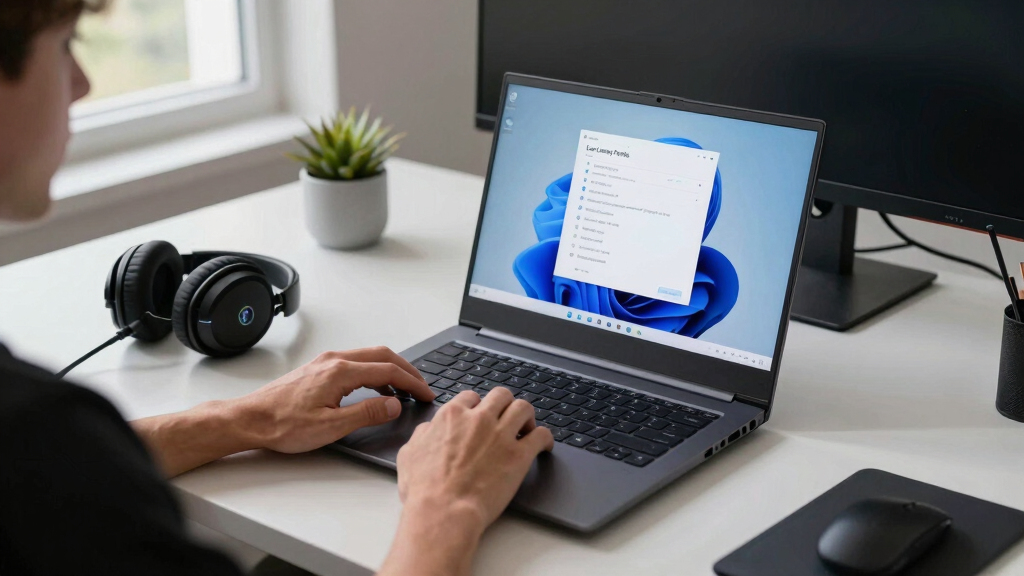
Microsoft has reaffirmed its support for the recently introduced ‘Low Latency Profile’ (LLP) in Windows 11, amid widespread criticism from the user community. The company states that this feature, which temporarily increases CPU clock speeds to improve responsiveness, aligns with standard industry practices and is not a ‘cheat.’
The ‘Low Latency Profile’ was leaked last week by Windows Central, revealing that it boosts CPU frequencies momentarily during specific OS interactions, such as opening apps or navigating menus. Microsoft has since confirmed the feature’s existence and defended its implementation via social media, with Senior VP Scott Hanselman emphasizing that dynamic frequency scaling is common across modern operating systems, including Linux and macOS.
Microsoft explains that LLP works by temporarily ramping up CPU clocks during brief, high-priority tasks, such as reducing flyout delays in the Start Menu. This process involves a spike in CPU usage and power consumption for milliseconds, designed to make Windows feel more responsive without significantly impacting battery life or system stability. The company frames this as part of its broader ‘Windows K2’ efforts to improve Windows 11’s performance and stability after years of user complaints about sluggishness and bloatware.
Why It Matters
This development is significant because it addresses ongoing user concerns about Windows 11’s responsiveness and performance. By publicly defending LLP, Microsoft signals its intention to use dynamic hardware management techniques to enhance user experience, aligning with industry standards. However, critics argue that such superficial patches may distract from deeper, necessary system optimizations, especially given longstanding complaints about Windows 11’s bloatware and navigation issues. The controversy highlights the tension between quick fixes and fundamental improvements in operating system performance.
As an affiliate, we earn on qualifying purchases.
Background
The leak and subsequent confirmation of LLP follow months of criticism toward Windows 11’s performance and stability. Microsoft has previously introduced features like Xbox Mode to bypass bloatware and improve gaming performance, but user dissatisfaction persists. The concept of boosting CPU speeds temporarily is not new; it is a common practice in modern OS design, including smartphones and Linux distributions. The backlash reflects broader frustrations with Windows 11’s perceived sluggishness and the company’s approach to incremental updates rather than comprehensive system overhaul.
“This isn’t cheating. Every modern OS, including Linux and macOS, already does this. It’s simply dynamic frequency scaling, a standard industry practice.”
— Scott Hanselman, Microsoft Senior VP
“The Low Latency Profile is designed to enhance user experience by optimizing CPU performance during key interactions, consistent with industry standards.”
— Microsoft spokesperson
high performance laptop cooling pad
As an affiliate, we earn on qualifying purchases.
As an affiliate, we earn on qualifying purchases.
What Remains Unclear
It remains unclear how effective LLP is in significantly improving overall Windows 11 performance beyond specific UI interactions. Critics question whether this superficial patch addresses deeper issues like system bloat and navigation lag. Additionally, the long-term impact on power consumption and system stability has not been fully evaluated or disclosed.
As an affiliate, we earn on qualifying purchases.
What’s Next
Microsoft is expected to continue supporting and refining LLP as part of its broader performance improvement initiatives. The company may also face further scrutiny or user feedback, which could influence future OS updates. Monitoring user experiences and system metrics will be key to assessing the real-world benefits of this feature.
SSD for fast system responsiveness
As an affiliate, we earn on qualifying purchases.
As an affiliate, we earn on qualifying purchases.
Key Questions
Is the Low Latency Profile safe for my system?
Microsoft states that LLP is designed to optimize responsiveness without compromising system stability. However, as with any performance feature, users should monitor their system for any unusual behavior and wait for independent reviews.
Will LLP significantly improve my Windows 11 experience?
According to Microsoft, LLP aims to reduce delays during specific interactions, but its overall impact on system speed and responsiveness may vary depending on hardware and usage patterns.
Why did Microsoft wait so long to implement this feature?
Microsoft has not provided a specific timeline but suggests that integrating such features aligns with their ongoing efforts to improve Windows 11 performance gradually, balancing user feedback and technical feasibility.
Fall Picks
fall essentials
As an affiliate, we earn on qualifying purchases.