MFA fatigue attacks trick you by flooding you with frequent security prompts, making you feel overwhelmed and more likely to approve requests without careful thought. Attackers craft these schemes to appear legitimate, convincing you that one prompt is real when it’s malicious. As the prompts increase, your vigilance drops, leading to accidental approvals and security breaches. Staying aware and cautious can help you spot these tactics—you’ll find more tips to stay protected as you explore further.
Key Takeaways
- Attackers exploit frequent MFA prompts to overwhelm employees, increasing the likelihood of mistaken approval or complacency.
- Fake login alerts mimic legitimate requests to deceive employees into authorizing malicious access.
- Repeated prompts reduce vigilance, causing employees to approve requests without proper verification.
- Attackers use social engineering to create urgency, encouraging employees to approve MFA requests quickly.
- Fatigue diminishes careful scrutiny, making employees more susceptible to deception and credential compromise.
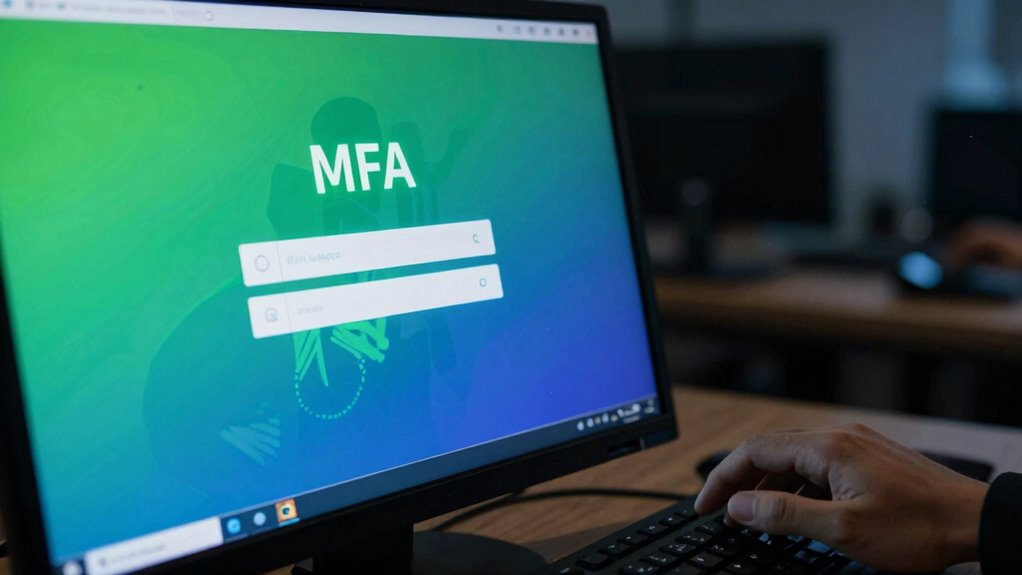
Multi-factor authentication (MFA) is an essential security measure, but attackers are now using MFA fatigue tactics to trick employees into revealing sensitive information. These tactics exploit your natural fatigue from constant security prompts, making you more likely to make mistakes or let your guard down. When you receive multiple MFA requests, especially in rapid succession, it can feel overwhelming. Attackers capitalize on this by designing schemes that make you believe one of these requests is legitimate, encouraging you to confirm it without thinking. It’s imperative to stay vigilant and recognize that not every prompt is trustworthy.
One way attackers deceive you is through phishing awareness. They might send fake login alerts or emails pretending to be your company’s IT team, urging you to verify your identity. These messages often look convincing, mimicking official branding and language, but their goal is to prompt you to approve malicious login attempts or share sensitive information. Because MFA adds an extra layer of security, attackers sometimes craft their campaigns to bypass this protection by convincing you to approve a login or share a one-time code. Your best defense is to question the authenticity of every request and never share codes or approve access unless you’re certain it’s legitimate.
Always verify MFA requests and never share codes unless you’re certain they’re legitimate.
Password management also plays a critical role here. When you rely on weak or reused passwords, it becomes easier for attackers to gain initial access and then use MFA fatigue tactics to escalate their intrusion. Proper password management, with *unique, complex passwords* for each account, reduces your risk. If your passwords are strong and regularly updated, attackers find it harder to breach your accounts, making MFA fatigue less effective against you. However, if you’re not careful with password management, you might be more susceptible to these tactics because attackers could already have some foothold in your systems. Effective password practices are a crucial part of defending against sophisticated attack schemes. Additionally, understanding the automation involved in attack schemes can help you recognize patterns and prevent falling victim to these tactics. Being aware of attack methods and how they operate can further empower you to spot suspicious activity early.
To protect yourself from MFA fatigue attacks, you need to develop good phishing awareness habits. Always verify the source of MFA prompts, especially if you weren’t expecting them. Don’t rush to approve requests—take a moment to double-check whether the request makes sense. Additionally, consider enabling additional security features, like app-based authenticators or hardware tokens, which are less susceptible to phishing. Employing multi-layered security measures can significantly reduce your vulnerability. Remember, attackers rely on your fatigue and trust to succeed, so staying alert, managing passwords securely, and scrutinizing MFA requests can help you avoid falling victim to these deceptive tactics.

Yubico – YubiKey 5C NFC – Multi-Factor authentication (MFA) Security Key and passkey, Connect via USB-C or NFC, FIDO Certified – Protect Your Online Accounts
POWERFUL SECURITY KEY: The YubiKey 5C NFC is the most versatile physical passkey, protecting your digital life from…
As an affiliate, we earn on qualifying purchases.
As an affiliate, we earn on qualifying purchases.
Frequently Asked Questions
How Can Organizations Detect MFA Fatigue Attacks Early?
You can detect MFA fatigue attacks early by monitoring user behavior for signs of suspicious activity, like repeated login attempts or unusual request timings. Keep an eye on patterns that indicate phishing tactics, such as unexpected prompts or multiple MFA requests. Educate users to recognize such tactics and encourage reporting. Implement automated alerts for abnormal login behaviors, helping you respond swiftly before attackers exploit MFA fatigue.
What Are the Best Practices to Prevent MFA Fatigue?
Think of preventing MFA fatigue like building a fortress; you need strong walls and vigilant guards. You should prioritize user education, making employees aware of fatigue tactics and warning signs. Regular phishing simulations act as drills, sharpening their defenses. Limit the number of MFA requests, and implement adaptive authentication to reduce unnecessary prompts. These strategies keep your team alert and the fortress of your security unbreached, resisting fatigue tactics effectively.
Are Certain Industries More Vulnerable to MFA Fatigue Attacks?
Certain industries are more vulnerable to MFA fatigue attacks due to industry-specific vulnerabilities, like high-volume access points or sensitive data. You should tailor employee training strategies to address these risks, emphasizing alertness during authentication. Regularly updating protocols and encouraging skepticism can help reduce fatigue, ensuring employees stay vigilant. By understanding industry-specific vulnerabilities, you can better prepare your team to recognize and resist MFA fatigue tactics effectively.
How Effective Are Security Awareness Programs Against MFA Fatigue?
Security awareness programs, including phishing simulations and employee training, can be quite effective against MFA fatigue if you actually keep them engaging. If you treat them like a tedious duty, they’ll be ignored. When you mix humor with real-world scenarios, employees stay alert and resistant to MFA fatigue tricks. So, don’t settle for boring sessions—make training lively enough to outsmart attackers exploiting MFA fatigue.
What Tools Can Help Monitor MFA Authentication Attempts?
To monitor MFA authentication attempts effectively, you can use tools that incorporate biometric authentication and adaptive security. These tools track patterns and flag suspicious activities, such as multiple failed login attempts or unusual access times. Implementing adaptive security measures allows you to guarantee authentication requirements based on risk levels, helping prevent MFA fatigue attacks. Regularly reviewing logs and alerts ensures you stay ahead of potential security breaches.

Atlancube Offline Password Keeper – Secure Bluetooth Drive with Autofill, Store 1,000 Credentials, Military-Grade Encryption for Safe Password Management (Black)
Auto-Fill Feature: Say goodbye to the hassle of manually entering passwords! PasswordPocket automatically fills in your credentials with…
As an affiliate, we earn on qualifying purchases.
As an affiliate, we earn on qualifying purchases.
Conclusion
Even as multi-factor authentication protects your accounts, MFA fatigue attacks remind you that security isn’t just about technology. While these tricks exploit your exhaustion and complacency, staying alert keeps you one step ahead. It’s a paradox: the very defenses meant to safeguard you can be undermined by your own fatigue. So, remain vigilant, question every prompt, and remember—security isn’t just a tool, it’s a mindset. Don’t let fatigue become your weakest link.
phishing awareness training kit
As an affiliate, we earn on qualifying purchases.
As an affiliate, we earn on qualifying purchases.

WiFi Door Alarm System, Wireless DIY Smart Home Security System, with Phone APP Alert, 8 Pieces-Kit (Alarm Siren, Door Window Sensor, Remote), Work with Alexa, for House, Apartment, by tolviviov
WIFI Network: WIFI connection, Only works on 2.4GHz WiFi network, does NOT support 5GHz WiFi networks.
As an affiliate, we earn on qualifying purchases.
As an affiliate, we earn on qualifying purchases.