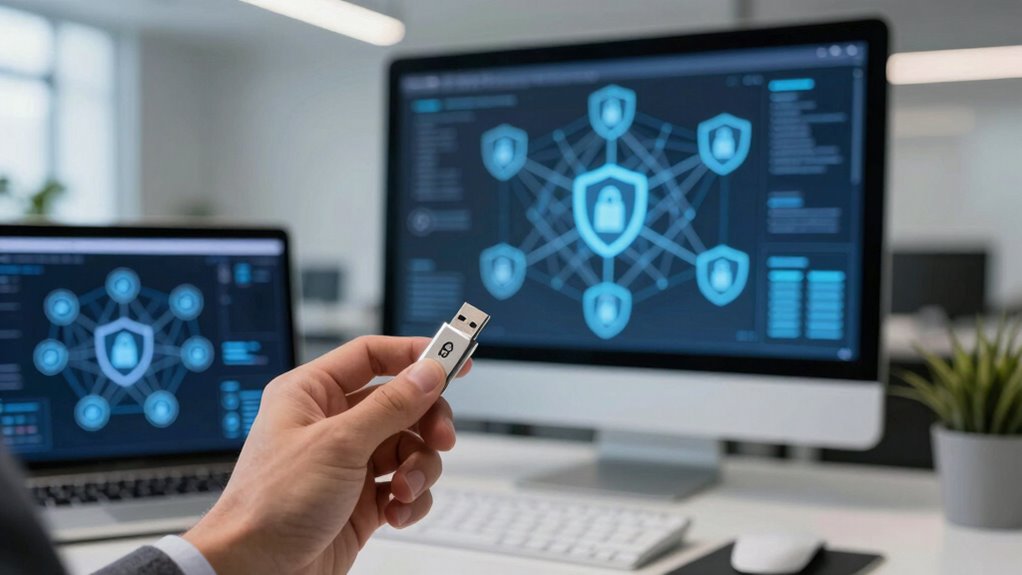

Password managers are essential to your enterprise security because they securely store and generate strong, unique passwords for each account, reducing vulnerabilities from weak or reused credentials. They centralize password control, making it easier to enforce security policies and monitor access activities. By encrypting data locally, they protect sensitive information from breaches and support multi-factor authentication for added security. Staying informed about how these tools integrate can help you strengthen your organization’s defenses further.
Key Takeaways
- Password managers centralize and securely store passwords, reducing risks from weak or reused credentials across enterprise systems.
- They encrypt data locally, ensuring sensitive passwords remain confidential even if data breaches occur.
- Support for multi-factor authentication enhances access control and strengthens overall security posture.
- Provide audit trails and activity logs to ensure regulatory compliance and facilitate security monitoring.
- Integrate into security ecosystems, improving credential management, reducing vulnerabilities, and enabling proactive cybersecurity strategies.

In today’s enterprise landscape, managing countless passwords securely is more critical than ever. As an organization, you face the challenge of ensuring that your employees can access necessary systems without compromising security. That’s where password managers come into play, seamlessly integrating into your security framework to bolster user authentication processes. These tools store and auto-fill passwords, reducing the likelihood of weak or reused credentials, which are common vulnerabilities. By centralizing password management, you maintain tighter control over access points, making it easier to enforce security policies and monitor login activities. This not only streamlines user authentication but also minimizes the risk of breaches caused by poor password practices.
A key feature of enterprise-grade password managers is their robust approach to data encryption. When you use a password manager, your passwords are encrypted locally on your device before being uploaded to the cloud or storage server. This means that even if a data breach occurs at the service provider, your passwords remain protected because the encryption keys are only accessible to you. The use of strong data encryption ensures that sensitive information stays secure, maintaining confidentiality and integrity across your organization’s entire digital infrastructure. Incorporating data encryption as a core security measure helps safeguard your organization’s digital assets from evolving cyber threats. Additionally, understanding the importance of secure storage and how it complements encryption can further enhance your security posture. Implementing proper key management practices is essential to ensure that encryption remains effective and that access to sensitive data is tightly controlled. Recognizing cybersecurity strategies can help organizations stay ahead of potential threats and adapt their defenses accordingly.
Implementing a password manager also simplifies the management of user authentication across multiple systems. Instead of relying on employees to remember complex passwords for each platform, they can use the manager to generate and store strong, unique passwords for every account. This significantly reduces the risk of credential stuffing and phishing attacks, as attackers find it harder to compromise accounts with unique, complex passwords. Additionally, many password managers offer features like multi-factor authentication, further strengthening access controls. You can set policies that require employees to enable MFA, creating an extra barrier against unauthorized access, even if passwords are somehow compromised.
Furthermore, integrating a password manager into your enterprise security strategy promotes better compliance with data protection standards. It provides an audit trail of user activity, helping you track who accessed what and when. This transparency supports regulatory requirements and internal security audits, giving you confidence in your organization’s security posture. Security experts emphasize that regularly updating and reviewing password policies is a vital cybersecurity best practice, ensuring that security measures remain effective against emerging threats. Overall, password managers serve as a critical component in your security ecosystem, enhancing user authentication, safeguarding credentials through data encryption, and streamlining password management across your enterprise. By adopting these tools, you take a proactive step toward reducing vulnerabilities and defending your organization’s digital assets more effectively.

Password Manager
As an affiliate, we earn on qualifying purchases.
As an affiliate, we earn on qualifying purchases.
Frequently Asked Questions
How Do Password Managers Handle Employee Onboarding and Offboarding?
When onboarding or offboarding employees, you use password managers to quickly grant or revoke access through access control features. You guarantee employee training on secure password practices, making sure new hires understand how to use the manager effectively. Offboarding involves removing their permissions swiftly, minimizing security risks. This process streamlines management, maintains security, and keeps access aligned with each employee’s current role, all while supporting secure practices.
What Are the Best Practices for Integrating Password Managers With Existing Security Tools?
You should prioritize seamless integration by ensuring password synchronization across all platforms, preventing security gaps. Incorporate biometric integration for effortless, ultra-secure access, making passwords feel obsolete. Use APIs and plugins to connect your password manager with existing tools like MFA and SSO, creating a fortress of interconnected defenses. Regularly update integrations and train staff, transforming your security system into a nearly impenetrable fortress that adapts effortlessly to evolving threats.
How Do Password Managers Support Compliance With Industry Regulations?
You support compliance with industry regulations by using password managers that employ strong data encryption to protect sensitive information. They also enhance user authentication, ensuring only authorized personnel access critical data. By securely storing passwords and generating complex ones, password managers help you meet standards like GDPR or HIPAA. This not only reduces security risks but also demonstrates your commitment to regulatory requirements, making audits smoother and more straightforward.
What Are the Potential Risks of Centralized Password Storage?
You face risks with centralized password storage, like if hackers access your encrypted vaults, they could compromise multiple accounts. To mitigate this, you should use multi-factor authentication, adding an extra security layer. Relying on a single password or weak encryption can expose your organization. Regularly updating passwords and choosing strong, unique credentials further protect your centralized system, reducing the risk of a devastating security breach.
How Do Password Managers Adapt to Remote and Hybrid Work Environments?
You can easily adapt your password manager to remote and hybrid work environments by enabling secure remote access and utilizing cloud synchronization. This allows you to access your passwords from any device or location seamlessly. Cloud synchronization keeps your credentials up-to-date across all your devices, ensuring you have secure, instant access whether you’re working from home, a coffee shop, or the office. This flexibility enhances productivity while maintaining security.

Yubico – YubiKey 5C NFC – Multi-Factor authentication (MFA) Security Key and passkey, Connect via USB-C or NFC, FIDO Certified – Protect Your Online Accounts
POWERFUL SECURITY KEY: The YubiKey 5C NFC is the most versatile physical passkey, protecting your digital life from…
As an affiliate, we earn on qualifying purchases.
As an affiliate, we earn on qualifying purchases.
Conclusion
Incorporating password managers into your enterprise security strategy enhances protection, streamlines workflows, and fosters a culture of awareness. They safeguard sensitive data, simplify complex password management, and support compliance. By choosing the right solution, educating your team, and maintaining vigilance, you reinforce your defenses. Ultimately, password managers aren’t just tools—they’re crucial allies, essential for resilience, reliability, and significance in today’s evolving digital landscape. Embrace them, empower your team, and elevate your security posture.
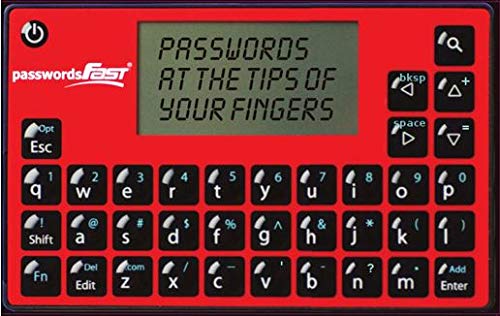
passwordsFAST – Encrypted Offline Password Keeper (Credit Card Size)
High Tech Software – robust AES-256 encryption methodology keeps your passwords safe at all times
As an affiliate, we earn on qualifying purchases.
As an affiliate, we earn on qualifying purchases.
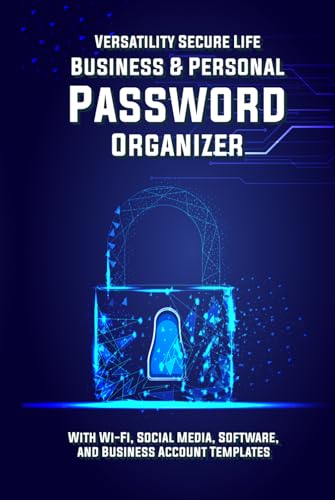
Versatility Secure Life: Business & Personal Password Organizer: With Wi-Fi, Social Media, Software, and Business Account Templates
As an affiliate, we earn on qualifying purchases.
As an affiliate, we earn on qualifying purchases.