
Choosing a wireless gaming mouse involves balancing performance, battery life, and comfort. The Razer Viper V3 HyperSpeed stands out as the best overall due to its lightweight design and fast response times. For those on a budget, the Redragon M612 offers solid features at a lower price, while the Logitech G502 Lightspeed impresses with its ergonomic build and extensive customization. The main tradeoffs include battery longevity versus weight, and feature set versus price. Keep reading to see how these options compare and find the best fit for your gaming needs.

Get the latest gadgets delivered free with Prime
- Fast, free delivery on millions of items
- Prime Video, Amazon Music and more included
- Member-only deals all year
Complete the kit



Key Takeaways
- Top picks balance speed, accuracy, and battery life, with the Razer Viper V3 HyperSpeed leading for overall performance.
- Budget-friendly models like the Redragon M612 deliver good value but may lack advanced features and longer battery life.
- Ergonomics and button customization are key for gamers who prioritize comfort and control during extended play sessions.
- Wireless latency remains a critical factor; the best options minimize delay to match wired mouse responsiveness.
- Design diversity, from compact to large, ensures there are options for different grip styles and hand sizes.
| Razer Viper V3 HyperSpeed Wireless Gaming Mouse, Black |  | Best Overall for Competitive Esports | Weight: 82g | Sensor: Focus Pro 30K Optical | Connectivity: HyperSpeed Wireless | VIEW LATEST PRICE | See Our Full Breakdown |
| Razer Orochi V2 Wireless Gaming Mouse, Black |  | Best for Travel and Versatile Use | Weight: 60g (excludes battery) | Battery Life: Up to 950 hours (Bluetooth), 425 hours (HyperSpeed) | Sensor: Razer 5G Advanced 18K DPI | VIEW LATEST PRICE | See Our Full Breakdown |
| Redragon M612 Wireless RGB Optical Gaming Mouse 8000 DPI Remapping Keys |  | Best for Customization and Versatile Use | DPI: 8000 | Connectivity: Bluetooth, 2.4GHz | Programmable Buttons: 12 | VIEW LATEST PRICE | See Our Full Breakdown |
| Razer Basilisk V3 X HyperSpeed Wireless Gaming Mouse |  | Best for Ergonomics and Custom Controls | Color: Black | Controls: 9 programmable | Connectivity: Razer HyperSpeed Wireless, Bluetooth | VIEW LATEST PRICE | See Our Full Breakdown |
| Logitech G502 Lightspeed Wireless Gaming Mouse – Black |  | Best for Precision and Customization | Color: Black | Connectivity: Lightspeed wireless, USB receiver | Sensor: HERO 25K | VIEW LATEST PRICE | See Our Full Breakdown |
| Razer Naga V2 HyperSpeed Wireless MMO Gaming Mouse – Black |  | Best for MMO Enthusiasts and Macro Power Users | Connectivity: Razer HyperSpeed Wireless (2.4GHz) and Bluetooth | Programmable Buttons: 19 | Battery Life: Up to 400 hours (Bluetooth), 250 hours (HyperSpeed Wireless) | VIEW LATEST PRICE | See Our Full Breakdown |
| Redragon M810 PRO Wireless RGB Gaming Mouse |  | Best for Budget-Conscious Gamers Who Want Customization | Connectivity: 2.4GHz wireless (nano receiver) | Sensor: PAW3325 Optical Pixart | Max DPI: 10,000 | VIEW LATEST PRICE | See Our Full Breakdown |
| Logitech G305 Lightspeed Wireless Gaming Mouse – Black |  | Best for Lightweight, Travel-Friendly Gaming | Sensor: HERO optical | Max DPI: 12,000 | Precision: 400 IPS | VIEW LATEST PRICE | See Our Full Breakdown |
| Logitech G305 Lightspeed Wireless Gaming Mouse – Lilac |  | Best for Aesthetic-Loving Gamers Who Value Performance | Sensor: HERO optical | DPI: 12,000 | IPS: 400 | VIEW LATEST PRICE | See Our Full Breakdown |
| Razer Naga V3 Pro Wireless MMO Gaming Mouse with Swappable Side Plates |  | Best for Versatile MMO, MOBA, and FPS Gaming | Side Plates: 3 (12, 6, 2-button layouts) | Sensor: Focus Pro 50K Optical Sensor | Max DPI: 50,000 | VIEW LATEST PRICE | See Our Full Breakdown |
| Redragon M656 Wireless Optical Gaming Mouse, 4000 DPI, Programmable Buttons |  | Best Overall Wireless Gaming Mouse | Connectivity: 2.4GHz Wireless | Sensor: PAW3104 Optical Pixart | Max DPI: 4000 | VIEW LATEST PRICE | See Our Full Breakdown |
| Logitech G PRO X2 Superstrike Wireless Gaming Mouse – Black/White |  | Best for Esports and Fast Response | Connectivity: LIGHTSPEED Wireless | Sensor: HERO 2 | DPI: Up to 44,000 | VIEW LATEST PRICE | See Our Full Breakdown |
| INPHIC A9 V2 Explorer Wireless Gaming Mouse, 12800 DPI |  | Best for Multi-Device and Quiet Gaming | Maximum DPI: 12800 | Connectivity: Dual Bluetooth, 2.4 GHz, USB-C wired | DPI Levels: 800/1600/2400/3200/4800/12800 | VIEW LATEST PRICE | See Our Full Breakdown |
| Logitech G305 LIGHTSPEED Wireless Gaming Mouse – White |  | Best Lightweight for Portability | Sensor: HERO optical | Maximum DPI: 12,000 | Connectivity: LIGHTSPEED wireless | VIEW LATEST PRICE | See Our Full Breakdown |
| Logitech G703 Lightspeed Wireless Gaming Mouse – Black |  | Best for High-End Customization and Performance | Sensor: HERO 25K | Max DPI: 25,600 | Tracking Speed: 400+ IPS | VIEW LATEST PRICE | See Our Full Breakdown |
| wireless gaming mouse | Sensor | Connectivity | Battery Life |
|---|---|---|---|
| Razer Viper V3 HyperSpeed Wire | Focus Pro 30K Optical | HyperSpeed Wireless | Up to 280 hours on a single AA |
| Razer Orochi V2 Wireless Gamin | Razer 5G Advanced 18K DPI | Bluetooth and Razer HyperSpeed Wireless | Up to 950 hours (Bluetooth), 425 hours (HyperSpeed) |
| Redragon M612 Wireless RGB Opt | — | Bluetooth, 2.4GHz | — |
| Razer Basilisk V3 X HyperSpeed | 18K optical | Razer HyperSpeed Wireless, Bluetooth | Up to 535 hours (Bluetooth) |
| Logitech G502 Lightspeed Wirel | HERO 25K | Lightspeed wireless, USB receiver | — |
| Razer Naga V2 HyperSpeed Wirel | Focus Pro 30K Optical Sensor | Razer HyperSpeed Wireless (2.4GHz) and Bluetooth | Up to 400 hours (Bluetooth), 250 hours (HyperSpeed Wireless) |
| Redragon M810 PRO Wireless RGB | PAW3325 Optical Pixart | 2.4GHz wireless (nano receiver) | Up to 45 hours (eco-mode) |
| Logitech G305 Lightspeed Wirel | HERO optical | — | Up to 250 hours |
| Logitech G305 Lightspeed Wirel | HERO optical | — | Up to 9 months |
| Razer Naga V3 Pro Wireless MMO | Focus Pro 50K Optical Sensor | HyperSpeed Wireless, Bluetooth, USB-C wired | Up to 280 hours (Bluetooth) |
| Redragon M656 Wireless Optical | PAW3104 Optical Pixart | 2.4GHz Wireless | — |
| Logitech G PRO X2 Superstrike | HERO 2 | LIGHTSPEED Wireless | 60-90 hours |
| INPHIC A9 V2 Explorer Wireless | — | Dual Bluetooth, 2.4 GHz, USB-C wired | — |
| Logitech G305 LIGHTSPEED Wirel | HERO optical | LIGHTSPEED wireless | Up to 250 hours |
| Logitech G703 Lightspeed Wirel | HERO 25K | LIGHTSPEED Wireless | Up to 35 hours |
More Details on Our Top Picks
Razer Viper V3 HyperSpeed Wireless Gaming Mouse, Black
The Razer Viper V3 HyperSpeed stands out as the best choice for competitive gamers due to its ultra-lightweight 82g design, which minimizes fatigue during long sessions. Its Focus Pro 30K optical sensor delivers precise tracking on a variety of surfaces, matching the accuracy found in the Logitech G502 Lightspeed but with less weight, making quick flicks easier. While it offers exceptional battery life of up to 280 hours on a single AA battery, it lacks a built-in rechargeable option, which might be inconvenient for some. Its switches are rated for 60 million clicks, ensuring durability for intensive use. However, its shape favors claw or fingertip grips, so palm grip users may find it less comfortable. Compared to the Basilisk V3 X, this mouse emphasizes speed and lightness over extensive programmable controls, making it ideal for fast-paced, skill-based play.
Pros:- Extremely lightweight at 82g, ideal for quick movements
- Long battery life of up to 280 hours on a single AA
- High-precision 30K optical sensor for accurate tracking
- Durable switches rated for 60 million clicks
Cons:- Ships with a AA battery instead of a built-in rechargeable
- Shape favors claw and fingertip grips, less suitable for palm grip users
Best for: Competitive gamers who prioritize speed, agility, and lightweight design.
Not ideal for: Users with larger hands or those who prefer palm grip styles, as shape may feel less comfortable over extended use.
- Weight:82g
- Sensor:Focus Pro 30K Optical
- Connectivity:HyperSpeed Wireless
- Battery Life:Up to 280 hours on a single AA
- Switch Lifespan:60 million clicks
- DPI Stages:5
- Grip Styles:Claw or fingertip
- Color:Black
Our verdict“This mouse is best suited for competitive players who need speed, precision, and minimal weight.”
Razer Orochi V2 Wireless Gaming Mouse, Black
The Razer Orochi V2 excels as a portable, ultra-lightweight mouse, weighing just 60g (excluding batteries), making it perfect for gamers on the go. Its dual wireless modes—Bluetooth for extended battery life and HyperSpeed for low-latency gaming—offer flexibility not found in the Logitech G502 Lightspeed, which relies solely on proprietary wireless technology. With a remarkable battery life of up to 950 hours on Bluetooth, it’s a clear choice for users who want long-lasting performance without frequent charging. The mouse features the 2nd-gen Razer mechanical switches rated for 60 million clicks and an 18K DPI optical sensor for precise control. Its ambidextrous, portable design makes it ideal for travel. However, since it requires batteries and lacks a built-in rechargeable option, some may find it less convenient than models like the Logitech G502 that support wired charging through POWERPLAY.
Pros:- Exceptional battery life of up to 950 hours via Bluetooth
- Ultra-lightweight at 60g, excellent for portability
- Dual wireless modes for versatile use
- Durable switches rated for 60 million clicks
Cons:- Actual weight may be higher when batteries are included
- Requires battery replacements, unlike rechargeable models
Best for: Travelers and users needing a highly portable mouse with long battery life.
Not ideal for: Gamers seeking a mouse with a rechargeable battery or extensive customization options, as it relies on external batteries and has limited onboard controls.
- Weight:60g (excludes battery)
- Battery Life:Up to 950 hours (Bluetooth), 425 hours (HyperSpeed)
- Sensor:Razer 5G Advanced 18K DPI
- Switches:2nd Gen Razer Mechanical
- Connectivity:Bluetooth and Razer HyperSpeed Wireless
- Power Source:1x AA or AAA battery
- Design:Ambidextrous, portable
- Color:Black
Our verdict“This mouse offers unmatched battery longevity and portability, ideal for gamers who travel frequently.”
Redragon M612 Wireless RGB Optical Gaming Mouse 8000 DPI Remapping Keys
The Redragon M612 provides a compelling mix of high DPI, customizable buttons, and multi-connection options. Its 8000 DPI sensor offers precise control, comparable to the Logitech G502 Lightspeed but with a more affordable price point. The 12 programmable buttons and multiple backlit modes make it suitable for both gaming and work tasks. Its ergonomic design supports extended use, and its Bluetooth and 2.4GHz connections ensure seamless switching between devices. However, it lacks a wired mode, which might be inconvenient for users who prefer wired stability or don’t want to rely on batteries. Battery life is not specified, which could be a concern for heavy users. Its Windows 10-only compatibility limits versatility, unlike the more universal options like the Basilisk V3 X.
Pros:- High DPI of 8000 for precise control
- 12 programmable buttons for tailored setups
- Multiple connection modes including Bluetooth and 2.4GHz
- Ergonomic design for comfort
Cons:- No wired connection option available
- Battery life details are not provided
- Limited to Windows 10
Best for: Gamers and power users seeking high customization and multi-device connectivity.
Not ideal for: Users who prefer wired mice or need compatibility beyond Windows 10, as it lacks wired mode and broader OS support.
- DPI:8000
- Connectivity:Bluetooth, 2.4GHz
- Programmable Buttons:12
- Weight:3.84 ounces
- Range:10 meters
- Battery:Lithium Polymer battery included
Our verdict“This mouse is a versatile choice for users who prioritize customization and multi-device support, with some caveats on connection options.”
Razer Basilisk V3 X HyperSpeed Wireless Gaming Mouse
The Razer Basilisk V3 X offers a balanced mix of comfort and customization, making it suitable for a range of grip styles. Its ergonomic shape supports prolonged gaming sessions, similar to the Logitech G502 Lightspeed but with a focus on comfort rather than maximum DPI. With nine programmable controls, it offers extensive options for macros and shortcuts, though fewer than the Redragon M612. Its 18K optical sensor delivers precise tracking, comparable to higher-end models, while the dual-mode connectivity (Bluetooth and HyperSpeed Wireless) ensures flexibility. Battery life varies depending on usage, with up to 535 hours in Bluetooth mode, which is excellent for casual use. Its RGB lighting adds aesthetic appeal but may drain battery faster. This model suits gamers who want comfort and control without the bulk of larger mice like the G502.
Pros:- Ergonomic shape supports multiple grip styles
- Nine programmable controls for customization
- Long battery life in Bluetooth mode
- Precise 18K optical sensor
Cons:- Fewer controls than some competitors like M612
- RGB lighting may impact battery life
- Price may be higher relative to features
Best for: Gamers seeking a comfortable, customizable wireless mouse with good battery life.
Not ideal for: Players who need maximum DPI or extensive programmable buttons—this model offers moderate controls and DPI.
- Color:Black
- Controls:9 programmable
- Connectivity:Razer HyperSpeed Wireless, Bluetooth
- Sensor:18K optical
- Switches:Gen-2 mechanical
- Switch Lifespan:60 million clicks
- Battery Life:Up to 535 hours (Bluetooth)
Our verdict“This mouse is ideal for players who want comfort and customization in a wireless form with long-lasting battery life.”
Logitech G502 Lightspeed Wireless Gaming Mouse – Black
The Logitech G502 Lightspeed sets a high bar for wireless precision, featuring Logitech’s proprietary Lightspeed technology trusted by pro gamers. Its HERO 25K sensor provides flawless 1:1 tracking up to 25,600 DPI, surpassing many competitors like the Razer Viper V3 in raw accuracy. With 11 customizable buttons and a hyper-fast scroll wheel, it offers extensive macro and shortcut options for both gaming and productivity. The mouse also supports Logitech’s POWERPLAY wireless charging system, making it a strong choice for uninterrupted use, despite the system being sold separately. Its robust build and feature set come with a higher price point but justify this through performance and reliability. The main tradeoff is that its size and weight are less ideal for those seeking a super-light mouse, making it more suited to users who prefer a substantial feel.
Pros:- Ultra-fast Lightspeed wireless technology
- HERO 25K sensor with 1:1 tracking and high DPI
- 11 customizable buttons for macros and shortcuts
- Supports POWERPLAY wireless charging
Cons:- Wireless charging system sold separately
- Heavier than lightweight models like Viper V3
- Complex setup with additional software
Best for: Professional gamers and power users who value precision, extensive customization, and seamless wireless charging.
Not ideal for: Users seeking ultra-lightweight or minimalist mice, as the G502 is larger and heavier than many competitors.
- Color:Black
- Connectivity:Lightspeed wireless, USB receiver
- Sensor:HERO 25K
- Max DPI:25,600
- Tracking Speed:400+ IPS
- Buttons:11
- Scroll Wheel:Hyper-fast
- Software:Logitech G HUB
Our verdict“This mouse is best for users who demand top-tier precision and extensive customization with reliable wireless performance.”
Razer Naga V2 HyperSpeed Wireless MMO Gaming Mouse – Black
The Razer Naga V2 HyperSpeed stands out for its 19 programmable buttons, making it an ideal choice for MMO players needing extensive macro functionality. Compared with the Razer Naga V3 Pro, it offers slightly fewer customization options but remains highly capable for macro-heavy gameplay. Its exceptional battery life of up to 400 hours on Bluetooth ensures uninterrupted sessions, though it relies on AA batteries instead of a rechargeable built-in pack, which might be less convenient. The Focus Pro 30K sensor guarantees pinpoint accuracy across surfaces, including glass, a step above most standard sensors. However, the button layout can feel overwhelming for non-MMO gamers who prefer simplicity. This mouse suits dedicated MMO players who prioritize macro customization and long battery life, but it’s less ideal for casual or FPS gamers who don’t need so many buttons. Pros: 19 programmable buttons for macro flexibility; unparalleled 400-hour battery life; precise 30K optical sensor; durable mechanical switches. Cons: Requires AA batteries, not rechargeable; dongle placement can be inconvenient; overbuilt for casual gaming. Verdict: Best suited for MMO players who need a highly customizable wireless mouse with exceptional endurance.- Connectivity:Razer HyperSpeed Wireless (2.4GHz) and Bluetooth
- Programmable Buttons:19
- Battery Life:Up to 400 hours (Bluetooth), 250 hours (HyperSpeed Wireless)
- Sensor:Focus Pro 30K Optical Sensor
- Switches:Mechanical Mouse Switches Gen 2, up to 60 million clicks
- Scroll Wheel:HyperScroll (free-spin and tactile modes)
Our verdict“Best for MMO Enthusiasts and Macro Power Users — a strong pick in this lineup.”
Redragon M810 PRO Wireless RGB Gaming Mouse
The Redragon M810 PRO offers a compelling balance of performance and affordability, featuring a max DPI of 10,000 and 8 programmable buttons suitable for versatile gameplay. Unlike the more premium Razer Naga V3 Pro, it doesn’t have swappable side plates but includes macro support and RGB lighting, making it a strong choice for gamers seeking customization without a high price tag. Its long battery life of up to 45 hours in eco-mode provides extended playtime, though the software for full customization is required and may be less intuitive. The PAW3325 optical sensor ensures reliable tracking at high DPI, but its physical build may feel less premium compared to higher-end options. This mouse is best for gamers who want macro functionality and decent performance at a budget, but it’s less suited for those craving the highest sensor precision or premium ergonomics. Pros: 10,000 DPI with 5 adjustable levels; 8 programmable buttons including macro support; customizable RGB lighting; affordable price point. Cons: Software required for full features; build quality less refined; DPI maxing at 10,000 may be limiting for high-end competitive play. Verdict: An excellent choice for gamers seeking macro flexibility and RGB customization without breaking the bank.- Connectivity:2.4GHz wireless (nano receiver)
- Sensor:PAW3325 Optical Pixart
- Max DPI:10,000
- DPI Levels:5 (500/1000/2000/3000/10000), customizable
- Programmable Buttons:8
- Battery Life:Up to 45 hours (eco-mode)
Our verdict“Best for Budget-Conscious Gamers Who Want Customization — a strong pick in this lineup.”
Logitech G305 Lightspeed Wireless Gaming Mouse – Black
The Logitech G305 Lightspeed offers a highly portable and lightweight design, weighing just 3.4 ounces, making it ideal for gamers who need mobility. Its HERO optical sensor with 12,000 DPI and 400 IPS precision rivals more expensive mice, delivering smooth, accurate gameplay. Unlike the Razer Naga V2, it lacks extensive macro buttons but compensates with a long battery life of up to 250 hours on a single AA, a major advantage over rechargeable models. The lag-free 1 ms report rate makes it suitable for competitive gamers, but its reliance on AA batteries may be inconvenient for some who prefer built-in rechargeable options. This mouse is best for travel or gamers who value high performance in a compact form, though it’s less suitable for players needing many programmable buttons. Pros: Ultra-lightweight and portable; 12,000 DPI HERO sensor; long battery life; lag-free wireless performance. Cons: Requires AA battery, not rechargeable; limited button customization; less suitable for macro-heavy gameplay. Verdict: A top choice for mobile gamers who need a lightweight, high-performance wireless mouse.- Sensor:HERO optical
- Max DPI:12,000
- Precision:400 IPS
- Report Rate:1 ms
- Battery Life:Up to 250 hours
- Weight:3.4 oz
Our verdict“Best for Lightweight, Travel-Friendly Gaming — a strong pick in this lineup.”
Logitech G305 Lightspeed Wireless Gaming Mouse – Lilac
The Logitech G305 Lilac shares the same core features as the black version, including the HERO sensor with 12,000 DPI and 1 ms report rate, ensuring competitive responsiveness. Its long battery life of up to 9 months on a single AA makes it ideal for users who dislike frequent charging, while its compact, lightweight 3.4 oz design emphasizes portability. Compared to the Razer Naga V2, it offers fewer buttons but excels in simplicity and efficiency. The limited to right-handed users and reliance on AA batteries are notable tradeoffs, but for gamers seeking a sleek, reliable wireless mouse with high DPI, this is a solid pick. It’s less equipped for macro-heavy or MMO-specific play. Pros: High DPI sensor; long-lasting battery; lightweight and portable; lag-free wireless connection. Cons: AA battery dependency; limited to right-handed users; fewer programmable buttons. Verdict: Perfect for gamers who want a stylish, high-performance wireless mouse for everyday gaming or travel.- Sensor:HERO optical
- DPI:12,000
- IPS:400
- Wireless Technology:Lightspeed
- Battery Life:Up to 9 months
- Weight:3.4 oz
Our verdict“Best for Aesthetic-Loving Gamers Who Value Performance — a strong pick in this lineup.”
Razer Naga V3 Pro Wireless MMO Gaming Mouse with Swappable Side Plates
The Razer Naga V3 Pro elevates customization with its three swappable magnetic side plates—12, 6, or 2-button configurations—tailored for different game genres. Its Focus Pro 50K sensor offers unmatched precision up to 50,000 DPI, outpacing the other mice here, making it ideal for competitive FPS and detailed macro work. The battery life of up to 280 hours on Bluetooth surpasses most models, and the versatile connectivity options (wireless, Bluetooth, wired) add convenience. However, its high price and the requirement for full Synapse software on Windows might be barriers for some users. The mouse’s extensive feature set makes it ideal for serious gamers who want maximum customization and accuracy, but casual players or those on a budget might prefer simpler options. Pros: Customizable side plates for different genres; top-tier 50K DPI sensor; long battery life; multiple connectivity modes. Cons: Pricey; full customization limited to Windows; possibly overwhelming for casual users. Verdict: An excellent choice for players who need ultimate flexibility and precision in a wireless MMO mouse.- Side Plates:3 (12, 6, 2-button layouts)
- Sensor:Focus Pro 50K Optical Sensor
- Max DPI:50,000
- Battery Life:Up to 280 hours (Bluetooth)
- Connectivity:HyperSpeed Wireless, Bluetooth, USB-C wired
- Switches:Optical, 100M clicks
Our verdict“Best for Versatile MMO, MOBA, and FPS Gaming — a strong pick in this lineup.”
Redragon M656 Wireless Optical Gaming Mouse, 4000 DPI, Programmable Buttons
The Redragon M656 stands out for offering a reliable wireless connection with low latency thanks to its 2.4GHz nano receiver, making it a solid choice for gamers seeking a cable-free experience. Its 7 programmable buttons with macro support give it an edge over basic models like the Logitech G305, providing more customization for complex gameplay. The adjustable DPI up to 4000 and software support ensure precise control. However, the absence of a rechargeable battery means you’ll need to carry spare batteries, which can be inconvenient. The right-handed ergonomic design suits most gamers but isn’t ambidextrous. This pick is ideal for gamers who want a versatile, feature-rich mouse without breaking the bank.
Pros:- Cable-free 2.4GHz connection with low latency
- 7 programmable buttons with macro support
- Adjustable DPI up to 4000 with software customization
- ECO sleep mode extends battery life
Cons:- Battery not included, requiring extra purchase
- Scroll wheel backlight is not always on
- Right-handed only design
Best for: Players seeking a feature-packed, reliable wireless mouse with macro capabilities.
Not ideal for: Left-handed gamers or those preferring rechargeable batteries and ultra-lightweight designs.
- Connectivity:2.4GHz Wireless
- Sensor:PAW3104 Optical Pixart
- Max DPI:4000
- DPI Levels:5 (1000/1500/2000/2400/4000)
- Polling Rate:500Hz
- Buttons:7 programmable
Our verdict“This is best suited for gamers who value customization and reliable wireless performance in a versatile package.”
Logitech G PRO X2 Superstrike Wireless Gaming Mouse – Black/White
The Logitech G PRO X2 Superstrike is designed with esports professionals in mind, offering ultra-fast 8 kHz polling and a HERO 2 sensor that goes up to 44,000 DPI, surpassing most competitors like the Redragon M656. Its lightweight, thin-wall case and large UHMWPE feet deliver superior tracking speed and agility. The haptic feedback and customizable actuation points give it an edge for competitive play. The need for Logitech G HUB software to access advanced features is a minor hurdle, and the separate power system for wireless charging adds cost. This mouse can be overkill for casual gamers who don’t need such high speed and customization. Ideal for serious esports players or those who prioritize speed and precision above all else.
Pros:- Very fast wireless performance with 8 kHz polling
- High-precision HERO 2 sensor with up to 44,000 DPI
- Haptic feedback enhances control
- Long-lasting battery life of 60-90 hours
Cons:- Requires Logitech G HUB software for full features
- Wireless charging system sold separately
- Features may be unnecessary for casual gaming
Best for: Competitive gamers demanding ultra-fast response and precision customization.
Not ideal for: Casual players or those who prefer plug-and-play simplicity without extra software or high-end features.
- Connectivity:LIGHTSPEED Wireless
- Sensor:HERO 2
- DPI:Up to 44,000
- Polling Rate:8 kHz
- Battery Life:60-90 hours
- Case Design:0.7 mm thin-wall
Our verdict“This mouse excels for competitive gamers who need speed, precision, and customization at the highest level.”
INPHIC A9 V2 Explorer Wireless Gaming Mouse, 12800 DPI
The INPHIC A9 V2 Explorer offers a versatile connectivity suite with dual Bluetooth, 2.4GHz wireless, and USB-C wired options, making it a flexible choice for users who switch devices frequently, such as streamers or multi-device users. Its silent click technology appeals to those gaming in shared spaces or late at night. The DPI range up to 12800 provides fine sensitivity control, but the mouse’s weight of 102g might feel heavier compared to ultralight models like the Logitech G305. The Windows-only software limits full customization for Mac or mobile users, but the quick charging and sleep mode optimize battery life. This mouse suits multi-device users who prioritize quiet operation and cross-platform compatibility.
Pros:- Multiple connection modes support multi-device use
- Silent buttons reduce noise during gaming
- Fast USB-C charging for quick power-ups
- Supports wired mode during charging
Cons:- Windows-only customization software
- Heavier at 102g, less suitable for ultralight preferences
- Limited advanced features without full software
Best for: Multi-device users needing quiet, adaptable, and wired/wireless flexibility.
Not ideal for: Competitive gamers who need ultralight weight and ultra-high DPI for fast reactions.
- Maximum DPI:12800
- Connectivity:Dual Bluetooth, 2.4 GHz, USB-C wired
- DPI Levels:800/1600/2400/3200/4800/12800
- Weight:102 g
- Power Saving:Automatic sleep
- Compatibility:Windows, macOS, Android, iOS
Our verdict“This mouse is best for users who need seamless multi-device connectivity and quiet operation in a versatile form factor.”
Logitech G305 LIGHTSPEED Wireless Gaming Mouse – White
The Logitech G305 offers a highly portable, lightweight design with a 12,000 DPI HERO sensor, making it an excellent choice for gamers who move between setups or need a compact mouse. Its 1 ms response time and impressive 250-hour battery life make it a favorite among those prioritizing speed and endurance. While the AA battery requirement adds some inconvenience, the built-in receiver storage helps prevent losing the dongle. Compared to heavier mice like the G703, the G305 sacrifices some features but makes up for it with portability. It’s less suitable for gamers who prefer heavier or more customizable mice. This mouse is perfect for on-the-go gamers or those with limited desk space.
Pros:- Lightweight and portable design
- Accurate 12,000 DPI HERO sensor
- Fast 1 ms wireless response time
- Long battery life of up to 250 hours
Cons:- Requires one AA battery, which can be an ongoing cost
- Lacks extensive customization options
- Limited to 12,000 DPI compared to higher-end mice
Best for: Travelers or gamers with limited desk space needing a durable, lightweight mouse.
Not ideal for: Users seeking extensive customization or ultra-high DPI beyond 12,000.
- Sensor:HERO optical
- Maximum DPI:12,000
- Connectivity:LIGHTSPEED wireless
- Response Time:1 ms
- Battery Life:Up to 250 hours
- Color:White
Our verdict“This mouse offers a balance of portability, speed, and battery life for gamers on the move or with limited space.”
Logitech G703 Lightspeed Wireless Gaming Mouse – Black
The Logitech G703 Lightspeed combines a HERO 25K sensor with a lightweight 95g body, offering a top-tier experience for gamers demanding precision and comfort. Its 25,600 DPI and 400+ IPS tracking, paired with a 1 ms response time, rival wired mice in speed and accuracy. The inclusion of 6 programmable buttons, RGB lighting, and an optional 10g weight make it highly customizable. While the POWERPLAY wireless charging system offers unmatched convenience, it comes at an extra cost, and the RGB lighting can drain battery life faster. Compared to the more basic G305, the G703 is ideal for players who want advanced features and a tailored feel but may be overkill for casual users. This is a premium choice for serious gamers who want maximum performance and customization.
Pros:- High-precision HERO 25K sensor with 1:1 tracking
- Lightweight at 95g with optional weight tuning
- Long battery life of up to 35 hours
- Supports POWERPLAY wireless charging system
Cons:- POWERPLAY system sold separately, adding cost
- RGB lighting reduces battery life
- Higher price point compared to basic models like G305
Best for: Gamers seeking a customizable, high-performance wireless mouse with premium features.
Not ideal for: Casual gamers or those with a strict budget, as this model is more expensive and feature-rich.
- Sensor:HERO 25K
- Max DPI:25,600
- Tracking Speed:400+ IPS
- Connectivity:LIGHTSPEED Wireless
- Weight:95 g (plus optional 10 g weight)
- Battery Life:Up to 35 hours
Our verdict“This mouse is best for gamers who prioritize maximum customization, high-end features, and wireless convenience in a premium package.”
How We Picked
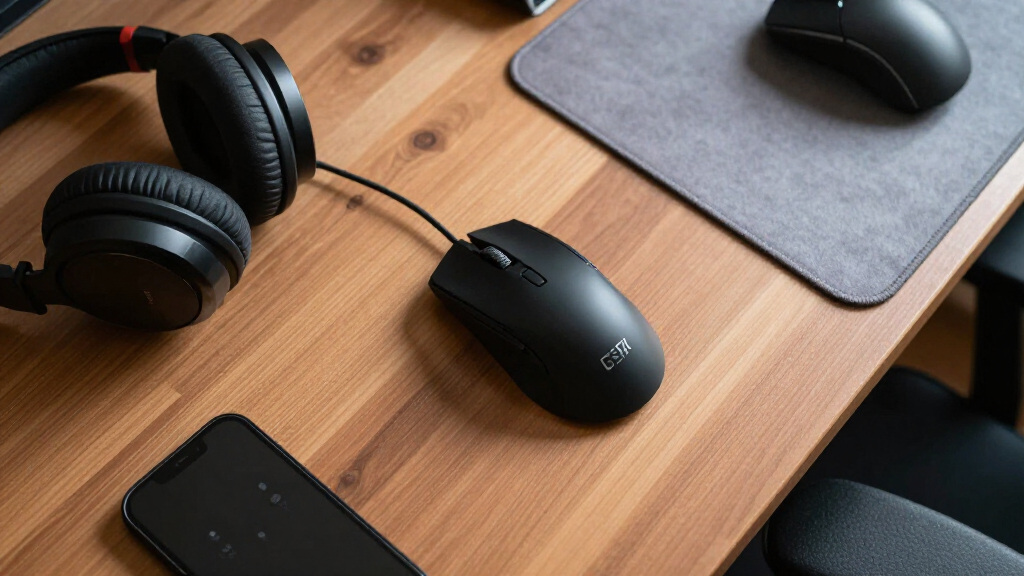
Our evaluation focused on performance metrics such as latency, sensor accuracy, and battery life, which directly impact gaming responsiveness. Usability factors like comfort, button layout, and customization options were also key, as these influence long-term satisfaction. Build quality and durability are essential, especially for intense gaming sessions. Additionally, we considered value by comparing features against price, ensuring each mouse offers a balanced package. The ranking reflects a combination of these criteria, prioritizing models that excel in responsiveness and usability for competitive gaming.
Factors to Consider When Choosing Wireless Gaming Mouse
When selecting a wireless gaming mouse, there are several critical factors to consider to ensure you get a device that matches your gaming style and needs. Understanding these will help avoid common pitfalls such as sacrificing comfort for speed or overspending on features you won’t use. Below are key aspects to keep in mind beyond just looking at specifications.Performance and Sensor Accuracy
The core of a gaming mouse’s performance lies in its sensor accuracy and responsiveness. Look for a high DPI (dots per inch) sensor that can handle your preferred sensitivity settings without lag. A sensor with low latency and high precision ensures your movements translate smoothly and accurately during gameplay. Keep in mind, more DPI isn’t always better if it sacrifices tracking quality—balance is key.
Battery Life and Charging
Long-lasting battery life is essential for uninterrupted gaming sessions, especially if you prefer wireless for freedom of movement. Some mice feature fast charging or replaceable batteries, which can be game-changers. Beware of models with short battery spans, which may require frequent charging and disrupt your flow. Consider how the mouse charges—USB-C charging is more convenient and faster for quick top-ups.
Ergonomics and Comfort
Comfort varies widely based on grip style—claw, palm, or fingertip—and hand size. An ergonomically designed mouse reduces fatigue, especially during long gaming marathons. Look for models with adjustable grips or customizable weights if you want a tailored feel. Poor ergonomics can lead to discomfort or even injury over time, so testing or reviewing size and shape is worth the effort.
Connectivity and Compatibility
Most wireless gaming mice connect via RF or Bluetooth, but RF typically offers lower latency. Verify compatibility with your gaming setup—USB receiver or Bluetooth—based on your PC or console. Some mice support multiple devices or profiles, which is useful if you switch between gaming and work. Also, ensure the connection remains stable during intense gameplay, avoiding dropouts or lag.
Additional Features and Customization
Features like programmable buttons, adjustable DPI settings, and customizable RGB lighting enhance gaming control and aesthetics. For competitive players, quick access to macros or profiles can provide an edge. However, more features often mean higher cost and complexity—prioritize what truly benefits your gaming style. Simpler models may be more reliable and easier to maintain.
Frequently Asked Questions
How important is latency in a wireless gaming mouse?
Latency is critical because it directly affects how quickly your inputs are registered during gameplay. A wireless gaming mouse with high latency can feel sluggish compared to a wired one, reducing your reaction time in fast-paced games. The best models minimize delay through advanced sensors and low-latency wireless tech, making their responsiveness comparable to wired mice. For competitive gaming, latency should be as close to wired as possible to avoid disadvantages.
Can wireless gaming mice match wired mice in performance?
In recent years, wireless gaming mice have closed the gap significantly, often matching wired mice in responsiveness and accuracy. High-end models utilize low-latency wireless protocols and sensitive sensors to deliver virtually wired-like performance. However, cheaper wireless mice may still suffer from slight lag or interference, so investing in premium options is advisable if performance is a priority. Battery life and connection stability remain factors to watch for.
Are wireless gaming mice more fragile than wired ones?
Wireless mice are generally built to be as durable as wired options, but they do rely on internal batteries and wireless modules, which can be more vulnerable to damage if mishandled. Proper care—avoiding drops and keeping the sensor clean—helps extend their lifespan. Choosing a model with a solid build and good reviews on durability can mitigate concerns. The internal components are often protected by sturdy casings, making them reliable for regular use.
How often do I need to replace batteries in a wireless gaming mouse?
The frequency depends on your usage and the mouse’s battery capacity. Many models can last from several days to weeks on a single charge, with some offering quick-charging features that provide hours of use after just a few minutes of charging. If you prefer continuous gaming without interruptions, consider mice with rechargeable batteries paired with a charging dock or those with replaceable batteries. Monitoring battery health periodically ensures consistent performance.
Is it better to buy a gaming mouse with customizable buttons?
Customizable buttons can provide a tangible advantage in complex games by allowing quick access to macros, weapon swaps, or key commands. They enhance convenience and can improve reaction times, especially in MMO or MOBA titles. However, more buttons may add complexity and clutter, so it’s important to choose a model that fits your grip and comfort preferences. If you don’t need extensive customization, a simpler model may be more comfortable and reliable.
Conclusion
For competitive gamers seeking the best overall experience, the Razer Viper V3 HyperSpeed offers unmatched speed, lightness, and responsiveness. Budget-conscious buyers will find value in the Redragon M612, which balances features and price effectively. Those looking for a premium, highly customizable option should consider the Logitech G502 Lightspeed for its ergonomic design and extensive controls. Beginners or casual players might prefer the more straightforward and affordable models like the Logitech G305. Ultimately, your choice depends on your priorities—speed, comfort, customization, or budget—and this guide helps clarify those tradeoffs.
As an affiliate, we earn on qualifying purchases.Fall Picks
fall essentials