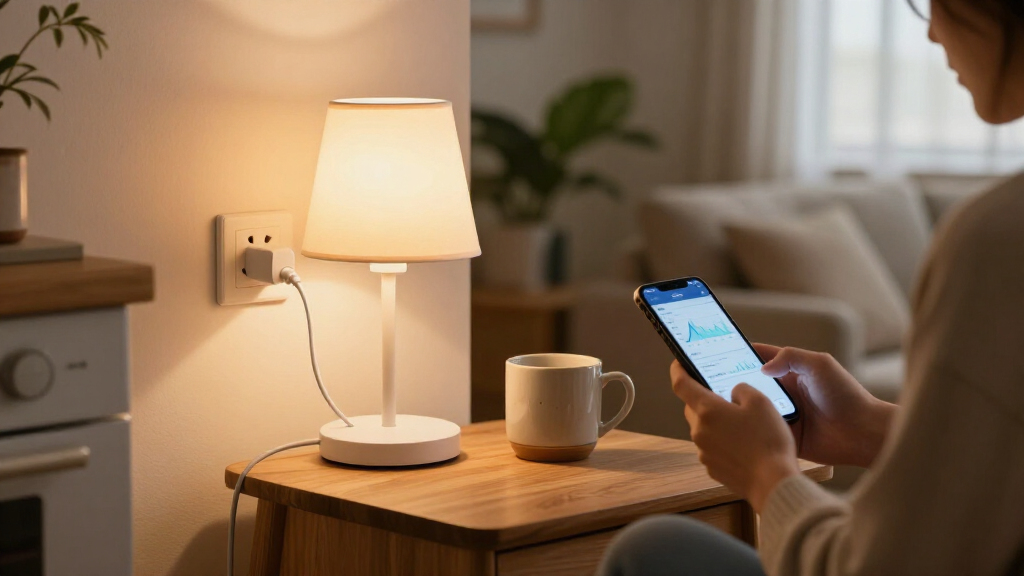

Smart plugs with energy monitoring do more than turn devices on and off remotely — they show you exactly how much power each appliance draws, so you can spot energy-wasting offenders and cut your electric bill. After comparing twelve leading models, the Tapo P115 (4-Pack) stands out as the best overall pick, thanks to its accurate real-time tracking, clean app, and competitive multi-pack pricing. The Kasa Matter Smart Plug KP125MP4 is the strongest choice if you want future-proof Matter compatibility across Apple, Google, and Alexa ecosystems, while the Emporia Energy Monitoring Smart Plug wins for whole-home energy tracking, since it integrates with Emporia’s broader monitoring ecosystem. The main tradeoffs in this category come down to app polish versus hardware price, Wi-Fi band support, and whether you need Matter or Zigbee for a larger smart home setup. Keep reading for the full breakdown, including which plugs handle high-draw 15A appliances safely and which ones fall short on data accuracy.

Get the latest gadgets delivered free with Prime
- Fast, free delivery on millions of items
- Prime Video, Amazon Music and more included
- Member-only deals all year
Complete the kit



Key Takeaways
- The Tapo P115 and Kasa KP125MP4 separated themselves from the pack with the most polished apps and reliable energy data — cheaper plugs often track power but present it in clunky, hard-to-read dashboards.
- Matter compatibility (Tapo P110M, Kasa KP125MP4) is the dividing line in 2026: it matters most for multi-ecosystem households and larger setups, and matters little if you live entirely inside Alexa or Google Home.
- Zigbee options like the THIRDREALITY Gen3 trade direct phone connectivity for mesh-network reliability — the right call for smart hub owners, the wrong call for everyone else.
- Multi-packs dominate value math here: the 4-pack Govee, generic 15A, and Emporia sets cost less per outlet than most 2-packs, but the Emporia plugs only make sense if you buy into Emporia’s whole-home system.
- The NOUS A9 is the only 5 GHz option in the lineup — a genuine differentiator for homes with crowded 2.4 GHz networks, though its app and support trail the TP-Link and Kasa alternatives.




| smart plugs with energy monitoring | Connectivity | App | Compatibility | Certification |
|---|---|---|---|---|
| Govee Smart Plug with Energy M | WiFi 2.4GHz & Bluetooth | Govee Home | — | — |
| Smart Plug Outlet with Energy | — | SmartLife | Alexa, Google Assistant | FCC |
| Tapo P115 Smart Plug Wi-Fi wit | Wi-Fi 2.4GHz | Tapo app | — | — |
| SwitchBot Smart Plug Mini | WiFi & Bluetooth | — | Alexa, Google Assistant, Siri, SmartThings, Home Assistant | ETL |
| Kasa Smart Plug Mini with Ener | Wi-Fi 2.4GHz | Kasa app | — | UL |
| Emporia Energy Monitoring Smar | Wi-Fi 2.4GHz only | — | — | — |
| THIRDREALITY Smart Plug Gen3 | Zigbee 3.0 | — | — | ETL Certified |
| Tapo P110M Smart Plug | — | Tapo | Amazon Alexa, Apple HomeKit, Google Home, Samsung SmartThings | — |
| Tapo P115 Smart Plug Wi-Fi wit | Wi-Fi | Tapo app | — | — |
| TOPELER 15A Smart Plug with En | WiFi 2.4GHz, Bluetooth | Smart Life | Amazon Alexa, Google Assistant | — |
| Kasa Matter Smart Plug with En | — | — | Apple Home, Amazon Alexa, Google Home, Samsung SmartThings | UL certified, flame retardant |
| NOUS A9 5GHz Wi-Fi Smart Plug | Wi-Fi (2.4GHz and 5GHz) | — | Amazon Alexa, Google Assistant (Tuya Smart app) | CE |
More Details on Our Top Picks
Govee Smart Plug with Energy Monitoring, WiFi Bluetooth Outlet, 4 Pack
Govee’s 4-pack earns the top spot because it balances energy data depth with everyday usability better than anything else here. Where the SmartLife 4-pack only shows real-time power draw, Govee keeps daily, weekly, and monthly usage logs for up to a year, which is what actually helps you spot a draining appliance or verify that an off-peak schedule is working. The Bluetooth plus WiFi pairing also gives you a more forgiving setup and control path than WiFi-only plugs like the Tapo P115. The tradeoff is ecosystem lock-in: everything routes through the Govee Home app, and 5GHz networks are off the table. If you want Matter compatibility, the Tapo P110M elsewhere in this guide is the better route, but for raw monitoring value, this is the pick to beat.
Pros:- One year of daily, weekly, and monthly energy history
- Bluetooth fallback makes setup and local control easier than WiFi-only rivals
- Group control and scheduling scale well across the 4-pack
- ETL certification and fire-resistant housing on a 15A/120V rating
Cons:- 2.4GHz WiFi only — users with mesh networks on a single 5GHz SSID will struggle
- Full feature set is trapped inside the Govee Home app with no third-party integration
Best for: Households wanting long-term energy history across multiple rooms at a reasonable per-plug cost
Not ideal for: Smart home hobbyists running Home Assistant or Matter — the closed Govee app blocks deeper automation
- Quantity:4 Pack
- Connectivity:WiFi 2.4GHz & Bluetooth
- Max Current:15A
- Voltage:120V
- Voice Assistants:Alexa, Google Assistant
- Certifications:FCC, ETL
- App:Govee Home
- Energy Data Retention:Up to 1 year
Our verdict“Buy this if you want the most complete energy-monitoring picture per dollar without caring about open smart home standards.”
Smart Plug Outlet with Energy Monitoring, 15A, 2.4 GHz Wi-Fi, 4-Pack
This unbranded 4-pack is the budget entry that still delivers the core feature: real-time power tracking that tells you which device is silently inflating your bill. It undercuts the Govee 4-pack on data depth — you get current draw but not the year of historical charts — yet it matches the 15A/1800W capacity and adds overload and short-circuit protection that pricier plugs sometimes bury in fine print. The compact housing avoids the outlet-blocking problem, something the chunkier Tapo designs handle less gracefully. The real cost shows up in software: setup runs through the SmartLife app and linking Alexa or Google is a manual, occasionally fiddly process compared to the near-automatic pairing on Kasa or Tapo. You are trading polish for price, and for many buyers that is a fair trade.
Pros:- Real-time energy tracking at a lower per-plug cost than name brands
- Compact body leaves adjacent outlets free
- Overload and short-circuit protection included
- Scheduling, timers, and group control cover the automation basics
Cons:- No long-term energy history or bill estimates like Govee or Tapo provide
- Setup requires manual SmartLife-to-Alexa linking rather than native integration
- 2.4GHz WiFi only with no Bluetooth fallback
Best for: First-time buyers who want to try energy monitoring across several outlets without a big upfront spend
Not ideal for: Anyone who expects plug-and-play voice control — manual third-party service linking gets tedious across four plugs
- Pack Size:4
- Max Current:15A
- Max Power:1800W
- Wi-Fi:2.4 GHz
- Hub Required:No
- App:SmartLife
- Compatibility:Alexa, Google Assistant
- Certification:FCC
Our verdict“A sensible budget pick if you want basic power tracking in four rooms and can tolerate a rougher app experience.”
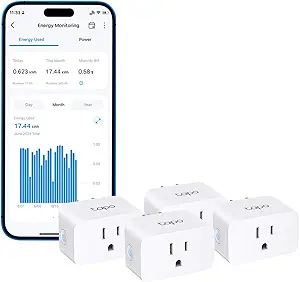
Tapo P115 Smart Plug Wi-Fi with Energy Monitoring (4-Pack), 15A
The Tapo P115 stands apart because it treats energy monitoring as a safety tool, not just a spreadsheet. Its smart charging cutoff stops overcharging phones and devices left plugged in, and auto-shutoff kicks in on electrical overload — protections the SmartLife 4-pack and Govee don’t pair together. The Tapo app presents usage as readable charts with bill estimates, which makes the data more actionable than the raw figures on cheaper plugs, and scheduling lets you push heavy loads into off-peak windows. Compared with the SwitchBot Mini, you lose Bluetooth fallback, so a WiFi outage means losing control entirely. And while the 4-pack here beats the 2-pack P115 on value, buyers chasing future-proofing should look at the Matter-compatible Tapo P110M instead.
Pros:- Energy charts with cost estimates make usage data actionable
- Smart charging cutoff prevents battery overcharging
- Auto-shutoff protection against overload conditions
- Off-peak scheduling for high-power appliances
Cons:- No Bluetooth fallback — control dies with the WiFi network
- Bill estimate features need extra setup with your utility rates
- Slightly bulkier housing than minimalist plugs like the SwitchBot Mini
Best for: Parents and cautious owners who want overcharge protection and overload shutoff on devices left running unattended
Not ideal for: HomeKit or Matter users — this WiFi-only model lacks the interoperability of the Tapo P110M
- Model:Tapo P115
- Pack Size:4 plugs
- Max Current:15A
- Connectivity:Wi-Fi 2.4GHz
- Voice Assistants:Alexa, Google Assistant
- App:Tapo app
- Safety Features:Auto-shutoff, smart charging cutoff
- Scheduling:Programmable, off-peak support
Our verdict“The pick for anyone whose priority is protecting devices and wiring, with genuinely readable energy data as a bonus.”
SwitchBot Smart Plug Mini – 15A Energy Monitoring, WiFi & Bluetooth Outlet
The SwitchBot Mini is the most open plug in this lineup, working with Alexa, Google Assistant, Siri, SmartThings, and Home Assistant without a hub — a flexibility no other plug here matches, since even the well-regarded Kasa KP115 locks you into two voice assistants. Its per-second power draw updates are more granular than the Govee’s periodic reporting, which matters if you’re diagnosing a device’s startup surge rather than just tracking daily totals. The 1″ x 1″ body is the smallest in the guide, fitting where the Tapo P115 would crowd a second socket. The catch: Bluetooth fallback only works at short range, so it’s a local convenience rather than true remote redundancy, and getting Siri or SmartThings running demands extra configuration that casual users may find tedious.
Pros:- Broadest ecosystem support in the lineup, including Siri and Home Assistant
- Per-second energy reporting with data export
- Smallest footprint won’t block adjacent outlets
- Bluetooth fallback keeps local control alive during WiFi outages
Cons:- Bluetooth range is too short for reliable whole-home remote control
- Siri and SmartThings integration requires manual configuration
- Sold as a single plug, so outfitting multiple rooms costs more than the 4-packs
Best for: Smart home enthusiasts mixing Apple, Google, and Home Assistant who need one plug that talks to everything
Not ideal for: Set-and-forget users — multi-ecosystem setup and per-second data are overkill if you just want a schedule and a monthly total
- Amperage:15A
- Connectivity:WiFi & Bluetooth
- Footprint:1″ x 1″
- Compatibility:Alexa, Google Assistant, Siri, SmartThings, Home Assistant
- Hub Required:No
- Certification:ETL
- Energy Reporting:Real-time, per-second with export
Our verdict“Choose this when interoperability matters more than bulk-buy value and you want the finest-grained power data available.”
Kasa Smart Plug Mini with Energy Monitoring, KP115
Kasa’s KP115 is the easiest path from zero to working energy monitoring. Setup is famously painless — plug in, open the Kasa app, follow three steps — whereas the SmartLife 4-pack makes you manually link third-party skills and the SwitchBot demands configuration for anything beyond Alexa or Google. The app’s runtime-and-usage breakdown is presented simply enough for someone who has never owned a smart plug, and the hardware carries a UL certification, fireproof shell, and a sliding child safety cover — the only plug in this batch with that last feature. Its weaknesses are honest ones: no Bluetooth backup like the Govee or SwitchBot, no Matter support (the Kasa KP125MP4 covers that), and energy data is less granular than the SwitchBot’s per-second updates. For a first smart plug, none of that matters much.
Pros:- Simplest setup experience in the roundup
- UL certified with fireproof shell and overheating protection
- Sliding safety cover protects children from the outlet
- Two-year warranty backs the hardware
Cons:- 2.4GHz WiFi only, with no Bluetooth fallback if the network drops
- Energy data is less detailed than SwitchBot or Tapo alternatives
- No Matter or Home Assistant support
Best for: First-time smart plug buyers who value a polished app and guided setup over advanced features
Not ideal for: Power users wanting Matter support, data export, or Home Assistant integration — the KP125MP4 or SwitchBot Mini serve them better
- Connectivity:Wi-Fi 2.4GHz
- Voice Assistants:Alexa, Google Assistant
- App:Kasa app
- Certification:UL
- Safety Features:Overheating protection, fireproof shell, sliding child safety cover
- Warranty:2 years
- Energy Monitoring:Yes, via Kasa app
Our verdict“The safest first smart plug for non-technical buyers who want energy monitoring without a learning curve.”
Emporia Energy Monitoring Smart Plug (4 Pack)
Emporia approaches energy monitoring as the main event, not a bonus feature. Unlike the TOPELER, which treats usage reports as a scheduling extra, Emporia’s app is built around consumption tracking, making this 4-pack the closest thing to a room-by-room energy audit kit. The catch is capacity: at 10A continuous (1200W), it falls short of the 15A rating shared by the Tapo P115 and THIRDREALITY Gen3, so space heaters and high-draw appliances are off the table. The 2.4GHz-only WiFi requirement is a common limitation in this category, but it stings more here since Emporia’s ecosystem is app-centric. Compared with the Tapo P110M, it trades platform breadth for a more focused analytics experience.
Pros:- Energy monitoring is the core of the app, not an afterthought
- Alexa and Google Home voice control plus scheduling
- 4-pack covers multiple rooms for a full usage picture
- Wide operating temperature range from 14°F to 140°F
Cons:- 10A continuous load limit is lower than most 15A competitors
- 2.4GHz WiFi only — no 5GHz support
Best for: Homeowners who want to measure and cut electricity usage across multiple rooms before investing in a full energy monitor
Not ideal for: Anyone planning to monitor high-wattage appliances like space heaters or air conditioners — the 10A limit caps out at 1200W
- Quantity:4 Pack
- Operating Voltage:120 volts
- Max Wattage:1200 watts (10A continuous)
- Connectivity:Wi-Fi 2.4GHz only
- Compatible With:Amazon Alexa, Google Assistant, Android, iOS
- Control Methods:App, Remote, Voice, Push Button
- Operating Temperature:14°F to 140°F
Our verdict“Buy this if measuring and reducing your electricity bill matters more than raw power handling.”
THIRDREALITY Smart Plug Gen3 (4 Pack) – Real-Time Power Meter, 15A Outlet, Zigbee Repeater
This is the pick for readers who already run a Zigbee mesh through Home Assistant, SmartThings, or an Echo with a built-in hub. Where Wi-Fi plugs like the Emporia and Tapo P115 crowd your router, THIRDREALITY keeps traffic off your network entirely — and each plug doubles as a Zigbee repeater, strengthening your mesh with every outlet you add. Its ±1% measurement accuracy also beats what most Wi-Fi competitors advertise, which matters if you’re using the data to verify appliance draw rather than eyeball trends. The tradeoff is stark: no hub means no functionality at all, and power-on state restoration only works with the THIRDREALITY Hub Gen2 or Home Assistant — a real gap compared with the plug-and-play Tapo options.
Pros:- ±1% power monitoring accuracy for trustworthy energy data
- Built-in Zigbee repeater extends mesh network range
- Space-saving body doesn’t block the second outlet
- Broad hub compatibility across major Zigbee platforms
Cons:- Requires a separate Zigbee hub to function
- Power-on state restoration limited to THIRDREALITY Hub Gen2 and Home Assistant
Best for: Home Assistant, Hubitat, or SmartThings users who want accurate monitoring plus a stronger mesh network
Not ideal for: Buyers without an existing Zigbee hub — this plug simply won’t work out of the box
- Connectivity:Zigbee 3.0
- Operating Voltage:110V
- Power Monitoring Accuracy:±1%
- Certification:ETL Certified
- Compatible Devices:Echo (4th Gen/Plus/Show/Studio), Eero 6/Pro 6, Home Assistant, SmartThings, Hubitat, Homey
- Control Methods:Remote, Voice
Our verdict“A natural fit for mesh-network households; everyone else should stick with Wi-Fi plugs like the Tapo P115.”
Tapo P110M Smart Plug (4-Pack), Matter Compatible, Energy Monitoring, 15A
Matter certification is what separates the P110M from every other plug in this lineup. The THIRDREALITY Gen3 locks you into Zigbee hubs, the TOPELER into Alexa and Google — but the P110M works natively with Alexa, Apple HomeKit, Google Home, and SmartThings, so switching platforms later doesn’t mean replacing your plugs. Its energy features go beyond raw tracking too: bill estimation and off-peak scheduling turn usage data into actual savings, and auto-cutoff thresholds let you cap a device’s draw. The friction points are real, though. Full Matter integration may need a hub/controller, and advanced features still route through the Tapo app on 2.4GHz Wi-Fi — the same constraint that applies to the Tapo P115.
Pros:- Matter certification works across Alexa, HomeKit, Google Home, and SmartThings
- Energy tracking with bill estimation translates data into cost savings
- Programmable off-peak scheduling for high-consumption devices
- Automatic power cutoff and overcurrent safety protections
Cons:- May require a Matter hub or controller for full platform integration
- Advanced features depend on the Tapo app and 2.4GHz Wi-Fi
Best for: Multi-platform smart home households, especially Apple Home users, who don’t want to be locked into one ecosystem
Not ideal for: Households without any smart home hub or controller — the Matter advantages largely disappear without one
- Model:P110M
- Pack Size:4
- Max Current:15A
- Matter Certified:Yes
- Energy Monitoring:Yes
- Compatibility:Amazon Alexa, Apple HomeKit, Google Home, Samsung SmartThings
- App:Tapo
Our verdict“The safest long-term buy in the lineup if you value cross-platform flexibility as much as energy data.”
Tapo P115 Smart Plug Wi-Fi with Energy Monitoring (2-Pack), 15A
Where the Tapo P110M is about platform flexibility, the P115 is about doing the essentials exceptionally well at a smaller scale. Its smart charging feature stands out — it cuts power at a set battery limit, which is genuinely useful for phones, e-bikes, and anything with a battery you’d rather not cook overnight. Charts and usage statistics are presented more clearly than on the TOPELER, and the 15A rating handles heavier appliances than the Emporia’s 10A cap allows. The 2-pack size is a deliberate tradeoff: perfect for testing energy monitoring on two circuits, but households wanting whole-home coverage will outgrow it fast — the 4-pack version of this same plug makes more sense at that point.
Pros:- Clear energy charts and usage statistics for spotting waste
- Smart charging stops power at a set battery level
- Auto-shutoff guards against electrical overload
- 15A rating handles high-draw appliances
Cons:- Smart features require the Tapo app and a Wi-Fi connection
- Only two plugs in the box for the price of larger sets elsewhere
Best for: First-time buyers who want to test energy monitoring on a couple of devices like a fridge, TV, or charger before committing to more plugs
Not ideal for: Buyers wanting multi-room coverage in one purchase — the 2-pack limits how much of the home you can monitor
- Model:P115
- Pack Size:2-Pack
- Max Current:15A
- Connectivity:Wi-Fi
- Energy Monitoring:Yes
- Voice Assistants:Alexa, Google Assistant
- App:Tapo app
Our verdict“A low-commitment entry point into energy monitoring with unusually thoughtful charging features.”
TOPELER 15A Smart Plug with Energy Monitor, Timer & Remote Control, 2 Pack
TOPELER’s pitch is redundancy on a budget. Its Bluetooth backup control is something none of the Tapo, Emporia, or THIRDREALITY plugs offer — when Wi-Fi drops, you can still switch devices locally instead of losing control entirely. The daily, weekly, and monthly energy reports cover the fundamentals of usage tracking, and the compact body leaves the adjacent socket free, matching the THIRDREALITY Gen3‘s space-conscious design. Where it trails the Tapo P115 is polish: the Smart Life app is less refined, data presentation is more basic, and you must link the app before voice assistants will work at all. For a first smart plug or a garage-and-workshop pair, those compromises are easy to accept.
Pros:- Bluetooth local control works even when Wi-Fi is offline
- Daily, weekly, and monthly energy usage reports
- Compact design leaves the second outlet free
- ETL and FCC certified with fire-resistant materials
Cons:- 2.4GHz Wi-Fi only — no 5GHz support
- Requires Smart Life app setup before voice assistants function
Best for: Budget-conscious buyers who want dependable energy monitoring and a Bluetooth fallback when Wi-Fi fails
Not ideal for: Users who want polished analytics and instant voice-assistant setup — the Smart Life app requires linking first and offers less detail
- Amperage:15A / 1800W
- Quantity:2 Pack
- Connectivity:WiFi 2.4GHz, Bluetooth
- App:Smart Life
- Compatibility:Amazon Alexa, Google Assistant
- Certifications:ETL, FCC
- Hub Required:No
Our verdict“A practical, resilient choice for cost-focused buyers who value reliability over app sophistication.”
Kasa Matter Smart Plug with Energy Monitoring (KP125MP4)
Most plugs in this roundup lock you into a single app ecosystem, but the Kasa KP125MP4 leans fully into Matter certification, meaning it speaks natively to Apple Home, Alexa, Google Home, and SmartThings without favoring any one of them. If your household mixes an iPhone user with Android speakers and a SmartThings hub, this is the plug that won’t force compromises. Compared with the Tapo P110M, the other Matter option here, the Kasa adds local LAN control, so scheduled on/off cycles and energy tracking keep functioning even when your internet drops — a genuine reliability advantage. The compact housing leaves the second outlet free, and the UL-certified flame-retardant build offers more safety assurance than the CE-only NOUS A9. The tradeoff: full functionality requires a Matter-compatible hub or controller, so buyers deep in an older, non-Matter setup may find the Kasa KP115 simpler.
Pros:- Works natively across all major Matter-certified platforms
- Local LAN control keeps schedules and monitoring working during internet outages
- Built-in energy usage tracking over time
- UL-certified flame-retardant build with a 2-year warranty
Cons:- Requires a Matter-compatible hub or controller for full functionality
- Matter setup is more involved than plug-and-play Wi-Fi options like the NOUS A9
Best for: Households that mix Apple, Google, and Amazon devices and want one plug that works everywhere without ecosystem lock-in
Not ideal for: Buyers without any Matter-compatible controller or hub, since the plug’s cross-platform advantage disappears without one
- Model:KP125MP4
- Max Load:15A / 1800W
- Protocol:Matter
- Compatibility:Apple Home, Amazon Alexa, Google Home, Samsung SmartThings
- Energy Monitoring:Yes
- Certification:UL certified, flame retardant
- Warranty:2-year limited
Our verdict“Buy this if your smart home spans multiple ecosystems and you want energy monitoring that survives an internet outage; skip it if you have no Matter controller.”
NOUS A9 5GHz Wi-Fi Smart Plug 15A with Energy Monitoring
Nearly every plug in this lineup, from the Govee 4-Pack to the Tapo P115, is limited to the congested 2.4GHz band. The NOUS A9 stands out as the rare option that also connects over 5GHz Wi-Fi, which matters if you live in an apartment building where the 2.4GHz spectrum is saturated — the result is faster response times and fewer dropped connections. Setup skips hubs entirely: pair it, link it to Alexa or Google Assistant, and the Tuya Smart app surfaces real-time energy data you can act on immediately. Compared with the Kasa KP125MP4, you give up Matter support and local control, so this plug depends on the cloud and the Tuya ecosystem. It’s also indoor-only with a CE rather than UL certification, and unlike Kasa or Tapo, there’s no stated warranty term.
Pros:- Dual-band support including 5GHz for faster, interference-free connections
- Real-time energy monitoring through the Tuya Smart app
- Hub-free setup that takes minutes
- Compact body leaves the second outlet free
Cons:- Indoor use only with an IP20 rating
- CE certification rather than UL listing, with no stated warranty term
- No Apple Home or Matter support — tied to the Tuya ecosystem
Best for: Apartment dwellers and buyers in Wi-Fi-dense buildings who need a plug that connects over 5GHz without a hub
Not ideal for: Apple Home users or anyone wanting Matter certification and local control, since this plug relies on the Tuya cloud and works only with Alexa and Google
- Model:A9
- Max Load:15A / 1800W
- Operating Voltage:120 volts
- Connectivity:Wi-Fi (2.4GHz and 5GHz)
- Compatibility:Amazon Alexa, Google Assistant (Tuya Smart app)
- Energy Monitoring:Yes, real-time via app
- Certification:CE
- Dimensions:2.36 x 1.5 x 2.05 inches
Our verdict“This pick makes the most sense for buyers fighting 2.4GHz congestion who want quick, hub-free setup with energy tracking; look elsewhere for Matter or Apple Home support.”

How We Picked
I evaluated these twelve plugs through one specific lens: how well do they actually help you understand and reduce your energy use? That meant looking at the quality of energy data first — real-time wattage readings, historical graphs, cost estimation based on your utility rate, and how far back the data goes. A plug that only shows current draw is far less useful than one that charts daily and monthly consumption trends. From there, I weighed app usability, since you’ll interact with the software far more than the hardware, plus setup difficulty, voice assistant support, and ecosystem compatibility including Matter and Zigbee.
Hardware factors mattered too: 15A rating for high-draw appliances, build quality, plug bulkiness (a real issue when two plugs share one outlet), and safety certifications like ETL. Multi-pack pricing per outlet shaped the rankings as well, because most buyers need several monitored plugs rather than one. Finally, I factored in reliability signals — Wi-Fi stability, connection drops, and how well each manufacturer supports firmware updates — because a smart plug that falls off the network stops monitoring anything at all.
| smart plugs with energy monitoring | App | Compatibility | Certification |
|---|---|---|---|
| Govee Smart Plug with Energy M | Govee Home | — | — |
| Smart Plug Outlet with Energy | SmartLife | Alexa, Google Assistant | FCC |
| Tapo P115 Smart Plug Wi-Fi wit | Tapo app | — | — |
| SwitchBot Smart Plug Mini | — | Alexa, Google Assistant, Siri, SmartThings, Home Assistant | ETL |
| Kasa Smart Plug Mini with Ener | Kasa app | — | UL |
| Emporia Energy Monitoring Smar | — | — | — |
| THIRDREALITY Smart Plug Gen3 | — | — | ETL Certified |
| Tapo P110M Smart Plug | Tapo | Amazon Alexa, Apple HomeKit, Google Home, Samsung SmartThings | — |
| Tapo P115 Smart Plug Wi-Fi wit | Tapo app | — | — |
| TOPELER 15A Smart Plug with En | Smart Life | Amazon Alexa, Google Assistant | — |
| Kasa Matter Smart Plug with En | — | Apple Home, Amazon Alexa, Google Home, Samsung SmartThings | UL certified, flame retardant |
| NOUS A9 5GHz Wi-Fi Smart Plug | — | Amazon Alexa, Google Assistant (Tuya Smart app) | CE |
Factors to Consider When Choosing Smart Plugs With Energy Monitoring
Energy-monitoring smart plugs look nearly identical on the outside, but the differences in data quality, connectivity, and ecosystem fit will determine whether yours becomes a daily tool or a forgotten gadget. Before choosing, here are the factors that actually change the ownership experience.Energy Data Quality and Depth
Not all energy monitoring is created equal. Some plugs show only real-time wattage, while others chart hourly, daily, and monthly consumption and convert it to estimated cost using your electricity rate. The deeper the historical data, the easier it is to spot patterns — like a space heater quietly costing you $30 a month. A common mistake is buying a cheap plug with monitoring in the name, only to find the app logs data in confusing intervals or resets when the plug loses power. Check whether the app lets you set your own utility rate, because default rate assumptions can be wildly off. Accuracy also varies: plugs reporting in coarse increments (0.5W or more) struggle with low-draw devices like phone chargers, which matters if vampire power is what you’re hunting.
Connectivity: Wi-Fi Bands, Matter, and Zigbee
Most plugs here connect over 2.4 GHz Wi-Fi, which has better range but suffers in apartment buildings with crowded networks. The NOUS A9’s 5 GHz support solves that, at the cost of shorter range. If you run a larger smart home, Matter-compatible plugs (Tapo P110M, Kasa KP125MP4) let you control everything from any major platform without juggling multiple apps. Zigbee options like the THIRDREALITY Gen3 require a hub but add mesh-network benefits — each plug extends your network, and Zigbee devices respond faster and stay off your already-loaded Wi-Fi. The mistake to avoid: assuming every Wi-Fi plug works with your router’s smart network features. Guest networks and band-steering routers frequently block 2.4 GHz-only devices during setup.
Amperage Rating and What You Can Safely Monitor
Every plug in this lineup is rated for 15A, but that rating comes with fine print. A 15A plug handles roughly 1,800 watts, which covers space heaters, air conditioners, and microwaves — the appliances where energy monitoring pays off fastest. However, continuous loads should stay below 80% of that rating (about 1,440W), so a plug running a heater nonstop is working harder than it should. Cheaper plugs sometimes cut corners on internal relays and thermal protection, which is where ETL or UL certification matters — the THIRDREALITY Gen3 earns credit here. Never use any smart plug with devices that exceed their rating, and be cautious with motors and compressors, whose startup surge can briefly exceed running wattage.
App Ecosystem and Long-Term Support
The app is the product. TP-Link’s Tapo and Kasa apps are consistently the most polished, with clear energy dashboards, reliable scheduling, and ongoing firmware support — smaller brands like TOPELER and generic imports often ship apps that feel translated, load slowly, or stop receiving updates. This matters more than most buyers realize: a discontinued app turns your energy data into an unreadable dead end. Consider whether the brand also sells other smart home devices you might add later, since staying in one ecosystem (Tapo, Kasa, Emporia, SwitchBot) keeps everything in a single app. Emporia is the standout example — its plugs are most valuable when paired with its whole-home energy monitor, letting you compare individual appliance draw against total house consumption.
Physical Design and Outlet Space
Plug bulkiness is an underrated frustration. Round or wide plugs can block the second outlet in a standard wall plate, and mini designs like the Kasa KP115 and SwitchBot Mini exist specifically to solve this. If you’re monitoring two appliances at one wall outlet, check the plug’s width before buying a multi-pack. Also consider where the plug goes: outdoor-adjacent windows and garages stress Wi-Fi range, and a plug that drops its connection loses monitoring data during outages. Some models remember their state after a power cut (a setting often buried in the app) — worth configuring if you’re plugging in something that shouldn’t restart automatically, like a heater.
Pack Size and Real Cost Per Outlet
Energy monitoring is most useful across multiple appliances, so pack economics matter more than single-plug price tags. Four-packs from Govee, Emporia, Tapo, and generic brands typically bring the per-outlet cost down sharply compared with singles and 2-packs. But price per plug isn’t the whole calculation — a four-pack of plugs with a mediocre app costs more in frustration than a pricier two-pack with excellent software. A sensible approach: start with a small pack from a top-tier brand to test the ecosystem, then expand once you know the app fits your routine. Buyers hunting whole-home insights should look at Emporia; buyers wanting broad coverage cheaply will lean toward the Govee or generic 4-packs.
Frequently Asked Questions
How accurate are smart plugs with energy monitoring compared to my utility meter?
Quality plugs from Tapo, Kasa, and Emporia are typically accurate within a few percent for medium and high-draw appliances, which is plenty for spotting waste and comparing devices. Discrepancies grow with very low loads — anything under a few watts may round noticeably, and some plugs report zero for standby devices that draw a trickle of power. Your utility meter also measures the whole house, so comparing a single plug’s total against your bill will never match exactly; other unmonitored devices account for the difference. If whole-home accuracy is your goal, pairing monitored plugs with a dedicated whole-home energy monitor (like Emporia’s) gives you both the big picture and the per-appliance detail. For budgeting purposes, plug-level data is best treated as comparative rather than forensic.
Do energy-monitoring smart plugs work without an internet connection?
Physically, yes — the plug keeps passing power and most local schedules continue running even when the internet drops. What you lose is remote control, voice commands, and cloud-stored energy data, and on some cheaper plugs, monitoring history stops recording during the outage entirely. Brands with stronger local control, such as Kasa and Tapo within their own apps, generally keep local schedules and timers functioning offline. Matter-compatible plugs also support local control, which makes them more resilient than older cloud-dependent designs. If you live somewhere with flaky internet, prioritize plugs known for local scheduling, and configure them so a heater or AC unit reverts to a safe off-state when disconnected.
Should I choose a Matter-compatible plug or stick with a standard Wi-Fi plug?
Matter makes sense if your household mixes ecosystems — say, an iPhone user and an Android user, or Apple Home alongside Google Home — because one plug works natively with all of them. The Kasa KP125MP4 and Tapo P110M also future-proof you against switching voice assistants later. The tradeoff: Matter plugs sometimes expose fewer brand-specific features through the Matter connection itself, so you may still need the manufacturer’s app for detailed energy graphs and advanced automations. If you’re happily settled in one ecosystem and have no plans to switch, a standard Wi-Fi plug delivers identical monitoring for less money. Think of Matter as insurance against ecosystem changes rather than a feature you’ll feel every day.
Can I use these plugs with high-power appliances like space heaters and air conditioners?
All twelve plugs here carry a 15A rating, which covers most heaters, window AC units, and kitchen appliances up to about 1,800 watts. The catch is that continuous loads should ideally stay around 80% of the rating, so a 1,500W heater running for hours is near the practical ceiling. High-draw monitoring is actually where these plugs shine — heating and cooling are usually the biggest line items on an electric bill, and seeing the cost per hour changes how people use them. Two precautions apply: use a wall outlet rather than a power strip or extension cord, and buy from brands with proper safety certifications (look for ETL or UL listing). Also confirm the plug’s app supports energy thresholds and alerts, so you get notified if consumption spikes unexpectedly.
Is a Zigbee smart plug like the THIRDREALITY Gen3 worth it without a smart home hub?
No — without a Zigbee coordinator like an Amazon Echo with a built-in hub, SmartThings, or Home Assistant, the plug simply won’t connect to your phone. Zigbee’s advantages are real: faster response, no dependence on Wi-Fi congestion, and the Gen3’s ability to act as a repeater that strengthens your mesh network with every plug you add. For hub owners building out a larger smart home, that makes it arguably more reliable than any Wi-Fi plug in this lineup. For everyone else, the extra hardware requirement is pure friction with no payoff. If you don’t own a hub today and don’t plan to, a Wi-Fi or Matter plug is the straightforward choice.
Conclusion
The right pick depends on what you’re trying to accomplish with energy monitoring. For most buyers, the Tapo P115 4-Pack is the best overall choice — accurate data, an excellent app, and multi-pack pricing that makes whole-room monitoring practical. The Kasa KP125MP4 is the best premium option for multi-ecosystem households that need Matter compatibility, and it’s the one I’d point serious smart home builders toward. On value, the Govee 4-Pack and the generic 15A 4-pack deliver the lowest cost per monitored outlet, which is hard to beat if you’re outfitting several rooms on a budget. Beginners get the friendliest start with the Kasa KP115 — its app walks you through setup and presents energy data more clearly than most. For specific needs: Emporia for whole-home energy tracking alongside its monitor, NOUS A9 for crowded 2.4 GHz networks, THIRDREALITY Gen3 for Zigbee hub owners, and the SwitchBot Mini for tight outlets where plug size matters. Whatever you choose, prioritize the app experience as much as the hardware — that’s where the day-to-day value of energy monitoring lives.