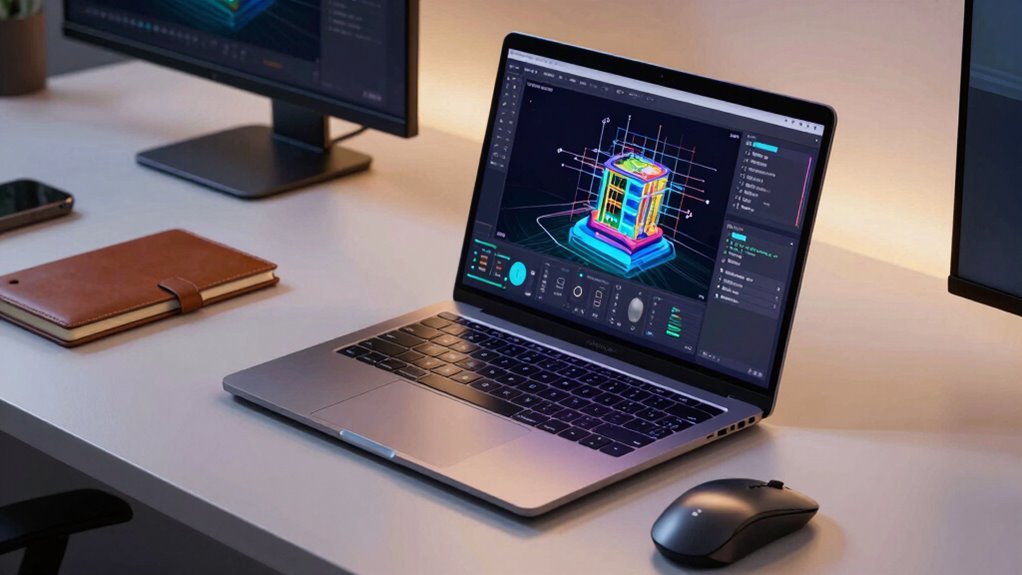

A mobile workstation laptop pairs professional-class processing and graphics with a design you can carry between offices, studios, or job sites. I’d put the Lenovo ThinkPad P1 Gen 7 forward as the best overall candidate for buyers who want a capable 16-inch workstation without choosing one of the heaviest, most specialized configurations. For a more portable daily carry, the ThinkPad P14s Gen 6 brings a 14-inch display, 32GB of memory, and a high-brightness screen; the ThinkPad P16 stands out for buyers who prioritize substantial memory and storage. The central tradeoff is portability versus sustained performance, with graphics capability, screen size, and configuration also shaping the fit. Read on for how I’d match all nine options to different workloads and working styles.

Get the latest gadgets delivered free with Prime
- Fast, free delivery on millions of items
- Prime Video, Amazon Music and more included
- Member-only deals all year
Complete the kit


Key Takeaways
The lineup spans 14-inch carry-friendly systems and larger 16-inch workstations, so screen size and daily travel may narrow the choice before processor specifications do.
The ThinkPad P14s Gen 6 combines a 14-inch, 500-nit, 100% sRGB display with 32GB of memory, making it a distinct portable choice for color-aware work that benefits from a brighter screen.
The ThinkPad P16 configuration leads on listed capacity with 64GB of memory and a 4TB SSD, while its 16-inch format makes it better suited to demanding desk-based work than frequent light travel.
The two Dell Precision 7680 configurations share an i7-13850HX processor and RTX 2000 Ada graphics; the 64GB, 1TB model doubles the listed memory of the 32GB version for larger projects and heavier multitasking.
The HP ZBook Power is renewed and uses an older RTX A1000, so its fit depends on accepting a prior-generation configuration; buyers seeking newer listed components can compare it with the ZBook X G1i or current ThinkPad options.
| Lenovo ThinkPad P16s Gen 4 16-Inch Mobile Workstation |  | Best Overall for Portable Display Quality | Processor: AMD Ryzen AI 7 PRO 350, up to 5.00 GHz | Memory: 32GB DDR5-5600 | Storage: 1TB PCIe Gen4 SSD | VIEW ON AMAZON | See Our Full Breakdown |
| Dell Precision 7680 Laptop, NVIDIA RTX 2000 Ada 8GB, i7-13850HX, 32GB DDR5 |  | Best for Expandable Multi-Display Work | Processor: Intel Core i7-13850HX vPro | Graphics: NVIDIA RTX 2000 Ada, 8GB | Memory: 32GB DDR5 CAMM | VIEW ON AMAZON | See Our Full Breakdown |
| HP ZBook X G1i 16-inch Laptop with Intel Core Ultra 7 and NVIDIA RTX PRO 1000 |  | Best for Demanding Professional Graphics | Processor: Intel Core Ultra 7 265H, 16 cores, up to 5.3GHz | Graphics: NVIDIA RTX PRO 1000 Blackwell, 8GB GDDR7 | Memory: 64GB DDR5 | VIEW ON AMAZON | See Our Full Breakdown |
| Dell Precision 7680 16-Inch Laptop, Intel Core i7-13850HX, NVIDIA RTX 2000 Ada 8GB, 64GB DDR5, 1TB SSD |  | Best for Memory-Heavy Office Work | Processor: Intel Core i7-13850HX vPro | Graphics: NVIDIA RTX 2000 Ada, 8GB GDDR6 | Memory: 64GB DDR5 CAMM | VIEW ON AMAZON | See Our Full Breakdown |
| HP ZBook Power 15.6-Inch Mobile Workstation Laptop, Intel Core i7-12800H, NVIDIA RTX A1000, 32GB RAM, 1TB SSD, Windows 11 Pro (Renewed) |  | Best Renewed Mid-Size Workstation | Processor: Intel Core i7-12800H, 14 cores, 20 threads, up to 4.8GHz | Graphics: NVIDIA RTX A1000, 4GB GDDR6 | Memory: 32GB DDR5-4800 | VIEW ON AMAZON | See Our Full Breakdown |
| Dell Precision 3490 14-Inch Mobile Workstation, Intel Core Ultra 5, 32GB DDR5, 1TB SSD |  | Best Portable Value | Processor: Intel Core Ultra 5 135H, 14 cores, up to 4.6GHz | Graphics: Intel graphics | Memory: 32GB DDR5 | VIEW ON AMAZON | See Our Full Breakdown |
| Lenovo Copilot+ PC ThinkPad P14s Gen 6 Mobile Workstation with AMD Ryzen AI 7 PRO 350 Processor, 32GB DDR5 Memory, 1TB SSD, 14” WUXGA 500 nits 100% sRGB Non-Touch Display, Wi-Fi 7, and Win 11 Pro |  | Best Compact Display | Processor: AMD Ryzen AI 7 PRO 350 | Graphics: AMD Radeon integrated graphics | Memory: 32GB DDR5 | VIEW ON AMAZON | See Our Full Breakdown |
| Lenovo ThinkPad P16 Mobile Workstation, Intel Core i9-13980HX, NVIDIA RTX 2000 Ada, 64GB DDR5, 4TB SSD, 16-inch WUXGA Display, Windows 11 Pro |  | Best for Heavy Workloads | Processor: Intel Core i9-13980HX, 24 cores and 32 threads, up to 5.6GHz | Graphics: NVIDIA RTX 2000 Ada Generation Laptop GPU, 8GB GDDR6 | Memory: 64GB DDR5 | VIEW ON AMAZON | See Our Full Breakdown |
| Lenovo ThinkPad P1 Gen 7 16-inch Mobile Workstation |  | Best Portable Workstation Graphics | Processor: Intel Core Ultra 7 165H vPro | Graphics: NVIDIA RTX 3000 Ada Laptop GPU, 8GB GDDR6 | Memory: 32GB | VIEW ON AMAZON | See Our Full Breakdown |
| mobile workstation laptop | Processor | Memory | Storage | Display |
|---|---|---|---|---|
| Lenovo ThinkPad P16s Gen 4 16- | AMD Ryzen AI 7 PRO 350, up to 5.00 GHz | 32GB DDR5-5600 | 1TB PCIe Gen4 SSD | 16-inch WQUXGA OLED touchscreen, 3840 × 2400, 400 nits, 60 Hz |
| Dell Precision 7680 Laptop | Intel Core i7-13850HX vPro | 32GB DDR5 CAMM | 1TB PCIe NVMe M.2 SSD | 16-inch FHD+ anti-glare, 1920 × 1200, 45% NTSC |
| HP ZBook X G1i 16-inch Laptop | Intel Core Ultra 7 265H, 16 cores, up to 5.3GHz | 64GB DDR5 | 1TB PCIe NVMe M.2 SSD | 16-inch WUXGA IPS, 1920 × 1200, 300 nits, anti-glare |
| Dell Precision 7680 16-Inch La | Intel Core i7-13850HX vPro | 64GB DDR5 CAMM | 1TB PCIe NVMe M.2 SSD | 16-inch FHD+ LCD, 1920 × 1200, anti-glare, 45% NTSC |
| HP ZBook Power 15.6-Inch Mobil | Intel Core i7-12800H, 14 cores, 20 threads, up to 4.8GHz | 32GB DDR5-4800 | 1TB PCIe NVMe SSD | 15.6-inch FHD IPS, 1920 × 1080, 250 nits, anti-glare |
| Dell Precision 3490 14-Inch Mo | Intel Core Ultra 5 135H, 14 cores, up to 4.6GHz | 32GB DDR5 | 1TB SSD | 14-inch FHD, 1920 × 1080 |
| Lenovo Copilot+ PC ThinkPad P1 | AMD Ryzen AI 7 PRO 350 | 32GB DDR5 | 1TB SSD | 14-inch WUXGA, 500 nits, 100% sRGB, non-touch |
| Lenovo ThinkPad P16 Mobile Wor | Intel Core i9-13980HX, 24 cores and 32 threads, up to 5.6GHz | 64GB DDR5 | 4TB PCIe SSD | 16-inch WUXGA IPS, 1920 × 1200, anti-glare, 16:10, 60Hz |
| Lenovo ThinkPad P1 Gen 7 16-in | Intel Core Ultra 7 165H vPro | 32GB | 1TB | 16-inch, 2.8K |
More Details on Our Top Picks
Lenovo ThinkPad P16s Gen 4 16-Inch Mobile Workstation
The ThinkPad P16s Gen 4 is my lead pick for mobile professionals who value a sharp, portable work setup over workstation-class graphics. Its 16-inch 4K OLED touchscreen gives documents, images, and presentations far more detail and color than the FHD+ panels on the Dell Precision 7680 models. At approximately 4 pounds, it is also easier to carry than the 5.9-pound Precision 7680, while its 32GB of memory and 1TB SSD cover substantial everyday multitasking. The tradeoff is its integrated Radeon 860M graphics: for demanding CAD, rendering, or simulation, the HP ZBook X G1i has a dedicated RTX PRO GPU and more memory. I would choose the Lenovo for frequent travel and screen quality, but skip it if GPU acceleration is central to the workload.
Pros:- 4K OLED touchscreen with Dolby Vision and 100% DCI-P3 coverage
- 32GB memory and 1TB SSD for multitasking and large working files
- Approximately 4-pound weight is lower than the listed weights of the other 16-inch workstations here
- Thunderbolt 4/USB4, HDMI 2.1, and Ethernet support varied desk and travel setups
Cons:- Integrated graphics are a weaker fit for GPU-heavy professional workloads than the dedicated RTX options in this roundup
- The display is limited to a 60 Hz refresh rate
Best for: Traveling analysts, consultants, and content professionals who want a high-resolution touchscreen, ample memory, and broad connectivity in a relatively light 16-inch laptop.
Not ideal for: CAD engineers and 3D artists whose main applications need dedicated workstation graphics.
- Processor:AMD Ryzen AI 7 PRO 350, up to 5.00 GHz
- Memory:32GB DDR5-5600
- Storage:1TB PCIe Gen4 SSD
- Display:16-inch WQUXGA OLED touchscreen, 3840 × 2400, 400 nits, 60 Hz
- Graphics:Integrated AMD Radeon 860M
- Wireless:Wi-Fi 7 and Bluetooth 5.4
- Battery:86Wh
- Weight:Approximately 4 pounds
Our verdict“Choose the ThinkPad P16s Gen 4 if portability and its detailed OLED screen matter more to your work than dedicated graphics.”
Dell Precision 7680 Laptop, NVIDIA RTX 2000 Ada 8GB, i7-13850HX, 32GB DDR5
This Dell Precision 7680 suits professionals who need dedicated graphics and a powerful desktop-style setup they can move between work sites. Its RTX 2000 Ada GPU, Core i7-13850HX, and 32GB of CAMM memory give it a clearer fit for CAD and creative applications than the integrated graphics in the ThinkPad P16s Gen 4. The listing says it can connect to four external 4K monitors without a dock, and its HDMI, Thunderbolt, USB, and Ethernet ports help support a fixed workstation setup. That capability comes with a basic 1920 × 1200 display rated at 45% NTSC, so the HP ZBook X G1i is a better match for buyers wanting 64GB of memory and dedicated graphics in a newer configuration. This Dell’s screen and listed 32GB capacity limit its appeal for color-critical or memory-heavy work.
Pros:- NVIDIA RTX 2000 Ada graphics with 8GB of dedicated memory
- Core i7-13850HX and 32GB CAMM memory for demanding multitasking
- Supports up to four external 4K displays according to the listing
- Thunderbolt 4, HDMI, USB-A, and Ethernet provide varied wired connections
Cons:- The FHD+ display has a listed 45% NTSC color gamut
- 32GB memory is less than the 64GB configurations of the HP ZBook X G1i and the other listed Precision 7680
- The listing does not provide a laptop weight, making its portability harder to compare
Best for: CAD and design professionals who travel between offices or job sites and need an RTX GPU plus direct connections to multiple external displays.
Not ideal for: Color-sensitive editors and frequent commuters who prioritize a wide-gamut built-in screen or a lighter carry.
- Processor:Intel Core i7-13850HX vPro
- Graphics:NVIDIA RTX 2000 Ada, 8GB
- Memory:32GB DDR5 CAMM
- Storage:1TB PCIe NVMe M.2 SSD
- Display:16-inch FHD+ anti-glare, 1920 × 1200, 45% NTSC
- External displays:Up to four 4K displays at 60Hz without a docking station, per listing
- Wireless:Wi-Fi 6E and Bluetooth 5.2
- Operating system:Windows 11 Pro 64-bit
Our verdict“Pick this Precision 7680 if external display connectivity and dedicated graphics matter more than built-in screen color or a documented travel weight.”
HP ZBook X G1i 16-inch Laptop with Intel Core Ultra 7 and NVIDIA RTX PRO 1000
The HP ZBook X G1i is the strongest match here for buyers who need dedicated professional graphics alongside generous memory. Its RTX PRO 1000 Blackwell GPU and 64GB of RAM make it better equipped for heavy CAD, 3D, and simulation projects than the ThinkPad P16s Gen 4, whose graphics are integrated. The 16-inch anti-glare screen is practical for office and site work, while Wi-Fi 7, Ethernet, an SD card reader, and a three-year warranty add useful flexibility. Compared with the Dell Precision 7680 with 64GB, the HP lists a newer RTX PRO GPU and weighs 4.5 pounds versus that Dell’s 5.9 pounds. It remains a substantial 16-inch machine, and its 300-nit WUXGA display lacks the resolution and color coverage of the Lenovo OLED. I’d prioritize compute and support over screen vividness.
Pros:- RTX PRO 1000 Blackwell graphics with 8GB GDDR7
- 64GB DDR5 memory for large projects and intensive multitasking
- At 4.5 pounds, lighter than the listed 64GB Dell Precision 7680
- Three-year warranty and a broad mix of ports, including Ethernet and SD
Cons:- The 300-nit WUXGA panel is less vivid and detailed than the ThinkPad P16s Gen 4 OLED
- At 4.5 pounds and 0.9 inches thick, it is still a sizeable travel laptop
Best for: Engineers, technical designers, and 3D professionals who need 64GB of memory, certified workstation graphics, and a three-year warranty in a carryable 16-inch system.
Not ideal for: Color-focused creators who want a high-resolution, bright, wide-gamut built-in display, or travelers seeking a compact laptop.
- Processor:Intel Core Ultra 7 265H, 16 cores, up to 5.3GHz
- Graphics:NVIDIA RTX PRO 1000 Blackwell, 8GB GDDR7
- Memory:64GB DDR5
- Storage:1TB PCIe NVMe M.2 SSD
- Display:16-inch WUXGA IPS, 1920 × 1200, 300 nits, anti-glare
- Battery:83Wh
- Wireless:Wi-Fi 7 and Bluetooth 5.4
- Weight:4.5 pounds
- Warranty:Three years
Our verdict“Choose the ZBook X G1i when dedicated professional graphics, 64GB memory, and longer warranty coverage outweigh screen resolution and compactness.”
Dell Precision 7680 16-Inch Laptop, Intel Core i7-13850HX, NVIDIA RTX 2000 Ada 8GB, 64GB DDR5, 1TB SSD
This 64GB Precision 7680 makes the most sense when memory capacity and a dedicated RTX GPU take priority over carrying comfort. Its Core i7-13850HX, 64GB CAMM memory, and RTX 2000 Ada graphics give technical teams room for large files and demanding applications. The same GPU appears in the 32GB Precision 7680, so this version is the more suitable of the two for memory-intensive workloads; the HP ZBook X G1i, however, pairs 64GB with RTX PRO 1000 Blackwell graphics and weighs less. The Dell’s 5.9-pound listed weight makes frequent commuting less appealing, and its 45% NTSC FHD+ panel is a poor match for color-sensitive work. I’d treat it as a mobile workstation for occasional relocation, rather than a laptop built around everyday portability.
Pros:- 64GB DDR5 CAMM memory supports larger working sets than the 32GB Precision 7680
- RTX 2000 Ada graphics with 8GB GDDR6
- Thunderbolt 4, HDMI, USB, Ethernet, and Wi-Fi 6E connectivity
- Windows 11 Pro and listed ISV certifications for professional workflows
Cons:- Listed weight of 5.9 pounds makes it the heaviest option among these five
- The 1920 × 1200 display is listed at 45% NTSC, limiting color-critical use
- Wi-Fi 6E is an older wireless generation than the Wi-Fi 7 offered by the HP ZBook X G1i and ThinkPad P16s Gen 4
Best for: Technical users who need 64GB of memory, an RTX GPU, and workstation ports for office-based CAD, engineering, or data workloads.
Not ideal for: Frequent travelers and visual creators who need a lighter system or a wide-gamut display.
- Processor:Intel Core i7-13850HX vPro
- Graphics:NVIDIA RTX 2000 Ada, 8GB GDDR6
- Memory:64GB DDR5 CAMM
- Storage:1TB PCIe NVMe M.2 SSD
- Display:16-inch FHD+ LCD, 1920 × 1200, anti-glare, 45% NTSC
- Wireless:Wi-Fi 6E and Bluetooth 5.2
- Weight:5.9 pounds
- Durability and compatibility:MIL-STD-810H testing and ISV certifications noted
Our verdict“Choose this Precision 7680 for memory-heavy professional work that moves occasionally, rather than for frequent portable use.”
HP ZBook Power 15.6-Inch Mobile Workstation Laptop, Intel Core i7-12800H, NVIDIA RTX A1000, 32GB RAM, 1TB SSD, Windows 11 Pro (Renewed)
The renewed HP ZBook Power offers a smaller 15.6-inch format and dedicated RTX A1000 graphics for buyers who need more GPU support than the integrated ThinkPad P16s Gen 4 provides. Its Core i7-12800H, 32GB of RAM, and 1TB SSD cover a useful workstation baseline, and Thunderbolt 4, HDMI, Ethernet, and three USB-A ports make it straightforward to connect to office equipment. The aluminum chassis and MIL-STD-810H standard are useful signs for a laptop expected to move between workspaces, though no weight is listed here. Compared with the newer HP ZBook X G1i, this model has half the memory and a lower-tier listed GPU, but it also has a smaller display. The renewed condition and dim 250-nit panel are meaningful compromises, especially for buyers who depend on a dependable, bright mobile screen.
Pros:- RTX A1000 graphics with 4GB GDDR6 for GPU-supported professional applications
- 32GB memory and 1TB SSD provide room for multitasking and project files
- Thunderbolt 4, HDMI, Ethernet, and three USB-A ports
- Aluminum chassis and MIL-STD-810H standards are listed
Cons:- Renewed condition may not suit buyers who require a new device
- 250-nit FHD display with 45% NTSC coverage is dim and limited for color work
- RTX A1000 and 32GB memory are less capable on paper than the HP ZBook X G1i configuration
Best for: CAD students, field technicians, and independent designers who need a renewed laptop with dedicated graphics, Ethernet, and a numeric keypad.
Not ideal for: Buyers who need a bright, color-accurate screen, current-generation workstation graphics, or a new-condition device.
- Processor:Intel Core i7-12800H, 14 cores, 20 threads, up to 4.8GHz
- Graphics:NVIDIA RTX A1000, 4GB GDDR6
- Memory:32GB DDR5-4800
- Storage:1TB PCIe NVMe SSD
- Display:15.6-inch FHD IPS, 1920 × 1080, 250 nits, anti-glare
- Battery:83Wh
- Connectivity:Thunderbolt 4, three USB-A, HDMI, RJ-45 Ethernet, Wi-Fi 6, Bluetooth 5.3
- Condition:Renewed
Our verdict“Pick the renewed ZBook Power if you need a smaller workstation with dedicated graphics and accept its modest display and renewed condition.”
Dell Precision 3490 14-Inch Mobile Workstation, Intel Core Ultra 5, 32GB DDR5, 1TB SSD
For buyers who carry a workstation daily, the 3.09-pound, 14-inch Precision 3490 is the most portable option in this group. Its 32GB of memory and 1TB SSD give it room for substantial multitasking and project files, while Thunderbolt 4, HDMI, USB-A, and Ethernet make it easier to connect at a desk or on site. Compared with the larger ThinkPad P16, it sacrifices dedicated NVIDIA graphics and the P16’s higher-end processing capacity in exchange for a much lighter load. The tradeoff to weigh is its purchase condition: it was resealed for memory and SSD upgrades, and Dell support for the other components runs through March 2027. This is a practical fit for mobile office and field work, but less suited to GPU-heavy workloads.
Pros:- Light 3.09-pound design is easier to carry than the 16-inch workstations in this roundup.
- 32GB DDR5 memory and a 1TB SSD support multitasking and local project storage.
- Thunderbolt 4, HDMI, USB-A, and Ethernet cover a broad range of office and field connections.
- 1080p webcam includes a privacy shutter.
Cons:- Intel integrated graphics lack the dedicated workstation GPU found in the ThinkPad P16 and ThinkPad P1 Gen 7.
- Resealed after memory and SSD upgrades, so it is not unopened retail packaging.
- Dell support for components other than the upgraded memory and SSD ends in March 2027.
Best for: Consultants and field professionals who need a lightweight Windows Pro laptop, ample memory, and built-in Ethernet for travel and client sites.
Not ideal for: 3D artists and engineers whose workloads depend on dedicated NVIDIA graphics or sustained high-end processing.
- Processor:Intel Core Ultra 5 135H, 14 cores, up to 4.6GHz
- Graphics:Intel graphics
- Memory:32GB DDR5
- Storage:1TB SSD
- Display:14-inch FHD, 1920 × 1080
- Weight:3.09 lbs
- Ports:2 Thunderbolt 4, 2 USB-A, HDMI, Ethernet, audio combo jack
- Operating system:Windows 11 Pro 64-bit
Our verdict“Choose the Precision 3490 if low carry weight and useful built-in ports matter more than dedicated graphics performance.”
Lenovo Copilot+ PC ThinkPad P14s Gen 6 Mobile Workstation with AMD Ryzen AI 7 PRO 350 Processor, 32GB DDR5 Memory, 1TB SSD, 14” WUXGA 500 nits 100% sRGB Non-Touch Display, Wi-Fi 7, and Win 11 Pro
The ThinkPad P14s Gen 6 pairs a portable 14-inch format with a brighter, more color-focused display than the Precision 3490’s listed FHD panel. Its 500-nit WUXGA screen with 100% sRGB coverage is a better match for detailed work in bright rooms and color-sensitive office tasks. The AMD Ryzen AI 7 PRO 350 and 32GB of memory suit business multitasking, while Wi-Fi 7 and Thunderbolt 4 bring current connectivity. Compared with the ThinkPad P16, this model gives up discrete RTX graphics and the larger screen to reduce the burden of travel; its Radeon graphics are integrated. The listing describes it as unopened retail packaging and gives a one-year Lenovo courier or carry-in warranty. Buyers seeking dedicated graphics should look to the P16 or P1 Gen 7 instead.
Pros:- 14-inch WUXGA display combines 500-nit brightness with 100% sRGB coverage.
- Ryzen AI 7 PRO 350 and 32GB DDR5 suit demanding business multitasking.
- Wi-Fi 7 and two Thunderbolt 4/USB4 ports provide modern wireless and dock connectivity.
- Unopened retail packaging with a one-year Lenovo courier or carry-in warranty.
Cons:- Radeon graphics are integrated, unlike the RTX GPUs in the ThinkPad P16 and P1 Gen 7.
- The listed warranty is one year unless additional coverage is registered.
- The listing provides no weight figure, making direct portability comparisons harder.
Best for: Business professionals who travel with a 14-inch laptop and need a bright, color-accurate screen for presentations, documents, and visual review.
Not ideal for: CAD, 3D, and GPU-focused creators who need discrete NVIDIA workstation graphics.
- Processor:AMD Ryzen AI 7 PRO 350
- Graphics:AMD Radeon integrated graphics
- Memory:32GB DDR5
- Storage:1TB SSD
- Display:14-inch WUXGA, 500 nits, 100% sRGB, non-touch
- Wireless connectivity:Wi-Fi 7
- Ports:2 USB-A, 2 Thunderbolt 4/USB4, HDMI 2.1, Ethernet, 3.5mm combo jack, security keyhole
- Operating system:Windows 11 Pro
- Warranty:One-year Lenovo courier or carry-in; additional coverage available after registration
Our verdict“Pick the P14s Gen 6 for a compact work laptop whose bright, color-accurate screen matters more than discrete graphics.”
Lenovo ThinkPad P16 Mobile Workstation, Intel Core i9-13980HX, NVIDIA RTX 2000 Ada, 64GB DDR5, 4TB SSD, 16-inch WUXGA Display, Windows 11 Pro
The ThinkPad P16 puts processing capacity and local storage ahead of easy portability. Its 24-core Core i9, RTX 2000 Ada graphics, 64GB of memory, and 4TB SSD give engineers and creators more room for large projects than the integrated-graphics Precision 3490 or P14s Gen 6. The 16-inch 16:10 screen, SD card reader, and numeric keypad also make it a more self-contained desk replacement for editing and technical work. That capability comes with a substantial carry tradeoff: it starts at about 6.5 pounds, far heavier than the 14-inch Dell. Its WUXGA panel is anti-glare but limited to 60Hz and is non-touch, so it prioritizes workspace over high refresh or touch input. Choose it when demanding applications travel with you; skip it if daily commuting is the main constraint.
Pros:- 24-core Intel processor and RTX 2000 Ada GPU are suited to demanding professional workloads.
- 64GB DDR5 memory and 4TB PCIe SSD provide substantial multitasking headroom and project storage.
- 16-inch anti-glare 16:10 screen, SD card reader, and numeric keypad support desk-based work.
- Includes fingerprint reader, TPM 2.0, and a spill-resistant keyboard.
Cons:- Starting weight of approximately 6.5 pounds makes it much less convenient to carry than the 14-inch Precision 3490.
- WUXGA display is non-touch and limited to a 60Hz refresh rate.
- Larger chassis is a less suitable choice for buyers seeking a compact daily-travel workstation.
Best for: Engineers and media professionals who need discrete workstation graphics, substantial memory, and large local storage in a laptop they can move between work sites.
Not ideal for: Frequent commuters who prioritize a light bag, or users who need a high-refresh or touch display.
- Processor:Intel Core i9-13980HX, 24 cores and 32 threads, up to 5.6GHz
- Graphics:NVIDIA RTX 2000 Ada Generation Laptop GPU, 8GB GDDR6
- Memory:64GB DDR5
- Storage:4TB PCIe SSD
- Display:16-inch WUXGA IPS, 1920 × 1200, anti-glare, 16:10, 60Hz
- Weight:Starting at approximately 6.5 lbs
- Ports:2 Thunderbolt 4/USB-C, USB-C 3.2 Gen 2, 2 USB-A, HDMI 2.1, SD Express 7.0, 3.5mm audio
- Battery:94Wh lithium-ion with rapid charge support
- Operating system:Windows 11 Pro
Our verdict“Choose the ThinkPad P16 when demanding CPU and GPU work plus 4TB of storage matter more than carrying weight.”
Lenovo ThinkPad P1 Gen 7 16-inch Mobile Workstation
The ThinkPad P1 Gen 7 is the pick for buyers who need dedicated graphics in a 16-inch workstation but do not need the P16’s 64GB memory and 4TB drive. Its Core Ultra 7 165H vPro, RTX 3000 Ada GPU, 32GB of memory, and 1TB of storage target graphics-heavy professional work, with Thunderbolt 4, Wi-Fi 7, and a replaceable battery adding flexibility on the move. Compared with the P16, the P1 has a stronger listed GPU tier and a battery that can be replaced, while the P16 supplies twice the memory and four times the storage. The P1’s 2.8K display offers more resolution than the P16’s WUXGA panel, though the listing gives no brightness or refresh details. It is a capable travel workstation, but no weight or battery runtime is provided to quantify its portability.
Pros:- RTX 3000 Ada graphics target demanding professional visual workloads.
- 2.8K 16-inch display provides more listed resolution than the P16’s WUXGA panel.
- Wi-Fi 7, Thunderbolt 4, HDMI 2.1, and SD Express card reader support varied work setups.
- Replaceable battery with rapid charging to 80% in 60 minutes.
Cons:- 32GB memory and 1TB storage are less generous than the ThinkPad P16’s 64GB and 4TB.
- No laptop weight or battery runtime is specified, limiting portability planning.
- One-year Lenovo courier or carry-in warranty is listed.
Best for: Mobile designers and technical professionals who need an RTX 3000 Ada GPU and a higher-resolution 16-inch screen for work across locations.
Not ideal for: Buyers who need 64GB of memory or 4TB of storage included, or who require confirmed weight and battery-runtime figures before choosing a travel laptop.
- Processor:Intel Core Ultra 7 165H vPro
- Graphics:NVIDIA RTX 3000 Ada Laptop GPU, 8GB GDDR6
- Memory:32GB
- Storage:1TB
- Display:16-inch, 2.8K
- Wireless connectivity:Wi-Fi 7
- Ports:USB-A, USB-C, 2 Thunderbolt 4, HDMI 2.1, SD Express 7.0, 3.5mm headphone/microphone jack
- Battery:Replaceable; charges to 80% in 60 minutes
- Warranty:One-year Lenovo courier or carry-in
Our verdict“Choose the P1 Gen 7 if you need RTX 3000 Ada graphics and a 2.8K screen in a mobile workstation, and can work within 32GB and 1TB.”

How We Picked
I ranked these systems around the demands that make a laptop a workstation: processor and graphics capability, memory and storage headroom, screen usability, and how practical the machine is to carry. Where the supplied specifications identify discrete NVIDIA professional graphics or substantial memory, I treated those as useful signals for graphics-accelerated applications and larger working sets, while avoiding claims about performance that the listed details cannot confirm. Portability mattered because the query emphasizes mobile use, so 14-inch options earn consideration for travel even when larger systems offer more room for demanding configurations.
The order reflects balance across mobile workstation needs, not a single specification contest. The P1 Gen 7 leads as the broadest 16-inch candidate, while the P14s Gen 6 is the clearest compact option and the P16 configuration serves buyers who value maximum listed capacity. I placed the Precision 7680 models near each other because their core processor and graphics match, with memory separating their roles; the other picks address different compromises in size, configuration, or renewal status. Exact weight, battery life, display resolution for some models, upgradeability, and application certification were not provided, so buyers should confirm those details against their specific workload before choosing.
Factors to Consider When Choosing Mobile Workstation Laptop
I’d start by defining what “mobile” means in your workday, then match the workstation to the software and project sizes you actually use. These broader checks can prevent a mismatch that a processor name or graphics label alone may hide.
Match Graphics to the Software You Run
Professional graphics can matter for 3D, CAD, simulation, and video workflows, but a discrete GPU is not automatically necessary for every professional task. Check the software vendor’s supported hardware list and certification guidance before paying for a specific graphics tier. Then look for the tasks that consume graphics resources, such as viewport work, rendering, or GPU-accelerated effects. A lighter configuration may suit drafting, code, or office-heavy work where the GPU sits idle. Also check whether your workload needs more graphics memory than the listed 8GB on the RTX 2000 Ada configurations. The right choice is the least powerful configuration that meets your actual project requirements with room for growth.
Choose Memory for Project Size, Not Prestige
Memory limits can show up as slowdowns when you keep large scenes, datasets, virtual machines, or many creative applications open. The 32GB systems here may fit moderate workloads, while the 64GB configurations give more headroom for heavier multitasking. Before choosing, review the software’s memory guidance and the size of your typical active projects. Ask whether memory is soldered, replaceable, or expandable, since the product summaries do not specify upgrade options. Buying more memory upfront can be sensible when future expansion is uncertain. Avoid treating a larger number as a substitute for checking whether the processor, graphics, and storage also fit your work.
Treat Portability as a Whole-System Question
A 14-inch screen is easier to fit into a daily travel routine than a 16-inch panel, but display size alone does not reveal how comfortable a laptop is to carry. Check the exact system weight, charger size, battery capacity, and expected runtime for the configuration you plan to buy. A high-performance processor and discrete graphics may be useful at a desk while increasing cooling and power demands on the road. If you often work away from outlets, battery tests for your specific workload matter more than a general battery claim. Consider whether an external display is available at your regular work locations. This helps decide whether the compact screen is a productive travel choice or a daily compromise.
Look Beyond Display Size and Brightness
A larger panel gives more room for timelines, code, and side-by-side windows, while a compact display can simplify travel. Brightness and color coverage are separate properties: the P14s Gen 6 lists 500 nits and 100% sRGB, but those details do not establish color accuracy across every unit or viewing condition. Check resolution, aspect ratio, refresh rate, color gamut, and calibration requirements for the exact configuration. Color-critical work may call for a calibrated external monitor even when a laptop screen has strong stated coverage. Buyers who mostly dock their workstation may be better served by prioritizing graphics, memory, and ports over the built-in panel. Confirm the display specification attached to the exact product listing, since names can cover multiple configurations.
Check Upgradeability, Ports, and Support Before Buying
Workstation ownership spans more than the initial configuration, especially when a laptop will support a professional workflow for several years. Confirm memory and SSD upgrade options, available ports for displays and storage, and the warranty or service terms that apply in your region. A renewed product deserves an extra check of seller refurbishment standards, included accessories, battery condition, and return coverage. These details are particularly relevant to the renewed ZBook Power, whose listed configuration also uses an earlier-generation graphics option. If your work depends on certified drivers or managed IT support, verify compatibility with your employer’s or software vendor’s requirements. A workstation that fits your service and connection needs can be more useful than one with a stronger headline specification.
Frequently Asked Questions
Is a 14-inch workstation enough for full-time professional work?
It can be, especially when your work involves coding, field engineering, documentation, or moderate creative tasks and you value a smaller daily carry. The ThinkPad P14s Gen 6 also lists a 500-nit, 100% sRGB screen, which may help when working in bright spaces or handling color-aware tasks. A 14-inch panel gives less room for dense timelines, large drawings, and multiple windows than a 16-inch system. Many buyers pair a compact workstation with an external monitor at a main desk. Check your application layout and travel habits before deciding that a smaller display is either too limiting or automatically preferable.
Should I choose the 32GB or 64GB Dell Precision 7680 configuration?
Both listed Precision 7680 configurations share the i7-13850HX processor and RTX 2000 Ada 8GB graphics, so the clearest stated difference is memory: 32GB versus 64GB. The 32GB version may suit moderate professional projects, while 64GB gives more room for large datasets, virtual machines, or concurrent demanding applications. The 64GB configuration lists a 1TB SSD, so storage capacity should also be checked against your project files and archive needs. Confirm whether memory can be upgraded later before using future expansion as a reason to buy the smaller configuration. If your software rarely approaches 32GB, paying for extra capacity may bring less benefit than choosing a better-fitting display or storage setup.
Does a workstation GPU matter if I mostly use office and development software?
For office applications, web development, and many coding workflows, a professional discrete GPU may not improve the work enough to justify its added power and cooling demands. It becomes more relevant when your tools use GPU acceleration, handle 3D viewports, or require certified graphics drivers. Check your application’s supported hardware and the projects you expect to run over the laptop’s life. A fast processor and sufficient memory can be the more useful priorities for workloads that rely on compilation or multitasking. If your work changes between desk and field, compare battery and charger details for the exact configuration as well.
What should I verify before buying the renewed HP ZBook Power?
Confirm the refurbishment description, battery condition, warranty length, return window, and whether the original charger and other needed accessories are included. The listed system pairs an i7-12800H with RTX A1000 graphics, 32GB of RAM, and a 1TB SSD, but renewed condition can vary by seller and unit. Check that its graphics support and performance suit your current software rather than relying on the workstation label alone. Ask whether the installed components match the listing and whether the unit has any cosmetic or functional limitations. If reliable support or newer graphics features matter to your job, compare those risks with newer listed options such as the ZBook X G1i.
How do I decide between a high-capacity 16-inch model and a portable 14-inch model?
Start with your typical work location and the largest project you need to handle away from a desk. A 16-inch workstation such as the ThinkPad P16 configuration offers listed 64GB memory and 4TB storage, which can suit large local projects but may be less convenient to carry every day. A 14-inch option is easier to fit into a travel routine, though you may want an external monitor for long sessions or complex layouts. Exact weight, battery life, and charger dimensions are not included in every listing here, so check them before making portability the deciding factor. If your work alternates between travel and a fixed desk, a docked setup can let a compact laptop serve both roles.
Conclusion
For a balanced 16-inch professional system, I’d start with the ThinkPad P1 Gen 7 as the best overall candidate, while confirming the exact configuration’s graphics, memory, and display. The ThinkPad P14s Gen 6 is my pick for portable daily work and a useful bright, color-covering screen; it also makes a sensible entry point for buyers who want a compact workstation form. For value, compare the Dell Precision 7680 with 32GB against your workload, then choose the 64GB version if larger projects or heavier multitasking justify its extra capacity. The ThinkPad P16 is the premium choice for buyers who want the strongest listed memory and storage combination, while the Precision 3490 suits those who want a 14-inch Dell with 32GB memory and 1TB storage. Choose the renewed ZBook Power only after checking condition and support, and favor the newer-listed ZBook X G1i or other current configurations when that matters more than its specific older setup.
Fall Picks
fall essentials
As an affiliate, we earn on qualifying purchases.