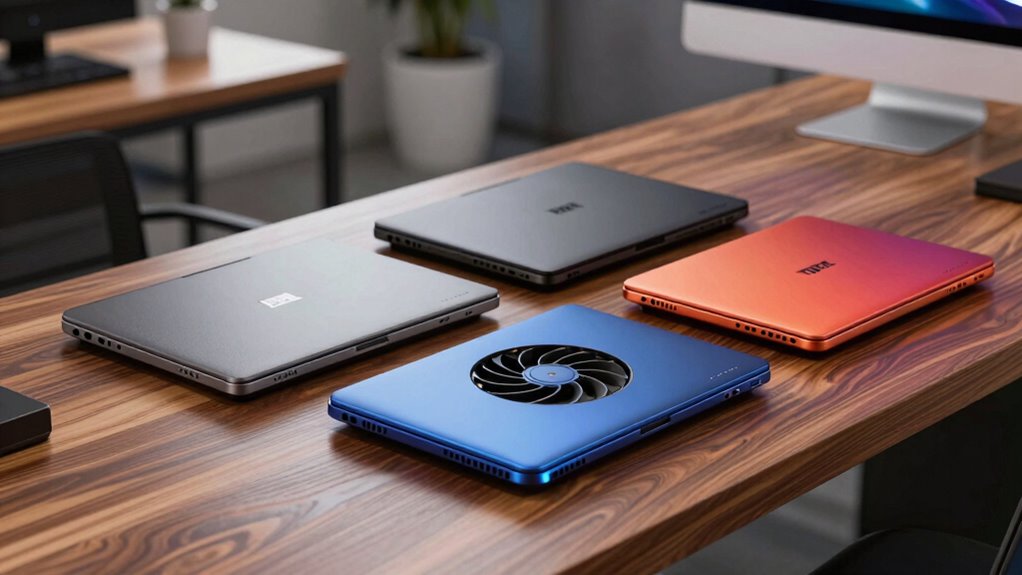

If your gaming or workstation laptop throttles under load, a premium cooling pad can claw back performance that heat is stealing. After comparing the leading options side by side, two picks stand out immediately: the llano V12 for raw cooling power that no passive pad can match, and the Razer Laptop Cooling Pad for its adaptive smart fan control that automates temperature management. The TECKNET rounds out the budget-conscious end for lighter machines. The core tradeoff in this category is simple but often misunderstood: single large turbo fans like llano’s deliver dramatic temperature drops but demand a wall adapter and add desk bulk, while multi-fan USB-powered pads like the Kootek are quieter and portable but cool far less aggressively. Smart features add another layer — Razer’s automation is convenient but partially locked behind its Synapse software, whereas llano gives you manual control whether or not you install anything.

Get the latest gadgets delivered free with Prime
- Fast, free delivery on millions of items
- Prime Video, Amazon Music and more included
- Member-only deals all year
Complete the kit



Key Takeaways
- Turbo-fan pads (llano V12, V12 Ultra) deliver the largest temperature drops but require a 36W wall adapter, so they trade portability for raw cooling muscle.
- Razer‘s adaptive fan control is the best hands-off option, but some features require Synapse software and HyperBoost works only with Blade laptops.
- USB-powered pads (TECKNET, Kootek) suit 12–17 inch laptops for general use, but won’t stop a gaming laptop from thermal throttling.
- Dust filters on both llano models protect laptop internals, a genuine long-term advantage that no other pick here offers.
- Fit matters: the V12 Ultra only suits 15.6–19 inch laptops, while the Kootek and TECKNET cover 12–17 inches for smaller machines.
| llano V12 Gaming Laptop Cooler Pad Stand |  | Best Overall — Maximum Cooling Power | Fan Size: 5.5 inches (14 cm) | Temperature Drop: Up to 44°C (111°F) in 90 seconds | Compatibility: 15–21 inch laptops | VIEW ON AMAZON | See Our Full Breakdown |
| Razer Laptop Cooling Pad with Adaptive Smart Fan Control |  | Best Smart Features — Automated Cooling | Fan Size: 140 mm | Maximum Fan Speed: 3000 RPM | Laptop Compatibility: 14–18 inches | VIEW ON AMAZON | See Our Full Breakdown |
| llano V12 Ultra Laptop Cooling Pad with Smart Software Control |  | Best Premium Balance — Power Plus Software Control | Model: V16 | Compatible Laptop Size: 15.6–19 inches | Fan Count: 1 | VIEW ON AMAZON | See Our Full Breakdown |
| TECKNET Laptop Cooling Pad for 12–17-Inch Laptops |  | Best Value — Simple and USB-Powered | Fans: 3 | Fan Size: 110 mm | Fan Speed: 1200 RPM | VIEW ON AMAZON | See Our Full Breakdown |
| Kootek Laptop Cooling Pad with 5 Quiet Fans, 12″-17″ Laptops |  | Best for Quiet, Adjustable Ergonomics | Fan Count: 5 (1x 4.72-inch, 4x 2.76-inch) | Fan Controls: 2 switches (1, 4, or 5 fan modes) | LED: Blue LEDs on all fans | VIEW ON AMAZON | See Our Full Breakdown |
| laptop cooling pad premium | Fan Size | Compatibility | USB Hub |
|---|---|---|---|
| llano V12 Gaming Laptop Cooler | 5.5 inches (14 cm) | 15–21 inch laptops | — |
| Razer Laptop Cooling Pad with | 140 mm | — | 3-port USB Type-A |
| llano V12 Ultra Laptop Cooling | 5.5 inches | — | 3-port USB 3.0, up to 5 Gbps |
| TECKNET Laptop Cooling Pad for | 110 mm | 12–17 inch laptops | — |
| Kootek Laptop Cooling Pad with | — | 12–17 inch laptops (MacBook, HP, Dell, ASUS, Alienware, etc.) | Dual USB |
More Details on Our Top Picks
llano V12 Gaming Laptop Cooler Pad Stand
The llano V12 takes the top spot because it attacks laptop heat the way no multi-fan pad can. Its 5.5-inch turbo fan is rated to drop CPU and GPU temperatures by up to 44°C in 90 seconds — a figure that puts it in a different performance class from the TECKNET’s three 110mm fans or the Kootek’s five small units. If your gaming laptop thermal throttles during long sessions, this is the pad that actually changes the outcome rather than shaving a few degrees off the edges.
What separates it from the closely related V12 Ultra is laptop range and control. The V12 supports machines up to 21 inches, making it the only choice here for very large gaming laptops, and its touch controls with LED display let you manage fan speed without installing anything. The washable dust filter is a genuinely underrated feature — most pads blast unfiltered air at your laptop’s intakes, slowly feeding them dust, while this one actively keeps internals cleaner over the machine’s life.
The tradeoffs are real, though. The external turbo fan design is bulkier than slim pads, and the 36W dedicated power adapter means another brick in your bag and no bus-powered operation. This is a desk-bound tool, not a travel accessory. Compared with the Razer’s automation, the V12 asks you to manage speeds yourself, which I consider a fair exchange for its far greater cooling headroom.
Pros:- Turbo fan delivers temperature drops of up to 44°C in 90 seconds
- Washable dust filter protects laptop internals, with a spare included
- Touch-sensitive controls with LED display for precise fan adjustment
- Supports very large laptops up to 21 inches, plus a bundled mouse pad
Cons:- External fan design adds desk bulk and limits portability
- Requires a dedicated 36W wall power adapter
Best for: Owners of 15–21 inch gaming laptops who need the strongest possible temperature reduction during demanding sessions
Not ideal for: Travelers and users of thin 13–14 inch ultrabooks who want a portable, USB-powered solution
- Fan Size:5.5 inches (14 cm)
- Temperature Drop:Up to 44°C (111°F) in 90 seconds
- Compatibility:15–21 inch laptops
- Power Adapter:36W
- Controls:Touch-sensitive buttons with LED display
- Height Adjustment:Adjustable with non-slip baffles
- Includes:Cooler, 31×14-inch mouse pad, 36W adapter, dust filter, USB-A to C cable
Our verdict“If raw cooling performance is the priority, nothing else in this lineup comes close to the llano V12’s temperature reductions.”
Razer Laptop Cooling Pad with Adaptive Smart Fan Control
The Razer Laptop Cooling Pad earns its place through intelligence rather than brute force. Its sealed pressure chamber and 140mm brushless fan spinning up to 3000 RPM create focused airflow against the laptop’s base, and the standout feature is adaptive fan control: the pad reads system temperatures and adjusts its own speed automatically. Compared with the llano V12, where you manage fan speed manually, this model is the pick for anyone who wants to set it and forget it.
The three magnetic frames for 14–18 inch laptops are a smarter fit solution than anything else here — the seal around your specific machine directs airflow where it matters instead of letting it escape around the edges. That matters most for thinner laptops that sit awkwardly on pads designed for thicker gaming machines. The three-port USB-A hub and customizable fan curves round out a feature set aimed at users who live at their desk.
The drawbacks follow a familiar Razer pattern. Some functionality requires Razer Synapse software, which means an account and background processes on your machine, and the HyperBoost feature only works with compatible Razer Blade laptops. If you don’t own a Blade, you’re paying partly for a feature you can’t use. Its cooling ceiling also sits below the llano turbo fans, so extreme thermal situations favor the V12.
Pros:- Adaptive smart fan control adjusts speed automatically to system temperatures
- Three magnetic frames create a sealed, size-matched fit for 14–18 inch laptops
- Three-port USB-A hub and customizable fan curves add desktop convenience
- Chroma RGB with up to 2 years of warranty coverage
Cons:- Some features require Razer Synapse software and an account
- HyperBoost is limited to compatible Razer Blade laptops
- Cooling ceiling below turbo-fan competitors like the llano V12
Best for: Users who want automatic temperature management and a precise fit, especially Razer Blade owners
Not ideal for: Buyers who avoid mandatory software ecosystems, or those needing maximum cooling for heavily throttling machines
- Fan Size:140 mm
- Maximum Fan Speed:3000 RPM
- Laptop Compatibility:14–18 inches
- USB Hub:3-port USB Type-A
- Fan Control:Automatic, preset, and custom fan curves
- Lighting:Razer Chroma RGB
- Warranty:Up to 2 years
Our verdict“This model makes the most sense for buyers who value automated cooling and clean integration over the maximum possible temperature drop.”
llano V12 Ultra Laptop Cooling Pad with Smart Software Control
The llano V12 Ultra sits in a sweet spot between its sibling V12 and the Razer: it combines a 5.5-inch turbo fan with software-driven control. Manufacturer figures cite CPU/GPU reductions of up to 22°C in 90 seconds — less aggressive than the standard V12’s claims, but still far beyond what the TECKNET or Kootek can achieve, and enough to prevent throttling in most gaming laptops.
Its differentiator is flexibility. You get both software and manual fan control, meaning you can build automated behavior like the Razer offers while retaining hardware-level adjustment if you skip the software — something Razer can’t fully say. The memory-foam airflow seal mirrors the intent of Razer’s magnetic frames, conforming to the laptop base to prevent air escaping at the edges. Meanwhile, the three-port USB 3.0 hub at 5 Gbps is faster than Razer’s USB-A hub for external drives.
Where it falls short of the V12 is laptop range: the Ultra fits 15.6–19 inch machines only, so owners of very large 21-inch rigs or smaller 14-inch laptops are out of luck. Like its sibling, it needs a separate 36W power adapter. If your laptop falls inside its size window and you want cooling muscle with the option of automation, this pick beats both the V12 (on features) and the Razer (on raw power).
Pros:- Software and manual fan speed control in one device
- Memory-foam seal directs airflow against the laptop base
- Three tilt positions (15°, 12°, 3°) with removable dust filter
- USB 3.0 hub at up to 5 Gbps outpaces most competitors’ hubs
Cons:- Limited to 15.6–19 inch laptops
- Requires a separate 36W power adapter
Best for: 15.6–19 inch gaming laptop owners who want strong cooling with the flexibility of software or manual control
Not ideal for: Owners of laptops outside the 15.6–19 inch range, or anyone wanting a single USB-cable setup
- Model:V16
- Compatible Laptop Size:15.6–19 inches
- Fan Count:1
- Fan Size:5.5 inches
- Maximum Fan Speed:2800 RPM
- Power Adapter:36W
- Tilt Positions:3 (15°, 12°, 3°)
- USB Hub:3-port USB 3.0, up to 5 Gbps
- Warranty:1 year
Our verdict“The V12 Ultra is the strongest all-rounder for the right laptop size, blending turbo-fan cooling with control options its sibling and the Razer each only offer partially.”
TECKNET Laptop Cooling Pad for 12–17-Inch Laptops
The TECKNET earns its spot as the value pick by doing the basics without asking for a power outlet. Its three 110mm fans running at 1200 RPM won’t match a turbo fan, but for a work laptop running warm during spreadsheets, video calls, or light photo editing, the gentle airflow is often all that’s needed. The USB-powered design means one cable does everything — a genuine advantage over both llano models, which are useless without their wall adapters.
Compared with the similarly priced Kootek, the TECKNET is the more conventional choice: three evenly spaced fans rather than five, two height settings rather than six, and no LEDs. That simplicity is the point. Fewer moving parts, fewer switches, and a design that works the same way for every user. The two USB ports let you connect a mouse or drive without losing your laptop’s port to the pad itself.
The honest limitation is scale. If your gaming laptop hits 95°C under load, this pad will not save it — that’s the llano V12’s job. The USB-A to USB-A cable also frustrates owners of modern port-sparse laptops, and lifetime support requires registration, which feels like an unnecessary hoop for a simple accessory.
Pros:- USB-powered with no external adapter needed
- Three 110mm fans provide even airflow across the base
- Two height settings and rubber pads for stability
- Wide 12–17 inch compatibility covers most non-gaming laptops
Cons:- Included USB-A to USB-A cable won’t fit USB-C-only laptops
- Cooling capacity is modest compared with turbo-fan pads
- Lifetime support requires registration
Best for: Students and office users with 12–17 inch laptops who want affordable, plug-in-and-go cooling
Not ideal for: Gamers or creators whose machines thermal throttle under heavy load
- Fans:3
- Fan Size:110 mm
- Fan Speed:1200 RPM
- Power:USB
- USB Ports:2
- Height Settings:2
- Compatibility:12–17 inch laptops
- Included Cable:USB-A to USB-A
Our verdict“For everyday laptops that run warm rather than hot, the TECKNET covers the essentials at the lowest complexity and cost in this lineup.”
Kootek Laptop Cooling Pad with 5 Quiet Fans, 12″-17″ Laptops
The Kootek takes a different approach to budget cooling: instead of three equal fans, it pairs one large 4.72-inch fan with four 2.76-inch fans, and lets you choose between running one, four, or all five via two switches. That flexibility is genuinely useful — run a single fan for silent browsing, spin up all five for a gaming session. No other pad in this comparison offers that middle-ground control without software.
Its ergonomic range is the best here: six adjustable height settings versus two on the TECKNET and three tilt positions on the llano Ultra. If you use your laptop as a primary workstation and care about wrist angle and screen height, that adjustability alone can justify this pick. The dual USB hub and anti-slip stoppers round out a practical design for 12–17 inch machines from MacBook to Alienware.
The compromises mirror its price tier. Fans and LEDs are controlled together, so you can’t run the fans without the blue lighting — a problem in a dark bedroom or shared office. Type-C devices also need a separate adapter because of the USB-A connection. And while the five fans move more air than the TECKNET, they remain far behind the sealed, turbo-driven designs of the llano pads or the Razer. This is a comfort-and-quiet pick, not a performance one.
Pros:- Selectable 1-, 4-, or 5-fan modes for noise versus airflow control
- Whisper-quiet operation at lower fan settings
- Six height settings offer the best ergonomic range in this lineup
- Dual USB hub and anti-slip stoppers for daily desk use
Cons:- Fans and blue LEDs are controlled together with no separate switch
- USB-C devices require a separate adapter
- Cooling output well below the turbo-fan premium options
Best for: Users who prioritize quiet operation, ergonomic height options, and flexible fan modes on a budget
Not ideal for: Anyone who dislikes visible LEDs during use, or needs serious cooling for demanding workloads
- Fan Count:5 (1x 4.72-inch, 4x 2.76-inch)
- Fan Controls:2 switches (1, 4, or 5 fan modes)
- LED:Blue LEDs on all fans
- USB Hub:Dual USB
- Height Settings:6 adjustable levels
- Compatibility:12–17 inch laptops (MacBook, HP, Dell, ASUS, Alienware, etc.)
- Safety Features:2 anti-slip stoppers
Our verdict“The Kootek fits buyers who see a cooling pad as part stand, part gentle cooler — quiet, adjustable, and flexible rather than powerful.”

How We Picked
My selection process started with cooling performance per watt of laptop, since that is the entire reason to pay a premium over a basic pad. I prioritized models where the manufacturer publishes concrete temperature-reduction figures or verifiable fan specifications, because vague marketing claims are everywhere in this category. From there, I weighed control flexibility — manual speed adjustment, software automation, or both — since a pad that adapts to your workload is worth more than one running at a fixed speed. Practical factors separated the rest of the field: power requirements, laptop size compatibility, ergonomics, dust filtration, and extra features like USB hubs and build quality. I deliberately included one budget option and one mid-range option, because a buyer with a thin ultrabook should not be pushed toward a 36W turbo fan built for a 21-inch gaming rig. Every pick below earns a distinct role, and I explain who should skip each one.
Factors to Consider When Choosing Laptop Cooling Pad Premium
Premium cooling pads split into two philosophies, and picking the right one starts with knowing which camp your laptop belongs in. Here is how I would narrow the choice.Turbo Fan vs. Multi-Fan Design
A single large turbo fan, as on both llano models, moves far more air at higher static pressure, which is what actually pushes heat out of a gaming laptop’s dense chassis. Multi-fan pads like the TECKNET and Kootek spread gentler airflow across a wider area — fine for warmth, inadequate for throttling. The Razer sits between them, using a sealed pressure chamber to concentrate a 140mm fan’s output where it counts.
Power Requirements
Turbo-fan pads need their own 36W wall adapter, which adds a power brick and rules out true portability. USB-powered pads draw from your laptop itself, which is convenient but caps their cooling potential. Ask where the pad will live: a fixed desk setup handles an adapter easily; a commuting bag does not.
Laptop Fit and Size
Compatibility ranges vary more than buyers expect — the V12 handles up to 21 inches, the Ultra only 15.6–19, and the Razer uses magnetic frames sized to 14–18 inch machines. A loose fit wastes airflow around the edges, so matched sizing genuinely affects cooling results.
Control and Automation
If you want hands-off operation, the Razer’s adaptive control and the Ultra’s software mode adjust fan speed to real temperatures. If you’d rather avoid software entirely, hardware controls on the V12, TECKNET, or Kootek keep things simple and account-free.
Dust Filtration and Long-Term Protection
Both llano pads include a removable, washable dust filter. Since cooling pads force air toward your laptop’s intakes, unfiltered pads can accelerate dust buildup inside the chassis over months of use — a quiet long-term cost most buyers never consider.
Frequently Asked Questions
How much temperature drop can I actually expect from a premium cooling pad?
It depends heavily on the pad type and your laptop’s design. Turbo-fan pads like the llano V12 claim drops of up to 44°C in 90 seconds, while the V12 Ultra cites up to 22°C — figures achievable because high static pressure forces air through a gaming laptop’s intake vents. USB-powered multi-fan pads typically deliver far more modest results, often in the single digits, because their airflow spreads across the whole base rather than targeting vents. Externally vented gaming laptops benefit most; laptops with keyboard-deck intake or unibody designs see less improvement regardless of pad quality.
Do I need software to use these cooling pads effectively?
No, but software changes the experience. The Razer pad’s automation and remappable controls work best through Synapse, and the llano V12 Ultra offers optional software control for automated speed management. If you prefer a clean system with no background processes, the llano V12’s touch controls, the Kootek’s physical switches, and the TECKNET’s fixed speed all work with zero installation. Buyers who avoid vendor accounts should lean toward hardware-controlled models.
Are premium cooling pads worth it for non-gaming laptops?
Usually not at the turbo-fan tier. A thin ultrabook generating light heat gains little from a 36W turbo fan and may not even fit pads designed for 15-inch-plus machines. For office and student laptops, a USB-powered pad like the TECKNET or Kootek addresses warmth and improves ergonomics for a fraction of the complexity. Premium pads earn their price when a machine genuinely throttles — sustained gaming, video rendering, or compile workloads where lost performance costs you real time.
Can a cooling pad replace cleaning my laptop’s fans?
No — the two address different problems. A pad helps move heat away from the chassis, but internal dust on your laptop’s own fans and heatsinks still degrades cooling over time. In fact, pads that blow unfiltered air at your intakes can accelerate internal dust buildup. The llano models’ washable filters mitigate this by trapping dust before it reaches your machine, which is a genuine long-term maintenance advantage worth factoring into a premium purchase.
Will a cooling pad be loud enough to bother me during calls or quiet work?
Turbo fans at full speed are audible — that’s the price of moving serious air — but both llano pads let you dial speed down when maximum cooling isn’t needed. The Kootek is the quietest option here, especially in its single-fan mode, making it the safest choice for shared offices or calls. The Razer’s adaptive control is arguably the smartest compromise, since it only ramps up when temperatures demand it and settles back automatically afterward.
Conclusion
My recommendations break down cleanly by buyer type. High-end gaming laptop owners — especially 17–21 inch machines that throttle — should buy the llano V12; its turbo fan delivers the largest temperature reductions in this lineup and its dust filter protects the expensive hardware underneath. Razer Blade owners and automation fans get the most from the Razer Laptop Cooling Pad, whose adaptive control and magnetic fit frames create a polished, hands-off experience — just accept the Synapse dependency. Owners of 15.6–19 inch gaming laptops who want cooling power plus flexible control should choose the llano V12 Ultra, which splits the difference between its sibling’s raw output and the Razer’s smart features.
For everyone else, spend less. Students and office users with 12–17 inch laptops are well served by the TECKNET, the simplest USB-powered option here. And if quiet operation and ergonomic height options matter more than maximum cooling — say you use your laptop as a stand-based workstation — the Kootek and its six height settings with selectable fan modes is the smarter fit. Whatever you choose, match the pad to your machine’s size and heat output first; that single decision eliminates more regrets than any feature comparison.
Halloween Picks

Spirit Halloween 54-Inch Sitting Scarecrow Animatronic

Haunted Hill Farm Beatrix Head-Spinning Halloween Animatronic, 4.6 Ft

HOPOCO Halloween Pumpkin Fog Machine with 12 LED Colors & Remote Control
As an affiliate, we earn on qualifying purchases.