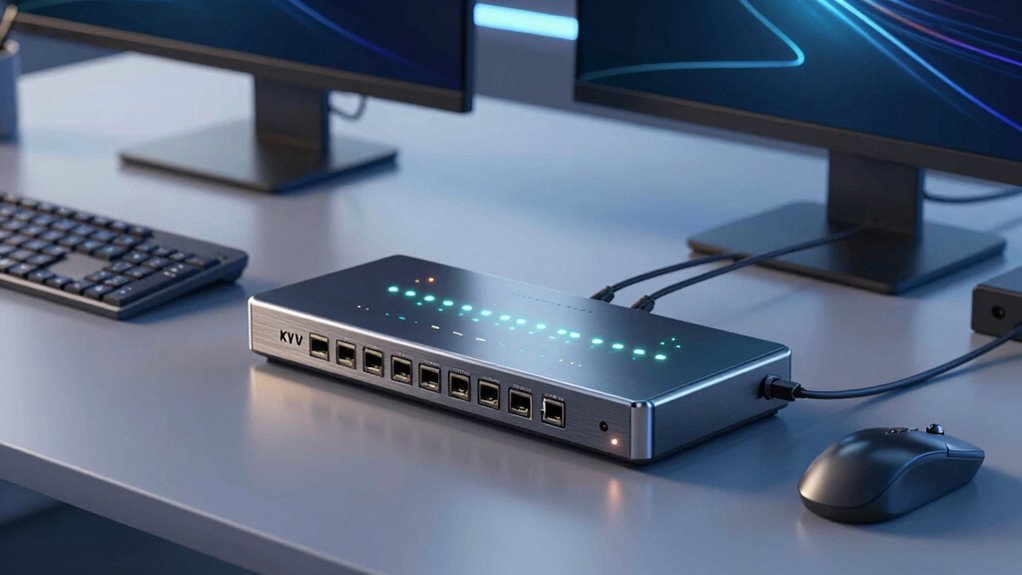

A KVM switch for dual computers makes managing two systems from a single set of peripherals straightforward, saving space and reducing clutter. The best options support high resolutions like 4K or 8K and include features like multi-monitor support and fast USB switching. The top pick, the UGREEN HDMI + DisplayPort KVM Switch, balances performance and affordability, perfect for most users. Meanwhile, the DisplayPort dual-monitor options excel for high-refresh-rate setups, but often come at a premium. The real tradeoff lies in balancing resolution, monitor count, and ease of use. Continue reading to find the best fit for your setup and budget.
Complete the kit



Key Takeaways
- The best KVM switches support 4K or 8K resolutions with high refresh rates, essential for modern high-performance setups.
- Dual-monitor support varies greatly; prioritize models that explicitly support your monitor types (HDMI or DisplayPort).
- Higher USB port counts improve peripheral management but often increase cost and complexity.
- Plug-and-play models reduce setup hassle, but some advanced switches offer wired remote controls for convenience.
- Price correlates strongly with resolution and monitor support; premium models deliver more features but may be unnecessary for casual users.
| DisplayPort KVM Switch for 2 Monitors and 2 Computers, 4K@144Hz, USB 3.0, Dual Display and USB Sharing |  | Best Overall for High-Resolution Dual Monitor Setups | Max Resolution: 3840×2160@144Hz | USB Ports: 4 USB 3.0 ports | Supported Modes: Extended and copy mode | VIEW ON AMAZON | See Our Full Breakdown |
| UGREEN 8K@60Hz DisplayPort KVM Switch for 2 Monitors and 2 Computers |  | Best for Ultra HD Resolution and Broad Compatibility | Resolution: 8K@60Hz | USB Ports: 4 (3 USB-A + 1 USB-C) | Supported Systems: Windows, MacOS, Linux | VIEW ON AMAZON | See Our Full Breakdown |
| Unitek 2 Monitors 2 Computers 4K@60Hz HDMI & DisplayPort KVM Switch with 3 USB Ports | 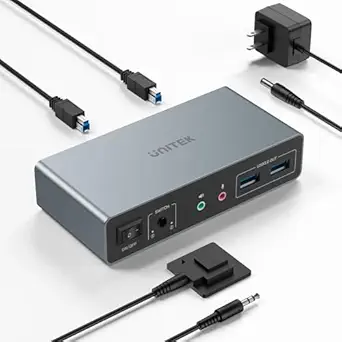 | Best for Versatile Multi-Platform Compatibility at 4K | Input Ports: 2 HDMI, 2 DisplayPort | Output Ports: 2 HDMI, 2 DisplayPort | USB Ports: 3 USB 3.0 | VIEW ON AMAZON | See Our Full Breakdown |
| Unitek Dual Monitor DisplayPort KVM Switch 4K 60Hz with USB 3.0 Ports, Grey |  | Best for Compact, Durable Dual Monitor Control | DisplayPort Support: Yes | Number of Monitors: 2 | Number of Computers: 2 | VIEW ON AMAZON | See Our Full Breakdown |
| 8K HDMI KVM Switch for 2 Monitors and 2 Computers, USB 3.0 Dual Monitors, Plug & Play |  | Best for Ultra-High-Definition, Hassle-Free Setup | Resolution Support: 8K@60Hz, 4K@240Hz | USB Ports: 3 USB 3.0 | Switching Methods: Button, wired remote | VIEW ON AMAZON | See Our Full Breakdown |
| UGREEN HDMI KVM Switch for Dual Monitors and Computers, 4K@60Hz |  | Best Overall for High-Resolution Dual-Monitor Control | Number of Monitors: 2 | Number of Computers: 2 | Resolution Support: 4K@60Hz | VIEW ON AMAZON | See Our Full Breakdown |
| HDMI DisplayPort KVM Switch for 2 Monitors and 2 Computers, 4K@60Hz Dual Monitor |  | Best for Flexible Dual-Display Office Use | Video Resolution: 4K@60Hz | Input Ports: HDMI, DisplayPort, USB-A | Output Ports: 2 Monitors, 4 USB 3.0 | VIEW ON AMAZON | See Our Full Breakdown |
| HDMI + DisplayPort KVM Switch for 2 Monitors and 2 Computers, 8K@60Hz Dual Monitor Switcher with USB 3.0 and Wired Controller |  | Best for Ultra-High-Definition Content and Professional Use | Operation Mode: Manual | Connector Type: HDMI, DisplayPort | Switch Type: Push Button | VIEW ON AMAZON | See Our Full Breakdown |
| UGREEN 8K@60Hz HDMI DisplayPort KVM Switch for 3 Monitors and 2 Computers |  | Best for Multi-Monitor Content and Heavy Workloads | Number of Monitors: 3 | Number of Computers: 2 | Supported Resolutions: 8K@60Hz, 4K@240Hz | VIEW ON AMAZON | See Our Full Breakdown |
| HDMI KVM Switch 2 Monitors 2 Computers 4K@60Hz Dual Monitor KVM Switch with USB 3.0 Ports |  | Best for Budget-Friendly Dual-Monitor Control | Number of Monitors: 2 | Number of Computers: 2 | Resolution Support: 4K@60Hz | VIEW ON AMAZON | See Our Full Breakdown |
| Heravo USB 3.0 HDMI KVM Switch 2 Monitors 2 Computers, 4K@60Hz Dual Monitor |  | Best Overall for Ease of Use and Fast Peripheral Sharing | Number of Monitors: 2 | Number of Computers: 2 | Resolution Support: 4K@60Hz | VIEW ON AMAZON | See Our Full Breakdown |
| HDMI KVM Switch 2 Monitors 2 Computers, 4K@60Hz Dual Monitor USB Switch with 4 USB 3.0 Ports |  | Best for Flexible Switching and Multi-OS Compatibility | Number of Monitors: 2 | Number of Computers: 2 | Max Resolution: 4K@60Hz | VIEW ON AMAZON | See Our Full Breakdown |
| HDMI KVM Switch 2 Monitors 2 Computers, 4K@60Hz Dual Monitor USB Switcher | 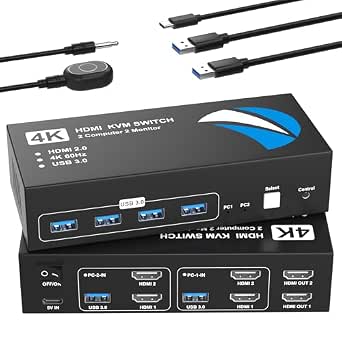 | Best for Dual Monitor Modes and Easy Control | Number of Monitors: 2 | Number of Computers: 2 | Max Resolution: 4K@60Hz | VIEW ON AMAZON | See Our Full Breakdown |
| kvm switch for dual computer | USB Ports | Number of Monitors | Number of Computers |
|---|---|---|---|
| DisplayPort KVM Switch for 2 M | 4 USB 3.0 ports | — | — |
| UGREEN 8K@60Hz DisplayPort KVM | 4 (3 USB-A + 1 USB-C) | — | — |
| Unitek 2 Monitors 2 Computers | 3 USB 3.0 | — | — |
| Unitek Dual Monitor DisplayPor | 4 (1 USB-C, 3 USB-A 3.0) | 2 | 2 |
| 8K HDMI KVM Switch for 2 Monit | 3 USB 3.0 | — | — |
| UGREEN HDMI KVM Switch for Dua | 4 (3 USB-A + 1 USB-C) | 2 | 2 |
| HDMI DisplayPort KVM Switch fo | — | — | — |
| HDMI + DisplayPort KVM Switch | — | — | — |
| UGREEN 8K@60Hz HDMI DisplayPor | — | 3 | 2 |
| HDMI KVM Switch 2 Monitors 2 C | 4 USB 3.0 | 2 | 2 |
| Heravo USB 3.0 HDMI KVM Switch | 4 (3×USB-A + 1×USB-C) | 2 | 2 |
| HDMI KVM Switch 2 Monitors 2 C | 4 USB 3.0 | 2 | 2 |
| HDMI KVM Switch 2 Monitors 2 C | 4 USB 3.0 | 2 | 2 |
More Details on Our Top Picks
DisplayPort KVM Switch for 2 Monitors and 2 Computers, 4K@144Hz, USB 3.0, Dual Display and USB Sharing
This DisplayPort KVM switch stands out for its ability to handle 4K@144Hz, making it ideal for users who need crisp visuals and fast refresh rates. Compared with the Unitek 4K@60Hz model, this switch offers a significantly higher refresh rate, perfect for gaming or detailed design work. However, it requires dual DisplayPort outputs on each computer, which can limit compatibility with some systems. Its dual monitor support is seamless, and the USB 3.0 ports facilitate quick data transfer. The switch’s wired and panel controls add flexibility, but the absence of hotkey support and the need for specific cables make setup less straightforward. This pick makes the most sense for professionals or gamers demanding high-performance visuals without sacrificing dual display control.
Pros:- Supports 4K@144Hz for smooth visuals
- Dual monitor control simplifies multitasking
- Fast USB 3.0 ports for data transfer
- Flexible toggling via panel or wired remote
Cons:- Requires specific dual DisplayPort outputs
- No hotkey switching support
- Cables are not included, adding to setup effort
Best for: Power users with high-end desktops or gaming rigs requiring high refresh rates and dual monitors
Not ideal for: Users with laptops or systems that lack dual DisplayPort outputs, due to cable and compatibility constraints
- Max Resolution:3840×2160@144Hz
- USB Ports:4 USB 3.0 ports
- Supported Modes:Extended and copy mode
- Power Supply:12V DC adapter
- Compatibility:Requires dual DisplayPort outputs
- Cable Requirements:2 DP cables and 1 USB cable per computer
Our verdict“This switch is best for those demanding top-tier visual fidelity and dual monitor control with minimal compromise.”
UGREEN 8K@60Hz DisplayPort KVM Switch for 2 Monitors and 2 Computers
The UGREEN 8K@60Hz switch excels in delivering stunning ultra-high-definition visuals, making it ideal for professional content creators and power users who need 8K clarity. Unlike the DisplayPort switch, which prioritizes high refresh rates, this model emphasizes maximum resolution, supporting 8K and 4K@60Hz. It offers multiple USB ports, including USB-C, for broad device compatibility, and supports Windows, MacOS, and Linux. A notable tradeoff is its reliance on an external power supply, which can complicate setups, and it does not support hotkey toggling, unlike other options like the Unitek 2×2 HDMI+DisplayPort switch. This choice suits those who prioritize resolution and system compatibility over ultra-fast switching or compactness.
Pros:- Supports 8K@60Hz for premium visuals
- Multiple USB ports including USB-C
- Broad system compatibility
- Button and desktop controller switching
Cons:- Requires external power supply
- No hotkey switching support
- Limited to dual monitor output from one system at a time
Best for: Creative professionals and tech enthusiasts needing ultra-high-definition display output
Not ideal for: Casual users or those seeking quick hotkey switching, as it relies on physical controls and external power
- Resolution:8K@60Hz
- USB Ports:4 (3 USB-A + 1 USB-C)
- Supported Systems:Windows, MacOS, Linux
- Power Supply:12V/2A external adapter
- Cable Length:Less than 2 meters for 8K DP1.4 cable
- Switching Methods:Button and desktop controller
Our verdict“This switch is ideal for those who require maximum resolution and broad OS support, accepting some setup complexity.”
Unitek 2 Monitors 2 Computers 4K@60Hz HDMI & DisplayPort KVM Switch with 3 USB Ports
The Unitek 2-in-1 HDMI and DisplayPort switch offers flexibility for users with mixed setup needs, supporting both HDMI and DisplayPort inputs and outputs at 4K@60Hz. Its remote control and physical button make switching straightforward, with multiple USB 3.0 ports for peripheral sharing. Compared with the higher-resolution options, it doesn’t support 8K, but its compatibility across Windows, Linux, and Mac systems, plus gaming consoles, broadens its appeal. A tradeoff is that it lacks detailed size info and requires multiple cables and power sources, which can complicate installation. This device makes sense for users with diverse source devices seeking reliable 4K dual monitor control across different systems.
Pros:- Supports 4K@60Hz visuals
- Compatible with multiple operating systems and consoles
- Includes remote control for easy switching
- Supports both HDMI and DisplayPort inputs
Cons:- Requires multiple cables and power sources
- No support for higher-than-4K resolutions
- No detailed size info available
Best for: Multiplatform users needing flexible HDMI and DisplayPort support at 4K, including gamers and content creators
Not ideal for: Laptops or users seeking higher resolutions like 8K, due to limited output support
- Input Ports:2 HDMI, 2 DisplayPort
- Output Ports:2 HDMI, 2 DisplayPort
- USB Ports:3 USB 3.0
- Resolution Support:4K@60Hz
- Switching Method:Button, remote
- Compatibility:Windows, Linux, Mac, PS4
Our verdict“This switch is suited for versatile setups that need reliable 4K control across various devices and OS platforms.”
Unitek Dual Monitor DisplayPort KVM Switch 4K 60Hz with USB 3.0 Ports, Grey
This Unitek switch emphasizes durability and simplicity, with a compact aluminum housing that makes it suitable for tight spaces. Supporting 4K@60Hz, it offers reliable visuals and multiple USB 3.0 ports for peripherals. Its instant switching via front button or remote is a notable advantage, especially for home or gaming use. Compared to the 8K-capable UGREEN model, it sacrifices maximum resolution for a more straightforward setup. Its lack of MacOS support for MST and restriction to DisplayPort interfaces can limit flexibility. Nevertheless, its robust build and easy operation make it ideal for users who prioritize durability and quick toggling in a compact form.
Pros:- Supports 4K@60Hz visuals
- Compact aluminum housing
- Multiple USB 3.0 ports
- Instant switching with no lag
Cons:- Not compatible with laptops
- MacOS does not support MST, limiting extended displays
- Requires DisplayPort interfaces only
Best for: Home users or gamers seeking a durable, small-footprint dual monitor switch with quick switching
Not ideal for: Users needing 8K resolution or extensive MacOS extended display support
- DisplayPort Support:Yes
- Number of Monitors:2
- Number of Computers:2
- Resolution:4K@60Hz
- USB Ports:4 (1 USB-C, 3 USB-A 3.0)
- Operation Mode:Push Button, Remote
Our verdict“This switch is perfect for users needing a rugged, space-saving dual monitor solution with fast, reliable switching.”
8K HDMI KVM Switch for 2 Monitors and 2 Computers, USB 3.0 Dual Monitors, Plug & Play
This 8K HDMI KVM switch is tailored for users who want the highest possible resolution, supporting up to 8K@60Hz and multiple switching options including wired remote and button. Unlike the DisplayPort models, it emphasizes plug-and-play convenience with no drivers required, making setup straightforward for most users. Its support for multiple resolutions up to 8K and 4K@240Hz makes it suitable for high-end content creation, gaming, and professional applications. The absence of hotkey switching and the need for high-quality HDMI 2.1 cables are tradeoffs that can limit quick toggling and increase costs. This device appeals most to users demanding maximum resolution with simple operation, willing to invest in quality cables.
Pros:- Supports 8K@60Hz visuals for ultimate clarity
- Plug & Play with no driver installation
- Multiple switching methods including wired remote
- Compatible with major OS and devices
Cons:- No hotkey switching support
- Requires high-quality HDMI 2.1 cables
- Limited to two monitors and two computers
Best for: Creative professionals and gamers seeking maximum resolution and easy setup without complex configuration
Not ideal for: Users needing rapid hotkey switching or those on a tight budget, since high-quality cables are essential
- Resolution Support:8K@60Hz, 4K@240Hz
- USB Ports:3 USB 3.0
- Switching Methods:Button, wired remote
- Compatibility:Windows, Mac, Linux
- Cables Included:2 USB 3.0, USB C power cable
- Additional Features:Adaptive EDID, Plug & Play
Our verdict“This switch is ideal for high-resolution enthusiasts who prioritize simple operation over rapid switching or multi-monitor expandability.”
UGREEN HDMI KVM Switch for Dual Monitors and Computers, 4K@60Hz
This UGREEN HDMI KVM switch stands out for its ability to handle 4K@60Hz resolution, making it ideal for users who need crisp, detailed visuals across two monitors. Compared with the HDMI + DisplayPort B0GTNW54NT, this model offers broader compatibility with various operating systems and includes comprehensive accessories, simplifying setup. However, its lack of keyboard hotkey switching and absence of EDID emulation can be limiting for advanced users who want seamless switching and consistent display settings. Its multiple switching modes, including a desktop controller, provide flexibility for different workflows. The external power supply ensures stable USB device operation, which is a plus for productivity.
Pros:- Supports high-resolution 4K@60Hz for sharp, detailed images
- Includes a comprehensive set of accessories for easy setup
- Multiple switching modes for flexible control
Cons:- Does not support keyboard hotkeys for switching
- Requires external power supply for USB device functionality
Best for: Creative professionals and power users who prioritize high-quality visuals and versatile switching options.
Not ideal for: Gamers or fast-paced multitaskers who need hotkey switching for quick transitions or EDID emulation for consistent display output.
- Number of Monitors:2
- Number of Computers:2
- Resolution Support:4K@60Hz
- USB Ports:4 (3 USB-A + 1 USB-C)
- HDMI Version:HDMI 2.0
- HDR Support:Yes
- HDCP Support:HDCP 2.2/1.4
- Switching Modes:Button and desktop controller
Our verdict“This switch is a strong choice for users who need reliable 4K video and straightforward switching, but it may fall short for those seeking rapid hotkey control.”
HDMI DisplayPort KVM Switch for 2 Monitors and 2 Computers, 4K@60Hz Dual Monitor
This KVM switch excels in environments where two computers need to share two high-resolution monitors, supporting 4K@60Hz for clear, sharp images. Its combination of HDMI and DisplayPort inputs offers compatibility with diverse setups, making it more versatile than purely HDMI-based options like B0H2YPSL9R. The inclusion of both button and remote switching makes it accessible for users who prefer physical control or remote operation, but the lack of hotkey support means fast switching is less intuitive. Its manual push button and remote are straightforward, yet users must be mindful of cable quality, especially for 8K performance. This model is well-suited for office multitasking but less so for fast-paced gaming.
Pros:- Supports ultra-high 4K@60Hz resolution for sharp displays
- Includes both button and remote control for switching
- Compatible with a variety of operating systems
Cons:- No hotkey switching support
- Requires specific port types, limiting compatibility with some laptops
Best for: Office workers and content creators needing reliable dual-monitor sharing with remote control options.
Not ideal for: Gamers or users requiring rapid hotkey switching, as this model relies solely on manual or remote controls.
- Video Resolution:4K@60Hz
- Input Ports:HDMI, DisplayPort, USB-A
- Output Ports:2 Monitors, 4 USB 3.0
- Switching Methods:Button, Wired remote
- Compatibility:Windows, Linux, Chrome OS
- Cable Length:Under 3 meters
Our verdict“Ideal for office setups where remote control and broad compatibility are valued over rapid hotkey switching.”
HDMI + DisplayPort KVM Switch for 2 Monitors and 2 Computers, 8K@60Hz Dual Monitor Switcher with USB 3.0 and Wired Controller
This switch is targeted at users needing the highest display quality, supporting up to 8K@60Hz across two monitors, surpassing the 4K options like B0DXF66SWR. Its ability to share USB peripherals at USB 3.0 speeds complements high-end content creation or professional workflows. However, its reliance on manual push buttons and wired remote for switching limits speed compared to hotkey options, and it demands high-quality cables for optimal 8K performance. The lack of EDID emulation could cause display inconsistencies, especially with complex multi-monitor setups. This product is best suited for users with compatible hardware and a focus on maximum resolution.
Pros:- Supports stunning 8K@60Hz resolution for professional-grade visuals
- Enables sharing of multiple USB peripherals at high speeds
- Supports multiple switching methods including wired remote
Cons:- Limited to manual and remote switching, no hotkey support
- Requires high-quality, compatible cables for full 8K performance
Best for: Content creators and IT professionals who require ultra-high-definition output and multiple monitor support.
Not ideal for: Casual users or gamers who prefer rapid switching and hotkey control, or those with limited cable management space.
- Operation Mode:Manual
- Connector Type:HDMI, DisplayPort
- Switch Type:Push Button
- Circuit Type:2-way
- Number of Positions:2
- Control Method:Remote
- Connectivity Protocol:Wired
- Compatible Devices:Windows, macOS, Linux
Our verdict“Best suited for professionals needing maximum resolution and stable multi-monitor setup, but less ideal for fast-paced switching scenarios.”
UGREEN 8K@60Hz HDMI DisplayPort KVM Switch for 3 Monitors and 2 Computers
This UGREEN model supports three monitors at 8K@60Hz, making it a standout for demanding creative or professional environments, such as video editing or multi-screen dashboards. Its ability to connect two computers while sharing multiple USB 3.0 devices gives it an edge over dual-monitor-only switches like B0H2YPSL9R. The inclusion of both DisplayPort and HDMI inputs offers high flexibility. However, this complexity requires both computers to support triple-monitor output, and the cable length restrictions for 8K signals can limit placement options. Its lack of EDID emulation might cause display issues, especially in setups with different display specifications. It suits users with compatible hardware who need extensive multi-monitor setups.
Pros:- Supports triple monitors at 8K@60Hz for maximum workspace
- Allows sharing multiple USB 3.0 devices between two computers
- Supports high-resolution video and diverse input types
Cons:- Requires both computers to support triple-monitor output
- Limited cable length for 8K signals can complicate setup
- No EDID emulation, possible display inconsistencies
Best for: Content creators and IT professionals managing complex multi-monitor workflows with high resolution needs.
Not ideal for: Casual users or gamers who do not have triple-monitor configurations or require quick hotkey switching.
- Number of Monitors:3
- Number of Computers:2
- Supported Resolutions:8K@60Hz, 4K@240Hz
- Ports:2 DisplayPort 1.4, 1 HDMI 2.1, 4 USB 3.0
- Compatibility:Windows, MacOS, Linux
- Switching Methods:Button, Desktop Controller
Our verdict“A powerful solution for multi-monitor professionals with compatible hardware, but not suited for casual or gaming setups.”
HDMI KVM Switch 2 Monitors 2 Computers 4K@60Hz Dual Monitor KVM Switch with USB 3.0 Ports
This HDMI KVM switch offers a straightforward solution for controlling two computers with two monitors at 4K@60Hz, making it suitable for users who need reliable performance without extra bells and whistles. Its metal casing ensures durability, and multiple switching options, including physical and extension buttons, add convenience. Compared to more feature-rich models like B0GKVFMQ28, this switch lacks remote control and hotkey support, which could slow down workflows for power users. Its limitation to HDMI connections also narrows compatibility with some modern laptops or desktops that rely on DisplayPort. Still, for those on a budget or with existing HDMI-only setups, it provides solid performance.
Pros:- Supports 4K@60Hz resolution for clear visuals
- Durable metal casing for long-term use
- Multiple switching methods for flexibility
Cons:- No hotkey switching support
- Limited to HDMI connections only
- No remote control options
Best for: Small office or home users seeking reliable dual-monitor control at a lower cost.
Not ideal for: Advanced users needing hotkey switching or multi-display setups beyond dual monitors.
- Number of Monitors:2
- Number of Computers:2
- Resolution Support:4K@60Hz
- USB Ports:4 USB 3.0
- Switching Methods:Physical button, Extension button
- Compatibility:Windows, Linux
Our verdict“A dependable, budget-conscious choice for dual-monitor control, but less suitable for fast-paced environments that require quick switching.”
Heravo USB 3.0 HDMI KVM Switch 2 Monitors 2 Computers, 4K@60Hz Dual Monitor
This Heravo KVM switch stands out for combining high-resolution support with a straightforward plug-and-play setup, making it ideal for users who want reliable dual monitor switching without complex configuration. Its support for 4K@60Hz and four USB 3.0 ports ensures sharp visuals and fast data transfer for peripherals, surpassing many budget options that only support lower resolutions or fewer USB ports. The inclusion of a wired remote adds convenience, especially in busy workspaces. However, the need for multiple HDMI cables and the limitation to two monitors and computers mean it isn’t suited for more extensive setups. Compared with the HDMI KVM Switch 2 Monitors 2 Computers, 4K@60Hz Dual Monitor USB Switch with 4 USB 3.0 Ports, it offers similar core features but with a slightly more user-friendly interface and remote control, at the cost of requiring more cables for full operation.
Pros:- Supports 4K@60Hz resolution for crisp visuals
- Easy switching via button or remote control
- Includes four USB 3.0 ports for fast peripheral sharing
- Plug-and-play with no driver installation
Cons:- Requires multiple HDMI cables for full deployment
- Limited to dual monitor and dual computer setup
Best for: Home office users or professionals who prioritize high-resolution visuals and easy switching with minimal setup complexity.
Not ideal for: Users with multiple computers or monitors beyond dual setup, or those who prefer wireless switching options, as it’s limited to two computers and two monitors.
- Number of Monitors:2
- Number of Computers:2
- Resolution Support:4K@60Hz
- USB Ports:4 (3×USB-A + 1×USB-C)
- Remote Control:Yes
- HDMI Version:HDMI 2.0
Our verdict“This pick makes the most sense for users seeking straightforward high-res dual monitor switching with fast peripheral access.”
HDMI KVM Switch 2 Monitors 2 Computers, 4K@60Hz Dual Monitor USB Switch with 4 USB 3.0 Ports
This HDMI KVM switch is well-suited for users who need flexible control options, offering both physical and remote switching, and broad compatibility with Windows, macOS, and Linux. Its support for 4K@60Hz ensures high-quality visuals, matching the performance of other top-tier options like the Heravo USB 3.0 HDMI KVM Switch, but with an emphasis on operating system versatility. The inclusion of a front panel button and remote switch provides quick access in different working environments, although it requires each computer to have two HDMI and one USB-A port, which could be limiting for some setups. Notably, it doesn’t support docking stations or additional adapters, which may restrict integration with certain hardware configurations.
Pros:- Supports 4K@60Hz high-resolution video
- Physical button and remote for flexible control
- Compatible with multiple operating systems
- Four USB 3.0 ports for data and device sharing
Cons:- HDMI cables are not included in the package
- Requires each computer to have 2 HDMI and 1 USB-A port
Best for: Tech-savvy professionals with multi-OS environments who value flexible switching options and high-resolution output.
Not ideal for: Users with limited HDMI ports on their computers or those who prefer a wireless or cable-free setup, as it demands multiple HDMI connections per device.
- Number of Monitors:2
- Number of Computers:2
- Max Resolution:4K@60Hz
- USB Ports:4 USB 3.0
- Data Transfer Speed:5Gbps
- Supported Systems:Windows, MacOS, Linux
Our verdict“This device is ideal for users requiring versatile control and broad OS compatibility in a dual-monitor setup.”
HDMI KVM Switch 2 Monitors 2 Computers, 4K@60Hz Dual Monitor USB Switcher
This HDMI KVM switch makes a strong case for users who need dual monitor modes—mirror or extended—at high resolutions, with simple front panel or desktop controller switching. Its support for 4K@60Hz and four USB 3.0 ports aligns with other premium options like the Heravo USB 3.0 HDMI KVM Switch, but it emphasizes dual monitor flexibility, making it suitable for complex display arrangements. Its support for multiple operating systems and high-resolution output ensures broad compatibility. The tradeoff lies in the requirement for each computer to have two HDMI and one USB-A port, along with no support for docking stations or additional adapters, which could limit integration in some setups. The cables are not included, adding to setup complexity.
Pros:- Supports dual monitor modes, including mirror and extended
- High-resolution 4K@60Hz output for sharp images
- Front panel and desktop controller for easy switching
- Four USB 3.0 ports for peripherals
Cons:- Requires each computer to have 2 HDMI and 1 USB-A port
- HDMI cables are not included
Best for: Office or creative professionals needing dual monitor modes and high-resolution output with simple switching controls.
Not ideal for: Power users with limited HDMI ports or those seeking wireless or more expandable solutions, as it demands multiple HDMI connections per device.
- Number of Monitors:2
- Number of Computers:2
- Max Resolution:4K@60Hz
- USB Ports:4 USB 3.0
- Supported Operating Systems:Windows, macOS, Linux
- HDMI Version:HDMI 2.0
Our verdict“This pick works best for users who prioritize display flexibility and straightforward control in a dual monitor environment.”
How We Picked
This lineup was curated based on performance, build quality, compatibility, and ease of use. Priority was given to models that reliably support dual monitors at high resolutions, with USB switching capabilities that match typical user needs. We also considered how straightforward each product is to install and operate, as well as value for money. Products that excelled across these factors were ranked higher, with a focus on balancing features and affordability for a broad range of users.Factors to Consider When Choosing Kvm Switch For Dual Computers
Choosing the right KVM switch for dual computers involves evaluating several key factors that affect usability and long-term satisfaction. Understanding your specific needs, such as monitor types, resolution, and peripheral management, helps narrow the options. Additionally, considering compatibility, build quality, and expandability ensures your investment remains valuable over time. The following sections highlight the most important aspects to consider, along with common pitfalls to avoid.Monitor Compatibility and Support
Ensure the KVM switch supports your monitor types—HDMI or DisplayPort—and the desired resolution and refresh rate. Some models only support 4K at 60Hz, while others can handle 8K or higher at 60Hz or above. Failing to match your setup’s resolution can result in reduced visual quality or flickering. Also, verify whether the switch supports dual monitors simultaneously, as single-monitor switches won’t meet multi-display needs and could limit your workflow.
Number of USB Ports and Peripheral Support
Assess how many USB devices you need to switch—keyboard, mouse, printers, or external drives. Many models offer 2-4 USB ports, but if you have multiple peripherals, look for switches with higher port counts or dedicated hubs. Keep in mind that adding more ports can increase the device’s complexity and cost, but it provides greater flexibility and reduces the need for additional hubs or switches. Compatibility with USB 3.0 or higher is also important for fast data transfer.
Ease of Use and Switching Method
Simplicity in switching is vital for daily use. Some switches offer manual buttons, while others include remote controls or hotkey commands. Wired remote controllers often provide faster, more reliable switching without needing to reach behind your desk. Beware of overly complicated interfaces or switches that require software installation, which can introduce stability issues or compatibility problems. The goal is seamless switching without disrupting your workflow.
Build Quality and Reliability
Durability matters, especially if you plan to use the switch frequently. Metal housings and sturdy connectors tend to last longer and resist damage from daily handling. Additionally, look for products with positive user reviews regarding long-term reliability. A poorly built switch might introduce signal degradation or connection issues, which can be frustrating during critical work or gaming sessions. Investing in a well-made product reduces future maintenance costs and replacements.
Additional Features and Expandability
Consider whether you need extra features like audio switching, Ethernet sharing, or support for multiple computers beyond two. Some models include wired remote controls, multi-USB hubs, or dedicated software for advanced management. Think about your future needs—if you plan to upgrade to more monitors or peripherals, selecting a versatile switch now can save money later. However, avoid paying for features you won’t use, as they often increase price and complexity.
Frequently Asked Questions
Can I connect different types of monitors with one KVM switch?
Yes, many KVM switches support different monitor types, such as HDMI and DisplayPort, but it’s essential to choose a model compatible with your specific monitors. Some switches support mixed connections, allowing you to use HDMI on one side and DisplayPort on the other. Always verify the supported configurations before purchasing, especially if you plan to mix monitor types or resolutions.
Will a KVM switch impact my monitor’s display quality?
High-quality KVM switches designed for 4K or 8K resolutions generally maintain display quality without degradation. However, cheaper or lower-spec models may introduce flickering, reduced sharpness, or lower refresh rates. To keep visual fidelity, select a switch rated for your resolution and refresh rate, and avoid models with limited bandwidth or unsupported resolutions.
Is it better to choose a wired or wireless KVM switch?
Wired KVM switches tend to be more reliable, offering faster switching times and stable connections without interference. Wireless options are rare and often less dependable, potentially introducing latency or stability issues. For most dual-computer setups, a wired switch provides a more straightforward, dependable experience, especially for high-resolution or fast-paced tasks.
How many USB ports should I look for?
The number of USB ports depends on your peripherals. Most users find 2-4 ports sufficient for keyboards, mice, and a few accessories. If you have multiple external drives, printers, or other devices, consider switches with more ports or dedicated hubs. Keep in mind that more ports generally mean a higher price, so balance your needs against your budget.
Can I use a KVM switch with gaming setups?
Yes, high-refresh-rate KVM switches support gaming, especially models with 4K@144Hz or higher. However, gaming-specific switches often cost more and may require special features like low latency or support for multiple monitors. Always confirm that the switch supports your gaming monitors’ resolution and refresh rate to prevent lag or visual artifacts during play.
Conclusion
For most users seeking a reliable, easy-to-use solution, the Ugreen HDMI + DisplayPort KVM Switch stands out as the best overall choice, balancing affordability with solid performance. Those with high-end setups or multiple high-resolution monitors might prefer the DisplayPort dual-monitor switches for maximum fidelity. Beginners or casual users should prioritize plug-and-play models with minimal setup, like the UGREEN options. Power users or professionals needing advanced features may consider premium switches with additional USB ports, wired remotes, or multi-monitor support, ensuring they invest in a device that scales with their needs.