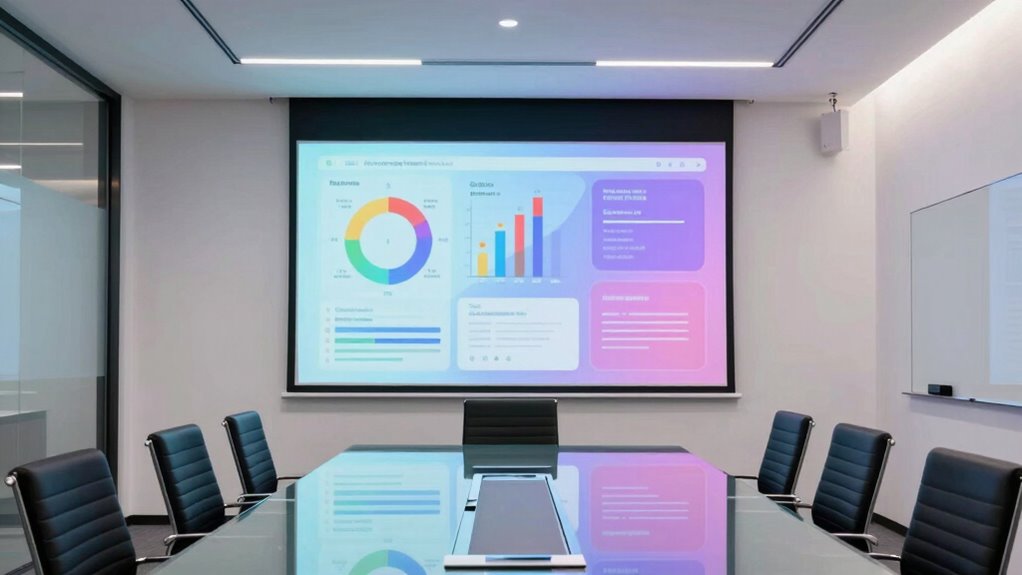

For a business projector for office presentations, I’d start with the Epson Pro EX9270 for its Full HD resolution and wireless connectivity, then compare it with the ViewSonic PA503HD for 1080p detail and the ViewSonic PS502W for short-throw placement. The right choice depends on how much text detail your slides need, how bright the room is, and whether the projector must fit a tight meeting space. WXGA and XGA models can suit routine decks, while lower-resolution SVGA models are less suited to spreadsheets and small text. Portability and connectivity also shape the decision, especially for shared conference rooms. Read on for the full breakdown and recommendations by buyer type.

Get the latest gadgets delivered free — and shop member deals
- Fast, free delivery on millions of items
- Access to Prime Big Deal Days deals on October 6–7
- Prime Video, Amazon Music and more included
Complete the kit



Key Takeaways
- The Epson Pro EX9270 leads for detail and flexibility: Full HD resolution and wireless connectivity give it an advantage for dense slides and rooms where cable access is inconvenient.
- The ViewSonic PA503HD is the clearest fit for sharp 1080p presentations: It offers a strong alternative when resolution matters more than short-throw placement or wireless features.
- The ViewSonic PS502W solves a room-layout problem: Its short-throw design suits smaller meeting spaces where a projector farther back could cast shadows or crowd the presenter.
- WXGA models form the practical middle ground: The ViewSonic PA503W and Epson EX3290 offer more detail than XGA or SVGA options for common presentation content.
- Resolution separates everyday slide use from detail-heavy work: The PA503X and PA503S are aimed at simpler decks, while the PA503S’s SVGA resolution is the least suitable here for small text.
| ViewSonic PS502W WXGA Short Throw Projector with Dual HDMI | 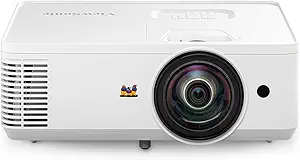 | Best for Small Meeting Rooms | Resolution: WXGA (1280 x 800) | Brightness: 4,000 ANSI lumens | Throw ratio: 0.52 | VIEW ON AMAZON | See Our Full Breakdown |
| Epson Pro EX9270 Wireless Full HD 1080p 3LCD Projector |  | Best for Wireless Presentations | Resolution: Full HD 1080p | Display technology: 3-chip 3LCD | Maximum image size: 300 inches | VIEW ON AMAZON | See Our Full Breakdown |
| ViewSonic PA503X XGA DLP Projector, 4,000 Lumens |  | Best for Standard Slide Decks | Resolution: XGA (1024 x 768) | Brightness: 4,000 ANSI lumens | Projection technology: DLP lamp | VIEW ON AMAZON | See Our Full Breakdown |
| Epson EpiqVision Flex CO-W01 Portable Projector |  | Best Portable Pick | Brightness: 3,000 lumens | Maximum image size: Up to 300 inches | Technology: 3-chip 3LCD | VIEW ON AMAZON | See Our Full Breakdown |
| ViewSonic PA503S SVGA Projector – 4000 ANSI Lumens, HDMI, 16ms Input Lag |  | Best for Basic Meeting Slides | Resolution: SVGA (800 x 600) | Brightness: 4,000 ANSI lumens | Throw ratio: 1.9–2.1 | VIEW ON AMAZON | See Our Full Breakdown |
| ViewSonic PA503W WXGA DLP Projector |  | Best for VGA-Heavy Meeting Rooms | Native resolution: WXGA, 1280 × 800 | Brightness: 4,000 ANSI lumens | Projection technology: DLP | VIEW ON AMAZON | See Our Full Breakdown |
| ViewSonic PA503HD 1080p Full HD DLP Projector, 4,000 Lumens | 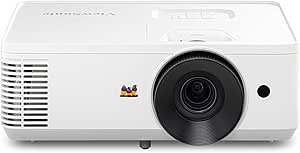 | Best for Sharp Full HD Slides | Resolution: 1920 × 1080 (Full HD) | Brightness: 4,000 ANSI lumens | Projection technology: DLP | VIEW ON AMAZON | See Our Full Breakdown |
| Epson EX3290 3-Chip 3LCD WXGA Video Projector |  | Best for Bright, Color-Rich Rooms | Resolution: WXGA, 1280 × 800 | Color brightness: 4,000 lumens (IDMS rated) | White brightness: 4,000 lumens (ISO rated) | VIEW ON AMAZON | See Our Full Breakdown |
| business projector for office presentation | Resolution | Brightness | Throw ratio | Optical zoom |
|---|---|---|---|---|
| ViewSonic PS502W WXGA Short Th | WXGA (1280 x 800) | 4,000 ANSI lumens | 0.52 | — |
| Epson Pro EX9270 Wireless Full | Full HD 1080p | — | — | 1.6x |
| ViewSonic PA503X XGA DLP Proje | XGA (1024 x 768) | 4,000 ANSI lumens | 1.9–2.1 | 1.1x |
| Epson EpiqVision Flex CO-W01 P | — | 3,000 lumens | — | — |
| ViewSonic PA503S SVGA Projecto | SVGA (800 x 600) | 4,000 ANSI lumens | 1.9–2.1 | 1.1x |
| ViewSonic PA503W WXGA DLP Proj | — | 4,000 ANSI lumens | 1.5–1.7 | 1.1× |
| ViewSonic PA503HD 1080p Full H | 1920 × 1080 (Full HD) | 4,000 ANSI lumens | 1.4–1.6 | 1.1× |
| Epson EX3290 3-Chip 3LCD WXGA | WXGA, 1280 × 800 | — | — | — |
More Details on Our Top Picks
ViewSonic PS502W WXGA Short Throw Projector with Dual HDMI
The PS502W is the strongest fit here when the room is shallow or presenters need to stand close to the screen. Its 0.52 short-throw ratio can produce a large image from only a few feet away, reducing shadows and keeping people from walking through the projection beam. At 4,000 ANSI lumens, it also has the brightness for rooms that are not fully dark. Compared with the Epson Pro EX9270, it gives up Full HD detail and wireless streaming, but offers a more meeting-room-focused placement advantage. Dual HDMI inputs make swapping between a laptop and another source straightforward. The tradeoff is its WXGA resolution: fine spreadsheet text and detailed graphics will look less crisp than on the Epson, so buyers sharing dense content should choose higher resolution.
Pros:- Short-throw projection reduces shadows and suits tight rooms
- 4,000 ANSI lumens supports presentations with some ambient light
- Two HDMI inputs simplify switching between presentation sources
- Vertical auto-keystone and instant power features ease setup
Cons:- WXGA resolution shows less detail than Full HD options
- No wireless streaming is listed in the supplied product data
Best for: Teams presenting slides in shallow meeting rooms where the projector must sit close to the screen
Not ideal for: Presenters who routinely show small spreadsheet text, detailed diagrams, or Full HD video
- Resolution:WXGA (1280 x 800)
- Brightness:4,000 ANSI lumens
- Throw ratio:0.52
- Maximum screen size:300 inches
- HDMI ports:2
- USB-A port:1
- Keystone correction:Vertical auto-keystone
- Mounting options:Table or ceiling
Our verdict“Choose the PS502W when close placement matters more than Full HD detail or wireless sharing.”
Epson Pro EX9270 Wireless Full HD 1080p 3LCD Projector
For offices that share detailed slides from different devices, the Epson Pro EX9270 makes the most complete presentation case in this group. Full HD 1080p keeps small text and charts clearer than the WXGA ViewSonic PS502W or the XGA PA503X, while AirPlay and Miracast give presenters wireless ways to share from Apple devices and Windows PCs. Its 4,100 lumens of both color and white brightness are suited to rooms with lights on, and the 1.6x optical zoom plus four-corner adjustment help fit the image to varied setups. It is less convenient when sound matters: the built-in speaker may not carry across a larger conference room. The USB port is described as a power source, so it should not be mistaken for a general media input.
Pros:- Full HD resolution preserves detail in charts and text
- AirPlay and Miracast support wireless device sharing
- 4,100 lumens of color and white brightness suits lit rooms
- 1.6x optical zoom and four-corner adjustment add placement flexibility
Cons:- Built-in speaker may be inadequate for larger meeting rooms
- USB port is specified for power, not general media playback
- Lacks the short-throw placement advantage of the ViewSonic PS502W
Best for: Office teams that present detailed slides and want wireless sharing from Apple or Windows devices
Not ideal for: Large-room presenters who need strong built-in audio or buyers seeking a short-throw installation
- Resolution:Full HD 1080p
- Display technology:3-chip 3LCD
- Maximum image size:300 inches
- Color brightness:4,100 lumens (IDMS rated)
- White brightness:4,100 lumens (ISO rated)
- Wireless streaming:Apple AirPlay and Miracast
- Ports:Two HDMI ports and one USB power port
- Optical zoom:1.6x
- Image adjustments:Keystone correction and four-corner adjustment
Our verdict“Pick the EX9270 for detailed, wireless office presentations when external audio is available for bigger rooms.”
ViewSonic PA503X XGA DLP Projector, 4,000 Lumens
The PA503X is a straightforward choice for offices whose presentations center on ordinary slides rather than fine visual detail. Its XGA resolution is a step above the PA503S’s SVGA, giving text and diagrams more room for definition, while 4,000 ANSI lumens support use in moderately lit rooms. A 1.1x optical zoom and vertical keystone correction help with basic placement changes, though its 1.9–2.1 throw ratio calls for more distance from the screen than the short-throw PS502W. The PA503X also supports 80–150-inch screens, a more restrained range than the Epson Pro EX9270’s maximum image size. That focus suits routine meeting content, but buyers sharing dense spreadsheets or polished Full HD media will see the limits of its resolution.
Pros:- XGA offers more detail than the PA503S’s SVGA resolution
- 4,000 ANSI lumens supports moderately lit presentation spaces
- Optical zoom and vertical keystone correction assist basic setup
- 120 Hz refresh rate and 16 ms input latency support smooth motion
Cons:- XGA resolution trails the Epson Pro EX9270’s Full HD detail
- 1.9–2.1 throw ratio requires more placement distance than the PS502W
- Screen-size range is limited to 80–150 inches
Best for: Small teams presenting standard slide decks in moderately lit rooms with conventional projector placement
Not ideal for: Presenters who need Full HD detail, very large images, or a close-to-screen installation
- Resolution:XGA (1024 x 768)
- Brightness:4,000 ANSI lumens
- Projection technology:DLP lamp
- Throw ratio:1.9–2.1
- Refresh rate:120 Hz
- Input latency:16 ms
- Screen size:80–150 inches
- Optical zoom:1.1x
- Image adjustment:Vertical keystone correction
Our verdict“Choose the PA503X for routine slides when XGA clarity is sufficient and the room allows standard-throw placement.”
Epson EpiqVision Flex CO-W01 Portable Projector
When presentations happen across client sites or shared rooms, the CO-W01 prioritizes easy transport over a fixed conference-room setup. Its backpack-friendly design and built-in HDMI make it simpler to carry and connect a streaming device than the more installation-oriented ViewSonic PA503X. Three thousand lumens and 3-chip 3LCD color give it a practical basis for presentations where portability and color matter, though its brightness is below the 4,000-lumen ViewSonic models in this roundup. The stated image size reaches 300 inches, but the product data does not list resolution or placement adjustments, so I would not choose it for detailed business content without confirming those needs. Its built-in speaker adds convenience for small rooms; larger audiences may need separate audio.
Pros:- Portable, backpack-friendly design suits off-site presentations
- 3-chip 3LCD technology supports accurate color reproduction
- Built-in HDMI connects compatible streaming devices
- Specified image size reaches up to 300 inches
Cons:- 3,000 lumens is below the 4,000-lumen ViewSonic PA503X
- Supplied data does not specify resolution or image adjustment features
- Built-in speaker may not fill a larger meeting room
Best for: Consultants and mobile presenters who carry a projector between offices and need HDMI connectivity
Not ideal for: Teams that need verified high resolution, extensive placement controls, or stronger brightness for lit conference rooms
- Brightness:3,000 lumens
- Maximum image size:Up to 300 inches
- Technology:3-chip 3LCD
- Connectivity:Built-in HDMI; compatible with streaming devices
- Portability:Backpack-friendly design
- Speaker:Built-in
Our verdict“Choose the CO-W01 when carrying convenience matters more than confirmed resolution and installation flexibility.”
ViewSonic PA503S SVGA Projector – 4000 ANSI Lumens, HDMI, 16ms Input Lag
The PA503S fits rooms where the presentation content is simple and a bright image matters more than fine detail. Its 4,000 ANSI lumens match the PA503X, but the SVGA resolution sits below that model’s XGA, making small text and complex charts harder to read. That difference makes the PA503S a narrower office choice: it can handle basic slides at 80–150 inches, while the PA503X is the safer pick for everyday text-heavy decks and the Epson Pro EX9270 is better for Full HD material. Optical zoom and vertical keystone correction aid setup, and the 120 Hz refresh rate with 16 ms latency supports smooth motion. Those motion specs do little to offset the resolution limit for typical business documents.
Pros:- 4,000 ANSI lumens supports use in moderately lit rooms
- 1.1x optical zoom and vertical keystone correction help with setup
- 120 Hz refresh rate and 16 ms input latency support smooth motion
- Screen-size range covers 80–150 inches
Cons:- SVGA resolution is lower than the PA503X’s XGA
- Fine text and detailed charts are less suited to its 800 x 600 image
- Standard throw requires more room than the short-throw PS502W
Best for: Teams presenting simple, large-text slides in moderately lit small meeting rooms
Not ideal for: Offices sharing spreadsheets, detailed diagrams, or high-resolution media that require readable fine text
- Resolution:SVGA (800 x 600)
- Brightness:4,000 ANSI lumens
- Throw ratio:1.9–2.1
- Optical zoom:1.1x
- Keystone correction:Vertical keystone
- Input latency:16 ms
- Refresh rate:120 Hz
- Screen size range:80–150 inches
- Mount compatibility:ViewSonic PJ-WMK-007 ceiling mount
Our verdict“Choose the PA503S only for simple, large-text presentations where brightness matters more than detail.”
ViewSonic PA503W WXGA DLP Projector
The ViewSonic PA503W suits offices that still connect laptops and room equipment through VGA. Its 4,000 ANSI lumens can help keep slides visible in rooms with moderate ambient light, while two VGA inputs and a VGA output accommodate older setups more readily than the HDMI-focused PA503HD. The tradeoff is WXGA resolution: text and detailed spreadsheets will look less sharp than on that Full HD model. Its 1.1× zoom and vertical keystone correction give some flexibility when fitting the image to a screen, though they cannot replace careful placement. This makes the PA503W a practical choice when compatibility with existing meeting-room gear matters more than presenting fine detail. Buyers who mainly use HDMI and need sharper text should compare it with the PA503HD.
Pros:- 4,000 ANSI lumens for presentations in moderately lit rooms
- Two VGA inputs and a VGA output support older office equipment
- HDMI and composite video provide additional connection options
- 1.1× optical zoom and vertical keystone correction ease image setup
Cons:- WXGA resolution is less sharp than the Full HD PA503HD
- Lamp life and energy savings depend on operating mode and usage
Best for: Small businesses with VGA-equipped laptops, room systems, or displays that need a bright projector for slides and standard presentations
Not ideal for: Teams presenting detailed spreadsheets, small text, or high-resolution visuals that benefit from Full HD
- Native resolution:WXGA, 1280 × 800
- Brightness:4,000 ANSI lumens
- Projection technology:DLP
- Throw ratio:1.5–1.7
- Optical zoom:1.1×
- Connectivity:HDMI, 2 × VGA input, composite video, VGA output, audio in/out
- Screen size:80–150 inches
- Lamp life:Up to 10,000 hours with SuperEco mode
Our verdict“Choose the PA503W when VGA compatibility and room brightness matter more than Full HD detail.”
ViewSonic PA503HD 1080p Full HD DLP Projector, 4,000 Lumens
For office presentations where small labels, dense charts, or fine text need to stay legible, the ViewSonic PA503HD earns its place with 1920 × 1080 Full HD resolution and 4,000 ANSI lumens. Compared with the WXGA PA503W, it gives detailed slides more room to retain clarity, and its two HDMI ports make it straightforward to connect multiple modern sources. Automatic vertical keystone correction can help square the image when placement is imperfect. The tradeoffs are a lamp that needs maintenance and fewer legacy connections than the PA503W, which includes VGA. Its 80–300-inch stated screen range also offers flexibility for larger presentations, but a big image still depends on suitable room and screen placement. Pick it for HDMI-based rooms where resolution is a priority.
Pros:- Full HD resolution keeps detailed presentation content sharper than the WXGA PA503W
- 4,000 ANSI lumens suit rooms with moderate ambient light
- Two HDMI ports support multiple modern video sources
- Automatic vertical keystone correction helps square the image
Cons:- Lamp-based design requires maintenance over its service life
- Lacks the PA503W’s VGA inputs and output for legacy office equipment
Best for: Office teams that present detailed charts, spreadsheets, and small text from HDMI-equipped laptops in moderately lit rooms
Not ideal for: Businesses relying on VGA connections or seeking a projector without lamp maintenance
- Resolution:1920 × 1080 (Full HD)
- Brightness:4,000 ANSI lumens
- Projection technology:DLP
- Throw ratio:1.4–1.6
- Screen size:80–300 inches
- Optical zoom:1.1×
- Connectivity:2 HDMI ports, USB-A output
- Keystone correction:Automatic vertical
Our verdict“Choose the PA503HD for sharper, detailed slides when your meeting room uses HDMI sources.”
Epson EX3290 3-Chip 3LCD WXGA Video Projector
The Epson EX3290 is a good fit for offices where presentations include color-coded charts or visual material and the lights cannot be dimmed. Its 4,000 lumens of both color and white brightness, paired with 3-chip 3LCD technology, are intended to keep color output strong in well-lit rooms. That sets it apart from the DLP PA503W, which offers comparable stated brightness but has more documented flexibility for mixed VGA and HDMI connections. The EX3290 includes dual HDMI ports and a built-in speaker, useful for a laptop and conferencing device without extra audio equipment. Its resolution is WXGA, however, so the Full HD PA503HD is the better match for small text and intricate spreadsheets. It is portable, but the listed data does not include wireless mirroring.
Pros:- 4,000 lumens of color and white brightness for well-lit rooms
- 3-chip 3LCD technology is suited to accurate color presentation
- Dual HDMI ports simplify connections to multiple devices
- Built-in speaker and portable design support flexible meeting setups
Cons:- WXGA resolution is less detailed than the Full HD PA503HD
- No native wireless screen mirroring is listed
- Listed connectivity omits VGA for older office systems
Best for: Presenters who move between well-lit rooms and show color-heavy slides using HDMI-connected laptops or conferencing devices
Not ideal for: Teams that need Full HD detail, native wireless screen mirroring, or VGA connections for older office equipment
- Resolution:WXGA, 1280 × 800
- Color brightness:4,000 lumens (IDMS rated)
- White brightness:4,000 lumens (ISO rated)
- Technology:3-chip 3LCD
- Maximum image size:300 inches
- Connectivity:2 × HDMI
- Built-in speaker:Yes
- Portability:Portable
Our verdict“Choose the EX3290 for portable, color-focused presentations in bright rooms when WXGA resolution is sufficient.”
How We Picked
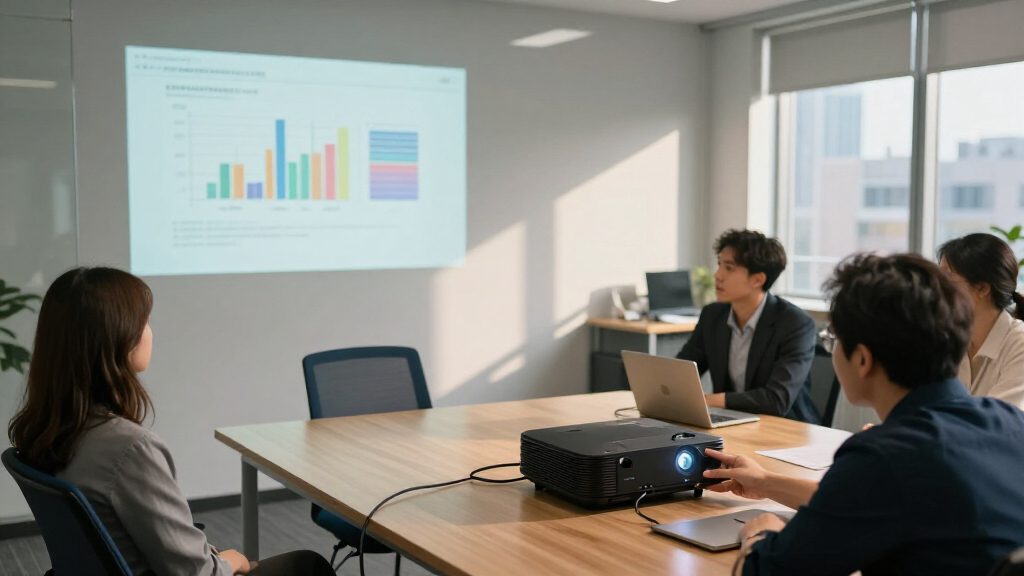
I ranked these projectors around office presentation needs: readable text, room placement, brightness for meetings with some ambient light, ease of connecting common devices, and how well each model fits recurring use. Resolution mattered because spreadsheets, charts, and small labels can become harder to read on lower-resolution models. I also weighed practical features such as short-throw projection, wireless connectivity, portability, and stated brightness where the product names provide those details.
The Epson Pro EX9270 takes the top position for pairing Full HD with wireless connectivity, two traits that help across varied presentation rooms. The ViewSonic PA503HD follows for buyers who prioritize Full HD, while the PS502W earns a distinct place for short-throw setups. WXGA picks sit ahead of XGA and SVGA options for buyers who need more slide detail; lower-resolution models remain relevant for simple decks and basic meeting needs. Product names alone do not establish full-room performance or long-term maintenance costs, so buyers should confirm throw distance, inputs, and lamp or light-source specifications against their own setup.
Factors to Consider When Choosing Business Projector For Office Presentations
I’d choose an office projector by starting with the room and the material people need to read, then checking connections and ongoing use. These factors help avoid paying for capabilities a meeting room will not use—or choosing a model that makes everyday slides harder to follow.
Match Resolution to Your Slides
Resolution affects how clearly a projector renders small type, spreadsheet cells, and fine chart labels. Full HD gives detail-heavy decks more room to stay legible, while WXGA can be adequate for standard slides and larger text. XGA and SVGA models may work for basic presentations, but they leave less detail to work with. A common mistake is judging resolution from a sample video or title slide rather than the densest material shown in meetings. Before choosing, check the projector’s native resolution and test your usual presentation at the intended screen size. If the projector will serve different teams, prioritize the most text-heavy use case.
Plan for Room Light and Screen Size
A bright projector can help in a room where people need to take notes, but ambient light, wall color, and screen size all affect perceived contrast. Manufacturer lumen figures are useful for comparing listed specifications, yet they cannot guarantee that small text will read clearly in a sunlit room. A larger image spreads the available light over more area, so increasing screen size may make the picture look less vivid. Closing blinds or reducing direct light can sometimes improve readability more than moving to a higher brightness tier. Check the room’s lighting during typical meetings, not only after hours. If windows cannot be managed, favor clear slide design and a screen position away from direct glare.
Measure Throw Distance Before Choosing a Lens Type
Throw distance determines how far the projector must sit from the screen to create the image size you want. A short-throw model can help in compact rooms, where a conventional placement might put the projector above the presenter or too close to the audience. In a larger room, the same short-throw advantage may not matter, and mounting flexibility may be more useful. Measure the distance from the planned projector position to the screen and compare it with the manufacturer’s throw calculator. Account for ceiling mounts, tables, and people walking through the beam. Guessing from a product photo is a frequent source of avoidable setup trouble.
Choose Connections for the Room’s Sharing Habits
Count the devices that will connect regularly, including laptops, room systems, and any installed conferencing equipment. Multiple HDMI inputs can reduce cable swaps, while wireless support can make ad hoc presenting easier when it works with the organization’s devices and network policies. Wireless projection can add setup steps or depend on compatible software, so it should not be treated as a substitute for a reliable wired option. Confirm supported resolutions and connection types for the laptops people actually bring. Also decide who will troubleshoot: a dedicated meeting-room setup benefits from simple, labeled connections. For a shared room, predictable startup can matter more than having every connection method available.
Weigh Portability Against Permanent Installation
A portable projector suits teams that move between rooms or carry equipment to off-site presentations, while a fixed installation can simplify repeated use in one conference room. Portability does not automatically mean easier meetings: transport, power access, screen placement, and setup time still matter. For a permanent room, check mounting options, cable routing, access to controls, and whether routine maintenance can be handled without disrupting meetings. For a mobile setup, consider the projector together with its case, power supply, and any adapters the team needs. Buyers often focus on the projector’s size and overlook the rest of the kit. Pick the arrangement that matches how the organization actually schedules and shares rooms.
Account for Lamp Life and Service Needs
The purchase decision should include the work required to keep the projector ready, not only its picture specifications. Check the light source type, rated life under the modes your team would use, replacement part availability, and filter cleaning requirements. Frequent daily meetings put more weight on maintenance access than occasional presentations do. Eco modes may extend service intervals but can reduce brightness, so confirm that the lower setting still suits the room. Compare warranty terms and service options if downtime would interrupt client or staff meetings. A projector with a lower initial feature set may be the more practical choice if its upkeep better matches the team’s capacity.
Frequently Asked Questions
Is Full HD worth prioritizing for office slides?
Full HD is most useful when presentations include small labels, dense spreadsheets, detailed diagrams, or video. For large text and simple charts, WXGA may be sufficient and can leave more room in the shortlist for placement or connectivity needs. XGA and SVGA are less forgiving when fine detail matters, so check your actual slides at the screen size used in meetings. If multiple teams share the projector, the most detailed regular presentation is a sensible benchmark. Resolution alone does not fix poor contrast or room glare.
Should I choose a short-throw projector for a small conference room?
Short throw can help when the projector must sit close to the screen, such as on a table near the front or in a room with limited mounting options. It can reduce shadows from presenters standing between the projector and image. It is not automatically the right answer for every small room: image size, screen position, and available mounting points still determine fit. Measure the planned distance and target image dimensions before buying. A throw calculator is more dependable than estimating from room length alone.
Can a 4,000-lumen projector handle a meeting room with the lights on?
A stated 4,000-lumen rating can be helpful in rooms with some ambient light, but it does not promise equal readability in every space. Sunlight on the screen, a large projected image, and light-colored walls can all reduce perceived contrast. For standard meetings, controlling direct light and using a sensible screen size may make a substantial difference. Check the manufacturer’s brightness specifications and, where possible, arrange a demonstration in similar room conditions. Keep slide text large and high contrast for attendees seated far from the screen.
Is wireless connectivity necessary in a shared office projector?
Wireless can make it easier for visitors and staff to present without finding the right cable, especially when the projector supports their devices and the room network permits it. It can also add pairing steps and depend on software or network access, which may slow a meeting. A wired HDMI connection remains a useful fallback for predictable starts. Before paying extra attention to wireless features, check compatibility with the organization’s laptops and security rules. Shared rooms benefit most when both connection methods are clearly documented and easy to access.
Which resolution should I avoid for spreadsheets and small labels?
SVGA provides the least detail among the listed resolution classes, so it is the one I would be most cautious about for spreadsheets and small labels. XGA can also feel limiting when a slide packs in fine text, while WXGA and Full HD provide more detail. The viewing distance and image size affect legibility, so resolution is only part of the result. Open a representative spreadsheet or diagram at the target screen size before settling on a lower-resolution option. If the content changes from meeting to meeting, leaving more resolution headroom can reduce the chance of unreadable slides.
Conclusion
I’d choose the Epson Pro EX9270 as the best overall for buyers who want Full HD detail and wireless connectivity in one office-focused pick. The ViewSonic PA503HD is my best value for 1080p needs, while the ViewSonic PA503W is a sensible WXGA choice for standard slide decks. For beginners setting up a compact room, the ViewSonic PS502W stands out when short-throw placement simplifies installation. The Epson EX3290 suits buyers who favor a portable WXGA option, and the Epson Pro EX9270 remains the premium-leaning pick for detail and wireless flexibility. Choose the PA503X or PA503S for simpler presentation material where their lower resolution fits the job; skip the SVGA PA503S if small text is a routine part of meetings.
Fall Picks
fall essentials
As an affiliate, we earn on qualifying purchases.