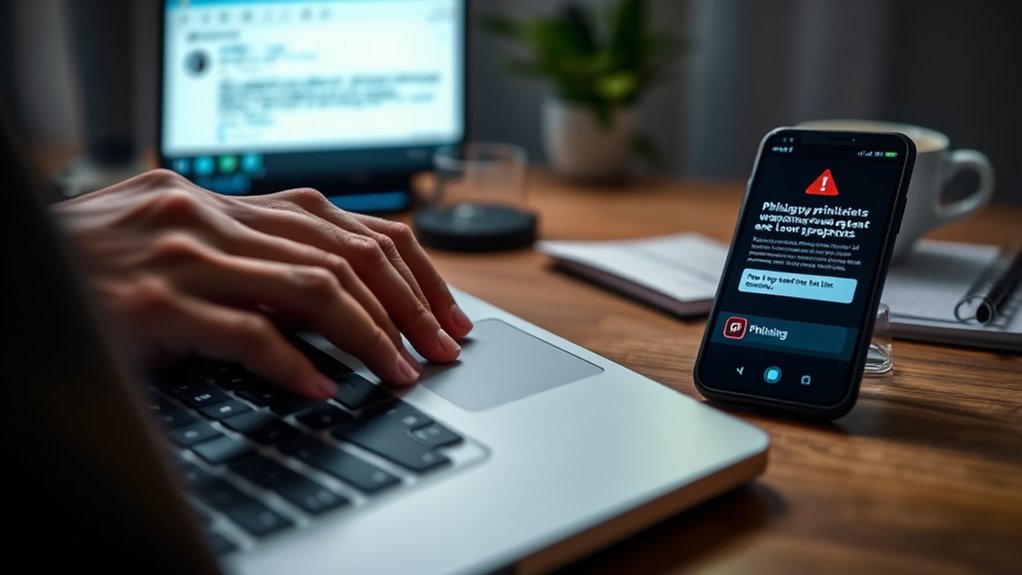

To spot and avoid phishing scams, watch out for suspicious emails that create urgency, ask for personal info, or have strange sender addresses. Hover over links to check their destination before clicking, and verify websites for secure connections and correct URLs. Never share passwords or sensitive data via email, and contact companies directly if unsure. Staying alert helps protect you from scams—continue to learn more about keeping your information safe.

Get the latest gadgets delivered free — and shop member deals
- Fast, free delivery on millions of items
- Access to Prime Big Deal Days deals on October 6–7
- Prime Video, Amazon Music and more included
Key Takeaways
- Hover over links to verify their real destination before clicking.
- Look for spelling errors, strange domain names, or unprofessional design in emails.
- Be cautious of urgent requests for personal or financial information via email.
- Confirm suspicious messages by contacting the organization directly through official channels.
- Keep software updated, use strong passwords, and enable two-factor authentication for added security.

Have you ever received an unexpected email asking for your personal information? If so, you might have encountered a common tactic used by scammers: email spoofing. This technique makes the email appear as if it’s coming from a trusted source, like your bank or a familiar company. Scammers often use email spoofing to trick you into clicking malicious links or sharing sensitive data. These deceptive emails can look very convincing, mimicking official logos, sender addresses, and even language style. The goal is to make you believe the message is legitimate, so you let your guard down.
Email spoofing tricks you into trusting fake messages from familiar sources.
One of the biggest red flags is when the email asks for personal details, passwords, or financial information. Legitimate organizations rarely request sensitive info via email. Instead, they’ll direct you to a secure website or app. Be cautious of emails that create a sense of urgency, like claiming your account will be frozen or that you’ve won a prize. These tactics pressure you into acting without thinking. Always double-check the sender’s email address—scammers often use addresses that look similar to genuine ones but have slight misspellings or strange domain names. Hover over links without clicking to see where they lead. If the URL looks suspicious or is different from the official website, don’t click. Instead, go directly to the company’s website by typing its address into your browser.
Fake websites are another common tool scammers use. When you click on a link in a phishing email, you might land on a convincing but false version of a trusted site. These fake websites are designed to steal your login information or install malware on your device. Always verify the URL before entering any personal data. Look for a secure connection indicated by “https://” and a padlock icon. If something looks off—like misspelled words, unprofessional design, or strange domain names—it’s safest to avoid entering your details. Recognizing the importance of contrast ratio can help ensure that your display settings are optimized for viewing, reducing the chances of misinterpreting security warnings or suspicious content.
To stay protected, keep your software and browser up to date, as these updates often include security patches. Use strong, unique passwords for different accounts, and enable two-factor authentication whenever possible. Be skeptical of unsolicited emails, especially those requesting urgent action or sensitive info. When in doubt, contact the company directly using official contact details—not the information provided in the suspicious email. By staying alert and cautious, you can considerably reduce the risk of falling victim to email spoofing, fake websites, and other phishing scams.
two-factor authentication security key
As an affiliate, we earn on qualifying purchases.
As an affiliate, we earn on qualifying purchases.
Frequently Asked Questions
Can Phishing Scams Target My Mobile Device Specifically?
Yes, phishing scams can target your mobile device specifically. Cybercriminals often exploit mobile security vulnerabilities and trick you into revealing sensitive info through fake apps, links, or messages. Be cautious with app permissions, only install trusted apps, and avoid clicking suspicious links. Regularly update your device’s software to patch security flaws, and use security tools to detect threats. Staying vigilant helps protect your mobile device from phishing attacks.
Are There Any Signs That a Website Is Fake?
Yes, there are signs that can help you identify fake websites. To check website authenticity, look for scam indicators like misspelled words, unfamiliar URLs, or insecure connections (HTTP instead of HTTPS). Also, watch for poor design or pop-ups asking for personal info. These clues suggest the website might be fake, so always verify before entering sensitive data. Recognizing these scam indicators keeps you safer online.
How Often Should I Update My Security Software?
Have you ever wondered if your security is truly up-to-date? You should update your security software regularly, ideally as soon as updates and security patches become available. This keeps your defenses strong against new threats. Usually, updating once a month is enough, but if your software alerts you to urgent updates, do them immediately. Staying current helps you stay protected from phishing scams and other cyber threats.
What Should I Do if I Accidentally Share My Details?
If you accidentally share your details, act quickly to protect your personal information. Change your passwords immediately and enable two-factor authentication where possible. Contact your bank or relevant institutions to report suspicious activity and monitor your accounts closely. It’s also important to report the incident to the appropriate authorities or your company’s security team. Taking swift action helps minimize potential damage and keeps your personal information secure.
Are Government Agencies Ever Legitimate Sources for Phishing Emails?
Government agencies can sometimes send legitimate official communication, but they rarely request sensitive information via email. Always verify government legitimacy by checking official websites or contacting them directly. Be cautious with emails claiming to be from government agencies, especially if they ask for personal details or urgent actions. Remember, scammers often mimic official communication. When in doubt, don’t click links or share information—verify through trusted, official channels.
As an affiliate, we earn on qualifying purchases.
Conclusion
So, next time a suspicious email promises a million dollars or asks for your password, remember—your inbox is now a minefield. Ironically, the scammer’s clever disguise makes you feel special, but all they’re really after is your info. Stay vigilant, double-check links, and never click blindly. Because in the end, the biggest scam is falling for one—so outsmart them before they outsmart you. Stay safe and keep your info locked tight!
As an affiliate, we earn on qualifying purchases.
phishing detection email scanner
As an affiliate, we earn on qualifying purchases.
As an affiliate, we earn on qualifying purchases.
Fall Picks
fall essentials
As an affiliate, we earn on qualifying purchases.