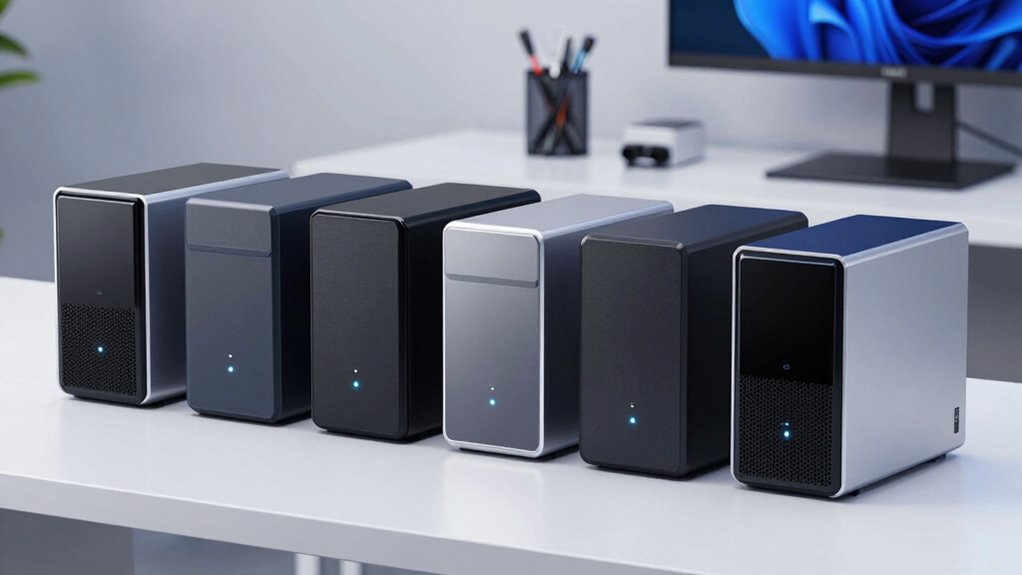

Starting with a 2-bay NAS can seem daunting, but the right choice can simplify your digital life. For most beginners, the Synology DiskStation DS223j offers a secure, user-friendly experience with robust software support. The UGREEN NAS DH2300 stands out for its straightforward setup and AI-powered organization, making it ideal for personal use. Meanwhile, the Yxk Zero1 provides a compact, cost-effective option for basic storage needs. Each of these picks balances ease of use with essential features, but they differ in complexity, expandability, and intended use cases.

Get the latest gadgets delivered free with Prime
- Fast, free delivery on millions of items
- Prime Video, Amazon Music and more included
- Member-only deals all year
Complete the kit



Key Takeaways
- The Synology DS223j is best for users prioritizing security, remote access, and software support.
- UGREEN’s NAS DH2300 offers an excellent entry point for those who want simple setup and AI photo management.
- Yxk Zero1 provides a compact, budget-friendly option with basic features suitable for home use.
- Advanced users or media creators might prefer NAS options with hardware transcoding and higher performance.
- All choices require separate drives, so budget for storage expansion when selecting your device.
| Synology 2-Bay DiskStation DS223j (Diskless) |  | Best Overall for Security and Software Support | Number of Bays: 2 | Model: DS223j | Type: Diskless NAS | VIEW ON AMAZON | See Our Full Breakdown |
| UGREEN NAS DH2300 2-Bay Personal Storage for Beginners & Personal Users |  | Best for Simplicity and Personal Use | Capacity: Up to 64TB | Number of Bays: 2 | Processor: High-performance | VIEW ON AMAZON | See Our Full Breakdown |
| Synology DS225+ Private Cloud Media Server – 2-Bay Diskless NAS with Intel CPU for Hardware Transcoding |  | Best for Media Streaming and Advanced Features | Model: DS225+ | Type: Private Cloud Media Server | Number of Bays: 2 | VIEW ON AMAZON | See Our Full Breakdown |
| UGREEN NAS DXP2800 2-Bay for Advanced Home Users, Remote Workers & Creators |  | Best for Power Users and Large Storage Needs | Storage Capacity: Up to 80TB | Processor: Intel N100 Quad-Core | RAM: 8GB DDR5 | VIEW ON AMAZON | See Our Full Breakdown |
| Yxk Zero1 2-Bay Desktop NAS for Home & Personal Storage (Diskless) |  | Best Budget-Friendly and Compact Solution | Number of Bays: 2 | Connectivity: 2.5GbE | Compatibility: Windows, macOS, iOS, Android | VIEW ON AMAZON | See Our Full Breakdown |
| bay nas for beginner | Number of Bays |
|---|---|
| Synology 2-Bay DiskStation DS2 | 2 |
| UGREEN NAS DH2300 2-Bay Person | 2 |
| Synology DS225+ Private Cloud | 2 |
| UGREEN NAS DXP2800 2-Bay for A | — |
| Yxk Zero1 2-Bay Desktop NAS fo | 2 |
More Details on Our Top Picks
Synology 2-Bay DiskStation DS223j (Diskless)
The Synology DS223j stands out for its user-friendly DiskStation Manager software, which simplifies setup and management. Its focus on secure private cloud storage makes it ideal for users who want peace of mind with data protection. Compared with other options, it lacks included drives, which could be a drawback if you want a ready-to-go system. However, its support for remote access, surveillance, and continuous software updates makes it a reliable choice for beginners who value security and ongoing support.
Pros:- Secure private cloud with multi-platform access
- Easy setup with intuitive software
- Supports remote monitoring and surveillance
Cons:- Requires purchasing drives separately
- Limited to NAS functions without included storage
Best for: Beginners seeking a secure, easy-to-manage private cloud and reliable software ecosystem.
Not ideal for: Those who prefer an all-in-one package with drives included or need high-performance media transcoding.
- Number of Bays:2
- Model:DS223j
- Type:Diskless NAS
- Warranty:2 years
Our verdict“A well-rounded, secure choice ideal for beginners focused on data safety and simple management.”
UGREEN NAS DH2300 2-Bay Personal Storage for Beginners & Personal Users
The UGREEN NAS DH2300 is designed with ease of use at its core, making it perfect for those new to NAS. It supports up to 64TB of storage, with fast transfer speeds and AI-powered photo organization. Unlike some other models, it focuses on personal and small-scale storage needs, lacking advanced features like Docker support or enterprise-grade security. Its setup process is straightforward, but without Wi-Fi support unless you add an external adapter, limiting convenience for some users.
Pros:- Easy to set up and use
- Supports large storage capacity and fast transfers
- AI features for photo management
Cons:- No Wi-Fi support without external adapters
- Limited to personal and basic use
- No support for advanced virtualization or Docker
Best for: Beginners who want simple, large-capacity personal storage with minimal fuss.
Not ideal for: Advanced users or those needing extensive customization, virtualization, or Wi-Fi support.
- Capacity:Up to 64TB
- Number of Bays:2
- Processor:High-performance
- RAM:4GB
- Network Interface:1GbE
Our verdict“A straightforward, high-capacity NAS perfect for personal backups and media storage for beginners.”
Synology DS225+ Private Cloud Media Server – 2-Bay Diskless NAS with Intel CPU for Hardware Transcoding
The Synology DS225+ combines simple NAS functionality with media streaming and media library management, thanks to its Intel CPU and hardware transcoding capabilities. It supports 4K media, RAID redundancy, and sophisticated backup options, making it suitable for users who want more than basic storage. Its diskless design requires you to buy drives separately, and its setup may be complex for absolute beginners unfamiliar with media server configurations. Still, it offers a robust platform for media enthusiasts and small home offices.
Pros:- Supports 4K media streaming and transcoding
- Automated backups and RAID support
- Multi-layered data protection including snapshots
Cons:- Requires separate drives
- Complex setup for inexperienced users
Best for: Beginners interested in media streaming, transcoding, and multimedia management.
Not ideal for: Complete NAS novices who prefer plug-and-play simplicity or need enterprise-grade features.
- Model:DS225+
- Type:Private Cloud Media Server
- Number of Bays:2
- CPU:Intel
- Warranty:3 Years
Our verdict“Ideal for beginners who want media-rich features without sacrificing data security, but expect a steeper learning curve.”
UGREEN NAS DXP2800 2-Bay for Advanced Home Users, Remote Workers & Creators
The UGREEN NAS DXP2800 is a powerful option for users who need high performance and extensive storage. With an Intel N100 quad-core CPU, 8GB DDR5 RAM, and support for up to 80TB of storage, it’s suited for media creation, remote work, and AI surveillance. Its internal hardware is robust, but it’s a diskless system that requires additional purchase of drives, and its complexity might be overkill for casual users. It’s best for those comfortable with NAS setup and seeking a versatile, high-capacity device.
Pros:- High-performance hardware with large storage capacity
- Supports AI-powered surveillance
- Flexible drive options for extensive storage
Cons:- Requires separate drives
- Complex setup process
- Additional costs for drives
Best for: Advanced home users, content creators, and heavy-duty workloads.
Not ideal for: Total beginners or those seeking plug-and-play simplicity without additional hardware investment.
- Storage Capacity:Up to 80TB
- Processor:Intel N100 Quad-Core
- RAM:8GB DDR5
- Connectivity:Ethernet, SATA, USB
Our verdict“A solid choice for tech-savvy users needing high performance and large storage, but less suitable for beginners unfamiliar with NAS assembly.”
Yxk Zero1 2-Bay Desktop NAS for Home & Personal Storage (Diskless)
The Yxk Zero1 offers a simple, space-saving NAS for basic home storage needs. Its compact design makes it ideal for small spaces or casual backups. It supports remote access, fast data transfer with 2.5GbE, and basic RAID modes, but it doesn’t include drives, so you need to purchase storage separately. Its straightforward interface makes it accessible for beginners, but it’s limited in features and performance compared to more advanced models.
Pros:- Compact and quiet design
- Easy to set up and use
- Supports remote access and RAID
Cons:- Drives sold separately
- Limited features without upgrades
- No included drives
Best for: Home users seeking an affordable, easy-to-use solution for personal backups and media sharing.
Not ideal for: Power users or those wanting advanced features like transcoding or surveillance beyond basic needs.
- Number of Bays:2
- Connectivity:2.5GbE
- Compatibility:Windows, macOS, iOS, Android
- Weight:2kg
Our verdict“A budget-friendly, beginner-oriented NAS that covers essential storage needs without complexity.”
How We Picked
Our selection process focused on devices that are straightforward for beginners, emphasizing ease of setup, user-friendly interfaces, and reliable performance. We prioritized models with diskless configurations to allow customization, strong community and software support, and good security features. Devices with additional functionalities like media transcoding or surveillance capabilities were included for users interested in expanding their NAS use beyond simple storage. Tradeoffs such as higher complexity or additional costs were considered to ensure each model serves a specific beginner need without overwhelming new users.
Factors to Consider When Choosing 2 Bay Nas For Beginners
Choosing the right 2-bay NAS as a beginner involves balancing ease of use, storage needs, and future expandability. It’s important to consider whether you want a simple backup device, a media server, or a private cloud. Your decision should also factor in setup complexity, security features, and whether you prefer an out-of-the-box solution or one that allows customization. The following sections break down key considerations to help you find the best fit.Ease of Setup and User Interface
For beginners, a NAS with a straightforward setup process and a clean, intuitive interface can make all the difference. Devices like the Synology DS223j and Yxk Zero1 are praised for their user-friendly dashboards, which reduce the learning curve. Conversely, models with more advanced features, such as the DS225+, may require some familiarity with network configurations and media management, which could be overwhelming for first-time users.
Storage Capacity and Expansion
Most beginners will want a device that can handle their current needs with room to grow. The UGREEN NAS DH2300 supports up to 64TB, making it suitable for typical personal backups. The UGREEN DXP2800 offers larger capacity options up to 80TB, ideal for heavy media use or small creative projects. Remember, these devices are usually diskless, so selecting compatible drives is essential for future scalability.
Features and Functionality
Basic NAS functions like file sharing and backups are standard, but some models add extras. The Synology DS225+ supports 4K media transcoding and surveillance, which may appeal to media enthusiasts or small security setups. Meanwhile, the Yxk Zero1 emphasizes simplicity, providing remote access and RAID modes without complex multimedia features. Think about whether you need advanced features now or might want them later.
Security and Privacy
Security features, such as two-factor authentication, encrypted transfers, and RAID redundancy, are important for protecting your data. The UGREEN NAS DH2300 and DS225+ offer layered security measures suitable for personal and semi-sensitive data. Devices without robust security options may be fine for casual backups but could pose risks if sensitive information is stored.
Frequently Asked Questions
Do I need to buy drives separately for a NAS?
Yes, most beginner-friendly NAS devices, including those in this list, are diskless by default. You’ll need to purchase compatible hard drives or SSDs separately based on your storage needs. Make sure to check the supported drive types and capacities before making a purchase to ensure smooth setup and future expandability.
Is a 2-bay NAS suitable for media streaming?
Many 2-bay NAS devices support media streaming, especially those with hardware transcoding capabilities like the Synology DS225+. For casual streaming of personal media libraries or light usage, most models will suffice. However, if you plan to stream high-resolution videos or run multiple streams simultaneously, consider a device with more processing power and transcoding support.
Can I use a 2-bay NAS for backups of multiple devices?
Absolutely. A 2-bay NAS provides a centralized backup solution for computers, smartphones, and tablets. Features like automated backups, multiple RAID options, and remote access make it easy to protect and synchronize data across your devices, especially with models like the UGREEN NAS DH2300 and Synology DS223j.
Are 2-bay NAS devices suitable for small businesses?
While some 2-bay NAS models like the Synology DS225+ can support small business needs with features like RAID, surveillance, and media management, they might lack the scalability and performance of larger systems. For critical or high-volume workloads, more extensive NAS solutions may be necessary, but for light business use, these devices can be a cost-effective solution.
What should I consider when choosing between diskless and pre-installed drives?
Diskless NAS units offer flexibility to choose your own drives, which can be more cost-effective and tailored to your needs. Pre-installed drives simplify setup but usually come at a higher price. For beginners, diskless models are often preferred because they allow selecting drives based on capacity and speed preferences, and you can upgrade or replace drives over time more easily.
Conclusion
For absolute beginners prioritizing simplicity and security, the Synology DS223j makes a strong choice. Those looking for an easy-to-use personal storage solution with AI features should consider the UGREEN NAS DH2300. If budget is a primary concern and space saving matters, the Yxk Zero1 offers a compact, straightforward option. More advanced hobbyists or creators with higher storage and performance demands may find the UGREEN DXP2800 or Synology DS225+ better suited, though these come with increased complexity and cost. Match your choice to your comfort level with technology and your storage goals to find the best fit.