For tech professionals, a 4-bay NAS can centralize project files, backups, media, and shared services, but the right choice depends on workload and network speed. I’d put the QNAP TS-464 first for its balanced mix of memory, connectivity, and room to grow; the UGREEN DXP4800 Pro stands out for buyers prioritizing a stronger hardware platform, while the Synology DS425+ suits those who value a mature software ecosystem. The key tradeoffs are processing headroom, management experience, network throughput, and how much configuration you want to handle. A four-drive enclosure also calls for a plan for backups beyond the NAS itself. Read on for the full breakdown and guidance on matching a system to your work.

Get the latest gadgets delivered free — and shop member deals
- Fast, free delivery on millions of items
- Access to Prime Big Deal Days deals on October 6–7
- Prime Video, Amazon Music and more included
Complete the kit



Key Takeaways
The QNAP TS-464 is the best overall fit in this lineup for professionals seeking a balanced desktop system with 8GB of memory and useful network and expansion options.
Software preference changes the decision: Synology models are compelling for buyers who prioritize an established management and backup ecosystem, while QNAP and UGREEN offer alternatives with different hardware and configuration tradeoffs.
The DXP4800 Pro and DXP4800 GT target more performance-minded setups; buyers should compare their exact ports, software needs, and intended services before paying for extra hardware headroom.
The bundled DS423+ package reduces setup work by including drives and an NVMe SSD, while diskless models let professionals choose drive capacity and endurance themselves.
Not every four-bay NAS is a virtualization host: the TS-473A and TVS-h474 offer a more workstation-like direction, but they make the most sense when their additional compute capabilities match a real workload.
| QNAP TS-464 4-Bay Desktop NAS, 8GB RAM |  | Best Overall for Flexible Workloads | Drive bays: 4 | Processor: Intel Celeron N5105/N5095 quad-core, burst up to 2.9 GHz | Installed memory: 8GB DDR4 | VIEW ON AMAZON | See Our Full Breakdown |
| Synology DS425+ 4-Bay Diskless NAS |  | Best for Managed Team Backups | Drive bays: 4 | Drive configuration: Diskless | Transfer speed: Up to 278 MB/s | VIEW ON AMAZON | See Our Full Breakdown |
| UGREEN NAS DXP4800 Pro 4-Bay Network Attached Storage |  | Best for Virtualization and Containers | Drive bays: 4 HDD bays and 2 M.2 SSD slots | Processor: Intel Core i3-1315U, 6 cores, 8 threads, up to 4.5GHz | Memory: 8GB DDR5, expandable to 96GB | VIEW ON AMAZON | See Our Full Breakdown |
| Synology DiskStation DS423+ 4-Bay NAS Server with 6GB Memory, 72TB HDDs, and 1TB NVMe SSD |  | Best for a High-Capacity Synology Setup | Processor: Intel Celeron J4125, 4-core, 2.0GHz base, up to 2.7GHz | Memory: 6GB DDR4 non-ECC SODIMM | HDD storage: 72TB (4 × 18TB) SATA HDDs | VIEW ON AMAZON | See Our Full Breakdown |
| UGREEN NAS DXP4800 GT 4-Bay Network Attached Storage |  | Best for Dual 10GbE Workflows | Processor: AMD Ryzen Embedded R2514, 4 cores, 8 threads, up to 3.70 GHz | Memory: 8GB DDR4, expandable to 64GB; pre-installed memory is non-ECC | Drive bays: 4 SATA bays; up to 2 bays also support U.2 NVMe SSDs | VIEW ON AMAZON | See Our Full Breakdown |
| UGREEN NAS DH4300 Plus 4-Bay Network Attached Storage |  | Best for Media and Photo Libraries | Drive bays: 4 | Maximum capacity: 128TB in RAID 0 with compatible drives | Memory: 8GB LPDDR4X | VIEW ON AMAZON | See Our Full Breakdown |
| Synology DiskStation DS920+ 4-Bay Diskless NAS, 4GB DDR4 |  | Best for Expandable Synology Storage | Drive bays: 4 | Memory: 4GB DDR4, expandable to 8GB | M.2 slots: 2 M.2 2280 NVMe SSD slots | VIEW ON AMAZON | See Our Full Breakdown |
| QNAP TVS-h474-PT-8G-US 4-Bay Desktop NAS, Intel Pentium Gold G7400, 8GB DDR4, Dual 2.5GbE, Diskless |  | Best for High-Memory Workloads | Drive bays: 4 | Processor: Intel Pentium Gold G7400, 2-core/4-thread, 3.7 GHz | Memory: 8GB DDR4, expandable to 64GB | VIEW ON AMAZON | See Our Full Breakdown |
| QNAP TS-473A-8G-US 4-Bay Desktop NAS |  | Best for Business Cloud Backups | Model: TS-473A-8G-US | Drive bays: 4 | Processor: AMD Ryzen V1500B, quad-core, 2.2 GHz | VIEW ON AMAZON | See Our Full Breakdown |
| Synology DS423 4-Bay Diskless NAS for File Sharing, Backup, Photo Storage, and Video Surveillance |  | Best for Straightforward Synology Backup | Model: DS423 | Drive bays: 4 | Drive configuration: Diskless | VIEW ON AMAZON | See Our Full Breakdown |
| bay nas for tech professional | Drive bays | Processor | Memory | M.2 slots |
|---|---|---|---|---|
| QNAP TS-464 4-Bay Desktop NAS | 4 | Intel Celeron N5105/N5095 quad-core, burst up to 2.9 GHz | — | 2 × PCIe Gen3x2 NVMe |
| Synology DS425+ 4-Bay Diskless | 4 | — | — | — |
| UGREEN NAS DXP4800 Pro 4-Bay N | 4 HDD bays and 2 M.2 SSD slots | Intel Core i3-1315U, 6 cores, 8 threads, up to 4.5GHz | 8GB DDR5, expandable to 96GB | Dual PCIe 4.0 |
| Synology DiskStation DS423+ 4- | — | Intel Celeron J4125, 4-core, 2.0GHz base, up to 2.7GHz | 6GB DDR4 non-ECC SODIMM | — |
| UGREEN NAS DXP4800 GT 4-Bay Ne | 4 SATA bays; up to 2 bays also support U.2 NVMe SSDs | AMD Ryzen Embedded R2514, 4 cores, 8 threads, up to 3.70 GHz | 8GB DDR4, expandable to 64GB; pre-installed memory is non-ECC | — |
| UGREEN NAS DH4300 Plus 4-Bay N | 4 | — | 8GB LPDDR4X | — |
| Synology DiskStation DS920+ 4- | 4 | Intel quad-core | 4GB DDR4, expandable to 8GB | 2 M.2 2280 NVMe SSD slots |
| QNAP TVS-h474-PT-8G-US 4-Bay D | 4 | Intel Pentium Gold G7400, 2-core/4-thread, 3.7 GHz | 8GB DDR4, expandable to 64GB | Dual PCIe Gen3x2 NVMe SSD slots |
| QNAP TS-473A-8G-US 4-Bay Deskt | 4 | AMD Ryzen V1500B, quad-core, 2.2 GHz | 8GB DDR4, expandable to 64GB | 2 PCIe Gen 3 NVMe |
| Synology DS423 4-Bay Diskless | 4 | — | — | — |
More Details on Our Top Picks
QNAP TS-464 4-Bay Desktop NAS, 8GB RAM
I’d put the QNAP TS-464 first for tech professionals who want a capable workhorse without moving to a larger server. Its dual 2.5GbE ports give compatible networks more room for shared files than the Synology DS425+’s listed transfer speed, while two NVMe slots let you build a cache or storage pool for frequently used data. The quad-core Celeron and 8GB of RAM suit backups, file sharing, and moderate multitasking; memory can be expanded to 16GB if your workload grows. The tradeoff is that it has less CPU and memory headroom than the UGREEN NAS DXP4800 Pro, and its 2.5GbE connections do not match that model’s 10GbE option. Drives are not specified as included, so plan your storage separately.
Pros:- Dual 2.5GbE ports support faster transfers on a compatible network.
- Two NVMe slots can be used for caching or storage pools.
- Memory can be expanded from 8GB to 16GB.
- Intel AES-NI supports hardware-assisted encryption.
Cons:- The included 8GB of RAM may limit heavier multitasking.
- Drives are not specified as included.
- Its listed 2.5GbE networking trails the 10GbE options in this roundup.
Best for: IT consultants and small teams that need fast shared storage, NVMe flexibility, and room for moderate workload growth.
Not ideal for: Professionals running several demanding virtual machines or needing 10GbE throughput; the DXP4800 Pro has a stronger processor and faster listed networking.
- Drive bays:4
- Processor:Intel Celeron N5105/N5095 quad-core, burst up to 2.9 GHz
- Installed memory:8GB DDR4
- Maximum memory:16GB DDR4
- Network ports:2 × 2.5GbE
- M.2 slots:2 × PCIe Gen3x2 NVMe
- USB connectivity:USB 3.2 Gen 2 Type-A, up to 10 Gb/s
- Encryption:Intel AES-NI
Our verdict“Choose the TS-464 for a balanced, expandable team NAS when 2.5GbE is enough and you do not need the DXP4800 Pro’s greater processing and network headroom.”
Synology DS425+ 4-Bay Diskless NAS
The Synology DS425+ is the straightforward choice here for a small office that values managed access and repeatable backup routines over hardware flexibility. Its listed support for snapshots, RAID, access controls, and audit logs gives administrators tools to track access and recover files after accidental changes. Support for more than 10 concurrent users and up to 30 IP cameras also suits an office combining shared files with surveillance. Compared with the QNAP TS-464, the DS425+ has a clear published transfer figure of up to 278 MB/s, but the supplied data does not list its processor, memory, or faster network ports. That makes workload planning less clear from these specs alone. It is diskless, so you need to supply drives before it can provide storage.
Pros:- Snapshots and automated backups support file recovery routines.
- Access controls and audit logs help administrators manage shared data.
- Supports 10 or more concurrent users.
- Can support up to 30 IP cameras.
Cons:- Diskless configuration requires separate drive purchases.
- Processor, memory, and network port details are not provided in the supplied specs.
- The listed transfer speed is up to 278 MB/s, below the 10GbE options in this roundup.
Best for: Small-office administrators who want centralized file access, snapshots, audit logs, and the option to manage office cameras from one NAS.
Not ideal for: Professionals who need published processor and memory details or specified multigigabit networking before choosing hardware.
- Drive bays:4
- Drive configuration:Diskless
- Transfer speed:Up to 278 MB/s
- Concurrent users:10+
- IP camera support:Up to 30
- Warranty:3 years
Our verdict“Pick the DS425+ if managed backup, access controls, and camera support matter more to your office than detailed hardware specifications or 10GbE.”
UGREEN NAS DXP4800 Pro 4-Bay Network Attached Storage
For a tech professional who expects the NAS to run services as well as store files, the UGREEN NAS DXP4800 Pro brings the strongest listed compute flexibility in this batch. Its Core i3-1315U, expandable 96GB DDR5 memory, Docker and virtual machine support create more room for labs and self-hosted tools than the QNAP TS-464’s Celeron platform and 16GB memory ceiling. A 10GbE port paired with 2.5GbE can also fit into a faster mixed network, while dual PCIe 4.0 M.2 slots add SSD options. That capability comes with setup responsibility: the drive and SSD inclusions are unspecified, and transfer results depend on the installed drives and network. Choose it for workload headroom, not a ready-to-run appliance experience.
Pros:- Core i3 processor and memory expansion up to 96GB support heavier workloads.
- Docker and virtual machine support enable on-device services and lab use.
- 10GbE and 2.5GbE ports provide options for fast and mixed-speed networks.
- Dual PCIe 4.0 M.2 slots add SSD storage flexibility.
Cons:- Drives and M.2 SSDs are not specified as included.
- Actual capacity and transfer speeds depend on installed drives and network setup.
- UGOS Pro may require more configuration for advanced workloads than a simple file-sharing setup.
Best for: Developers, lab operators, and technically confident small teams hosting containers or virtual machines alongside shared storage.
Not ideal for: Buyers who want a simple backup appliance with clearly specified included storage or who do not plan to manage NAS software and workloads.
- Drive bays:4 HDD bays and 2 M.2 SSD slots
- Processor:Intel Core i3-1315U, 6 cores, 8 threads, up to 4.5GHz
- Memory:8GB DDR5, expandable to 96GB
- Network ports:10GbE and 2.5GbE
- Maximum storage capacity:144TB
- M.2 slots:Dual PCIe 4.0
- RAID modes:0, 1, 5, 10
- Operating system:UGOS Pro
- Supported features:Docker, virtual machines, on-device AI photo recognition
Our verdict“Choose the DXP4800 Pro when virtualization, containers, and expandable compute matter more than a simple out-of-box storage setup.”
Synology DiskStation DS423+ 4-Bay NAS Server with 6GB Memory, 72TB HDDs, and 1TB NVMe SSD
The Synology DS423+ stands out for buyers who want a defined storage configuration and Synology’s DSM environment for backups, file sharing, media, or surveillance. The listed 72TB of HDD storage plus 1TB of NVMe SSDs gives this setup a different starting point from the diskless DS425+, whose drive capacity is left to the buyer. Its Btrfs file system and DSM support suit organized backup and file workflows. The tradeoff is networking: two 1GbE ports with link aggregation and failover offer connection options, but they do not match the QNAP TS-464’s dual 2.5GbE ports or either UGREEN model’s 10GbE networking. The product data also says the drives and memory upgrades ship separately and require installation, so factor in that assembly before choosing it.
Pros:- Specified 72TB HDD and 1TB NVMe SSD configuration.
- Synology DSM supports backup, file sharing, media, and surveillance workloads.
- Btrfs is listed as a supported file system.
- Two 1GbE ports support link aggregation and failover.
Cons:- The listed network ports are 1GbE, slower than the multigigabit options in this roundup.
- Drives and memory upgrades ship separately and require installation, according to the product data.
- The Celeron J4125 and 6GB memory offer less listed headroom than the DXP4800 Pro.
Best for: Synology users who want a specified high-capacity HDD and NVMe configuration for office backups, shared files, or media storage.
Not ideal for: Video teams and multi-user offices moving large files across a multigigabit network; its listed ports are 1GbE.
- Processor:Intel Celeron J4125, 4-core, 2.0GHz base, up to 2.7GHz
- Memory:6GB DDR4 non-ECC SODIMM
- HDD storage:72TB (4 × 18TB) SATA HDDs
- SSD storage:1TB (2 × 500GB) M.2 2280 NVMe SSDs
- Network ports:2 × RJ-45 1GbE with link aggregation and failover support
- USB ports:2 × USB 3.2
- File systems:EXT4, Btrfs
- Operating system:Synology DSM
Our verdict“Pick the DS423+ for a Synology based storage setup with specified HDD and NVMe capacity when 1GbE networking fits your workflow.”
UGREEN NAS DXP4800 GT 4-Bay Network Attached Storage
The UGREEN NAS DXP4800 GT is the pick for a professional network where fast transfers and varied storage media take priority. Its dual 10GbE ports can provide up to 20 Gbps aggregate bandwidth with compatible link aggregation, a step beyond the DXP4800 Pro’s listed 10GbE and 2.5GbE combination. Four SATA bays, support for U.2 NVMe in two bays, and two M.2 slots give storage planners several ways to balance capacity and speed. The Ryzen Embedded processor and memory expansion to 64GB also support containers and virtual machines. Compared with the TS-464, this is a more ambitious build, but it needs compatible network equipment and drives to realize its bandwidth. Drives are sold separately, and ECC requires a compatible memory upgrade.
Pros:- Dual 10GbE ports support high-bandwidth transfers and compatible link aggregation.
- SATA, U.2 NVMe, and M.2 storage options offer capacity and speed flexibility.
- Memory can be expanded from 8GB to 64GB.
- Supports Docker, virtual machines, and ONVIF/RTSP surveillance cameras.
Cons:- Drives are sold separately.
- Reaching the stated aggregate bandwidth requires compatible link aggregation and network equipment.
- The pre-installed memory is non-ECC; ECC needs a compatible memory upgrade.
Best for: Video, engineering, and infrastructure teams with compatible 10GbE networking that need fast shared storage plus local containers, virtual machines, or surveillance.
Not ideal for: Home offices or small teams with only 1GbE or 2.5GbE networks, or buyers who want included drives and ECC memory without upgrades.
- Processor:AMD Ryzen Embedded R2514, 4 cores, 8 threads, up to 3.70 GHz
- Memory:8GB DDR4, expandable to 64GB; pre-installed memory is non-ECC
- Drive bays:4 SATA bays; up to 2 bays also support U.2 NVMe SSDs
- M.2 storage:Two M.2 SSD slots, up to 16TB total
- Maximum stated capacity:Up to 144TB
- Networking:Dual 10GbE ports; up to 20 Gbps aggregate bandwidth with compatible link aggregation
- Connectivity:SD card slot, USB-A 10Gbps, USB-C 10Gbps, USB 2.0, and 4K HDMI
- Operating system:UGOS Pro
- Surveillance compatibility:ONVIF/RTSP cameras
Our verdict“Choose the DXP4800 GT if your team can use dual 10GbE and wants flexible storage for demanding file workflows and local services.”
UGREEN NAS DH4300 Plus 4-Bay Network Attached Storage
The DH4300 Plus suits tech professionals who want a shared media store with a straightforward path from phone backups to playback. Its automatic photo backup and AI album organization can make a growing image library easier to browse, while 4K HDMI and Docker support add options for a local media setup or lightweight container workloads. Compared with the QNAP TVS-h474, it offers less memory headroom and no virtual machine support, so it is a weaker fit for heavier lab use. Its 2.5GbE connection gives it a faster wired link than basic gigabit networking, but there is no Wi-Fi. The 128TB maximum is listed for RAID 0, which prioritizes capacity over drive redundancy; drives also need to be purchased separately.
Pros:- Supports up to 128TB in RAID 0 with compatible drives
- Automatic photo backup and AI-powered album organization
- Docker support for container-based services
- 4K HDMI output and 2.5GbE wired networking
Cons:- Diskless, so usable storage requires separately purchased drives
- No Wi-Fi or virtual machine support
- The 128TB maximum is specified for RAID 0, which does not provide drive redundancy
Best for: Tech professionals building a private photo and media library who want phone backup, HDMI playback, and occasional Docker use.
Not ideal for: Homelab users who need virtual machines, substantial memory expansion, or redundant capacity at the listed 128TB maximum.
- Drive bays:4
- Maximum capacity:128TB in RAID 0 with compatible drives
- Memory:8GB LPDDR4X
- Network:2.5GbE wired Ethernet
- Video output:4K HDMI
- Docker support:Yes
- Virtual machine support:No
- Storage drives included:No
Our verdict“Choose the DH4300 Plus for a photo-focused media NAS with Docker and HDMI, but look to a more expandable QNAP for a heavier lab.”
Synology DiskStation DS920+ 4-Bay Diskless NAS, 4GB DDR4
The DS920+ is a good match for professionals who value Synology’s mature storage and backup environment and may need more bays later. Its two M.2 NVMe slots let you add cache without giving up a drive bay, and a DX517 expansion unit can extend the system from four drives to nine. That gives it a growth path the Synology DS423 does not offer in the supplied specifications. The tradeoff is compute headroom: its 4GB RAM expands only to 8GB, a tighter ceiling than the 64GB options on the QNAP TVS-h474 and TS-473A. The diskless configuration also means buying drives separately. Choose it for Synology workflows and storage expansion; skip it if your workloads need substantial memory capacity.
Pros:- Two M.2 NVMe slots enable cache without using drive bays
- Memory is expandable from 4GB to 8GB
- Can expand to nine drives with a Synology DX517
- Hardware encryption support and two included camera licenses
Cons:- Diskless setup requires purchasing drives separately
- 8GB maximum memory is far below the QNAP models’ 64GB ceilings
- The expansion path requires a separate DX517 unit
Best for: Synology users who need a four-bay backup and file server now, with a path to nine drives as their archive grows.
Not ideal for: Professionals running memory-heavy containers or virtualized workloads who need room to expand well beyond 8GB RAM.
- Drive bays:4
- Memory:4GB DDR4, expandable to 8GB
- M.2 slots:2 M.2 2280 NVMe SSD slots
- Processor:Intel quad-core
- Sequential throughput:Over 225 MB/s read and write
- Expansion:Up to 9 drives with Synology DX517
- Warranty:3 years
- Camera licenses:2 included
Our verdict“Pick the DS920+ if Synology software and a nine-drive expansion path matter more than high memory capacity.”
QNAP TVS-h474-PT-8G-US 4-Bay Desktop NAS, Intel Pentium Gold G7400, 8GB DDR4, Dual 2.5GbE, Diskless
The TVS-h474 is the most flexible pick here for a professional who expects workloads to grow beyond file serving. Its 8GB RAM can expand to 64GB, and the dual 2.5GbE ports give more options for fast links or network setup than the single 2.5GbE port on the UGREEN DH4300 Plus. Two M.2 slots can serve cache or SSD pools, while HDMI supports local 4K playback and real-time transcoding. Compared with the QNAP TS-473A, this model specifies HDMI output and transcoding, which makes it the clearer fit for a NAS that also handles local media duties. Its Pentium Gold processor has two cores and four threads, though, and HDMI tops out at 30Hz for 4K. Drives are sold separately.
Pros:- Memory expands up to 64GB for larger workloads
- Dual 2.5GbE ports provide flexible high-speed networking
- Dual M.2 slots support cache or SSD storage pools
- HDMI supports 4K playback and real-time transcoding
Cons:- Diskless configuration requires separately purchased drives
- HDMI 4K output is limited to 30Hz
- The specified processor is a 2-core, 4-thread Pentium Gold
Best for: IT consultants and homelab builders who want substantial memory expansion, dual 2.5GbE, and local media output in one desktop NAS.
Not ideal for: Buyers who want a drive-inclusive setup or need smooth 4K output above 30Hz.
- Drive bays:4
- Processor:Intel Pentium Gold G7400, 2-core/4-thread, 3.7 GHz
- Memory:8GB DDR4, expandable to 64GB
- M.2 slots:Dual PCIe Gen3x2 NVMe SSD slots
- Networking:Dual 2.5GbE ports
- USB:USB 3.2 Gen 2 Type-A and Type-C, up to 10Gb/s
- HDMI:HDMI 1.4b, 4K at 30Hz
- Storage configuration:Diskless
Our verdict“Choose the TVS-h474 when memory expansion and dual 2.5GbE matter, and its 30Hz 4K output fits your display needs.”
QNAP TS-473A-8G-US 4-Bay Desktop NAS
The TS-473A makes the most sense for a small IT team that needs a local storage hub alongside backups of cloud accounts. Its tools for Google Workspace and Microsoft 365 backups give it a specific business use that the QNAP TVS-h474 does not list. A quad-core Ryzen V1500B, expandable 64GB memory, dual 2.5GbE, and two M.2 slots also give it room for several services and faster storage configurations. Compared with the Synology DS920+, it has a much higher stated memory ceiling, while Synology offers the clearer drive expansion path. This QNAP is diskless, so budget the drive selection into the build. The supplied product details also include conflicting information for a different six-bay model, so confirm the exact configuration before ordering.
Pros:- Cloud account backup tools cover Google Workspace and Microsoft 365
- Quad-core AMD Ryzen V1500B processor
- Memory expands up to 64GB
- Dual 2.5GbE and two M.2 NVMe slots
Cons:- Diskless setup requires separate drive purchases
- Listing content includes conflicting details for a different six-bay model
- Does not list HDMI output among the supplied specifications
Best for: Small business administrators who need a local NAS with tools to back up Google Workspace or Microsoft 365 accounts.
Not ideal for: Buyers who need a drive-included system or cannot verify the exact model and bay configuration from the listing.
- Model:TS-473A-8G-US
- Drive bays:4
- Processor:AMD Ryzen V1500B, quad-core, 2.2 GHz
- Memory:8GB DDR4, expandable to 64GB
- M.2 slots:2 PCIe Gen 3 NVMe
- Network:2 × 2.5GbE
- USB:USB 3.2 Gen 2 Type-A and Type-C, up to 10Gb/s
- Drive configuration:Diskless
- Warranty:3 years
Our verdict“Choose the TS-473A for business cloud-account backups and expandable memory, after confirming the listing matches the four-bay model.”
Synology DS423 4-Bay Diskless NAS for File Sharing, Backup, Photo Storage, and Video Surveillance
The DS423 is the simpler Synology choice for a professional who wants shared files, snapshots, photo storage, and surveillance tools without a stated expansion or hardware acceleration pitch. Synology’s DiskStation Manager brings syncing and multi-destination backup together, while surveillance support extends to up to 30 IP cameras. That breadth makes it more versatile for office infrastructure than the media-focused UGREEN DH4300 Plus, though camera licenses are sold separately. Compared with the DS920+, the supplied DS423 details do not list M.2 slots, memory expansion, or an expansion unit, so it is harder to justify for growing technical workloads. It arrives without drives, and its two-year warranty is shorter than the three-year coverage specified for the DS920+ and QNAP TS-473A.
Pros:- File sharing and syncing across devices
- Multi-destination backup and snapshots
- Photo storage and surveillance tools for up to 30 IP cameras
- Synology DiskStation Manager brings the listed storage tools together
Cons:- Drives are not included
- Camera licenses must be purchased separately
- Two-year warranty is shorter than the specified coverage on the DS920+ and TS-473A
Best for: Small offices and independent professionals who want Synology file sharing, snapshots, photo storage, and a path to IP camera surveillance.
Not ideal for: Tech professionals planning memory-heavy services, SSD cache, or expandable drive capacity based on the supplied specifications.
- Model:DS423
- Drive bays:4
- Drive configuration:Diskless
- Maximum IP cameras:30
- Warranty:2 years
- File services:File sharing and syncing
- Backup features:Multi-destination backup and snapshots
- Photo features:Photo storage
Our verdict“Pick the DS423 for Synology file and backup services with optional surveillance, but choose the DS920+ if you need a stated expansion path.”
How We Picked
I ranked these systems for professional use by weighing the factors that affect day-to-day work: processing and memory headroom, network connectivity, storage flexibility, software and administration, and fit for common workloads such as shared files, backups, media, and light services. I also considered whether a product is diskless or bundled, since that affects setup choices and how easily a buyer can select drives for capacity, workload, and redundancy.
The TS-464 leads as the balanced pick because its listed 8GB of RAM and desktop feature set suit a broad range of small-team and home-lab needs. Systems with more specialized performance or compute potential rank higher for particular workloads, but not automatically for everyone: they can add cost, complexity, or unused capacity. Synology options earn consideration for buyers who prioritize an integrated management experience, while entry-focused models rank lower for demanding workloads where expansion and service headroom matter more.
Factors to Consider When Choosing 4 Bay Nas For Tech Professionals
Before choosing a model, I’d map the NAS to the work it must support and the network it will use. These decisions often matter more than a headline processor or maximum drive capacity.
Match Network Speed to Your Actual Workflow
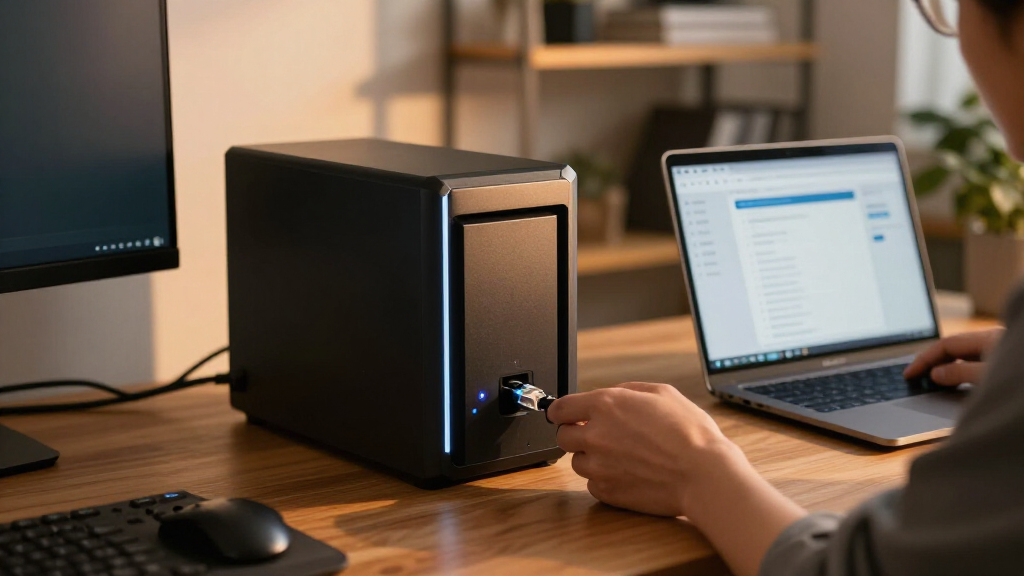
Start by checking the speed of the computers, switches, and cabling that will connect to the NAS. A fast NAS port cannot improve transfers if the workstation or switch links run at a lower rate. For large media files, virtual machine images, or simultaneous team access, faster networking can shorten waits, but the full path must support it. For routine backups and office documents, a slower link may be adequate and easier to integrate. A common mistake is paying for high-speed connectivity before checking whether the rest of the network can use it. I’d also factor in whether a direct connection or network upgrade fits the team’s setup.
Choose Drives for Workload, Not Just Capacity
Four drive bays offer several ways to balance capacity, redundancy, and performance, but a RAID or equivalent pool is not a backup. Drive choice should reflect write intensity, operating hours, noise tolerance, and the NAS maker’s compatibility guidance. Mixing drive sizes or models can complicate capacity planning and troubleshooting, even when a system accepts them. Professionals should decide how much usable space they need after redundancy and filesystem overhead, rather than treating the sum of drive capacities as available storage. Bundled-drive packages can simplify setup, but diskless systems give buyers more control over drive selection. Keep a separate copy of important data on another device or service.
Set a Realistic Compute Budget
A NAS that only stores files has different compute needs from one running containers, indexing large photo libraries, or hosting several services. More memory and a stronger processor can help with multiple simultaneous tasks, but they do not guarantee that every application is supported or easy to administer. Check memory upgrade options, supported software, and hardware acceleration requirements before choosing a higher-spec system. A frequent buying mistake is treating a NAS as a small server without planning for patching, monitoring, and recovery. If you need full virtual machines or sustained compute workloads, compare a NAS against a dedicated server as well. Choose headroom for the services you can name today, with modest allowance for growth.
Weigh Software and Administration Time
Management software shapes how quickly an administrator can configure shares, user access, snapshots, alerts, and backups. The best interface is the one that makes your team’s routine tasks clear and repeatable. Before committing, review the apps and backup tools you expect to use, along with how updates and permissions are handled. A broad feature list can conceal extra setup work, especially when services are spread across separate apps. Professionals should also decide who will own maintenance when the original installer is unavailable. In a small team, predictable administration can matter more than unused tuning options.
Plan for Recovery, Security, and Downtime
Storage redundancy can keep a system running through some drive failures, but it cannot protect against deletion, theft, malware, or a site outage. Write down which data needs snapshots, off-site copies, encryption, or faster recovery, then test restoring a sample file. Check the vendor’s update process and available access controls, and limit remote access to what the workload requires. A UPS can give the NAS time to shut down cleanly during a power interruption. Buyers often plan capacity and overlook the time needed to rebuild shares and permissions after a failure. For professional data, recovery time is part of the storage decision.
Compare Total System Fit Before Buying
The NAS chassis is only part of the system: drives, network upgrades, backup destinations, and any memory or expansion add-ons can shape the final setup. Compare diskless and bundled configurations on equal terms by listing included components and the drives you would actually install. Consider physical depth, cooling, noise, power use, and where the unit can live near a network connection. If the system will sit in a shared office, acoustics and service access can affect daily comfort. Pay more when a specific feature removes a bottleneck or maintenance burden you already have. Otherwise, a simpler model with a clear backup plan may serve the team better.
Frequently Asked Questions
Is a four-bay NAS enough for a small professional team?
It can be, if the team’s shared data volume and simultaneous workload fit the chosen drives and network. Four bays allow a useful balance between capacity and redundancy, but usable space will be lower than the drives’ combined capacity. Estimate current data, annual growth, and the space required for snapshots or version history before buying. Also check concurrent access needs: a busy design or video team may outgrow a basic network link sooner than a team working mostly with documents. Plan a separate backup destination from the start.
Should I choose a diskless model or a package with drives included?
A diskless model gives you control over drive capacity, workload rating, and replacement planning, and it can suit professionals with existing procurement standards. A bundle may reduce setup steps and help buyers who prefer one coordinated purchase, but check exactly which drives and accessories are included. Verify drive compatibility and warranty terms before deciding. Compare the total configuration you need, including backup storage, rather than comparing the chassis alone. Either route still requires an independent backup plan.
Can I run containers or virtual machines on any of these NAS systems?
Do not assume that every four-bay NAS supports the same applications or offers a good experience for them. Check the specific model’s supported software, processor architecture, memory capacity, and upgrade options against the services you intend to run. Containers usually call for less overhead than full virtual machines, but several active services can still compete for memory and CPU. A more compute-oriented unit can be a better fit when the NAS will host real workloads, though a dedicated server may be easier to scale. Confirm support before building a professional workflow around a feature.
Will a faster NAS improve my large file transfers?
Only when the NAS, network equipment, cabling, and client computer all support the faster connection. A fast port connected through a slower switch will still be limited by the slower link. Drive type, RAID configuration, file size, and the number of clients also affect throughput. For large sequential files, network upgrades can make a noticeable difference; for many small files, other limits may dominate. Check the whole path and your typical workload before spending on faster networking.
Is RAID enough to protect professional files?
No. RAID can preserve access through some drive failures, but it does not protect against accidental deletion, ransomware, theft, or damage to the NAS itself. Keep another copy on a separate device or off-site service, and use snapshots where supported to help with recovery from unwanted changes. Choose a backup schedule based on how much recent work you can afford to lose. Test restoring files and document who can perform the recovery. A backup that has never been restored is an unverified plan.
Conclusion
For most tech professionals, I recommend the QNAP TS-464 as the best overall because its 8GB of memory and balanced feature set make it a flexible starting point for shared storage and common services. The UGREEN DXP4800 Pro is my performance-focused alternative for buyers who have a clear need for its hardware capabilities and are comfortable evaluating its software fit. For a more software-led approach, the Synology DS425+ is a strong beginner-friendly choice, while the bundled DS423+ package suits someone who values a more ready-to-configure setup. The QNAP TVS-h474 or TS-473A make more sense for specific compute-heavy or expandable deployments than for basic file sharing. I’d choose the least complex system that meets your workload, network, and recovery requirements, then put the remaining planning into drives and an independent backup.
Halloween Picks
halloween
As an affiliate, we earn on qualifying purchases.