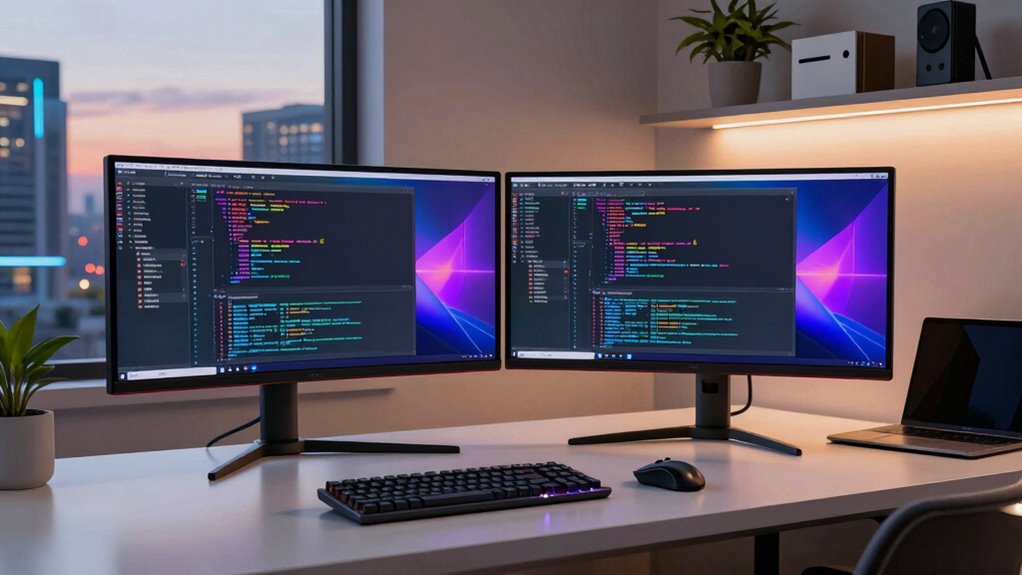

Setting up a dual monitor system is one of the most effective ways for developers to boost productivity and streamline workflows. The right combination of screen size, resolution, and ergonomic features can make a significant difference in coding, debugging, and multitasking. The Lenovo ThinkVision S24e-20 stands out as a highly versatile overall choice, thanks to its affordability and reliable performance. Meanwhile, the Dell P2725H offers a larger display for those who prefer more screen real estate, and the HP 24-inch FHD Monitor provides a comprehensive bundle with accessories for a ready-to-go setup. However, buyers face key tradeoffs: balancing budget against features like size, resolution, and ergonomic adjustments. Continue reading for the full breakdown of these options and what to consider when building your ideal dual monitor system.

Get the latest gadgets delivered free with Prime
- Fast, free delivery on millions of items
- Prime Video, Amazon Music and more included
- Member-only deals all year
Complete the kit



Key Takeaways
- Size and resolution choices significantly impact multitasking efficiency for developers, with larger, higher-res monitors offering more workspace but at a higher cost.
- Bundles with accessories like monitor mounts or docks can simplify setup but often add to the overall expense and complexity.
- Curved monitors tend to improve immersion and reduce eye strain during long coding sessions, especially at larger sizes.
- IPS panels dominate for color accuracy and viewing angles, making them preferable for detailed work beyond coding, such as UI design.
- Ergonomic flexibility, such as adjustable stands and VESA compatibility, is vital for maintaining comfort during extended work periods.
| Lenovo ThinkVision S24e-20 23.8″ Full HD IPS Monitor (2-Pack) with Adjustable Desk Mount |  | Best Value for a Compact Dual Setup | Size: 23.8 inches | Resolution: 1920 x 1080 | Panel Type: IPS | VIEW ON AMAZON | See Our Full Breakdown |
| Dell P2725H 27-Inch FHD IPS Monitor Bundle (2 Pack) |  | Best for Color Accuracy and Versatile Connectivity | Display Size: 27 inches | Resolution: 1920 x 1080 | Panel Type: IPS | VIEW ON AMAZON | See Our Full Breakdown |
| Kado 2-Pack Dual 22-Inch Flat Screen 1080p FHD Computer Monitors |  | Best for Basic Multitasking and Budget-Friendly Use | Display Size: 22 inches | Resolution: 1920 x 1080 | Refresh Rate: 75Hz | VIEW ON AMAZON | See Our Full Breakdown |
| Kado 2-Pack Dual 27″ Curved 1500R FHD Computer Monitors |  | Best for Immersive Multitasking and Gaming | Size: 27 inches | Curvature: 1500R | Resolution: 1920 x 1080 | VIEW ON AMAZON | See Our Full Breakdown |
| Kado Dual Monitor 24-Inch Curved Monitor 2-Pack |  | Best for Compact Curved Dual Setup with Versatility | Size: 24 inches | Curvature: 1500R | Resolution: 1920 x 1080 | VIEW ON AMAZON | See Our Full Breakdown |
| HP 22 1080P FreeSync Monitor, 22 inch IPS Anti-Glare Display (2 Pack) |  | Best Budget Dual Monitors for Basic Productivity | Display size: 22 inches | Resolution: 1920 x 1080 (Full HD) | Refresh rate: 75Hz | VIEW ON AMAZON | See Our Full Breakdown |
| Kado Dual Monitor 2-Pack 27″ Curved 1500R 1920×1080 75Hz Computer Monitor |  | Best Immersive Curved Monitors for Enhanced Productivity | Size: 27 inches | Curvature: 1500R | Resolution: 1920 x 1080 | VIEW ON AMAZON | See Our Full Breakdown |
| HP 24-inch FHD Computer Monitor (1920×1080), 100Hz, Anti-Glare, HDMI, VESA Mount, Black, Bundle with Dockztorm Hub and ErgoFlexy Dual Monitor Mount (2-Pack) |  | Best Balanced Dual Monitors with High Refresh Rate and Ergonomics | Display Size: 24 inches | Resolution: 1920 x 1080 | Refresh Rate: 100Hz | VIEW ON AMAZON | See Our Full Breakdown |
| dual monitor setup for developer | Resolution | Refresh Rate | Size | Display Size |
|---|---|---|---|---|
| Lenovo ThinkVision S24e-20 23. | 1920 x 1080 | — | 23.8 inches | — |
| Dell P2725H 27-Inch FHD IPS Mo | 1920 x 1080 | — | — | 27 inches |
| Kado 2-Pack Dual 22-Inch Flat | 1920 x 1080 | 75Hz | — | 22 inches |
| Kado 2-Pack Dual 27" Curved 15 | 1920 x 1080 | 75Hz | 27 inches | — |
| Kado Dual Monitor 24-Inch Curv | 1920 x 1080 | 75Hz | 24 inches | — |
| HP 22 1080P FreeSync Monitor | 1920 x 1080 (Full HD) | 75Hz | — | 22 inches |
| Kado Dual Monitor 2-Pack 27" C | 1920 x 1080 | 75Hz | 27 inches | — |
| HP 24-inch FHD Computer Monito | 1920 x 1080 | 100Hz | — | 24 inches |
More Details on Our Top Picks
Lenovo ThinkVision S24e-20 23.8″ Full HD IPS Monitor (2-Pack) with Adjustable Desk Mount
This bundle stands out for offering a cost-effective way to expand workspace with two reliable 23.8-inch monitors that provide vibrant IPS visuals. Compared to larger options like the Dell P2725H, these monitors are more space-friendly but sacrifice resolution, sticking to Full HD only. The adjustable ergonomic stands and VESA compatibility make setup comfortable, though their 1080p resolution may fall short for detailed design work or high-res media editing. This makes the Lenovo ThinkVision S24e-20 ideal for developers prioritizing affordability and space efficiency over ultra-high definition, especially in tight work environments. However, those needing 4K clarity or advanced color accuracy should look elsewhere.
Pros:- Cost-effective two-monitor bundle for budget-conscious setups
- Vibrant colors and wide viewing angles thanks to IPS panels
- Adjustable ergonomic stands improve comfort during long work sessions
- Heavy-duty desk clamp provides secure mounting options
Cons:- Limited to 1080p resolution, not suitable for high-definition content creation
- Requires desk space for mounting, which could be a constraint in small setups
Best for: Developers with limited desk space who want a budget-friendly dual monitor setup for coding and general multitasking.
Not ideal for: Creative professionals requiring high-resolution visuals or color-critical work, as the 1080p resolution limits detail fidelity.
- Size:23.8 inches
- Resolution:1920 x 1080
- Panel Type:IPS
- Brightness:250 Nit
- Connectivity:HDMI, VGA
- Features:Blue light filtering, ergonomic adjustability, VESA compatibility
Our verdict“This bundle is best suited for developers seeking a budget-friendly dual monitor setup with space-saving features and decent visual quality.”
Dell P2725H 27-Inch FHD IPS Monitor Bundle (2 Pack)
The Dell P2725H bundle offers larger, 27-inch screens with excellent color fidelity, thanks to near-complete sRGB coverage, making it ideal for developers who also do design or media work. Compared with the Lenovo S24e-20, these monitors provide more screen real estate and better color accuracy, although they share the same Full HD resolution, which may limit detailed visual work. The ergonomic adjustable stands and extensive connectivity options—including USB-C and DisplayPort—make setup flexible and comfortable. This setup is perfect for developers who need a larger workspace with reliable color performance but can compromise on 4K resolution. For those seeking ultra-sharp visuals, this isn’t the right pick.
Pros:- Generous 27-inch display size enhances multitasking space
- Vivid color reproduction with 99% sRGB coverage
- Ergonomic stand with height, tilt, and swivel adjustments
- Multiple connectivity options including USB-C and DisplayPort
Cons:- Limited to Full HD resolution, not suitable for high-resolution editing
- Requires multiple power outlets and desk space for two large monitors
Best for: Developers who need larger screens with accurate colors and flexible connectivity for multitasking and light creative tasks.
Not ideal for: High-end graphic designers or video editors requiring 4K resolution and higher color precision, as the monitors are limited to 1080p.
- Display Size:27 inches
- Resolution:1920 x 1080
- Panel Type:IPS
- Brightness:250 nits
- Contrast Ratio:1500:1
- Connectivity:HDMI, DisplayPort, VGA, USB-C
Our verdict“Ideal for developers needing larger, color-accurate screens with versatile connections, but not for those requiring 4K detail.”
Kado 2-Pack Dual 22-Inch Flat Screen 1080p FHD Computer Monitors
This 2-pack of 22-inch monitors offers a straightforward, budget-conscious solution for developers who need extra screen space without high-end features. The 75Hz refresh rate and 3ms response time make them marginally better for casual gaming or fast-paced workflows than older models, but they fall short compared to the 75Hz or higher options like Kado’s 27-inch curved set. The lack of adjustable stands is a drawback, as it limits ergonomic customization, making them less suitable for long hours of coding. They are best suited for users who prioritize affordability over advanced features, especially in environments where desk space is limited.
Pros:- Affordable dual monitor solution for basic multitasking
- Decent color accuracy with 99% sRGB coverage
- VESA compatibility allows flexible mounting options
Cons:- Limited to 75Hz, not ideal for competitive gaming or fast visuals
- No adjustable stands; fixed position may cause discomfort over time
- No built-in speakers or extra ergonomic features
Best for: Beginners or budget-conscious developers who want a simple dual setup for coding, browsing, and light multitasking.
Not ideal for: Power users or those requiring ergonomic adjustments and higher refresh rates for gaming or prolonged use.
- Display Size:22 inches
- Resolution:1920 x 1080
- Refresh Rate:75Hz
- Response Time:3 ms
- Contrast Ratio:1000:1
- Ports:2 HDMI
Our verdict“A solid choice for entry-level dual monitors focused on productivity and affordability, but not for extended ergonomic comfort or high-refresh needs.”
Kado 2-Pack Dual 27″ Curved 1500R FHD Computer Monitors
The Kado 27-inch curved monitors deliver an immersive experience, combining larger screens with a 1500R curvature that appeals to gamers and multitaskers alike. Compared with flat monitors like the Dell P2725H, these provide a more engaging visual experience, especially for extended periods, thanks to their curved design and vibrant color reproduction covering 98% sRGB. The 75Hz refresh rate and 3ms response time support smooth visuals, though they aren’t ideal for high-end gaming demanding higher refresh rates. Their ergonomic design and built-in speakers make them suitable for long hours of use, but their single HDMI port and 1080p resolution limit versatility for some power users. These are best for those wanting an immersive, space-efficient setup.
Pros:- Immersive 1500R curved design reduces eye strain
- Vibrant colors with 98% sRGB coverage for accurate visuals
- Built-in speakers and ergonomic stand support long use
- Supports multitasking with large 27-inch screens
Cons:- Limited to a single HDMI port, may need adapters for multiple connections
- Resolution of 1080p may not satisfy users needing ultra-sharp visuals
- Response time of 3ms may not be enough for competitive gaming
Best for: Developers who want an immersive dual-monitor environment for multitasking or gaming without needing 4K resolution.
Not ideal for: Developers requiring precise color grading or high-resolution workflows, since 1080p may be insufficient for detailed visual tasks.
- Size:27 inches
- Curvature:1500R
- Resolution:1920 x 1080
- Refresh Rate:75Hz
- Response Time:3 ms
- Ports:1 HDMI
Our verdict“This curved dual monitor setup excels for immersive multitasking and gaming, but lacks the resolution for detailed creative work.”
Kado Dual Monitor 24-Inch Curved Monitor 2-Pack
The Kado 24-inch curved monitors combine immersive design with compact size, making them appealing for developers who want a space-efficient dual setup. Their 1500R curvature enhances viewing comfort and reduces neck strain during extended coding sessions. Compared with larger, flat monitors like the Dell P2725H, these offer a more engaging experience in a smaller footprint, though their 1080p resolution limits clarity for detailed tasks. The 98% sRGB coverage ensures vibrant colors, and built-in speakers add convenience, but their single HDMI port may require adapters, and the response time might not satisfy fast-paced gaming enthusiasts. Perfect for those prioritizing immersive visuals within limited desk space.
Pros:- Curved 1500R design enhances immersion and reduces fatigue
- Vibrant colors with 98% sRGB coverage
- Built-in speakers streamline desk setup
- Compact size ideal for limited space environments
Cons:- Limited to 1080p resolution, not suitable for high-resolution editing
- Single HDMI port may restrict connectivity options
- Response time might be insufficient for competitive gaming
Best for: Developers seeking an immersive, space-saving dual monitor setup for general multitasking and casual use.
Not ideal for: Power users needing ultra-high resolution or multiple input options for complex workflows or professional editing.
- Size:24 inches
- Curvature:1500R
- Resolution:1920 x 1080
- Refresh Rate:75Hz
- Response Time:Fast
- Speakers:Built-in
Our verdict“This curved dual monitor set offers an immersive experience in a compact form, ideal for general multitasking but not high-detail creative work.”
HP 22 1080P FreeSync Monitor, 22 inch IPS Anti-Glare Display (2 Pack)
This 22-inch IPS monitor set offers a sharp, color-accurate display with a 75Hz refresh rate, making it a solid choice for developers who prioritize affordability and basic multi-tasking. Compared to larger options like the HP 24-inch bundle, these smaller screens save desk space but may require more scrolling for multiple windows. The anti-glare surface and adjustable tilt improve comfort during long coding sessions, yet the lack of VESA compatibility limits mounting flexibility. The included Dockztorm data hub adds convenient connectivity, which is a plus for those with multiple peripherals. However, limited port options and the need for external power for each monitor mean setup can be somewhat cumbersome. This pick makes the most sense for developers on a tight budget who need dependable dual screens without complex features.
Pros:- Affordable two-pack with decent Full HD IPS display
- Smooth visuals with 75Hz refresh rate and FreeSync support
- Anti-glare coating and adjustable tilt for comfort
- Includes a handy Dockztorm data hub for connectivity
Cons:- No VESA mount compatibility limits mounting options
- Limited input ports (VGA and HDMI only)
- Requires external power for each monitor, increasing clutter
Best for: Budget-conscious developers who want reliable dual monitors with decent image quality
Not ideal for: Developers requiring advanced ergonomic adjustments or VESA mounting for flexible workspace setups
- Display size:22 inches
- Resolution:1920 x 1080 (Full HD)
- Refresh rate:75Hz
- Response time:5ms GtG
- Brightness:300 nits
- Ports:VGA, HDMI 1.4
- VESA mount:Not VESA Compatible
- Weight:4.85 lbs
- Dimensions:19.11 x 6.97 x 12.51 inches
Our verdict“This set suits developers seeking an inexpensive, straightforward dual-monitor solution for daily use without complex ergonomic features.”
Kado Dual Monitor 2-Pack 27″ Curved 1500R 1920×1080 75Hz Computer Monitor
This 27-inch set with a 1500R curvature provides an immersive viewing experience, especially valuable for developers who spend hours coding and need to reduce eye strain. The vibrant colors covering 98% sRGB make it suitable for detailed work, although the resolution may fall short for high-end professional tasks compared to higher-res displays like the Dell P2725H. The ergonomic design features reduce neck and eye fatigue, but the lack of adjustable stands or height customization limits personalized positioning. Built-in speakers add multimedia convenience, yet the high price for a 2-pack can be a barrier for some. Compared to the more straightforward HP 24-inch bundle, these monitors prioritize immersion and visual fidelity, which benefits creative or long-duration work sessions but may be overkill for basic coding tasks. This set is ideal for developers who want a visually engaging setup for extended use.
Pros:- Large 27-inch curved screens for immersive experience
- Vibrant colors with 98% sRGB coverage
- Ergonomic design reduces eye and neck strain
- Built-in speakers for multimedia use
Cons:- Limited resolution for high-end professional tasks
- No adjustable stand or height customization
- Higher cost for a 2-pack setup
Best for: Developers seeking an immersive, curved dual monitor setup for long coding sessions and multimedia tasks
Not ideal for: Developers who need precise resolution for detailed design work or flexible ergonomic adjustments
- Size:27 inches
- Curvature:1500R
- Resolution:1920 x 1080
- Refresh Rate:75Hz
- Color Gamut:98% sRGB
- Built-in Speakers:Yes
Our verdict“This monitor set is perfect for developers who prioritize immersive visuals and comfort over ultra-high resolution or flexible ergonomics.”
HP 24-inch FHD Computer Monitor (1920×1080), 100Hz, Anti-Glare, HDMI, VESA Mount, Black, Bundle with Dockztorm Hub and ErgoFlexy Dual Monitor Mount (2-Pack)
This 24-inch VA panel monitor offers a high 100Hz refresh rate and excellent contrast ratio, making it a versatile choice for developers who do both coding and multimedia tasks. Compared to the smaller HP 22-inch set, the larger screen provides more workspace and reduces the need to toggle between windows. The VESA compatibility and adjustable tilt allow for flexible positioning, which surpasses the limitations of non-VESA options like the HP 22. The bundle, including a dual monitor mount and a Dockztorm hub, streamlines setup and workspace organization. However, the absence of DisplayPort and the VGA connection’s outdated status may pose compatibility issues for some users. This monitor set strikes a balance between performance, ergonomic flexibility, and workspace management, perfect for developers who want a reliable, feature-rich dual setup.
Pros:- High contrast VA panel for crisp images
- 100Hz refresh rate supports smooth multitasking
- VESA mount compatibility and adjustable tilt
- Includes dual monitor mount and connectivity hub
Cons:- Limited input options (no DisplayPort or USB-C)
- VGA connection may be outdated for some workflows
- Bundle price may be higher than individual monitors
Best for: Developers seeking a high-performance, ergonomic dual monitor setup with versatile connectivity
Not ideal for: Developers needing ultra-high resolution or specialized professional color accuracy for design work
- Display Size:24 inches
- Resolution:1920 x 1080
- Refresh Rate:100Hz
- Panel Type:VA
- Contrast Ratio:3000:1
- VESA Mount:Yes (100x100mm)
Our verdict“This set is ideal for developers who want a dependable, ergonomically flexible dual monitor environment with enhanced connectivity options.”

How We Picked
These monitors were selected based on a combination of performance, build quality, usability, and value specific to developers’ needs. Priority was given to screens that offer clear, sharp images with wide viewing angles, as well as ergonomic features that support long hours of use. Compatibility with common desk setups and ease of installation also played a role. Finally, the overall balance between price and features determined the ranking, ensuring that each pick provides a meaningful advantage for different types of developer workflows and budgets.Factors to Consider When Choosing Dual Monitor Setup For Developers
When choosing a dual monitor setup for development work, several factors should influence your decision beyond basic specs. Size and resolution are critical—larger screens with higher resolutions maximize workspace but can be costly and take up more desk space. Ergonomics, such as adjustable stands and VESA compatibility, help reduce fatigue during long coding sessions. Compatibility with your existing desk and hardware is also important; ensure your monitor mounts and docks fit your setup. Additionally, consider the panel type—IPS panels excel in color accuracy and viewing angles, which can be beneficial for UI/UX work. Lastly, think about future-proofing: investing slightly more now can save you from needing an upgrade soon, especially if you plan to work on more demanding or multi-faceted projects.Size and Resolution
The physical size of your monitors influences how much you can see at once, with 24-inch to 27-inch screens being popular choices for developers. Higher resolutions, such as 1080p, 1440p, or 4K, provide sharper images and more workspace, but also demand more from your graphics hardware. For most coding tasks, a 27-inch 1440p monitor strikes a good balance, offering ample screen real estate without overwhelming your desk or GPU. Larger or higher-resolution screens can improve multitasking, but they also come with increased costs and potential compatibility issues with desks or mounts. Consider your workspace size, budget, and specific needs when selecting resolution and size together.
Ergonomics and Adjustability
Extended hours in front of monitors make ergonomic features essential. Adjustable stands, tilt, swivel, and height adjustments help you maintain a healthy posture, reducing neck and eye strain. VESA compatibility expands your options for third-party mounts or arms, allowing a more customized setup. Curved monitors can also contribute to comfort by reducing glare and minimizing eye movement, making them appealing for longer work sessions. Remember, a monitor with limited adjustability may seem fine initially but can cause discomfort over time, impacting productivity. Prioritize flexibility in positioning to ensure your workspace remains comfortable and sustainable.
Panel Type and Color Accuracy
Most developers benefit from IPS panels due to their superior color accuracy and wide viewing angles, which help when reviewing UI designs or color-sensitive work. TN panels are typically faster but compromise on image quality, making them less ideal for development tasks. VA panels offer better contrast but may have narrower viewing angles. For general coding and multitasking, IPS panels are the best choice. If you also do visual design or need color precision, investing in a monitor with factory-calibrated color accuracy can be worthwhile. Recognizing these differences ensures you select a monitor that supports your workflow without color or clarity issues.
Connectivity and Compatibility
Ensure your monitors have the right ports—HDMI, DisplayPort, or USB-C—to match your hardware. USB-C can simplify cable clutter by providing power, video, and data through a single connection, ideal for modern laptops. Check if your desk setup supports VESA mounting if you plan to use an adjustable arm or wall mount; this can save space and improve ergonomics. Compatibility with your existing dock or hub can also streamline your workflow, especially if you need to connect multiple peripherals. Avoid monitors with limited connectivity options that might require additional adapters or hubs, adding complexity and cost.
Future-Proofing and Budget
Investing in a slightly larger or higher-resolution monitor now can extend its usefulness as your needs evolve. Features like higher refresh rates (75Hz or more) add smoothness, especially if you do occasional gaming or video editing alongside coding. However, premium features come with increased costs, so weigh them against your actual requirements. For budget-conscious buyers, 1080p monitors with good ergonomics and IPS panels still provide a strong, reliable experience. Striking the right balance between price and features ensures your setup remains effective without overspending on unnecessary extras.
Frequently Asked Questions
Can I use different size monitors for my dual setup?
Yes, using different sized monitors in a dual setup is possible and sometimes beneficial, especially if you want a primary large screen with a smaller auxiliary display. However, mismatched sizes can cause ergonomic and workflow issues, such as uneven eye strain or awkward positioning. To mitigate this, use adjustable stands or mounts to align the screens properly. Compatibility with your desk and mounting options should also be checked, as different sizes may require different setups. Overall, mixed sizes can work well if planned carefully but may require more effort to optimize ergonomics.
Is a curved monitor better for long coding sessions?
Curved monitors can improve immersion and reduce eye strain by matching the natural curvature of your eyes, especially at larger sizes like 27 inches or more. They help minimize glare and reflections, which can be distracting during long hours. However, they might not be ideal if you need precise color work or multiple monitor configurations, as the curvature can distort viewing angles for some tasks. For most developers, a curved monitor at 24-32 inches offers a comfortable, immersive experience, but it’s important to test how it fits your workspace and personal preference before committing.
Should I prioritize resolution or size for my dual monitors?
Both resolution and size significantly impact your productivity, but generally, resolution offers more tangible benefits for multitasking and clarity. A 27-inch 1440p monitor provides a sharp image and enough space to view multiple windows comfortably. Larger screens at lower resolutions may feel less sharp but offer more physical workspace. Conversely, higher resolutions on smaller screens can make text and code crisper but reduce the physical size of each workspace area. The best approach is to balance both, opting for a size that fits your desk and a resolution that maintains clarity and workspace efficiency.
What is the most cost-effective way to set up dual monitors?
Opting for budget-friendly monitors, like 24-inch IPS screens with 1080p resolution, can deliver solid performance at a lower cost. Bundles that include mounts or docks help streamline setup and reduce additional expenses. Prioritize monitors with VESA compatibility and adjustable stands to maximize comfort without extra purchases. While cheaper monitors may lack some premium features like high refresh rates or 4K resolution, they can still provide a reliable dual setup for coding and multitasking. Carefully balancing features and price ensures you get a functional, ergonomic workspace without overspending.
Conclusion
For most developers, the Lenovo ThinkVision S24e-20 offers excellent value with reliable performance and ergonomic flexibility, making it ideal for those seeking a straightforward, budget-friendly setup. If you require larger screens for multitasking, the Dell P2725H stands out with its 27-inch size and high-quality IPS panel, suited for intensive workflows. The HP 24-inch FHD Bundle appeals to beginners or those looking for a ready-to-go package with accessories, simplifying setup. For users prioritizing premium features and future-proofing, investing in higher-resolution or curved monitors can enhance comfort and productivity. Ultimately, your choice should align with your workspace size, budget, and specific work demands, ensuring a comfortable, efficient dual monitor experience.
As an affiliate, we earn on qualifying purchases.Halloween Picks
halloween