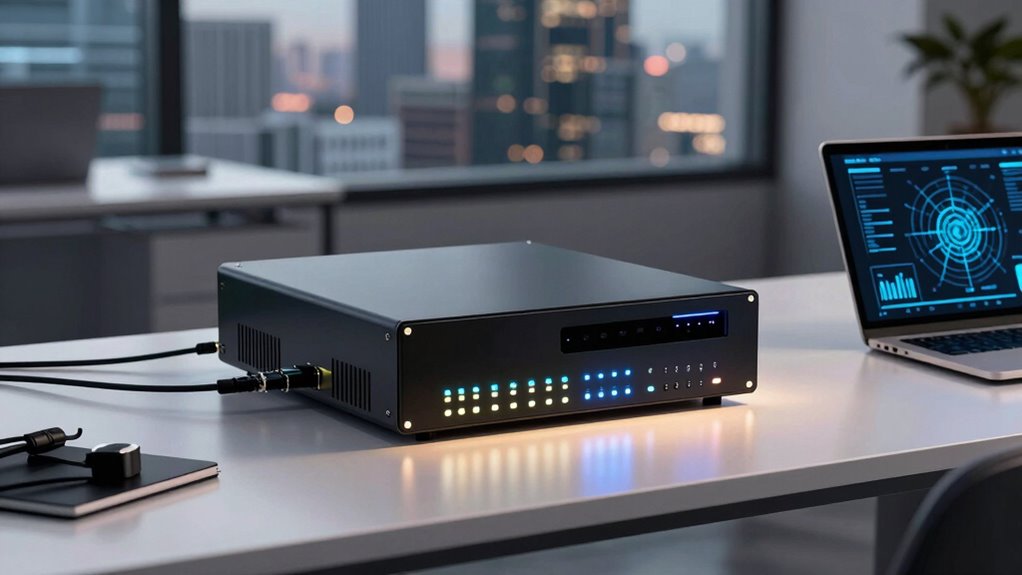

A firewall appliance for a small business should match your internet speed, security needs, and capacity to manage updates and rules. I rank the FortiGate 60F as the best overall for businesses that want a dedicated security platform, while the TP-Link ER7206 is a simpler fit for multi-WAN routing and VPN needs. The Firewalla Purple SE stands out for owners who want a more approachable way to monitor network activity. The main tradeoff is between managed security depth and simpler setup, with fanless mini-PC appliances adding flexibility at the cost of more hands-on configuration. Read on for how each option compares and which type of business it fits.

Get the latest gadgets delivered free with Prime
- Fast, free delivery on millions of items
- Prime Video, Amazon Music and more included
- Member-only deals all year
Complete the kit



Key Takeaways
- FortiGate 60F leads for businesses that need a dedicated security appliance with more room for network growth than the smaller FortiGate 40F.
- TP-Link ER7206 is the practical routing pick for multi-WAN and VPN use, but buyers seeking a full security appliance should compare its security scope with FortiGate and SonicWall.
- Firewalla Purple SE favors accessible monitoring and simpler management over the port count and enterprise-style controls of dedicated business appliances.
- The two J3710 fanless appliances offer similar hardware profiles; their different SSD capacities matter less than the firewall software, support, and maintenance plan the buyer supplies.
- SonicWall TZ280 and FortiGate models suit businesses prepared to manage a security platform, while a small office with limited IT support may benefit more from a simpler interface.
| FortiGate 60F Firewall Appliance, 10-Port Gigabit Ethernet, Appliance Only |  | Best for Growing Offices | Model: FG-60F | Ethernet ports: 10 GE RJ45 | WAN ports: 2 | VIEW ON AMAZON | See Our Full Breakdown |
| TP-Link ER7206 Multi-WAN Gigabit VPN Router |  | Best for Multi-WAN Value | Ports: 1 Gigabit SFP WAN, 1 Gigabit WAN, 2 Gigabit WAN/LAN, 1 Gigabit LAN | Maximum clients: Up to 700 | Maximum associated client devices: 150,000 | VIEW ON AMAZON | See Our Full Breakdown |
| Fanless Firewall Appliance with Intel Pentium J3710, 4 Intel i226 LAN Ports, 8GB RAM, and 128GB SSD |  | Best for Open-Source Firewall Control | Processor: Intel Pentium J3710, 4 cores/4 threads, up to 2.64GHz | Network ports: 4 x 2.5GbE Intel i226-v | Memory: 8GB DDR3, maximum 8GB | VIEW ON AMAZON | See Our Full Breakdown |
| Firewalla Purple SE Cybersecurity Firewall |  | Best for App-Based Network Oversight | Model: Purple SE | Data transfer rate: 500 Mbps | LAN port bandwidth: 100 Mbps | VIEW ON AMAZON | See Our Full Breakdown |
| SonicWall TZ280 Next-Generation Firewall Appliance |  | Best Premium Throughput | Firewall inspection throughput: Up to 2.5 Gbps | Threat prevention throughput: Up to 1 Gbps | IPsec VPN throughput: Up to 1.2 Gbps | VIEW ON AMAZON | See Our Full Breakdown |
| Fanless Firewall Appliance with Intel J3710, 4 Intel I226 LAN Ports, 8GB RAM and 64GB mSATA SSD |  | Best Compact DIY Firewall | Processor: Intel J3710, 4 cores / 4 threads, up to 2.64 GHz | LAN ports: 4 × Intel I226 | Memory: 8GB DDR3, maximum 8GB | VIEW ON AMAZON | See Our Full Breakdown |
| Fortinet FortiGate-40F Firewall Appliance, 5 Gigabit Ethernet Ports |  | Best Managed Security Appliance | Model: FG-40F | Ports: 5 Gigabit Ethernet RJ45 (1 WAN, 4 internal) | IPS throughput: Up to 1 Gbps | VIEW ON AMAZON | See Our Full Breakdown |
| firewall appliance for small business | Ports |
|---|---|
| FortiGate 60F Firewall Applian | — |
| TP-Link ER7206 Multi-WAN Gigab | 1 Gigabit SFP WAN, 1 Gigabit WAN, 2 Gigabit WAN/LAN, 1 Gigabit LAN |
| Fanless Firewall Appliance wit | — |
| Firewalla Purple SE Cybersecur | 1 |
| SonicWall TZ280 Next-Generatio | 8 x 1GbE, 2 x 1G SFP |
| Fanless Firewall Appliance wit | — |
| Fortinet FortiGate-40F Firewal | 5 Gigabit Ethernet RJ45 (1 WAN, 4 internal) |
More Details on Our Top Picks
FortiGate 60F Firewall Appliance, 10-Port Gigabit Ethernet, Appliance Only
The FortiGate 60F is a strong fit for a small business that needs dedicated security hardware and room to segment its network. Its 10 Gigabit Ethernet ports, including separate WAN, DMZ, and internal connections, can reduce the need for extra switching as the office adds servers, guest networks, or business systems. The listed 700 Mbps threat protection throughput gives buyers a more useful security benchmark than raw firewall speed alone. Compared with the TP-Link ER7206, the 60F emphasizes threat inspection and FortiGuard intelligence, while the TP-Link offers more WAN flexibility and VPN protocol options. The tradeoff is ongoing cost and planning: subscription services are not included, so buyers need to account for access to those protections separately.
Pros:- Ten Gigabit ports provide flexible WAN, DMZ, and internal network connections.
- 700 Mbps threat protection throughput is specified alongside 1.4 Gbps IPS throughput.
- SSL inspection and SD-WAN support address encrypted traffic and multi-link networking.
- Centralized management and FortiGuard threat intelligence suit managed deployments.
Cons:- Subscription is not included, adding a separate cost for security services.
- The range of security and management features may be more involved to configure than a basic router.
Best for: Small offices adding network segments or servers that want managed threat protection and multiple physical connections.
Not ideal for: Businesses seeking a low-maintenance router with included security services, since the subscription is separate and setup may call for an IT administrator.
- Model:FG-60F
- Ethernet ports:10 GE RJ45
- WAN ports:2
- DMZ ports:1
- Internal ports:7
- IPS throughput:Up to 1.4 Gbps
- Threat protection throughput:Up to 700 Mbps
- Security and network features:SSL inspection, SD-WAN, network automation, Zero Touch Integration
- Subscription:Not included
Our verdict“Choose the FortiGate 60F if your growing office needs segmented connections and managed threat inspection and can handle a separate service subscription.”
TP-Link ER7206 Multi-WAN Gigabit VPN Router
The TP-Link ER7206 suits a small business whose main priorities are multiple internet connections, VPN access, and centralized network administration. Its up to four WAN connections can help offices spread traffic across providers or retain connectivity options, while Omada SDN supports cloud, app, or standalone management. It also lists substantial VPN capacity across IPsec, OpenVPN, L2TP, and PPTP. Compared with the FortiGate 60F, this is more of a flexible wired router with firewall policies and filtering than a dedicated threat inspection platform with stated IPS throughput. That makes it a practical fit for branch connectivity, but buyers should not assume its client capacity figures describe security performance. No wireless connectivity is listed, and cloud controller plan details need clarification with TP-Link.
Pros:- Supports up to four WAN connections for multi-provider network setups.
- Lists IPsec, OpenVPN, L2TP, and PPTP VPN support.
- Omada SDN offers cloud, app, and standalone management modes.
- Includes firewall policies, DoS defense, and IP, MAC, and URL filtering.
Cons:- Wireless connectivity is not listed, so separate access points are needed for Wi-Fi.
- Cloud controller plan details require confirmation with TP-Link.
- The product data does not specify IPS or threat prevention throughput.
Best for: Small offices with multiple internet providers or remote staff who need varied VPN options and Omada-based management.
Not ideal for: Businesses wanting built-in Wi-Fi or a firewall appliance with clearly specified threat prevention throughput.
- Ports:1 Gigabit SFP WAN, 1 Gigabit WAN, 2 Gigabit WAN/LAN, 1 Gigabit LAN
- Maximum clients:Up to 700
- Maximum associated client devices:150,000
- VPN connections:Up to 100 IPsec, 50 OpenVPN, 50 L2TP, and 50 PPTP
- Management:Omada SDN, cloud, app, or standalone mode
- Security features:Firewall policies, DoS defense, IP/MAC/URL filtering
- Connectivity:Ethernet
Our verdict“Pick the ER7206 for a wired small office that values multi-WAN and VPN flexibility over specified next-generation threat inspection.”
Fanless Firewall Appliance with Intel Pentium J3710, 4 Intel i226 LAN Ports, 8GB RAM, and 128GB SSD
This compact appliance is for buyers who want to choose and manage their own firewall software. Its four 2.5GbE Intel i226-v ports offer faster wired interfaces than the Gigabit ports on the TP-Link ER7206, while compatibility with pfSense and OPNsense gives a technically confident owner more control over configuration. The fanless 6W design can sit quietly in an office or network cabinet. Unlike the FortiGate 60F, it does not arrive as a vendor-managed security platform with a stated threat protection service; the buyer supplies the operating system setup and ongoing administration. The processor and memory are modest, and RAM tops out at 8GB. It makes sense for a small office with in-house technical skills, but less so for a business expecting turnkey support.
Pros:- Four 2.5GbE Intel ports provide multi-gigabit wired interfaces.
- Supports pfSense, OPNsense, Ubuntu, and Proxmox VE.
- Fanless 6W design is suited to quiet, continuous operation.
- Compact chassis includes USB 3.0, HDMI, VGA, and optional wireless or cellular expansion.
Cons:- Firewall software setup and security policy management are left to the buyer.
- Memory is limited to 8GB with no listed expansion beyond that maximum.
- The mSATA storage is limited to 512GB maximum and does not support HDDs.
Best for: Technically capable small businesses or consultants who want a quiet appliance to run pfSense or OPNsense and configure their own security stack.
Not ideal for: Businesses without someone to install, configure, and maintain firewall software, or those needing expandable memory and storage.
- Processor:Intel Pentium J3710, 4 cores/4 threads, up to 2.64GHz
- Network ports:4 x 2.5GbE Intel i226-v
- Memory:8GB DDR3, maximum 8GB
- Storage:128GB mSATA SSD; maximum 512GB mSATA; HDD not supported
- Power design:6W TDP, fanless
- Other ports:2 x USB 3.0, 1 x HDMI, 1 x VGA
- Operating system compatibility:pfSense, OPNsense, Ubuntu, Proxmox VE
- Dimensions and weight:5.27 x 4.98 x 1.43 inches; approximately 500g
- Warranty:12-month hardware warranty; lifetime technical support
Our verdict“Choose this appliance if you want multi-gigabit ports and open-source firewall control and have the skills to maintain the software yourself.”
Firewalla Purple SE Cybersecurity Firewall
The Firewalla Purple SE is aimed at a small office owner who wants network visibility and approachable security controls through an app. It lists intrusion prevention, malware and phishing blocking, content controls, VPN support, and activity insights, and can run as a router or in bridge mode. That makes it simpler to approach than the self-managed Pentium J3710 appliance, where the buyer selects and maintains the firewall software. The tradeoff is capacity and setup dependence: IPS is limited to 500 Mbps, the LAN port bandwidth is listed at 100 Mbps, and configuration requires the Firewalla app plus possible router changes. Router mode also relies on a modem and separate Wi-Fi access points. For a busy office with faster internal links, the FortiGate 60F is better provisioned.
Pros:- Includes intrusion prevention and malware and phishing blocking.
- Offers parental controls, content filtering, and network activity insights.
- Supports router and transparent bridge modes.
- App-based control brings security and bandwidth information into one interface.
Cons:- IPS functionality is limited to 500 Mbps.
- Listed LAN port bandwidth is 100 Mbps, limiting wired network capacity.
- Setup requires the app and may involve router configuration; router mode needs separate Wi-Fi access points.
Best for: A small office owner who wants app-based network activity visibility, filtering, and basic protection without building a custom firewall setup.
Not ideal for: Businesses with gigabit LAN requirements, faster internet plans, or a preference for browser or command-line configuration instead of an app.
- Model:Purple SE
- Data transfer rate:500 Mbps
- LAN port bandwidth:100 Mbps
- Installed RAM:3 GB
- Connectivity:Ethernet, Wi-Fi 5
- Security protocol:WPA2-PSK
- Operating system and control:Linux; app control
- Ports:1
- Operating modes:Router or transparent bridge mode
Our verdict“Choose the Purple SE for app-led oversight and filtering on a modest network, but skip it if your office needs gigabit LAN performance.”
SonicWall TZ280 Next-Generation Firewall Appliance
The SonicWall TZ280 is the performance-focused pick here for a small business or branch office that wants a desktop appliance with substantial stated inspection capacity. It lists up to 1 Gbps threat prevention and 1.2 Gbps IPsec VPN throughput, giving buyers more security and remote access context than a raw firewall figure alone. Its eight Gigabit Ethernet ports and two SFP ports also provide a broad wired connection set. Compared with the FortiGate 60F, the TZ280 lists higher threat prevention throughput, while the FortiGate specifies more internal ports and SSL inspection. The central tradeoff is ongoing service dependency: security services, firmware updates, and support require separate purchase. Businesses should factor that into ownership planning before choosing this model.
Pros:- Lists up to 1 Gbps threat prevention throughput.
- Provides up to 1.2 Gbps IPsec VPN throughput for remote connectivity.
- Eight Gigabit Ethernet and two Gigabit SFP ports offer varied wired connections.
- Supports SD-WAN and zero-touch deployment.
Cons:- Security services are not included and require an active subscription.
- Firmware updates and support require separate purchase.
- All listed Ethernet and SFP ports are Gigabit, with no multi-gigabit interface specified.
Best for: Small businesses and branch offices with higher inspection and VPN demands, plus an IT owner ready to procure ongoing SonicWall services.
Not ideal for: Very small offices seeking a simple appliance with included security updates and support, or teams without subscription administration.
- Firewall inspection throughput:Up to 2.5 Gbps
- Threat prevention throughput:Up to 1 Gbps
- IPsec VPN throughput:Up to 1.2 Gbps
- Ports:8 x 1GbE, 2 x 1G SFP
- Operating system:SonicOS 8
- Form factor:Desktop
- Service subscription:Not included
Our verdict“Pick the TZ280 when your office needs its stated threat and VPN capacity and you have budget and processes for separate security services and support.”
Fanless Firewall Appliance with Intel J3710, 4 Intel I226 LAN Ports, 8GB RAM and 64GB mSATA SSD
I’d choose this appliance for a small office that wants to run its own firewall software in a quiet, compact box. Its four Intel I226 ports give a pfSense or OPNsense setup room for separate WAN, LAN, and segmented networks, while the fanless aluminum case suits a desk or VESA mount. Compared with the similar J3710 appliance with 128GB SSD, this model has less built-in storage, and both cap memory at 8GB. The 64GB mSATA drive can be replaced with a larger supported drive, but it does not support an HDD. The tradeoff is hands-on administration: unlike the FortiGate-40F, it doesn’t include FortiOS or FortiGuard-managed security features, so buyers need to choose, configure, and maintain their own software.
Pros:- Four Intel I226 LAN ports support flexible network segmentation.
- Fanless aluminum housing keeps operation quiet.
- Supports pfSense, OPNsense, Ubuntu, and other operating systems.
- Compact body includes a VESA mount for space-saving placement.
Cons:- Memory is fixed at 8GB maximum.
- 64GB mSATA storage is smaller than the 128GB sibling model, and HDDs are unsupported.
- Requires the buyer to select, configure, and maintain firewall software.
Best for: Small offices with a technically capable administrator who wants a quiet, VESA-mountable pfSense or OPNsense appliance and four configurable network ports.
Not ideal for: Businesses seeking a vendor-managed security platform, more than 8GB of memory, or conventional HDD storage.
- Processor:Intel J3710, 4 cores / 4 threads, up to 2.64 GHz
- LAN ports:4 × Intel I226
- Memory:8GB DDR3, maximum 8GB
- Storage:64GB mSATA SSD; supports up to 512GB; HDD not supported
- Cooling:Fanless aluminum alloy housing
- Operating systems:Supports pfSense, OPNsense, Ubuntu, and other operating systems
- Dimensions and weight:5.27 × 4.98 × 1.43 inches; 500 g
- Mounting:VESA mount
Our verdict“Choose this compact appliance if you want to build and manage your own quiet four-port firewall and can work within its 8GB memory limit.”
Fortinet FortiGate-40F Firewall Appliance, 5 Gigabit Ethernet Ports
I’d put the FortiGate-40F ahead of the DIY J3710 appliance for a small business that wants an integrated security platform and a more guided rollout. FortiOS and FortiGuard features bring firewall and threat protection into one vendor ecosystem, while zero-touch deployment can simplify setup across a small office or branch. Fortinet lists up to 1 Gbps IPS throughput and 600 Mbps threat protection throughput, giving buyers concrete capacity figures to compare with their needs. The tradeoff is that the appliance alone does not include a security subscription, so access to subscription features may require an additional purchase. Its five Gigabit Ethernet ports also provide less raw port flexibility than a larger model such as the FortiGate 60F, and the 40F is wired-only.
Pros:- FortiOS and FortiGuard provide an integrated security feature set.
- Zero-touch deployment can simplify branch or small-office rollout.
- Fanless desktop design supports quiet placement.
- Published IPS and threat protection throughput figures help with capacity planning.
Cons:- Security subscription is not included.
- Five Gigabit Ethernet ports may be limiting for offices with more wired segments.
- Wired Ethernet only; wireless connectivity is not provided.
Best for: Small businesses and branch offices that want a vendor ecosystem, guided deployment, and integrated security features in a fanless desktop appliance.
Not ideal for: Teams that want a subscription-free DIY platform, need more ports than this five-port appliance provides, or require wireless connectivity.
- Model:FG-40F
- Ports:5 Gigabit Ethernet RJ45 (1 WAN, 4 internal)
- IPS throughput:Up to 1 Gbps
- Threat protection throughput:Up to 600 Mbps
- Operating system:FortiOS
- Form factor:Fanless desktop
- Power input:12 V DC
- Connectivity:Wired Ethernet
Our verdict“Pick the FortiGate-40F if your small business values a managed security ecosystem and deployment support enough to account for the separate subscription.”

How We Picked
I compared these seven options around the needs that shape a small-business purchase: security capability, network ports and connectivity, management effort, flexibility, and how much ongoing support the setup may require. A dedicated appliance with a clear business security role ranks ahead of a general router when protection and policy control are the main goals. Ease of day-to-day administration matters because a small team may not have a dedicated network specialist.
The ranking also reflects meaningful tradeoffs. The FortiGate 60F takes the lead for its balance of dedicated security and room to grow, while the FortiGate 40F offers a smaller footprint for simpler deployments. The TP-Link and Firewalla picks serve different priorities—routing and VPN flexibility versus accessible monitoring. SonicWall is a security-platform alternative, and the fanless J3710 boxes rank lower for buyers who want an appliance ready to manage out of the box, since their value depends on choosing and maintaining the software stack.
Factors to Consider When Choosing Firewall Appliance For Small Business
Before choosing a model, I would map the appliance to how the business actually connects, who will maintain it, and what should happen when the internet or hardware fails. These decisions often matter more over the life of a firewall than a headline feature.
Match Security Throughput to Real Traffic
Start with the internet connection speed and the tasks that will pass through the firewall, such as VPN traffic, web filtering, or intrusion prevention. Security features can reduce throughput compared with basic routing, so a device that looks adequate on a plain port specification may feel constrained once protections are enabled. Ask vendors for throughput figures tied to the features you expect to run, rather than relying on an unqualified maximum. Leave room for growth if the business plans to add users, cloud services, or a faster connection. A common mistake is choosing solely by current headcount while ignoring remote access and encrypted traffic. If the available performance data does not describe your intended configuration, treat that as an unresolved buying question.
Choose a Management Model Your Team Can Maintain
A firewall needs regular firmware updates, rule reviews, and monitoring, so consider who will own those tasks after installation. A managed security platform can bring centralized controls, but it may require training, subscriptions, or a specialist to configure well. A more approachable interface can reduce routine friction, though it may offer less granular control for complex policies. Fanless mini-PC appliances shift more decisions to the buyer: you select the operating system, security packages, update process, and backup plan. Before purchase, identify who handles alerts and urgent changes when the primary administrator is away. The easiest box to buy is not always the easiest one to operate safely over time.
Plan for WAN Failure and Remote Access
Determine whether the business can tolerate a dropped connection and what backup path is available. Multi-WAN support can route traffic across more than one internet connection, but failover behavior and configuration should match the service providers involved. For remote access, list the number of users, devices, and locations that need VPN access, then check authentication and policy options. A router with VPN features may suit a modest remote-work setup, while businesses with stricter security controls may need a dedicated security platform. Avoid assuming that multiple WAN ports automatically provide uninterrupted service; the secondary connection and failover settings also need to be ready. Test the recovery process before relying on it for daily operations.
Count Ports, Segments, and Future Devices
Count the connections the firewall itself must serve, including internet links, switches, access points, and any isolated network segments. Port count alone does not tell you whether the appliance supports the VLANs or policies needed to separate guest Wi-Fi, payment systems, cameras, and employee devices. If most internal connections will go through a managed switch, fewer firewall ports may be enough. If the appliance will connect several networks directly, port layout and configuration flexibility become more important. Leave capacity for likely additions such as another access point or a second ISP. Drawing a simple network diagram before buying can prevent a mismatch that forces an early replacement.
Account for Support, Subscriptions, and Replacement
Compare the support term, software update access, security service requirements, and warranty process before settling on a platform. A device can appear capable while key protections or support depend on a separate service plan, so check what is included for the specific model and region. Also ask how configuration backups work and how quickly the business could restore service after hardware failure. A spare appliance or documented replacement plan may matter more than an extra feature for a small office with no network staff. Buyers should compare the ongoing commitment over the intended ownership period, not just the hardware specification sheet. This is especially relevant when comparing managed appliances with generic hardware that leaves software support to the owner.
Frequently Asked Questions
Should I buy a dedicated firewall or use my ISP router?
An ISP router may be enough for a very small office with basic connectivity needs, but it may not provide the policy controls, monitoring, or business support the organization expects. A dedicated appliance makes more sense when you need network segmentation, controlled VPN access, security reporting, or a clearer update and recovery process. Check whether the ISP device can be placed in bridge mode or configured to avoid conflicting routing layers. Also consider who will manage the dedicated firewall after installation. The right choice depends on the security tasks the business will actually maintain.
Do I need a security subscription with a firewall appliance?
That depends on the model and the protections you want to use. Some appliances provide core routing and firewall controls while advanced threat services, filtering, or vendor support require a separate plan. Confirm which features remain active without renewal and what happens to updates when a plan expires. Include recurring service needs in the ownership decision, even when the hardware itself appears straightforward. For a small business without IT staff, support access may be as relevant as the feature bundle.
Can a fanless mini-PC replace a business firewall?
It can, provided the hardware is compatible with reliable firewall software and someone takes responsibility for configuration, updates, and monitoring. The J3710 appliances in this roundup offer multiple LAN ports and solid-state storage, but those specifications do not supply a security platform or vendor support by themselves. A business should verify network driver support, software update practices, backup options, and recovery steps before putting one in production. This approach can suit a technically capable owner who wants flexibility. It is a weaker fit when nobody on the team can maintain the software stack.
How much room should I leave for internet speed and business growth?
Choose based on the expected connection speed with the security features enabled, then allow headroom for added users and services. VPN, inspection, and filtering can change real throughput, so check performance figures for the planned configuration. Consider near-term changes such as a faster ISP plan, more remote staff, or guest and device networks that need separate policies. Buying too close to current needs can make a new connection an appliance replacement problem. At the same time, a larger platform may add management and support demands that a small team does not need.
What should I prioritize if no one on staff is a network specialist?
Prioritize understandable management, clear update procedures, accessible support, and a straightforward way to recover a known-good configuration. Ask who will set the initial rules and respond to security alerts; an appliance does not remove that responsibility. A simpler product can reduce routine work, but verify that it still handles the VPN, segmentation, and reporting the business needs. Avoid selecting a configurable mini-PC firewall unless a trusted person can own its software and maintenance. If outside IT support is available, check that the provider knows the chosen platform before committing.
Conclusion
I would choose the FortiGate 60F as the best overall for a small business that wants a dedicated security appliance with room to expand. The TP-Link ER7206 is the best value for routing and multi-WAN needs, while the Firewalla Purple SE is my beginner-friendly pick for owners who favor accessible monitoring. For a security-focused deployment with a team prepared to manage its platform, the SonicWall TZ280 is the premium alternative. If your specific need is a flexible, fanless hardware base and you can maintain the software yourself, choose one of the J3710 appliances; otherwise, the FortiGate 40F is the more focused compact option. Match the appliance to the person who will run it, not just the network it will connect.