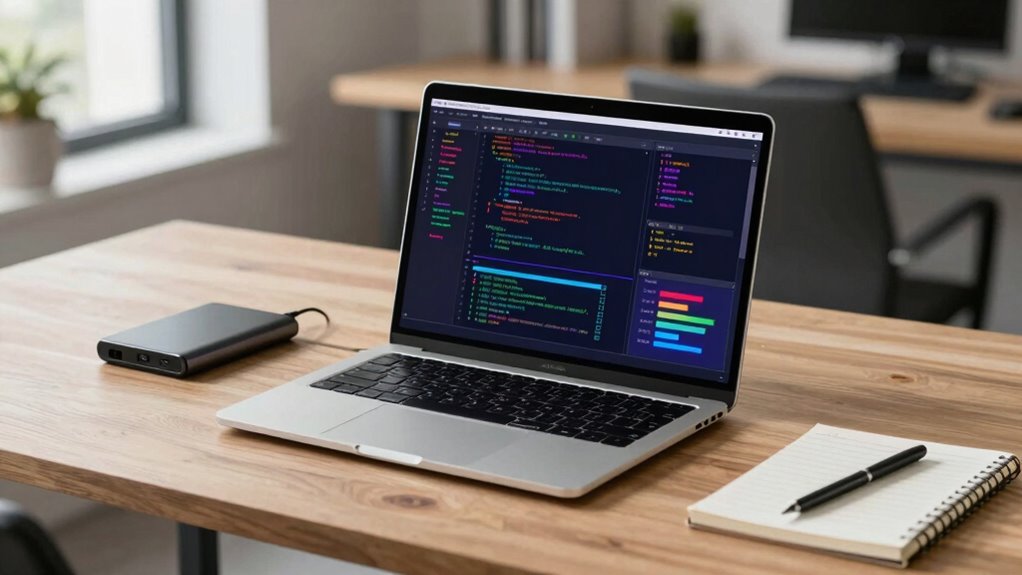

For most machine learning students, I’d start with the Apple MacBook Air 13-inch with M5 for its portable design and efficient everyday coursework, while the NIMO 15.6-inch Ryzen 7 PRO models stand out for 32GB of memory and a larger local-workload buffer. The HP OmniBook 5 with Core Ultra 9 is the premium choice here for students who want 32GB of RAM and a larger touchscreen. The main tradeoff is between portability and battery-conscious study use on one side, and more memory, Windows compatibility, and room for local experiments on the other. None of these integrated-graphics laptops replaces a dedicated GPU system for serious model training. Read on for how each option fits different student needs and where its limits matter.

Get the latest gadgets delivered free — and shop member deals
- Fast, free delivery on millions of items
- Access to Prime Big Deal Days deals on October 6–7
- Prime Video, Amazon Music and more included
Complete the kit



Key Takeaways
- Memory separates the practical coding picks: the NIMO Ryzen 7 PRO laptops, HP 17.3-inch Ryzen 5, and HP OmniBook 5 offer 32GB, while most other listed models have 16GB.
- The two NIMO Ryzen 7 PRO entries share the same listed core specs: both have 32GB RAM and a 1TB SSD, so compare the exact configuration, seller, and warranty before choosing between them.
- Screen size changes the study setup: the MacBook Air is the compact option, while several 16- and 17.3-inch models give more room for notebooks, terminals, and course materials.
- Processor branding alone does not make a training workstation: these configurations list integrated Radeon or Intel graphics, so cloud GPUs or campus compute remain important for larger training jobs.
- Processor architecture can affect course compatibility: students relying on specific Windows tools, drivers, or libraries should check support before choosing the Snapdragon X IdeaPad Slim 3x or an Apple silicon Mac.
| Apple MacBook Air 13-inch with M5 chip, 16GB memory, 512GB SSD, and 12MP Center Stage camera |  | Best for Portable Coursework | Chip: Apple M5 | Display: 13.6-inch Liquid Retina | Memory: 16GB unified memory | VIEW ON AMAZON | See Our Full Breakdown |
| NIMO 17.3-Inch Laptop with AMD Ryzen AI 9 HX 370, 16GB RAM, 1TB SSD, and Radeon 890M |  | Best for a Large Workspace | Processor: AMD Ryzen AI 9 HX 370, up to 5.1 GHz | NPU: 50 TOPS | Memory: 16GB DDR5, expandable to 64GB at 5600MHz | VIEW ON AMAZON | See Our Full Breakdown |
| KAIGERR 15.6-Inch Laptop with Ryzen R2544, 16GB RAM, and 512GB SSD |  | Best for Introductory Study | Processor: AMD Ryzen R2544, up to 3.7GHz | Graphics: Integrated AMD Radeon graphics | Memory: 16GB DDR4, expandable to 64GB | VIEW ON AMAZON | See Our Full Breakdown |
| HP 17.3-Inch FHD Laptop with AMD Ryzen 5, 32GB RAM, and 1.5TB Storage |  | Best for Memory-Heavy Multitasking | Processor: AMD Ryzen 5, 6 cores and 12 threads, up to 4.3 GHz | Display: 17.3-inch FHD IPS LED, 1920 × 1080, 300 nits | Memory: 32GB DDR4 | VIEW ON AMAZON | See Our Full Breakdown |
| NIMO 15.6-inch FHD Laptop with AMD Ryzen 7 PRO 6850U, 32GB RAM, and 1TB SSD |  | Best Balanced Windows Pick | Processor: AMD Ryzen 7 PRO 6850U, 8 cores, up to 4.7GHz | Graphics: AMD Radeon 680M | Memory: 32GB LPDDR5 | VIEW ON AMAZON | See Our Full Breakdown |
| HP OmniBook 7 Flip 16-inch 2-in-1 Laptop, Intel Core Ultra 5, 16GB RAM, 1TB SSD |  | Best for Hands-On Study | Processor: Intel Core Ultra 5 226V, 8 hybrid cores | Memory: 16GB LPDDR5X | Storage: 1TB PCIe NVMe SSD | VIEW ON AMAZON | See Our Full Breakdown |
| NIMO 15.6-inch Laptop with AMD Ryzen 7 PRO 6850U, 32GB RAM, and 1TB SSD |  | Best Value for Multitasking | Processor: AMD Ryzen 7 PRO 6850U, 8 cores | Graphics: Integrated AMD Radeon 680M | Memory: 32GB LPDDR5 | VIEW ON AMAZON | See Our Full Breakdown |
| Lenovo IdeaPad Slim 3x 15.3-inch Laptop, Snapdragon X, 16 GB RAM, 512 GB SSD, Luna Grey |  | Best for Battery-Focused Coursework | Processor: Snapdragon X | Memory: 16GB | Storage: 512GB | VIEW ON AMAZON | See Our Full Breakdown |
| HP OmniBook 5 16-Inch Touchscreen Laptop, Intel Core Ultra 9, 32GB RAM, 1TB SSD |  | Best for CPU-Heavy Coursework | Processor: Intel Core Ultra 9, 16-core | Memory: 32GB LPDDR5 | Storage: 1TB PCIe Gen4 NVMe SSD | VIEW ON AMAZON | See Our Full Breakdown |
| laptop for machine learning student | Display | Memory | Storage | Processor |
|---|---|---|---|---|
| Apple MacBook Air 13-inch with | 13.6-inch Liquid Retina | 16GB unified memory | 512GB SSD | — |
| NIMO 17.3-Inch Laptop with AMD | 17.3-inch Full HD, 144Hz | 16GB DDR5, expandable to 64GB at 5600MHz | 1TB SSD; two M.2 PCIe 4.0 slots | AMD Ryzen AI 9 HX 370, up to 5.1 GHz |
| KAIGERR 15.6-Inch Laptop with | 15.6-inch LCD, 1920 × 1080, 60Hz | 16GB DDR4, expandable to 64GB | 512GB M.2 NVMe SSD | AMD Ryzen R2544, up to 3.7GHz |
| HP 17.3-Inch FHD Laptop with A | 17.3-inch FHD IPS LED, 1920 × 1080, 300 nits | 32GB DDR4 | 1.5TB listed; title specifies 1TB SSD plus 512GB docking station set | AMD Ryzen 5, 6 cores and 12 threads, up to 4.3 GHz |
| NIMO 15.6-inch FHD Laptop with | 15.6-inch FHD IPS | 32GB LPDDR5 | 1TB PCIe 4.0 SSD | AMD Ryzen 7 PRO 6850U, 8 cores, up to 4.7GHz |
| HP OmniBook 7 Flip 16-inch 2-i | 16-inch IPS touchscreen, 1920 × 1200, 400 nits | 16GB LPDDR5X | 1TB PCIe NVMe SSD | Intel Core Ultra 5 226V, 8 hybrid cores |
| NIMO 15.6-inch Laptop with AMD | 15.6-inch Full HD, 1920 × 1080 | 32GB LPDDR5 | 1TB PCIe 4.0 SSD | AMD Ryzen 7 PRO 6850U, 8 cores |
| Lenovo IdeaPad Slim 3x 15.3-in | 15.3-inch WUXGA, 16:10 | 16GB | 512GB | Snapdragon X |
| HP OmniBook 5 16-Inch Touchscr | 16-inch IPS touchscreen, 1920 × 1200, 60Hz, 300 nits | 32GB LPDDR5 | 1TB PCIe Gen4 NVMe SSD | Intel Core Ultra 9, 16-core |
More Details on Our Top Picks
Apple MacBook Air 13-inch with M5 chip, 16GB memory, 512GB SSD, and 12MP Center Stage camera
The 13.6-inch MacBook Air is the lightest pick here at 2.71 pounds, making it a strong fit for students who carry a laptop between classes and use cloud or remote compute for larger models. Its M5 chip and 16GB of unified memory suit coding, notebooks, and smaller experiments, while the listed battery life of up to 18 hours can reduce the need to hunt for an outlet during a long day. Compared with the larger NIMO 17.3-Inch Ryzen AI 9 HX 370, it is easier to carry but has a smaller display and less memory. The two Thunderbolt 4 ports also leave less room for peripherals without a hub, and students who need CUDA or substantial local GPU training should look for a discrete-GPU option.
Pros:- Light 2.71-pound design is convenient for daily campus carry
- Up to 18 hours of listed battery life supports long study days
- Supports up to two external displays
- 12MP Center Stage camera is suited to video classes and meetings
Cons:- 16GB unified memory limits headroom for larger local datasets and workloads
- Only two Thunderbolt 4 ports are listed
- Apple silicon may not suit coursework that depends on CUDA or specific Windows tools
Best for: Students who prioritize low carry weight, long listed battery life, and coursework built around coding, cloud notebooks, or remote GPU access.
Not ideal for: Students who need CUDA-based workflows, extensive local model training, or several connected peripherals without a hub.
- Chip:Apple M5
- Display:13.6-inch Liquid Retina
- Memory:16GB unified memory
- Storage:512GB SSD
- Battery life:Up to 18 hours
- Ports:Two Thunderbolt 4, MagSafe charging, headphone jack
- Weight:2.71 pounds
Our verdict“Choose the MacBook Air for portable coding and cloud-based machine learning work; skip it if local GPU training is a priority.”
NIMO 17.3-Inch Laptop with AMD Ryzen AI 9 HX 370, 16GB RAM, 1TB SSD, and Radeon 890M
The 17.3-inch Full HD, 144Hz display gives this NIMO room for code, documentation, and model output side by side, a practical advantage for students who mostly work at a desk. Its Ryzen AI 9 HX 370 and Radeon 890M integrated graphics make it a more capable general-purpose Windows setup than the KAIGERR Ryzen R2544, while USB4 and two M.2 slots add useful expansion options. The catch for machine learning is that the listed graphics are integrated, so this is not a substitute for a discrete GPU when training larger models locally. Its 16GB memory is expandable to 64GB, but buyers should factor in that upgrade for heavier multitasking. At under 4.6 pounds, it is still portable, though the 17.3-inch footprint is less convenient than the MacBook Air.
Pros:- Large 17.3-inch 144Hz display offers workspace for code and reference material
- Memory can be expanded from 16GB to 64GB
- Two M.2 PCIe 4.0 slots provide storage expansion options
- USB4 supports data transfer up to 40Gbps
Cons:- Radeon 890M is integrated graphics, not a discrete training GPU
- 16GB installed memory may constrain heavier workloads until upgraded
- Large screen and chassis are less convenient to carry than smaller options
Best for: Students who want a roomy screen for coding and study at a desk, with Windows software compatibility and the option to expand memory or storage.
Not ideal for: Students who need a compact daily carry or plan to train larger models locally on a discrete GPU.
- Processor:AMD Ryzen AI 9 HX 370, up to 5.1 GHz
- NPU:50 TOPS
- Memory:16GB DDR5, expandable to 64GB at 5600MHz
- Storage:1TB SSD; two M.2 PCIe 4.0 slots
- Graphics:Integrated AMD Radeon 890M
- Display:17.3-inch Full HD, 144Hz
- Operating system:Windows 11
- Weight:Under 4.6 pounds
Our verdict“Pick this NIMO for a spacious Windows study setup with upgrade paths, but use remote or cloud GPUs for demanding training.”
KAIGERR 15.6-Inch Laptop with Ryzen R2544, 16GB RAM, and 512GB SSD
The KAIGERR covers the basics for students starting with Python, introductory machine learning courses, and browser-based notebooks: it has 16GB of DDR4 memory, a 512GB NVMe SSD, and a standard 15.6-inch Full HD screen. Memory can expand to 64GB, which gives it a potential upgrade path the MacBook Air’s listed configuration does not offer. Its Ryzen R2544 processor and integrated Radeon graphics place it below the NIMO Ryzen AI 9 HX 370 for demanding local work, though neither listed system has a discrete GPU. The product data also conflicts with a Ryzen 7430U claim in the raw title, so I would verify the processor configuration before buying. Treat this as a study and coding machine, with cloud compute for experiments that outgrow its integrated graphics.
Pros:- 16GB DDR4 memory supports typical coursework multitasking
- 512GB NVMe SSD provides fast local storage
- Memory is listed as expandable up to 64GB
- Includes HDMI, USB Type-C, USB 3.2, and a memory card slot
Cons:- Integrated Radeon graphics are a poor fit for substantial local model training
- Processor details conflict between the product data and raw title
- 512GB storage can fill quickly with datasets and development environments
Best for: Students beginning programming and introductory machine learning who want a Windows laptop for coursework, online notebooks, and everyday study.
Not ideal for: Students who need verified processor specifications, strong local GPU acceleration, or substantial storage for datasets and environments.
- Processor:AMD Ryzen R2544, up to 3.7GHz
- Graphics:Integrated AMD Radeon graphics
- Memory:16GB DDR4, expandable to 64GB
- Storage:512GB M.2 NVMe SSD
- Display:15.6-inch LCD, 1920 × 1080, 60Hz
- Operating system:Windows 11 Pro
- Connectivity:Wi-Fi 6, Bluetooth 5.2
Our verdict“Consider the KAIGERR for introductory coding and cloud-based coursework after confirming its processor, but choose a stronger system for local training.”
HP 17.3-Inch FHD Laptop with AMD Ryzen 5, 32GB RAM, and 1.5TB Storage
The HP’s clearest machine learning advantage is its 32GB of RAM, which gives students more room for data preparation, multiple notebooks, and background applications than the 16GB MacBook Air or NIMO 17.3-inch configuration. The large 17.3-inch FHD IPS display also suits desk-based work, and Windows 11 Pro may fit courses built around Windows tools. But the graphics are described inconsistently as AMD Radeon and Intel UHD, and the 1.5TB listing includes a 512GB docking station set whose storage relationship is unclear. I would verify both details before treating it as a dependable ML workstation. Even with the added memory, integrated graphics and a Ryzen 5 make this better for data handling and coursework than local GPU training.
Pros:- 32GB RAM provides more multitasking headroom than the 16GB options
- 17.3-inch FHD IPS display has a listed brightness of 300 nits
- Windows 11 Pro is included
- Numeric keypad and camera privacy shutter support study and video calls
Cons:- Graphics details conflict between AMD Radeon and Intel UHD descriptions
- The 1.5TB storage listing includes a docking station set with unclear capacity details
- Integrated graphics are not suited to demanding local ML training
Best for: Students who keep several data tools and notebooks open at once and prefer a large Windows screen for desk-based coursework.
Not ideal for: Buyers who need confirmed graphics hardware, a clear storage configuration, or a discrete GPU for local training.
- Processor:AMD Ryzen 5, 6 cores and 12 threads, up to 4.3 GHz
- Display:17.3-inch FHD IPS LED, 1920 × 1080, 300 nits
- Memory:32GB DDR4
- Storage:1.5TB listed; title specifies 1TB SSD plus 512GB docking station set
- Graphics:Conflicting listing: AMD Radeon Graphics and Intel UHD Graphics
- Operating system:Windows 11 Pro
- Battery life:Up to 9 hours
Our verdict“Choose the HP for memory-heavy coursework and a large screen only after confirming its graphics and storage configuration.”
NIMO 15.6-inch FHD Laptop with AMD Ryzen 7 PRO 6850U, 32GB RAM, and 1TB SSD
This NIMO pairs an 8-core Ryzen 7 PRO 6850U with 32GB of LPDDR5 memory and a 1TB PCIe 4.0 SSD, giving machine learning students a stronger multitasking base than the 16GB KAIGERR or NIMO 17.3-inch model as listed. The Radeon 680M integrated graphics are still not a discrete GPU, so the extra memory helps with data handling and parallel coursework rather than turning it into a local training workstation. Compared with the HP 17.3-inch Ryzen 5, this model offers a more specific processor and storage configuration in the supplied data, while giving up the HP’s larger display. A backlit keyboard, fingerprint reader, and physical webcam shutter make it a practical everyday study laptop. Battery capacity is listed, but battery runtime is not.
Pros:- 32GB LPDDR5 memory supports heavier multitasking than 16GB configurations
- 1TB PCIe 4.0 SSD provides room for tools, environments, and datasets
- Eight-core Ryzen 7 PRO processor suits coding and data preparation
- Physical webcam shutter and fingerprint reader add useful privacy and login features
Cons:- Radeon 680M is integrated graphics, not a discrete GPU for larger training jobs
- Battery runtime is not specified
- LPDDR5 memory is listed without an expansion option
Best for: Students who want a Windows laptop with 32GB memory and ample SSD space for coding, data preparation, and several concurrent coursework tools.
Not ideal for: Students whose coursework requires CUDA, discrete-GPU training, or a documented all-day battery runtime.
- Processor:AMD Ryzen 7 PRO 6850U, 8 cores, up to 4.7GHz
- Graphics:AMD Radeon 680M
- Memory:32GB LPDDR5
- Storage:1TB PCIe 4.0 SSD
- Display:15.6-inch FHD IPS
- Battery:53.58Wh
- Charging:100W USB-C PD
- Warranty:2 years
Our verdict“Choose this NIMO for a well-equipped Windows coursework laptop, and plan on cloud compute for GPU-heavy experiments.”
HP OmniBook 7 Flip 16-inch 2-in-1 Laptop, Intel Core Ultra 5, 16GB RAM, 1TB SSD
The OmniBook 7 Flip suits students who move between coding, lectures, and handwritten notes: its 16-inch touchscreen folds into tablet or tent mode, and the included stylus can make annotating diagrams and equations more natural. Its Core Ultra 5 and 16GB of memory cover coursework, notebooks, and moderate local experiments, while the 1TB SSD leaves room for datasets and project files. For heavier multitasking, the NIMO Ryzen 7 PRO offers twice the memory; for compute-heavy model training, neither integrated graphics option replaces a dedicated GPU or cloud resources. The Flip also weighs 3.95 pounds, so tablet mode is less comfortable to hold for long sessions. I’d choose it for flexible study workflows, not maximum ML capacity.
Pros:- Convertible touchscreen and included stylus support handwritten notes and diagram annotation
- 1TB SSD provides room for coursework, datasets, and development tools
- Windows 11 Pro and Thunderbolt 4 support a flexible productivity setup
- Bright 400-nit display with 100% sRGB color fidelity
Cons:- 16GB memory gives less headroom than the 32GB NIMO Ryzen 7 PRO and HP OmniBook 5
- Integrated Intel Arc graphics are limited for demanding local model training
- 3.95-pound weight makes extended handheld tablet use less comfortable
Best for: Students who annotate lecture material, sketch model diagrams, and want one laptop for coding and touch-based study.
Not ideal for: Students who need 32GB of memory for larger local workloads or frequently carry a laptop in tablet mode.
- Processor:Intel Core Ultra 5 226V, 8 hybrid cores
- Memory:16GB LPDDR5X
- Storage:1TB PCIe NVMe SSD
- Display:16-inch IPS touchscreen, 1920 × 1200, 400 nits
- Graphics:Intel Arc 130V
- Weight:3.95 lbs
- Operating system:Windows 11 Pro
- Included accessory:Stylus pen
Our verdict“Choose the OmniBook 7 Flip if stylus notes and convertible study modes matter more to you than extra memory or dedicated graphics.”
NIMO 15.6-inch Laptop with AMD Ryzen 7 PRO 6850U, 32GB RAM, and 1TB SSD
The NIMO Ryzen 7 PRO puts its strongest case for ML students in 32GB of RAM: that gives you more room to keep a notebook, browser tabs, data tools, and an IDE open together than the 16GB HP OmniBook 7 Flip or Lenovo IdeaPad Slim 3x. Its 8-core Ryzen 7 PRO and 1TB PCIe 4.0 SSD also suit coursework and modest CPU-based experiments. The tradeoff is graphics: the Radeon 680M is integrated, so demanding GPU training still calls for a remote environment or workstation. The Full HD display is practical, though less spacious than the 16-inch HP OmniBook 5’s 1920 × 1200 screen. I’d shortlist this NIMO for students who prioritize memory, ports, and everyday portability over a premium display or dedicated GPU.
Pros:- 32GB LPDDR5 memory gives more multitasking room than the 16GB options in this batch
- 1TB PCIe 4.0 SSD accommodates course files and datasets
- Two USB-C ports, three USB-A ports, HDMI, and a Micro SD reader reduce adapter needs
- Under 1.7kg with fingerprint login and a backlit keyboard
Cons:- Integrated Radeon 680M is not suited to demanding GPU-based model training
- Full HD resolution offers less vertical workspace than the HP OmniBook 5
- Battery runtime is not specified
Best for: Students who run several development tools at once and want 32GB memory, broad connectivity, and a conventional Windows laptop.
Not ideal for: Students who need dedicated GPU acceleration, a higher-resolution screen, or documented battery runtime.
- Processor:AMD Ryzen 7 PRO 6850U, 8 cores
- Graphics:Integrated AMD Radeon 680M
- Memory:32GB LPDDR5
- Storage:1TB PCIe 4.0 SSD
- Display:15.6-inch Full HD, 1920 × 1080
- Ports:2 USB-C, 3 USB-A, HDMI 2.0, Micro SD reader, 3.5mm audio jack
- Battery:53.58Wh
- Weight:Under 1.7kg
Our verdict“Pick the NIMO Ryzen 7 PRO if you want 32GB for student development workloads and can use cloud compute for GPU-heavy training.”
Lenovo IdeaPad Slim 3x 15.3-inch Laptop, Snapdragon X, 16 GB RAM, 512 GB SSD, Luna Grey
The IdeaPad Slim 3x is the portability-minded choice here: its 60Wh battery is designed for all-day use, and the Snapdragon X platform includes a 45 TOPS NPU for supported on-device AI features. That NPU can help with certain AI-assisted tasks, but it does not make this a substitute for GPU compute when training models; students should check that their required development tools support its processor. Compared with the NIMO Ryzen 7 PRO, the Lenovo has half the memory and less storage, leaving less room for simultaneous tools and datasets. Its SSD slot offers a future expansion path, though adding storage requires installing a drive. The 15.3-inch 16:10 screen and metal chassis make it a sensible campus machine for coursework first, local ML workloads second.
Pros:- 60Wh battery is designed for all-day use
- 45 TOPS NPU supports compatible on-device AI features
- 16:10 WUXGA display provides a practical workspace for coursework
- Metal chassis and SSD slot offer durability and a storage upgrade path
Cons:- 16GB memory offers less headroom than the 32GB NIMO Ryzen 7 PRO
- 512GB storage is the smallest capacity among these four products
- Snapdragon processor compatibility should be checked for required ML tools
Best for: Students who prioritize unplugged coursework and supported AI features, and who use cloud services for model training.
Not ideal for: Students who need broad compatibility with ML development tools, 32GB memory, or ample built-in dataset storage.
- Processor:Snapdragon X
- Memory:16GB
- Storage:512GB
- Display:15.3-inch WUXGA, 16:10
- NPU:45 TOPS
- Battery:60Wh
- Chassis:Metal, tested to MIL-STD 810H standards
- Security:Fingerprint reader and physical webcam shutter
Our verdict“Choose the IdeaPad Slim 3x for battery-focused classes and supported AI features if your ML tools run well on Snapdragon and training happens in the cloud.”
HP OmniBook 5 16-Inch Touchscreen Laptop, Intel Core Ultra 9, 32GB RAM, 1TB SSD
For students who keep demanding coursework local, the OmniBook 5 combines a 16-core Core Ultra 9 with 32GB of memory and a 1TB Gen4 SSD. That pairing gives more room for simultaneous notebooks, data preparation, and development tools than the 16GB OmniBook 7 Flip, while its 16-inch 16:10 touchscreen offers a broad workspace. Integrated Intel Arc 140T graphics can handle everyday visual tasks, but it does not provide the dedicated GPU capacity needed for many substantial training workloads; cloud compute remains the practical route. The 3.52-pound weight is lower than the Flip’s, though the 300-nit display is dimmer than the Flip’s 400-nit panel. I’d rank this as the stronger conventional study machine, with less flexibility for stylus-based work.
Pros:- 32GB LPDDR5 memory supports heavier multitasking than the 16GB HP OmniBook 7 Flip
- 16-core Core Ultra 9 and 1TB Gen4 SSD suit substantial coursework and local data preparation
- 16-inch 1920 × 1200 touchscreen and numeric keypad provide a roomy work setup
- HDMI 2.1, two USB-C ports, and two USB-A ports support varied peripherals
Cons:- Integrated Intel Arc graphics limit demanding local GPU training
- 300-nit brightness is lower than the OmniBook 7 Flip’s 400-nit display
- 59Wh battery capacity is listed, but runtime is not specified
Best for: Students running multiple CPU-based development tools and data workflows who want 32GB memory in a large-screen laptop.
Not ideal for: Students who need dedicated GPU acceleration, a brighter screen for sunny spaces, or a convertible stylus workflow.
- Processor:Intel Core Ultra 9, 16-core
- Memory:32GB LPDDR5
- Storage:1TB PCIe Gen4 NVMe SSD
- Display:16-inch IPS touchscreen, 1920 × 1200, 60Hz, 300 nits
- Graphics:Integrated Intel Arc 140T
- Wireless:Wi-Fi 6E, Bluetooth 5.3
- Battery:59Wh
- Weight:3.52 lbs
Our verdict“Choose the OmniBook 5 if you want 32GB memory and a strong CPU for local coursework, while accepting integrated graphics and a less bright screen.”

How We Picked
I ranked these laptops around the work a machine learning student is likely to do on the laptop itself: coding, notebooks, data preparation, coursework, video calls, and modest local experiments. I gave extra weight to 32GB memory, since larger datasets and several development tools can compete for RAM, while also considering storage capacity, processor class, screen size, and portability. A stated storage total can combine different drive types, so I treated it as less informative than a clearly listed SSD capacity.
The order also reflects fit and limits rather than headline specifications alone. The MacBook Air leads for students who value a portable general-purpose computer and can work within macOS and Apple silicon support; the NIMO Ryzen 7 PRO configurations rank highly for memory and storage, with configuration and support details worth checking. The HP OmniBook 5 is the premium Windows option by listed processor and memory, while the lower-memory and less clearly specified models rank lower for demanding local workloads. Since none lists a discrete GPU, I did not treat any as a substitute for dedicated training hardware.
Factors to Consider When Choosing Laptop For Machine Learning Students
Machine learning coursework puts different demands on a laptop than a single benchmark suggests. I’d match the machine to where you plan to run code, which software your courses require, and how often you need to carry it between classes.
Decide Which Work Must Run Locally
Many courses use cloud notebooks or university servers for GPU-heavy work, leaving a student laptop to handle editing, data cleaning, and small experiments. Ask instructors whether assignments require local execution, a particular GPU, or a specific operating system before buying. A laptop with integrated graphics can be a capable coding machine while still being a poor fit for training larger neural networks. If campus or cloud compute is reliably available, spend more attention on memory, keyboard comfort, and battery behavior. If you need to work offline with larger models, plan around hardware requirements for those exact workloads rather than assuming a fast CPU will make up for missing GPU resources.
Choose Memory for Your Workflow
RAM affects how comfortably you can keep a notebook, browser tabs, development environment, and datasets open together. Sixteen gigabytes can suit introductory classes and cloud-first work, but it leaves less headroom as projects grow. Thirty-two gigabytes gives more room for local data handling and multitasking, though it does not directly provide the parallel compute of a GPU. Check whether memory is soldered or upgradeable, because a student may keep the same laptop through several years of coursework. A common mistake is to prioritize processor names while overlooking a memory limit that cannot be changed later.
Check Software and Architecture Compatibility
Machine learning libraries, course tooling, and peripheral drivers can vary in support across macOS, standard Windows PCs, and Arm-based systems. Before choosing, verify the installation instructions for the frameworks and applications used in your classes, including any CUDA requirement for NVIDIA hardware. Some packages run well through alternatives or compatibility layers; others may be awkward or unsupported on a given architecture. Ask whether exams or labs require a particular environment, and whether remote Linux access is provided. A technically capable laptop can still create friction if it cannot run the course’s expected setup without workarounds.
Balance Screen Space Against Carry Weight
A larger display can make it easier to compare code, plots, and lecture notes without an external monitor. That space often means a larger chassis, which matters when carrying a laptop across campus every day. Consider the full study routine: desk use, library sessions, lectures, and whether you already own a monitor or tablet. Touch and convertible features can help with annotating notes, but they do not replace memory or compute for machine learning tasks. Check resolution and display details alongside diagonal size, since a large screen alone does not guarantee a comfortable coding workspace.
Treat Storage Capacity as a Workload Choice
Datasets, environments, and cached model files can consume storage faster than class documents do. A 1TB SSD offers more breathing room for local projects than a 512GB drive, while external storage can carry archives without deciding the laptop’s entire configuration. Confirm whether advertised capacity refers to one SSD or a mix of storage types, and check whether the drive can be replaced. Keep a backup plan for coursework and datasets rather than relying on the internal drive as the only copy. Students using cloud datasets may prefer portability or memory over paying for unused local capacity.
Spend More Only Where It Changes Your Setup
A higher-end processor or premium chassis is useful when it shortens the work you actually do, lasts longer in your daily routine, or adds a feature you need. It cannot compensate for incompatible software, insufficient memory, or the absence of a discrete GPU when a project requires one. Students with university compute access may get more value from a comfortable keyboard, a good display, and a reliable support path than from the fastest listed processor. Check warranty coverage and return terms, especially for less familiar brands or listings with ambiguous configurations. Buy for your expected assignments and access to compute, not for the most imposing spec sheet.
Frequently Asked Questions
Can any of these laptops train machine learning models without cloud access?
They can support coding, data preparation, and modest experiments, but all listed configurations rely on integrated graphics rather than a dedicated GPU. That limits their suitability for larger neural network training or workloads that specifically require CUDA. Before buying, check the compute requirements in your course and whether the school provides GPU servers. If local GPU training is a firm requirement, this lineup may not be the right class of laptop.
Is 16GB of RAM enough for a machine learning degree?
It can be enough when most computation and datasets run in cloud notebooks or on university servers. Local notebooks, browsers, IDEs, and data tools can quickly use the available memory together, so 16GB offers less room for growth. The 32GB options in this roundup provide more headroom for multitasking and local data work, though RAM alone does not make training faster. Check whether your course expects local workloads and whether the laptop’s memory can be upgraded.
Should I choose the MacBook Air or a Windows laptop for coursework?
The MacBook Air is a strong fit for a student who values a compact computer and whose course software supports macOS and Apple silicon. A Windows model may be the easier match when labs depend on Windows applications, device drivers, or a specific environment. Apple silicon also differs from the NVIDIA CUDA setup used by many GPU workflows. Read course installation guides and ask about required tools before making the choice.
Are the two NIMO Ryzen 7 PRO laptops meaningfully different?
The supplied configurations list the same main specifications: a Ryzen 7 PRO 6850U, 32GB RAM, and a 1TB SSD. Those details alone do not show a performance difference. I’d compare the exact listing for display, ports, wireless features, keyboard layout, warranty, and return support, as small configuration differences can matter for daily use. If those details also match, choose based on the more dependable listing and support terms.
Should I prioritize 32GB RAM or a newer, faster processor?
For many student workflows, memory capacity can make a bigger practical difference when several tools and datasets are open at once. A faster processor helps with CPU-bound work such as preprocessing, but it does not remove memory limits or add GPU acceleration. Compare the actual tasks in your classes and check whether the selected model allows a later memory upgrade. If most heavy computation runs remotely, a balanced laptop with enough RAM may serve you better than paying for processor speed you rarely use.
Conclusion
For the best overall portable pick, I’d choose the MacBook Air 13-inch with M5 if macOS and Apple silicon fit your coursework. For best value in local multitasking capacity, the NIMO Ryzen 7 PRO 32GB configurations pair ample listed memory with a 1TB SSD; compare their exact listings and support. The HP OmniBook 5 is my best premium Windows choice among these options, while the HP 17.3-inch Ryzen 5 with 32GB is a practical beginner pick for students who want a large display and memory for coursework. Choose the Lenovo IdeaPad Slim 3x if its Snapdragon platform is compatible with your required tools, or the OmniBook 7 Flip if a convertible touchscreen suits your note-taking routine. For serious local GPU training, none of these is the right specific-purpose pick; use access to cloud or campus GPUs, or seek a laptop with a dedicated GPU.
Fall Picks
fall essentials
As an affiliate, we earn on qualifying purchases.