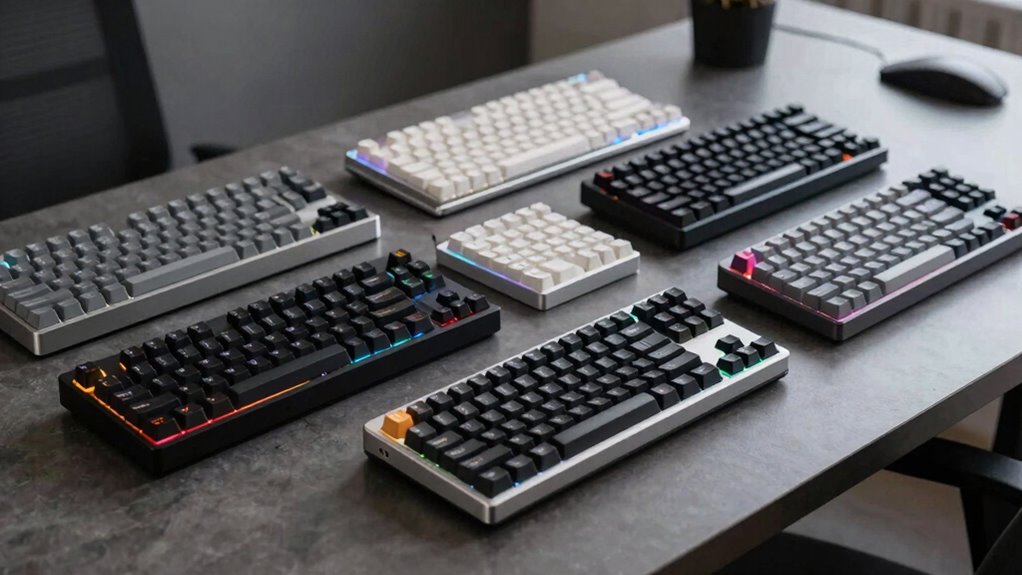
Choosing a low profile mechanical keyboard means balancing familiar mechanical feedback with a shorter, slimmer design. In this group, the NuPhy Node100 stands out for its five-device support and hot-swappable switches, while the Keychron K3 Version 2 makes a stronger case when compact size and QMK customization matter most. For a full-size office option, the Logitech MX Mechanical pairs quiet tactile switches with adaptive backlighting.

Get the latest gadgets delivered free with Prime
- Fast, free delivery on millions of items
- Prime Video, Amazon Music and more included
- Member-only deals all year
I rank these models by how well their layout, connectivity, typing features, and customization serve different low-profile buyers. The tradeoffs are real: compact boards save desk space but omit keys, gaming extras can add complexity, and full-size models take up more room. This guide compares those differences so you can choose around the way you work, type, and switch between devices.
Complete the kit



Key Takeaways
- NuPhy Node100 is the most adaptable pick here, with a full-size layout, hot-swappable switches, and Bluetooth, 2.4 GHz, and USB-C connections.
- Keychron K3 Version 2 takes up less space than the full-size boards and offers QMK customization, but has only a white backlight.
- Keychron K5 Version 2 keeps a full-size layout while adding QMK and three-device Bluetooth pairing; its backlight is also single-color.
- Logitech MX Mechanical suits office typing with quiet tactile switches and automatic backlighting, though some customization depends on Logi Options+.
- Redragon K618 PRO is the gaming-focused choice, with 20 dedicated macro keys and tri-mode connectivity, but its linear switches may not suit tactile typists.
| NuPhy Node100 Wireless Low-Profile Mechanical Keyboard |  | Best Overall | Layout: 103-key QWERTY | Switch: Tactile Brown Nano | Connectivity: Bluetooth, 2.4 GHz, USB-C | VIEW ON AMAZON | See Our Full Breakdown |
| Keychron K3 Version 2 75% Wireless Low-Profile Mechanical Keyboard |  | Best Compact | Layout: 75% QWERTY | Keys: 84 | Switch: Tactile Brown | VIEW ON AMAZON | See Our Full Breakdown |
| Keychron K5 Version 2 Wireless Low-Profile Mechanical Keyboard |  | Best Full-Size Customizable Pick | Layout: Full-size QWERTY | Switch: Tactile Keychron Milk POM Banana | Connectivity: Bluetooth 5.2 and USB-C | VIEW ON AMAZON | See Our Full Breakdown |
| Logitech MX Mechanical Wireless Illuminated Keyboard, Tactile, Graphite |  | Best for Quiet Office Typing | Layout: Full-size | Switch: Quiet tactile mechanical | Connectivity: Bluetooth Low Energy or Logi Bolt receiver | VIEW ON AMAZON | See Our Full Breakdown |
| Redragon K618 PRO Wireless Ultra-Thin Gaming Keyboard |  | Best for Gaming Macros | Design: Ultra-thin low-profile | Switch: Red linear | Connectivity: USB-C, Bluetooth, 2.4 GHz | VIEW ON AMAZON | See Our Full Breakdown |
| low profile mechanical keyboard | Switch | Connectivity | Layout | Backlighting |
|---|---|---|---|---|
| NuPhy Node100 Wireless Low-Pro | Tactile Brown Nano | Bluetooth, 2.4 GHz, USB-C | 103-key QWERTY | Customizable RGB |
| Keychron K3 Version 2 75% Wire | Tactile Brown | Bluetooth 5.1 and USB-C wired | 75% QWERTY | Single-color white LED |
| Keychron K5 Version 2 Wireless | Tactile Keychron Milk POM Banana | Bluetooth 5.2 and USB-C | Full-size QWERTY | Single-color white |
| Logitech MX Mechanical Wireles | Quiet tactile mechanical | Bluetooth Low Energy or Logi Bolt receiver | Full-size | Smart adaptive illumination |
| Redragon K618 PRO Wireless Ult | Red linear | USB-C, Bluetooth, 2.4 GHz | — | — |
More Details on Our Top Picks
NuPhy Node100 Wireless Low-Profile Mechanical Keyboard
The NuPhy Node100 is the most versatile board in this group because it combines a full-size layout with unusually broad connection and switch options. Bluetooth, 2.4 GHz, and USB-C cover mixed work setups, and support for up to five connected devices exceeds the three-device pairing offered by the Keychron K3, K5, and Logitech MX Mechanical. Its hot-swappable switches also let owners replace compatible switches without soldering, a useful advantage if their preferred feel changes.
Its gasket mount, polycarbonate plate, and tactile Brown Nano switches give it a more customization-oriented profile than the quiet office focus of Logitech’s MX Mechanical. Gesture controls for volume and brightness add convenience, though setup through NuPhyIO means they are not necessarily ready to use without configuration. The gray ABS and polycarbonate enclosure also contrasts with the Keychron K5’s ABS and aluminum frame. Buyers should check the operating-system details: the specs list broad compatibility, but the listing’s operating system family field names Windows.
This is my lead recommendation for someone who wants one low-profile keyboard to move between devices and values future switch changes. It is a less straightforward pick for anyone who wants a simple, clearly documented office board or does not want to configure software features.
Pros:- Bluetooth, 2.4 GHz, and USB-C connectivity
- Can connect to up to five devices
- Hot-swappable switches allow solder-free replacement
- Gasket mount and gesture controls add flexibility
Cons:- Gesture controls require setup through NuPhyIO
- Operating-system compatibility details in the listing are inconsistent
Best for: People who want a full-size low-profile keyboard with multiple connection modes, broad device switching, and replaceable switches.
Not ideal for: Buyers who want plug-and-play gesture controls, a clearly consistent operating-system listing, or a board focused on quiet office use.
- Layout:103-key QWERTY
- Switch:Tactile Brown Nano
- Connectivity:Bluetooth, 2.4 GHz, USB-C
- Device support:Up to five connected devices
- Customization:Hot-swappable switches and programmable keys
- Backlighting:Customizable RGB
- Keycaps:Double-shot PBT
- Plate:Polycarbonate
Our verdict“I recommend the Node100 as the most adaptable low-profile choice for buyers who want full-size keys, flexible connections, and switch customization.”
Keychron K3 Version 2 75% Wireless Low-Profile Mechanical Keyboard
The Keychron K3 Version 2 is the space-saving choice: its 75% layout keeps 84 keys in a smaller footprint than the full-size Node100, K5, or Logitech MX Mechanical. That makes it easier to fit beside a laptop or carry between work locations, while retaining arrow keys and a compact set of navigation controls. Bluetooth 5.1 pairs with up to three devices, and USB-C wired support gives it a direct connection option.
Its strongest distinction is QMK firmware, which provides room for key remapping beyond the more office-centered feature set of the MX Mechanical. The tradeoff is a restrained white backlight rather than the Node100’s customizable RGB or Redragon’s gaming lighting. Its aluminum body and plate sit over an ABS bottom frame; the keyboard is not water resistant, and the listed Bluetooth performance can be affected by distance or interference.
I would choose the K3 when desk space, portability, and key remapping outrank a number pad or vivid lighting. Buyers who routinely enter numbers, want a full-size layout, or need a keyboard designed around gaming macros should compare it with the K5 or Redragon instead.
Pros:- Compact 75% layout with 84 keys
- QMK firmware supports key customization
- Bluetooth pairing for up to three devices
- Mac-friendly layout with Windows compatibility
Cons:- White backlight offers fewer lighting choices than RGB models
- Not water resistant
- Bluetooth can be affected by distance or interference
Best for: Travelers and desk users who want a compact low-profile layout with QMK remapping and Bluetooth device switching.
Not ideal for: People who need a number pad, RGB lighting, water resistance, or an uninterrupted wireless connection in a crowded environment.
- Layout:75% QWERTY
- Keys:84
- Switch:Tactile Brown
- Connectivity:Bluetooth 5.1 and USB-C wired
- Bluetooth pairing:Up to three devices
- Firmware:QMK
- Backlighting:Single-color white LED
- Dimensions:12.05 × 4.57 × 0.87 inches
Our verdict“I recommend the K3 Version 2 when saving desk space and remapping keys matter more than a full-size layout or multicolor lighting.”
Keychron K5 Version 2 Wireless Low-Profile Mechanical Keyboard
The Keychron K5 Version 2 suits buyers who want a full-size board but still care about remapping and wireless flexibility. Its Bluetooth 5.2 connection supports up to three paired devices, and USB-C handles wired use. Like the compact K3, it supports QMK customization; unlike that model, it keeps the number pad and full-size key arrangement. That makes the K5 more practical for spreadsheets or frequent numeric entry, at the cost of a larger desk footprint.
Its tactile Milk POM Banana switches and layered acoustic foams distinguish it from the Logitech MX Mechanical’s quiet tactile approach. The K5 offers a rechargeable 2000 mAh battery and a stated runtime that varies with brightness and use, while Logitech lists much longer use with its backlighting off. The K5’s single-color white lighting also limits visual customization compared with the NuPhy Node100 and Redragon K618 PRO.
This is a good middle path for someone who wants the size and familiar key coverage of a desktop keyboard with QMK and wireless pairing. It is not the compact pick, and its acoustic materials do not change the fact that the listing specifies tactile switches rather than Logitech’s explicitly quiet switches.
Pros:- Full-size layout includes a number pad
- QMK customization through Keychron Launcher
- Bluetooth pairing for up to three devices plus USB-C
- Acoustic foams are designed to dampen typing noise
Cons:- Single-color white backlighting limits lighting options
- Battery runtime varies with brightness and usage
Best for: Full-size keyboard buyers who want QMK customization, tactile low-profile switches, and Bluetooth pairing across several devices.
Not ideal for: People with limited desk space, buyers who want RGB effects, or those prioritizing the longest stated battery life with lighting enabled.
- Layout:Full-size QWERTY
- Switch:Tactile Keychron Milk POM Banana
- Connectivity:Bluetooth 5.2 and USB-C
- Bluetooth pairing:Up to three devices
- Battery:2000 mAh rechargeable
- Wired polling rate:1000 Hz
- Backlighting:Single-color white
- Dimensions:16.69 × 4.69 × 0.99 inches
Our verdict“I recommend the K5 Version 2 to buyers who need full-size keys and QMK features in a wireless low-profile keyboard.”
Logitech MX Mechanical Wireless Illuminated Keyboard, Tactile, Graphite
The Logitech MX Mechanical is the office-oriented full-size option in this lineup. Its quiet tactile switches aim to preserve a distinct typing response while reducing noise, and smart backlighting adjusts to ambient conditions. Those qualities make it a more focused work keyboard than the Redragon K618 PRO, whose linear switches and dedicated macro keys target gaming and shortcuts. Logitech supports up to three paired devices over Bluetooth Low Energy or a Logi Bolt receiver.
Compared with the Keychron K5, the MX Mechanical puts less emphasis on QMK and user-level key remapping in the supplied specifications. Its appeal is the integrated lighting and charging experience: USB-C charging is listed for up to 15 days of use, or up to 10 months with backlighting off. The lighting-on figure is a meaningful limit for people who expect to leave illumination active all day. Some customization also requires Logi Options+ software.
I would pick this model for a shared or office desk where quiet tactile feedback and automatic lighting matter more than hot-swappable switches or QMK. The Node100 is more adaptable, and the K5 offers QMK on a similarly full-size layout, but Logitech makes a clearer case for low-noise routine typing.
Pros:- Quiet tactile mechanical switches
- Backlighting adjusts to ambient conditions
- Pairs with up to three devices
- USB-C charging with extended stated runtime when lighting is off
Cons:- Battery life is shorter with backlighting enabled
- Some customization depends on Logi Options+ software
Best for: Office users who want a full-size low-profile keyboard with quiet tactile switches, adaptive lighting, and multi-device pairing.
Not ideal for: Buyers seeking hot-swappable switches, QMK customization, or long stated battery runtime while backlighting remains enabled.
- Layout:Full-size
- Switch:Quiet tactile mechanical
- Connectivity:Bluetooth Low Energy or Logi Bolt receiver
- Multi-device pairing:Up to three devices
- Charging:USB-C
- Battery life:Up to 15 days; up to 10 months with backlighting off
- Backlighting:Smart adaptive illumination
- Recycled plastic content:45%
Our verdict“I recommend the MX Mechanical for office typing where quieter tactile switches and adaptive backlighting are higher priorities than deep customization.”
Redragon K618 PRO Wireless Ultra-Thin Gaming Keyboard
The Redragon K618 PRO is the specialist pick for people who want gaming controls in a slim keyboard. Its 20 dedicated macro keys give shortcuts their own physical space, unlike the Keychron boards, which center on QMK remapping within a more conventional layout. Tri-mode connectivity covers USB-C, Bluetooth, and 2.4 GHz, and the stated one-touch Windows and Mac switching can help when the same desk serves more than one system.
Its linear red switches are a clear point of separation from the tactile Browns in the K3 and Node100 or the quiet tactile switches in Logitech’s MX Mechanical. Linear action can suit players who prefer an uninterrupted keypress, but typists who rely on a tactile bump may find less feedback. The keyboard offers 16.8 million color lighting and software-based customization; advanced lighting effects and settings require proprietary software, even though basic macro setup is described as not requiring software.
This model ranks below the more general-purpose boards because its dedicated macros and gaming controls are useful only to a narrower audience. Choose it when those controls and connection modes are central to your setup. For office writing, the MX Mechanical is a more direct fit; for switch flexibility, the Node100 is stronger.
Pros:- Tri-mode USB-C, Bluetooth, and 2.4 GHz connectivity
- 20 dedicated macro keys
- RGB lighting with 16.8 million colors
- One-touch switching between Windows and Mac
Cons:- Linear switches may not provide the tactile feedback some typists want
- Advanced customization and lighting effects require proprietary software
Best for: Gamers and shortcut-heavy users who want dedicated macro keys, RGB lighting, and wired or wireless connections.
Not ideal for: Typists who prefer tactile feedback, buyers who want a conventional uncluttered layout, or anyone avoiding proprietary customization software.
- Design:Ultra-thin low-profile
- Switch:Red linear
- Connectivity:USB-C, Bluetooth, 2.4 GHz
- Macro keys:20 dedicated on-the-fly keys
- Lighting:16.8 million colors
- Customization:Dedicated software for advanced settings
- Operating systems:Windows and Mac
Our verdict“I recommend the K618 PRO for gaming setups that benefit from dedicated macros and tri-mode connectivity, rather than as the default typing choice.”

How We Picked
I compared these five keyboards on the qualities that shape a low-profile buying decision: overall height and layout, switch feel, connection options, key customization, and the practical costs of each design. A compact 75% board like the Keychron K3 Version 2 saves space, while full-size options preserve the number pad and navigation keys. Those layouts solve different problems, so I treat them as distinct strengths rather than assuming one size fits everyone.
I also weighed how much flexibility each keyboard gives after purchase. The NuPhy Node100 is the only listed model with hot-swappable switches, while the Keychron boards bring QMK customization and Logitech emphasizes quiet operation and adaptive lighting. The Redragon K618 PRO earns its place for dedicated macro controls and gaming-oriented connectivity. Each ranking reflects a particular buyer need, with drawbacks included so the recommendations remain useful when priorities differ.
I used the supplied product descriptions and specifications as the basis for this comparison. I did not infer typing performance beyond the stated features, and I flag practical limits such as software requirements, backlighting choices, and wireless dependence where the listings provide that information.
| low profile mechanical keyboard | Switch | Connectivity | Backlighting |
|---|---|---|---|
| NuPhy Node100 Wireless Low-Pro | Tactile Brown Nano | Bluetooth, 2.4 GHz, USB-C | Customizable RGB |
| Keychron K3 Version 2 75% Wire | Tactile Brown | Bluetooth 5.1 and USB-C wired | Single-color white LED |
| Keychron K5 Version 2 Wireless | Tactile Keychron Milk POM Banana | Bluetooth 5.2 and USB-C | Single-color white |
| Logitech MX Mechanical Wireles | Quiet tactile mechanical | Bluetooth Low Energy or Logi Bolt receiver | Smart adaptive illumination |
| Redragon K618 PRO Wireless Ult | Red linear | USB-C, Bluetooth, 2.4 GHz | — |
Factors to Consider When Choosing Low Profile Mechanical Keyboard
I would start with the layout and switch feel, then compare connectivity and customization. Those choices separate these five keyboards more clearly than the low-profile label alone.
Choose a layout that fits your work
The Keychron K3 Version 2 is the only compact 75% option here, with 84 keys in a smaller footprint. Its reduced size makes room for a mouse or notebook, but it does not provide the number pad found on the full-size NuPhy Node100, Keychron K5, and Logitech MX Mechanical. If you regularly enter figures or use the number pad, I would focus on those full-size choices. The Redragon listing describes an ultra-thin design and dedicated macros, but does not specify a standard layout size, so buyers should check its key arrangement against their desk needs.
Match switch feel to your typing
Three options list tactile switches: the Node100, K3, and K5. Logitech describes its switches as quiet tactile, a more specific fit for office environments where sound matters. Redragon’s red switches are linear, which means the supplied description does not claim the same tactile feedback. I would use switch type as a personal preference filter: choose tactile if feedback is a priority, and consider linear if you want a smoother press and value the K618 PRO’s gaming features.
Compare the connection options
For the widest choice, the Node100 and K618 PRO both offer Bluetooth, 2.4 GHz, and USB-C. The Node100 can connect to up to five devices, while the other listed multi-device options generally support three. The K3 and K5 pair over Bluetooth and support USB-C wired use. Logitech adds a Logi Bolt receiver option alongside Bluetooth Low Energy. If you move between computers often, check both the number of saved devices and the connection method that works with your setup.
Decide how much customization you need
The Keychron K3 and K5 support QMK, useful for buyers who want to remap keys. NuPhy adds a different kind of flexibility with hot-swappable switches and programmable keys. Logitech’s listed customization uses Logi Options+, and Redragon’s advanced effects rely on proprietary software. If you mainly want a keyboard that works without tuning, the MX Mechanical’s adaptive lighting and quiet switches offer a simpler feature story; if you expect to alter your setup, compare the firmware and software approach before choosing.
Treat lighting and battery claims as practical tradeoffs
The K3 and K5 use single-color white lighting, while NuPhy and Redragon specify RGB. Logitech’s backlighting adjusts to ambient conditions, but its listed runtime falls to up to 15 days with lighting use and rises to up to 10 months with lighting off. Keychron K5 battery estimates also vary with brightness and use. I would consider whether lighting is worth regular charging and whether a single color is enough before paying attention to backlight features.
Frequently Asked Questions
What makes a mechanical keyboard low profile?
A low-profile keyboard uses a slimmer key and switch arrangement than a conventional-height mechanical board, reducing the overall rise from desk to key surface. These five options still differ in layout and features: the compact Keychron K3 trims keys, while the Node100, K5, and Logitech MX Mechanical keep full-size layouts. Low profile describes the form factor; it does not tell you whether a board is tactile, quiet, wireless, or customizable.
Which keyboard in this group is best for a compact desk?
I would choose the Keychron K3 Version 2 for a compact desk because its 75% layout has 84 keys and the listed dimensions are smaller than the full-size models. It still includes arrow keys, but gives up the dedicated number pad. If you need frequent numeric entry, the K5 or Node100 preserves the full-size layout and may save time despite occupying more desk space.
Which option is best for switching between several devices?
The NuPhy Node100 has the highest stated device capacity, supporting up to five connected devices and offering Bluetooth, 2.4 GHz, and USB-C. The Keychron K3 and K5, along with Logitech’s MX Mechanical, list pairing for up to three devices. Redragon also provides tri-mode connectivity, though its supplied description does not specify a device count. For a mixed-device setup, I would compare both connection modes and the number of devices you need to keep available.
Which of these keyboards offers the most customization?
The answer depends on what you want to customize. The NuPhy Node100 stands out for hot-swappable switches, so owners can replace compatible switches without soldering. The Keychron K3 and K5 offer QMK for key remapping, while Redragon focuses on dedicated macros, lighting, and software settings. Logitech supports customization through Logi Options+. I would pick based on whether switch changes, key mapping, macros, or software controls matter most.
Which low-profile keyboard is the best fit for office typing?
The Logitech MX Mechanical is the clearest office choice in this lineup because it pairs a full-size layout with quiet tactile switches and adaptive backlighting. The Keychron K5 is another full-size option if QMK matters more, while the K3 fits desks where space is limited. Buyers who want tactile switch replacement flexibility may prefer the Node100, though its gesture controls need NuPhyIO setup and its listing has an operating-system detail mismatch.
Conclusion
I would choose the NuPhy Node100 if I wanted the broadest mix of full-size keys, connection modes, device support, and switch flexibility. For a compact desk or travel setup, the Keychron K3 Version 2 combines a smaller layout with QMK. The Keychron K5 Version 2 is the full-size pick for buyers who want QMK and wireless pairing, while the Logitech MX Mechanical is better suited to quieter office typing and adaptive lighting. Gamers who will use dedicated macro keys and prefer linear switches should look at the Redragon K618 PRO. I would make the final choice around layout first, then switch feel and the features you will actually use.
Fall Picks
fall essentials
As an affiliate, we earn on qualifying purchases.