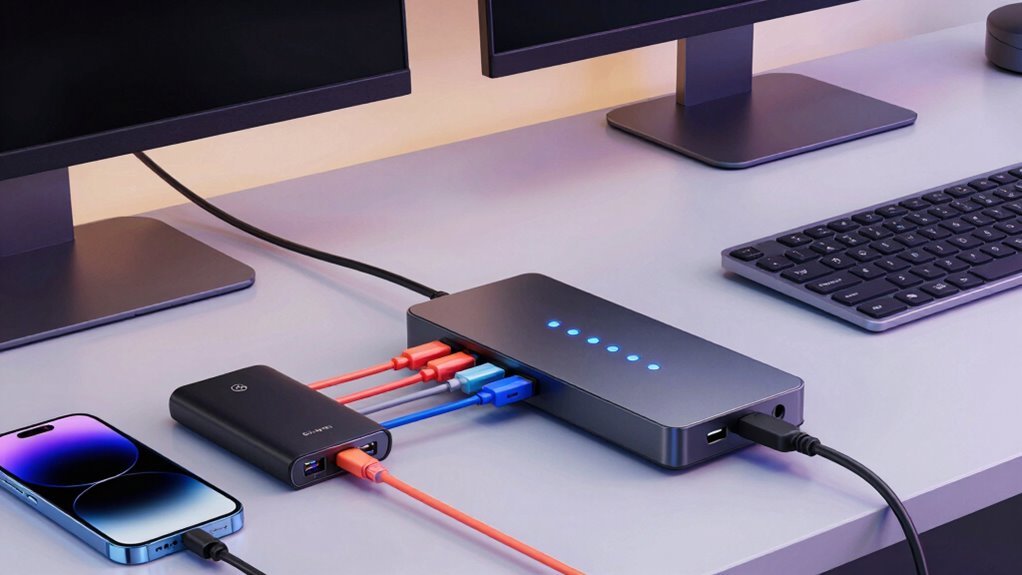

For most desk setups, I’d choose the TP-Link UH720 as the best overall powered USB hub: its nine ports and two dedicated charging ports offer a practical mix for peripherals and device charging. The ORICO clamp hub is a better fit when easy reach and a tidy desk edge matter most, while the intpw 9-Port stands out for USB-C data speeds and a 65W power adapter. The main tradeoff is between convenient mounting, port count, charging capacity, and faster connections; no single hub leads in all four. Check the computer’s available ports and the hub’s power limits before choosing. Continue reading for the full breakdown and recommendations by desk setup.

Get the latest gadgets delivered free — and shop member deals
- Fast, free delivery on millions of items
- Access to Prime Big Deal Days deals on October 6–7
- Prime Video, Amazon Music and more included
Complete the kit



Key Takeaways
- TP-Link UH720 offers the broadest everyday mix in this lineup, pairing nine USB 3.0 ports with two dedicated charging ports.
- ORICO’s clamp hubs put frequently used connections within reach, while their smaller port counts suit desks that need access more than expansion.
- intpw 9-Port and Gитfos C1 15-in-1 focus on faster USB-C connections; the Gitfos adds a much wider assortment of connections for more complex setups.
- USBGear’s mounting flanges and Atolla’s sliding rails address fixed or adjustable installation needs that ordinary desktop hubs leave to the buyer.
- Sabrent’s individual switches are the standout for controlling connected devices, though physical switches add little value if peripherals stay plugged in and powered.
| ORICO USB 3.0 4-Port Aluminum Hub with Clamp and Extra Power Port, 4.92 ft Cable, Black |  | Best for Desk Edge Mounting | Data ports: 4 x USB 3.0 | Maximum data speed: Up to 5Gbps | Cable length: 4.92 ft / 1.5 m | VIEW ON AMAZON | See Our Full Breakdown |
| TP-Link UH720 9-Port USB 3.0 Hub with 2 Charging Ports |  | Best for Lots of Desk Peripherals | Data ports: 7 x USB 3.0 Type-A | Charging ports: 2 x 5V/2.4A; charging only | Maximum data speed: Up to 5Gbps | VIEW ON AMAZON | See Our Full Breakdown |
| intpw 9-Port Powered USB-C Hub, 10Gbps USB 3.2 Hub with 65W Power Adapter |  | Best for Fast USB-C Desk Setups | Total ports: 9 | Data ports: 1 x USB-C 3.2 10Gbps, 2 x USB-A 3.2 10Gbps, 4 x USB-A 3.0 5Gbps | Charging ports: 2 x USB-C PD, up to 45W each; no data transfer | VIEW ON AMAZON | See Our Full Breakdown |
| ORICO USB 3.0 Clamp Hub with Extra Power Port, 3 USB-A Data Ports and USB-C Port for Monitors and Desks (Silver) |  | Best Clamp Hub for Mixed USB-A and USB-C | Data ports: 3 x USB-A and 1 x USB-C | Maximum data speed: 5Gbps | Cable length: 3.3 ft / 1 m | VIEW ON AMAZON | See Our Full Breakdown |
| USBGear 4-Port USB 3.2 Gen 1 Hub with Mounting Flanges |  | Best for Fixed, Powered USB-A Expansion | Ports: 4 x USB Type-A | USB standard: USB 3.2 Gen 1 | Maximum data speed: 5Gbps | VIEW ON AMAZON | See Our Full Breakdown |
| Gitfos C1 15-in-1 Powered USB C Hub, 10Gbps USB 3.2, PD 100W Charging, Aluminum |  | Best for High-Port-Count Desks | Total ports: 15 | Data transfer rate: Up to 10Gbps | Power delivery: 100W PD input; USB-C output up to 45W single or 20W dual | VIEW ON AMAZON | See Our Full Breakdown |
| Sabrent 4-Port Powered USB 3.0 Hub with Individual LED Power Switches |  | Best for Per-Port Control | USB ports: 4 | USB standard: USB 3.0 | Maximum data rate: Up to 5Gbps | VIEW ON AMAZON | See Our Full Breakdown |
| EJAY Clamp 10Gbps USB Hub, 4-Port (2A2C) for iMac and PC |  | Best Compact Clamp Hub | Ports: 2 x USB-C, 2 x USB-A | USB standard: USB 3.2 Gen2 | Maximum data rate: Up to 10Gbps | VIEW ON AMAZON | See Our Full Breakdown |
| Atolla 7-Port Mountable USB 3.0 Hub with Removable Sliding Rails |  | Best for Under-Desk Mounting | Ports: 7 | USB standard: USB 3.0 | Maximum data rate: 5Gbps | VIEW ON AMAZON | See Our Full Breakdown |
| powered usb hub for desk | Compatibility |
|---|---|
| ORICO USB 3.0 4-Port Aluminum | Windows, Mac OS X, Linux, Chrome OS |
| TP-Link UH720 9-Port USB 3.0 H | Windows, Mac, Chrome OS, Linux |
| intpw 9-Port Powered USB-C Hub | USB-C laptops and PCs, including MacBook Air/Pro, iMac, XPS, Surface Pro |
| ORICO USB 3.0 Clamp Hub with E | Windows, Mac OS X, Linux, Chrome OS |
| USBGear 4-Port USB 3.2 Gen 1 H | — |
| Gitfos C1 15-in-1 Powered USB | macOS 12+, Windows 7–11, Android, Linux; listed MacBook, iMac, Mac Mini, XPS, Surface Pro, iPhone 15/16/17, and iPad Pro |
| Sabrent 4-Port Powered USB 3.0 | Desktops and laptops; Mac OS X and higher, Windows 10 listed as minimum |
| EJAY Clamp 10Gbps USB Hub | Mac OS, Windows, Linux |
| Atolla 7-Port Mountable USB 3. | Windows, macOS, Linux |
More Details on Our Top Picks
ORICO USB 3.0 4-Port Aluminum Hub with Clamp and Extra Power Port, 4.92 ft Cable, Black
The adjustable clamp gives this ORICO a clear desk-focused advantage: it keeps four USB-A ports within reach without taking up a spot on the work surface. Its 4.92-foot cable also gives more flexibility for positioning than the shorter cable on the silver ORICO clamp hub. Both offer 5Gbps data and an extra power input, so neither is suited to someone seeking the fastest transfer speeds in this group. The aluminum housing is a practical fit for a frequently used desk accessory, and setup does not require drivers. The tradeoff is that the clamp only fits edges from 0.39 to 1.26 inches thick, and the power adapter for demanding devices is not included. Pick this model when reach and accessible mounting matter more than USB-C ports or included power.
Pros:- Clamp mounts the ports at the desk edge to free work surface space.
- 4.92-foot cable allows flexible placement relative to the computer.
- Four USB 3.0 ports support data transfer up to 5Gbps.
- Aluminum housing and plug-and-play setup suit a permanent desk position.
Cons:- Power adapter is not included for devices that need external power.
- Clamp only fits edges 0.39 to 1.26 inches thick.
- USB-A ports are limited to 5Gbps data transfer.
Best for: Desk workers who want four reachable USB-A ports clamped to a compatible monitor or desk edge, especially when the computer sits farther away.
Not ideal for: People with thicker or unusually shaped desk edges, or users who need an included power adapter, USB-C data ports, or speeds above 5Gbps.
- Data ports:4 x USB 3.0
- Maximum data speed:Up to 5Gbps
- Cable length:4.92 ft / 1.5 m
- Clamp range:0.39–1.26 in / 10–32 mm
- Material:Aluminum alloy
- Power input:Extra power supply port; adapter not included
- Compatibility:Windows, Mac OS X, Linux, Chrome OS
- Installation:Plug and play; no driver needed
Our verdict“Choose this ORICO if you want a longer-cabled, clamp-mounted USB-A hub and your desk edge fits its specified range.”
TP-Link UH720 9-Port USB 3.0 Hub with 2 Charging Ports
For a desk with a keyboard, webcam, storage, and several other wired accessories, the seven data ports make the TP-Link UH720 more useful as a central connection point than the four-port USBGear hub. Two additional dedicated 5V/2.4A charging ports can charge compatible devices while leaving the data ports available, and the included 12V/4A adapter means there is no separate power supply to source. This is the easiest pick here for a conventional USB-A-heavy setup that needs capacity and a power switch. Its main limitation is the separation between charging and data: the charging ports cannot sync, while the data ports are not intended for charging. It also tops out at 5Gbps, so the intpw hub is a better fit for users who prioritize faster transfers or USB-C charging.
Pros:- Seven USB 3.0 data ports accommodate a large set of desk peripherals.
- Two dedicated 5V/2.4A charging ports keep charging separate from data connections.
- 12V/4A power adapter is included.
- On/off button and built-in circuit protections add convenient control.
Cons:- Charging ports do not support data sync, and data ports are not intended for charging.
- Maximum transfer speed is 5Gbps.
- Some 2.4GHz wireless adapters may not work reliably near USB 3.0 devices.
Best for: People with several USB-A desk peripherals who want a powered hub with dedicated ports for charging phones or other compatible devices.
Not ideal for: Users who need charging and data through the same port, USB-C connections, or transfer speeds above 5Gbps.
- Data ports:7 x USB 3.0 Type-A
- Charging ports:2 x 5V/2.4A; charging only
- Maximum data speed:Up to 5Gbps
- Upstream connection:USB 3.0 Micro-B
- Power adapter:12V/4A, included
- Control:On/off button
- Backward compatibility:USB 2.0 and USB 1.1
- Compatibility:Windows, Mac, Chrome OS, Linux
Our verdict“Choose the UH720 if your desk needs many USB-A data connections plus separate charging ports from one powered hub.”
intpw 9-Port Powered USB-C Hub, 10Gbps USB 3.2 Hub with 65W Power Adapter
The intpw stands apart from the 5Gbps hubs in this group with 10Gbps USB 3.2 data ports and two dedicated 45W USB-C PD charging ports. That mix suits a desk where fast external storage and USB-C device charging both matter. Its included 65W adapter powers the hub, while the angled aluminum body keeps the ports oriented for desktop access. Compared with the TP-Link UH720, it trades two more data ports for faster connections and USB-C charging; compared with the USBGear, it offers much more port variety but a more specific USB-C computer connection. There are firm limits: the PD ports do not transfer data, video output is unsupported, and the product is not recommended for charging computers or running multiple SSDs at once. Check those needs before choosing it.
Pros:- USB-C and USB-A 3.2 data ports support speeds up to 10Gbps.
- Two dedicated USB-C PD ports provide up to 45W charging each.
- 65W power adapter is included.
- Angled aluminum design and built-in protection features suit desktop use.
Cons:- Does not support video output.
- PD charging ports do not transfer data.
- Not recommended for charging computers or using multiple SSD drives simultaneously.
Best for: USB-C laptop or desktop users who want faster connections for selected peripherals and dedicated USB-C charging ports on the desk.
Not ideal for: People who need display output, computer charging through the hub, or sustained use of multiple SSD drives at once.
- Total ports:9
- Data ports:1 x USB-C 3.2 10Gbps, 2 x USB-A 3.2 10Gbps, 4 x USB-A 3.0 5Gbps
- Charging ports:2 x USB-C PD, up to 45W each; no data transfer
- Power adapter:65W (20V/3.25A), included
- Included cable:3.3 ft USB-C to USB-C
- Design:28-degree angled aluminum body with feet
- Video output:Not supported
- Compatibility:USB-C laptops and PCs, including MacBook Air/Pro, iMac, XPS, Surface Pro
Our verdict“Choose the intpw when your USB-C desk setup benefits from 10Gbps data and dedicated device charging, and you do not need video or computer charging.”
ORICO USB 3.0 Clamp Hub with Extra Power Port, 3 USB-A Data Ports and USB-C Port for Monitors and Desks (Silver)
This silver ORICO combines clamp mounting with three USB-A data ports and one USB-C port, making it the more flexible edge-mounted choice for desks with a mix of connectors. Its 5–28mm clamp range covers thinner edges than the black ORICO, whose minimum is 10mm, though its 3.3-foot cable is shorter. Both models reach only 5Gbps and have an extra power input without an included adapter. The included 2-in-1 USB-C/USB-A cable helps connect the hub to different host ports, and the aluminum body is built for a fixed workstation position. Skip it if you need fast external SSD transfers or a supplied power adapter. Its appeal is convenient access to mixed ports right at the monitor or desk edge.
Pros:- Clamp mounting keeps four mixed USB ports accessible at the desk edge.
- Three USB-A ports and one USB-C port support varied peripherals.
- 2-in-1 USB-C/USB-A cable broadens host connection options.
- Aluminum alloy housing and plug-and-play setup suit desk use.
Cons:- Extra power input does not come with a power adapter.
- Data transfer is limited to 5Gbps.
- 3.3-foot cable is shorter than the black ORICO model’s cable.
Best for: Desk users with both USB-A and USB-C accessories who want a clamp-mounted hub and have an edge between 5 and 28mm thick.
Not ideal for: People who need speeds above 5Gbps, an included power adapter, or a longer cable for positioning the hub away from the computer.
- Data ports:3 x USB-A and 1 x USB-C
- Maximum data speed:5Gbps
- Cable length:3.3 ft / 1 m
- Clamp range:0.19–1.1 in / 5–28 mm
- Material:Aluminum alloy
- Host cable:2-in-1 USB-C/USB-A
- Power input:Extra power supply port; adapter not included
- Compatibility:Windows, Mac OS X, Linux, Chrome OS
Our verdict“Choose this ORICO if you want a mixed USB-A and USB-C clamp hub and can work within its 5Gbps limit and shorter cable reach.”
USBGear 4-Port USB 3.2 Gen 1 Hub with Mounting Flanges
The USBGear is a straightforward choice for someone who wants a powered four-port USB-A hub mounted to a desk or nearby surface. Unlike either clamp-style ORICO, it uses metal mounting flanges, which can suit a fixed installation where the hub does not need to move between desk edges. It includes both its 5V/2A adapter and a three-foot host cable, while the black ORICO leaves its extra power adapter to the buyer. All three offer up to 5Gbps data transfer, but the USBGear’s 10W total power budget and 900mA-per-port limit make its charging capability modest. It is best treated as a powered peripheral hub for basic data tasks, with charging available for compatible devices rather than as a high-output charging station.
Pros:- Four USB Type-A ports support data transfer up to 5Gbps.
- 5V/2A power adapter and three-foot cable are included.
- Metal mounting flanges allow surface or wall mounting.
- Aluminum enclosure and driver-free setup suit a fixed desk installation.
Cons:- Total power budget is 10W, with up to 900mA per port.
- Charging requires the included adapter and output is limited.
- Four USB-A ports do not provide the mixed connector options of the silver ORICO.
Best for: People setting up a fixed workstation who want four USB-A ports, mounting flanges, and a supplied adapter for basic peripheral power.
Not ideal for: Users who need USB-C ports, high-output device charging, or a clamp that can be repositioned without fastening the hub to a surface.
- Ports:4 x USB Type-A
- USB standard:USB 3.2 Gen 1
- Maximum data speed:5Gbps
- Per-port power:Up to 900mA at 5V
- Total power budget:10W
- Power adapter:5V/2A, included
- Cable:3 ft USB Type-A to Type-B
- Mounting and enclosure:Integrated metal flanges; aluminum body
Our verdict“Choose the USBGear for a fixed, mountable USB-A setup with an included adapter, provided its modest power output fits your devices.”
Gitfos C1 15-in-1 Powered USB C Hub, 10Gbps USB 3.2, PD 100W Charging, Aluminum
Fifteen ports make the Gitfos C1 the most expansive choice in this group for a desk with many wired accessories. Its 10Gbps data ports suit fast storage and frequent file transfers, while the hub also passes up to 100W to a connected laptop and offers device charging. Compared with the TP-Link UH720, it brings USB-C connectivity and faster listed data speeds, but its included 65W adapter means the power budget is more limited than the 100W pass-through figure may suggest. The angled aluminum case can keep connections accessible and help dissipate heat. The main compromises are substantial: it has no video output, requires its adapter to operate, and its USB-C charging ports are not intended for computers or other high-power devices. Choose it for dense data setups, not as a display dock.
Pros:- Fifteen ports reduce the need to swap several desk accessories.
- 10Gbps data support suits compatible fast external storage.
- 100W PD input supports laptop pass-through charging.
- Angled aluminum housing offers an accessible desk layout.
Cons:- No port supports video output.
- The included 65W adapter limits the available power despite the 100W PD input specification.
- Requires external power and its USB-C charging ports are not recommended for computers or high-power devices.
Best for: Laptop users with many USB accessories and fast storage who need a desk hub with USB-C data and laptop pass-through charging.
Not ideal for: People who need monitor output or expect the hub’s USB-C ports to charge a laptop or other high-power device.
- Total ports:15
- Data transfer rate:Up to 10Gbps
- Power delivery:100W PD input; USB-C output up to 45W single or 20W dual
- Included adapter:65W DC, 20V/3.25A
- Enclosure:Aluminum, silver
- Host connection:USB-C
- Cable lengths:3.3 ft USB-C host cable; 47.24 in adapter cable
- Compatibility:macOS 12+, Windows 7–11, Android, Linux; listed MacBook, iMac, Mac Mini, XPS, Surface Pro, iPhone 15/16/17, and iPad Pro
Our verdict“Choose the Gitfos C1 for a crowded, data-heavy desk that needs many ports; skip it if you need video docking or laptop charging from its USB-C outputs.”
Sabrent 4-Port Powered USB 3.0 Hub with Individual LED Power Switches
The Sabrent is a straightforward choice for a desk where four extra USB-A ports are enough and you want to turn accessories off individually. Its LED-lit switches make it easy to cut power to a drive or other peripheral without unplugging it, a practical distinction from the Atolla 7-Port Mountable Hub, which offers more connections and an under-desk mounting approach but no listed individual switches. Sabrent’s included 5V/2.5A adapter means it is powered rather than relying solely on the computer, and USB 3.0 supports transfers up to 5Gbps. That keeps it suited to everyday peripherals, though it cannot match the 10Gbps options such as the EJAY Clamp Hub. Four ports also fill quickly, and the lightweight plastic case favors easy placement over the more substantial feel of an aluminum hub.
Pros:- Individual LED-lit switches let you control connected devices separately.
- Included 5V/2.5A adapter provides external power.
- USB 3.0 supports data speeds up to 5Gbps.
- Compact, lightweight body fits easily beside a computer.
Cons:- Four USB-A ports offer limited room for expansion.
- Plastic enclosure is less substantial than the aluminum Gitfos C1.
- 5Gbps maximum is below the 10Gbps speeds offered by the EJAY Clamp Hub.
Best for: Desktop and laptop users with a few USB-A peripherals who want to switch individual ports on and off at the desk.
Not ideal for: People connecting several devices, using USB-C accessories, or transferring large files at the highest listed speeds.
- USB ports:4
- USB standard:USB 3.0
- Maximum data rate:Up to 5Gbps
- Backward compatibility:USB 2.0 and USB 1.1
- Power adapter:5V/2.5A
- Port controls:Individual LED-indicator power switches
- Enclosure and color:Plastic, black
- Dimensions and weight:3.5 x 1.5 x 0.5 in; 1.5 oz
- Compatibility:Desktops and laptops; Mac OS X and higher, Windows 10 listed as minimum
Our verdict“Pick the Sabrent when per-port switches matter more than high capacity, USB-C connections, or faster-than-5Gbps transfers.”
EJAY Clamp 10Gbps USB Hub, 4-Port (2A2C) for iMac and PC
The EJAY gives a monitor or desk edge a reachable four-port landing spot without taking up much surface area. Its clamp fits surfaces from 0.2 to 1.2 inches thick, and the mix of two USB-C and two USB-A ports makes it more adaptable to newer devices than the Sabrent 4-Port Powered Hub, which offers four ports but only USB-A. EJAY also lists 10Gbps USB 3.2 Gen2 data, double the Sabrent’s stated maximum, so compatible storage can move files faster. Its limits define its role: this is a data hub, not a charger for phones, tablets, or laptops, and stable operation requires a 5V power source. The clamp will not fit every desk edge, while the Atolla 7-Port Hub makes more sense when capacity and hidden mounting matter more than a near-hand mix of USB-C and USB-A.
Pros:- Clamp mounting keeps ports accessible while clearing desk surface.
- Two USB-C and two USB-A ports support a mix of connectors.
- USB 3.2 Gen2 supports data rates up to 10Gbps.
- Long data and power cables allow flexible placement.
Cons:- Not intended to charge phones, tablets, or laptops.
- Needs a 5V power source for stable operation.
- Clamp only fits surfaces 0.2 to 1.2 inches thick.
Best for: People with a compatible monitor or desk edge who want fast USB-C and USB-A data ports within easy reach.
Not ideal for: Anyone seeking device charging, more than four connections, or a hub that works without a separate 5V power source.
- Ports:2 x USB-C, 2 x USB-A
- USB standard:USB 3.2 Gen2
- Maximum data rate:Up to 10Gbps
- Clamp range:0.2–1.2 in / 5–30 mm
- Power cable:39 in A-to-C
- Data cable:47 in C-to-C
- Intended use:Data transfer; not for device charging
- Compatibility:Mac OS, Windows, Linux
Our verdict“Choose EJAY for fast, accessible data connections at a compatible desk edge, and look elsewhere for charging or a larger port count.”
Atolla 7-Port Mountable USB 3.0 Hub with Removable Sliding Rails
For a desk where loose cables and a visible hub are the main annoyances, the Atolla’s removable sliding rails let you mount its seven ports under a desk, monitor stand, or on a wall. That gives it a different purpose from the EJAY Clamp Hub: EJAY keeps a smaller set of faster ports within reach, while Atolla trades that convenience and 10Gbps speed for more connections that can stay out of sight. Its USB 3.0 ports support up to 5Gbps, with backward compatibility for older USB devices, and the 5V/3A USB-C input is listed for stable operation with power-hungry peripherals such as external hard drives. This is still a powered data hub, not a laptop dock; it requires an external USB-C power connection, and mounting means installing the rails where you want the hub to live.
Pros:- Seven ports provide more capacity than the four-port EJAY and Sabrent hubs.
- Removable sliding rails support under-desk, monitor-stand, or wall mounting.
- USB 3.0 supports data speeds up to 5Gbps.
- 5V/3A USB-C power input is listed for stable operation with demanding peripherals.
Cons:- External USB-C power is required for stable operation.
- Mounting requires installing the rails at the chosen location.
- 5Gbps maximum is slower than the EJAY Clamp Hub’s 10Gbps.
Best for: Desk users with several wired peripherals who want to mount a powered hub out of sight beneath a desk or monitor stand.
Not ideal for: People who need 10Gbps transfers, frequent hands-on access to ports, or a setup without an external USB-C power source.
- Ports:7
- USB standard:USB 3.0
- Maximum data rate:5Gbps
- Backward compatibility:USB 2.0 and USB 1.0
- Power input:5V/3A USB-C
- Mounting:Removable sliding rails
- Driver requirement:No drivers required
- Compatibility:Windows, macOS, Linux
Our verdict“Choose the Atolla to hide several powered USB connections under a desk, provided you can install its rails and accept 5Gbps data speeds.”

How We Picked
I compared these hubs for the specific demands of desk use: how many useful ports they provide, how they connect to a computer, whether they offer external power, and how naturally they fit into a workspace. I also weighed mounting and reach, charging features, data-speed claims, and the degree of control over individual devices. A large port count only helps when the hub’s connection types and layout match the equipment on the desk.
The order favors a useful balance of expansion, charging, and everyday usability, then gives more specialized picks their place by desk need. The TP-Link leads for its mix of nine ports and two charging ports; the ORICO clamp models rank highly for reach and mounting, while intpw and Gitfos suit buyers prioritizing faster USB-C or a broader dock-style feature set. Hubs with narrower roles—such as a four-port switchable unit or a mounting-focused model—make more sense when their specific feature solves a real setup problem.
Factors to Consider When Choosing Powered Usb Hub For Desks
Before choosing a powered hub, I’d map the devices on the desk and how they need to connect. Port count alone can hide limits in speed, charging, placement, and power distribution, so these broader checks can help narrow the field.
Separate data ports from charging ports
A port that charges a phone may not behave like a data port connected to a computer. Check the maker’s port descriptions to see which connections transfer files or support peripherals and which are intended for charging. This matters if you expect to plug in a phone, keyboard, external drive, and webcam at once. A hub’s total port count can overstate its usefulness when some ports serve a separate purpose. For desk planning, count the connections you need for data first, then treat charging ports as a bonus. If you need both jobs from one connection, confirm the hub explicitly supports them.
Match speed to the devices that need it
High-speed USB-C can help with compatible storage and other data-heavy devices, but it does not make every connected peripheral faster. The computer’s USB port, cable, hub, and device all affect the connection, so check compatibility across the full chain. A mouse or keyboard rarely needs the same bandwidth as an external SSD. If several fast devices will run together, look for information about shared bandwidth rather than relying on the headline speed alone. Choose a more modest hub when most connections handle low-bandwidth peripherals. Spend attention on speed where it changes your actual work, such as frequent large file transfers.
Check what the power adapter can support
External power can help a hub operate connected devices without drawing all of their power from the computer. It does not mean every port can deliver high charging power, or that all connected devices can draw the adapter’s full output simultaneously. Check the adapter rating and any per-port charging limits against the devices you plan to connect. A bus-powered hub may be enough for low-power peripherals, while an externally powered model is a better match for a fuller desk setup. Avoid assuming a USB-C power input charges a laptop; confirm whether the hub supports host charging and what that requires. Keeping those roles clear can prevent a mismatch between a hub’s label and your intended use.
Plan the hub’s location before buying
A desk-edge clamp makes frequently used ports easy to reach, while a mounted hub can keep cables tucked away. Those layouts solve different problems: a reachable clamp may suit card readers and temporary accessories, while hidden mounting may work better for devices that stay connected. Measure the desk edge, clearance, and cable path before selecting a clamp or flange mount. Consider whether a monitor arm, drawer, or desk frame could block access. A long host cable gives more placement options, but cable length does not replace checking where the powered adapter will sit. If you change desk layouts often, a removable mounting system may be easier to live with than a fixed installation.
Decide whether device controls earn their space
Individual power switches can be useful when accessories need to be disconnected without reaching for their cables. They may also help reduce unwanted power draw from devices that do not need to stay active. For equipment that remains connected around the clock, switches can become extra controls with little practical use. LEDs make port status easier to see, though bright indicators can distract in a dark workspace. Think about how often you actually reset or turn off connected devices. If that happens regularly, per-port control may be more valuable than adding another few ports.
Leave room for the next device
Choose capacity based on the devices you use now and the likely additions to your desk, but avoid paying attention only to the largest number in a product name. A mix of USB-A and USB-C ports may age better for a changing setup than a hub with many ports of one type. A separate dock can make more sense if you also need display, network, or laptop charging connections beyond USB peripherals. Check whether your computer has enough compatible ports to connect the hub as intended. If the hub will sit out of sight, leave spare access or cable reach for occasional devices. A little planned flexibility can help avoid stacking hubs and adapters later.
Frequently Asked Questions
Will a powered USB hub charge my laptop?
Not automatically. An external power adapter may power the hub and connected accessories without sending laptop-charging power to the computer. For laptop charging, check that the hub explicitly supports USB-C Power Delivery to the host and confirm its stated wattage. The laptop, cable, and hub must all support the charging arrangement. If charging is a requirement, compare the remaining power available to the laptop after the hub’s own needs.
Can I connect an external hard drive and other devices to the same powered hub?
Often, but the result depends on the drive, hub, and other devices connected at the same time. A powered hub can provide external power, while shared data bandwidth may still affect transfer performance when multiple devices are active. Check whether the drive needs a particular USB speed and connect it to a port that supports it. For drives with higher power demands, confirm the hub’s adapter and port specifications. Keep a direct computer connection in mind for troubleshooting if a drive disconnects or transfers too slowly.
Should I choose a clamp-on hub or one that mounts under the desk?
Choose based on which connections you reach for most often. A clamp-on hub keeps ports handy for removable devices, while an under-desk mount can make a cleaner permanent connection point for equipment that stays plugged in. Check desk thickness and edge shape for a clamp, or measure mounting clearance and cable access for an under-desk unit. Neither arrangement improves data speed by itself. If your desk changes often, a removable setup may be easier to reposition; if cables rarely move, a fixed mount can keep them out of the way.
Do I need a USB-C hub if my computer and accessories use USB-A?
No, a USB-A hub can suit a setup built around USB-A peripherals. A USB-C model is useful when the computer has a compatible USB-C port and you need faster data connections or USB-C accessory ports. Check whether the hub’s USB-C ports carry data, charging, or both; the connector shape alone does not tell you. An adapter may connect an otherwise compatible hub, but it cannot add features the computer or hub does not support. Choose around the devices and host connection you have, with a little room for expected upgrades.
How many ports should I leave unused?
It helps to leave at least one accessible connection for occasional devices such as a flash drive or card reader. The right amount of spare capacity depends on whether your regular setup changes; a fixed group of peripherals needs less room than a desk used for rotating accessories. Count charging-only ports separately from ports that carry data. Also check whether the hub’s layout leaves enough physical space for wider plugs. A nominally open port may be awkward to use if neighboring connectors crowd it or the hub is mounted out of reach.
Conclusion
For an everyday desk with a mix of peripherals and devices to charge, I’d pick the TP-Link UH720 as the best overall because its nine ports and two charging ports cover more common tasks in one hub. The ORICO clamp hub is my best value-style fit for easy reach when a few accessible ports matter more than a large expansion panel. For buyers prioritizing faster USB-C data connections, the intpw 9-Port is the best focused pick; the Gитfos C1 is the premium choice for a desk that needs a broader dock-style assortment. Beginners with a simple USB-A setup can start with the TP-Link, while the Sabrent makes the most sense for anyone who wants individual device switches. Choose the hub whose port types, power, and mounting match the way your desk actually works.
Fall Picks
fall essentials
As an affiliate, we earn on qualifying purchases.