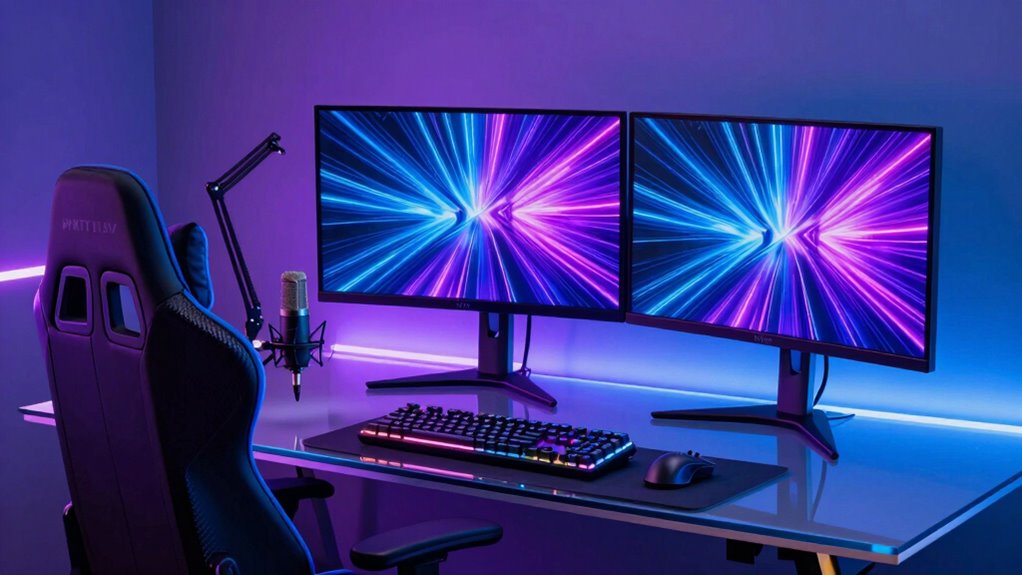
For tech creators aiming to deliver professional-quality streams, selecting a premium setup is essential. The RODE RODECaster Pro II stands out as the best overall choice, offering versatile audio production and seamless integration. The YoloLiv YoloBox Ultra shines as a top all-in-one solution, perfect for those prioritizing portability and simplicity. However, these setups often involve tradeoffs between complexity, cost, and flexibility. Continue reading to explore the full lineup and find the best fit for your streaming needs.

Get the latest gadgets delivered free with Prime
- Fast, free delivery on millions of items
- Prime Video, Amazon Music and more included
- Member-only deals all year
Complete the kit



Key Takeaways
- The best setups combine high-quality audio interfaces with versatile video switching capabilities.
- All-in-one solutions like the YoloLiv YoloBox Ultra simplify setup but may lack advanced customization.
- Premium options often involve higher initial costs but deliver superior build quality and features.
- Ease of use varies widely; beginner-friendly setups tend to sacrifice some customization and control.
- Tradeoffs between portability and expandability are central to choosing the right streaming setup.
| RODE RODECaster Pro II Podcast Production Console Bundle |  | Best Overall for Professional Podcasting and Group Content | Microphone Inputs: 4 XLR/Instrument/Wireless | Preamp Gain: 76 dB | Audio Resolution: 24-bit/48kHz | VIEW ON AMAZON | See Our Full Breakdown |
| RØDE RØDECaster Video – Professional Video Switcher and Audio Interface |  | Best for Multi-Source Video Content and Live Streaming | Video Sources: 6 (4 HDMI, 2 USB) | Scenes: 7 customizable multi-source scenes | Audio Inputs: 2 Neutrik combo jacks with Revolution Preamps | VIEW ON AMAZON | See Our Full Breakdown |
| YoloLiv YoloBox Ultra 4K Live Streaming Studio with NDI & SRT Support |  | Best for Portable, All-in-One 4K Streaming with Cellular Bonding | Resolution: 4K | Display: 8-inch touchscreen | Inputs: 4 HDMI, USB-C, USB-A | VIEW ON AMAZON | See Our Full Breakdown |
| Osee GoStream Deck All-in-One Pro Live Streaming Multi-Camera Video Mixer Switcher Recorder Player Kit with 14-Inch Monitor |  | Best Portable Multi-Camera Streaming Solution | Monitor Size: 14 inches | Resolution: 1080×1920 | HDMI Inputs: 4 | VIEW ON AMAZON | See Our Full Breakdown |
| RDECaster Pro II Solo Bundle |  | Best for Solo Creators and Streamers Seeking Professional Sound | Inputs: 4 Neutrik combo jacks | Channels: 9 (including 6 physical and 3 virtual) | Preamp Noise Level: -131.5dBV EIN | VIEW ON AMAZON | See Our Full Breakdown |
| Elgato Stream Deck MK.2 Studio Controller, 15 Macro Keys |  | Best for Custom Control and Quick Access | Dimensions: 118 x 84 x 25 mm | Weight: 145 g without stand / 270 g with stand | Keys: 15 | VIEW ON AMAZON | See Our Full Breakdown |
| RODE RODECaster Video S All-in-One Video Console with Audio Mixing and Video Control |  | Best for Integrated Video and Audio Production | Model: RCV-S | Inputs: 3 HDMI, 1 USB-C, 4 NDI | Video Resolution: up to 1080p60 | VIEW ON AMAZON | See Our Full Breakdown |
| Osee GoStream Duet Kit All-in-One Pro Live Streaming Multi-Camera Video Mixer Switcher Recorder Player with 14-Inch Monitor |  | Best for Portable Multi-Camera Streaming | Display: 14 inch 1080×1920 | Inputs: 4 HDMI/SDI | Outputs: 2 HDMI | VIEW ON AMAZON | See Our Full Breakdown |
| RØDE X Streamer X Professional Audio Interface and 4K Video Capture Card |  | Best for Compact All-in-One Capture and Audio | Channels: 4 | Connectivity: USB | Video: 4K | VIEW ON AMAZON | See Our Full Breakdown |
| Rode RODECaster Duo Integrated Audio Production Studio with NTH-100M Professional Over-Ear Headphones |  | Best for All-in-One Audio and Streaming Control | Includes: AC/DC adapter, USB-C cable, NTH-100M headphones | Headphone Driver: 40mm | Frequency Response: 5Hz-35kHz | VIEW ON AMAZON | See Our Full Breakdown |
| OBSBOT Talent 2 – Live Streaming & Production Switcher |  | Best All-in-One Portable Streaming Studio | Firmware Update Required: Yes | Video Inputs: 4× HDMI, 2× USB, 10× IP streams | Supported Protocols: NDI, SRT, RTSP, RTMP | VIEW ON AMAZON | See Our Full Breakdown |
| YoloLiv YoloBox Extreme 4K All-in-One Multi-Cam Live Streaming Equipment |  | Best for Extended Multi-Camera Productions | HDMI Inputs: 8 | HDMI Outputs: 2 assignable | Display: 11.2-inch OLED | VIEW ON AMAZON | See Our Full Breakdown |
| premium streaming setup for tech creator | Connectivity |
|---|---|
| RODE RODECaster Pro II Podcast | USB-C, Bluetooth |
| RØDE RØDECaster Video | — |
| YoloLiv YoloBox Ultra 4K Live | — |
| Osee GoStream Deck All-in-One | — |
| RDECaster Pro II Solo Bundle | Bluetooth, dual USB-C, Wi-Fi, Ethernet |
| Elgato Stream Deck MK.2 Studio | — |
| RODE RODECaster Video S All-in | Wi Fi 6, Ethernet, USB |
| Osee GoStream Duet Kit All-in- | — |
| RØDE X Streamer X Professional | USB |
| Rode RODECaster Duo Integrated | XLR, 1/4", 3.5mm TRRS |
| OBSBOT Talent 2 | 2.5G Ethernet, 5G ready, built-in 5G SIM slot, four antenna ports |
| YoloLiv YoloBox Extreme 4K All | — |
More Details on Our Top Picks
RODE RODECaster Pro II Podcast Production Console Bundle
This all-in-one bundle stands out for its comprehensive features tailored to high-quality podcast production, combining multiple microphone and headphone connections with studio-grade preamps and effects. Compared with the RØDECaster Video, it offers a more dedicated audio-focused experience without video switching, making it ideal for creators who prioritize sound clarity and control. Its user-friendly touchscreen and customizable sound pads facilitate live editing, but the setup can be overwhelming for beginners due to its extensive options. The bundle’s professional preamps and multi-channel inputs support group recordings, making it perfect for collaborative projects. However, its larger size and number of accessories might be less suited for tight spaces or mobile setups.
Pros:- Studio-quality sound with professional preamps and effects
- Multiple microphone and headphone connections for group recordings
- Intuitive touchscreen and customizable sound pads for live control
Cons:- Can be complex for users unfamiliar with audio equipment
- Bulkier setup due to multiple accessories and components
Best for: Professional podcasters or content creators needing a versatile, studio-quality audio console with group recording capabilities
Not ideal for: Casual streamers or solo creators who seek a simpler, more compact setup without extensive controls
- Microphone Inputs:4 XLR/Instrument/Wireless
- Preamp Gain:76 dB
- Audio Resolution:24-bit/48kHz
- Headphone Outputs:4
- MicroSD Card Support:Yes
- Connectivity:USB-C, Bluetooth
Our verdict“This bundle suits creators who require a comprehensive, professional-grade audio setup for high-quality live and recorded content.”
RØDE RØDECaster Video – Professional Video Switcher and Audio Interface
This device excels in handling multi-source video production with its built-in switcher, supporting up to six video inputs and seven customizable scenes, making it ideal for creators who incorporate live video switching into their streams. Unlike the RODE RODECaster Pro II, which focuses solely on audio, the RØDECaster Video integrates video and audio, providing a more comprehensive production tool. The studio-grade audio inputs ensure sound quality matches its video capabilities, and features like media playback, graphic overlays, and chroma keying enhance presentation. The complex setup may challenge less technical users, and the high cost can be a barrier for casual creators. Its limited info on device compatibility requires consideration for integration into existing workflows.
Pros:- Supports multiple video sources and customizable scenes
- Studio-quality audio inputs for clear sound
- Built-in streaming and recording features streamline production
Cons:- Setup complexity may require technical expertise
- Potentially high cost for casual users
Best for: Content creators producing multi-camera live streams or professional video podcasts requiring flexible scene switching
Not ideal for: Solo creators or those unfamiliar with video production who prefer straightforward audio-only setups
- Video Sources:6 (4 HDMI, 2 USB)
- Scenes:7 customizable multi-source scenes
- Audio Inputs:2 Neutrik combo jacks with Revolution Preamps
- Media Playback:Yes
- Chroma Keying:Yes
- Streaming:Wi-Fi, Ethernet, USB
Our verdict“This switcher is ideal for creators who need advanced multi-camera video capabilities combined with professional audio in a single device.”
YoloLiv YoloBox Ultra 4K Live Streaming Studio with NDI & SRT Support
This compact device consolidates a switcher, encoder, recorder, and monitor into a portable 8-inch touchscreen, supporting 4K resolution and multiple HDMI inputs. Compared with the larger, more specialized setups like the RODE RODECaster Pro II, the YoloBox Ultra offers a simplified, mobile streaming option that’s perfect for on-the-go creators. Its cellular bonding feature provides a reliable live stream even in challenging network conditions, making it especially appealing for outdoor or remote broadcasts. The device’s all-in-one design reduces clutter but may lack the depth of control and expansion options found in dedicated production consoles. Its price isn’t specified, but additional charges may apply for advanced features like NDI/SRT.
Pros:- All-in-one device with switcher, encoder, recorder, and monitor
- Supports multi-platform horizontal and vertical streaming
- Cellular bonding for stable broadcasts in challenging environments
Cons:- Additional charges may apply for NDI/SRT features
- Battery recovery process can be complex
Best for: Content creators needing a portable, all-in-one 4K live streaming solution with reliable connectivity
Not ideal for: Studio-bound creators who prefer dedicated hardware with broader customization options
- Resolution:4K
- Display:8-inch touchscreen
- Inputs:4 HDMI, USB-C, USB-A
- Network Support:Cellular bonding, Wi-Fi, Ethernet
- Recording:ISO recordings
- Streaming Platforms:YouTube, Facebook, TikTok, Instagram, RTMP
Our verdict“This device is best suited for creators who require a portable, reliable 4K live streaming tool with integrated cellular bonding.”
Osee GoStream Deck All-in-One Pro Live Streaming Multi-Camera Video Mixer Switcher Recorder Player Kit with 14-Inch Monitor
The GoStream Deck Kit offers a portable approach with a 14-inch monitor, multiple HDMI and USB ports, and a multi-camera mixer, making it well-suited for mobile and event-based streaming. Its compact design contrasts with bulkier setups like the RODE RODECaster Pro II or the YoloLiv YoloBox Ultra, but this comes with a tradeoff in software complexity — setup and operation can demand technical skill. While the robust connection options enable flexible configurations, limited info on software compatibility could be a concern for seamless integration. Its lightweight build makes it ideal for creators who need mobility but may lack extensive onboard features for advanced production workflows.
Pros:- Portable and lightweight for mobile use
- Multiple HDMI and USB ports for versatile connections
- Flexible power options including USB power bank
Cons:- Setup complexity may be challenging without technical knowledge
- Limited information on software and workflow integration
Best for: Mobile streamers and event broadcasters seeking a lightweight, multi-camera switching setup
Not ideal for: Creators who prefer a fully integrated, all-in-one device with minimal setup or who need extensive editing features
- Monitor Size:14 inches
- Resolution:1080×1920
- HDMI Inputs:4
- HDMI Outputs:2
- USB Ports:2
- Power Options:AC, DC, USB power bank
Our verdict“This kit is tailored for creators who prioritize mobility and multi-camera capabilities in a lightweight, portable form.”
RDECaster Pro II Solo Bundle
The RØDECaster Pro II Solo Bundle offers a streamlined, all-in-one recording and streaming solution with four high-quality combo inputs, studio-grade processing, and included professional headphones, microphone, and arm. Unlike the multi-channel RODE RODECaster Pro II, this version simplifies the interface for solo creators, making it accessible without sacrificing sound quality. Its studio-grade preamps and processing ensure broadcast-level audio, while the included accessories provide a ready-to-go setup. However, the system’s complexity can still challenge beginners, and the premium bundle’s price might deter casual users. It’s less flexible for multi-user sessions compared to larger, more expandable consoles.
Pros:- High-quality studio-grade audio with professional preamps
- Includes complete accessories for immediate use
- Multiple connectivity options including Bluetooth and Wi-Fi
Cons:- Setup may be challenging for beginners
- High price point for casual users
Best for: Solo podcasters and streamers who want a professional-grade, all-in-one audio setup without extensive expansion needs
Not ideal for: Teams or groups requiring multiple microphone channels and advanced multi-user features
- Inputs:4 Neutrik combo jacks
- Channels:9 (including 6 physical and 3 virtual)
- Preamp Noise Level:-131.5dBV EIN
- Gain:76dB
- Connectivity:Bluetooth, dual USB-C, Wi-Fi, Ethernet
- Processing:Studio-grade APHEX audio processing
Our verdict“This bundle is ideal for solo content creators who need professional audio with a straightforward, all-in-one setup.”
Elgato Stream Deck MK.2 Studio Controller, 15 Macro Keys
This compact controller is ideal for streamers and creators who want to streamline their workflow with quick, customizable controls. Its 15 LCD keys support a wide range of plugins, allowing for instant launching of scenes, lighting adjustments, or social media posts—making it a versatile hub for managing live streams. Compared with larger control surfaces like the RODE RODECaster Duo, the Stream Deck MK.2 offers a more tactile, dedicated interface without integrated audio, which means you’ll need additional equipment for sound. Its main tradeoff is reliance on a USB-C connection, which might require adapters for some setups, and it’s limited to Windows and macOS. For creators prioritizing rapid control customization in a portable form, this makes an excellent choice.
Pros:- Highly customizable LCD keys for tailored workflows
- Supports extensive plugins and integrations
- Compact and portable design for mobile setups
Cons:- Requires USB-C connection, possibly needing adapters
- Limited to macOS and Windows, no wireless option
Best for: Tech creators who need fast, customizable macro controls for live management of scenes, lighting, and social media
Not ideal for: Streamers seeking integrated audio and video controls—this device is focused on macro command execution, not media mixing
- Dimensions:118 x 84 x 25 mm
- Weight:145 g without stand / 270 g with stand
- Keys:15
- Interface:USB 2.0
- System Requirements:macOS 10.15+ / Windows 10 (64-bit)
- Connectivity Technology:USB-C
- Color:Black
Our verdict“This controller suits creators who want quick access to commands and scene controls without the complexity of full audio/video mixing.”
RODE RODECaster Video S All-in-One Video Console with Audio Mixing and Video Control
The RODE RODECaster Video S stands out for its integrated approach to audio and video, making it ideal for creators who want a streamlined, all-in-one setup. Its touchscreen interface simplifies live switching between multiple HDMI and NDI sources, with professional-grade audio preamps and effects comparable to the RØDE RØDECaster Duo. While the Duo emphasizes audio production, the Video S combines that with video control, making it more suitable for creators who need both in a single device. However, its setup can be complex for newcomers, and it’s limited to 1080p60 streaming, which might be a constraint for higher-resolution demands. This makes it best suited for creators prioritizing a unified control surface with professional quality.
Pros:- All-in-one solution with integrated audio and video controls
- Supports multiple video sources and high-quality audio
- User-friendly touchscreen with remote app support
Cons:- Complex setup requires familiarity with live production
- Limited to 1080p60 resolution
Best for: Podcasters and streamers who need seamless audio and video switching in a compact, professional device
Not ideal for: Creators focusing solely on audio or those requiring higher than 1080p resolution for streaming or recording
- Model:RCV-S
- Inputs:3 HDMI, 1 USB-C, 4 NDI
- Video Resolution:up to 1080p60
- Audio Inputs:XLR, quarter inch, phantom power
- Connectivity:Wi Fi 6, Ethernet, USB
- Media Storage:Internal and USB media
Our verdict“Ideal for creators seeking a professional, unified device that combines video switching and high-quality audio in one platform.”
Osee GoStream Duet Kit All-in-One Pro Live Streaming Multi-Camera Video Mixer Switcher Recorder Player with 14-Inch Monitor
The Osee GoStream Duet Kit is designed for creators who need mobility combined with multi-camera streaming capabilities. Its 14-inch Full HD display allows for easy multi-source management, and the multiple HDMI/SDI inputs support complex setups in a portable package. Compared with bulkier solutions like the RODE RODECaster Duo, the Duet Kit prioritizes mobility, but its weight of 5kg and somewhat technical setup may deter less experienced users. Its support for various power options, including USB power banks, makes it versatile for on-the-go streaming. This kit is best for mobile creators or event streamers who need a flexible, multi-camera solution in a portable form factor.
Pros:- Portable and lightweight for mobile streaming
- Multiple HDMI/SDI inputs for complex setups
- Flexible power options, including USB power bank
Cons:- Heavy (5kg), which could be cumbersome for some
- Setup complexity requiring technical knowledge
Best for: Event streamers or mobile content creators needing multi-camera setups on the go
Not ideal for: Stationary creators who prefer simpler, desk-based setups or those with limited technical expertise
- Display:14 inch 1080×1920
- Inputs:4 HDMI/SDI
- Outputs:2 HDMI
- USB Ports:2
- Weight:5 kg
- Power Options:AC, DC, USB power bank
Our verdict“This kit offers excellent multi-camera flexibility for creators needing mobility, with some tradeoffs in weight and setup complexity.”
RØDE X Streamer X Professional Audio Interface and 4K Video Capture Card
The RØDE X Streamer X combines professional-grade audio and high-quality 4K video capture in a single, compact device. Its dual functionality streamlines a creator’s setup, especially when paired with a separate video switcher like the YoloLiv YoloBox. Compared to the RODECaster Duo, which emphasizes audio production, the X Streamer X extends this capability into high-res video recording, making it suitable for creators who need both without extra hardware. Its limited info on software updates and potential complexity for newcomers can be drawbacks, but for those comfortable with multi-device configurations, it offers a versatile solution in a small footprint.
Pros:- Combines audio interface and 4K video capture in a small form
- Supports real-time monitoring and dual computer connection
- High-quality Neutrik combo inputs for professional audio
Cons:- Limited info on software update support
- Complex for users unfamiliar with streaming hardware
Best for: Content creators needing a compact device for high-quality audio and 4K video recording, especially those with dual-computer workflows
Not ideal for: Beginners who prefer all-in-one devices with simple interfaces or creators needing higher than 4K resolution
- Channels:4
- Connectivity:USB
- Video:4K
- Audio Input:XLR
- Weight:380 g
Our verdict“A solid pick for creators who want a compact, high-quality audio and video solution suitable for professional streaming setups.”
Rode RODECaster Duo Integrated Audio Production Studio with NTH-100M Professional Over-Ear Headphones
The Rode RODECaster Duo delivers a comprehensive audio production environment tailored for streamers who also want video capabilities. Its high-quality inputs, customizable smart pads, and support for dual computers make it a flexible, all-in-one solution. The included NTH-100M headphones provide excellent sound clarity and comfort, ideal for long recording sessions. Compared with standalone audio interfaces like the RODECaster Pro II, the Duo combines mixing, control, and headphone monitoring in a single device, simplifying setup for multi-source streams. Yet, its setup complexity and lack of detailed compatibility info may pose challenges for less experienced users. This unit is best for creators seeking a versatile, integrated audio studio with some video support.
Pros:- Versatile audio and video streaming capabilities
- Smart pads for quick control and customization
- Comfortable, high-quality headphones included
Cons:- Setup can be complex for beginners
- Limited details on compatibility with non-Rode microphones
Best for: Streamers and content creators who want a versatile, all-in-one audio production studio with high-quality headphones
Not ideal for: Creators who need advanced video switching or higher resolution streaming without additional hardware
- Includes:AC/DC adapter, USB-C cable, NTH-100M headphones
- Headphone Driver:40mm
- Frequency Response:5Hz-35kHz
- Connectivity:XLR, 1/4″, 3.5mm TRRS
- Features:VRR, 4K30/60 pass-through, Revolution Preamp
Our verdict“This studio suits creators who need a flexible, integrated audio solution with decent video support and premium headphones.”
OBSBOT Talent 2 – Live Streaming & Production Switcher
The OBSBOT Talent 2 stands out for its self-contained design, combining switching, recording, and streaming in a single device. Compared to the YoloLiv YoloBox Extreme, it offers more advanced AI tracking and camera control, making it highly suitable for mobile or professional setups that require multi-camera management without a PC. However, its reliance on firmware updates and the absence of included batteries can be hurdles for quick deployment. This device excels for creators who need a versatile, compact solution that supports multiple input types and high-quality 4K streaming, but its complexity might challenge newcomers or casual streamers.
Pros:- All-in-one device combining switching, recording, and streaming
- Supports multiple input sources including HDMI, USB, and IP streams
- High-quality 4K@60FPS output with AI tracking and camera control
- Built-in app store for direct app usage without a PC
Cons:- Batteries are not included, requiring additional purchase
- Firmware update needed for optimal performance
- May be too complex for users new to multi-camera setups
Best for: Professional mobile streamers or content creators who need a portable, all-in-one device with AI tracking and multi-input support
Not ideal for: Beginners or casual streamers who prefer plug-and-play simplicity over advanced features and setup complexity
- Firmware Update Required:Yes
- Video Inputs:4× HDMI, 2× USB, 10× IP streams
- Supported Protocols:NDI, SRT, RTSP, RTMP
- Maximum Resolution:4K@60FPS
- Display:7-inch AMOLED touchscreen
- Connectivity:2.5G Ethernet, 5G ready, built-in 5G SIM slot, four antenna ports
Our verdict“This pick is ideal for professional creators seeking a portable, feature-rich studio without a PC dependency, but beginners should consider simpler options.”
YoloLiv YoloBox Extreme 4K All-in-One Multi-Cam Live Streaming Equipment
The YoloLiv YoloBox Extreme is designed for high-end, multi-camera live streaming, offering 8 HDMI inputs with 4K60 scaling and a vivid 11.2-inch OLED touchscreen. Its support for wireless NDI HX workflows offers unparalleled flexibility compared to the OBSBOT Talent 2, which relies solely on wired inputs. While setup can be complex and may require technical expertise, this device provides extended battery life and seamless multi-camera switching suitable for long-form productions. It’s perfect for professional content creators who need robust, real-time multi-camera management and extended operation, but it may overwhelm beginners or those with simpler needs.
Pros:- High-quality 4K multi-camera switching with 8 HDMI inputs
- Vivid 11.2-inch OLED touchscreen with fast responsiveness
- Supports wireless NDI HX workflows for flexible setups
- Long-lasting 10-hour battery for all-day production
Cons:- Setup can be complex, requiring technical knowledge
- Premium price may be prohibitive for casual users
- Designed mainly for professional environments, less suited for basic streaming
Best for: Experienced live streamers and production teams managing multi-camera setups for extended broadcasts or events
Not ideal for: Casual content creators or solo streamers who prioritize simplicity and ease of use over extensive input options
- HDMI Inputs:8
- HDMI Outputs:2 assignable
- Display:11.2-inch OLED
- Touchscreen Resolution:2.5K
- Brightness:up to 1,000 nits
- ISO Recording:up to 4K30 or 1080p60
Our verdict“This device shines for advanced creators needing extensive multi-camera control and long operational hours, though it demands technical skill and investment.”

How We Picked
We evaluated each product based on performance, build quality, usability, and value for a premium streaming setup. Our focus was on equipment that delivers professional audio and video quality, as well as flexibility for different streaming scenarios. We also considered ease of setup, future expandability, and how well each product integrates into a cohesive system. Products were ranked by how effectively they meet the needs of tech creators seeking a high-end, reliable streaming environment, balancing features against complexity and cost.Factors to Consider When Choosing Premium Streaming Setup For Tech Creators
Choosing the right premium streaming setup involves balancing multiple factors. First, consider the audio quality—professional-grade audio interfaces and mixers significantly improve sound clarity and control. Next, evaluate your video needs—do you require multi-camera switching, or will a simple all-in-one device suffice? Usability is also key; a setup should streamline your workflow without adding unnecessary complexity. Compatibility with your existing equipment and future expandability should influence your choice, especially for long-term investments. Lastly, don’t overlook budget constraints, ensuring the setup aligns with your production goals without overspending on features you won’t use.Audio Quality and Interface
High-quality audio is the backbone of a professional streaming setup. Investing in a robust audio interface or mixer, like the RODE RODECaster Pro II, can dramatically improve sound clarity and provide advanced controls. Cheaper options may compromise on audio fidelity or lack features like multi-channel mixing, which are vital for professional streams. It’s worth considering future needs—will you expand your audio setup later? Prioritize devices that offer clear, low-latency audio and reliable connectivity to avoid frustrations during live sessions.
Video Switching and Capture Capabilities
If multi-camera setups are part of your streaming plan, look for equipment that offers seamless switching and high-quality capture. Devices like the Osee GoStream Duet Kit or YoloLiv YoloBox Ultra provide integrated switching, simplifying your workflow. However, dedicated switchers often offer more customization and better performance for complex productions. Balance your need for advanced video features against ease of use—overly complicated systems can hinder your productivity if you’re not experienced with live production tools.
Ease of Use and Workflow
A setup that’s overly complex can slow down your streaming, especially if you’re balancing live interactions and content creation. Devices with intuitive interfaces and straightforward controls, like the Elgato Stream Deck MK.2, help automate tasks and reduce setup time. Conversely, some premium hardware requires extensive configuration, which may be daunting for beginners or those with limited technical skills. Consider your comfort level with advanced tools and whether you prefer plug-and-play solutions or are willing to invest time in mastering complex systems.
Compatibility and Expandability
Ensure all components—audio, video, and control devices—are compatible and can integrate smoothly. For future growth, choose equipment that supports additional inputs or outputs, or that can connect to other streaming tools. For example, premium interfaces like the RØDE X Streamer X support multiple high-quality connections, allowing for expansion as your production demands grow. Ignoring compatibility can lead to costly bottlenecks or the need for costly upgrades later.
Budget and Long-term Value
While investing in premium gear can seem costly upfront, it often leads to better durability, reliability, and quality. Consider your long-term needs—spending more on a versatile setup today might save money down the line by reducing the need for frequent replacements. Be cautious of over-investing in features you won’t use; a balanced approach ensures you get a setup that meets your current and future streaming ambitions without unnecessary expense. Prioritize equipment that offers good support and warranty options, adding to its overall value.
Frequently Asked Questions
Do I need a dedicated audio mixer for my streaming setup?
Having a dedicated audio mixer can significantly improve your sound quality and give you greater control over multiple audio sources. It is especially useful if you frequently use external microphones, music, or sound effects during your streams. However, for simpler setups or beginners, a high-quality USB interface might suffice. The decision depends on your production complexity and whether you value professional audio features or prefer a more straightforward approach.
Can I upgrade my streaming setup later without replacing everything?
Yes, most premium systems are designed with expandability in mind. Many devices support additional inputs, outputs, or integration with other hardware, allowing you to scale your setup over time. For example, starting with a high-quality audio interface and adding a video switcher later can be a practical approach. Planning for future upgrades ensures you don’t need to replace entire systems, saving money and reducing downtime.
Is portability important for a premium streaming setup?
Portability can be a deciding factor if you plan to stream from multiple locations or travel frequently. Compact all-in-one solutions like the YoloLiv YoloBox Ultra excel in portability, offering a powerful yet lightweight setup. However, portable systems might sacrifice some customization and expandability compared to larger, more complex setups. Consider your primary use case—if mobility is vital, prioritize lightweight, integrated options.
How much should I budget for a premium streaming setup?
Budgeting for a premium setup depends on your specific needs and the quality level you desire. While high-end equipment can be costly upfront, it often provides better durability, reliability, and professional results. Generally, allocating a few thousand dollars can secure a comprehensive, high-quality system. Remember to consider ongoing costs such as accessories, upgrades, and support, which can enhance your overall experience and longevity of the setup.
What are common mistakes to avoid when building a premium streaming setup?
One common mistake is underestimating the importance of compatibility, which can lead to connectivity issues and frustration. Overbuying features you won’t use is another pitfall, as it inflates costs without adding value. Additionally, neglecting proper cable management and testing your setup before live sessions can cause technical disruptions. Focusing on a balanced system that matches your current needs while allowing for future growth helps avoid costly upgrades or replacements later.
Conclusion
The best overall choice for most tech creators is the RODE RODECaster Pro II, thanks to its comprehensive audio and mixing features. For those prioritizing simplicity and portability, the YoloLiv YoloBox Ultra makes an excellent all-in-one selection. If budget is a key concern, opting for a high-quality interface combined with a versatile video switcher offers great value. Beginners should focus on user-friendly, integrated solutions, while experienced creators may prefer customizable, expandable systems. Ultimately, your ideal setup hinges on your specific production needs, budget, and future growth plans—choose accordingly to elevate your streaming quality in 2026.
Halloween Picks

JOYIN 5-Foot Halloween Animatronic Drinking Skeleton

Panefright Halloween Window Projector – Scary Projector for Spooky Decor

10ft Halloween Inflatable Archway – Pumpkin Skeleton Yard Décor
As an affiliate, we earn on qualifying purchases.