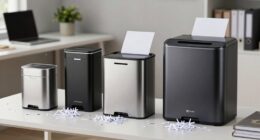
If you’re looking for the best receipt scanners for business records in 2026, I recommend considering portable options like the Epson WorkForce ES-50, which offers quick, one-touch scans and works with both PCs and Macs. The Epson RR-600W provides wireless connection and high-speed batch scanning. For professional-quality detail, the CZUR Shine Ultra Pro shines with its high-resolution camera. The Canon R40 and Epson RR-60 also excel with user-friendly features and rapid processing. Keep exploring; you’ll find the perfect fit for your needs.
Key Takeaways
- High-speed duplex scanning and large auto feeders for efficient handling of bulk receipts and documents.
- Compatibility with Windows and Mac systems ensures versatile integration across different workflows.
- Compact, portable designs, including USB-powered models, ideal for mobile professionals and remote work.
- Advanced AI and software features for organized digital records, searchable files, and detailed data extraction.
- User-friendly interfaces and automatic document feeders simplify operation and reduce manual effort.
| Epson WorkForce ES-50 Portable Sheet-Fed Document Scanner for PC and Mac |  | Portable Powerhouse | Document Size Support: Up to 8.5 x 72 inches | Connectivity: USB | Software Features: Epson ScanSmart, Nuance OCR | VIEW LATEST PRICE | See Our Full Breakdown |
| Epson RapidReceipt RR-60 Mobile Document Scanner |  | Smart Organization | Document Size Support: Up to 8.5 x 72 inches | Connectivity: USB, PC, Mac, mobile app, cloud | Software Features: ScanSmart AI PRO, software for PDF/editing, cloud | VIEW LATEST PRICE | See Our Full Breakdown |
| Epson RR-600W Wireless Color Document Scanner |  | High-Speed Efficiency | Document Size Support: Not specified, but supports two-sided documents | Connectivity: Wireless, PC, Mac | Software Features: ScanSmart AI PRO, software for data extraction | VIEW LATEST PRICE | See Our Full Breakdown |
| Canon imageFORMULA R40 Document Scanner with Auto Feeder |  | Office Ready | Document Size Support: Not specified, supports various sizes including receipts and invoices | Connectivity: USB, PC, Mac | Software Features: CaptureOnTouch, QuickBooks plugin | VIEW LATEST PRICE | See Our Full Breakdown |
| CZUR Shine Ultra Pro 24MP Document Scanner | 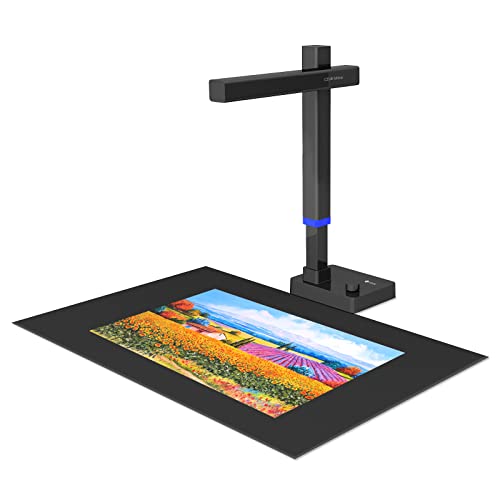 | Professional Precision | Document Size Support: Not specified, but capable of scanning books and documents | Connectivity: USB, compatible with conferencing tools | Software Features: Compatible with scanning/conference software, auto-flattening | VIEW LATEST PRICE | See Our Full Breakdown |
More Details on Our Top Picks
-
Epson RapidReceipt RR-60 Mobile Tax Receipt and Color Document Scanner with Complimentary Data Management Software for PC & Mac
ScanSmart AI PRO Technology — Intelligently convert and extract scanned information into smart digital data – making your...
As an affiliate, we earn on qualifying purchases.
Epson WorkForce ES-50 Portable Sheet-Fed Document Scanner for PC and Mac
If you’re always on the move and need a reliable scanner that can keep up with your busy schedule, the Epson WorkForce ES-50 is an excellent choice. Its compact, lightweight design makes it perfect for on-the-go scanning, fitting easily into a bag. It’s USB-powered, so there’s no need for batteries or external power sources. It can handle extra-long pages, ID cards, and receipts effortlessly. With a fast scan time of about 5.5 seconds per page and automatic feeding for multi-page documents, it’s efficient for busy professionals. Plus, its compatibility with Windows and Mac guarantees seamless integration into your workflow.
- Document Size Support:Up to 8.5 x 72 inches
- Connectivity:USB
- Software Features:Epson ScanSmart, Nuance OCR
- Speed:About 5.5 seconds per page
- Document Handling:Single/Multiple pages, ID cards, receipts
- Portability:Compact, lightweight, USB-powered
- Additional Feature:Compact and lightweight design
- Additional Feature:USB-powered operation
- Additional Feature:Accommodates extra-long pages
-
Epson RapidReceipt RR-600W Wireless Desktop Color 2-Sided Document & Tax Receipt Scanner with ScanSmart AI PRO Data Management Software for PC & Mac Touchscreen & 100-Page Auto Document Feeder
ScanSmart AI PRO Technology — Intelligently convert and extract scanned information into smart digital data – making your...
As an affiliate, we earn on qualifying purchases.
Epson RapidReceipt RR-60 Mobile Document Scanner
The Epson RapidReceipt RR-60 Mobile Document Scanner stands out for business owners who need fast, portable scanning on the go. Its advanced features include ScanSmart AI PRO Technology, which converts scans into AI-ready digital formats, and HyperClear Technology for high-resolution, auto-cropped images. It can scan up to 10 pages per minute and handles a variety of documents, from receipts to long pages up to 8.5 x 72 inches. Its compact, lightweight design makes it perfect for mobile use, and it easily connects to cloud services like Dropbox and Google Drive. With free software for PDF editing and seamless data export to financial apps, it’s a versatile, efficient choice.
- Document Size Support:Up to 8.5 x 72 inches
- Connectivity:USB, PC, Mac, mobile app, cloud
- Software Features:ScanSmart AI PRO, software for PDF/editing, cloud
- Speed:Up to 10 pages per minute
- Document Handling:Receipts, invoices, long pages
- Portability:Small, under 10 ounces, portable
- Additional Feature:ScanSmart AI PRO Technology
- Additional Feature:Automatic file naming
- Additional Feature:Export to financial software
-
Canon imageFORMULA R40 Office Document Scanner Receipt Edition, for PC and Mac, Scan & Extract Data to QuickBooks Online, Color Duplex Scanning, Auto Document Feeder, Easy Setup for Office Or Home Use
Utilize the included software to quickly scan batches of receipts and invoices to extract contents such as payee,...
As an affiliate, we earn on qualifying purchases.
Epson RR-600W Wireless Color Document Scanner
The Epson RR-600W Wireless Color Document Scanner stands out for its advanced scanning technology, making it an excellent choice for businesses that need efficient, high-quality document management. Its ScanSmart AI PRO technology intelligently converts receipts and invoices into organized digital data, seamlessly integrating with financial software like QuickBooks and TurboTax. With duplex scanning at up to 35 pages per minute and a 100-page auto feeder with TrueFeed technology, it handles large stacks effortlessly. The user-friendly 4.3-inch color touchscreen simplifies operation, enabling direct scanning to email, cloud, or USB. Wireless connectivity and versatile document handling make the RR-600W a reliable, high-volume scanning solution.
- Document Size Support:Not specified, but supports two-sided documents
- Connectivity:Wireless, PC, Mac
- Software Features:ScanSmart AI PRO, software for data extraction
- Speed:Up to 35 pages per minute
- Document Handling:Two-sided, stapled/staple-free stacks
- Portability:Desktop, larger with auto feeder
- Additional Feature:Wireless connectivity
- Additional Feature:4.3-inch color touchscreen
- Additional Feature:Duplex scanning speeds
Canon imageFORMULA R40 Document Scanner with Auto Feeder
Designed for busy offices and home setups, the Canon imageFORMULA R40 Document Scanner with Auto Feeder stands out with its ability to quickly process large batches of receipts and invoices. It uses included software to swiftly scan and extract details like payee, amount, and date, then uploads this data directly to QuickBooks Online or other cloud services. Supporting various document sizes and types, it creates keyword-searchable files for easy organization. Its single-button operation simplifies use, while the fast scan speed of up to 40 pages per minute boosts productivity. With color duplex scanning and an auto document feeder, it’s a reliable, efficient choice for managing business records.
- Document Size Support:Not specified, supports various sizes including receipts and invoices
- Connectivity:USB, PC, Mac
- Software Features:CaptureOnTouch, QuickBooks plugin
- Speed:Up to 40 pages per minute
- Document Handling:Batch receipt/invoice scanning
- Portability:Desktop, auto feeder
- Additional Feature:Batch scanning with auto feeder
- Additional Feature:Quick data extraction
- Additional Feature:Easy setup for office/home
CZUR Shine Ultra Pro 24MP Document Scanner
If you need a high-quality scanner that can handle detailed documents and images with precision, the CZUR Shine Ultra Pro 24MP Document Scanner is an excellent choice. It offers compatibility with Windows and macOS, making it versatile for various devices. Its 24MP auto-focus camera captures crisp images at resolutions up to 5696×4272 pixels, supporting DPI up to 440 for A4 and 320 for A3 sizes. The scanner flattens curved pages and handles different materials well. Compact and lightweight, it’s portable with a foldable hinge and adjustable height, perfect for remote work, digitizing documents, or professional use.
- Document Size Support:Not specified, but capable of scanning books and documents
- Connectivity:USB, compatible with conferencing tools
- Software Features:Compatible with scanning/conference software, auto-flattening
- Speed:Not specified, but supports rapid scanning
- Document Handling:Flat materials, books, documents
- Portability:Portable, foldable, lightweight
- Additional Feature:24MP high-resolution camera
- Additional Feature:Compatible with conferencing tools
- Additional Feature:Supports auto-focus and flattening
Factors to Consider When Choosing a Receipt Scanner for Business Records
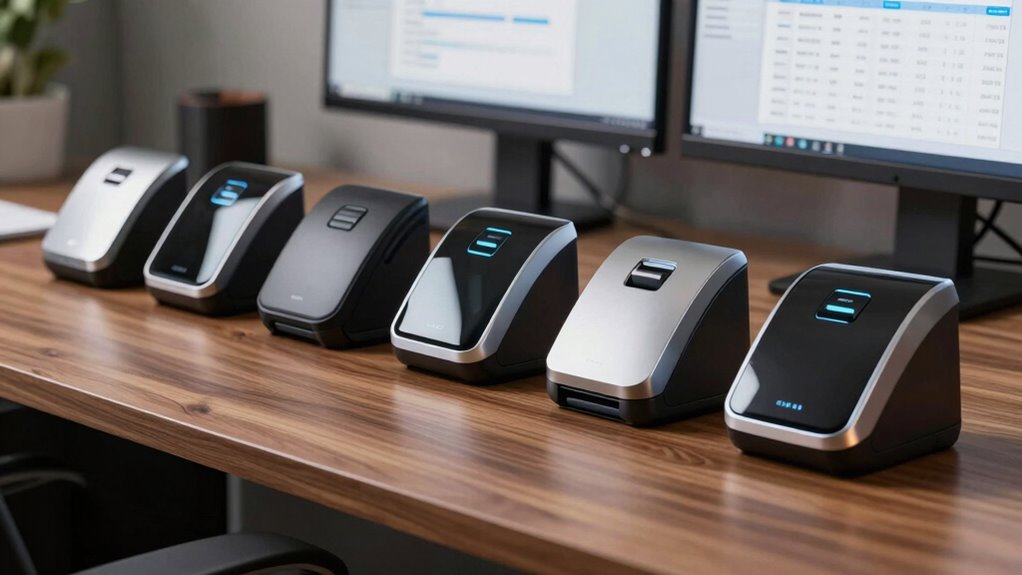
When selecting a receipt scanner for your business, I recommend considering compatibility with your devices and how quickly it can scan documents to keep things efficient. You’ll also want to look at its document handling capabilities, software integration, and how portable and easy it is to use. These factors guarantee you choose a scanner that fits your workflow and saves you time.
Compatibility With Devices
Ever wonder if your receipt scanner will play nicely with your devices? Compatibility is key when choosing the right scanner. First, check that it works with your computer’s operating system—Windows, Mac, or both. Then, consider connectivity options like USB, Wi-Fi, or cloud sync, so you can easily link your scanner to multiple devices. If you often scan on the go, make sure it supports mobile devices or tablets. Also, verify that the scanner’s software integrates smoothly with your existing document management or accounting applications. Finally, if you need features like OCR or AI data extraction, confirm the system requirements are met. Ensuring compatibility saves you time and frustration, making your record-keeping seamless and efficient.
Scanning Speed Efficiency
Choosing a receipt scanner that operates quickly can considerably boost your workflow. Faster scanning speeds mean you can process more receipts in less time, which is vital during busy periods. High-speed scanners can handle multiple pages per minute, reducing wait times and keeping your record-keeping on track. When your scanner captures data efficiently, it helps prevent bottlenecks in your document management workflow, ensuring smoother operations. This directly impacts productivity, especially if you handle large volumes of receipts regularly. An ideal scanning speed allows for timely organization, reducing the backlog of unprocessed documents. By selecting a scanner with the right speed, you’ll streamline your process, save time, and maintain a more efficient business record system.
Document Handling Capabilities
Have you considered whether your receipt scanner can handle the various sizes and types of documents your business processes daily? It’s vital that it can manage everything from small receipts to large invoices, like those up to 8.5 by 72 inches. Look for automatic document feeding features to quickly scan multiple items at once, saving you time. Support for different materials, such as ID cards, photos, or stapled stacks, ensures versatility for all your data formats. Additionally, a scanner that produces searchable and editable digital files makes organizing and retrieving records easier. Reliable paper protection features, like skew and staple guards, are essential to prevent jams and damage during high-volume scanning. These capabilities help streamline your workflow while maintaining accuracy and efficiency.
Software Integration Features
When selecting a receipt scanner for your business, software integration features play a crucial role in ensuring smooth workflows. These features determine how easily your scanner connects to accounting, storage, and productivity apps. Compatibility with popular software like QuickBooks and TurboTax allows for automatic data transfer, saving time and reducing errors. Support for cloud services such as Google Drive, Dropbox, or OneDrive lets you save and share receipts directly, streamlining record-keeping. Scanners with TWAIN or ISIS drivers ensure seamless integration with various document management systems. Additionally, advanced features like OCR (Optical Character Recognition) improve data extraction accuracy, making it easier to organize and analyze your records. Prioritizing these software integration capabilities can profoundly boost your business’s efficiency.
Portability and Ease
Ever wondered how to find a receipt scanner that fits seamlessly into your busy workflow? The key is choosing a portable, lightweight device that’s easy to carry and quick to use. Look for scanners with one-touch operation—these make scanning straightforward and save time. USB-powered models are ideal for on-the-go use since they don’t require external power sources, boosting convenience. Automatic document feeders are a big plus, allowing you to handle multiple receipts without constant manual intervention. Compatibility is also essential; verify the scanner works with both Windows and Mac systems so it can integrate smoothly into your existing setup. Ultimately, a compact, user-friendly scanner helps you stay organized and efficient, whether you’re in the office, on the road, or at a client site.
Frequently Asked Questions
What Is the Average Scanning Speed of These Receipt Scanners?
The average scanning speed of these receipt scanners typically ranges from 20 to 40 pages per minute. I’ve found that models with higher speeds help me process receipts quickly, especially when managing large volumes. Keep in mind, some scanners might be faster for single-sided scans but slower for duplex scans. Ultimately, choosing a scanner with a good balance of speed and accuracy helps me stay efficient in my record-keeping.
Do These Scanners Support Cloud Storage Integration?
Absolutely, these scanners seamlessly dance with cloud storage platforms like Dropbox, Google Drive, and OneDrive. I love how they effortlessly whisk your receipts into the digital sky, making organization a breeze. It’s like having a virtual filing cabinet that’s always open and ready. With this integration, I can access my records anytime, anywhere, turning chaos into clarity—saving me from the headache of lost papers and clutter.
Are There Any Compatibility Issues With Specific Accounting Software?
I’ve found that most receipt scanners today are compatible with popular accounting software, but some may have issues with niche or outdated programs. I recommend checking the scanner’s specifications and software support list before purchasing. In my experience, scanners that offer direct integration with cloud-based platforms tend to work smoothly with a wide range of accounting solutions, minimizing compatibility problems and ensuring seamless record-keeping.
What Is the Typical Maintenance Requirement for These Scanners?
Typically, I find that receipt scanners need regular maintenance to stay in top shape. This usually means cleaning the scanner glass weekly to prevent dust build-up, checking and replacing the paper feed rollers if they become worn, and updating the device’s firmware when updates are available. A little routine upkeep keeps the scanner running smoothly, reduces downtime, and guarantees your records stay accurate and easily accessible.
How Secure Is the Data Captured by These Receipt Scanners?
The data captured by these receipt scanners is quite secure, especially when they come with encryption and robust security features. I always guarantee my devices have the latest updates and use secure networks to minimize risks. Many scanners also offer password protection and user access controls. While no system is completely foolproof, I feel confident in their security, especially when combined with good cybersecurity practices.
Conclusion
Think of choosing the right receipt scanner as finding the perfect compass for your business journey. Each option I’ve shared is like a trusted guide, helping you navigate the maze of records with ease and confidence. When you pick one that fits your unique needs, it’s like setting sail with a reliable vessel—making your record-keeping smoother and stress-free. Let your choice be the steady anchor in your business’s voyage to success.