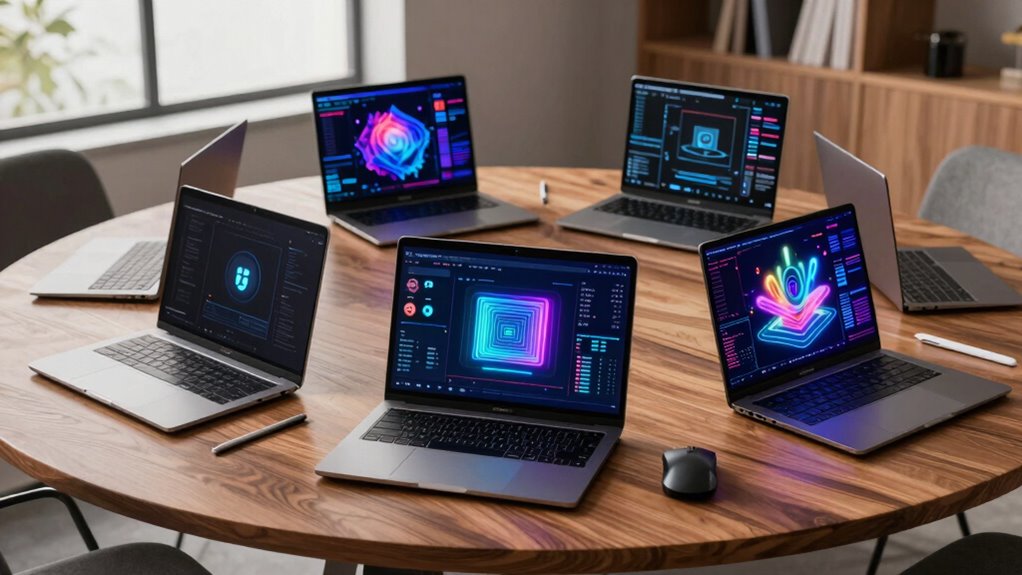

For an AI workstation laptop, I would start with the HP ZBook X G1i for its professional RTX PRO 1000 Blackwell graphics, then compare it with the Dell Precision 7780 for its 128GB of memory and the Acer Predator Helios Neo 18 AI for its RTX 5070 Ti. The main tradeoff is between professional workstation features, gaming-class GPU performance, and the memory or portability needed for your own models and tools. These seven systems range from compact Ryzen AI laptops to large mobile workstations, so the right fit depends on whether you run local inference, develop models, or rely on certified professional apps. I rank them by how well their listed hardware and design match those needs, while accounting for practical drawbacks. Read on for the full comparison and guidance by buyer type.

Get the latest gadgets delivered free with Prime
- Fast, free delivery on millions of items
- Prime Video, Amazon Music and more included
- Member-only deals all year
Complete the kit


Key Takeaways
- The HP ZBook X G1i leads for professional AI work: its RTX PRO 1000 Blackwell GPU gives it the strongest workstation-focused fit among these options, though the listing does not specify memory capacity.
- The Dell Precision 7780 prioritizes memory-heavy work: 128GB RAM and an RTX 3500 Ada make it the clearest choice here for larger datasets and multitasking, at the cost of a bulky 17.3-inch design.
- The Acer Predator Helios Neo 18 AI has the standout listed gaming GPU: its RTX 5070 Ti and 2TB SSD may suit GPU-intensive experimentation, but gaming hardware does not provide the same professional positioning as an RTX PRO system.
- The 14-inch ThinkPad P14s models favor mobility: both list 32GB RAM and 1TB storage, while the newer Gen 7 adds Ryzen AI 7 PRO 450 and a touchscreen; neither is the pick for the largest GPU workloads.
- The Dell Precision 7680 and Lenovo ThinkPad P16s Gen 4 fill distinct middle roles: the Dell lists an RTX 2000 Ada and 64GB RAM, while the Lenovo emphasizes a 16-inch OLED touch display; the P16s listing omits key processor and memory details.
| HP ZBook X G1i 16-Inch Laptop with NVIDIA RTX PRO 1000 Blackwell |  | Best Overall for Professional AI Work | Processor: Intel Core Ultra 7 265H, 16 cores, up to 5.3GHz | Graphics: NVIDIA RTX PRO 1000 Blackwell, 8GB GDDR7 | Memory: 64GB DDR5 | VIEW ON AMAZON | See Our Full Breakdown |
| Acer Predator Helios Neo 18 AI Gaming Laptop, Intel Core Ultra 9 275HX, RTX 5070 Ti, 18-inch WQXGA 240Hz, 32GB RAM, 2TB SSD |  | Best for GPU-Heavy Creative Work | Processor: Intel Core Ultra 9 275HX | Graphics: NVIDIA GeForce RTX 5070 Ti Laptop GPU | Memory: 32GB DDR5 6400MHz, expandable to 64GB | VIEW ON AMAZON | See Our Full Breakdown |
| Dell Precision 7780 17.3-inch FHD Mobile Workstation, Intel Core i9-13950HX, 128GB RAM, 1TB NVMe SSD, NVIDIA RTX 3500 Ada 12GB, Windows 11 Pro |  | Best for Memory-Intensive Workloads | Processor: Intel Core i9-13950HX | Graphics: NVIDIA RTX 3500 Ada Generation, 12GB VRAM | Memory: 128GB RAM | VIEW ON AMAZON | See Our Full Breakdown |
| Dell Precision 7680 16-Inch Laptop, Intel Core i7-13850HX, NVIDIA RTX 2000 Ada 8GB, 64GB DDR5, 1TB SSD |  | Best for Certified Multi-Display Setups | Processor: Intel Core i7-13850HX vPro | Graphics: NVIDIA RTX 2000 Ada, 8GB GDDR6 | Memory: 64GB DDR5 CAMM | VIEW ON AMAZON | See Our Full Breakdown |
| Lenovo ThinkPad P14s Gen 7 14-inch Mobile Workstation, Ryzen AI 7 PRO 450, 32GB RAM, 1TB SSD, Touchscreen |  | Best Compact Workstation for AI-Enabled Office Work | Processor: AMD Ryzen AI 7 PRO 450, 2.00GHz up to 5.10GHz | Graphics: Integrated AMD Radeon 860M | Memory: 32GB DDR5-5600 (2 x 16GB) | VIEW ON AMAZON | See Our Full Breakdown |
| Lenovo ThinkPad P16s Gen 4 16-inch OLED Touchscreen Mobile Workstation |  | Best for OLED Creative Work | Processor: AMD Ryzen AI 7 PRO 350, 2.00–5.00 GHz | Graphics: Integrated AMD Radeon 860M | Memory: 32 GB DDR5-5600 (2 x 16 GB) | VIEW ON AMAZON | See Our Full Breakdown |
| Lenovo ThinkPad P14s Gen 6 14-inch Mobile Workstation, AMD Ryzen AI 7 PRO 350, 32GB DDR5, 1TB SSD |  | Best Compact AI Workstation | Processor: AMD Ryzen AI 7 PRO 350 | Graphics: Integrated AMD Radeon graphics | Memory: 32 GB DDR5 | VIEW ON AMAZON | See Our Full Breakdown |
| ai workstation laptop | Processor | Graphics | Memory | Storage |
|---|---|---|---|---|
| HP ZBook X G1i 16-Inch Laptop | Intel Core Ultra 7 265H, 16 cores, up to 5.3GHz | NVIDIA RTX PRO 1000 Blackwell, 8GB GDDR7 | 64GB DDR5 | 1TB PCIe NVMe M.2 SSD |
| Acer Predator Helios Neo 18 AI | Intel Core Ultra 9 275HX | NVIDIA GeForce RTX 5070 Ti Laptop GPU | 32GB DDR5 6400MHz, expandable to 64GB | 2TB PCIe Gen 4 SSD |
| Dell Precision 7780 17.3-inch | Intel Core i9-13950HX | NVIDIA RTX 3500 Ada Generation, 12GB VRAM | 128GB RAM | 1TB NVMe SSD |
| Dell Precision 7680 16-Inch La | Intel Core i7-13850HX vPro | NVIDIA RTX 2000 Ada, 8GB GDDR6 | 64GB DDR5 CAMM | 1TB PCIe NVMe M.2 SSD |
| Lenovo ThinkPad P14s Gen 7 14- | AMD Ryzen AI 7 PRO 450, 2.00GHz up to 5.10GHz | Integrated AMD Radeon 860M | 32GB DDR5-5600 (2 x 16GB) | 1TB M.2 2280 PCIe Gen4 TLC Opal SSD |
| Lenovo ThinkPad P16s Gen 4 16- | AMD Ryzen AI 7 PRO 350, 2.00–5.00 GHz | Integrated AMD Radeon 860M | 32 GB DDR5-5600 (2 x 16 GB) | 1 TB M.2 2280 PCIe Gen4 SSD |
| Lenovo ThinkPad P14s Gen 6 14- | AMD Ryzen AI 7 PRO 350 | Integrated AMD Radeon graphics | 32 GB DDR5 | 1 TB SSD |
More Details on Our Top Picks
HP ZBook X G1i 16-Inch Laptop with NVIDIA RTX PRO 1000 Blackwell
The HP ZBook X G1i is the most balanced fit here for buyers who need a business workstation for AI-assisted engineering, development, or design. Its 64GB of memory and RTX PRO 1000 Blackwell graphics give demanding applications more room than the 32GB integrated-graphics Lenovo ThinkPad P14s Gen 7, while its 4.5-pound chassis is easier to carry than the Dell Precision 7780. The 16-inch screen and broad selection of ports also suit a desk setup with external displays and wired peripherals. The tradeoff is that its 300-nit WUXGA display is less bright and color-focused than the ThinkPad P14s Gen 7’s 500-nit, 100% sRGB touchscreen. I’d choose it for a mix of mobile professional work and GPU-accelerated tasks, rather than color-critical work in bright spaces.
Pros:- RTX PRO 1000 Blackwell provides dedicated professional graphics for supported design and engineering workloads
- 64GB memory supports larger projects and heavier multitasking than the 32GB Lenovo ThinkPad P14s Gen 7
- Two Thunderbolt 4 ports, Ethernet, HDMI, and an SD card reader simplify connecting peripherals and displays
- Windows 11 Pro, fingerprint reader, and IR webcam support business security and sign-in
Cons:- The 300-nit display may be difficult to view comfortably in bright environments
- At 4.5 pounds, it is heavier than the approximately 3-pound ThinkPad P14s Gen 7
- Its 1TB SSD provides less listed storage than the Acer Predator Helios Neo 18 AI’s 2TB drive
Best for: Engineers, developers, and business users who need a portable Windows workstation with discrete professional graphics and 64GB of memory
Not ideal for: Color-critical creators working in bright rooms, or frequent travelers seeking a lightweight laptop
- Processor:Intel Core Ultra 7 265H, 16 cores, up to 5.3GHz
- Graphics:NVIDIA RTX PRO 1000 Blackwell, 8GB GDDR7
- Memory:64GB DDR5
- Storage:1TB PCIe NVMe M.2 SSD
- Display:16-inch WUXGA IPS, 1920 x 1200, 300 nits, anti-glare
- Operating system:Windows 11 Pro
- Ports:2x Thunderbolt 4, 2x USB-A 3.2 Gen 1, HDMI 2.1, Ethernet, SD card reader, headphone/microphone combo jack
- Weight:4.5 lbs
Our verdict“Choose the HP ZBook X G1i for a well-equipped professional workstation that balances discrete graphics, memory capacity, and mobility.”
Acer Predator Helios Neo 18 AI Gaming Laptop, Intel Core Ultra 9 275HX, RTX 5070 Ti, 18-inch WQXGA 240Hz, 32GB RAM, 2TB SSD
The Acer Predator Helios Neo 18 AI is the performance-oriented outlier in this workstation group. Its GeForce RTX 5070 Ti, fast Core Ultra 9 processor, and 2TB SSD favor GPU-heavy creative projects and local AI experimentation, while the 18-inch 240Hz display offers more workspace and a smoother feel than the Dell Precision 7680’s FHD+ panel. Those strengths come with a gaming-laptop profile: the listed graphics are GeForce rather than workstation-class RTX PRO, so buyers should check application requirements and certification needs. It also weighs 7.28 pounds, making the 4.5-pound HP ZBook X G1i a much more practical choice for regular travel. I’d pick the Acer when graphics throughput and screen size matter more than portability and a professional workstation identity.
Pros:- RTX 5070 Ti Laptop GPU and Core Ultra 9 275HX target demanding graphics workloads
- 18-inch WQXGA display combines a 240Hz refresh rate with G-SYNC
- 2TB PCIe Gen 4 SSD offers more listed storage than the 1TB drives in the HP ZBook X G1i and Dell Precision 7680
- Memory can be expanded from 32GB to 64GB
Cons:- At 7.28 pounds, it is substantially heavier than the HP ZBook X G1i and Lenovo ThinkPad P14s Gen 7
- GeForce graphics may not meet workflows that require workstation-class drivers or ISV certification
- The listed configuration uses both M.2 slots, limiting room for additional internal SSDs
Best for: Creative professionals and AI developers who prioritize a high-performance GeForce GPU, a large high-refresh display, and substantial local storage
Not ideal for: Mobile workstation users who need a light carry, ISV-certified hardware, or a compact desk footprint
- Processor:Intel Core Ultra 9 275HX
- Graphics:NVIDIA GeForce RTX 5070 Ti Laptop GPU
- Memory:32GB DDR5 6400MHz, expandable to 64GB
- Storage:2TB PCIe Gen 4 SSD
- Display:18-inch WQXGA, 16:10, 240Hz, 3ms, G-SYNC
- Color coverage:Up to 100% DCI-P3
- Ports:Thunderbolt 4, USB-C, 3x USB-A, HDMI 2.1, Ethernet, 3.5mm audio
- Weight:7.28 lbs
Our verdict“Choose the Acer when GPU-focused creative or AI work and a large high-refresh display outweigh workstation certifications and portability.”
Dell Precision 7780 17.3-inch FHD Mobile Workstation, Intel Core i9-13950HX, 128GB RAM, 1TB NVMe SSD, NVIDIA RTX 3500 Ada 12GB, Windows 11 Pro
For datasets, large engineering assemblies, and development environments that need substantial working memory, the Dell Precision 7780 makes its case with 128GB of RAM and RTX 3500 Ada graphics with 12GB of VRAM. That memory headroom exceeds every other listed system, including the 64GB HP ZBook X G1i and Dell Precision 7680, and the ISV certification is a useful fit for professional software workflows. Its 17.3-inch display also gives stationary work more room than the 16-inch Dell Precision 7680. The tradeoff is a less portable form factor, and the provided specs identify the screen only as FHD, without brightness or color coverage details. This is the specialist choice when memory capacity and certified workstation graphics matter more than a newer platform or easier daily carry.
Pros:- 128GB RAM supports larger datasets and heavier concurrent workloads than the other listed laptops
- RTX 3500 Ada graphics includes 12GB of VRAM for professional graphics tasks
- ISV certification is suited to workflows that depend on validated professional software configurations
- Dell manufacturer warranty is listed through March 2031
Cons:- The 17.3-inch chassis is less convenient to carry than the 16-inch HP ZBook X G1i or Dell Precision 7680
- The provided display details do not specify brightness or color coverage
- Its 1TB SSD offers less listed storage than the Acer Predator Helios Neo 18 AI’s 2TB drive
Best for: Data analysts, engineers, and software developers who run memory-heavy applications or large projects and need ISV-certified workstation hardware
Not ideal for: Frequent travelers or display-focused creators who need detailed brightness and color-gamut specifications
- Processor:Intel Core i9-13950HX
- Graphics:NVIDIA RTX 3500 Ada Generation, 12GB VRAM
- Memory:128GB RAM
- Storage:1TB NVMe SSD
- Display:17.3-inch FHD
- Operating system:Windows 11 Pro with AI Copilot
- Certification:ISV-certified
- Warranty:Dell manufacturer warranty through March 2031
Our verdict“Choose the Precision 7780 when 128GB of memory and certified professional graphics are more useful than a lighter, newer-feeling mobile setup.”
Dell Precision 7680 16-Inch Laptop, Intel Core i7-13850HX, NVIDIA RTX 2000 Ada 8GB, 64GB DDR5, 1TB SSD
The Dell Precision 7680 suits a workstation desk where reliable connections and professional software support matter more than screen color. Its ISV certifications, RTX 2000 Ada graphics, and support for up to four external 4K displays make it a natural choice for engineers and technical teams building multi-screen setups. Compared with the HP ZBook X G1i, it offers a higher stated ceiling for external 4K displays, but the HP is lighter and uses newer Blackwell graphics. The Dell’s own 16-inch FHD+ screen is the main compromise: 45% NTSC coverage is limited for color-sensitive design. Its 5.9-pound weight also makes it less convenient to carry than either the HP or Lenovo ThinkPad P14s Gen 7. I’d choose it for a durable, connection-rich workstation that will spend most of its time at a desk.
Pros:- ISV certifications and RTX 2000 Ada graphics target professional engineering and design workflows
- Supports up to four external 4K displays for expanded desk setups
- 64GB DDR5 memory and a 1TB SSD support substantial multitasking and project files
- MIL-STD-810H testing and on-site Dell support through February 2029 are listed
Cons:- The display’s 45% NTSC color coverage is limited for color-sensitive creative work
- At 5.9 pounds, it is heavier than the HP ZBook X G1i and ThinkPad P14s Gen 7
- Its RTX 2000 Ada graphics are an older generation than the HP ZBook X G1i’s Blackwell workstation GPU
Best for: Engineers and technical professionals who use ISV-certified applications and need a durable laptop to drive several external displays
Not ideal for: Color-critical creators or commuters seeking a lighter workstation with newer-generation graphics
- Processor:Intel Core i7-13850HX vPro
- Graphics:NVIDIA RTX 2000 Ada, 8GB GDDR6
- Memory:64GB DDR5 CAMM
- Storage:1TB PCIe NVMe M.2 SSD
- Display:16-inch FHD+ LCD, 1920 x 1200, anti-glare, 45% NTSC
- Ports:2x Thunderbolt 4, USB-C, 2x USB-A, HDMI, Ethernet
- Weight:5.9 lbs
- Durability:MIL-STD-810H tested
Our verdict“Choose the Precision 7680 for certified professional workflows and a multi-display desk, provided its limited built-in screen gamut fits your work.”
Lenovo ThinkPad P14s Gen 7 14-inch Mobile Workstation, Ryzen AI 7 PRO 450, 32GB RAM, 1TB SSD, Touchscreen
The ThinkPad P14s Gen 7 is the carry-friendly pick for business users who want AI-capable processing and a polished screen in a small chassis. Its Ryzen AI 7 PRO 450, 32GB of memory, and 500-nit, 100% sRGB touchscreen make it better suited to travel, presentations, and office work than GPU-heavy local AI tasks. Compared with the discrete-graphics HP ZBook X G1i, this Lenovo is about 1.5 pounds lighter and has a brighter, wider-gamut display, but integrated Radeon 860M graphics limit demanding 3D and GPU-accelerated workloads. It also has a one-year listed warranty, shorter than the HP’s three years. I’d favor it for a mobile professional who values portability, screen quality, and business security over workstation GPU throughput.
Pros:- Approximately 3-pound weight is easier to carry than the other listed workstations
- 500-nit touchscreen with 100% sRGB coverage is bright and color-capable for presentations and visual office work
- 32GB memory, 1TB SSD, Wi-Fi 7, and Thunderbolt 4 support a capable mobile setup
- Fingerprint reader, ThinkShield, AMD PRO security, and privacy-shutter camera add business-focused protections
Cons:- Integrated Radeon 860M graphics are less suited to GPU-heavy work than the discrete GPUs in the HP ZBook X G1i or Dell Precision 7780
- The listed one-year courier or carry-in warranty is shorter than the HP ZBook X G1i’s three-year warranty
- 32GB memory is less headroom than the 64GB HP ZBook X G1i or 128GB Dell Precision 7780
Best for: Mobile business professionals who need a compact Windows workstation for AI-assisted productivity, presentations, and color-aware office work
Not ideal for: Engineers and AI developers who need discrete workstation graphics for demanding 3D, rendering, or local GPU workloads
- Processor:AMD Ryzen AI 7 PRO 450, 2.00GHz up to 5.10GHz
- Graphics:Integrated AMD Radeon 860M
- Memory:32GB DDR5-5600 (2 x 16GB)
- Storage:1TB M.2 2280 PCIe Gen4 TLC Opal SSD
- Display:14-inch WUXGA IPS touchscreen, anti-glare, 500 nits, 100% sRGB, 60Hz
- Operating system:Windows 11 Pro 64-bit
- Wireless:MediaTek Wi-Fi 7 and Bluetooth 5.4
- Weight:Approximately 3 lbs
- Warranty:1 year courier or carry-in Lenovo warranty
Our verdict“Choose the ThinkPad P14s Gen 7 for a light, bright-screened AI-enabled business laptop, and choose a discrete-GPU workstation for heavier local AI or 3D work.”
Lenovo ThinkPad P16s Gen 4 16-inch OLED Touchscreen Mobile Workstation
The ThinkPad P16s Gen 4 suits AI-assisted office and creative workflows where screen detail and color matter more than GPU-heavy model work. Its 16-inch 4K OLED touchscreen offers Dolby Vision and full DCI-P3 coverage, giving image editors and analysts a sharper, wider-color workspace than the WUXGA panel on the ThinkPad P14s Gen 6. The shared Ryzen AI 7 PRO 350 and 32 GB of memory support local AI features and multitasking, while the Radeon 860M is integrated graphics; that makes this a poor fit for substantial GPU compute or demanding 3D workloads compared with the RTX-equipped HP ZBook X G1i. Thunderbolt 4, Ethernet, and a numeric keypad help it work as a desk-based workstation. The tradeoff is a 60 Hz display and a roughly 4-pound body, so it is less suited to frequent travel than the 14-inch P14s.
Pros:- 16-inch 4K OLED touchscreen with Dolby Vision and 100% DCI-P3 coverage
- 32 GB DDR5 memory and 1 TB PCIe Gen4 SSD
- Thunderbolt 4, HDMI 2.1, Ethernet, and Wi-Fi 7 connectivity
- Windows 11 Pro, fingerprint reader, and camera privacy shutter
Cons:- Integrated Radeon 860M graphics limit GPU-heavy AI and 3D workloads
- 60 Hz display lacks the smoother motion of higher-refresh panels
- Larger and heavier than the 14-inch ThinkPad P14s Gen 6
Best for: Creative professionals and analysts who want a high-resolution, wide-color touchscreen for AI-assisted work and detailed visual tasks.
Not ideal for: AI developers who need a discrete GPU for local model inference, GPU compute, or demanding 3D work, and travelers prioritizing a smaller laptop.
- Processor:AMD Ryzen AI 7 PRO 350, 2.00–5.00 GHz
- Graphics:Integrated AMD Radeon 860M
- Memory:32 GB DDR5-5600 (2 x 16 GB)
- Storage:1 TB M.2 2280 PCIe Gen4 SSD
- Display:16-inch WQUXGA (3840 x 2400) OLED touchscreen, 400 nits, 60 Hz
- Connectivity:Wi-Fi 7, Bluetooth 5.4, 2 x USB-A, 2 x Thunderbolt 4/USB4, HDMI 2.1, Ethernet
- Battery:86 Wh; Rapid Charge up to 80% in 1 hour
- Operating system:Windows 11 Pro 64-bit
- Weight:Approximately 4 lbs
Our verdict“Choose the P16s Gen 4 for its detailed OLED workspace and broad connectivity if your AI workstation tasks do not depend on a discrete GPU.”
Lenovo ThinkPad P14s Gen 6 14-inch Mobile Workstation, AMD Ryzen AI 7 PRO 350, 32GB DDR5, 1TB SSD
For developers and business users who carry their workstation daily, the ThinkPad P14s Gen 6 brings a capable AI-focused processor into a 14-inch format with 32 GB of memory and a 1 TB SSD. Its 500-nit, 100% sRGB display is suited to bright offices and color-conscious general work, though its WUXGA resolution and non-touch finish are less immersive than the 4K OLED on the ThinkPad P16s Gen 4. Both use integrated Radeon graphics, so neither replaces a discrete-GPU system such as the HP ZBook X G1i for GPU-intensive local AI or 3D tasks. The P14s makes its case with portability and practical ports: Thunderbolt 4/USB4, HDMI, USB-A, and Ethernet reduce reliance on adapters. Its compact screen gives less room for timelines and multitasking, and the panel lacks touch input.
Pros:- 14-inch chassis pairs a Ryzen AI 7 PRO 350 with 32 GB DDR5 memory
- 500-nit display with 100% sRGB coverage for bright work settings
- 1 TB SSD for project files and local datasets
- Thunderbolt 4/USB4, HDMI 2.1, USB-A, and Ethernet
Cons:- Integrated Radeon graphics constrain demanding AI compute and 3D workloads
- WUXGA non-touch screen offers less detail and workspace than the P16s Gen 4 OLED
- 14-inch display can feel cramped for extensive side-by-side work
Best for: Mobile developers and business professionals who need 32 GB of memory, an AI-capable processor, and built-in Ethernet in a compact work laptop.
Not ideal for: GPU-heavy AI practitioners or visual creators who need discrete graphics, a large high-resolution canvas, or touchscreen input.
- Processor:AMD Ryzen AI 7 PRO 350
- Graphics:Integrated AMD Radeon graphics
- Memory:32 GB DDR5
- Storage:1 TB SSD
- Display:14-inch WUXGA, 500 nits, 100% sRGB, non-touch
- Wireless:Wi-Fi 7
- Ports:2 x USB-C (Thunderbolt 4/USB4 40 Gbps), 2 x USB-A, HDMI 2.1, 3.5 mm combo jack, RJ-45 Ethernet
- Operating system:Windows 11 Pro
- Warranty:One-year Lenovo courier or carry-in
Our verdict“Pick the P14s Gen 6 if portability and bright-screen productivity matter more than discrete GPU power or a larger display.”

How We Picked
I compared the listed processors, GPUs, memory, storage, screen size, and workstation positioning against common AI laptop tasks: local inference, model development, data preparation, and running professional applications. GPU type and memory capacity shaped the order most because they set practical limits on model size and parallel work; portability and display characteristics mattered more for people who work away from a desk. I treated missing specifications as uncertainty rather than assuming a configuration.
The HP ranks first for combining a current professional RTX PRO Blackwell GPU with a mobile workstation role. The Precision 7780 follows for its unusually generous 128GB RAM and capable RTX 3500 Ada, while the Acer is a strong alternative for buyers who value its listed RTX 5070 Ti and larger storage. The Precision 7680 earns a middle position through its 64GB RAM and RTX 2000 Ada. The ThinkPads rank lower for heavy GPU workloads, but their compact size or OLED screen may matter more to mobile and display-focused buyers. The P16s Gen 4 is harder to place precisely because the supplied details omit its processor and memory.
| ai workstation laptop | Graphics | Operating system |
|---|---|---|
| HP ZBook X G1i 16-Inch Laptop | NVIDIA RTX PRO 1000 Blackwell, 8GB GDDR7 | Windows 11 Pro |
| Acer Predator Helios Neo 18 AI | NVIDIA GeForce RTX 5070 Ti Laptop GPU | — |
| Dell Precision 7780 17.3-inch | NVIDIA RTX 3500 Ada Generation, 12GB VRAM | Windows 11 Pro with AI Copilot |
| Dell Precision 7680 16-Inch La | NVIDIA RTX 2000 Ada, 8GB GDDR6 | — |
| Lenovo ThinkPad P14s Gen 7 14- | Integrated AMD Radeon 860M | Windows 11 Pro 64-bit |
| Lenovo ThinkPad P16s Gen 4 16- | Integrated AMD Radeon 860M | Windows 11 Pro 64-bit |
| Lenovo ThinkPad P14s Gen 6 14- | Integrated AMD Radeon graphics | Windows 11 Pro |
Factors to Consider When Choosing Ai Workstation Laptop
I would choose an AI laptop by first defining what runs locally and what can stay in the cloud. That decision changes the value of the GPU, system memory, screen size, and portability more than the workstation label alone.
Match GPU memory to the models you run
A laptop GPU affects local inference speed, but its dedicated video memory often determines which models fit at all. Check the exact GPU configuration and its VRAM before buying, since the product names here do not list GPU memory for every option. Quantization can reduce a model’s memory needs, but it can also affect output quality or require extra setup. If you mainly use hosted models, paying for a larger GPU may bring less benefit than a better screen or more system RAM. For training or fine-tuning, verify software support and sustained power limits as well as the GPU name. A common mistake is to treat a gaming GPU and a professional GPU as interchangeable without checking driver, certification, and application needs.
Plan system memory around your whole workflow
System RAM holds datasets, development tools, browsers, and other work that competes with model processes. The Precision 7780’s listed 128GB gives it more room for memory-heavy multitasking than the 32GB ThinkPad P14s configurations, while the Precision 7680 sits between them at 64GB. Consider the full workflow: loading a dataset, preprocessing it, and keeping an IDE and notebook open can use more memory than inference alone. If a laptop’s memory is soldered or difficult to upgrade, its starting capacity matters for the life of the machine. Confirm whether listed capacity is configurable and whether upgrades are supported before choosing. More RAM cannot compensate for a GPU that lacks enough video memory for the model you want to run.
Choose workstation or gaming positioning deliberately
Professional workstation GPUs are aimed at application support and certified workflows, while gaming GPUs often emphasize graphics performance for their class. The ZBook’s RTX PRO 1000 Blackwell and the Precision models’ RTX Ada GPUs suit buyers who need a mobile workstation environment. The Predator Helios Neo 18 AI may be a better match for a developer who values its listed RTX 5070 Ti, but should check support for the specific frameworks and professional applications in use. Driver support can affect stability, specialized features, and how quickly a team can troubleshoot problems. Ask your IT department or software vendor about approved GPU families before treating raw GPU tier as the deciding factor. The workstation label alone does not guarantee every AI tool will run better.
Balance portability against cooling and sustained work
AI workloads can keep a CPU or GPU busy for long stretches, so chassis size and cooling matter alongside peak specifications. The 14-inch P14s models are easier to carry than the 16-inch and 18-inch laptops, but compact systems generally leave less room for cooling and expansion. Larger machines such as the Acer and Precision 7780 are more desk-centered and may be more comfortable for sustained workloads, though they add bulk to daily travel. Check weight, power adapter size, fan behavior, and battery expectations in independent configuration details. A thin laptop can be a sensible choice when heavy compute runs remotely, even if its local GPU is modest. Choose a large chassis only when you will use the added performance or screen space often.
Treat storage and display as workflow decisions
Storage fills quickly when you keep model checkpoints, datasets, virtual environments, and multiple project versions on one machine. The Acer lists a 2TB SSD, while several other entries list 1TB; that difference can reduce how often you need external drives. Check whether the SSD can be replaced or expanded, and keep a backup plan for datasets that cannot be recreated. Screen size and panel type shape long work sessions: a 17.3-inch display offers room for code and output, while the ThinkPad P16s Gen 4’s listed OLED touchscreen emphasizes visual quality and direct interaction. Confirm resolution, brightness, refresh rate, and touch support for the exact configuration. A vivid display is useful for some creative workflows, but it does not increase the size of models the laptop can run.
Frequently Asked Questions
Is the RTX 5070 Ti Acer a better AI laptop than the RTX PRO ZBook?
It depends on whether you prioritize listed GPU tier or workstation positioning. The Acer specifies an RTX 5070 Ti, 32GB RAM, and 2TB storage, making it appealing for GPU-intensive experiments and larger local files. The ZBook pairs an RTX PRO 1000 Blackwell with a professional workstation role, which may suit certified software and enterprise support needs. Neither listing provides enough detail to compare GPU memory directly, so check VRAM and the applications you plan to use. If your software depends on professional certification, the ZBook is the safer direction; for compatible experimentation, compare the Acer’s exact GPU configuration.
Will 32GB of RAM be enough for local AI development?
It can be enough for notebooks, smaller models, coding, and inference that fits comfortably on the GPU. System memory also has to support datasets, preprocessing, browsers, and development environments, so simultaneous tasks can make 32GB feel constrained. The ThinkPad P14s models list 32GB, which favors mobility over roomy multitasking. If you expect to handle larger datasets or keep many tools active, the 64GB Precision 7680 or 128GB Precision 7780 offers more headroom. Check upgrade options before buying, especially if the memory is not user-replaceable.
Should I choose a 14-inch laptop if I use cloud AI services?
A compact laptop can be a sensible choice when model execution happens on remote servers and the local machine mainly handles coding, data preparation, and calls to hosted services. In that setup, portability, keyboard comfort, battery behavior, and reliable connectivity may matter more than a large discrete GPU. The P14s models are the clearest compact options in this group. Confirm that your local tasks do not include frequent GPU inference or large offline datasets before choosing a lighter system. Remote compute also depends on network access and service availability, so consider how you will work when disconnected.
When does 128GB of RAM matter more than a faster GPU?
High system memory helps when you need to hold large datasets, run several development processes, or work with applications that use RAM heavily. It can make the Precision 7780 more practical for broad multitasking than a laptop with less memory, even when that other system has a stronger listed gaming GPU. RAM does not replace video memory, though, and it will not make a model fit on a GPU that lacks sufficient VRAM. If your main work is GPU-bound inference, compare GPU memory and sustained performance first. For data engineering and mixed workloads, the extra system memory can be the more useful capacity.
What should I verify before buying the ThinkPad P16s Gen 4?
The supplied listing identifies a 16-inch OLED touchscreen but omits the processor, GPU, system memory, and storage configuration. Those details determine whether it suits local model work or mainly offers a strong display and general productivity. Confirm the exact configuration and whether it includes a discrete GPU before comparing it with the Precision 7680 or ZBook. Also check panel resolution, brightness, battery capacity, memory upgrade options, and port selection. Until those details are clear, I would treat it as a display-focused candidate rather than rank it for compute-heavy AI work.
Conclusion
For most buyers seeking a professional AI workstation laptop, I would choose the HP ZBook X G1i as best overall for its RTX PRO Blackwell graphics and workstation focus, after confirming its RAM and GPU memory configuration. The Dell Precision 7780 is my pick for memory-heavy work, especially when 128GB RAM matters more than carrying a compact machine. For best value among the listed configurations, the Precision 7680 offers a practical middle ground with 64GB RAM and an RTX 2000 Ada, though buyers should compare its exact configuration and support needs. The ThinkPad P14s Gen 7 is best for beginners who want a portable development laptop and Ryzen AI hardware, while the older Gen 6 is another compact option. Choose the Acer Predator Helios Neo 18 AI for gaming-class GPU experimentation, and consider the P16s Gen 4 if its OLED touch display fits your work after verifying the missing compute specifications. Your model sizes, software requirements, and need to travel should settle the final choice.
Fall Picks
fall essentials
As an affiliate, we earn on qualifying purchases.