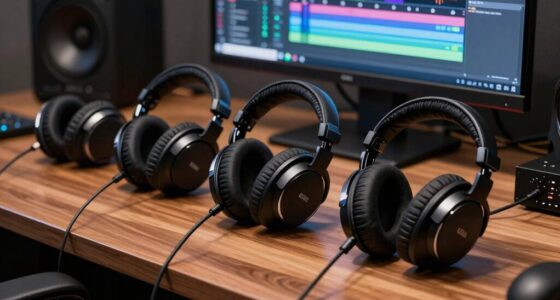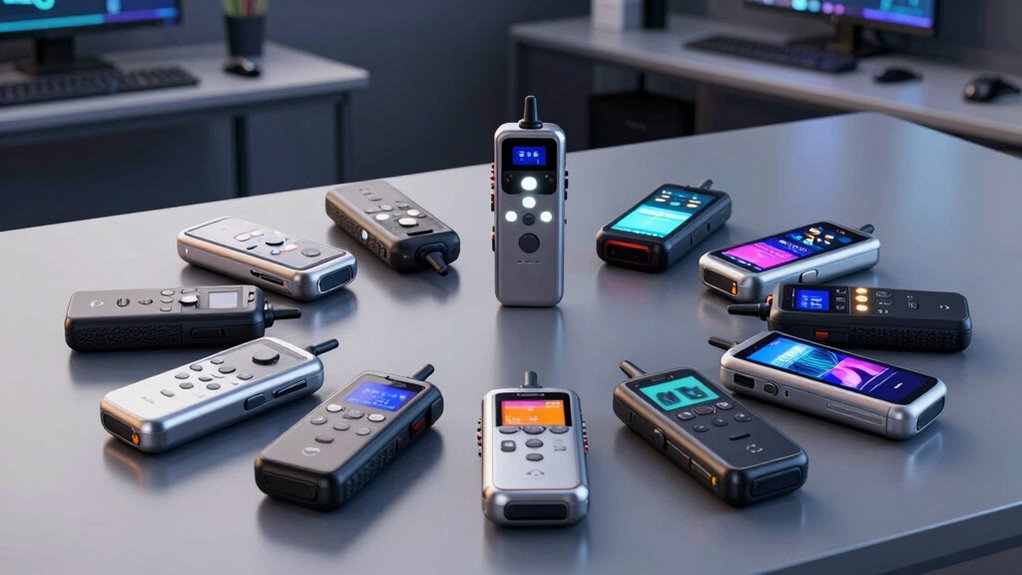

For transcription recorder hardware, the Olympus AS-2400 PC Transcription Kit is my best overall pick for a dedicated computer-based dictation workflow, while the Plaud Note Pro suits people who want AI-assisted notes and the Philips SpeechExec LFH7277/08 fits pedal-controlled transcription. The main choice is between a traditional recorder-and-computer setup, which prioritizes playback control, and newer AI recorders, which promise transcripts and summaries but may depend on apps, accounts, or online services. Storage capacity, language support, file handling, and the cost of ongoing services can matter as much as microphone features. I compare all 13 options by workflow fit, usability, and tradeoffs below. Continue reading for the full breakdown and guidance on choosing the right setup.

Get the latest gadgets delivered free with Prime
- Fast, free delivery on millions of items
- Prime Video, Amazon Music and more included
- Member-only deals all year
Complete the kit



Key Takeaways
- Dedicated transcription kits prioritize control: Olympus, Sony, and Philips pair recording hardware with computer playback workflows, making them a closer fit for repeat dictation than pocket AI note devices.
- AI features shift work into software: Plaud, HUREWA, RECPOINT, Recolx, Ruune, EurekaMind, iFLYTEK, soundcore, and EVISTR emphasize transcription or summaries, so buyers should check app compatibility, language support, and service terms.
- More storage does not guarantee a better transcript: The listed capacities range from 64GB to 128GB on some models, but microphone placement, recording conditions, and export options still shape the usefulness of the result.
- Pedal control serves a specific workflow: The Philips kit is the clearest match for hands-free playback control, while a compact AI recorder is easier to carry but may be less suited to detailed, repeated correction.
- The best choice depends on where editing happens: Buyers who transcribe at a desk should favor playback controls and file handling; people capturing meetings away from a computer should focus on portability and the recorder’s transcription workflow.
| Olympus AS-2400 PC Transcription Kit |  | Best for Olympus Workflows | Compatible recorders: Olympus DS, DM, WS, and VN-PC | Connection: USB | Supported formats: DSSPro, DSS, WAV, WMA, MP3 | VIEW ON AMAZON | See Our Full Breakdown |
| HUREWA AI Voice Recorder with 80GB Storage and Transcription |  | Best for Touchscreen AI Features | Storage: 16GB internal plus 64GB expandable | Display: 4.1-inch HD touchscreen | Battery: 1500mAh; 5–7 hours continuous recording | VIEW ON AMAZON | See Our Full Breakdown |
| RECPOINT AI Voice Recorder with 64GB Storage |  | Best for Long Recording Sessions | Storage: 64GB | Recording capacity: Up to 600 hours | Battery life: Up to 30 hours | VIEW ON AMAZON | See Our Full Breakdown |
| HUREWA AI Voice Recorder with Transcription, Translation, and Playback |  | Best for Offline Translation Options | Display: 4.1-inch HD touchscreen | Storage: 16GB internal; supports an additional 64GB | Battery: 1500mAh | VIEW ON AMAZON | See Our Full Breakdown |
| Sony FS85USB Digital Recorder Transcription Kit |  | Best for Hands-Free PC Transcription | Compatible device: Personal computer | Interface: USB 2.0 | Supported formats: MSV, DVF, WAV, MP3 | VIEW ON AMAZON | See Our Full Breakdown |
| Plaud Note Pro AI Voice Recorder |  | Best for Meeting and Call Capture | Thickness: 0.12 inches | Weight: 1.06 oz | Microphones: Four MEMS microphones and one VPU microphone | VIEW ON AMAZON | See Our Full Breakdown |
| Philips SpeechExec LFH7277/08 Transcription Kit with USB Foot Control and Headphones |  | Best for Desktop Transcription | Brand: Philips | Model: LFH7277/08 | Included components: SpeechExec Pro transcription software (2-year subscription), ACC2330 USB foot control, LFH0334 stereo headphones, quick start guide | VIEW ON AMAZON | See Our Full Breakdown |
| Recolx Tap AI Voice Recorder with Transcription and Summaries, 64GB |  | Best for Multilingual Notes | Storage: 64GB | Thickness: 0.11 inches | Weight: 0.96 oz (28 g) | VIEW ON AMAZON | See Our Full Breakdown |
| Ruune AI Voice Recorder with Transcription and Summaries |  | Best for Subscription-Free Transcription | Thickness: Under 3 mm | Attachment: Magnetic; attaches to the back of a phone or case | Battery life: Over 20 hours per charge | VIEW ON AMAZON | See Our Full Breakdown |
| EurekaMind AI Voice Recorder and Note Taker, Lite |  | Best for Flexible Call and Room Recording | Storage capacity: 64GB | Weight: 29 g (1.02 oz) | Dimensions: 3.39 x 0.12 x 2.13 in | VIEW ON AMAZON | See Our Full Breakdown |
| iFLYTEK Offline Voice Recorder with AI Transcription and Playback |  | Best for Offline Transcription | Offline transcription languages: English, Chinese, Japanese, Korean, Russian | Microphones: 6 | Recording modes: Intelligent, conference, interview, speech | VIEW ON AMAZON | See Our Full Breakdown |
| Anker soundcore Work AI Voice Recorder, 64 GB, MFi-Certified |  | Best Compact Meeting Companion | Storage: 64 GB | Weight: 0.35 oz (48 g) | Battery life: 32 hours | VIEW ON AMAZON | See Our Full Breakdown |
| EVISTR L359 Digital Voice Recorder with 128GB Storage and AI Transcription |  | Best for High-Capacity Local Recording | Storage: 128 GB | Maximum recording bitrate: 3072 Kbps | Continuous recording time: Up to 33 hours | VIEW ON AMAZON | See Our Full Breakdown |
| transcription recorder hardware | Weight |
|---|---|
| Olympus AS-2400 PC Transcripti | 2.3 pounds |
| HUREWA AI Voice Recorder with | — |
| RECPOINT AI Voice Recorder wit | — |
| HUREWA AI Voice Recorder with | — |
| Sony FS85USB Digital Recorder | 1.6 pounds |
| Plaud Note Pro AI Voice Record | 1.06 oz |
| Philips SpeechExec LFH7277/08 | 757 g |
| Recolx Tap AI Voice Recorder w | 0.96 oz (28 g) |
| Ruune AI Voice Recorder with T | — |
| EurekaMind AI Voice Recorder a | 29 g (1.02 oz) |
| iFLYTEK Offline Voice Recorder | — |
| Anker soundcore Work AI Voice | 0.35 oz (48 g) |
| EVISTR L359 Digital Voice Reco | 2.24 oz (65 g) |
More Details on Our Top Picks
Olympus AS-2400 PC Transcription Kit
The Olympus AS-2400 is the workflow pick for someone who already records on a compatible Olympus DS, DM, WS, or VN-PC device and needs to move dictation through review and completion. Its software sorts audio and documents into folders and tracks job status, which can help keep a queue of recordings organized. That makes it a different proposition from the Sony FS85USB: Sony bundles a foot control and headphones for PC playback, while Olympus emphasizes file and job management across its recorder families. Format support for DSSPro, DSS, WAV, WMA, and MP3 accommodates varied incoming files. The tradeoff is ecosystem fit: without a compatible Olympus recorder, much of its appeal falls away, and the kit’s 2.3-pound listed weight is less compelling for portable recording.
Pros:- Compatible with several Olympus recorder series
- Organizes dictations and documents in separate folders
- Tracks pending and completed job status
- Supports DSSPro, DSS, WAV, WMA, and MP3 files
Cons:- Designed around compatible Olympus recorders
- Does not list built-in AI transcription or translation
- Listed weight of 2.3 pounds is less suited to portable use
Best for: Olympus recorder owners who manage recurring dictation jobs and need status tracking across multiple files
Not ideal for: Buyers without a compatible Olympus recorder or those seeking a compact standalone recorder with built-in AI transcription
- Compatible recorders:Olympus DS, DM, WS, and VN-PC
- Connection:USB
- Supported formats:DSSPro, DSS, WAV, WMA, MP3
- Headphone jack:3.5 mm
- Digital recording time:240 hours
- Microphone operation mode:Speech recognition
- Weight:2.3 pounds
- Warranty:1 year manufacturer
Our verdict“Choose the AS-2400 if you already use a compatible Olympus recorder and want software to keep dictation work organized.”
HUREWA AI Voice Recorder with 80GB Storage and Transcription
The HUREWA AI Voice Recorder suits buyers who want transcription and language tools directly on a recorder with a large touchscreen. It combines 13 transcription languages with summaries, speaker identification, and translation, while 16GB of internal storage plus 64GB expandable storage gives room for recordings. Compared with the more compact RECPOINT AI Voice Recorder, HUREWA offers a 4.1-inch touchscreen and physical buttons, which may make on-device browsing feel more accessible; RECPOINT lists a longer 30-hour battery life and 150 supported languages. HUREWA’s stated continuous recording span is only 5–7 hours, so it is less suited to long sessions without charging. Some AI use depends on an account or subscription, and its cloud storage requires login and authorization.
Pros:- 4.1-inch HD touchscreen plus physical buttons
- AI transcription, summaries, and translation features
- Dual microphones with noise reduction and speaker identification
- Expandable storage beyond 16GB internal capacity
Cons:- Continuous recording is listed at only 5–7 hours
- Some AI features and additional usage may require a subscription
- Cloud storage requires login and user authorization
Best for: Students and interviewers who want a large touchscreen for reviewing recordings and using built-in transcription and translation tools
Not ideal for: People who record all-day events or need predictable AI access without an account or subscription
- Storage:16GB internal plus 64GB expandable
- Display:4.1-inch HD touchscreen
- Battery:1500mAh; 5–7 hours continuous recording
- Microphones:Dual silicon microphones
- Transcription languages:13
- Translation:134 online and 15 offline languages
- Camera:5MP rear camera
- Cloud storage:5GB after claiming on first login
Our verdict“Pick HUREWA if an easy-to-read touchscreen and on-device AI tools matter more than long uninterrupted recording.”
RECPOINT AI Voice Recorder with 64GB Storage
With a stated 30-hour battery life and capacity for up to 600 hours of recordings, the RECPOINT AI Voice Recorder is the strongest fit here for users who need to capture many sessions between charges. One-touch recording and dual-microphone noise cancellation address the hardware side of transcription: capturing speech cleanly before turning it into text. Its listed support for 150 languages, summaries, mind maps, and translation also reaches beyond the 13 transcription languages specified for the HUREWA models. The tradeoffs are practical: AI minutes are capped monthly, and the Micro USB interface is an older connection choice. The OLED screen and compact listed dimensions support portability, though buyers seeking a large touchscreen may find the HUREWA easier to navigate.
Pros:- 30-hour stated battery life
- Up to 600 hours of recording storage on 64GB
- One-touch recording with dual-microphone noise cancellation
- Encrypted local and cloud storage with desktop software
Cons:- Uses Micro USB rather than a newer connector
- Included AI minutes are subject to monthly limits
- Compact OLED screen offers less viewing area than HUREWA’s touchscreen
Best for: Journalists, researchers, and field interviewers who need long recording endurance and broad language support
Not ideal for: Buyers who want a modern USB-C connection, a large touchscreen, or unlimited AI processing
- Storage:64GB
- Recording capacity:Up to 600 hours
- Battery life:Up to 30 hours
- Supported languages:150
- Screen:OLED
- Microphones:Built-in dual microphones with noise cancellation
- Interface:Micro USB 2.0 Type A
- Monthly AI allowance:360 transcription and summarization minutes; 720 translation minutes
Our verdict“Choose RECPOINT for long capture sessions and broad language coverage if its monthly AI limits and Micro USB connection suit your workflow.”
HUREWA AI Voice Recorder with Transcription, Translation, and Playback
This HUREWA model makes sense for buyers who want a touchscreen recorder with transcription, summaries, file export, and both online and offline translation options. Its stated support for 15 offline translation languages offers a useful distinction from the Olympus AS-2400, which centers on organizing dictation files rather than translating them. The recorder has 16GB internal storage, supports another 64GB, and lists capacity for up to 300 hours of audio. Yet its 5–7 hours of continuous recording is a meaningful limit for long interviews or event coverage, and the 2.4GHz Wi-Fi requirement for initial activation can complicate setup where that network is unavailable. Additional cloud space and unlimited AI assistant use require a subscription, so the offline functions matter most to buyers who can work within the included capacity.
Pros:- Transcription and summaries available alongside playback
- Offers 15 offline and 134 online translation languages
- Touchscreen controls plus physical buttons
- Supports expandable storage and local data encryption
Cons:- Continuous recording is listed at 5–7 hours
- Initial activation requires 2.4GHz Wi-Fi
- Additional cloud storage and unlimited AI assistant use require a subscription
Best for: Travelers and multilingual note takers who want touchscreen playback and offline translation options
Not ideal for: Event recordists who need more than 5–7 hours of continuous capture or users without access to 2.4GHz Wi-Fi for setup
- Display:4.1-inch HD touchscreen
- Storage:16GB internal; supports an additional 64GB
- Battery:1500mAh
- Continuous recording:5–7 hours
- Audio capacity:Up to 300 hours
- Transcription languages:13
- Translation languages:134 online and 15 offline
- Initial activation:Requires 2.4GHz Wi-Fi
Our verdict“Choose this HUREWA model if offline translation and touchscreen playback matter more than extended continuous recording.”
Sony FS85USB Digital Recorder Transcription Kit
The Sony FS85USB is aimed at people who transcribe at a computer and want playback controls within easy reach. Its three-function USB foot control lets the typist manage audio without repeatedly switching from keyboard to mouse, while included headphones and software make it a ready-made desktop kit. That gives it a clear hardware distinction from the Olympus AS-2400, whose strength is organizing dictation jobs for compatible Olympus recorders. Sony supports MSV, DVF, WAV, and MP3 files, but its stated recording time is just 10–15 hours, and the kit is designed for PC use. It lacks the AI transcription and translation features offered by RECPOINT and HUREWA, so it fits a manual transcription workflow better than buyers expecting automatic transcripts.
Pros:- Three-function USB foot control supports hands-free playback control
- Includes transcription software and headphones
- Supports MSV, DVF, WAV, and MP3 formats
- 3.5 mm headphone jack and voice email function
Cons:- Designed for PC use
- Listed recording time is 10–15 hours
- Does not list AI transcription or translation features
Best for: PC-based transcribers who type manually and want hands-free control over audio playback
Not ideal for: People seeking automatic AI transcription, mobile-first recording, or compatibility beyond a personal computer
- Compatible device:Personal computer
- Interface:USB 2.0
- Supported formats:MSV, DVF, WAV, MP3
- Headphone jack:3.5 mm
- Digital recording time:10–15 hours
- Weight:1.6 pounds
- Warranty:1 year parts; 90 days labor
- Included controls:Three-function USB foot control
Our verdict“Choose the FS85USB for a manual PC transcription desk where foot-controlled playback matters more than automatic text generation.”
Plaud Note Pro AI Voice Recorder
The Plaud Note Pro is the most meeting-focused option here: it can capture calls and in-room discussions, switch recording modes automatically, and add notes, images, or marked moments for later reference. Its four MEMS microphones and stated range of up to 16.4 feet in Enhance Mode suit shared tables better than a recorder meant mainly for close, personal dictation. The slim 0.12-inch body and AMOLED display also make recording status easy to check at a glance. Compared with the Ruune AI Voice Recorder, Plaud offers a clearer stated microphone setup and recording range, while Ruune includes unlimited transcription without a subscription. The tradeoff is Plaud’s 300 monthly transcription minutes on the Starter Plan; longer use may require an upgrade, and call recording calls for attention to local rules and notice.
Pros:- Automatic mode switching supports both calls and meetings
- Four MEMS microphones and a stated 16.4-foot Enhance Mode range suit room discussions
- Up to 50 hours of recording in Endurance Mode
- Slim body, AMOLED status display, and Apple Find My support
Cons:- Starter Plan includes only 300 transcription minutes per month
- Higher transcription limits require an upgrade
- Call recording may require notifying others and following local laws
Best for: People who regularly capture both phone calls and in-person meetings and want visible recording status and ways to mark key moments
Not ideal for: Heavy transcription users who need unlimited included minutes or buyers who want a recorder with no recurring service limits
- Thickness:0.12 inches
- Weight:1.06 oz
- Microphones:Four MEMS microphones and one VPU microphone
- Recording time:Up to 30 hours in Enhance Mode; up to 50 hours in Endurance Mode
- Recording range:Up to 16.4 ft (5 m) in Enhance Mode
- Display:AMOLED
- Starter Plan transcription:300 minutes per month
Our verdict“Choose Plaud Note Pro if you need a compact recorder for calls and meetings and can work within its monthly transcription allowance.”
Philips SpeechExec LFH7277/08 Transcription Kit with USB Foot Control and Headphones
The Philips SpeechExec LFH7277/08 takes a different route from the pocket recorders in this roundup: it is a playback workstation kit, not a standalone device for capturing meetings. Its USB foot control lets a typist manage rewind, fast forward, pause, and stop without taking hands off the keyboard, while the included stereo headphones keep playback private. A two-year SpeechExec Pro subscription and Dragon NaturallySpeaking compatibility make it a more purpose-built transcription setup than the Sony FS85USB Digital Recorder Transcription Kit, whose role centers on recorder hardware. The key limitation is that this Philips kit lists no microphone, so buyers need an existing recording or separate capture device. It also depends on a personal computer, making it a poor fit for field recording or anyone wanting transcripts generated directly from a pocket recorder.
Pros:- USB foot control supports hands-free playback navigation
- Includes stereo headphones for focused listening
- SpeechExec Pro subscription is included for two years
- Designed to work with Dragon NaturallySpeaking
Cons:- No microphone is listed among the included components
- Requires a personal computer for transcription work
- Less suitable for portable recording than dedicated recorders such as the Plaud Note Pro
Best for: Office transcribers who already receive audio files and want foot-controlled playback at a computer
Not ideal for: Students, journalists, or field workers who need a device to record conversations on location
- Brand:Philips
- Model:LFH7277/08
- Included components:SpeechExec Pro transcription software (2-year subscription), ACC2330 USB foot control, LFH0334 stereo headphones, quick start guide
- Compatible device:Personal computer
- Hardware interface:USB
- Headphone jack:3.5 mm
- Weight:757 g
Our verdict“Choose the Philips kit if your main need is efficient computer-based transcription of existing recordings.”
Recolx Tap AI Voice Recorder with Transcription and Summaries, 64GB
The Recolx Tap suits people who need more than a transcript: its AI features cover translation, summaries, task lists, and exports across common document and audio formats. The stated support for 154+ translation languages gives it a distinct role beside the EurekaMind AI Voice Recorder Lite, which lists 138 transcription languages and emphasizes call and ambient recording. Recolx pairs that language reach with 64GB of storage, AES-256 encryption, and syncing across iOS, Android, and web, so files can move between devices without locking the workflow to one phone platform. At 0.96 oz and 0.11 inches thick, it stays pocketable. The main compromise is service access: the complimentary plan has 300 basic minutes per month, and advanced AI features require a Pro Plan. Buyers should check which tools are included before relying on them for frequent work.
Pros:- Translation support covers more than 154 languages
- 64GB internal storage for recordings and files
- AES-256 encryption and syncing across iOS, Android, and web
- Exports to Word, PDF, MP3, and more than 10 common formats
Cons:- Complimentary plan is limited to 300 basic minutes monthly
- Advanced AI access requires a Pro Plan
- Its many software features may be unnecessary for buyers who only need basic voice recording
Best for: Multilingual students, researchers, and cross-platform teams who need translated notes and flexible exports
Not ideal for: People who expect frequent transcription or advanced AI functions without a monthly usage cap or paid plan
- Storage:64GB
- Thickness:0.11 inches
- Weight:0.96 oz (28 g)
- Translation languages:154+
- Monthly complimentary minutes:300 basic minutes
- Export formats:Word, PDF, MP3, and 10+ common formats
- Encryption:AES-256
- Compatibility:iOS, Android, and web
Our verdict“Choose Recolx Tap if multilingual processing and cross-platform exports matter more than unrestricted included AI use.”
Ruune AI Voice Recorder with Transcription and Summaries
The Ruune AI Voice Recorder stands out for its service terms: the listing describes unlimited transcription and notes with no subscription required. That makes it a better match than the Plaud Note Pro or Recolx Tap for people who expect to transcribe often and do not want a stated monthly minute allowance. Its under-3-mm magnetic body attaches to a phone or case, and more than 20 hours of battery life supports extended days away from a charger. Automatic transcription with speaker separation can make multi-person notes easier to follow, while calendar, email, and app integrations connect those notes to existing workflows. The tradeoff is reliance on a phone or case for attachment, plus setup for integrations. Compared with the EurekaMind Lite, Ruune foregrounds speaker separation and subscription-free transcription; EurekaMind instead lists explicit storage capacity and call-recording modes.
Pros:- Unlimited transcription and notes are included with no subscription required
- Automatic transcription includes speaker separation
- More than 20 hours of recording per charge
- Slim magnetic design and wireless charging
Cons:- Magnetic attachment requires a phone or case
- Calendar, email, and app integrations may need setup
- The listed details do not specify storage capacity or microphone range
Best for: Frequent meeting note takers who want automatic speaker-separated transcripts without a recurring transcription subscription
Not ideal for: Buyers who need a standalone recorder that can attach without a phone or who prefer to avoid configuring app integrations
- Thickness:Under 3 mm
- Attachment:Magnetic; attaches to the back of a phone or case
- Battery life:Over 20 hours per charge
- Charging:Wireless charging
- Transcription:Automatic, with speaker separation
- Included service:Unlimited transcription and notes; no subscription required
Our verdict“Choose Ruune if recurring transcription is central to your workflow and you are comfortable carrying it with a compatible phone or case.”
EurekaMind AI Voice Recorder and Note Taker, Lite
The EurekaMind Lite is a flexible pick for people who switch between phone calls and in-person conversations: it has separate ambient and call recording modes, then creates transcripts, speaker labels, summaries, and action items. Its 64GB storage and stated support for 138 transcription languages give buyers concrete capacity and language details that are not listed for the Ruune recorder. EurekaMind also includes unlimited transcription and summaries on its free Starter Plan, unlike Plaud Note Pro and Recolx Tap, whose listed plans cap monthly included minutes. That generous transcription allowance comes with a phone dependency: the device is listed as smartphone-compatible, and some tools, including reminders and calendar sync, need a premium upgrade. At 3 mm thick and about an ounce, it can fit in a wallet or attach to a phone, but buyers seeking a standalone recorder should look elsewhere.
Pros:- Free Starter Plan includes unlimited transcription and summaries
- Ambient and call recording modes cover in-person and phone conversations
- Automatically creates speaker labels, summaries, and action items
- Slim, lightweight design with 64GB storage
Cons:- Requires a smartphone for compatibility
- Reminders, calendar sync, and some AI features require a premium upgrade
- Uses a nonstandard included battery
Best for: Smartphone users who record both calls and face-to-face discussions and want unlimited basic transcripts and summaries
Not ideal for: People who need a fully standalone recorder or want reminders, calendar sync, and other premium AI tools included
- Storage capacity:64GB
- Weight:29 g (1.02 oz)
- Dimensions:3.39 x 0.12 x 2.13 in
- Compatible devices:Smartphones
- Microphone:Built-in
- Battery:1 nonstandard battery, included
- Recording modes:Ambient and call recording
- Transcription languages:138 languages
Our verdict“Choose EurekaMind Lite if you record calls and conversations with a smartphone and want unlimited basic transcription without a monthly minute cap.”
iFLYTEK Offline Voice Recorder with AI Transcription and Playback
The iFLYTEK is the clearest fit here for buyers who need transcripts without relying on an internet connection: it transcribes in five languages offline and can also process imported audio. Its six microphones and four recording modes give it more flexibility for interviews, speeches, and conferences than the compact Anker soundcore Work, which centers on app-based transcripts and summaries. The iFLYTEK also offers timeline playback and bookmarks, useful when you need to revisit a passage in a long recording.
The tradeoff is that this is a recorder-first tool, not a wearable meeting assistant: it does not list structured summaries or action items. Recognition can suffer with background noise or accents, and the microphones need to stay uncovered. Choose it for offline language coverage and long sessions; skip it if automated meeting notes matter more.
Pros:- Transcribes offline in English, Chinese, Japanese, Korean, and Russian
- Six microphones and four recording modes suit varied recording settings
- Imports several common audio formats for transcription
- Up to 175 hours of battery life with timeline playback and bookmarks
Cons:- Recognition may be less reliable with background noise or strong accents
- Microphones must remain uncovered during recording
- Does not list AI-generated summaries or action items
Best for: Interviewers, students, and multilingual professionals who need offline transcripts and long recording sessions
Not ideal for: Meeting teams who want automatic summaries, decisions, and action items alongside transcripts
- Offline transcription languages:English, Chinese, Japanese, Korean, Russian
- Microphones:6
- Recording modes:Intelligent, conference, interview, speech
- Battery life:Up to 175 hours
- Charging:USB-C; full charge in 1 hour
- Audio import formats:MP3, AAC, WAV, M4A, OPUS, WMA
- Export formats:PDF, Word, TXT
Our verdict“Choose the iFLYTEK if offline transcription and extended recording matter more to you than automated meeting summaries.”
Anker soundcore Work AI Voice Recorder, 64 GB, MFi-Certified
At 0.35 oz, the Anker soundcore Work is the wearable pick in this group: its lavalier-style microphone, necklace chain, and magnetic ring let you capture conversations without holding a recorder. It pairs that portable setup with structured AI summaries that organize key points, decisions, and action items, a more meeting-focused workflow than the iFLYTEK’s offline transcription and playback tools. Support for iOS and Android, speaker identification, and more than 150 languages adds flexibility for teams with varied devices and conversations.
The main constraint is ongoing transcription use: the included allowance is 300 minutes per month, with more available through optional plans. You also need to sign in to the app for setup, so it is less self-contained than a traditional recorder. Pick it for hands-free capture and organized meeting notes; look elsewhere if you want offline transcription or frequent use without a monthly allowance.
Pros:- Creates summaries with key points, decisions, and action items
- Lightweight wearable design includes necklace and magnetic attachments
- Supports iOS and Android, speaker identification, and 150+ languages
- 64 GB storage and AES-256 encryption
Cons:- Included transcription is limited to 300 minutes per month; more requires an optional plan
- Initial setup requires an app login
- Not supported on iPhone 7 and earlier
Best for: Mobile professionals who record frequent meetings and want wearable capture with organized AI notes
Not ideal for: People who need offline transcription, avoid app logins, or routinely exceed 300 transcription minutes each month
- Storage:64 GB
- Weight:0.35 oz (48 g)
- Battery life:32 hours
- Compatible devices:Smartphones; iOS and Android
- Microphone form factor:Lavalier
- Transcription languages:150+
- Encryption:AES-256
- Hardware interface:USB Type-C
Our verdict“Choose the Anker soundcore Work for a tiny wearable recorder that turns meetings into structured notes, provided its app and monthly transcription allowance fit your workflow.”
EVISTR L359 Digital Voice Recorder with 128GB Storage and AI Transcription
The EVISTR L359 puts 128 GB of storage and up to 33 hours of continuous recording in a straightforward handheld recorder. One-touch operation, voice-activated recording, and a built-in mono microphone make it a practical choice for capturing long classes or interviews without a wearable setup. Its 3072 Kbps maximum bitrate offers a high recording option, while password protection adds a layer of control over stored files. Compared with the Anker soundcore Work, the L359 emphasizes on-device recording capacity and simple controls rather than a lightweight wearable design and structured meeting summaries.
Its AI tools—including transcription and summaries—depend on the AI DVR Link app, and file transfer uses wired USB-C or OTG rather than a listed wireless connection. The built-in microphone is mono, which may limit recording flexibility compared with the iFLYTEK’s six-microphone array. Choose the L359 for storage and direct recording; skip it if app-free transcription or hands-free capture is the priority.
Pros:- 128 GB storage supports extensive local recording
- One-touch and voice-activated recording simplify capture
- Noise reduction and password protection are included
- Companion app supports transcription in 113 languages and AI summaries
Cons:- AI transcription and summaries require the AI DVR Link app
- OTG transfers require a wired connection
- Built-in mono microphone offers less microphone flexibility than the iFLYTEK’s six-microphone design
Best for: Students, lecturers, and interviewers who want a simple handheld recorder with ample storage for long sessions
Not ideal for: Wearable-recording users or buyers who want transcription and summaries without a companion app
- Storage:128 GB
- Maximum recording bitrate:3072 Kbps
- Continuous recording time:Up to 33 hours
- Recording capacity:Up to 9,216 hours at 32 kbps
- Transcription languages:113
- Audio formats:MP3, WAV
- Connectivity:USB Type-C, wired OTG
- Dimensions:0.39 × 1.25 × 4 in
- Weight:2.24 oz (65 g)
Our verdict“Choose the EVISTR L359 for high-capacity handheld recording and simple controls if app-dependent AI tools and wired transfers suit you.”

How We Picked
I ranked these devices by how well their stated design fits transcription work, rather than by the length of their feature lists. I gave weight to recording and playback controls, computer or app workflow, transcription and summary functions, storage, and the practical distinction between a dedicated transcription kit and a general-purpose AI recorder. A model with foot control has a clear advantage for desk-based correction, while app-based transcription can better suit quick meeting notes and mobile use.
The order also reflects tradeoffs and the information available in each product description. Dedicated kits rank higher for predictable, hands-on transcription workflows; AI recorders rise when their transcription features better match readers who want notes produced with less manual playback. I treat storage claims as capacity, not proof of recording quality, and I recommend checking software compatibility, supported languages, export formats, and any service requirements before buying.
Factors to Consider When Choosing Transcription Recorder Hardware
Before choosing a recorder, map the full path from pressing record to correcting and sharing the transcript. Hardware is only one part of that path: playback controls, computer support, transcription software, and file access can decide whether a device saves time or adds extra steps.
Choose Where the Transcript Gets Made
Some workflows record first and leave transcription to a person using computer playback; others send audio through an app or service for automatic text. Decide which step you want the device to handle before comparing features. Automatic transcription can reduce typing, but it may still need correction, especially with overlapping speakers, specialist terms, or poor acoustics. A traditional kit can suit work where a trained listener edits every line and needs familiar playback controls. Check whether the software runs on your operating system and whether it can export in the format your team uses. A recorder that captures audio cleanly but traps files in an inconvenient app can create more work than it removes.
Match Controls to the Amount of Editing
For occasional voice notes, basic start and stop controls may be enough. Long interviews or dictated documents often need quick rewind, variable speed, and easy pause and resume so corrections do not break concentration. A foot control can keep hands free for typing, but it only helps if the software supports the expected playback actions and fits the desk setup. Buyers sometimes focus on microphone specifications while overlooking how often they will replay a sentence. If you edit audio for hours, prioritize comfortable controls and compatible headphones over a smaller body. If you rarely correct transcripts, portability may matter more than a pedal.
Check Transcription Languages and Service Terms
“AI transcription” does not tell you which languages, accents, or specialized vocabulary a service handles well. Check the exact language list and whether translation is a separate feature from transcription. Find out if processing requires an internet connection, an account, or a subscription, and whether recorded audio is uploaded to a cloud service. For confidential work, confirm the vendor’s data handling and deletion options before recording sensitive conversations. Offline transcription can be useful where connectivity is limited, but verify which functions remain available without a network. These details can matter more than a long feature list when the device is part of a regular work process.
Treat Storage as Part of File Management
Large onboard storage gives room for more recordings, but it does not by itself make a recorder easier to use. Estimate how many hours you keep between transfers and check whether the device supports a simple, reliable way to move files to a computer or phone. Confirm the recording formats and whether your transcription software can open them directly. A large archive can become hard to search if files lack useful names, dates, or folder controls. Plan a routine for transferring and backing up recordings, especially when the audio is difficult to recreate. Buyers who erase files after each task may benefit more from easy transfers than from maximum capacity.
Decide Which Recording Conditions You Need to Cover
A recorder for one speaker dictating close to the microphone has a different job from one capturing a group around a table. Room noise, distance, speaker overlap, and microphone placement can all affect how easy the audio is to transcribe. Before buying, check whether the device supports the kind of external microphone or connection your setting calls for. Do not assume a device advertised for meetings will resolve cross-talk or distant speech on its own. For interviews, a consistent microphone position and quiet room can help more than unused storage capacity. Choose based on your normal recording environment, then leave some room for less controlled sessions.
Pay More for a Workflow Improvement You Will Use
Extra features earn their place when they remove a recurring step: hands-free playback for frequent correction, dependable file transfer for a growing archive, or transcription support for regular meetings. If your work is mostly brief personal reminders, those extras may add setup and account overhead without saving much time. Compare the ongoing software requirements as well as the hardware package, since a recorder’s purchase may not cover every service feature. Also check whether bundled headphones or controls match your existing equipment instead of assuming every included accessory will be useful. A short trial of the intended app or desktop workflow can reveal friction before the device becomes part of daily work. Spend toward the bottleneck you actually face, whether that is capture, correction, or sharing.
Frequently Asked Questions
Should I choose a dedicated transcription kit or an AI recorder?
Choose a dedicated kit if your routine involves listening back, correcting words, and controlling playback from a computer. An AI recorder is a better fit when you want a portable way to capture meetings and generate text or summaries through an app. Neither approach removes all review: automatic transcripts can mishear names and overlapping speech, while manual workflows require listening time. Check whether the kit’s software works with your computer and whether the AI recorder’s app supports your language and export needs. The right choice follows the work you do after recording.
Can AI transcription replace manual review for interviews or meetings?
It can provide a useful first draft, but I would not treat a generated transcript as a verified record. Speakers talking over each other, acronyms, names, and room noise can lead to errors that change meaning. For decisions, research, or client records, plan time to compare important passages against the audio. A searchable transcript can still save time by helping you find sections without replaying an entire recording. Check whether the service lets you export both the text and original audio so edits remain traceable.
What should I check before buying a recorder for confidential conversations?
Find out whether transcription happens on the device or requires sending audio to an app or cloud service. Read the service’s privacy and retention terms, and check how recordings and generated transcripts can be deleted. Confirm whether offline recording and playback remain available when the network is unavailable. In regulated or sensitive work, your organization’s data rules should guide the choice before convenience features do. A device description alone may not explain how a companion service handles uploaded audio.
Is higher storage capacity worth prioritizing?
It is useful if you record often, keep files on the device, or cannot transfer them promptly. For shorter sessions with a routine backup process, convenient file transfer and clear organization may matter more than the maximum capacity. Check the supported audio formats and estimate how long your typical recordings will occupy storage. Capacity also does not improve microphone pickup or transcription accuracy. Choose enough room for your retention habits, then focus on the workflow that makes recordings easy to find and review.
Do I need a foot pedal to transcribe recordings efficiently?
A pedal is most useful when you spend extended periods typing while replaying audio, since it lets you control playback without reaching for a keyboard or mouse. For occasional notes, keyboard shortcuts or app controls may be sufficient. Confirm that the pedal works with the transcription software and operating system you plan to use; a bundled accessory is not helpful if the workflow does not recognize it. Also consider desk space and whether you transcribe in one fixed location. Buyers who move between rooms or work on a phone may get more value from a portable recorder and headphones.
Conclusion
For a steady computer-based dictation routine, I recommend the Olympus AS-2400 as the best overall fit in this lineup. The Philips SpeechExec LFH7277/08 is the better choice when foot-controlled playback is central to your work, while the Sony FS85USB is another traditional kit option to compare for desktop transcription. For AI-assisted meeting notes, the Plaud Note Pro is my premium-oriented pick; check its app and service requirements before committing. Buyers seeking a value-oriented AI recorder can compare the 64GB HUREWA, RECPOINT, Recolx, Ruune, soundcore, and EVISTR options by language support, file export, and offline needs rather than storage alone. Beginners should start with a recorder whose app and transfer process are easy to understand, then verify those steps before relying on it for important work. Choose the dedicated kit for repeated correction, the AI recorder for portable note capture, and the Philips setup for hands-free desk transcription.
Halloween Picks
halloween
As an affiliate, we earn on qualifying purchases.