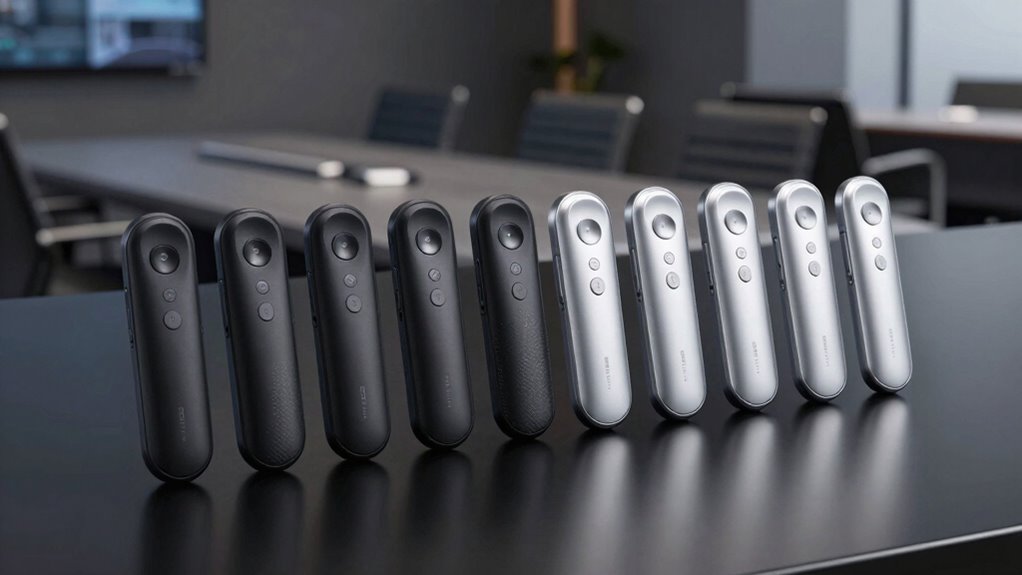
A premium wireless presentation clicker should do three things reliably: advance slides without lag, feel solid in your hand during long talks, and connect to any laptop without a fussy setup. After comparing ten leading models, the Logitech Spotlight stands out as the best overall pick thanks to its timer, vibration alerts, and air-mouse control that together do far more than flip slides. The Logitech R500s makes more sense if you want a dependable mid-range tool with a laser pointer, while the Microsoft Presenter+ suits presenters living in the PowerPoint and Teams ecosystem. The main tradeoff in this category is between premium smart features and dead-simple reliability — the most advanced remotes cost more and have a learning curve, while simpler models just work. Keep reading for the full breakdown of all ten options.

Get the latest gadgets delivered free with Prime
- Fast, free delivery on millions of items
- Prime Video, Amazon Music and more included
- Member-only deals all year
Complete the kit



Key Takeaways
- Logitech‘s Spotlight models dominated the top of the comparison because their timer, haptics, and app customization solve real presentation problems that basic clickers ignore.
- Laser pointers divide the lineup: the Kensington models and R500s keep a visible red beam, while the Spotlight and Spotlight 2 replace it with on-screen highlighting, which fails on some projectors but works better on LED screens.
- Dual USB-A and USB-C receivers (found in the generic 2.4GHz models and DINOSTRIKE) have quietly become the most future-proof connectivity feature in the group.
- Volume control and hyperlink buttons, once premium exclusives, now appear on sub-premium clickers, so paying more should buy build quality and smart features, not just extra buttons.
- Bluetooth models like the Microsoft Presenter+ and Spotlight pair without a dongle but sacrifice the plug-and-play reliability of 2.4GHz receivers in rooms with crowded wireless environments.
| Kensington Wireless Presenter Remote (K33271WW), Black |  | Best for Secure Corporate Environments | Model: K33271WW | Wireless Type: 2.4GHz | Range: 65 feet | VIEW ON AMAZON | See Our Full Breakdown |
| Logitech R500s Wireless Presentation Remote with Laser Pointer |  | Best Overall | Model: R500s | Connectivity: USB receiver, Bluetooth Low Energy | Operating Range: Up to 20 m (65 ft) | VIEW ON AMAZON | See Our Full Breakdown |
| Logitech Spotlight Universal Wireless Presentation Remote – Black |  | Best Premium | Connectivity: USB-A receiver or Bluetooth Smart | Operating Range: 30 m (100 ft) | Battery Life: Up to 3 months per full charge | VIEW ON AMAZON | See Our Full Breakdown |
| 2.4GHz Wireless Presentation Clicker with USB-A & USB-C Receiver, Red Light Pointer and Volume Control |  | Best Value | Connectivity: 2.4GHz wireless | Receiver: USB-A & USB-C dual connector | Wireless Range: Up to 100 ft (30 m) | VIEW ON AMAZON | See Our Full Breakdown |
| Microsoft Presenter+ Wireless Bluetooth Presentation Clicker for PowerPoint, Black |  | Best for Teams and Hybrid Meetings | Connectivity: Bluetooth wireless | Maximum Range: 10 meters | Battery: 1x AAA, up to 6 days | VIEW ON AMAZON | See Our Full Breakdown |
| Kensington Wireless Presenter with Red Laser Pointer (K33272WW) |  | Best for Secure Corporate Environments | Brand: Kensington | Model: K33272WW | Laser Color: Red | VIEW ON AMAZON | See Our Full Breakdown |
| Wireless Presentation Clicker with Laser Pointer for PowerPoint |  | Best Budget Range | Control Range: 98 ft / 30 m | Laser Pointer Range: 328 ft / 100 m | Connectivity: 2.4GHz RF USB receiver | VIEW ON AMAZON | See Our Full Breakdown |
| Wireless Presentation Clicker with Volume Control and Hyperlink, 2.4GHz USB PowerPoint Remote, Black |  | Best Control Set for the Money | Connectivity: 2.4GHz wireless USB receiver | Wireless Range: Up to 100 ft | Pointer Color: Red | VIEW ON AMAZON | See Our Full Breakdown |
| DINOSTRIKE Wireless Presenter Remote with Air Mouse Control, Rechargeable USB A&C Presentation Clicker |  | Best All-in-One Versatility | Brand: DINOSTRIKE | Wireless Control Range: 164 ft | Air Mouse Range: 82 ft | VIEW ON AMAZON | See Our Full Breakdown |
| Logitech Spotlight 2 Presentation Remote with Haptics – Black |  | Best Premium Pick | Brand: Logitech | Model: Spotlight 2 | Connectivity: Bluetooth, Logi Bolt USB-C receiver | VIEW ON AMAZON | See Our Full Breakdown |
| wireless presentation clicker premium | Connectivity | Compatibility |
|---|---|---|
| Kensington Wireless Presenter | — | — |
| Logitech R500s Wireless Presen | USB receiver, Bluetooth Low Energy | Windows, macOS, iOS, Android; PowerPoint, Keynote, PDF, Google Slides, Prezi |
| Logitech Spotlight Universal W | USB-A receiver or Bluetooth Smart | Windows, macOS; PowerPoint, Keynote, PDF, Google Slides, Prezi |
| 2.4GHz Wireless Presentation C | 2.4GHz wireless | macOS, Windows, Linux; PowerPoint, Keynote, Google Slides, Prezi |
| Microsoft Presenter+ Wireless | Bluetooth wireless | Microsoft Teams, PowerPoint, popular meeting apps |
| Kensington Wireless Presenter | — | PowerPoint, Keynote |
| Wireless Presentation Clicker | 2.4GHz RF USB receiver | — |
| Wireless Presentation Clicker | 2.4GHz wireless USB receiver | — |
| DINOSTRIKE Wireless Presenter | — | — |
| Logitech Spotlight 2 Presentat | Bluetooth, Logi Bolt USB-C receiver | macOS, Windows; PowerPoint, Google Slides, Keynote, Zoom, Teams |
More Details on Our Top Picks
Kensington Wireless Presenter Remote (K33271WW), Black
Kensington’s K33271WW stands out for one thing no other clicker in this lineup offers: AES 128-bit encrypted connectivity. For presenters working in finance, healthcare, or government venues where IT departments scrutinize every wireless device, that encryption matters more than flashy features. The plug-and-play 2.4GHz connection needs no drivers, and the 65-foot range matches the Logitech R500s for room coverage. The tradeoff is deliberate: this is a laser-free design, built for conference centers, airports, and auditoriums that ban laser pointers. Compared with the dual-USB generic clicker later in this list, Kensington trades exotic features for dependable, policy-compliant simplicity. The nano receiver stores inside the battery compartment, a small detail that prevents the most common way presenters lose their clickers.
Pros:- AES 128-bit encrypted connection satisfies strict corporate IT policies
- Plug-and-play setup with no drivers or software installation
- 65-foot range handles mid-size and large rooms
- Internal receiver storage inside the battery compartment
Cons:- No laser pointer, which many presenters expect at this class
- Four buttons mean no volume control or advanced features
Best for: Professionals in regulated industries or laser-restricted venues who need encrypted, secure wireless control
Not ideal for: Presenters who rely on a laser pointer to direct audience attention — this model intentionally omits one
- Model:K33271WW
- Wireless Type:2.4GHz
- Range:65 feet
- Encryption:AES 128-bit
- Buttons:4
- Driver Required:No
- Laser:No
- Color:Black
Our verdict“This is the pick when your venue bans lasers or your IT team demands encrypted wireless devices over feature-rich alternatives.”
Logitech R500s Wireless Presentation Remote with Laser Pointer
The R500s earns the top spot because it gets the fundamentals right without overcomplicating anything. Its dual connectivity — USB receiver or Bluetooth Low Energy — means it works whether you’re driving a locked-down lecture-hall PC or presenting from an iPad, and the 12-month AAA battery life removes the charging anxiety that comes with the rechargeable Logitech Spotlight. The red laser pointer covers the basics the Kensington K33271WW skips, and software support spans PowerPoint, Keynote, Google Slides, Prezi, and PDFs across Windows, Mac, iOS, and Android. The compromises are modest but real: the Logitech Presentation app is Windows/Mac only, and the power-saving mode disables the laser when the battery runs low. Compared with the Microsoft Presenter+, you give up Teams integration but gain far broader platform reach.
Pros:- Dual USB receiver and Bluetooth connectivity across Windows, Mac, iOS, and Android
- Up to 12 months of battery life on a single AAA battery
- Works with all major presentation software including Google Slides and Prezi
- Built-in storage for the USB receiver
Cons:- Presentation app is limited to Windows and Mac
- Power-saving mode disables the laser pointer when battery is low
- 20-meter range may drop in RF-crowded environments
Best for: Frequent presenters who need reliable cross-platform control across many venues and devices
Not ideal for: Hybrid presenters who want cursor control and on-screen highlighting — the basic laser can’t do that
- Model:R500s
- Connectivity:USB receiver, Bluetooth Low Energy
- Operating Range:Up to 20 m (65 ft)
- Battery:1 AAA, up to 12 months
- Compatibility:Windows, macOS, iOS, Android; PowerPoint, Keynote, PDF, Google Slides, Prezi
- Special Features:Presentation app support, power-saving mode
- Pointer:Red laser
Our verdict“The safest all-around choice for presenters who want broad compatibility and long battery life without software dependencies.”
Logitech Spotlight Universal Wireless Presentation Remote – Black
The Spotlight is what a premium clicker looks like when a company rethinks the category from scratch. Instead of a laser, it uses a digital pointer with highlight and magnify — features that work on any screen or projected image, unlike the red laser on the R500s, which washes out on bright displays. Add cursor control like a mouse, vibration alerts for time management, and one-minute quick charging for three hours of use, and it’s clearly built for high-stakes keynotes and hybrid presentations where you’re juggling slides, video, and embedded content. The catch: highlight, magnify, and timing all require the Logi Options+ app, so it’s not truly plug-and-play the way the Kensington or the generic dual-USB clicker are. If you present on borrowed machines without install rights, that dependency becomes a real limitation rather than a footnote.
Pros:- Digital highlight and magnify pointer works on any screen where lasers fail
- Vibration time alerts keep presentations paced without glancing at a clock
- Quick charging delivers 3 hours of use from 1 minute of charge
- 100-foot range with dual USB receiver and Bluetooth connectivity
Cons:- Highlight, magnify, and timing features require the Logi Options+ app
- Premium feature set carries a premium price point
- Battery life varies with usage and connected hardware
Best for: Keynote speakers and hybrid presenters who want on-screen highlighting, magnification, and pacing alerts
Not ideal for: Anyone presenting on locked-down or borrowed computers — the advanced features need software installation
- Connectivity:USB-A receiver or Bluetooth Smart
- Operating Range:30 m (100 ft)
- Battery Life:Up to 3 months per full charge
- Quick Charge:1 minute for 3 hours of use
- Controls:Three-button with cursor mode
- Compatibility:Windows, macOS; PowerPoint, Keynote, PDF, Google Slides, Prezi
- Software:Logi Options+ app
Our verdict“The pick for serious presenters who need screen-native pointing and pacing tools — provided you control the software on your presentation machine.”
2.4GHz Wireless Presentation Clicker with USB-A & USB-C Receiver, Red Light Pointer and Volume Control
This unbranded clicker solves the most annoying modern presentation problem: port mismatch. Its dual USB-A/USB-C receiver plugs into both legacy laptops and new MacBooks without adapters — something even the pricier Logitech R500s and Microsoft Presenter+ don’t offer out of the box. Setup is genuinely plug-and-play on Mac, Windows, and Linux, with no software needed, which makes it the truest grab-and-go option here alongside the Kensington. You also get volume control and a black-screen button, practical extras for presenters who run video clips, and a 100-foot range that rivals the Spotlight. The compromises are budget-typical: batteries aren’t included, and the red laser struggles against bright rooms and LED walls — the same weakness as the R500s’s pointer, without Logitech’s polish to offset it.
Pros:- Dual USB-A and USB-C receiver eliminates dongle and adapter problems
- True plug-and-play on Mac, Windows, and Linux with no drivers
- Volume control and black-screen buttons for multimedia presentations
- Magnetic receiver storage keeps the dongle attached to the remote
Cons:- Batteries not included, so it’s not usable out of the box
- Red pointer is hard to see on bright screens or in well-lit rooms
- Generic build lacks the refinement of Logitech or Kensington alternatives
Best for: Budget-conscious presenters and educators who move between old and new computers and want volume control
Not ideal for: Buyers who expect premium build quality and batteries in the box — this is a no-frills workhorse
- Connectivity:2.4GHz wireless
- Receiver:USB-A & USB-C dual connector
- Wireless Range:Up to 100 ft (30 m)
- Pointer Range:Up to 100 m
- Power:2x AAA batteries (not included)
- Weight:55 g
- Compatibility:macOS, Windows, Linux; PowerPoint, Keynote, Google Slides, Prezi
Our verdict“The smart budget pick if receiver compatibility and volume control matter more than brand polish.”
Microsoft Presenter+ Wireless Bluetooth Presentation Clicker for PowerPoint, Black
The Presenter+ is the only clicker in this roundup designed around video meetings rather than auditoriums. Its dedicated Microsoft Teams button and integrated mute control with a status light mean you can silence yourself mid-slides without hunting for your mouse — invaluable in hybrid meetings where you’re both presenter and participant. The digital pointer shares the Logitech Spotlight’s screen-native advantage over red lasers, but without needing the Spotlight’s app ecosystem for basic pointing. The tradeoffs are clear: the 10-meter Bluetooth range is half the R500s’s coverage, and it supports only one connected device at a time. For pure in-person presenting across large stages, the R500s or Spotlight serve better; for the Teams-and-PowerPoint daily grind, this is the more purposeful tool.
Pros:- Certified for Microsoft Teams with a dedicated Teams button
- Integrated mute control with visible status light for hybrid calls
- Digital pointing works on screens where laser pointers fail
- Ergonomic three-button design with simple Bluetooth pairing
Cons:- 10-meter range is the shortest in this lineup
- Supports only one connected device at a time
- Six-day battery life requires more frequent battery changes than Logitech options
Best for: Office professionals who present primarily through Microsoft Teams and PowerPoint in hybrid meetings
Not ideal for: Stage presenters and lecturers — the 10-meter range is too short for large rooms or auditoriums
- Connectivity:Bluetooth wireless
- Maximum Range:10 meters
- Battery:1x AAA, up to 6 days
- Buttons:3
- Pointer:Digital pointing
- Compatibility:Microsoft Teams, PowerPoint, popular meeting apps
- Special Features:Mute control with status light, Teams button
Our verdict“Choose this if your presentations happen mostly in Teams meetings and PowerPoint — skip it for large-venue speaking.”
Kensington Wireless Presenter with Red Laser Pointer (K33272WW)
Kensington’s K33272WW stands out for one thing no other clicker in this lineup offers: AES 128-bit encryption on the wireless link, plus TAA compliance. That combination makes this the safest pick for government contractors, financial firms, and IT-managed environments where an unencrypted presentation signal is a real liability. Compared with the generic PowerPoint clicker (B0B257B6WM), Kensington’s range is shorter at 65 feet versus 98 feet, but the four-button layout is cleaner and the 3-year coverage with lifetime technical support beats the support situation on unbranded alternatives. The tradeoff is simplicity itself: no volume control, no air mouse, no rechargeable battery. You get slides, screen blanking, and a laser — and that’s it.
Pros:- AES 128-bit encryption protects presentation data over the wireless link
- TAA compliant, making it eligible for federal procurement
- Clean four-button layout covers slides, screen hiding, and laser without clutter
- Internal battery-compartment storage keeps the nano receiver from getting lost
Cons:- Red laser is hard to see on bright screens and in well-lit rooms
- 65-foot range trails the 98–164 foot range of cheaper rivals
- Replaceable batteries mean ongoing maintenance and no recharge option
Best for: Government agencies, defense contractors, and corporate presenters who need encrypted, TAA-compliant hardware with vendor support
Not ideal for: Presenters who want volume control, hyperlink navigation, or a rechargeable battery — this is deliberately minimal
- Brand:Kensington
- Model:K33272WW
- Laser Color:Red
- Wireless Range:65 feet (2.4GHz)
- Encryption:AES 128-bit
- Receiver Storage:Inside battery compartment
- Compatibility:PowerPoint, Keynote
- Compliance & Support:TAA compliant; 3-year coverage, lifetime tech support
Our verdict“Buy this if your organization mandates secure, TAA-compliant presentation hardware; skip it if you want modern extras like volume control or air mouse.”
Wireless Presentation Clicker with Laser Pointer for PowerPoint
This no-name clicker’s headline strength is reach: 98 feet of slide control and a 328-foot laser range, which outdistances the Kensington K33272WW on both counts for a fraction of the complexity. It’s also the most forgiving option here for mixed-platform presenters, working across Windows, Mac OS, and Linux plus PowerPoint and Google Slides with zero setup. Compared with the DINOSTRIKE presenter, you give up the rechargeable battery and air mouse — two AAA alkalines do the work instead — but the ergonomics are solid for a lightweight 70-gram remote, and the receiver tucks inside the body when you travel. The tradeoff is bare-bones functionality: no volume, no hyperlink control, and a single supported device.
Pros:- 98 ft control and 328 ft laser range outperform many pricier remotes
- Broad compatibility with Windows, Mac OS, Linux, PowerPoint, and Google Slides
- Plug-and-play receiver stores inside the remote
- Batteries included and lightweight 70 g body travels easily
Cons:- Two AAA batteries instead of a built-in rechargeable cell
- No volume, hyperlink, or screen functions — slide control and laser only
- Generic brand means limited support and no warranty pedigree
Best for: Students, guest lecturers, and occasional presenters who want long-range basics that work on any laptop without setup
Not ideal for: Frequent business travelers who would benefit from a rechargeable battery and won’t want to hunt for AAA replacements mid-trip
- Control Range:98 ft / 30 m
- Laser Pointer Range:328 ft / 100 m
- Connectivity:2.4GHz RF USB receiver
- Compatible Systems:Windows XP–10, Mac OS, Linux
- Compatible Software:PowerPoint, Google Slides, Word, Excel
- Batteries:2 x AAA (included)
- Weight:70 g
Our verdict“The sensible low-cost pick when range and cross-platform reliability matter more than advanced controls.”
Wireless Presentation Clicker with Volume Control and Hyperlink, 2.4GHz USB PowerPoint Remote, Black
Where the budget clicker (B0B257B6WM) stops at slide and laser, this remote keeps going: volume control, hyperlink navigation, window switching, and full or black screen — controls that genuinely matter when you’re juggling a demo video and a spreadsheet mid-presentation. Its 100-foot range sits comfortably between the Kensington’s 65 feet and the DINOSTRIKE’s 164, and the magnetic one-piece receiver storage is a smarter anti-loss design than a loose compartment slot. The soft rubber buttons give confident tactile feedback, and auto sleep stretches the single AAA battery. The compromises: the red laser won’t read on LCD, LED, or TV screens, and unlike the DINOSTRIKE, that one battery isn’t included and isn’t rechargeable.
Pros:- Volume, hyperlink, window switching, and screen-blanking controls in one remote
- 100 ft wireless range with true plug-and-play setup
- Magnetic one-piece storage keeps the USB receiver attached
- Auto sleep mode conserves the single AAA battery
Cons:- Red laser is ineffective on LCD, LED, and TV screens
- AAA battery not included in the box
- No rechargeable option, unlike the DINOSTRIKE
Best for: Trainers and webinar hosts who need volume and hyperlink control alongside slide advancement
Not ideal for: Presenters who point at TVs or LED displays instead of projection screens — the red laser won’t show up
- Connectivity:2.4GHz wireless USB receiver
- Wireless Range:Up to 100 ft
- Pointer Color:Red
- Functions:Page forward/back, volume, hyperlink, window switch, full/black screen
- Power Source:1 x AAA battery (not included)
- Receiver Storage:One-piece magnetic USB storage
- Special Features:Soft rubber buttons, auto sleep
Our verdict“The strongest feature-per-dollar pick if your presentations mix slides, video, and live documents.”
DINOSTRIKE Wireless Presenter Remote with Air Mouse Control, Rechargeable USB A&C Presentation Clicker
The DINOSTRIKE is the Swiss-army option here: clicker, air mouse, and pointer in a 27-gram pen-clip body. Compared with the Logitech Spotlight 2, it lacks haptics and digital highlighting, but it brings genuine air-mouse control to a far lower price tier, letting you move a cursor and click embedded links from across the room — something the Kensington K33272WW simply cannot do. Its 164-foot wireless range is the longest in this batch, and the rechargeable 300 mAh lithium battery eliminates the AAA-replacement routine that plagues the budget clickers. The air mouse has its own learning curve and tops out at 82 feet — half the slide range — so presenters relying on cursor work need to stay closer to the screen than the headline number suggests.
Pros:- Air mouse, volume, hyperlink, window switching, and black screen in one device
- Rechargeable battery delivers weeks of use from a 3-hour charge
- Longest range in this batch at 164 ft control and 656 ft pointer visibility
- USB-A and USB-C compatibility with pen-style clip for portability
Cons:- Air mouse range (82 ft) is only half the overall wireless range
- Cursor control takes practice and can misfire mid-presentation
- Single-device support limits multi-machine workflows
Best for: Roadshow presenters and lecturers who demo interactive content and want one pocketable device for slides, cursor, and pointer
Not ideal for: Anyone presenting in secure or corporate-locked environments — no encryption, and air-mouse control may be overkill for straightforward slide decks
- Brand:DINOSTRIKE
- Wireless Control Range:164 ft
- Air Mouse Range:82 ft
- Pointer Light Range:656 ft
- Battery:300 mAh lithium-ion polymer, 3-hour charge
- Supported Systems:Windows 7/8+, Mac OS, Linux, Android
- Supported Software:PowerPoint, Keynote, PDF, Word, Excel, Google Slides, Prezi
- Weight:27 g
Our verdict“The best pick when you want mouse-level interactivity and a rechargeable battery without paying Spotlight-level prices.”
Logitech Spotlight 2 Presentation Remote with Haptics – Black
The Spotlight 2 plays a different sport than everything else here. Instead of a red laser dot, it projects digital highlighting effects — Spotlight, Squarelight, Magnify, and Annotate — that stay visible on any screen, including the LED and LCD panels where the B01410YNAM clicker’s red laser fails. Haptic feedback confirms every advance without looking down, and the customizable Action Button via Logi Options+ supports gestures the four-button Kensington can’t touch. Battery life is the other separator: up to three months per charge, with a one-minute quick charge buying three hours — no AAA replacements ever. The tradeoffs are real: full customization demands the Logi Options+ app, and this costs several times what the budget clickers do. For keynote speakers and executive presenters, the price buys polish.
Pros:- Digital highlighting effects work on any display, unlike red laser pointers
- Haptic feedback confirms commands without looking at the remote
- Up to 3 months battery life; 1-minute charge yields 3 hours of use
- Dual Bluetooth and Logi Bolt USB-C connectivity across macOS, Windows, Zoom, and Teams
Cons:- Advanced customization requires installing the Logi Options+ app
- Premium price far above basic clickers in this roundup
- No AAA fallback — a fully drained battery needs charging time before use
Best for: Keynote speakers, executives, and professional presenters who present on screens and want screen-independent highlighting
Not ideal for: Occasional classroom or training presenters — the premium price buys features a basic slide advance remote already covers
- Brand:Logitech
- Model:Spotlight 2
- Connectivity:Bluetooth, Logi Bolt USB-C receiver
- Compatibility:macOS, Windows; PowerPoint, Google Slides, Keynote, Zoom, Teams
- Battery Life:Up to 3 months per full charge; 3 hours from 1-minute charge
- Features:Haptic feedback, digital highlighting (Spotlight, Squarelight, Magnify, Annotate), laser pointer, customizable Action Button
Our verdict“The clear premium choice for presenters whose livelihood depends on polished, screen-flexible delivery; overkill for occasional slide advancement.”

How We Picked
I judged every clicker against the factors that actually matter mid-presentation: connection reliability, range, button layout, build quality, and ease of setup. A remote that drops its signal from ten meters away or buries the advance button next to a mute button is a liability regardless of its feature list. I also weighed versatility — whether a presenter handles classroom lectures, keynote talks, or hybrid Teams meetings — because the best clicker for a conference keynote is overkill for a weekly sales deck.
The ranking rewards models that justify their price with genuine capability rather than button count. That is why the app-enabled Logitech Spotlight models lead the list, the well-built R500s and Microsoft Presenter+ sit in the middle, and the generic 2.4GHz clickers fill the value tier. Products that solved a specific problem well — like DINOSTRIKE’s rechargeable battery and air mouse — ranked above similar models that did not. Every pick has drawbacks, and I’ve flagged them so you can match the tradeoffs to your own presenting style.
| wireless presentation clicker premium | Compatibility |
|---|---|
| Kensington Wireless Presenter | — |
| Logitech R500s Wireless Presen | Windows, macOS, iOS, Android; PowerPoint, Keynote, PDF, Google Slides, Prezi |
| Logitech Spotlight Universal W | Windows, macOS; PowerPoint, Keynote, PDF, Google Slides, Prezi |
| 2.4GHz Wireless Presentation C | macOS, Windows, Linux; PowerPoint, Keynote, Google Slides, Prezi |
| Microsoft Presenter+ Wireless | Microsoft Teams, PowerPoint, popular meeting apps |
| Kensington Wireless Presenter | PowerPoint, Keynote |
| Wireless Presentation Clicker | — |
| Wireless Presentation Clicker | — |
| DINOSTRIKE Wireless Presenter | — |
| Logitech Spotlight 2 Presentat | macOS, Windows; PowerPoint, Google Slides, Keynote, Zoom, Teams |
Factors to Consider When Choosing Wireless Presentation Clicker Premium
Before choosing a clicker, it helps to understand what separates a premium remote from a cheap one — and where the extra money actually pays off.Connectivity: 2.4GHz Receiver vs. Bluetooth
The single biggest decision is how the clicker connects. A 2.4GHz USB receiver is the safest choice for anyone presenting on borrowed hardware: plug it in, and it works on virtually any computer with no pairing process. Bluetooth models like the Microsoft Presenter+ free up a USB port and pair cleanly with your own machine, but they can struggle in conference venues saturated with wireless traffic, and pairing a new device mid-event is nerve-racking. A common mistake is buying a Bluetooth-only clicker when you regularly present on venue laptops with locked-down software — always check whether you can install receivers or pair devices before relying on one connection type. The most future-proof option is a clicker with a dual USB-A and USB-C receiver, since modern laptops are dropping full-size ports fast.
Pointer Type: Laser vs. On-Screen Highlight
Nearly every presenter assumes they need a laser, but that assumption deserves a second look. A red laser pointer works on any projection surface and needs no software, which is why the Kensington models keep them. The tradeoff: laser dots are hard for a large room to see, invisible on many LED walls and bright screens, and banned in some venues. Digital highlight and magnify features, like those on the Logitech Spotlight, are more visible and more precise, but they require installed software and don’t work with every presentation tool. If you speak in modern conference rooms with LED displays, digital pointing wins; if you present in classrooms or halls with traditional projectors, keep a laser. Hybrid presenters should lean toward models with both options or accept the compromise their venue dictates.
Smart Features You’ll Actually Use
Premium pricing is often justified by features beyond slide advancement, but not all of them earn their keep. A presentation timer with vibration alerts is the one premium feature experienced speakers consistently praise — it tells you silently when time is running out without glancing at your watch or the confidence monitor. Volume control is genuinely useful for embedded video, while hyperlink buttons only matter if your decks use interactive navigation. Air-mouse control sounds appealing but has a learning curve; casual presenters often trigger it accidentally. My advice: list the last five decks you presented and check which features you’d have actually used. Paying for capability you never touch is the most common premium-buying mistake in this category.
Power: Batteries vs. Rechargeable
Clickers either run on replaceable coin cells or recharge over USB. Replaceable batteries (the Kensington and Logitech R500s approach) last months per cell and can be swapped in seconds if you carry a spare — a real advantage when you discover a dead remote five minutes before going on stage. Rechargeable models like the DINOSTRIKE and Spotlight 2 are cheaper to own long-term and never leave you hunting for a CR2032 in a convention center, but they punish forgetful owners: an uncharged clicker is a paperweight. If you recharge routinely, USB charging is more convenient and sustainable. If you’re the type who stuffs the clicker in a bag for weeks between talks, replaceable cells are the safer bet. Either way, a clicker with a battery-level indicator removes the guesswork entirely.
Build Quality and Hand Feel
A presentation remote is one of the few gadgets you operate blind, behind your back, under stress. That makes tactile button differentiation more valuable than any spec sheet line — you should find the advance button by feel alone, which is where premium models with sculpted, spaced buttons pull ahead of flat generic clickers. Weight matters too: a remote that feels like a toy gets fumbled; one that’s too heavy tires your hand during hour-long sessions. Metal and soft-touch finishes aren’t just aesthetic — they resist the wear of being tossed in a laptop bag daily. If possible, check whether the buttons click audibly; silent buttons give no confirmation, while overly loud ones distract audiences during quiet moments.
Software Compatibility and Lockdown Environments
The most overlooked factor is whether the clicker’s features survive contact with your actual presentation setup. Advanced features like digital highlighting and customization typically require companion software, which corporate IT policies, venue machines, and operating system updates can block without warning. Basic slide advancement uses the keyboard Page Up/Page Down protocol and works everywhere, which is why even the smartest clickers fall back to it. Before buying premium, ask yourself honestly: will you present mostly from your own laptop, or from whatever machine the venue provides? If it’s the latter, a software-independent clicker like the Kensington or R500s will frustrate you far less than a sophisticated tool running at half its capability.
Frequently Asked Questions
Is the Logitech Spotlight worth the premium over a standard clicker?
It depends entirely on how often you present and what happens during your talks. The Spotlight earns its price through its timer with vibration alerts, digital highlighting, and customizable gesture controls — features that matter if you speak professionally, run timed sessions, or present on bright LED screens where a laser dot disappears. If you advance slides once a week in internal meetings, those capabilities will go unused and a mid-range model like the R500s serves you just as well. One caveat: the Spotlight’s advanced features require its companion software, so on locked-down or borrowed machines it functions as a basic advancer. Pay the premium only if the smart features will actually run where you present.
Do I need a laser pointer if my clicker has digital highlighting?
Digital highlighting is more visible in most modern venues because it circles or magnifies content on the screen itself rather than projecting a small dot that only front-row viewers can track. However, it fails completely on setups where the software can’t run, and some venues with older projectors or strict IT policies won’t support it. A red laser works on any projection surface with zero software, making it the more universally reliable choice for presenters who travel to unfamiliar rooms. The safest position is owning a clicker with both, but if you must choose, match the pointer type to the rooms you speak in most. If you present almost exclusively on your own laptop with LED screens, digital pointing wins; otherwise keep the laser.
Will a 2.4GHz clicker work on a laptop that only has USB-C ports?
Only if the receiver itself is USB-C or you carry a USB-A adapter. Many clickers in this category — including several budget models here — now ship with dual USB-A and USB-C receivers, which is the cleanest solution because it eliminates adapters entirely. Older clickers with fixed USB-A dongles can use a simple adapter, but adapters are easy to lose and occasionally introduce connection quirks. Bluetooth clickers sidestep the port problem entirely, at the cost of the pairing hassle discussed elsewhere. If your laptop has shed its USB-A ports, make port compatibility a hard filter before comparing any other feature.
Are rechargeable clickers better than ones with replaceable batteries?
Neither is universally better — the right answer depends on your habits. Rechargeable models save money on batteries and are more sustainable, and you’ll never hunt for a coin cell in an unfamiliar city. The risk is that a forgotten charge turns your premium clicker into a plastic brick minutes before a talk. Replaceable-battery models run for months per cell and can be revived instantly with a spare CR2032 kept in your bag, which is why many professional speakers still prefer them despite the inconvenience. Whichever you choose, look for a battery-level indicator or the Logitech Spotlight 2’s haptic low-battery alert, because the real enemy isn’t battery type — it’s not knowing the charge state before you walk on stage.
Can one clicker work across PowerPoint, Google Slides, Keynote, and Teams?
For basic slide advancement, yes — almost every clicker here emulates the Page Up/Page Down keys, which all major presentation apps recognize. Complications appear with premium features: dedicated Teams controls on the Microsoft Presenter+ are tailored to that ecosystem, customization apps may not exist for every platform, and Google Slides in a browser occasionally ignores non-standard key mappings. Digital highlighting tends to work with native apps but not always with web-based presentation tools. If you present across mixed platforms, prioritize a clicker whose core functions rely only on standard keyboard emulation, and treat anything fancier as a bonus. Test your specific combination at home before relying on it in front of an audience.
Conclusion
Matching the right clicker to your presenting life is easier once you know which buyer type you are. For the best overall pick, the Logitech Spotlight earns it with a feature set — timer, haptic alerts, digital highlighting — that genuinely changes how you perform under time pressure. The Logitech Spotlight 2 is the best premium choice for professionals who want haptic feedback and the most refined hardware in the group, provided they present from software-friendly machines. For best value, the Logitech R500s delivers dependable advancement, a red laser, and solid build at a mid-range price, while the generic 2.4GHz USB-A/USB-C clickers are the smart budget floor for occasional presenters. Beginners should start with the Kensington K33272WW — it does the basics flawlessly with no software or learning curve. For specific needs: the Microsoft Presenter+ for Teams and PowerPoint-centric presenters, the DINOSTRIKE for anyone who wants air-mouse control and USB recharging without Logitech pricing, and the volume-and-hyperlink clicker for presenters whose decks lean on embedded video and interactive navigation. Whatever you choose, buy for the rooms and machines you actually present with — not the features that sound impressive on a spec sheet.
Halloween Picks
halloween
As an affiliate, we earn on qualifying purchases.