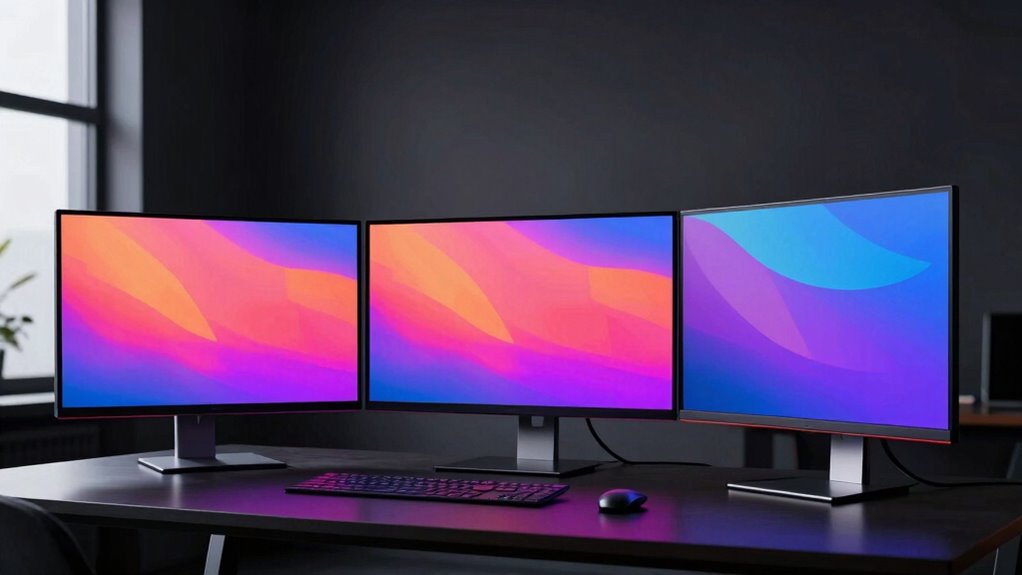

For an OLED monitor for office work and creators, my best overall pick is the ASUS ProArt PA279CDV: its 4K resolution and professional focus suit detailed work without making gaming speed the priority. The MSI PRO MAX 271UPX12G is a strong alternative if you want a 4K QD-OLED screen with a simpler, more general-purpose profile, while the ASUS ProArt PA32UCDM targets creators who want a larger, high-refresh 4K display. The main tradeoffs are text clarity and desktop comfort versus OLED contrast, plus how much you value color-focused tools, refresh rate, and screen area. Gaming models can deliver excellent motion and contrast, but those features may matter less than resolution and connectivity during office work. Read on for the full comparison and help matching a monitor to your desk and workload.

Get the latest gadgets delivered free with Prime
- Fast, free delivery on millions of items
- Prime Video, Amazon Music and more included
- Member-only deals all year
Complete the kit



Key Takeaways
- The ProArt PA279CDV leads for creator-first 4K work; its professional positioning makes more sense for editing and detailed desktop tasks than the gaming-first 27-inch QHD options.
- The MSI PRO MAX 271UPX12G is the practical 4K QD-OLED middle ground for people who want a sharper workspace without moving to a large 32-inch display.
- The ProArt PA32UCDM combines 4K, 32-inch class sizing, and 240Hz, making it the most ambitious fit for creators who also care about fast motion, though many office users may not need that speed.
- QHD 27-inch gaming OLEDs trade desktop detail for high refresh rates; the Samsung Odyssey G6, LG 27GX704A-B, Acer Predator X27U W1, and MSI MAG 274QP X24 suit gaming alongside everyday work.
- The Deco Gear 49-inch screen and Dell S3225QC solve different desk problems: one replaces a dual-monitor span with ultrawide space, while the other offers a large 4K desktop with a more office-friendly refresh profile.


| oled monitor for office and creator | Screen size | Panel | Resolution | Refresh rate |
|---|---|---|---|---|
| Samsung 27" Odyssey OLED G6 | 27 inches | QD-OLED | QHD 1440p | 240Hz |
| LG 27GX704A-B 27-Inch UltraGea | 27 inches | OLED | QHD | 240Hz |
| MSI PRO MAX 271UPX12G 27" 4K U | 27 inches | QD-OLED | 3840 x 2160 (4K UHD) | 120Hz |
| MSI MAG 321UP QD-OLED 32" 4K U | 32 inches | 3rd Gen QD-OLED | 3840 x 2160 (4K UHD) | 165Hz |
| Deco Gear 49" 5K QD-OLED Curve | 49 inches | QD-OLED | 5120 x 1440 | 240Hz |
| ASUS ROG XG32UCWMG 32" 4K 240H | 32 inches | TrueBlack Glossy WOLED | 3840 × 2160 (4K) | 240Hz at 4K; 480Hz at FHD |
| MSI MAG 274QP QD-OLED X24 27" | 26.5 inches | Quantum Dot OLED | 2560 × 1440 (WQHD) | 240Hz |
| Acer Predator X27U W1 26.5" QH | 26.5 inches | QD-OLED | 2560 × 1440 (WQHD) | 240Hz |
| ASUS ProArt PA32UCDM 31.5-Inch | 31.5 inches | QD-OLED | 3840 × 2160 (4K) | 240Hz |
| Dell 32 Plus 4K QD-OLED Monito | 31.6 inches | QD-OLED, matte finish | 3840 × 2160 (4K UHD) | 120Hz |
| ASUS ProArt PA279CDV 26.5-Inch | 26.5 inches | QD-OLED | 4K UHD (3840 × 2160) | 120 Hz |
| LG 27GX790B-B 27-inch UltraGea | 27 inches | OLED | QHD; HD at 720 Hz dual mode | — |
| Samsung 27-Inch Odyssey OLED G | 27 inches | QD-OLED | QHD | 180 Hz |
More Details on Our Top Picks
Samsung 27″ Odyssey OLED G6 (G61SH) QD-OLED QHD Gaming Monitor
The Samsung Odyssey OLED G6 combines a glare-free surface with a 240Hz QHD QD-OLED panel, making it a stronger fit for a bright, shared office than the glossy MSI MAG 321UP. Its Pantone validation and HDR10 support suit color-rich creative work, while the fast refresh rate keeps motion smooth when the workday turns to gaming. The adjustable stand also makes it easier to position for long desk sessions. The tradeoff is resolution: at 27 inches, QHD gives you less workspace and fine detail than the 4K MSI PRO MAX 271UPX12G. OLED Safeguard can help manage burn-in risk, but it does not remove the need to be mindful of static desktop elements. This is the best match here for creators who value reflection control and responsiveness over 4K sharpness.
Pros:- Glare-free surface helps limit distracting reflections in bright rooms.
- Pantone-validated QD-OLED color and HDR10 suit vivid creative previews.
- 240Hz refresh rate and 0.03ms response time keep motion exceptionally smooth.
- Height, tilt, swivel, and pivot adjustments support flexible positioning.
Cons:- QHD resolution offers less workspace and fine detail than the 4K MSI options.
- OLED can still develop burn-in over time despite its safeguard features.
- Taking full advantage of 240Hz may require a capable graphics card.
Best for: Creators and hybrid workers in bright rooms who want a glare-reducing 27-inch screen with smooth motion for gaming after work.
Not ideal for: Photo editors and spreadsheet-heavy office users who need the extra fine detail and desktop space of a 4K display.
- Screen size:27 inches
- Panel:QD-OLED
- Resolution:QHD 1440p
- Refresh rate:240Hz
- Response time:0.03ms
- HDR:HDR10
- Adaptive sync:AMD FreeSync Premium
- Stand adjustments:Height, tilt, swivel, and pivot
Our verdict“Choose the Samsung if you want a reflection-conscious QD-OLED for a bright office and fast gaming, and can work comfortably at QHD.”
LG 27GX704A-B 27-Inch UltraGear QHD OLED Gaming Monitor
The LG UltraGear 27GX704A-B is a practical pick for a compact creator desk that also serves as a gaming setup. Its 27-inch QHD OLED panel shares the Samsung Odyssey OLED G6’s 240Hz refresh rate and 0.03ms response time, but LG adds dual HDMI 2.1 and USB ports for a more flexible mix of computers and consoles. Wide DCI-P3 coverage and DisplayHDR True Black 400 support vivid image work, while its height, tilt, swivel, and pivot adjustments help tune the screen for different tasks. Compared with the 4K MSI PRO MAX 271UPX12G, this LG gives up pixel density and color accuracy information in exchange for gaming-focused speed and connections. Its glossy screen may reflect windows or lamps, and OLED pixel care remains part of ownership.
Pros:- Dual HDMI 2.1 and USB ports simplify connections to multiple devices.
- 240Hz refresh rate and 0.03ms response time suit fast gaming.
- DisplayHDR True Black 400 and up to 98.5% DCI-P3 support vivid images.
- Stand adjusts for height, tilt, swivel, and pivot.
Cons:- Glossy finish can reflect lights and windows in bright rooms.
- QHD offers less desktop space and detail than the 4K creator-focused MSI PRO MAX.
- OLED requires pixel care to help reduce image retention risk.
Best for: Hybrid creators with a small desk who connect multiple HDMI devices and want one fast OLED for editing and gaming.
Not ideal for: People working beside bright windows or doing detail-critical 4K editing who need a matte surface or higher resolution.
- Screen size:27 inches
- Panel:OLED
- Resolution:QHD
- Refresh rate:240Hz
- Response time:0.03ms
- HDR:VESA DisplayHDR True Black 400
- Color gamut:Up to 98.5% DCI-P3
- Connectivity:Dual HDMI 2.1, DisplayPort 1.4, USB 3.2 upstream and downstream, headphone jack
Our verdict“Pick the LG if your compact office needs broad HDMI connectivity and fast gaming, and its glossy QHD screen fits your lighting and editing needs.”
MSI PRO MAX 271UPX12G 27″ 4K UHD QD-OLED Monitor
For a creator who spends more time editing and organizing than chasing peak gaming speed, the MSI PRO MAX 271UPX12G makes the clearest case in this group. Its 27-inch 4K QD-OLED panel packs fine detail into a compact screen, and the stated ΔE < 2 color accuracy gives design and photo work a stronger accuracy credential than the gaming-first Samsung Odyssey OLED G6. A 120Hz refresh rate still makes everyday scrolling and motion feel smooth, though it cannot match the Samsung or LG’s 240Hz. USB-C, Mac compatibility, and a height-adjustable stand suit a mixed-device office, but its 15W power delivery is too limited to charge most laptops. Choose it for resolution and color confidence, not as a one-cable laptop dock.
Pros:- 4K resolution provides fine detail and ample workspace on a 27-inch panel.
- Stated ΔE < 2 accuracy suits color-sensitive creative tasks.
- USB-C, HDMI, and DisplayPort accommodate mixed-device setups.
- Mac compatibility and a height-adjustable stand suit desk workflows.
Cons:- USB-C power delivery is only 15W, insufficient for charging most laptops.
- 120Hz is slower than the 240Hz Samsung Odyssey OLED G6 and LG UltraGear.
- 4K at 120Hz can demand a powerful graphics card.
Best for: Mac and PC designers, photographers, and editors who want a compact 4K OLED with stated factory-calibrated color accuracy.
Not ideal for: Laptop users seeking a single-cable workstation dock or competitive gamers prioritizing 240Hz motion.
- Screen size:27 inches
- Panel:QD-OLED
- Resolution:3840 x 2160 (4K UHD)
- Refresh rate:120Hz
- Color accuracy:ΔE < 2
- HDR:VESA DisplayHDR True Black 400
- USB-C power delivery:15W
- Other connections:HDMI and DisplayPort
Our verdict“Choose the MSI PRO MAX for compact 4K creative work and stated color accuracy, provided you do not need high laptop charging power or 240Hz gaming.”
MSI MAG 321UP QD-OLED 32″ 4K UHD Gaming Monitor
The MSI MAG 321UP gives creators a larger 4K canvas than the 27-inch MSI PRO MAX 271UPX12G, while its 165Hz refresh rate leaves room for serious gaming between work sessions. The 32-inch QD-OLED panel, True Black 400 HDR, and stated Delta E≤2 accuracy make it appealing for immersive editing and media. HDMI 2.1 with full 48 Gbps bandwidth is useful for compatible consoles, and the height-adjustable stand can help fit the sizable screen to a desk. Compared with the 49-inch Deco Gear, this is easier to place in a typical office; compared with the smaller PRO MAX, it gives up USB-C and its Mac-oriented workflow features. The glossy finish can catch reflections, and its 25-pound weight makes repositioning a chore.
Pros:- 32-inch 4K canvas offers more comfortable room for timelines and side-by-side windows.
- QD-OLED, True Black 400 HDR, and Delta E≤2 support rich, accurate-looking images.
- 165Hz refresh rate and 0.03ms response time deliver responsive gaming.
- HDMI 2.1 offers full 48 Gbps bandwidth for compatible devices.
Cons:- Glossy screen can reflect lights and windows.
- At 25 pounds, it is cumbersome to move or reposition.
- No USB-C connection, unlike the creator-oriented MSI PRO MAX and Deco Gear.
Best for: Creators with a roomy desk who want a large 4K OLED for visual work, console play, and occasional high-refresh PC gaming.
Not ideal for: People with limited desk space, frequent monitor movers, or laptop-first workflows that depend on USB-C charging.
- Screen size:32 inches
- Panel:3rd Gen QD-OLED
- Resolution:3840 x 2160 (4K UHD)
- Refresh rate:165Hz
- Response time:0.03ms GtG
- HDR:VESA DisplayHDR True Black 400
- Adaptive sync:AMD FreeSync Premium Pro
- Connectivity:HDMI 2.1 and DisplayPort 1.4a
Our verdict“Choose the MAG 321UP for a large 4K work-and-play screen if your desk can accommodate it and you do not need USB-C.”
Deco Gear 49″ 5K QD-OLED Curved Gaming Monitor
The Deco Gear 49-inch QD-OLED is the standout for people who want one screen to act like a wide multi-monitor office. Its 32:9, 5120 x 1440 layout can keep editing tools, reference material, and communication windows visible together; KVM, PIP/PBP, and 90W USB-C also make switching between computers and powering a laptop more practical than on the MSI MAG 321UP. Color coverage and Delta E<2 specifications suit creative workflows, and 240Hz adds unusually fast motion for a work-focused super ultrawide. The cost is physical scale: at nearly four feet wide, it needs a generous desk and careful placement. Its resolution is broad rather than 4K-tall, so it does not offer the same vertical detail as the MSI’s 4K panels.
Pros:- 32:9 layout can keep multiple work areas visible without a monitor split.
- 90W USB-C power delivery, KVM, and PIP/PBP support multi-computer workflows.
- 99% DCI-P3, 100% sRGB, 99% Adobe RGB, and Delta E<2 are suited to creative work.
- 240Hz refresh rate pairs smooth gaming with a broad productivity canvas.
Cons:- Nearly 47 inches wide and 20.9 pounds, requiring substantial desk space.
- 5120 x 1440 has less vertical resolution than the 4K MSI MAG 321UP.
- OLED still carries image-retention risk during long sessions with static interface elements.
Best for: Multi-device creators and office users with a deep, wide desk who want to replace a dual-monitor setup and use laptop USB-C power.
Not ideal for: Small-desk users, people who need a conventional 4K vertical workspace, or those who frequently move their display.
- Screen size:49 inches
- Panel:QD-OLED
- Resolution:5120 x 1440
- Aspect ratio:32:9
- Refresh rate:240Hz
- Response time:0.03ms GTG
- USB-C power delivery:90W
- Features:KVM, PIP/PBP, Adaptive Sync, FreeSync
Our verdict“Choose the Deco Gear if you need a wide, multi-device creative workspace and have the desk room for its super ultrawide format.”
ASUS ROG XG32UCWMG 32″ 4K 240Hz Glossy OLED G-SYNC Gaming Monitor
The 32-inch 4K panel gives office work and creative timelines more room than the 27-inch MSI MAG 274QP QD-OLED X24, while its 99% DCI-P3 coverage and Delta E below 2 suit color-conscious editing. Its defining extra is the switch between 4K at 240Hz for detailed work and play, and FHD at 480Hz for competitive games. The zero-haze glossy surface keeps images crisp, though reflections can distract beside bright windows. ASUS adds a proximity sensor and burn-in coverage in its three-year warranty, but those safeguards do not remove the care OLED requires with static office interfaces. USB-C supplies only 15W, so it cannot replace a laptop charger the way the Dell 32 Plus can. I’d choose it for a mixed creative and gaming desk that values speed and resolution over glare control and laptop charging.
Pros:- 4K 240Hz and FHD 480Hz modes serve different work and gaming needs
- 99% DCI-P3, 10-bit color, and Delta E below 2 support color-aware editing
- Three-year warranty includes burn-in coverage
- OLED Care Pro proximity sensor helps limit static-screen exposure
Cons:- Glossy zero-haze finish can reflect bright windows and lamps
- USB-C power delivery is limited to 15W
- OLED still needs care around persistent office interface elements
Best for: Creators and PC gamers who want a large 4K workspace, accurate color, and a high-refresh gaming mode on one display.
Not ideal for: Laptop-first office users who need strong USB-C charging, or people working in bright rooms where a glossy screen may reflect light.
- Screen size:32 inches
- Resolution:3840 × 2160 (4K)
- Panel:TrueBlack Glossy WOLED
- Refresh rate:240Hz at 4K; 480Hz at FHD
- Color:99% DCI-P3, 10-bit, Delta E < 2
- HDR:VESA DisplayHDR 400 True Black
- Connectivity:DisplayPort 1.4 (DSC), HDMI 2.1, USB-C with 15W power delivery
- Warranty:3 years, including burn-in coverage
Our verdict“Choose this ASUS if you want a spacious, color-accurate 4K creator display that can also switch to exceptionally fast gaming modes.”
MSI MAG 274QP QD-OLED X24 27″ WQHD Gaming Monitor
The 26.5-inch QHD format fits desks where a 32-inch 4K screen like the ASUS ROG XG32UCWMG would crowd the work area, while still leaving enough resolution for general editing and side-by-side office windows. MSI pairs QD-OLED contrast with 10-bit color, 99% DCI-P3 coverage, and Delta E at or below 2, so it has more creative appeal than its gaming label suggests. The 240Hz refresh rate and 0.03ms response time favor fast motion, but the lower pixel count gives less canvas detail than the 4K ASUS or ProArt PA32UCDM. A fanless graphene heatsink and OLED Care 2.0 address panel upkeep, not the underlying risk of static-image retention. This is a sensible smaller-screen compromise, though its 400-nit peak brightness may fall short in demanding bright-room use.
Pros:- Compact QHD panel takes less desk space than the 31.5-inch ProArt PA32UCDM
- 10-bit color, 99% DCI-P3, and Delta E ≤2 support creative work
- 240Hz refresh rate and 0.03ms response time deliver very quick motion
- Fanless graphene heatsink and OLED Care 2.0 support panel maintenance
Cons:- QHD has less workspace and image detail than the 4K models in this batch
- 400-nit peak brightness may be limiting in bright rooms
- OLED care features cannot eliminate image-retention risk
Best for: Desk-limited creators who edit photos or video at QHD and also want a 240Hz display for PC or console gaming.
Not ideal for: Professionals who need a 4K canvas for detailed imagery, or users whose office has strong ambient light and calls for higher brightness.
- Screen size:26.5 inches
- Resolution:2560 × 1440 (WQHD)
- Panel:Quantum Dot OLED
- Refresh rate:240Hz
- Response time:0.03ms GtG
- Color:10-bit, 99% DCI-P3, Delta E ≤2
- Peak brightness:400 nits
- Connectivity:HDMI 2.1 (CEC), DisplayPort 1.4a
Our verdict“Pick the MSI if you need a smaller QHD OLED that balances color-aware editing with high-refresh gaming.”
Acer Predator X27U W1 26.5″ QHD QD-OLED 240Hz Gaming Monitor
The Acer Predator X27U W1 brings QD-OLED contrast and accurate color to a compact QHD screen, with 99% DCI-P3 coverage, true 10-bit color, and Delta E below 2. Those traits make it more adaptable to creator tasks than a gaming-only spec sheet might suggest, but its 240Hz refresh rate, 0.03ms response time, and AMD FreeSync Premium point most clearly to smooth, fast play. Compared with the similarly sized MSI MAG 274QP QD-OLED X24, Acer specifies FreeSync Premium and HDR10; MSI lists a height-adjustable stand and OLED care software. Neither offers the 4K working space of the Dell 32 Plus or ProArt PA32UCDM. Acer’s ZeroFrame design keeps borders unobtrusive in a multi-monitor setup, but the supplied information does not establish detailed ergonomics or burn-in coverage, so buyers should check fit and panel-care terms before committing.
Pros:- True 10-bit color and 99% DCI-P3 coverage suit color-conscious work
- 240Hz and 0.03ms response time support fast gameplay
- AMD FreeSync Premium helps reduce tearing and stutter
- ZeroFrame bezel design works well in a multi-display arrangement
Cons:- QHD provides less workspace detail than the 4K options in this roundup
- Product data does not specify an adjustable stand or burn-in warranty
- OLED panels can retain static content over time
Best for: AMD graphics users who want a compact QHD screen for competitive gaming alongside color-sensitive photo or video work.
Not ideal for: Creators who need 4K detail, or office users who prioritize verified height adjustment and explicit OLED-care features.
- Screen size:26.5 inches
- Resolution:2560 × 1440 (WQHD)
- Panel:QD-OLED
- Refresh rate:240Hz
- Response time:0.03ms GtG
- Color:True 10-bit, 99% DCI-P3, Delta E < 2
- HDR:HDR10
- Adaptive sync:AMD FreeSync Premium
Our verdict“Choose the Acer for a compact, color-capable QHD display when FreeSync gaming matters more than 4K workspace or documented care features.”
ASUS ProArt PA32UCDM 31.5-Inch 4K 240Hz QD-OLED Professional Monitor
For creative work where color control is central, the ProArt PA32UCDM offers the most explicit professional toolkit in this batch: Delta E below 1, ASUS hardware calibration, and Calman Ready support. Its 31.5-inch 4K QD-OLED panel combines a detailed workspace with 99% DCI-P3 coverage and support for the BT.2020 color gamut. Compared with the ASUS ROG XG32UCWMG, it trades dual-mode gaming flexibility for calibration-focused features, Dolby Vision, and Thunderbolt 4. The 240Hz refresh rate still leaves room for smooth motion work and gaming, but driving 4K at that rate calls for a capable graphics system. The listed 1000-nit peak brightness and HDR formats widen its HDR scope; OLED remains less carefree for static toolbars than a conventional office display. It makes most sense when calibration and color gamut justify the more specialized setup.
Pros:- Delta E < 1 and hardware calibration support precise color workflows
- 31.5-inch 4K panel with 99% DCI-P3 and BT.2020 coverage
- Thunderbolt 4 supports integration with professional setups
- Dolby Vision, HLG, and HDR10 broaden HDR format support
Cons:- Professional calibration features may be unnecessary for general office tasks
- 4K at 240Hz requires a powerful graphics system
- OLED panels need care when static interface elements stay onscreen
Best for: Color-critical editors and designers who need a 4K OLED, hardware calibration support, and Thunderbolt 4 in a professional workflow.
Not ideal for: Casual office users who do not need calibration tools, or buyers without a graphics system capable of driving 4K at high refresh rates.
- Screen size:31.5 inches
- Resolution:3840 × 2160 (4K)
- Panel:QD-OLED
- Refresh rate:240Hz
- Peak brightness:1000 nits
- Color:True 10-bit; 100% sRGB, 99% DCI-P3, BT.2020
- Color accuracy:Delta E < 1
- Calibration and connectivity:ASUS ProArt hardware calibration, Calman Ready, Thunderbolt 4
Our verdict“Choose the ProArt PA32UCDM if color calibration and wide-gamut 4K production matter more than everyday simplicity.”
Dell 32 Plus 4K QD-OLED Monitor S3225QC, 31.6-inch, 3840 x 2160, 120Hz, 0.03ms, AI-Enhanced 3D Spatial Audio, Height/Tilt/Swivel/Slant Adjustment, Ash White
The Dell 32 Plus S3225QC is the most office-oriented option here: its USB-C connection supplies up to 90W, enough to charge many laptops while carrying a single-cable desk setup. The 31.6-inch 4K QD-OLED screen gives spreadsheets, timelines, and creative apps plenty of detail, and 99% DCI-P3 coverage plus Dolby Vision make it useful for media work too. Its 120Hz refresh rate is smoother than standard office displays, though it falls below the 240Hz ASUS ROG XG32UCWMG and ProArt PA32UCDM. Dell includes five speakers, adjustable positioning, and ComfortView Plus, features those faster models do not emphasize. The tradeoff is modest listed brightness of 250 and just one HDMI port; for color-critical production, the ProArt’s calibration tools are a stronger fit. Choose Dell for an integrated work desk, not maximum motion performance.
Pros:- USB-C delivers up to 90W power for a streamlined laptop desk
- 4K QD-OLED with 99% DCI-P3 and Dolby Vision supports detailed media work
- Height, tilt, swivel, and slant adjustment help fit varied work positions
- Five built-in 5W speakers and ComfortView Plus add office convenience
Cons:- 120Hz is slower than the 240Hz ASUS ROG and ProArt alternatives
- Listed 250 brightness may be limiting in bright rooms
- Single HDMI port restricts direct multi-device connections
Best for: Laptop-based office workers and hybrid creators who want one cable for display and charging, plus built-in sound and ergonomic adjustment.
Not ideal for: Competitive gamers who want 240Hz, or color-critical professionals who need hardware calibration and a specified Delta E target.
- Screen size:31.6 inches
- Resolution:3840 × 2160 (4K UHD)
- Panel:QD-OLED, matte finish
- Refresh rate:120Hz
- Color and contrast:99% DCI-P3; 1,500,000:1 contrast
- HDR:Dolby Vision, VESA DisplayHDR True Black 400
- USB-C power delivery:Up to 90W
- Audio and adjustment:Five 5W speakers; height, tilt, swivel, and slant adjustment
Our verdict“Pick the Dell if your priority is a polished laptop-centered 4K work setup with useful charging, audio, and ergonomic features.”
ASUS ProArt PA279CDV 26.5-Inch 4K UHD QD-OLED Professional Monitor
The PA279CDV is the clearest fit here for creators whose desk is also their everyday workstation. Its 4K QD-OLED panel gives fine detail and deep contrast, while factory-calibrated color with Delta E under 1.5 supports color-sensitive editing without making gaming speed the main attraction. Compared with the gaming-focused Samsung Odyssey OLED G5, this ASUS offers sharper 4K resolution, broader stated color coverage, and a more flexible work setup. USB-C with up to 96W power delivery can connect and charge a laptop through one cable, and Auto KVM helps share peripherals between two computers. The tradeoff is its 120 Hz refresh rate: smooth for general use, but far below the LG 27GX790B-B for competitive gaming. Its 26.5-inch screen also leaves less room for multiple full-size windows than larger options in the roundup.
Pros:- 4K QD-OLED resolution provides detailed workspace and editing previews
- Factory calibration, Delta E under 1.5, and wide stated color coverage suit color-sensitive work
- USB-C delivers up to 96W of power and Auto KVM supports two-computer setups
- Stand adjusts for height, tilt, swivel, and pivot
Cons:- 120 Hz is much slower than the LG 27GX790B-B’s high-refresh gaming modes
- 26.5-inch screen offers less room for multitasking than larger monitors
- OLED’s high contrast does not remove the need to manage static desktop elements
Best for: Designers, photographers, and laptop-based professionals who want calibrated 4K color, USB-C charging, and a monitor suited to both editing and daily office work.
Not ideal for: Competitive gamers who prioritize very high refresh rates, or office users who need a larger screen for several side-by-side windows.
- Screen size:26.5 inches
- Resolution:4K UHD (3840 × 2160)
- Panel:QD-OLED
- Refresh rate:120 Hz
- Color accuracy:Delta E < 1.5; Calman Verified and factory-calibrated
- Color gamut:100% sRGB, 99% DCI-P3, BT.2020
- USB-C power delivery:Up to 96W
- Stand adjustments:Tilt, swivel, pivot, and height
Our verdict“Choose the PA279CDV for calibrated 4K creative work and a streamlined laptop desk, provided 120 Hz and its compact screen size suit your routine.”
LG 27GX790B-B 27-inch UltraGear QHD OLED Gaming Monitor, Dual Mode 540Hz/720Hz, 0.02ms, TrueBlack 500, G-Sync Compatible, FreeSync Premium Pro, DP 2.1, USB-C, Black
The LG 27GX790B-B is the speed specialist in this group. Its dual mode reaches 540 Hz at QHD or 720 Hz at HD, making it a strong match for competitive play where motion clarity matters more than fine desktop detail. That choice also shows the tradeoff plainly: 720 Hz reduces resolution, while the ASUS ProArt PA279CDV keeps a much sharper 4K workspace and prioritizes calibrated color. For creator work, the LG still brings OLED contrast, up to 99.5% DCI-P3 coverage, and Delta E of 2 or less, so it can handle vivid visuals between matches. But its QHD resolution gives less room for detailed timelines or dense office layouts than the ASUS. DisplayPort 2.1 and USB-C add flexible connections, though its extreme refresh modes will matter little to casual players or desk-first creators.
Pros:- Dual mode offers QHD at 540 Hz or HD at 720 Hz
- 0.02 ms response time and OLED contrast support fast, clear motion
- Up to 99.5% DCI-P3 coverage and Delta E ≤ 2 provide capable color performance
- DisplayPort 2.1, USB-C, and dual HDMI 2.1 provide current connection options
Cons:- 720 Hz mode lowers resolution to HD
- QHD has less workspace detail than the ASUS ProArt PA279CDV’s 4K panel
- 335 nits typical brightness may be limiting in bright rooms
Best for: Competitive PC gamers who want exceptionally high refresh modes and also use their monitor for occasional color-conscious creative work.
Not ideal for: Creators who need 4K detail for image work or office users who would gain little from refresh rates beyond conventional gaming speeds.
- Screen size:27 inches
- Resolution:QHD; HD at 720 Hz dual mode
- Panel:OLED
- Dual mode refresh rates:QHD at 540 Hz; HD at 720 Hz
- Response time:0.02 ms (GtG)
- HDR:VESA DisplayHDR True Black 500
- Typical brightness:335 nits
- Connectivity:DisplayPort 2.1, USB-C, dual HDMI 2.1
Our verdict“Pick the LG 27GX790B-B if competitive refresh rates are your priority and QHD is enough for your creative and office tasks.”
Samsung 27-Inch Odyssey OLED G5 (G50SF) QHD QD-OLED Gaming Monitor
The Odyssey OLED G5 is a more measured gaming option than the LG 27GX790B-B: its 180 Hz refresh rate supports fluid play without centering the design on extreme competitive modes. Its QHD QD-OLED panel, Pantone validation, and HDR10 also give creators vivid color and strong contrast for general visual work. That makes it a reasonable shared screen for gaming and creative tasks, though the ASUS ProArt PA279CDV is the stronger choice when 4K detail, factory calibration, and laptop-focused USB-C power delivery matter most. Samsung’s Glare Free finish and OLED Safeguard with thermal modulation address reflections and burn-in risk, but do not change the underlying need to use sensible OLED care habits. QHD also leaves less fine detail for office layouts and image editing than 4K, so this is best for buyers who value responsive all-purpose use over maximum workspace resolution.
Pros:- 180 Hz refresh rate and 0.03 ms response time support responsive gaming
- QD-OLED panel combines vivid color with deep contrast
- Pantone validation supports color-conscious general creative work
- Glare Free coating and OLED Safeguard address reflections and panel care
Cons:- QHD resolution provides less detail and workspace than 4K monitors in the roundup
- HDR10 support is less specifically stated than the LG’s DisplayHDR True Black 500 certification
- OLED still calls for care around persistent on-screen interface elements
Best for: Mixed-use buyers who want a responsive QHD OLED for gaming, vivid media, and occasional creative work without needing a pro-calibrated 4K display.
Not ideal for: Photographers and designers who need 4K workspace detail or the ASUS ProArt PA279CDV’s stated factory calibration and USB-C laptop charging.
- Screen size:27 inches
- Resolution:QHD
- Panel:QD-OLED
- Refresh rate:180 Hz
- Response time:0.03 ms (GTG)
- HDR support:HDR10
- Adaptive sync:G-Sync Compatible, AMD FreeSync
- Warranty:3 years
Our verdict“Choose the Odyssey OLED G5 for a QHD screen that balances everyday creative use with smooth gaming, rather than for 4K editing precision.”

How We Picked
I ranked these monitors around the needs implied by office and creator work: readable workspace detail, useful screen area, suitability for color-sensitive tasks, connectivity, ergonomic flexibility, and whether gaming features add practical value. Resolution and product positioning carry more weight here than headline refresh rate; a 240Hz panel is a useful bonus, but it cannot compensate for a resolution or workflow fit that does not suit the desk.
The ProArt models and MSI PRO MAX 271UPX12G rank highest for creator-oriented use because their 4K professional or general-purpose positioning aligns more closely with detailed work. The larger ProArt PA32UCDM earns a premium role for buyers who want both 4K workspace and high refresh, while the Dell is a comfortable large-format alternative. Gaming-focused QHD models rank lower for this specific brief despite their speed, and the ultrawide Deco Gear is a specialized choice whose broad workspace comes with a different aspect ratio and desk footprint. OLED technology also calls for practical attention to static interfaces and long-term panel care, so I treat maintenance as part of the fit rather than an afterthought.
| oled monitor for office and creator | HDR |
|---|---|
| Samsung 27" Odyssey OLED G6 | HDR10 |
| LG 27GX704A-B 27-Inch UltraGea | VESA DisplayHDR True Black 400 |
| MSI PRO MAX 271UPX12G 27" 4K U | VESA DisplayHDR True Black 400 |
| MSI MAG 321UP QD-OLED 32" 4K U | VESA DisplayHDR True Black 400 |
| Deco Gear 49" 5K QD-OLED Curve | — |
| ASUS ROG XG32UCWMG 32" 4K 240H | VESA DisplayHDR 400 True Black |
| MSI MAG 274QP QD-OLED X24 27" | — |
| Acer Predator X27U W1 26.5" QH | HDR10 |
| ASUS ProArt PA32UCDM 31.5-Inch | — |
| Dell 32 Plus 4K QD-OLED Monito | Dolby Vision, VESA DisplayHDR True Black 400 |
| ASUS ProArt PA279CDV 26.5-Inch | — |
| LG 27GX790B-B 27-inch UltraGea | VESA DisplayHDR True Black 500 |
| Samsung 27-Inch Odyssey OLED G | — |
Factors to Consider When Choosing Oled Monitor For Office And Creators
Choosing an OLED for a mixed workday means matching the display to the tasks that occupy most of your time. I would start with the shape and detail of your workspace, then weigh color needs, connections, refresh rate, and how much static content stays onscreen.
Choose resolution around your daily workspace
For long sessions with documents, timelines, or several windows, resolution affects how much useful detail fits onscreen. A 4K panel can show finer detail and more content than a QHD display of similar size, which helps with dense interfaces and image work. QHD can still be a sensible choice if you prioritize high frame rates or sit farther from the screen. A common mistake is to assume that a higher resolution automatically makes everything easier to read; interface scaling and viewing distance also shape comfort. Check how your operating system and main applications handle scaling before choosing a very dense panel. I would favor 4K when editing and office detail dominate, and QHD when gaming speed or system demands matter more.
Match color claims to your actual creative work
OLED contrast can make dark scenes and image previews look striking, but that alone does not make a monitor a color-critical reference display. If your work goes to print, video delivery, or client review, check the model’s color coverage, calibration options, and whether you need a hardware calibration workflow. Creators often make the mistake of buying based on panel type or HDR branding without checking the color space their projects require. Also consider whether your work environment has controlled lighting, since reflections and brightness conditions affect what you perceive. A professional line such as ProArt signals a creator focus, but the exact specifications and calibration process should still match your output. For general design and content work, a good all-purpose 4K OLED may be sufficient; specialized delivery standards call for closer scrutiny.
Treat OLED care as part of the ownership decision
Office applications often keep menus, taskbars, and spreadsheet grids in the same places for hours, so static content deserves attention with OLED. Look for the manufacturer’s panel-care features and follow the recommended sleep, screen-saver, and refresh routines. Avoid disabling protective functions simply to prevent an interruption, and use interface settings that reduce unnecessary fixed bright elements where practical. A common mistake is to treat OLED exactly like an LCD during every workday without considering its maintenance guidance. Your usage pattern matters: varied editing and media work differs from displaying the same dashboard all day. If your job requires an unchanging interface for extended shifts, compare that reality with the monitor’s care instructions before buying.
Buy connectivity for the whole desk, not just the panel
Think through every device that needs to connect: a work laptop, desktop, console, dock, webcam, or external storage. USB-C can simplify a laptop setup when it supports the power and data features you need, while HDMI and DisplayPort versions affect which resolution and refresh combinations are available. Do not assume that a port’s presence guarantees a one-cable setup; confirm power delivery, hub behavior, and supported signal modes in the monitor specifications. A monitor with strong picture quality can still create daily friction if switching devices is awkward. Check how many inputs you need at once and whether the screen offers the adjustments that matter at your desk. For hybrid setups, convenience can be more valuable than an extra jump in refresh rate.
Choose screen shape and size for your workflow
A 27-inch monitor fits many desks and keeps the display easy to position, while a 32-inch 4K screen gives more room for large canvases and side-by-side panels. A 49-inch ultrawide can replace a two-screen span for people who keep many windows visible, but its width calls for desk depth and a deliberate layout. Do not compare ultrawide resolution numbers directly with standard 16:9 4K; the pixel arrangement and application behavior differ. Some software handles a very wide desktop naturally, while other workflows work better with separate screens or a centered canvas. Measure the desk and consider where the camera, speakers, and task lighting will sit. Choose by the shape of the work you arrange onscreen, rather than screen size alone.
Pay for refresh rate only when it changes your day
High refresh rates make motion smoother and can matter for competitive gaming, but they usually rank behind resolution, color workflow, and comfortable positioning for office and creator tasks. The 240Hz and faster models in this roundup make sense when gaming is a regular part of the same setup or when motion is central to your work. For writing, coding, and most static design tasks, a lower refresh rate may leave more room in your priorities for 4K detail or professional features. Another mistake is assuming a high refresh number will be available at every resolution and through every cable; confirm the supported mode for your computer and connection. If you rarely play fast games, compare what that feature costs in desk fit and workflow suitability before making it a deciding factor.
Frequently Asked Questions
Is a 4K OLED a better choice than a QHD OLED for office work?
For dense documents, coding, and detailed creative applications, 4K generally gives you more workspace detail at a given screen size. That is why the ProArt PA279CDV and MSI PRO MAX 271UPX12G make stronger office-oriented cases than the QHD gaming picks. QHD remains reasonable if high refresh gaming is a major part of your setup or if your computer has limited graphics capacity. Also check scaling: some people prefer larger interface elements even when the display has more pixels. Choose based on both the applications you use and how far you sit from the screen.
Can I use an OLED monitor for spreadsheets and other static office apps every day?
Yes, but static interfaces make OLED care more relevant than it is for varied media use. Follow the maker’s panel-care guidance, keep protective features enabled, and use sleep or screen-saving settings when you step away. The risk and care requirements depend on the panel and your usage pattern, so review the exact model’s instructions rather than assuming all OLEDs behave identically. If your role leaves the same dashboard or spreadsheet onscreen for most of every shift, account for that when comparing display technologies. The roundup’s creator and gaming models can serve office work, but their care routines still matter.
Do I need a 240Hz OLED for creative work?
Most office and design workflows do not require 240Hz. A high refresh rate can make pointer movement and scrolling feel smoother, and it is more valuable if you also play fast-paced games. The ProArt PA32UCDM is the standout choice here for someone who wants 4K creator positioning and 240Hz in one large display. By contrast, the 4K 120Hz Dell S3225QC or the 4K MSI PRO MAX may better match a work-first setup. Check your computer’s output and connection before paying attention to the maximum refresh figure.
Should I choose an ultrawide OLED instead of two monitors?
The Deco Gear 49-inch ultrawide offers one continuous desktop area, which can suit timelines, wide spreadsheets, and side-by-side windows. Two monitors can be easier when you want separate screen positions, different orientations, or a dedicated reference display. An ultrawide also requires enough desk width and software that handles a very wide workspace comfortably. Consider how often you share screens or need a centered video call window, since those habits can favor a conventional layout. Pick the arrangement that supports your actual window patterns rather than assuming one large panel replaces every dual-monitor setup.
Which connection should I check first for a laptop and desktop setup?
Start with the laptop’s available outputs and whether you want a single cable for display, charging, and peripherals. If so, verify USB-C power delivery and data features on the specific monitor; the port name alone does not confirm those capabilities. For a desktop or console, compare HDMI and DisplayPort support against the resolution and refresh rate you intend to use. Also count how many devices need to remain connected and how easily you can switch between them. This check can rule out an otherwise appealing display before you run into daily cable changes.
Conclusion
For a creator who also works at a desk all day, I would choose the ASUS ProArt PA279CDV as my best overall because its 4K resolution and professional focus fit the brief directly. The MSI PRO MAX 271UPX12G is my best value in capability for buyers seeking 4K QD-OLED without moving to a large premium-format screen. The ASUS ProArt PA32UCDM is my best premium pick for those who want a large 4K canvas and high refresh in one monitor. Beginners who want one display for mixed use can start with the Dell S3225QC and its 32-inch 4K, 120Hz profile, while checking connectivity against their desk setup. For gaming-first buyers, I would look at the Samsung Odyssey G6 or LG 27GX704A-B; for a very wide workspace, choose the Deco Gear 49-inch model. Match the screen to the hours you spend working, then let gaming speed shape the decision only if you will use it.
Halloween Picks
halloween
As an affiliate, we earn on qualifying purchases.