
🔍 Read the full analysis: How SVG Animation Shapes The “TURBINE — WERK 9” Experience on ThorstenMeyerAI.com

Get the latest gadgets delivered free — and shop member deals
- Fast, free delivery on millions of items
- Access to Prime Big Deal Days deals on October 6–7
- Prime Video, Amazon Music and more included
TL;DR
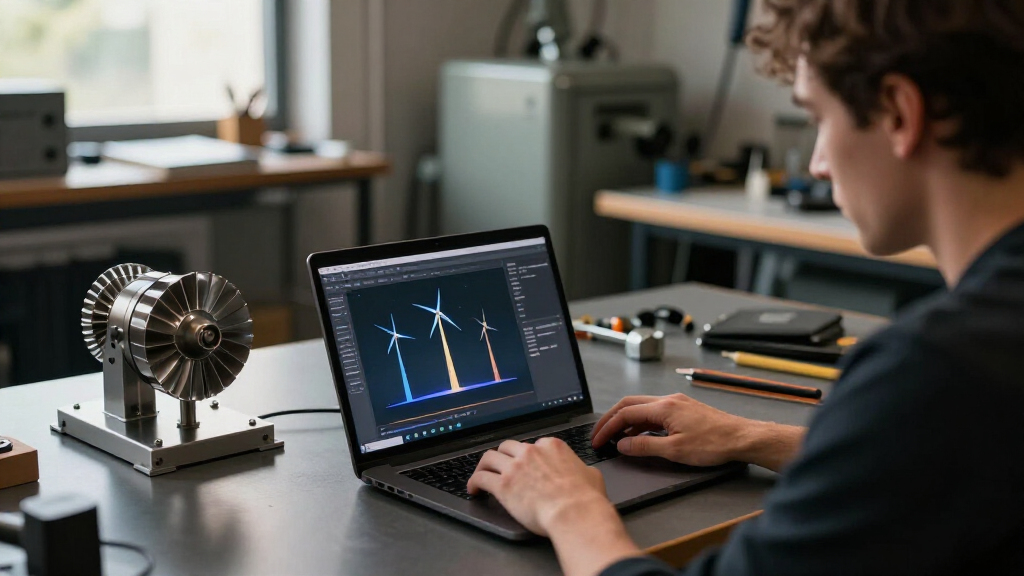
TURBINE — WERK 9 is an interactive, field-guide-style web experience built around a rotor drawn with SVG paths. Scrolling drives the rotor’s motion, linking movement through the page to the project’s industrial setting; technical details and performance information are not provided.
TURBINE — WERK 9 uses a scroll-driven SVG rotor to make navigation through an interactive browser field guide feel connected to the mechanics of an industrial site. The project presentation describes scrolling as part of the visual experience, rather than only a way to move between sections.
According to the project presentation on ThorstenMeyerAI.com, the experience combines vector paths, a browser interface and the visitor’s scroll input. As visitors move through the page, the rotor animates alongside the content. The presentation frames the project as a field guide, positioning exploration as a way to move through a designed environment rather than browse a conventional brochure.
The same presentation describes the animation as a connection between page movement and machinery and invites visitors to explore the live experience, alongside a closer look at artistic SVG animation. It also points to a linked case study about the rotor’s design and the organization of the visual system.
The available project description does not specify implementation details, such as the number of SVG paths, the exact relationship between scroll distance and rotation, or whether the animation uses a particular framework. It also provides no measurements of loading speed, accessibility testing or mobile performance. Those details cannot be inferred from the project’s visual premise alone.
Interactive project · Visual field guide
How SVG Animation Shapes The “TURBINE — WERK 9” Experience
A scroll-driven rotor connects movement through a browser field guide with the mechanics of an industrial setting. The project’s central idea is clear; its technical and performance details are not published.
Page movement becomes part of the machine’s story.
As visitors scroll, an SVG rotor animates alongside the content.01 / The interaction
Scroll turns into mechanical motion
The presentation links visitor input to a rotor, giving page movement a visual cue that fits the industrial theme.
Visitors move through the page
Scrolling is described as part of the visual experience, not only a way to move between sections.
The rotor moves with content
An SVG rotor animates alongside the page as visitors explore the project.
Motion echoes machinery
The interaction ties navigation to the character of the industrial site represented.
Scroll
Visitor input moves through the guide.
Animate
The SVG rotor responds alongside content.
Explore
The page unfolds like a designed environment.
Connect
Interface movement recalls industrial motion.
02 / The format
A field guide, not a brochure
The project asks what a webpage might feel like if visitors could move around a machine-inspired environment instead of simply reading a brochure.
Move through a place
The field-guide framing positions navigation as exploration through a designed setting.
Let form carry context
Rotor motion helps make the interface specific to its industrial subject.
Follow the design story
A linked case study offers a closer look at rotor design and visual-system organization.
03 / What is documented
Intent is visible. Implementation is open.
The project presentation explains the premise but does not publish the engineering or evaluation details needed to assess its behavior.
Unspecified: The exact relationship between scroll distance and rotation is not explained. The visual premise alone cannot establish performance or accessibility outcomes.
Documentation coverage · qualitative
Illustrative summary only. No completeness score or technical measurement is supplied by the source.
Details described
- Interactive browser experience presented as a field guide
- Rotor artwork made from SVG paths
- Rotor movement responds to visitor scrolling
- Live experience and design case study are promoted
Details not provided
Path count, animation code, scroll-to-rotation mapping, framework, mobile performance, browser compatibility, reduced-motion behavior, accessibility testing, audience data, and measured engagement results.
04 / Reader questions
What the project description confirms
Claims about device support, visitor response, or measurable effects would need evidence beyond the available project account.
What is TURBINE — WERK 9?
An interactive browser experience presented as a field guide to an industrial setting, with a rotor animation tied to page scrolling.
How does the SVG animation work?
The rotor is made with SVG paths and responds to scrolling. The underlying code and precise mechanics are not described.
Can visitors explore the experience?
The project presentation invites readers to visit the live experience. It gives no further details about access requirements or supported devices.
What remains unknown?
Device performance, accessibility features, reduced-motion behavior, and evaluation with visitors are not established by the available description.
Source: ThorstenMeyerAI.com
Scroll Turns Into Mechanical Motion
The project presentation frames the design as an example of how scroll interaction can carry meaning, not just trigger movement on screen. In its account, the input is associated with a rotor, giving visitors a visual cue that the page’s motion reflects the industrial theme. That connection can help make an interface feel specific to its subject, rather than interchangeable with a standard set of web sections.
The presentation also illustrates why SVG animation can be used in designed interfaces: vector artwork can be incorporated into a browser experience and animated as part of the page’s visual system. It describes the rotor as responsive to user input, but does not document how consistently the experience works across devices or how visitors respond to it.
As an affiliate, we earn on qualifying purchases.
A Field Guide, Not a Brochure
The project presentation introduces a design question: what if a webpage behaved less like a brochure and more like a machine visitors could move around? Its answer is a field-guide format paired with an animated rotor, using interface motion to reinforce the character of the represented place.
The presentation points readers to a fuller case study for information about how the rotor was shaped and how the visual system was organized. It also promotes a live version of the experience. The available account includes no launch date, client information, production timeline or named design team, so those details remain unconfirmed.
As an affiliate, we earn on qualifying purchases.
Implementation Details Remain Unpublished
The project presentation explains the design intent but leaves several practical questions unanswered. It does not state how the SVG animation is coded, how precisely scroll input controls the rotor, or whether visitors can interact with the rotor in other ways. It also provides no information about accessibility accommodations, reduced-motion behavior, browser compatibility or performance on mobile devices.
The presentation does not provide audience data or evaluation results, so it is not possible to say whether the interaction improves comprehension or engagement compared with a conventional page. Claims about measurable effects would require additional evidence.
interactive SVG animation software
As an affiliate, we earn on qualifying purchases.
As an affiliate, we earn on qualifying purchases.
The Live Experience and Case Study
The TURBINE — WERK 9 project presentation links to the live experience and a design teardown covering the rotor’s motion and the visual system. It does not announce a later release, feature update or publication date for additional technical documentation.
Further reporting could establish how the animation responds to different scroll inputs, what accessibility options are available, and how the design performs across screen sizes. Until those details are published, the confirmed takeaway from the project presentation is limited to its central design choice: scrolling drives an SVG rotor within an industrial-themed interactive field guide.
Source: ThorstenMeyerAI.com
As an affiliate, we earn on qualifying purchases.
Key Questions
What is TURBINE — WERK 9?
The project presentation describes it as an interactive browser experience presented as a field guide to an industrial setting, with a rotor animation tied to page scrolling.
How does the SVG animation work?
The project presentation says the rotor is made with SVG paths and its movement responds to scrolling. It does not provide the underlying code or a precise explanation of the animation mechanics.
Is the experience available to visit?
The project presentation invites readers to visit the live experience. It does not include further details about access requirements or supported devices.
What is not yet known about the project?
The available project description does not establish how the animation performs on different devices, what accessibility features it includes, or whether the interaction has been evaluated with visitors.
Source: ThorstenMeyerAI.com
Evergreen bestsellers Picks
bestsellers
As an affiliate, we earn on qualifying purchases.