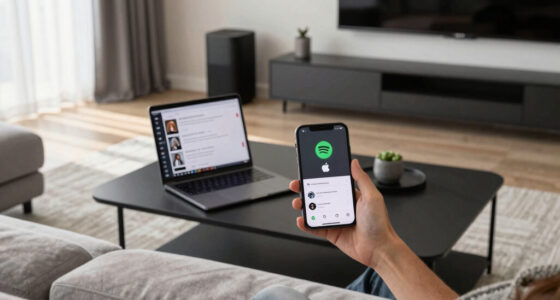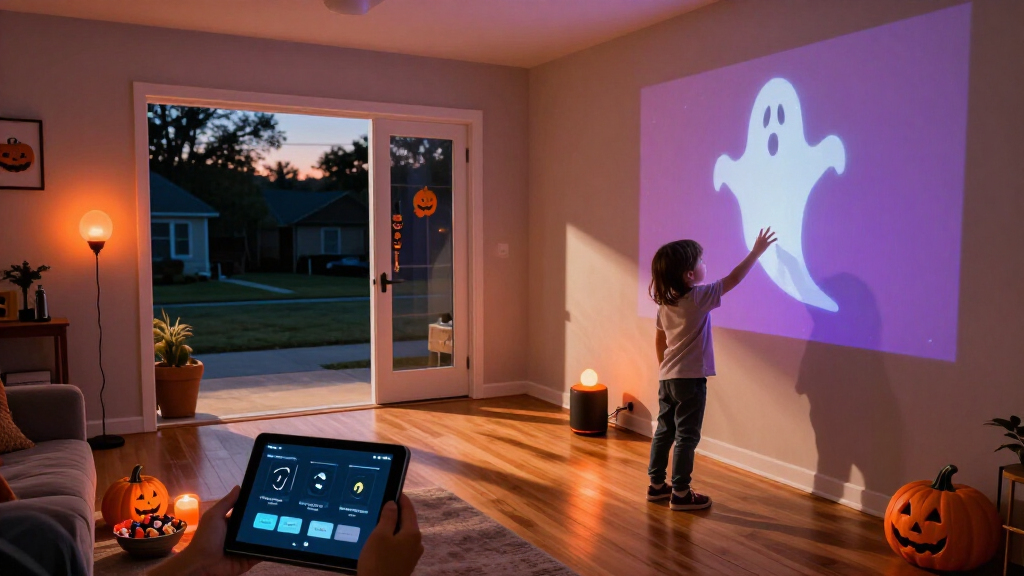
Set up a smart Halloween display by choosing compatible devices, placing them safely, and creating a schedule or motion-triggered effect. This guide is for beginners who can use a smartphone app and want to coordinate lights, sounds, or decorations without leaving cables and automations unreliable. Allow 1-3 hours, depending on the number of devices and how much testing your display needs.

Get the latest gadgets delivered free — and shop member deals
- Fast, free delivery on millions of items
- Access to Prime Big Deal Days deals on October 6–7
- Prime Video, Amazon Music and more included

Smart Permanent Outdoor Lights for House, 100ft with 60 RGB Christmas Lights, Waterproof, Wi-Fi & Voice Control
- ✔ Length: 100 ft
- ✔ Number of LEDs: 60
- ✔ Color options: 16 million

Smart Outdoor RGB+IC Christmas Lights, 100ft, 60 LEDs, IP67 Waterproof, Alexa & Google Assistant Compatible
- ✔ Length: 100 ft
- ✔ Number of LEDs: 60
- ✔ Waterproof rating: IP67

Magic Potion Animated Sign, Smart Plug Friendly Halloween Decor
- ✔ Dimensions: 16.1 × 11.8 in
- ✔ Weight: 16 oz
- ✔ Material: Acrylic
Difficulty: Beginner | Time: 1-3 hours
What You’ll Need
Tools & Materials:
- Smartphone or tablet with the manufacturer’s app
- Wi-Fi or hub required by your smart devices
- Smart bulbs, light strips, plugs, speakers, or sensors suited to the display
- Outdoor-rated extension cords or covers, if needed
- Halloween decorations and mounting materials
- Optional: smart speaker or home automation platform
Knowledge:
- Basic use of a smartphone and home Wi-Fi
- Ability to identify whether an outlet and device are suitable for indoor or outdoor use
Check the product labels and manufacturer instructions before placing equipment outside. Outdoor use requires devices, cords, and connections rated for the location and weather exposure. Keep decorations away from heat sources, exits, walkways, and anything that could trip visitors. Have a manual switch or a way to disconnect each device if an automation behaves unexpectedly.
Smart Permanent Outdoor Lights for House, 100ft with 60 RGB Christmas Lights, Waterproof, Wi-Fi & Voice Control
For shoppers who want Halloween color across a roofline or other broad exterior run, this is our most balanced pick. Its 100-foot length and 60 RGB lights create a larger canvas than the Magic Potion sign, which is better understood as a compact indoor focal point. The listed 16 million colors and customizable scenes also make these lights adaptable: we can move from a Halloween palette to other seasonal or party lighting rather than buying a single-purpose decoration.Control is a key advantage over the sign. The lights list Wi-Fi, Bluetooth, a remote, and voice control, with Alexa and Google Assistant compatibility described. Dimming from 1% to 100% gives us a way to soften a display instead of running it at full brightness, while the 2700K–6500K range adds white-light options. These details make the first outdoor set a better fit for someone who wants both seasonal effects and more general exterior lighting control.The tradeoff is setup. This set specifies a 2.4 GHz Wi-Fi requirement for app control, and the product information cautions that configuration may be complex for some buyers. It also lists 46 watts, which is worth considering for a long-running installation. Compared with the RGB+IC alternative, it does not state a scene count or an IP67 rating, so buyers who prioritize those particular specifications may prefer that model. We would choose this one for its broader listed control and dimming details, not assume it wins on every weather or effects measure.
Pros:
- 100-foot run with 60 RGB lights suits broad exterior displays.
- Lists app, Bluetooth, remote, and voice control.
- 1%–100% dimming supports subtle effects as well as vivid color.
- Customizable scenes and 16 million colors can serve more than Halloween.
Cons:
- App control requires 2.4 GHz Wi-Fi, and setup may challenge some users.
- The listing does not specify an IP rating or scene-mode count.
- Its 46-watt draw may matter for extended seasonal use.
Best for: Homeowners who want a long outdoor Halloween lighting run with voice control, deep dimming, and flexibility for other occasions.
Not ideal for: Buyers seeking a quick, small indoor accent, anyone unwilling to handle Wi-Fi setup, or shoppers who specifically require a stated IP67 rating.
Bottom line: We recommend it as the most versatile outdoor starting point when broad coverage and multiple control options matter more than a specifically stated IP67 rating.
“We recommend it as the most versatile outdoor starting point when broad coverage and multiple control options matter more than a specifically stated IP67 rating.”
Smart Outdoor RGB+IC Christmas Lights, 100ft, 60 LEDs, IP67 Waterproof, Alexa & Google Assistant Compatible
This alternative covers the same broad use case as our overall pick: a 100-foot outdoor light run with 60 LEDs. Its strongest point of difference is not size but the supplied specification detail. We get 98 scene modes and an IP67 waterproof rating, making it the more straightforward choice for shoppers who want a stated water-protection specification and a menu of ready-made effects. For a Halloween setup, that can make it easier to choose a look without building every color arrangement from scratch.The RGB+IC description suggests a different emphasis from the first product’s listed dimming and color-temperature range: this model foregrounds scene effects and color customization. It still offers 16 million colors and app, voice, and RF remote control, so it is not limited to preset looks. Alexa and Google Assistant compatibility are included in the product details. Compared with the Magic Potion sign, it is much better suited to outlining or coloring a larger exterior area; the sign wins only when we want a small, self-contained indoor graphic.There are practical compromises. The listing says full functionality requires Wi-Fi and Bluetooth, and app compatibility may depend on the device, so it is not necessarily the easiest option for a buyer who wants to avoid connectivity troubleshooting. At 46 watts, it shares the first set’s stated power draw. It also does not provide the same listed 1%–100% dimming range or color-temperature specification as our overall pick. We would favor this product when its scene count and IP67 rating answer our priorities, and favor the first when its more detailed dimming and control information matters more.
Pros:
- IP67 waterproof rating is explicitly stated.
- 98 scene modes provide a broad selection of ready-made effects.
- 100 feet and 60 LEDs suit larger exterior displays.
- App, voice, and RF remote control offer several operating options.
Cons:
- Full functionality requires Wi-Fi and Bluetooth.
- App compatibility may depend on the device used.
- The listing does not state a dimming range or color-temperature range.
Best for: Buyers decorating a substantial outdoor area who value many preset scenes and want an explicitly stated IP67 waterproof rating.
Not ideal for: People who want the simplest setup, a compact indoor-only decoration, or documented dimming and white-color-temperature ranges.
Bottom line: Choose this over our overall pick when the stated IP67 rating and 98 scenes are more valuable than a specified dimming range and color-temperature control.
“Choose this over our overall pick when the stated IP67 rating and 98 scenes are more valuable than a specified dimming range and color-temperature control.”
Magic Potion Animated Sign, Smart Plug Friendly Halloween Decor
Where the two outdoor products spread color across a long exterior run, this sign makes a single, recognizable Halloween image the centerpiece. Its potion-bottle design uses a cyan outline, white bubbles, and a purple wave; at 16.1 by 11.8 inches, it is sized for a wall, shelf, gaming room, or themed corner rather than a house-wide display. That distinction gives it a useful role in this lineup: it can add Halloween character without the mounting project involved in a 100-foot installation.The sign’s smart-home appeal is practical but narrower. It is USB powered, dimmable, and offers breathing and steady modes; the product description says it is smart-plug friendly, allowing scheduled power if paired with a compatible plug. Unlike the outdoor lights, the supplied information does not describe direct Wi-Fi, voice, or app control. We should therefore treat smart scheduling as plug-dependent rather than assume the sign itself connects to a smart-home platform.This is the easiest choice to place, but it cannot compete with the outdoor sets on coverage or lighting utility. The listing explicitly frames it as decorative, not functional room lighting, and its acrylic construction may need more careful handling than an outdoor fixture designed for weather exposure. Choose it when a small visual focal point matters more than broad coverage. Skip it if our Halloween plan depends on a weather-rated outdoor display, extensive color changes, or direct voice control.
Pros:
- Distinct potion-bottle graphic creates a focused Halloween display.
- Breathing and steady modes provide two lighting effects.
- Dimmable USB-powered design suits indoor placement.
- Can be scheduled through a compatible smart plug.
Cons:
- Requires a USB power source.
- Decorative glow is not intended to light a room.
- Acrylic may be more vulnerable to damage than a weather-rated outdoor fixture.
Best for: Renters, gamers, or decorators who want a compact indoor Halloween accent with dimming and smart-plug scheduling potential.
Not ideal for: Anyone decorating outdoors, seeking room illumination, or expecting built-in Wi-Fi, voice, and app controls.
Bottom line: We would choose the sign for a small, expressive indoor accent, not as a substitute for the coverage or direct smart controls of either outdoor light set.
“We would choose the sign for a small, expressive indoor accent, not as a substitute for the coverage or direct smart controls of either outdoor light set.”
As an Amazon Associate we earn from qualifying purchases.
Before You Start
Decide what the display should do before connecting devices. For example, lights can turn on at dusk, a speaker can play a short sound when a visitor approaches, or a smart plug can power a low-voltage prop on a schedule. Check whether each device uses Wi-Fi, Bluetooth, or a hub, and confirm that your home network supports it. Do not connect a device to a smart plug unless the device manufacturer permits it and its electrical load is within the plug’s rating. Avoid automating mains-powered props that move, heat up, or could injure someone.
Keep the display simple at first: one scheduled lighting effect and one optional trigger are easier to test than a chain of interacting automations.
Step-by-Step Instructions
Step 1: Plan the display and its operating times
Choose the area to decorate and list the effect each device will create. Mark where visitors will approach, where cables can run without crossing a path, and which outlet or network connection will serve each device. Set a start and stop time for the display, and decide whether motion effects should work all night or only during visitor hours.
Keep a clear route to doors, stairs, and emergency exits. If children will visit, place cords, small parts, and breakable decorations out of reach.
Tip: Use a simple device map or a note on your phone to record each device’s location, app name, and intended behavior.
Check: You have a short device list, a safe placement plan, and specific on/off times.
Step 2: Check device compatibility and ratings
Read the labels or product listings for each bulb, plug, sensor, speaker, and prop. Confirm the devices work with your Wi-Fi or hub and app, and check whether they are rated for indoor or outdoor use. For a smart plug, compare the connected prop’s power requirements with the plug’s maximum load. Replace any damaged cord or device rather than attempting a repair for the display.
If a device requires a hub, verify that the hub is powered, connected, and supported by the app before you plan to rely on it.
Tip: A covered porch is still exposed to damp air and temperature changes. Use equipment rated for the actual location, not just equipment placed under a roof.
Check: Every planned device is compatible with the control system and suited to its installation location.
Step 3: Install the control app and add devices
Install the official app for each device or the platform you plan to use. Sign in, enable the required permissions, and follow the manufacturer’s pairing instructions. Add one device at a time, giving it a clear name such as “Porch lights” or “Window speaker.” Test each device from the app before adding the next.
If the app asks you to connect to a temporary device network, follow its on-screen instructions and return your phone to your home network when prompted. Do not share account passwords to make pairing easier.
Tip: Many smart devices require a 2.4 GHz Wi-Fi network during setup. Check the device instructions if pairing fails on a combined or 5 GHz network.
Check: Each device appears in the app with a recognizable name and responds to a manual command.
Step 4: Place and secure the decorations
Install the devices in their planned positions while keeping them accessible for adjustment. Use outdoor-rated lights and plugs outside, and protect connections according to the product instructions. Route cords along walls or behind decorations; secure them so they cannot slide into a walkway. Keep lights and props away from curtains, dry leaves, paper, and other flammable materials.
Position sensors where they can detect visitors without being pointed at a road, passing vehicles, or a busy area that would cause repeated triggers. Avoid placing speakers where sound will startle people close to the device.
Tip: Do not cover a sensor, speaker, plug, or light with fabric or decorations unless the manufacturer specifically allows it. Covers can block motion detection, sound, ventilation, or radio signals.
Check: Decorations are stable, connections are protected as rated, and visitors can walk past without encountering cables or obstructions.
Step 5: Create a schedule or motion effect
Open the app’s schedule, routine, or automation controls. For a basic display, set the lights to turn on at a chosen time and turn off at a later time. If available, use sunset and a fixed shutoff time instead of a sunset-to-sunrise schedule. For a motion effect, select the sensor as the trigger, choose only the lights or sound that should respond, and set a short duration before the effect stops.
Check the selected days, time zone, and device names before saving. If you use multiple apps or a home automation platform, avoid creating two rules that control the same device unless you have tested how they interact.
Tip: Keep the first automation short and predictable. Add color changes, sound, or extra triggers only after the basic schedule works.
Check: The saved rule shows the correct devices, trigger, days, and start or stop behavior.
Step 6: Test the display under real conditions
Run the schedule manually or use the app’s test function. Walk into and out of the sensor’s detection area, then confirm the intended effect starts and stops. Check the display from the visitor’s approach and from inside the home. Listen for sound at the actual volume and confirm lights do not shine into a neighbor’s windows or drivers’ sightlines.
Test again after dark if possible. Check Wi-Fi or hub signal at the device locations, and verify that the app can still control every device. Correct sensor angles, brightness, volume, or timing before relying on the automation.
Tip: Test the full sequence more than once. A single successful trigger may not reveal a sensor that retriggers continuously or a rule that fails to turn the effect off.
Check: Lights and sounds activate as planned, stop when expected, and remain controllable from the app.
Step 7: Set a fallback and check the setup before use
Identify how to switch off each device if the network, app, or automation fails. Keep physical switches accessible, and note which outlet or breaker controls the display. If visitors will arrive while you are away from the display, ask someone at home to check the setup or disable it if a problem occurs.
On the day of use, inspect cords, connections, decorations, and device status. Confirm the schedule is enabled and the phone or hub has the correct time. After the display period, turn off or unplug equipment as directed by its manufacturer.
Tip: Do not leave an unfamiliar or untested electrical decoration operating unattended. Follow the device instructions for permitted operating time and conditions.
Check: You can stop the display without relying on the automation, and the setup is intact before visitors arrive.
Common Mistakes to Avoid
- Using an indoor-rated plug, light, or cord outdoors. — Check every product label and use equipment rated for the location and expected weather. Protect connections only in the manner specified by the manufacturer.
- Creating a complex automation before testing each device. — Pair and test devices individually, then add one schedule or trigger at a time. Confirm each rule before building on it.
- Aiming a motion sensor at traffic or a constantly moving area. — Test the detection zone and angle the sensor toward the visitor approach, away from roads, branches, and other frequent movement.
- Running cords across a path or blocking an exit with a decoration. — Plan cable routes before installation, secure cords along edges, and keep doors, stairs, and walkways clear.
Troubleshooting
Problem: A device will not pair with the app.
Solution: Move it closer to the router or hub, confirm it is in pairing mode, and check the manufacturer’s network requirements. If it requires 2.4 GHz Wi-Fi, connect your phone to the appropriate network during setup. Restart the device and try pairing again using the official instructions.
Problem: A light or plug responds in the app but not on schedule.
Solution: Check that the schedule is enabled, the correct days and time zone are selected, and the device is included in the rule. Confirm the hub or network is online. Run the automation manually or adjust it a few minutes ahead to test without waiting until the next day.
Problem: The motion effect triggers too often or misses visitors.
Solution: Adjust the sensor’s angle, range, sensitivity, or placement according to its instructions. Remove nearby moving objects from its detection path, then test from the visitor approach and change one setting at a time.
Problem: The display disconnects or behaves inconsistently.
Solution: Check the device’s signal at its installed location and move the router, hub, or device if possible. Reduce interference, replace weak batteries in sensors, and check app or firmware updates. Keep a manual shutoff available while diagnosing the connection.
What Success Looks Like
The completed display turns on and off at the intended times, and any motion-triggered effect starts and stops reliably. Devices respond to manual app controls, outdoor equipment is correctly rated, cables and decorations do not obstruct visitors, and you can shut the display down without using an automation. The effect should be visible and audible from the intended area without creating a trip, fire, or distraction hazard.
Next Steps
After Halloween, disable schedules and automations before storing the decorations. Unplug equipment as instructed, let outdoor devices dry if the manufacturer permits it, and inspect cords and housings for damage. Remove batteries from sensors that will be stored for an extended period if the product instructions recommend it. Save a note of settings that worked, including sensor position and schedule, so you can recreate or adjust the display next year. Replace damaged equipment rather than putting it back into storage for future use.
Frequently Asked Questions
Can I use regular holiday lights with a smart plug?
Only if the light set is in good condition, its manufacturer permits plug-in control, and the smart plug’s rating covers the load. Use an outdoor-rated plug and lights outdoors, and do not use a smart plug to control a device that must not be switched off unexpectedly.
Do I need a smart home hub?
Not always. Many Wi-Fi devices connect directly to a router and their app. Other devices need a hub or bridge. Check each product’s setup requirements and whether the devices can share the same automation platform before buying.
How can I make a motion-triggered effect less startling?
Use a short, gentle light change or low-volume sound, aim the sensor at the approach rather than close to a visitor, and test from the visitor’s position. Avoid sudden loud audio or flashing effects that could be unsafe or uncomfortable.
What should I do if the Wi-Fi goes down during the display?
Follow the device instructions: some schedules run locally, while others need an active connection. Keep a physical switch or accessible plug for shutdown, and do not assume a remote command will work during an outage. Test offline behavior in advance if the manufacturer documents it.
Fall Picks
fall essentials
As an affiliate, we earn on qualifying purchases.