
TL;DR
A PC enthusiast installed a Tesla V100 SXM2 data center GPU into a gaming PC using an adapter, doubling VRAM at low cost. This setup enables local AI inference with high memory bandwidth but involves significant technical challenges.
A gamer has successfully installed a Tesla V100 SXM2 data center GPU into a gaming PC, creating a dual-GPU setup with 32GB of VRAM at a fraction of the cost of high-end consumer cards. This development highlights an innovative way to access high memory bandwidth for AI inference at home.
The user purchased a Tesla V100 SXM2 GPU, originally designed for NVIDIA’s data center servers, and used an unofficial SXM2-to-PCIe adapter to connect it to a standard motherboard. The GPU provides 16GB of HBM2 memory and 5120 CUDA cores, with a memory bandwidth of 900 GB/s, surpassing many modern consumer GPUs in raw bandwidth.
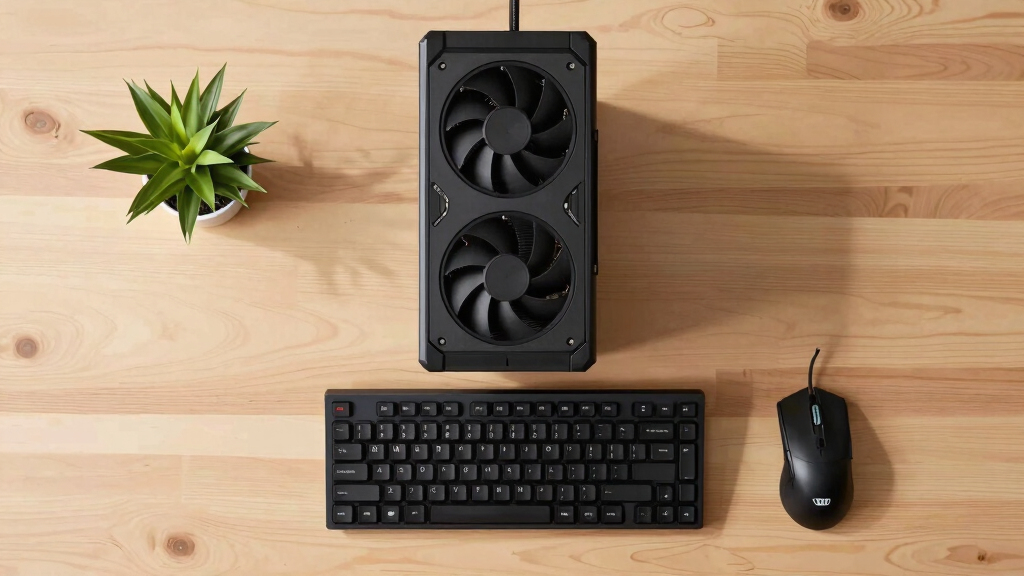
Due to the SXM2 form factor, the GPU lacks a PCIe interface, display outputs, and standard power connectors. The user modified the fan to operate quietly and controlled it via motherboard PWM headers, enabling manageable noise levels. The adapter cost approximately £50, and total expenses for the GPU and adapter were around £200, significantly less than a new high-end GPU with similar VRAM capacity.
By installing the V100 alongside an RTX 4080, the user achieved a combined 32GB VRAM, allowing for more demanding AI models to run locally. They utilized llama.cpp with tensor splitting to distribute the workload across both GPUs, although performance is less than a single high-end GPU with 32GB VRAM.
Why It Matters
This approach demonstrates a cost-effective method for enthusiasts and researchers to access high VRAM and bandwidth for AI inference without spending thousands on new hardware. It highlights the potential of repurposing data center GPUs for personal use, although technical challenges like cooling and compatibility remain.
The setup underscores the importance of memory bandwidth in AI tasks, with the V100’s 900 GB/s bandwidth outperforming many newer consumer GPUs in this metric. It also raises questions about the practicality and safety of such modifications for everyday use.

Graphics Card SXM2 to PCIE Adapter Board Supports Nwidia Tsela P100 V100 16GB 32GB with Bracket
- Interface: PCI Express x16
- Type: PCIe Adapter Board
- Compatibility: Supports Nvidia Tesla P100 V100
As an affiliate, we earn on qualifying purchases.
As an affiliate, we earn on qualifying purchases.
Background
The V100 was released in 2017 for enterprise and data center applications, featuring high bandwidth HBM2 memory and a focus on compute rather than gaming. Its use in gaming PCs is unconventional, but the GPU’s high bandwidth and VRAM make it attractive for AI models, which are increasingly demanding in memory and bandwidth.
Prior to this, most gamers relied on consumer-grade GPUs like the RTX 4080 or AMD equivalents, which are optimized for gaming and general use but lack the high bandwidth of data center cards. The V100’s form factor and proprietary design make it difficult to adapt for personal use, requiring custom solutions like the SXM2-to-PCIe adapter.
“This setup gives me 32GB of VRAM for a fraction of the cost, and it just works for running large AI models locally.”
— the user
“The fan was loud, but I managed to control it with PWM, making the setup manageable in a home environment.”
— the user

NVIDIA Tesla V100 (Volta) 32GB NVLINK 2.0 SXM2 GPU
As an affiliate, we earn on qualifying purchases.
As an affiliate, we earn on qualifying purchases.
What Remains Unclear
It is not yet clear how stable or safe this setup is for long-term use, or whether the adapter and modifications could cause damage or reliability issues over time. Compatibility with other motherboards and power supplies also remains uncertain.

ASUS TUF Gaming GeForce RTX 5090 Triple Fan GPU, 32GB GDDR7, 3352 AI Tops, 28 Gbps, 512-bit, DLSS 4, AI Content Creation, Local LLM Inference, DP 2.1b x3, HDMI 2.1b x2, with GPU Holder
- AI Processing Power: 3352 AI TOPS with Tensor Cores
- Large VRAM: 32GB GDDR7 for AI and creative tasks
- High-Speed Memory: 28 Gbps, 512-bit memory interface
As an affiliate, we earn on qualifying purchases.
As an affiliate, we earn on qualifying purchases.
What’s Next
The user plans to further optimize cooling and explore more advanced control of the GPU, possibly integrating more data center hardware. Broader adoption of such modifications depends on community feedback, technical developments, and potential risks.

Noctua NF-P12 redux-1700 PWM, Quiet Fan 120mm
- Size: 120x120x25 mm
- Voltage: 12V
- PWM: 4-pin PWM control
As an affiliate, we earn on qualifying purchases.
As an affiliate, we earn on qualifying purchases.
Key Questions
Is installing a data center GPU in a gaming PC safe?
While technically possible, it involves significant risks including hardware damage, cooling challenges, and power compatibility issues. Proper modifications and precautions are essential for safe implementation.
Does this setup offer performance comparable to high-end gaming GPUs?
In raw bandwidth and VRAM, it surpasses many consumer cards, but performance depends on software support and system stability. It is not a plug-and-play solution.
Can I use this method with any data center GPU?
Only GPUs with compatible form factors and available adapters can be used. The V100 SXM2 is one of the few accessible options, but others may require custom solutions.
What are the main challenges in implementing this setup?
Cooling and noise management, power supply compatibility, and proper wiring are key challenges. Ongoing technical adjustments are necessary for stable operation.
Source: Hacker News