
TL;DR

Get the latest gadgets delivered free with Prime
- Fast, free delivery on millions of items
- Prime Video, Amazon Music and more included
- Member-only deals all year
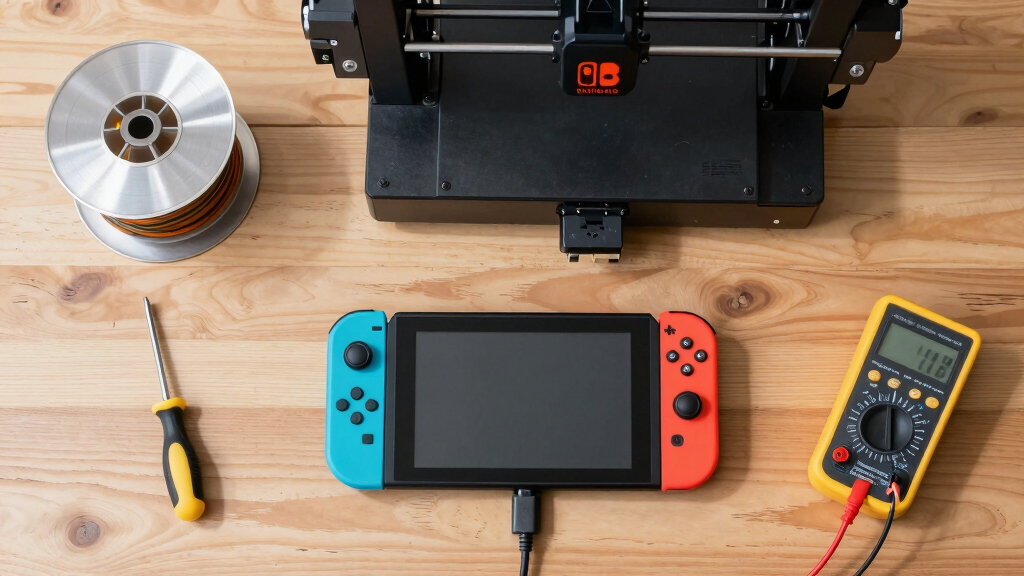
A hobbyist has repurposed a Nintendo Switch to run Klipper firmware on a Prusa MK3S, increasing its printing speed by 90%. This demonstrates the potential of unconventional computing devices in 3D printing.
A hobbyist has successfully used a Nintendo Switch to run custom firmware on an aging Prusa MK3S 3D printer, increasing its printing speed by approximately 90% and significantly reducing print times.
The modder, known as Cocoanix, demonstrated in a recent video how installing Klipper firmware on a Nintendo Switch connected to a Prusa MK3S resulted in printing a standard 3DBenchy model in under nine minutes, down from the usual 90 minutes.
This setup leverages the Switch’s quad-core Nvidia system-on-chip (SoC) to handle the heavy computational tasks traditionally managed by the printer’s microcontroller, enabling faster motion planning and advanced vibration compensation. The firmware change also improves print quality by reducing ringing and ghosting effects, according to Cocoanix.
Why It Matters
This development highlights the potential for using unconventional computing devices like gaming consoles to enhance 3D printer performance, especially for older models. It could inspire hobbyists and small-scale manufacturers to explore cost-effective upgrades, extending the lifespan and capabilities of existing equipment.
While the speed increase is notable, the resulting prints are somewhat rough due to physical limitations of the hotend and extruder, indicating that hardware bottlenecks still exist. Nonetheless, this approach showcases innovative ways to push the boundaries of consumer 3D printing.
Prusa MK3S 3D printer upgrade kit
As an affiliate, we earn on qualifying purchases.
As an affiliate, we earn on qualifying purchases.
Background
Traditionally, enthusiasts have used Raspberry Pi or laptops to run firmware like Klipper on 3D printers. The use of a Nintendo Switch is a novel twist, repurposing a portable gaming device with a powerful Nvidia SoC. Cocoanix’s setup involves installing Ubuntu Linux on the Switch, then flashing Klipper firmware to control the printer.
The Prusa MK3S, released several years ago, is a popular but aging model that can benefit from hardware upgrades. This project demonstrates how repurposing existing consumer electronics can improve performance without purchasing new equipment.
“Using the Switch and Klipper, we pushed the Prusa MK3S to its absolute speed limit: 400mm/s at 17,000mm/s² of acceleration.”
— Cocoanix
“This project demonstrates the potential for repurposing gaming hardware for advanced 3D printing tasks.”
— Tom’s Hardware
Klipper firmware for 3D printers
As an affiliate, we earn on qualifying purchases.
As an affiliate, we earn on qualifying purchases.
What Remains Unclear
It remains unclear how stable and reliable this setup is over extended use, and whether similar performance gains can be achieved on other models or with different firmware configurations. The long-term impact on hardware durability and print quality also requires further testing.
As an affiliate, we earn on qualifying purchases.
What’s Next
Next steps include testing the stability of this configuration over prolonged printing sessions, exploring hardware modifications for further improvements, and assessing whether this approach can be adapted to other 3D printers or gaming devices.
3D printer vibration compensation accessories
As an affiliate, we earn on qualifying purchases.
As an affiliate, we earn on qualifying purchases.
Key Questions
Can any Nintendo Switch run Klipper firmware for 3D printing?
While the project demonstrated on a specific model, compatibility depends on the Switch’s hardware and ability to run Linux. Not all Switch units may support this without hardware modifications.
Does this modification void the Switch’s warranty or damage the device?
Installing Linux and firmware modifications typically voids the warranty and carries risks of hardware damage if not done properly. Users should proceed with caution and understand the risks involved.
Will this setup work with other 3D printers?
Theoretically, yes, but success depends on the printer’s firmware compatibility and hardware configuration. The process is more straightforward with printers that support Klipper installation.
Halloween Picks
halloween
As an affiliate, we earn on qualifying purchases.