TL;DR

Get the latest gadgets delivered free — and shop member deals
- Fast, free delivery on millions of items
- Access to Prime Big Deal Days deals on October 6–7
- Prime Video, Amazon Music and more included
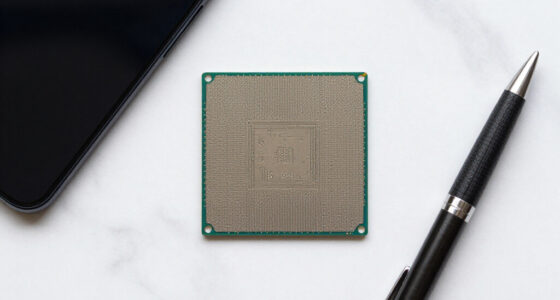
A user demonstrated that it is technically possible to connect an NVIDIA RTX 5090 GPU to an M4 MacBook Air using Thunderbolt eGPU docks. While the setup shows promise, practical use for gaming or AI inference remains limited due to driver and software support issues.
A user has demonstrated that it is technically possible to connect an NVIDIA RTX 5090 graphics card to an M4 MacBook Air via Thunderbolt eGPU docks, raising questions about gaming performance and practical use on Apple Silicon Macs.
The setup involves connecting a high-end desktop GPU, the RTX 5090, through a Thunderbolt dock that adapts PCIe to Thunderbolt, and then into the MacBook Air. This process relies on PCIe tunneling over Thunderbolt 4, which provides up to 4 lanes at 40Gbps, enabling the Mac to recognize the GPU as a PCIe device. However, macOS does not natively support NVIDIA GPUs on Apple Silicon, and drivers are limited. A recent development includes tinygrad releasing open-source drivers for macOS, but these are primarily suited for AI inference and not gaming. Linux can run on Apple Silicon Macs and support NVIDIA GPUs via PCI pass-through in virtual machines, but current kernel support for Thunderbolt on Apple Silicon is lacking. As a result, practical use for gaming or AI tasks remains constrained, with performance and stability issues reported during testing. The demonstration is mostly at a proof-of-concept stage, highlighting technical feasibility but not yet practical deployment.
Why It Matters
This development is significant because it suggests that high-performance desktop GPUs could potentially be used with MacBook Airs, expanding the hardware capabilities of Apple Silicon Macs beyond official support. For gamers and AI developers, this could open new avenues, but current limitations mean it is not yet a practical solution. The experiment underscores ongoing challenges in driver support and hardware compatibility, which are critical hurdles for wider adoption.
Thunderbolt 4 eGPU dock for MacBook Air
As an affiliate, we earn on qualifying purchases.
As an affiliate, we earn on qualifying purchases.
Background
Apple Silicon Macs lack native support for discrete NVIDIA or AMD GPUs, limiting their gaming and AI capabilities. Enthusiasts have explored eGPU setups via Thunderbolt, which tunneling PCIe over Thunderbolt 4 makes technically feasible. Linux support for NVIDIA GPUs on ARM64 is improving, but driver support remains limited. Recent efforts like tinygrad’s open-source drivers aim to bridge this gap but are not yet suitable for demanding tasks like gaming. The demonstration of connecting an RTX 5090 via PCIe passthrough on a MacBook Air is a recent example of pushing hardware boundaries, though practical use faces significant software and stability challenges.
“Connecting a desktop GPU like the RTX 5090 to a MacBook Air is technically possible through Thunderbolt eGPU docks, but practical use is still limited.”
— tech enthusiast
“Our open-source drivers are not optimized for gaming or AI inference on Mac, but they demonstrate progress in driver support.”
— tinygrad developer
As an affiliate, we earn on qualifying purchases.
What Remains Unclear
It remains unclear whether this setup will become stable enough for regular gaming or AI inference use. Driver support on macOS for NVIDIA GPUs is limited, and current workarounds like tinygrad are experimental. Performance benchmarks and long-term stability are still unknown, and hardware compatibility may vary with different GPU models and Mac configurations.
macOS compatible external GPU enclosure
As an affiliate, we earn on qualifying purchases.
As an affiliate, we earn on qualifying purchases.
What’s Next
Next steps include refining driver support, improving stability, and conducting performance testing under real-world gaming and AI workloads. Future updates to macOS or third-party driver projects could enhance usability, but widespread adoption is still uncertain. Monitoring progress in driver development and user reports will be key to assessing practical viability.
high performance external GPU for Mac
As an affiliate, we earn on qualifying purchases.
As an affiliate, we earn on qualifying purchases.
Key Questions
Can I use an RTX 5090 with my MacBook Air for gaming?
Currently, while the hardware connection is possible, practical gaming use is limited due to driver and software support issues. Performance and stability are still being tested.
What are the main challenges in using external GPUs on Apple Silicon Macs?
The primary challenges include lack of native driver support for NVIDIA GPUs on macOS, limited Thunderbolt support for PCIe passthrough, and stability issues during hardware configuration.
Will this setup improve AI inference or machine learning tasks on MacBook Air?
While theoretically possible, current software support like tinygrad is too limited for demanding AI inference, and performance is significantly lower than native solutions.
Is this setup officially supported or recommended by Apple?
No, connecting high-end desktop GPUs to MacBook Air via eGPU is experimental and not supported officially by Apple.
Fall Picks
fall essentials
As an affiliate, we earn on qualifying purchases.