TL;DR
Smart home device bundles group two or more connected devices, often a hub, lights, sensors, plugs, locks, cameras, or a thermostat. Before you buy, check each device’s compatibility and local functions, then compare the full cost—including subscriptions, installation, and required hardware—with the setup you actually need.
Check exact models, quantities, hub needs, installation, and subscriptions in the bundle listing.
Verify each device’s compatibility and the specific features you want in your preferred smart home platform.
Compare upfront price with the full expected cost, including services, hardware, installation, and batteries.
Check local and offline functions, plus what happens if a cloud service ends.
Plan device placement around your home, household routines, privacy needs, and rental rules.

Get the latest gadgets delivered free with Prime
- Fast, free delivery on millions of items
- Prime Video, Amazon Music and more included
- Member-only deals all year
What you get in a smart home device bundle—and what the box may leave out
A smart home device bundle combines two or more connected products, such as a hub, speaker, lights, sensors, plugs, lock, camera, or thermostat. The package might come from a device maker, home security company, internet provider, or retailer. Its contents can range from two bulbs and a hub to a larger system paired with installation or professional monitoring. Read the itemized list before you order. Look for model numbers, quantities, required hardware, and service terms, not just product names. “Security starter kit” might mean a few contact sensors and a siren; a different package with a similar label might add a camera, cloud recording, and a monthly plan. Those details determine both what the system can do and what you will keep paying for after the initial purchase. For instance, a renter who wants a brighter entryway might need a motion sensor, two bulbs, and a hub. A bundle that adds a wired thermostat and door lock could sound like a better deal, yet those extras may need landlord approval or an installation visit. They can also add setup work and create ongoing costs without improving the routine the renter actually wants. A bigger box is useful only when its contents match your home and plans. Check what happens after setup, too. A hub may be included, sold separately, or built into another device. Cloud recordings, remote access, and monitoring may require a continuing subscription. Write down which features work at no extra cost and which ones depend on a paid service. This makes it easier to judge whether a bundle is a complete system or only the first step in a more expensive setup.Products Worth Considering

Samsung 27-Inch Odyssey G5 QHD Gaming Monitor (G50F)
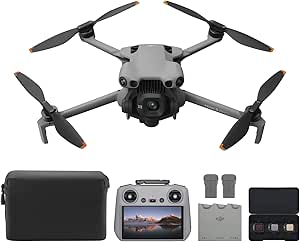
DJI Mini 5 Pro Fly More Combo with DJI RC 2, 1-Inch CMOS

Logitech MX Master 4 Ergonomic Wireless Mouse with Haptics – Graphite
As an affiliate, we earn on qualifying purchases.
Check compatibility before you expect devices to work together
Smart home devices work together only when their platforms, hubs, apps, and supported features line up. Check each product against the system you plan to use—such as Alexa, Google Home, or Apple Home—and verify that the functions you want are available there. Compatibility affects more than whether a device appears in an app: it can determine whether you can build a useful routine, control it by voice, or share access with other household members.Matter is an interoperability standard designed to make participating devices work across platforms; Thread is a low-power mesh networking technology used by some Matter devices. They solve different parts of the connection puzzle. You may still need a compatible hub or border router, and a device’s special features may only appear in its maker’s app. That can mean choosing between simpler shared control across platforms and access to the full set of manufacturer features. For instance, imagine you buy a Matter-compatible lamp to join a household that already uses Apple Home and Google Home. Basic control may be available in both, while a color scene or advanced setting could depend on the manufacturer’s app or platform support. If that scene is the reason you bought the lamp, basic on-and-off compatibility is not enough. Check the exact model’s compatibility list and the features you care about before buying. Support varies by product and can change over time, so treat the product listing as a claim to verify rather than a guarantee about your whole setup.A Matter label can help devices connect across participating smart home platforms, but it does not promise that every feature will work in every app.
Compare the full price, not just the bundle discount
A bundle saves money only if its included equipment replaces something you would buy and its ongoing costs fit your budget. Compare the package price with current prices for the same individual models, then add subscriptions, installation, required hardware, and replacement batteries over the time you expect to use the system. A discount on equipment can be outweighed by a plan that is required to access the features that made the bundle appealing. Try this example: a security bundle costs less upfront than its listed parts, but it also requires a monthly fee for professional monitoring and cloud video. If you want only a door alert and local camera viewing, that recurring service may erase the discount. If emergency monitoring is part of your plan, the same fee may be worthwhile. The value depends on the service you intend to use, so compare the package against your needs rather than the sum of every feature it advertises.- Write down the exact devices and quantities in the bundle.
- Check the current individual price of each model and any hub or router you still need.
- Add installation, subscriptions, cloud storage, and likely battery replacements for your expected use period.
- Compare that total with buying only the devices you will use.