
Wi-Fi 7 mesh routers are now the mainstream choice for blanketing a home in fast, reliable wireless coverage, and the gap between budget and premium systems has never been wider. For most households, the TP-Link Deco BE63 Tri-Band (2-Pack) stands out as the best overall pick, thanks to its dedicated wireless backhaul and strong whole-home performance at a midrange price. If you want the simplest possible setup, the Amazon eero 7 Dual-Band (2-Pack) is the easiest system to install and manage, while the NETGEAR Orbi 770 Series targets buyers who want flagship-grade speed for large properties. The main tradeoffs you will face are dual-band versus tri-band (tri-band keeps satellite speeds higher), how many nodes your square footage actually needs, and whether paying more for higher theoretical speeds is wasted on a slower internet plan. Read on for the full breakdown of all 14 systems.

Get the latest gadgets delivered free — and shop member deals
- Fast, free delivery on millions of items
- Access to Prime Big Deal Days deals on October 6–7
- Prime Video, Amazon Music and more included
Complete the kit



Key Takeaways
- Tri-band systems (Deco BE63, Deco 7 Pro BE67, Deco 7 Pro BE10000, Orbi 370, Orbi 770, eero Pro 7) clearly outperform dual-band models in multi-node setups because the dedicated backhaul band stops satellite nodes from losing half their speed.
- The same hardware appears at multiple pack sizes — eero 7 and Deco BE23 come in 1, 2, and 3-packs — so the real decision is matching node count to your square footage rather than choosing between different routers.
- Several similarly named amazon.com/dp/B0D955ZMSR?tag=geeksalad-20&ascsubtag=dc-1113239″ target=”_blank” rel=”nofollow sponsored noopener”>amazon.com/dp/B0C6RDKBTG?tag=geeksalad-20&ascsubtag=dc-1113239″ target=”_blank” rel=”nofollow sponsored noopener”>amazon.com/dp/B0D9555PBN?tag=geeksalad-20&ascsubtag=dc-1113239″ target=”_blank” rel=”nofollow sponsored noopener”>amazon.com/dp/B0CN8WBXY2?tag=geeksalad-20&ascsubtag=dc-1113239″ target=”_blank” rel=”nofollow sponsored noopener”>TP-Link models (BE23, BE5000, BE25 BE5000) overlap heavily; the differences come down to port configuration and slightly different radios, not a meaningful performance tier.
- eero systems trade raw specification sheets for app-based simplicity and automatic optimization, which makes them the better fit for non-technical buyers despite weaker wired connectivity on the dual-band models.
- The NETGEAR Orbi systems justify their premium mainly for very large homes (5,000+ sq ft) and gigabit-plus internet plans; below that, cheaper TP-Link options deliver nearly identical real-world results.
| Amazon eero 7 Dual-Band Mesh Wi-Fi 7 Router, 1-Pack |  | Best for Beginners and Small Homes | Wi-Fi standard: Wi-Fi 7 | Bands: Dual-band | Internet plan support: Up to 2.5 Gbps | VIEW LATEST PRICE | See Our Full Breakdown |
| TP-Link Deco BE63 Tri-Band Wi-Fi 7 Mesh System (2-Pack) |  | Best Overall | Wi-Fi standard: Wi-Fi 7 | Bands: Tri-band | Combined speed class: BE10000 | VIEW LATEST PRICE | See Our Full Breakdown |
| TP-Link Deco 7 BE23 Wi-Fi 7 Mesh System, Dual-Band BE3600, 2-Pack |  | Best Value | Wi-Fi standard: Wi-Fi 7 | Bands: Dual-band | Advertised combined speed: Up to 3.6 Gbps | VIEW LATEST PRICE | See Our Full Breakdown |
| NETGEAR Orbi 370 Series WiFi 7 Mesh System, 3-Pack |  | Best for Large Homes | WiFi standard: WiFi 7 | System configuration: Router and two satellites | Coverage: Up to 6,000 sq. ft. | VIEW LATEST PRICE | See Our Full Breakdown |
| TP-Link Deco 7 BE5000 Dual-Band Wi-Fi 7 Mesh System |  | Best Mid-Range Performance | Wi-Fi standard: Wi-Fi 7 | Bands: Dual-band, 2.4 GHz and 5 GHz | Maximum speeds: 4,324 Mbps (5 GHz); 688 Mbps (2.4 GHz) | VIEW LATEST PRICE | See Our Full Breakdown |
| TP-Link Deco 7 BE25 BE5000 Dual-Band Wi-Fi 7 Mesh System |  | Best Budget Entry Into Wi-Fi 7 | Wi-Fi standard: Wi-Fi 7 | Bands: Dual-band (2.4 GHz and 5 GHz) | Maximum speeds: 4,324 Mbps (5 GHz), 688 Mbps (2.4 GHz) | VIEW LATEST PRICE | See Our Full Breakdown |
| TP-Link Deco 7 Pro BE67 Wi-Fi 7 Tri-Band Mesh System, 3-Pack |  | Best for Large Homes | Wi-Fi standard: Wi-Fi 7 | Bands: Tri-band (2.4 GHz, 5 GHz, 6 GHz) | Combined bandwidth: Up to 14 Gbps | VIEW LATEST PRICE | See Our Full Breakdown |
| Amazon eero 7 Dual-Band Wi-Fi 7 Mesh Router, 2-Pack |  | Best for Easy Setup | Wi-Fi standard: Wi-Fi 7 | Bands: Dual-band | Pack size: 2 routers | VIEW LATEST PRICE | See Our Full Breakdown |
| Amazon eero Pro 7 Tri-Band Mesh Wi-Fi 7 Router, 2-Pack |  | Best for Power Users | Wi-Fi standard: Wi-Fi 7 | Bands: Tri-band | Pack size: 2 routers | VIEW LATEST PRICE | See Our Full Breakdown |
| Amazon eero 7 Dual-Band Wi-Fi 7 Mesh Router, 3-Pack |  | Best Value for Whole-Home Coverage | Wi-Fi standard: Wi-Fi 7 | Bands: Dual-band | Pack size: 3 routers | VIEW LATEST PRICE | See Our Full Breakdown |
| Amazon eero Pro 7 Tri-Band Wi-Fi 7 Mesh Router, 3-Pack |  | Best for Smart Home Scale | Model: eero Pro 7 | Wi-Fi standard: Wi-Fi 7 | Bands: Tri-band | VIEW LATEST PRICE | See Our Full Breakdown |
| TP-Link Deco 7 Pro BE10000 Tri-Band Wi-Fi 7 Mesh System, 3-Pack |  | Best Performance Pick | Model: Deco 7 Pro | Wi-Fi standard: Wi-Fi 7 | Bands: Tri-band | VIEW LATEST PRICE | See Our Full Breakdown |
| NETGEAR Orbi 770 Series WiFi 7 Mesh System, 3-Pack |  | Best for Large Homes | WiFi standard: WiFi 7 | System type: Tri-band mesh | Package configuration: 3-pack | VIEW LATEST PRICE | See Our Full Breakdown |
| TP-Link Deco 7 BE23 Wi-Fi 7 Dual-Band Mesh System, 3-Pack |  | Best Budget Entry to Wi-Fi 7 | Wi-Fi standard: Wi-Fi 7 | Bands: Dual-band | Combined speed: Up to 3.6 Gbps | VIEW LATEST PRICE | See Our Full Breakdown |
| Wi-Fi 7 mesh router | Bands | Wi-Fi standard | Coverage | Device capacity |
|---|---|---|---|---|
| Amazon eero 7 Dual-Band Mesh W | Dual-band | Wi-Fi 7 | Up to 2,000 sq. ft. | 120+ devices |
| TP-Link Deco BE63 Tri-Band Wi- | Tri-band | Wi-Fi 7 | Up to 5,800 sq. ft. (2-pack) | Over 200 devices |
| TP-Link Deco 7 BE23 Wi-Fi 7 Me | Dual-band | Wi-Fi 7 | Up to 4,500 sq. ft. (2-pack) | Up to 150 devices |
| NETGEAR Orbi 370 Series WiFi 7 | Dual-band | — | Up to 6,000 sq. ft. | — |
| TP-Link Deco 7 BE5000 Dual-Ban | Dual-band, 2.4 GHz and 5 GHz | Wi-Fi 7 | Up to 6,600 sq. ft. | Over 150 devices |
| TP-Link Deco 7 BE25 BE5000 Dua | Dual-band (2.4 GHz and 5 GHz) | Wi-Fi 7 | Up to 4,600 sq. ft. | Over 150 devices |
| TP-Link Deco 7 Pro BE67 Wi-Fi | Tri-band (2.4 GHz, 5 GHz, 6 GHz) | Wi-Fi 7 | Up to 8,100 sq. ft. | Up to 200 devices |
| Amazon eero 7 Dual-Band Wi-Fi | Dual-band | Wi-Fi 7 | Up to 4,000 sq. ft. | — |
| Amazon eero Pro 7 Tri-Band Mes | Tri-band | Wi-Fi 7 | — | 400+ devices |
| Amazon eero 7 Dual-Band Wi-Fi | Dual-band | Wi-Fi 7 | Up to 6,000 sq. ft. | 120+ devices |
| Amazon eero Pro 7 Tri-Band Wi- | Tri-band | Wi-Fi 7 | Up to 6,000 sq. ft. | — |
| TP-Link Deco 7 Pro BE10000 Tri | Tri-band | Wi-Fi 7 | Up to 7,600 sq. ft. | Over 200 devices |
| NETGEAR Orbi 770 Series WiFi 7 | — | — | — | — |
| TP-Link Deco 7 BE23 Wi-Fi 7 Du | Dual-band | Wi-Fi 7 | Up to 6,500 sq. ft. | Up to 150 devices |
More Details on Our Top Picks
Amazon eero 7 Dual-Band Mesh Wi-Fi 7 Router, 1-Pack
For buyers who want Wi-Fi 7 without a complicated setup, this single eero unit is the easiest entry point in the lineup. It covers up to 2,000 sq. ft. and handles plans up to 2.5 Gbps, which is more than most households actually subscribe to. Compared with the TP-Link Deco BE63, which demands a separate modem and more configuration, the eero 7 works as a simple gateway replacement with app-guided onboarding that takes minutes. Its real strength is expandability: you can add units later or even extend coverage through compatible Echo devices. The tradeoff is modest — a single unit can’t match the multi-unit coverage of a two- or three-pack, and some network features assume you’re already in the Amazon ecosystem. For apartments and smaller homes, that’s a fair compromise.
Pros:- Handles internet plans up to 2.5 Gbps with dual auto-sensing 2.5 GbE ports
- Supports 120+ connected devices, plenty for a smart-home-heavy household
- Expands easily with additional eero units or compatible Echo devices
- Backed by a three-year warranty
Cons:- Coverage tops out at 2,000 sq. ft. per unit, so larger homes need extra nodes
- Some convenience features depend on owning compatible eero or Amazon Echo devices
Best for: Renters and first-time mesh buyers in apartments or homes under 2,000 sq. ft. who want simple app setup and room to expand later
Not ideal for: Owners of large multi-story homes — one unit won’t blanket the space, and you’d need to buy additional nodes anyway
- Wi-Fi standard:Wi-Fi 7
- Bands:Dual-band
- Internet plan support:Up to 2.5 Gbps
- Wireless speeds:Up to 1.8 Gbps
- Coverage:Up to 2,000 sq. ft.
- Ethernet ports:Two auto-sensing 2.5 GbE ports
- Device capacity:120+ devices
- Warranty:Three years
Our verdict“If you want the simplest path into Wi-Fi 7 for a smaller home, this is the low-friction starting point that grows with you.”
TP-Link Deco BE63 Tri-Band Wi-Fi 7 Mesh System (2-Pack)
This is the pick that best balances raw capability, coverage, and flexibility. As a tri-band system with a dedicated 6 GHz band and a BE10000 speed class, it keeps mesh traffic off the bands your devices use — something the dual-band Deco 7 BE23 and NETGEAR Orbi 370 simply can’t do. With up to 5,800 sq. ft. of coverage, 200+ device capacity, four 2.5G ports, and a USB 3.0 port, it’s built for demanding households with gigabit-plus plans, lots of smart devices, and wired backhaul ambitions. The tradeoffs are real: it needs a separate modem, and its tri-band hardware costs more than dual-band rivals. But for a buyer who wants one system that won’t feel outdated in three years, this model makes the most sense at the top of the list.
Pros:- Tri-band design with dedicated 6 GHz spectrum keeps mesh backhaul fast
- Covers up to 5,800 sq. ft. and supports 200+ devices
- Four 2.5G WAN/LAN ports plus USB 3.0 for storage or wired backhaul
- Built-in VPN client and server support
Cons:- Requires a separate modem, adding cost and setup steps
- Real-world speeds fall well short of the BE10000 figure depending on layout and distance
Best for: Tech-savvy households with gigabit-plus fiber, wired home offices, and dozens of connected devices spread across a large home
Not ideal for: Casual users with sub-gigabit plans — the tri-band hardware is overkill, and the Deco BE23 delivers similar coverage for less complexity
- Wi-Fi standard:Wi-Fi 7
- Bands:Tri-band
- Combined speed class:BE10000
- Coverage:Up to 5,800 sq. ft. (2-pack)
- Device capacity:Over 200 devices
- Ethernet ports:Four 2.5G WAN/LAN ports
- USB port:USB 3.0
- Backhaul:Wired and wireless with AI roaming
Our verdict“The most future-proofed system here — buy it if you have the internet plan and device load to justify tri-band Wi-Fi 7.”
TP-Link Deco 7 BE23 Wi-Fi 7 Mesh System, Dual-Band BE3600, 2-Pack
Not everyone needs tri-band hardware, and this two-pack proves it. You still get Wi-Fi 7 features, 4,500 sq. ft. of advertised coverage, and 2.5 Gbps ports on every unit — the same port speed as the pricier Deco BE63 — but at a dual-band BE3600 class that suits typical 300 Mbps to 1 Gbps plans. Compared with the eero 7 single-pack, you get more than double the coverage out of the box, plus parental controls, a dedicated IoT network, and VPN support. The compromise is capacity and headroom: without a dedicated backhaul band, wireless mesh traffic shares spectrum with your devices, so speeds at the edges of the home will dip more than on the tri-band options. For most mid-size homes, that’s an acceptable trade for the money saved.
Pros:- Covers up to 4,500 sq. ft. with just two units
- Two 2.5 Gbps WAN/LAN ports on each node for wired backhaul
- Includes VPN support, parental controls, and a separate IoT network
- Backward compatible with older Wi-Fi generations and other Deco units
Cons:- Dual-band design shares backhaul with device traffic, limiting far-node speeds
- Requires a modem for most internet providers
Best for: Budget-conscious buyers in mid-size homes with standard broadband plans who want Wi-Fi 7 readiness without tri-band pricing
Not ideal for: Households with multi-gigabit fiber — dual-band backhaul will bottleneck speeds at the far nodes compared with tri-band systems
- Wi-Fi standard:Wi-Fi 7
- Bands:Dual-band
- Advertised combined speed:Up to 3.6 Gbps
- Coverage:Up to 4,500 sq. ft. (2-pack)
- Device capacity:Up to 150 devices
- Ethernet ports:Two 2.5 Gbps WAN/LAN ports per unit
- Security:WPA3, HomeShield, separate IoT network
Our verdict“The smart budget play — genuine Wi-Fi 7 and whole-home coverage without paying for spectrum you may never use.”
NETGEAR Orbi 370 Series WiFi 7 Mesh System, 3-Pack
When square footage is the problem, node count is the answer. This three-pack — a router plus two satellites — blankets up to 6,000 sq. ft., and you can add another satellite for 2,000 more, a scalability path the two-pack Deco BE63 matches only with extra purchases. It supports plans up to 2.5 Gbps and plays nicely with older WiFi 5 and 6 devices, so mixed-device households won’t be left behind. The tradeoffs deserve attention: the 70-device ceiling is the lowest in this lineup, well under the 200+ the Deco systems handle, and NETGEAR’s Armor security is subscription-only after a 30-day trial, which the TP-Link options largely avoid. For sprawling single-family homes where coverage matters more than device density, this system still earns its slot.
Pros:- Covers up to 6,000 sq. ft. with three included units
- Expandable with additional satellites, each adding up to 2,000 sq. ft.
- Compatible with older WiFi 5 and WiFi 6 devices
- Supports cable and fiber plans up to 2.5 Gbps
Cons:- Device capacity tops out at 70, well below TP-Link alternatives
- NETGEAR Armor requires a paid subscription after the 30-day trial
- US-only compatibility limits resale or relocation options
Best for: Owners of large or multi-story homes who prioritize maximum coverage from one box and can add satellites over time
Not ideal for: Smart-home enthusiasts with 70+ connected devices — the device ceiling is the lowest here, and security features require a subscription
- WiFi standard:WiFi 7
- System configuration:Router and two satellites
- Coverage:Up to 6,000 sq. ft.
- Maximum speed:Up to 5 Gbps
- Bands:Dual-band
- Maximum supported devices:Up to 70
- Internet compatibility:Cable or fiber, plans up to 2.5 Gbps
Our verdict“Buy it for square footage, not device counts — the best choice when blanketing a big home is the mission.”
TP-Link Deco 7 BE5000 Dual-Band Wi-Fi 7 Mesh System
Sitting between the value-focused Deco BE23 and the tri-band Deco BE63, this system targets buyers who want more speed headroom without jumping to premium pricing. Its 4,324 Mbps on the 5 GHz band comfortably outpaces the BE23’s 2,882 Mbps, while its 6,600 sq. ft. of coverage edges out even the Orbi 370’s three-pack figure. AI-assisted roaming and support for both wired and wireless backhaul give it flexibility that cheaper dual-band kits often skip. The caveats: it’s still dual-band, so wireless backhaul competes with device traffic, and wired backhaul requires at least two Deco units properly placed — plus you’ll need your own modem. For larger homes on gigabit plans where the BE23 feels thin but the BE63 feels excessive, this is the natural middle ground.
Pros:- Strong 5 GHz throughput at up to 4,324 Mbps for a dual-band system
- Covers up to 6,600 sq. ft. for 150+ devices
- Supports both wired and wireless backhaul with AI-assisted roaming
- Includes VPN support and Deco app management
Cons:- Dual-band design means wireless backhaul shares spectrum with devices
- Wired backhaul requires at least two properly placed Deco units
- Requires a separate modem
Best for: Buyers with gigabit plans in larger homes who want faster 5 GHz speeds than entry-level kits but don’t need tri-band pricing
Not ideal for: Small apartments — 6,600 sq. ft. of coverage is wasted capacity, and the cheaper eero 7 covers less space for less
- Wi-Fi standard:Wi-Fi 7
- Bands:Dual-band, 2.4 GHz and 5 GHz
- Maximum speeds:4,324 Mbps (5 GHz); 688 Mbps (2.4 GHz)
- Streams:4
- Coverage:Up to 6,600 sq. ft.
- Device capacity:Over 150 devices
- Backhaul:Wired and wireless
- Ethernet:2.5G
Our verdict“The sensible middle step — more speed and coverage than budget kits, without paying for the tri-band flagship.”
TP-Link Deco 7 BE25 BE5000 Dual-Band Wi-Fi 7 Mesh System
This Deco 7 BE25 system is the most affordable path into Wi-Fi 7 mesh networking in this lineup, and it makes real tradeoffs to get there. Unlike the tri-band Deco 7 Pro BE67, this is a dual-band system, meaning your wireless backhaul shares airtime with device traffic — that’s the single biggest performance difference a buyer should understand before choosing between them. Still, coverage of up to 4,600 sq. ft. and support for over 150 devices is generous at this tier, and wired backhaul via the 2.5G Ethernet port lets you sidestep the dual-band bottleneck entirely if your home is wired. Compared with the Amazon eero 7 2-Pack, this Deco includes VPN client and server support without any subscription, which matters if you dislike recurring fees. Just remember a separate modem is required.
Pros:- Up to 4,600 sq. ft. of coverage from one system
- Supports over 150 connected devices
- Wired 2.5G backhaul option removes dual-band bottleneck
- VPN client and server included at no extra cost
Cons:- Dual-band design shares backhaul and device traffic on the same airtime
- Requires at least two Deco units and a separate modem for full mesh function
- Real-world throughput falls well below the combined 5,012 Mbps figure
Best for: Budget-conscious buyers with homes up to around 4,500 sq. ft. who want Wi-Fi 7 without tri-band pricing, especially if they can run wired backhaul
Not ideal for: Gigabit-plus internet households relying purely on wireless backhaul — dual-band airtime sharing will bottleneck speeds compared to tri-band rivals
- Wi-Fi standard:Wi-Fi 7
- Bands:Dual-band (2.4 GHz and 5 GHz)
- Maximum speeds:4,324 Mbps (5 GHz), 688 Mbps (2.4 GHz)
- Coverage:Up to 4,600 sq. ft.
- Device capacity:Over 150 devices
- Ethernet:2.5G Ethernet per unit
- Backhaul:Wired and wireless; at least two Deco units required
- Extras:AI-assisted roaming, VPN client/server, Deco mesh compatibility
Our verdict“A sensible entry-level Wi-Fi 7 mesh pick if you’ll use wired backhaul, but speed-first buyers should step up to a tri-band option like the Deco 7 Pro BE67.”
TP-Link Deco 7 Pro BE67 Wi-Fi 7 Tri-Band Mesh System, 3-Pack
When the priority is blanketing a big house in Wi-Fi 7, this three-unit Deco 7 Pro BE67 system makes the strongest case in this batch. Its 8,100 sq. ft. coverage claim outpaces the eero 7 3-Pack by 2,100 sq. ft., and its dedicated 6 GHz band keeps wireless backhaul off the congested frequencies that dual-band systems like the Deco 7 BE25 must share. The port selection is where TP-Link pulls ahead of Amazon’s lineup: a 10 Gbps WAN/LAN port, a 2.5 Gbps port, and USB 3.0 on every unit — the eero Pro 7 offers no USB at all. HomeShield security and AI-driven roaming are included rather than paywalled, unlike eero’s Plus subscription. The tradeoff is that this system demands a big footprint and multi-gig internet to justify itself; on a 500 Mbps plan, the extra hardware spends itself idle.
Pros:- Up to 8,100 sq. ft. of coverage from three units
- Dedicated 6 GHz band keeps backhaul off congested frequencies
- 10 Gbps, 2.5 Gbps, and USB 3.0 ports on every unit
- HomeShield security and VPN included without subscription
Cons:- Modem must be purchased separately
- Full 14 Gbps throughput requires Wi-Fi 7 client devices and a fast internet plan
- Three units are overkill for smaller homes
Best for: Owners of large homes (5,000+ sq. ft.) with multi-gigabit internet plans and lots of simultaneous users who need dedicated tri-band backhaul
Not ideal for: Small apartments or sub-gigabit internet subscribers — the three units and multi-gig ports would be wasted capability and clutter
- Wi-Fi standard:Wi-Fi 7
- Bands:Tri-band (2.4 GHz, 5 GHz, 6 GHz)
- Combined bandwidth:Up to 14 Gbps
- Coverage:Up to 8,100 sq. ft.
- Device capacity:Up to 200 devices
- Ports per unit:10 Gbps WAN/LAN, 2.5 Gbps WAN/LAN, 1 Gbps WAN/LAN, USB 3.0
- System size:3 units
- Extras:AI-driven roaming, VPN client/server, TP-Link HomeShield
Our verdict“The strongest large-home option in this batch — buy it for big square footage and fast internet, skip it if your home or plan can’t use it.”
Amazon eero 7 Dual-Band Wi-Fi 7 Mesh Router, 2-Pack
The eero 7 2-Pack is the easiest system to live with in this batch. Setup happens almost entirely through a phone app, and the units self-configure backhaul and channel selection with almost no user input — a sharp contrast to the TP-Link Deco 7 BE25, which exposes more knobs but demands more attention. Each router carries two auto-sensing 2.5 GbE ports, so any port can be WAN or LAN, a flexibility most rivals at this size don’t match. The honest tradeoff: this is a dual-band system with no 6 GHz band, and its 2.5 Gbps plan ceiling plus 1.8 Gbps wireless speeds put it firmly behind the eero Pro 7 2-Pack for raw throughput. The other catch is that meaningful extras — advanced security, parental controls, ad blocking — sit behind the optional eero Plus subscription, whereas TP-Link bundles HomeShield at no cost.
Pros:- Extremely simple app-guided setup and management
- Two auto-sensing 2.5 GbE ports per router — any port can be WAN
- Backward compatible with older eero units for gradual upgrades
- Three-year warranty included
Cons:- Advanced security and parental controls require the eero Plus subscription
- Dual-band design and 1.8 Gbps wireless ceiling limit headroom versus tri-band rivals
Best for: Non-technical buyers in homes up to 4,000 sq. ft. who value dead-simple app setup and already live in the Amazon ecosystem
Not ideal for: Tinkerers who want built-in VPN, security tools, and advanced settings without paying a subscription, or households on plans above 2.5 Gbps
- Wi-Fi standard:Wi-Fi 7
- Bands:Dual-band
- Pack size:2 routers
- Max supported internet plan:2.5 Gbps
- Max wireless speed:1.8 Gbps
- Ethernet:Two auto-sensing 2.5 GbE ports per router
- Coverage:Up to 4,000 sq. ft.
- Warranty:Three years
Our verdict“The right pick if simplicity matters more than raw speed; performance-focused buyers should pay up for the eero Pro 7 instead.”
Amazon eero Pro 7 Tri-Band Mesh Wi-Fi 7 Router, 2-Pack
This is the eero for people who outgrew the standard model. The Pro 7 adds a third band, lifting wireless speeds to up to 3.9 Gbps and plan support to 5 Gbps — more than double the capability of the eero 7 2-Pack, with the same app-guided simplicity. Its 400+ device capacity towers over everything else here, which is why it’s pitched at small businesses as much as homes; even the Deco 7 Pro BE67 tops out at 200. Each unit carries two auto-sensing 5 GbE ports, beating TP-Link’s 2.5G offerings on wired backhaul bandwidth, though the Deco counters with a 10 Gbps port and USB 3.0 that eero omits entirely. The familiar catch remains: eero Plus gates the security toolkit behind a subscription. If you want Amazon-grade ease with tri-band muscle, though, this is the one.
Pros:- Tri-band with up to 3.9 Gbps wireless speeds and 5 Gbps plan support
- Supports more than 400 connected devices — best in this batch
- Two auto-sensing 5 GbE ports per router for fast wired backhaul
- Same simple eero app experience plus three-year warranty
Cons:- Advanced security features locked behind optional eero Plus subscription
- No USB ports for storage or printer sharing
- Premium pricing for capability most average homes won’t use
Best for: Power users, smart-home enthusiasts, and small offices needing 5 Gbps support, tri-band backhaul, and 400+ device capacity with easy management
Not ideal for: Buyers who want every feature included upfront — the eero Plus subscription paywall and missing USB ports push them toward the Deco 7 Pro BE67
- Wi-Fi standard:Wi-Fi 7
- Bands:Tri-band
- Pack size:2 routers
- Max internet plan support:Up to 5 Gbps
- Max wireless speed:Up to 3.9 Gbps
- Ethernet:Two auto-sensing 5 GbE ports per router
- Device capacity:400+ devices
- Warranty:Three years
Our verdict“The strongest eero here for demanding households and small businesses — worth it for multi-gig plans, excessive for casual use.”
Amazon eero 7 Dual-Band Wi-Fi 7 Mesh Router, 3-Pack
This 3-Pack splits the difference between the two other eero options in the roundup. It keeps the same easy setup and 2.5 Gbps ceiling as the eero 7 2-Pack but stretches coverage to 6,000 sq. ft. with a third node — a cheaper route to whole-home blanketing than jumping to the eero Pro 7, if raw throughput isn’t the goal. Against the Deco 7 Pro BE67, the coverage gap narrows considerably (6,000 vs. 8,100 sq. ft.), but this eero still gives up the dedicated 6 GHz backhaul band and the 10 Gbps port. What you get instead is the cleanest expansion path in the lineup: every node is interchangeable, and backward compatibility means existing eero units simply join the mesh. The eero Plus paywall for security features is the recurring frustration here, same as with every eero in this batch.
Pros:- 6,000 sq. ft. of coverage from three units
- Interchangeable nodes and backward compatibility make expansion easy
- Two auto-sensing 2.5 GbE ports per router
- App-guided setup with a three-year warranty
Cons:- Dual-band backhaul shares airtime with device traffic
- Security and parental controls require optional eero Plus subscription
- No USB ports or 6 GHz band at this tier
Best for: Mid-size to large homes (3,500–6,000 sq. ft.) on internet plans up to 2.5 Gbps who want simple, expandable coverage without tri-band pricing
Not ideal for: Speed-focused users with multi-gig plans or Wi-Fi 7 laptops — the dual-band, 1.8 Gbps wireless ceiling leaves performance on the table versus the eero Pro 7
- Wi-Fi standard:Wi-Fi 7
- Bands:Dual-band
- Pack size:3 routers
- Coverage:Up to 6,000 sq. ft.
- Max supported internet plan:Up to 2.5 Gbps
- Max wireless speed:Up to 1.8 Gbps
- Ethernet:Two auto-sensing 2.5 GbE ports per router
- Device capacity:120+ devices
- Warranty:Three years
Our verdict“The value play for covering a big house with eero simplicity — skip it if you need tri-band speed or built-in security tools.”
Amazon eero Pro 7 Tri-Band Wi-Fi 7 Mesh Router, 3-Pack
The eero Pro 7 stands out for one number nobody else in this lineup matches: 600+ device capacity. Where the NETGEAR Orbi 770 tops out at 100 devices and the Deco 7 Pro handles just over 200, this system is built for households (or small businesses) where every light bulb, thermostat, camera, and speaker is connected. Coverage of up to 6,000 sq. ft. across three units is solid, though the Deco 7 Pro and Orbi 770 stretch further. The two auto-sensing 5 GbE ports per router let you wire in access points or workstations without adapters, and backward compatibility means you can blend these with older eero units you already own. The main tradeoff is the paywall: advanced security and extra features sit behind the optional eero Plus subscription, which undercuts TP-Link’s more generous built-in feature set.
Pros:- Supports 600+ devices, far more than any comparable system here
- Two auto-sensing 5 GbE ports per router for fast wired backhaul and clients
- Covers up to 6,000 sq. ft. with a three-year warranty
- Backward compatible with previous eero generations for incremental expansion
Cons:- Key security and management features require the optional eero Plus subscription
- Coverage trails the Deco 7 Pro and Orbi 770 despite a premium tri-band design
Best for: Smart home enthusiasts and small offices running hundreds of connected devices across a large space
Not ideal for: Buyers who want full security and parental controls included without an ongoing subscription fee
- Model:eero Pro 7
- Wi-Fi standard:Wi-Fi 7
- Bands:Tri-band
- Pack size:3 routers
- Maximum supported internet plan:Up to 5 Gbps
- Wireless speed:Up to 3.9 Gbps
- Ethernet ports:Two auto-sensing 5 GbE ports per router
- Coverage:Up to 6,000 sq. ft.
- Warranty:Three years
Our verdict“This pick makes the most sense for device-dense smart homes that need massive capacity and easy expansion within the eero ecosystem.”
TP-Link Deco 7 Pro BE10000 Tri-Band Wi-Fi 7 Mesh System, 3-Pack
If raw throughput is the priority, the Deco 7 Pro leads this batch with combined speeds up to 10,086 Mbps, including a 6 GHz band capable of 5,188 Mbps. That makes it better suited to multi-gig fiber households than the eero Pro 7, whose 3.9 Gbps wireless ceiling is roughly a third of this figure. The hardware backs the numbers up: four 2.5G ports plus a USB 3.0 port give it more wired flexibility than anything else here, and VPN support plus app-based management come standard rather than behind a subscription, unlike NETGEAR’s Armor. The compromise is capacity — just over 200 supported devices against eero’s 600+ — and the usual reality check that advertised speeds shrink with distance, walls, and interference. A separate modem is also required.
Pros:- Fastest combined wireless speeds in this lineup at up to 10 Gbps
- Four 2.5G WAN/LAN ports plus a USB 3.0 port for wired expansion
- Up to 7,600 sq. ft. of coverage, more than the eero Pro 7
- VPN support and app management included without a subscription
Cons:- Requires a separate modem
- Real-world speeds fall well short of the advertised maximum depending on layout and interference
- Lower device capacity than the eero Pro 7 despite higher throughput
Best for: Multi-gig internet subscribers and bandwidth-heavy households that want maximum speed and wired connectivity options
Not ideal for: Device-count-obsessed smart homes that need eero-level capacity of 600+ connections
- Model:Deco 7 Pro
- Wi-Fi standard:Wi-Fi 7
- Bands:Tri-band
- Combined wireless speed:Up to 10,086 Mbps (BE10000)
- Coverage:Up to 7,600 sq. ft.
- Device capacity:Over 200 devices
- Ports:Four 2.5G WAN/LAN ports and one USB 3.0 port
- Backhaul:Wired and wireless
- Pack size:3 units
Our verdict“This model is the right call for speed-first buyers on multi-gig plans who want pro-level ports and features baked in.”
NETGEAR Orbi 770 Series WiFi 7 Mesh System, 3-Pack
Coverage is the Orbi 770’s whole argument: up to 8,000 sq. ft. from a three-pack, with the option to add satellites at 2,750 sq. ft. each — the widest footprint in this group, ahead of the Deco 7 Pro at 7,600 and the eero Pro 7 at 6,000. Speeds reach up to 11 Gbps on paper, though internet plans are only supported up to 2.5 Gbps, so most households will never approach that ceiling. Compared with the eero Pro 7’s 600+ device rating, the 100-device limit is the real constraint; sprawling estates full of smart gear should look elsewhere. Another drawback is the subscription-gated NETGEAR Armor security after a 30-day trial, and this system is United States only, which rules out international buyers outright.
Pros:- Widest coverage in this lineup at up to 8,000 sq. ft.
- Expandable with additional satellites at 2,750 sq. ft. each
- Enhanced backhaul and app-guided setup make deployment straightforward
- Automatic firmware updates keep security patches current
Cons:- NETGEAR Armor security requires a paid subscription after the 30-day trial
- Only 100 devices supported, far below the eero Pro 7 and Deco 7 Pro
- United States only — no international compatibility
Best for: Owners of very large homes or properties who need maximum square-footage coverage and can expand with extra satellites
Not ideal for: Smart homes with 100+ connected devices, or buyers outside the United States
- WiFi standard:WiFi 7
- System type:Tri-band mesh
- Package configuration:3-pack
- Maximum coverage:Up to 8,000 sq. ft.
- Maximum speed:Up to 11 Gbps
- Maximum supported devices:Up to 100
- Internet plan compatibility:Up to 2.5 Gbps
- Security trial:NETGEAR Armor 30-day free trial; subscription required after
- Regional compatibility:United States only
Our verdict“This option is best for sprawling single-country US homes where square footage matters more than device count.”
TP-Link Deco 7 BE23 Wi-Fi 7 Dual-Band Mesh System, 3-Pack
The Deco 7 BE23 proves you don’t need a tri-band stack to get meaningful Wi-Fi 7 benefits. As a dual-band system, it skips the dedicated 6 GHz band that the Deco 7 Pro exploits for speed, capping combined throughput at 3.6 Gbps — but it still covers up to 6,500 sq. ft., which actually beats the pricier eero Pro 7’s footprint. What impresses at this tier is what’s included: two 2.5 Gbps ports per unit, wired or wireless backhaul, WPA3, HomeShield parental controls, a separate IoT network, and VPN client/server support — all without the subscription walls found on eero Plus or NETGEAR Armor. The tradeoff is capacity and headroom: 150 devices is fine for a typical family but tight for serious smart homes, and the missing third band means backhaul and client traffic compete on the same airwaves.
Pros:- Covers up to 6,500 sq. ft. — more territory than the tri-band eero Pro 7
- Two 2.5 Gbps WAN/LAN ports on every unit for wired backhaul and clients
- Parental controls, IoT security, and VPN included without subscriptions
- Supports both wired and wireless backhaul with seamless roaming
Cons:- Dual-band design shares bandwidth between backhaul and devices, limiting real throughput
- Capped at 150 devices and 3.6 Gbps combined speed
- Requires a separate modem for most internet providers
Best for: Budget-conscious families upgrading to Wi-Fi 7 who want modern security and parental controls included free
Not ideal for: Speed chasers and heavy multi-gig households — the dual-band design can’t match tri-band rivals like the Deco 7 Pro
- Wi-Fi standard:Wi-Fi 7
- Bands:Dual-band
- Combined speed:Up to 3.6 Gbps
- Coverage:Up to 6,500 sq. ft.
- Device capacity:Up to 150 devices
- Ports per unit:Two 2.5 Gbps WAN/LAN ports
- Backhaul:Wireless and wired
- Security:WPA3, HomeShield, and separate IoT network
- VPN support:VPN client and server
Our verdict“This is the smart entry point for households that want Wi-Fi 7 coverage and security features today without paying tri-band prices.”
How We Picked
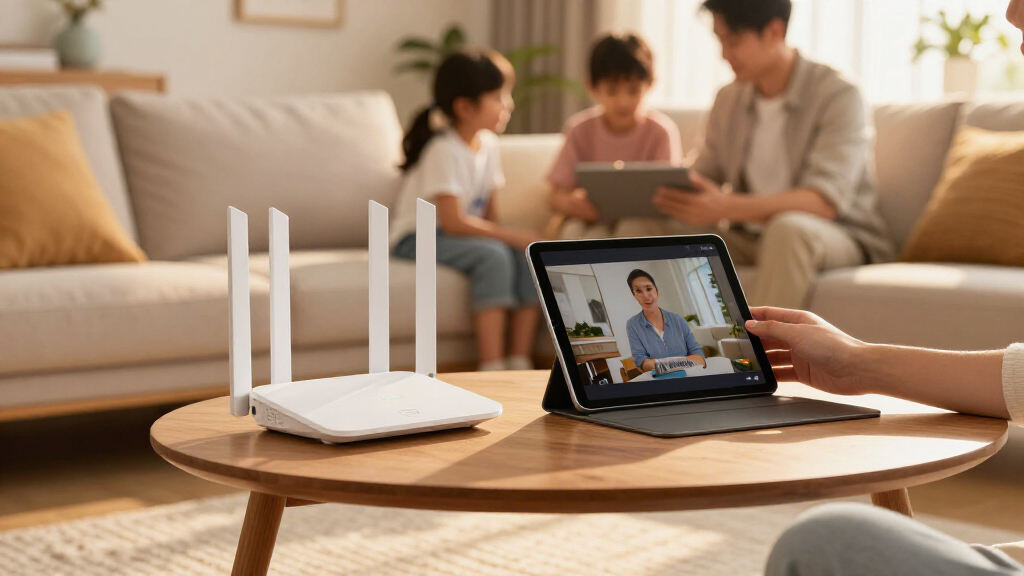
I evaluated each system on four buyer-facing criteria. Real-world throughput came first: I prioritized tri-band systems with dedicated backhaul, because dual-band meshes demonstrably lose speed at nodes furthest from the modem. Coverage per node determined whether a 2-pack or 3-pack made sense, and I factored in that quoted coverage figures assume open floor plans — real homes with plaster walls and multiple floors need more nodes.
Ease of management separated eero’s fully app-driven approach from TP-Link’s richer but busier Deco app and NETGEAR’s more traditional interface. Finally, I weighed value against internet plan reality: a BE11000-class system is wasted money behind a 300 Mbps connection, so I favored picks whose capabilities match what typical buyers actually pay for each month. Systems are ordered to reflect this balance of performance, coverage, and price — the top slots go to systems that hit the sweet spot for the largest number of homes, not the ones with the biggest numbers on the box.
| Wi-Fi 7 mesh router | Bands |
|---|---|
| Amazon eero 7 Dual-Band Mesh W | Dual-band |
| TP-Link Deco BE63 Tri-Band Wi- | Tri-band |
| TP-Link Deco 7 BE23 Wi-Fi 7 Me | Dual-band |
| NETGEAR Orbi 370 Series WiFi 7 | Dual-band |
| TP-Link Deco 7 BE5000 Dual-Ban | Dual-band, 2.4 GHz and 5 GHz |
| TP-Link Deco 7 BE25 BE5000 Dua | Dual-band (2.4 GHz and 5 GHz) |
| TP-Link Deco 7 Pro BE67 Wi-Fi | Tri-band (2.4 GHz, 5 GHz, 6 GHz) |
| Amazon eero 7 Dual-Band Wi-Fi | Dual-band |
| Amazon eero Pro 7 Tri-Band Mes | Tri-band |
| Amazon eero 7 Dual-Band Wi-Fi | Dual-band |
| Amazon eero Pro 7 Tri-Band Wi- | Tri-band |
| TP-Link Deco 7 Pro BE10000 Tri | Tri-band |
| NETGEAR Orbi 770 Series WiFi 7 | — |
| TP-Link Deco 7 BE23 Wi-Fi 7 Du | Dual-band |
Factors to Consider When Choosing Wi-Fi 7 Mesh Routers
Before settling on a specific system, it helps to understand the decisions that matter most with Wi-Fi 7 mesh — and the mistakes that cost buyers money or performance.
Dual-Band vs. Tri-Band: The Decision That Matters Most
This is the single biggest performance differentiator in this roundup, and it is where most buyers overspend or underbuy. Dual-band systems like the eero 7 and Deco BE23 send data between nodes and to your devices over the same two bands, which means every node added wirelessly can cut available speed roughly in half. Tri-band systems add a third band — usually in the 6 GHz or 5 GHz range — that acts as a private link between nodes, so satellite nodes keep nearly their full speed. If you plan to place any node where an Ethernet cable cannot reach, tri-band is worth the extra cost. If every node can be wired back to your switch, a cheaper dual-band system performs just as well. The common mistake is buying a premium dual-band system and assuming the higher price compensates for the missing backhaul band — it does not.
Match Node Count to Your Actual Floor Plan
Manufacturers quote optimistic coverage figures based on open-concept spaces with line-of-sight between nodes. In practice, plaster walls, brick chimneys, metal appliances, and floor joists can cut effective coverage by 30–50%. A general guideline: one node per 1,000–1,500 square feet of real-world home, not the quoted figure. This is why several systems in this roundup appear in multiple pack sizes — buying the right count matters more than buying the fancier model. A 3-pack of a midrange system will almost always outperform a 2-pack of a flagship system in the same home. You can also start with fewer nodes and add later, since every system here supports expansion, but mixing generations (Wi-Fi 6 satellites with Wi-Fi 7 routers) drags the whole mesh down.
Buy for Your Internet Plan, Not the Box Numbers
Wi-Fi 7 headline speeds — BE6500, BE11000, and beyond — describe theoretical wireless capacity under perfect lab conditions, not what arrives at your devices. A BE3600-class dual-band system can already saturate a gigabit internet connection under good conditions. If your plan is 500 Mbps or below, midrange dual-band systems are the smarter spend, and the money saved is better put toward an extra node or two. Tri-band and BE10000-class systems make sense for gigabit-plus plans, heavy local network traffic (NAS transfers, video editing over the network), or homes with 40+ connected devices. Paying for BE11000 hardware behind a 300 Mbps plan is the most common waste in this category.
Wired Ports and Backhaul Options
Port configuration varies more than any other spec across this lineup, and it is easy to overlook. Some budget models include only two Ethernet ports per node, which limits how many wired devices — TVs, game consoles, desktops — you can connect directly. If you have smart home hubs, a network-attached storage drive, or a home office full of wired gear, count your ports before buying. Ethernet backhaul support is present on every system here, and using it transforms even cheap dual-band meshes into high performers, since the inter-node link stops competing with device traffic. Also check whether ports are multi-gig (2.5 GbE); if your internet plan exceeds 1 Gbps, a router with only gigabit ports becomes the bottleneck regardless of wireless speed.
Management Style: Simplicity vs. Control
The three brands in this roundup represent distinct management philosophies. eero is fully app-driven with automatic optimization, minimal jargon, and almost nothing to configure — ideal for households without a resident network tinkerer. TP-Link Deco offers a friendlier-than-most app with more granular controls, parental profiles, and QoS settings, striking a middle ground. NETGEAR Orbi gives advanced users the most configuration depth but pushes subscription services for features like enhanced security and parental controls that competitors include free. Be honest about which camp you fall into: an over-featured system that confuses you will run at defaults anyway, so the extra capability is wasted. Conversely, tinkerers will find eero’s limited settings frustrating within a month.
6 GHz Support and Device Compatibility
Wi-Fi 7’s 6 GHz band is its fastest and least congested, but only devices that support Wi-Fi 6E or Wi-Fi 7 can use it — and as of 2026, that still excludes plenty of laptops, TVs, and smart home gear. A common mistake is assuming a 6 GHz router speeds up existing devices; it does not, though it does move capable devices off the crowded 5 GHz band, indirectly helping everything else. Before buying, check your most important devices: a 6 GHz-capable laptop and phone make the 6 GHz investment worthwhile, while a home full of Wi-Fi 5 gear gets little from it. Also note that 6 GHz has shorter range, so it performs best when you are in the same room as a node. Over time this becomes less of a concern as device support grows, which is part of why Wi-Fi 7 systems are the safer long-term purchase.
Frequently Asked Questions
Do I actually need Wi-Fi 7, or is Wi-Fi 6E still enough?
For most homes on plans under a gigabit, Wi-Fi 6E covers current needs well, and buying it cheaper is a legitimate strategy. Wi-Fi 7 becomes the better purchase when you plan to keep the system for five or more years, since new laptops and phones increasingly ship with Wi-Fi 7 support and will take advantage of the extra capacity. Wi-Fi 7’s Multi-Link Operation also lets devices use multiple bands simultaneously, which improves reliability in congested environments like apartment buildings. The practical tipping point is a gigabit-plus internet plan, heavy local file traffic, or a household that keeps routers a long time. If you replace networking gear every three years and have a 500 Mbps plan, a discounted Wi-Fi 6E mesh is the more rational buy.
Should I buy a 2-pack or a 3-pack?
Size it to your square footage and layout, not the coverage number on the box. A 2-pack suits most homes up to roughly 3,000 square feet with relatively open construction, while a 3-pack handles multi-story homes, long or L-shaped floor plans, and houses with dense wall materials. Remember that quoted coverage assumes ideal conditions, so derate it by 30–50% for older construction. It is usually cheaper per node to buy the larger pack up front than to add a single node later, and all three brands in this roundup let you expand with matching units. One caution: adding a node wirelessly to a dual-band system costs you speed at every hop, so extra nodes on dual-band hardware help coverage but reduce per-node throughput.
Is a tri-band mesh really worth the extra money over dual-band?
It depends entirely on how you connect the nodes. If every satellite node will sit next to an Ethernet jack and can be wired back to the router, dual-band performs nearly as well as tri-band because the inter-node link stops using wireless capacity at all. The moment any node connects wirelessly, tri-band earns its premium: the dedicated backhaul band preserves satellite speeds that dual-band systems lose, often by half at distant nodes. Homes with heavy simultaneous usage — multiple 4K streams, video calls, and gaming at once — benefit further from the extra capacity. As a rule of thumb, if your home is large enough to need a wireless satellite node, spend the difference on tri-band. If you can wire everything, save the money or put it toward an extra node.
Which system is easiest for a non-technical person to set up and maintain?
The eero systems are the clear choice for set-and-forget simplicity. Setup is a guided app process that takes minutes, the system manages band steering, channel selection, and firmware updates automatically, and there is very little you can misconfigure. TP-Link’s Deco app is a close second — slightly more options to explore but still approachable for beginners, and it includes parental controls and guest networks without a subscription. NETGEAR’s Orbi works fine out of the box too, but its interface assumes more comfort with networking concepts, and it markets paid add-ons that can confuse buyers who expect everything included. If the person setting it up would rather never open a settings menu, eero removes nearly every decision; the tradeoff is that experienced users will eventually find its limited controls restrictive.
Can I mix these systems with my existing Wi-Fi 6 router or older mesh nodes?
Technically you can run them alongside each other, but mixing them into a single mesh is usually a mistake. When a Wi-Fi 6 node joins a Wi-Fi 7 mesh as a satellite, the whole system steps down to the older device’s capabilities for traffic passing through it, erasing much of what you paid for. The better approach is to replace the old system entirely and, if you want to reuse old hardware, repurpose it as a wireless access point for a guest network or a detached area like a garage. Within the same product family, adding matching nodes — an extra eero 7 to an eero 7 mesh, for instance — works seamlessly. The one exception is using your old router in bridge mode as a modem-side switch, which is harmless and sometimes useful for extra wired ports.
Conclusion
After comparing all 14 systems, the right pick depends less on raw specifications and more on matching the system to your home and habits. Best overall goes to the TP-Link Deco BE63 Tri-Band 2-Pack, whose dedicated backhaul and balanced feature set serve the largest range of households. Best value is the Deco BE23 in either pack size — it gives genuine Wi-Fi 7 coverage for modest budgets, especially if you can wire at least one node. Best premium belongs to the NETGEAR Orbi 770 Series 3-Pack, built for large properties and gigabit-plus plans, with TP-Link’s Deco 7 Pro BE10000 as a strong alternative at the same tier. Best for beginners is the Amazon eero 7 2-Pack, which trades configuration depth for setup simplicity that no competitor matches. Best for large homes on a midrange budget is the Deco BE23 3-Pack or eero 7 3-Pack, whichever ecosystem you prefer. Whatever you choose, get the node count right first, tri-band second, and headline speed last — in that order, every system in this lineup will serve your home well.
Fall Picks
fall essentials
As an affiliate, we earn on qualifying purchases.