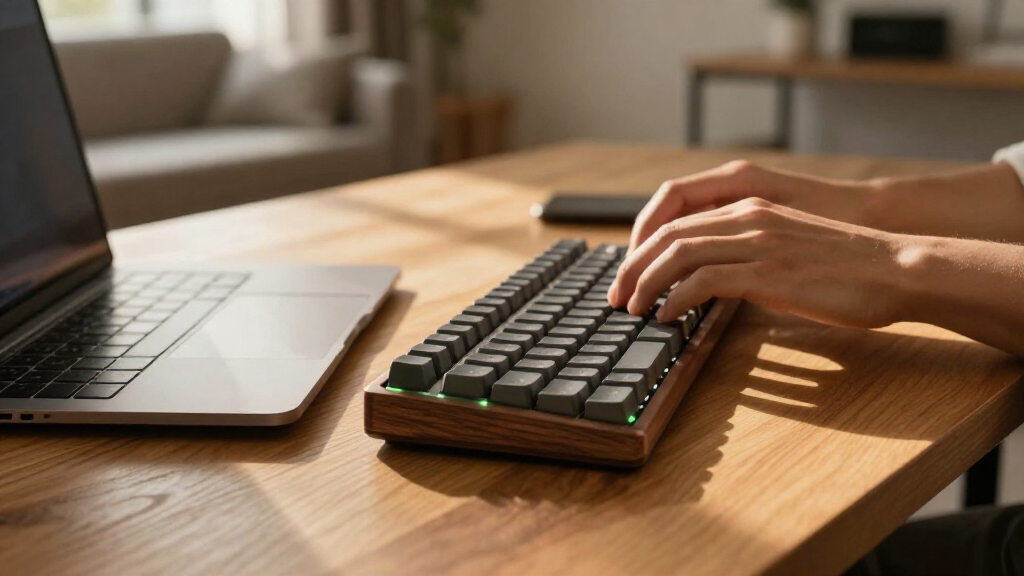

Among these wireless mechanical keyboards, I’d put the Logitech MX Mechanical first for a polished work-focused setup, with the AULA F99 standing out for a fuller layout and the AULA F75 Pro for a more compact desk. The main choice is between a familiar, productivity-friendly design and gaming-oriented models that offer features such as RGB lighting and gasket-mounted construction. Layout matters just as much: a compact 75% board saves space, while a 98- or 108-key model keeps more dedicated keys close at hand. Wireless modes, switch feel, and battery needs also vary, so the best fit depends on how and where you type. Read on for the full breakdown and guidance on choosing among all 14 options.

Get the latest gadgets delivered free with Prime
- Fast, free delivery on millions of items
- Prime Video, Amazon Music and more included
- Member-only deals all year
Complete the kit


Key Takeaways
- The Logitech MX Mechanical leads for a work-first setup, while AULA and Redragon models lean more toward gaming features and customizable lighting.
- AULA’s F75 Pro and F75 show the appeal of a 75% layout: they free up desk space without going as compact as smaller keyboard formats.
- The AULA F99, Logitech Alto Keys K98M, and several Redragon boards suit buyers who want a near-full layout with a number pad in a more compact footprint.
- Gasket-mounted Redragon models prioritize a different typing feel from simpler wireless boards; buyers should weigh that feature against layout, connectivity, and their preferred use.
- The AULA S99 is described as a membrane keyboard, so it is not a like-for-like mechanical alternative despite appearing in this roundup.
| Logitech MX Mechanical Wireless Illuminated Keyboard, Tactile Quiet, Graphite |  | Best for Quiet, Cross-Device Work | Layout: Full-size QWERTY, 104 keys | Switches: Low-profile Tactile Quiet mechanical | Connectivity: Bluetooth Low Energy or Logi Bolt receiver | VIEW LATEST PRICE | See Our Full Breakdown |
| AULA F99 Wireless Mechanical Keyboard |  | Best Compact Layout with a Number Pad | Layout: 96%, 99 keys | Switches: Pre-lubed linear | Hot-swap: Supports 3-pin and 5-pin switches | VIEW LATEST PRICE | See Our Full Breakdown |
| AULA F75 Pro 75% Wireless Mechanical Keyboard |  | Best for Compact Customization | Layout: 75%, 81 keys, QWERTZ | Switches: Linear LEOBOG Reaper, pre-lubricated | Hot-swap: Supports 3-pin and 5-pin switches | VIEW LATEST PRICE | See Our Full Breakdown |
| AULA S99 Wireless 99-Key RGB Membrane Gaming Keyboard |  | Best for Macro Controls on a Budget-Friendly Layout | Layout: 96% QWERTY, 99 keys | Switch type: Membrane | Connectivity: Bluetooth 5.0, 2.4 GHz wireless, and USB-C wired | VIEW LATEST PRICE | See Our Full Breakdown |
| AULA F75 75% Wireless Mechanical Keyboard, White and Brown |  | Best Compact QWERTY Pick | Layout: 75% QWERTY, 81 keys | Switches: Linear | Hot-swap: Supports 3-pin and 5-pin switches | VIEW LATEST PRICE | See Our Full Breakdown |
| Redragon K768 PRO Wireless 100-Key Gasket Gaming Keyboard |  | Best for a Large Battery and Customization | Layout: 100-key QWERTY | Connectivity: USB-C, Bluetooth, 2.4 GHz wireless | Battery: 8000 mAh | VIEW LATEST PRICE | See Our Full Breakdown |
| Redragon K745 PRO Wireless 108-Key Gasket-Mounted RGB Gaming Keyboard |  | Best for Full-Size Cushioned Typing | Layout: 108-key QWERTY | Connectivity: USB-C, Bluetooth, 2.4 GHz wireless | Switches: Custom linear; hot-swappable 3-pin and 5-pin | VIEW LATEST PRICE | See Our Full Breakdown |
| Redragon K689 PRO Wireless 108-Key Gasket RGB Gaming Keyboard |  | Best for a Full-Size Layout with a Softer Feel | Layout: 108-key QWERTY | Connectivity: Bluetooth, 2.4 GHz wireless, USB-C | Switches: Custom linear; hot-swappable 3-pin and 5-pin | VIEW LATEST PRICE | See Our Full Breakdown |
| AULA S99 Pro V2 Wireless Gaming Keyboard |  | Best for Quiet Membrane Typing | Layout: 99 keys; 97% compact | Connectivity: Bluetooth 5.0, 2.4 GHz wireless, USB wired | Battery: 4000 mAh | VIEW LATEST PRICE | See Our Full Breakdown |
| Logitech Alto Keys K98M Wireless Mechanical Keyboard, Graphite |  | Best for Long Battery Life and a Numpad | Layout: 98-key compact 1800-style with numpad | Switches: Hot-swappable Marble mechanical switches | Connectivity: Bluetooth Low Energy, Logi Bolt USB receiver | VIEW LATEST PRICE | See Our Full Breakdown |
| Redragon Wireless Typewriter-Style Mechanical Gaming Keyboard, Black | 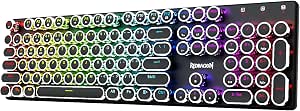 | Best for Retro Full-Size Typing | Brand and model: Redragon K710 | Layout: 104-key QWERTY | Switches: Clicky blue mechanical | VIEW LATEST PRICE | See Our Full Breakdown |
| Kisnt KN85 75% Wireless Mechanical Keyboard, Retro Beige |  | Best for Switch Customization | Layout: 75%, 85-key QWERTY | Connectivity: Bluetooth 5.0, 2.4 GHz wireless, USB-C | Switches: Pre-lubed linear, 45–50 gf actuation | VIEW LATEST PRICE | See Our Full Breakdown |
| ProtoArc K310 Pro Backlit Wireless Mechanical Keyboard |  | Best for Quiet Full-Size Typing | Brand and model: ProtoArc K310 Pro | Layout: 108-key QWERTY | Switches: Linear red | VIEW LATEST PRICE | See Our Full Breakdown |
| Redragon K671KS Wireless Mechanical Gaming Keyboard |  | Best Compact Multi-Device Gaming Pick | Brand and model: Redragon K671KS | Layout: 81-key QWERTY | Connectivity: USB-C wired, Bluetooth 3.0/5.0, 2.4 GHz wireless | VIEW LATEST PRICE | See Our Full Breakdown |
| wireless mechanical keyboard | Layout | Connectivity | Backlighting | Switches |
|---|---|---|---|---|
| Logitech MX Mechanical Wireles | Full-size QWERTY, 104 keys | Bluetooth Low Energy or Logi Bolt receiver | — | Low-profile Tactile Quiet mechanical |
| AULA F99 Wireless Mechanical K | 96%, 99 keys | Bluetooth 5.0, 2.4 GHz wireless, and USB-C wired | RGB with 16 lighting effects | Pre-lubed linear |
| AULA F75 Pro 75% Wireless Mech | 75%, 81 keys, QWERTZ | Bluetooth 5.0, 2.4 GHz wireless, and USB-C | RGB, 16.8 million colors, 16 preset effects | Linear LEOBOG Reaper, pre-lubricated |
| AULA S99 Wireless 99-Key RGB M | 96% QWERTY, 99 keys | Bluetooth 5.0, 2.4 GHz wireless, and USB-C wired | RGB | — |
| AULA F75 75% Wireless Mechanic | 75% QWERTY, 81 keys | Bluetooth 5.0, 2.4 GHz wireless, and USB-C | RGB, 16.8 million colors | Linear |
| Redragon K768 PRO Wireless 100 | 100-key QWERTY | USB-C, Bluetooth, 2.4 GHz wireless | RGB | Custom linear; hot-swappable 3-pin and 5-pin |
| Redragon K745 PRO Wireless 108 | 108-key QWERTY | USB-C, Bluetooth, 2.4 GHz wireless | Customizable RGB | Custom linear; hot-swappable 3-pin and 5-pin |
| Redragon K689 PRO Wireless 108 | 108-key QWERTY | Bluetooth, 2.4 GHz wireless, USB-C | RGB | Custom linear; hot-swappable 3-pin and 5-pin |
| AULA S99 Pro V2 Wireless Gamin | 99 keys; 97% compact | Bluetooth 5.0, 2.4 GHz wireless, USB wired | RGB with 15 lighting effects | — |
| Logitech Alto Keys K98M Wirele | 98-key compact 1800-style with numpad | Bluetooth Low Energy, Logi Bolt USB receiver | Single-color white | Hot-swappable Marble mechanical switches |
| Redragon Wireless Typewriter-S | 104-key QWERTY | USB-C wired, Bluetooth 3.0/5.0, 2.4 GHz wireless | Customizable RGB | Clicky blue mechanical |
| Kisnt KN85 75% Wireless Mechan | 75%, 85-key QWERTY | Bluetooth 5.0, 2.4 GHz wireless, USB-C | RGB | Pre-lubed linear, 45–50 gf actuation |
| ProtoArc K310 Pro Backlit Wire | 108-key QWERTY | Bluetooth and 2.4 GHz USB receiver | Single color with 10 effects | Linear red |
| Redragon K671KS Wireless Mecha | 81-key QWERTY | USB-C wired, Bluetooth 3.0/5.0, 2.4 GHz wireless | RGB with 16 preset effects and per-key adjustment | Hot-swappable linear switches; Cherry MX Red model |
More Details on Our Top Picks
Logitech MX Mechanical Wireless Illuminated Keyboard, Tactile Quiet, Graphite
The Logitech MX Mechanical is the work-focused pick for someone who wants mechanical feedback without a loud, high-profile board. Its low-profile Tactile Quiet switches make it a better fit for shared workspaces than the more customization-oriented AULA F99, while smart backlighting comes on as hands approach and adjusts to room light. Pairing with up to three devices is useful for switching between a work computer, tablet, and phone, and Bluetooth or the Logi Bolt receiver gives you connection flexibility.
The tradeoff is a full-size footprint and less switch tinkering: unlike the AULA F75 Pro, this model does not offer hot-swappable switches. Battery life reaches up to 15 days with lighting on, but the long figure of up to 10 months applies with lighting off. Some customization needs Logi Options+ software, and Bluetooth can complicate startup password entry on some FileVault Macs.
Pros:- Low-profile tactile switches provide feedback with reduced typing noise.
- Smart backlighting responds to nearby hands and ambient light.
- Pairs with up to three devices and supports several operating systems.
- USB-C charging and up to 15 days of battery life with backlighting on.
Cons:- Full-size layout takes more desk space than the AULA F75 Pro’s 75% design.
- Switches are not described as hot-swappable, limiting hardware customization.
- Some settings need Logi Options+; Bluetooth may hinder startup password entry on some FileVault Macs.
Best for: Office workers who want a quieter mechanical feel, full-size keys, and easy switching among several computers or mobile devices.
Not ideal for: Keyboard hobbyists who want hot-swappable switches, or compact-desk users who need a smaller layout than a full-size board.
- Layout:Full-size QWERTY, 104 keys
- Switches:Low-profile Tactile Quiet mechanical
- Connectivity:Bluetooth Low Energy or Logi Bolt receiver
- Multi-device pairing:Up to 3 devices
- Battery:Rechargeable 1500 mAh Li-Po
- Battery life:Up to 15 days with backlighting on; up to 10 months with it off
- Charging:USB-C
- Dimensions:1.02 x 17.08 x 5.18 in
Our verdict“Choose the MX Mechanical for quiet, low-profile mechanical typing and multi-device work, not for compact sizing or switch modding.”
AULA F99 Wireless Mechanical Keyboard
The AULA F99 suits buyers who want a number pad without giving a full-size keyboard all the space it usually demands. Its 99-key, 96% layout keeps a number area and arrow keys in a tighter footprint than the Logitech MX Mechanical, and the three connection modes plus support for up to five devices make it flexible for a mixed-device desk. Pre-lubed linear switches, layered sound dampening, and a gasket structure aim for a more muted typing feel than a bare, rigid board.
Compared with the AULA F75, the F99 sacrifices some compactness to retain the number area, but gains a larger 8000 mAh battery and double-shot PBT keycaps. Hot-swap support for 3-pin and 5-pin switches gives it room to grow beyond its included linear setup. The limitations are the listed AZERTY layout, which may not match a buyer’s preferred key arrangement, and missing battery-life figures; capacity alone does not say how often it needs charging.
Pros:- 96% layout retains a number area and arrow keys in less space than a full-size board.
- Bluetooth, 2.4 GHz wireless, and USB-C wired modes support varied setups.
- Hot-swappable sockets accept 3-pin and 5-pin switches.
- Gasket structure, layered dampening, and double-shot PBT keycaps support a more considered typing setup.
Cons:- Listed AZERTY layout may be a poor fit for buyers accustomed to other arrangements.
- Battery life is not specified, so charging frequency is difficult to judge.
- Its number area makes it less compact than 75% options such as the AULA F75 Pro.
Best for: Users who regularly enter numbers and want a compact wireless mechanical board with multi-device connections and switch customization.
Not ideal for: Buyers who require QWERTY or QWERTZ, or who want a clearly stated battery runtime before choosing a keyboard.
- Layout:96%, 99 keys
- Switches:Pre-lubed linear
- Hot-swap:Supports 3-pin and 5-pin switches
- Connectivity:Bluetooth 5.0, 2.4 GHz wireless, and USB-C wired
- Multi-device support:Up to 5 devices
- Battery capacity:8000 mAh
- Keycaps:Double-shot PBT
- Backlighting:RGB with 16 lighting effects
Our verdict“Pick the F99 if you want a compact footprint without giving up a number pad, and can work with its listed layout.”
AULA F75 Pro 75% Wireless Mechanical Keyboard
The AULA F75 Pro is the compact choice for buyers who want to keep arrow keys and gain room for a mouse or notebook. Its 75% layout is smaller than the AULA F99, which retains a number area, while still offering Bluetooth, 2.4 GHz wireless, and USB-C wired use. The included pre-lubricated linear Reaper switches provide a ready-to-type starting point; hot-swap sockets for 3-pin and 5-pin switches let owners change the feel later without soldering.
A multifunction knob handles lighting or media controls, adding a quick adjustment that the Logitech MX Mechanical does not offer in the same form. RGB lighting and programmable keys suit users who like to tailor their setup, though some features may require configuration. The main fit issue is the listed QWERTZ layout, which can frustrate QWERTY users. Its 4000 mAh battery is smaller than the F99’s 8000 mAh capacity, and the water-repellent description should not be read as waterproof protection.
Pros:- 75% layout keeps arrow keys while taking less space than the AULA F99.
- Bluetooth, 2.4 GHz wireless, and USB-C wired connectivity offer three connection modes.
- Hot-swap sockets support 3-pin and 5-pin switches.
- Multifunction knob, programmable keys, and RGB lighting add customization options.
Cons:- Listed QWERTZ layout may not suit users who type on QWERTY.
- No number pad, unlike the AULA F99 or Logitech MX Mechanical.
- Water resistance is described as water repellent, not waterproof.
Best for: Desk-space-conscious typists and gamers who want arrow keys, wireless flexibility, and the option to change switches or controls.
Not ideal for: QWERTY-only buyers, users who need a number pad, or anyone looking for a keyboard rated as fully waterproof.
- Layout:75%, 81 keys, QWERTZ
- Switches:Linear LEOBOG Reaper, pre-lubricated
- Hot-swap:Supports 3-pin and 5-pin switches
- Connectivity:Bluetooth 5.0, 2.4 GHz wireless, and USB-C
- Multi-device support:Up to 5 devices
- Battery capacity:4000 mAh
- Backlighting:RGB, 16.8 million colors, 16 preset effects
- Keycaps:Side-printed PBT
Our verdict“Choose the F75 Pro if compact sizing and switch customization matter more than a number pad or a QWERTY layout.”
AULA S99 Wireless 99-Key RGB Membrane Gaming Keyboard
The AULA S99 shares the 99-key, space-conscious format of the AULA F99, but it is a membrane keyboard, not a mechanical one. That distinction matters: it offers wireless convenience and a number pad in a smaller footprint, but it does not deliver mechanical switches or hot-swap customization. Its Bluetooth, 2.4 GHz, and USB-C connections make it adaptable across supported computers and mobile devices, while full-key macro programming, three shortcut keys, and a dual-mode knob suit buyers who value controls over switch experimentation.
Against the Logitech MX Mechanical, the S99 adds macro-focused controls and an adjustable stand, but gives up mechanical typing feedback and smart backlighting. RGB illumination and a foldable two-stage stand add practical flexibility. The product data does not specify a battery capacity or runtime, so wireless endurance is hard to compare with the rechargeable MX Mechanical. I would skip it if mechanical switches are a must; its appeal is the compact layout and programmable functionality.
Pros:- 96% layout includes a number pad in a 99-key format.
- Bluetooth, 2.4 GHz wireless, and USB-C wired connections are available.
- Full-key macro programming, three shortcut keys, and a dual-mode knob expand control options.
- Foldable two-stage stand and compatibility with computers and mobile devices support flexible setups.
Cons:- Membrane switches do not provide mechanical typing feedback or hot-swap support.
- Battery capacity and runtime are not supplied in the product data.
- Lacks the mechanical switch customization available on the AULA F99.
Best for: Users who want a compact wireless keyboard with a number pad, macro controls, and compatibility across computers and mobile devices, without requiring mechanical switches.
Not ideal for: Mechanical-keyboard buyers who want tactile or linear mechanical switches, hot-swapping, or a specified wireless battery runtime.
- Layout:96% QWERTY, 99 keys
- Switch type:Membrane
- Connectivity:Bluetooth 5.0, 2.4 GHz wireless, and USB-C wired
- Backlighting:RGB
- Programmable controls:Full-key macro programming, M1/M2/M3 shortcut keys, dual-mode knob
- Compatibility:Windows, Mac, Android, and iOS
- Stand:Foldable, two-stage adjustable
- Color:Green and beige
Our verdict“Choose the S99 for a compact number-pad layout and macro controls, but skip it if mechanical switches are a requirement.”
AULA F75 75% Wireless Mechanical Keyboard, White and Brown
The AULA F75 is the more straightforward compact mechanical option for buyers who want a 75% QWERTY layout with arrow keys and no number pad. Like the F75 Pro, it offers Bluetooth, 2.4 GHz wireless, USB-C, a multifunction knob, programmable keys, and hot-swap support for 3-pin and 5-pin switches. That makes it a better fit than the F99 when desk space matters more than number entry, and its listed QWERTY layout avoids the F75 Pro’s QWERTZ mismatch for many users.
Its linear switches and RGB lighting cover the core features, while a 4000 mAh rechargeable battery provides wireless power. The tradeoff is a plastic enclosure, which may feel less substantial than buyers seeking a heavier, more premium build expect. Some lighting and macro functions require the driver, so it is less convenient for people who want every setting accessible without software. The product data does not specify a device-pairing limit or battery runtime.
Pros:- 75% QWERTY layout retains arrow keys in a compact footprint.
- Bluetooth, 2.4 GHz wireless, and USB-C wired modes support flexible use.
- Hot-swap support accepts 3-pin and 5-pin switches.
- Multifunction knob, programmable keys, and RGB lighting provide useful customization.
Cons:- Plastic enclosure may feel less substantial than a more premium-feeling build.
- Some lighting and macro features require the driver.
- No number pad, unlike the AULA F99, and battery runtime is not stated.
Best for: QWERTY users who want a compact wireless mechanical keyboard with arrow keys, switch-swapping options, and a control knob.
Not ideal for: Buyers who need a number pad, prefer a heavier enclosure, or want to configure all lighting and macros without software.
- Layout:75% QWERTY, 81 keys
- Switches:Linear
- Hot-swap:Supports 3-pin and 5-pin switches
- Connectivity:Bluetooth 5.0, 2.4 GHz wireless, and USB-C
- Battery capacity:4000 mAh rechargeable
- Backlighting:RGB, 16.8 million colors
- Additional features:Multifunction knob, programmable keys, N-key rollover
- Enclosure:Plastic
Our verdict“Pick this F75 for compact QWERTY mechanical typing and switch flexibility, provided its plastic build and software-dependent controls suit you.”
Redragon K768 PRO Wireless 100-Key Gasket Gaming Keyboard
The K768 PRO pairs a space-saving 100-key layout with an unusually large 8000 mAh battery, making it a strong fit for buyers who want a wireless gaming board without giving up a numpad. USB-C, Bluetooth, and 2.4 GHz let it move between wired use and wireless devices, while hot-swap sockets for 3-pin and 5-pin switches leave room to change its linear typing feel later. Compared with the full-size K745 PRO, this model takes up less room but gives up some keys and its four dedicated shortcut keys. The gasket mount and PBT keycaps add comfort and durability, though software is needed for advanced macros and lighting control. I’d skip it if a standard full-size layout is a must.
Pros:- USB-C, Bluetooth, and 2.4 GHz support wired use and wireless device switching.
- 8000 mAh battery capacity is generous for a wireless keyboard.
- Hot-swap sockets accept both 3-pin and 5-pin switches.
- PBT keycaps and a control knob add durable, convenient everyday features.
Cons:- The 100-key layout omits keys found on a standard 108-key full-size board.
- Advanced macro and lighting customization requires software.
Best for: Wireless gaming and work users who want a numpad, long battery capacity, and the option to replace switches.
Not ideal for: Buyers who need a conventional full-size key layout, dedicated macro shortcuts, or lighting controls without software.
- Layout:100-key QWERTY
- Connectivity:USB-C, Bluetooth, 2.4 GHz wireless
- Battery:8000 mAh
- Switches:Custom linear; hot-swappable 3-pin and 5-pin
- Keycaps:PBT
- Backlighting:RGB
- Compatible devices:PC, laptop, tablet
- Warranty:1 year
Our verdict“Choose the K768 PRO if you want a numpad-equipped wireless board with a large battery and switch customization, but not a standard full-size layout.”
Redragon K745 PRO Wireless 108-Key Gasket-Mounted RGB Gaming Keyboard
If you want a complete key layout without giving up wireless flexibility, the K745 PRO is the clearest full-size choice in this group. Its 108 keys retain the familiar arrangement, while gasket mounting and five-layer noise dampening aim for a softer, quieter feel than a basic gaming keyboard. Tri-mode connectivity supports USB-C, Bluetooth, and 2.4 GHz, and four dedicated shortcut keys add quick-access controls that the more compact K768 PRO lacks. Hot-swap support makes the linear switches replaceable, too. The tradeoff is a plastic enclosure, which may feel less substantial than premium metal-bodied options, and the water resistance rating is unspecified. I’d choose it over the K689 PRO when the extra dampening is the priority, not when desk space is tight.
Pros:- Full 108-key layout preserves the familiar complement of keys.
- Gasket mounting and five-layer dampening target a cushioned, quieter typing feel.
- USB-C, Bluetooth, and 2.4 GHz support multiple connection styles.
- Hot-swap switches and four dedicated shortcut keys offer customization and quick access.
Cons:- Plastic enclosure may feel less premium than a metal-bodied keyboard.
- Water resistance is listed without a specific rating.
- Full-size dimensions take more desk space than compact layouts.
Best for: Full-size keyboard users who want quieter, cushioned typing, wireless device options, and dedicated shortcut keys.
Not ideal for: People with limited desk space or buyers who require a clearly specified water-resistance rating or a metal enclosure.
- Layout:108-key QWERTY
- Connectivity:USB-C, Bluetooth, 2.4 GHz wireless
- Switches:Custom linear; hot-swappable 3-pin and 5-pin
- Mount and dampening:Gasket mount; five-layer noise dampening
- Keycaps:Translucent PBT
- Backlighting:Customizable RGB
- Weight:0.88 kg
- Water resistance:Water resistant; rating not specified
Our verdict“Pick the K745 PRO if a full-size layout and extra sound dampening matter more than a compact footprint or premium enclosure.”
Redragon K689 PRO Wireless 108-Key Gasket RGB Gaming Keyboard
The K689 PRO makes sense for buyers who want a full 108-key board and a cushioned typing character, but don’t need the K745 PRO’s stated five-layer dampening. Its three-layer noise dampening, gasket mount, and custom linear switches aim to soften keystrokes, while PBT caps resist the shine that can develop on more common keycap materials. Bluetooth, 2.4 GHz, and USB-C cover wireless and wired setups, and four dedicated hotkeys provide practical quick access. Like the K745 PRO, it has a plastic enclosure, so neither is the pick for someone seeking a more substantial metal build. The K689 PRO’s full-size footprint is also a poor match for crowded desks; the 100-key K768 PRO is more compact, though it gives up the extra keys.
Pros:- 108-key layout keeps a full complement of keys.
- Gasket mount and three-layer dampening provide a softer, quieter typing character.
- Tri-mode connectivity supports USB-C, Bluetooth, and 2.4 GHz.
- PBT keycaps and hot-swap support offer durability and switch customization.
Cons:- Plastic enclosure may feel less premium than metal alternatives.
- Full-size layout needs more desk space than the K768 PRO’s 100-key design.
- No battery capacity or battery-life figure is provided.
Best for: Users who want a full-size wireless keyboard with hot-swappable switches, PBT keycaps, and a dampened typing feel.
Not ideal for: Desk-space-limited users or buyers seeking an aluminum enclosure or a compact layout.
- Layout:108-key QWERTY
- Connectivity:Bluetooth, 2.4 GHz wireless, USB-C
- Switches:Custom linear; hot-swappable 3-pin and 5-pin
- Mount and dampening:Gasket mount; three-layer noise dampening
- Keycaps:PBT
- Backlighting:RGB
- Color:Black Tangerine
- Water resistance:Water resistant; rating not specified
Our verdict“Choose the K689 PRO for a full-size, dampened wireless board with switch-swapping flexibility, but skip it if desk space or a premium enclosure is a priority.”
AULA S99 Pro V2 Wireless Gaming Keyboard
The AULA S99 Pro V2 is the outlier here: despite its place in a wireless keyboard roundup, it uses silent membrane keys rather than mechanical switches. That makes it a better match for shared rooms or low-noise work than the linear mechanical Redragon K689 PRO, but it won’t deliver the switch feel or hot-swap customization those boards offer. Its 99-key compact layout keeps a numpad while trimming some bulk, and Bluetooth 5.0, 2.4 GHz, and wired USB support a range of devices. The TFT status screen displays battery and connection information, with an adjustable stand and 15 RGB effects adding convenience. The 4000 mAh battery is specified, but no runtime figure is given; the product notes also warn that the surface may feel oily out of the box.
Pros:- Silent membrane keys suit quiet workspaces better than the mechanical options here.
- Bluetooth 5.0, 2.4 GHz, and wired USB provide three connection modes.
- TFT status screen shows battery and connection information.
- Compact 99-key layout retains a numpad and includes 15 RGB lighting effects.
Cons:- Membrane keys do not provide a mechanical switch feel or hot-swap options.
- No battery-life estimate is specified for the 4000 mAh battery.
- Product information warns the surface may feel oily out of the box and recommends cleaning it.
Best for: People in shared spaces who want quiet typing, a numpad, multiple connection modes, and visible battery and connection status.
Not ideal for: Mechanical keyboard buyers who want tactile or linear switches, switch swapping, or a stated battery runtime.
- Layout:99 keys; 97% compact
- Connectivity:Bluetooth 5.0, 2.4 GHz wireless, USB wired
- Battery:4000 mAh
- Key type:Silent membrane
- Backlighting:RGB with 15 lighting effects
- Display:TFT status screen
- Compatible devices:Gaming console, laptop, PC, smartphone
- Operating systems:Windows and Mac
Our verdict“Choose the S99 Pro V2 for quiet membrane typing and a compact numpad layout, not if mechanical switches are a requirement.”
Logitech Alto Keys K98M Wireless Mechanical Keyboard, Graphite
The Logitech Alto Keys K98M is a strong choice for a tidy desk setup that still needs a numpad. Its compact 98-key layout preserves number entry while taking less room than the full-size Redragon K745 PRO, and the hot-swappable Marble mechanical switches let owners change the typing feel. A gasket mount absorbs vibration, while Bluetooth Low Energy and the Logi Bolt receiver offer two wireless connection routes. Logitech lists up to 12 months of battery life, a useful advantage for buyers who dislike frequent charging, though actual runtime varies with use. This is a more restrained option than the RGB Redragon models: it has single-color white backlighting and a recycled-plastic enclosure and plate. I’d favor it for everyday work over gaming setups that prioritize colorful lighting.
Pros:- Compact 98-key layout retains a numpad while reducing footprint versus full-size boards.
- Hot-swappable Marble mechanical switches allow changes to the typing feel.
- Bluetooth Low Energy and Logi Bolt provide two wireless connection options.
- Up to 12 months of stated battery life reduces charging frequency.
Cons:- White backlighting lacks the RGB customization offered by the Redragon models.
- Recycled-plastic enclosure and plate may not suit buyers seeking a metal build.
- Battery life varies with usage.
Best for: Office and home users who need a numpad in a compact footprint and prefer long stated battery life over RGB lighting.
Not ideal for: Buyers who want multicolor RGB, a metal enclosure, or a wired connection option alongside wireless modes.
- Layout:98-key compact 1800-style with numpad
- Switches:Hot-swappable Marble mechanical switches
- Connectivity:Bluetooth Low Energy, Logi Bolt USB receiver
- Backlighting:Single-color white
- Battery life:Up to 12 months
- Charging:USB-C
- Compatibility:Windows and macOS
- Dimensions:17 × 7.1 × 1.9 in
- Enclosure and plate:Recycled plastic
Our verdict“Pick the K98M for a compact wireless mechanical keyboard with a numpad and long stated battery life, but not for RGB-focused gaming.”
Redragon Wireless Typewriter-Style Mechanical Gaming Keyboard, Black
The Redragon K710 is the pick for buyers who want a full 104-key layout with a distinctive typewriter-inspired look. Its round keycaps and metal panel give it a different character from the more restrained ProtoArc K310 Pro, while the number pad and anti-ghosting support suit spreadsheet work and gaming alike. Connectivity is a strong point: use Bluetooth, 2.4 GHz wireless, or USB-C depending on the device and whether a wired connection is preferable. Customizable RGB and programmable keys add flexibility beyond its retro styling.
The tradeoff is sound: clicky blue switches are audible, so this is a poor fit for shared quiet rooms. It is also less clearly suited to mixed-platform households than the Kisnt KN85, since only Windows is listed as a compatible operating system. I’d choose it for full-size functionality and audible feedback, not for quiet typing or a compact desk.
Pros:- Bluetooth, 2.4 GHz wireless, and USB-C wired connections offer flexible device pairing.
- Full 104-key layout includes a number pad for data entry.
- Customizable RGB lighting and programmable keys support personal setups.
- Anti-ghosting support is suited to multi-key gaming inputs.
Cons:- Clicky blue switches produce audible typing noise.
- Windows is the only compatible operating system listed.
- The full-size footprint takes more desk space than compact choices such as the Kisnt KN85.
Best for: Windows users who want a full-size wireless keyboard with a number pad, clicky feedback, and retro styling for gaming and everyday typing.
Not ideal for: People typing in shared offices or quiet rooms, and buyers who need clearly listed macOS or mobile operating-system support.
- Brand and model:Redragon K710
- Layout:104-key QWERTY
- Switches:Clicky blue mechanical
- Connectivity:USB-C wired, Bluetooth 3.0/5.0, 2.4 GHz wireless
- Backlighting:Customizable RGB
- Battery:Rechargeable, 4000 mAh
- Panel:Metal
- Compatibility:Windows; listed for PC, laptop, gaming console, smartphone, and tablet
Our verdict“Choose the K710 if you want a retro-styled, full-size wireless keyboard and can live with loud switches and limited listed OS support.”
Kisnt KN85 75% Wireless Mechanical Keyboard, Retro Beige
The Kisnt KN85 makes sense for someone who wants a compact wireless keyboard that can also be changed over time. Its 75% layout keeps arrow and function keys while freeing desk space compared with the full-size ProtoArc K310 Pro; the tradeoff is giving up a number pad. The pre-lubed linear switches and gasket-mounted construction offer a different typing setup from the Redragon K710’s clicky blue switches, and the hot-swap sockets let owners change compatible 3-pin or 5-pin switches without soldering.
Bluetooth 5.0, 2.4 GHz, and USB-C provide useful connection choices across Windows, macOS, Android, and Linux. The 4000mAh rechargeable battery and RGB lighting round out a versatile feature set. However, it is not water resistant, and companion software is limited to Windows when connected by wire or 2.4 GHz. I’d favor it for a customizable compact setup, not for number-heavy work or extensive software control on other systems.
Pros:- Compact 75% layout retains arrow and function keys while saving desk space.
- Hot-swappable sockets support compatible 3-pin and 5-pin switches.
- Bluetooth 5.0, 2.4 GHz, and USB-C support varied device setups.
- Listed compatibility includes Windows, macOS, Android, and Linux.
Cons:- No dedicated number pad for frequent data entry.
- Not water resistant.
- Companion software is limited to Windows and wired or 2.4 GHz use.
Best for: Keyboard hobbyists and multi-device users who want a space-saving layout with arrow keys, broad OS support, and solder-free switch changes.
Not ideal for: People who rely on a dedicated number pad, need spill protection, or expect the companion software to work across operating systems and connection modes.
- Layout:75%, 85-key QWERTY
- Connectivity:Bluetooth 5.0, 2.4 GHz wireless, USB-C
- Switches:Pre-lubed linear, 45–50 gf actuation
- Hot-swap support:Compatible with 3-pin and 5-pin switches
- Construction:Gasket-mounted
- Backlighting:RGB
- Battery:Rechargeable, 4000 mAh
- Compatibility:Windows, macOS, Android, Linux
- Dimensions:13.68 × 5.51 × 1.77 in
Our verdict“Pick the KN85 if compact dimensions and easy switch customization matter more to you than a number pad or broad software access.”
ProtoArc K310 Pro Backlit Wireless Mechanical Keyboard
The ProtoArc K310 Pro suits buyers who want a full-size wireless board without the pronounced click of the Redragon K710. Its linear red switches are described as quiet and smooth, making this a more office-friendly choice, while the 108-key layout keeps a number pad for everyday data entry. The aluminum top case and plate give it a more substantial build than the compact Kisnt KN85, but its 17.64-inch width demands more desk space.
For a multi-device desk, it can connect to up to three devices through Bluetooth or a 2.4 GHz receiver, and USB-C recharging is paired with a listed standby time of up to 150 days after a 6–8 hour charge. The limitation is that backlighting is single-color rather than RGB, and macro customization requires a 2.4 GHz connection. I’d choose it for quiet, full-size typing and device switching, not colorful lighting or frictionless macro setup.
Pros:- Quiet linear red switches suit shared workspaces better than the K710’s clicky blue switches.
- Full 108-key layout includes a number pad.
- Connects to up to three devices through Bluetooth or a 2.4 GHz receiver.
- USB-C charging and listed standby time of up to 150 days reduce frequent charging.
Cons:- Single-color backlighting offers less visual customization than RGB models such as the Kisnt KN85.
- Macro customization requires a 2.4 GHz USB connection.
- The full-size body occupies more desk space than 75% keyboards.
Best for: Remote workers and home-office users who need a number pad, quieter linear switches, and a keyboard that can switch among several devices.
Not ideal for: Buyers seeking RGB effects, a compact desk footprint, or macro customization over Bluetooth without a 2.4 GHz receiver.
- Brand and model:ProtoArc K310 Pro
- Layout:108-key QWERTY
- Switches:Linear red
- Connectivity:Bluetooth and 2.4 GHz USB receiver
- Device switching:Up to 3 devices
- Backlighting:Single color with 10 effects
- Charging and standby:USB-C; up to 150 days standby; 6–8 hours charging
- Materials:Aluminum top case and plate
- Compatibility:Windows, macOS, Android, iOS, iPadOS
Our verdict“Choose the K310 Pro for quiet, full-size typing across several devices if single-color lighting and receiver-dependent macros are acceptable.”
Redragon K671KS Wireless Mechanical Gaming Keyboard
The Redragon K671KS is the strongest fit here for buyers who want compact gaming features without giving up several connection paths. Its 81-key layout takes less room than the full-size ProtoArc K310 Pro, while device switching for up to five devices goes beyond the K310 Pro’s three-device support. Bluetooth, 2.4 GHz, and USB-C cover wireless and wired setups, and its hot-swappable linear switches give owners room to customize the feel.
Per-key RGB adjustment, programmable macros, double-shot PBT keycaps, and a metal panel make this a feature-rich choice, with spare switches and keycaps included for upkeep. Its main uncertainty is practical: battery life is not specified, so I can’t compare charging intervals confidently with the KN85’s listed 4000mAh battery. Compatibility details are also narrower, listing Windows 11 as the minimum OS version. I’d pick it for compact gaming flexibility, not for clearly documented battery endurance or broad platform support.
Pros:- USB-C, Bluetooth, and 2.4 GHz connections cover wired and wireless use.
- Switches between up to five devices, more than the ProtoArc K310 Pro’s three.
- Hot-swappable linear switches and programmable macros allow customization.
- Double-shot PBT keycaps, per-key RGB adjustment, and included spare parts add flexibility.
Cons:- Battery-life information is not specified.
- Compatibility details are limited, with Windows 11 listed as the minimum operating system version.
- The 81-key layout omits a dedicated number pad.
Best for: PC gamers and multi-device users who want a compact layout, hot-swappable linear switches, per-key lighting, and quick switching among several devices.
Not ideal for: Buyers who need stated battery-life figures, a number pad, or clearly documented compatibility with macOS and mobile operating systems.
- Brand and model:Redragon K671KS
- Layout:81-key QWERTY
- Connectivity:USB-C wired, Bluetooth 3.0/5.0, 2.4 GHz wireless
- Device switching:Up to 5 devices
- Switches:Hot-swappable linear switches; Cherry MX Red model
- Backlighting:RGB with 16 preset effects and per-key adjustment
- Keycaps and panel:Double-shot PBT keycaps; metal panel
- Additional features:Programmable macros, rechargeable, spill-proof
- Included accessories:8 spare switches, 2 extra red keycaps, keycap puller, USB cable
Our verdict“Choose the K671KS if you want a compact gaming keyboard with five-device switching and customization, and can accept unclear battery and OS details.”

How We Picked
I compared the lineup through the choices that shape a wireless keyboard purchase: layout, connection flexibility, typing and gaming orientation, lighting, and practical fit for a desk. I gave more weight to models whose stated design points to a clear use case, such as the work-oriented Logitech MX Mechanical, the compact AULA F75 boards, or the gasket-mounted Redragon options. I also treated product type as a real distinction: the AULA S99 is identified as a membrane keyboard, so it should not be mistaken for a mechanical model.
The order reflects how clearly each keyboard serves its likely buyer, not a claim that every model suits everyone. The MX Mechanical ranks first for its defined productivity role; options with different layouts and gaming-focused features follow for buyers with narrower priorities. I also account for tradeoffs: larger boards take more desk space, compact layouts may require a learning period, and feature-rich gaming designs may be unnecessary for straightforward office typing. When choosing, I recommend checking the exact model’s connection modes, switch details, and layout before purchase, since those specifics can vary between versions.
Factors to Consider When Choosing Wireless Mechanical Keyboards
Choosing a wireless mechanical keyboard involves more than deciding whether you want wireless or wired. I’d start with the work it needs to do, then check layout, connection behavior, and typing feel against your desk and devices. These factors help separate genuinely useful features from ones that may add little to your routine.
Match the layout to your daily shortcuts
A 75% board such as the AULA F75 models saves space by grouping keys more tightly, but compact layouts can move familiar functions behind shortcuts. If you rely on a number pad for spreadsheets, data entry, or regular calculations, a 98-key or full-size layout may save time despite occupying more desk area. Count the keys you use every day rather than choosing by appearance alone. Also check where navigation keys sit, since their placement can matter as much as the overall width. A common mistake is buying compact for extra mouse room, then finding that missing dedicated keys slow down routine work. If you switch between several tasks, a near-full layout can be a more comfortable compromise.
Check wireless modes against your devices
Wireless labels do not tell the whole story: a keyboard may use Bluetooth, a USB receiver, or both, and those options serve different setups. Bluetooth can be convenient for laptops and tablets, while a receiver can suit a desktop where you want a direct wireless link. If you plan to move between work and personal devices, look for clearly stated device switching support rather than assuming it is included. Confirm whether a USB cable can also be used for a wired connection or charging; those capabilities differ by model. A frequent buying mistake is focusing on the word “wireless” without checking compatibility with the devices and operating systems in use. Verify the connection details for the exact version before choosing.
Choose switch feel before lighting effects
Switch feel affects every keystroke, so it deserves more attention than RGB patterns or case styling. Tactile switches provide a noticeable bump, while linear switches move without that bump; quieter designs may be more comfortable in shared workspaces. The listing or product version should identify its switch type, since keyboard names can cover multiple configurations. Do not assume that a gaming label means a particular switch feel or sound. If you type for long stretches, consider whether the noise and resistance will suit your surroundings and habits. When you cannot try a board in person, prioritize clear switch specifications and a return policy that gives you room to judge the feel.
Treat battery life and backlighting as a pair
Backlighting can make keys easier to see in a dim room, but frequent or bright lighting may increase charging needs on a wireless board. Decide whether you need illuminated legends for your actual workspace or mainly want lighting for appearance. Check how the manufacturer describes battery life, including whether its estimate assumes lighting off or limited use. That detail makes comparisons more meaningful than a single headline figure. If you use the keyboard at a fixed desk, charging may be a minor inconvenience; for travel, it can matter more. Also check whether the keyboard remains usable while charging, rather than assuming every model handles power the same way.
Pay for construction features only when you value the result
Gasket-mounted construction can appeal to buyers seeking a particular, more cushioned typing character, but it is not automatically the right choice for every desk. Gaming-focused extras and elaborate lighting can also add complexity without improving ordinary writing or office work. Consider what you can actually perceive and use: a preferred typing feel, a layout that suits your shortcuts, or a connection option your setup needs. Compare those benefits against basic usability and the space the board takes up. A common mistake is treating a longer feature list as proof of a better fit. For a straightforward work setup, a simpler keyboard with the right layout and switches may make more sense than a feature-heavy gaming model.
Confirm that the product is mechanical
Product titles and roundup categories can be confusing, so check the keyboard’s switch mechanism rather than relying on a familiar brand name or gaming label. The AULA S99 is identified as a membrane model, which means it differs from the mechanical boards in this selection. That distinction changes the typing feel and makes direct comparisons less useful. Read the exact product specifications and confirm the version being sold, especially when a family name includes several variants. If mechanical switches are a firm requirement, skip listings that do not state the switch type clearly. This small check can prevent a mismatch that no wireless feature or lighting mode can fix.
Frequently Asked Questions
Which keyboard here is the strongest choice for office work?
I’d start with the Logitech MX Mechanical because its stated design and tactile-quiet positioning fit a work-first setup better than the gaming-focused Redragon models. If your work depends on frequent number entry, compare it with the full or near-full layout options, including the Logitech Alto Keys K98M and AULA F99. If desk space is limited, the AULA F75 Pro offers a more compact alternative. Check the exact switch and connection details before deciding, since those can affect comfort and compatibility. The best office choice is the one that fits both your daily tasks and your work environment.
Should I choose a 75% keyboard or one with a number pad?
Choose a 75% layout if saving desk space and keeping the mouse closer are more valuable than having a dedicated number pad. The AULA F75 models show how a compact board can retain a practical set of keys, though some functions may be less direct than on a larger layout. If you regularly enter figures or use dedicated navigation keys, a 98-key or full-size option may reduce friction. Think about your most frequent tasks rather than the occasional shortcut. If possible, compare a layout diagram with your current keyboard before buying.
Are all 14 keyboards in this roundup mechanical?
No. The AULA S99 is described as a wireless membrane gaming keyboard, so it is not a mechanical keyboard in the same sense as the other products. Its inclusion makes checking the product’s switch mechanism especially important when comparing listings. If mechanical switches are non-negotiable, confirm that the exact model page names a mechanical switch type. Product families can include variants that look similar but use different internal designs. I would not choose by title alone when the distinction matters to your typing preference.
Is a gasket-mounted wireless keyboard worth choosing for everyday typing?
It can be a good fit if you specifically want the typing character associated with gasket-mounted construction, but that feature alone does not make a keyboard the better everyday choice. Redragon’s K768 PRO, K745 PRO, and K689 PRO are among the models in this lineup that call out gasket construction. Compare their layouts and connection details with the AULA and Logitech options, since those may matter more to your routine. If you do not know whether you like that feel, prioritize a clearly stated switch type and a suitable return policy. Buyers focused on basic office typing may have little reason to pay extra attention to construction features they do not value.
What should I verify before buying a wireless keyboard for multiple devices?
Check whether the exact model supports the connection methods your devices can use, and whether it can switch between them without repeated pairing. Bluetooth support, a USB receiver, and wired use are separate capabilities, not features to assume from a wireless label. Confirm compatibility with your computer or tablet and look for any stated device-switching controls. If you use a work computer with restricted USB access, Bluetooth may be more practical; if not, a receiver may suit your setup. Read the model-specific specifications closely, since closely named versions can differ.
Conclusion
For the best overall work-focused choice, I’d begin with the Logitech MX Mechanical; for a more premium-feeling productivity setup, compare it with the Logitech Alto Keys K98M based on your preferred layout and confirmed specifications. The best value direction in this lineup is the AULA F75 family for shoppers who want a compact layout, while the AULA F99 is a better match if you want more keys. For beginners, I’d favor a familiar, clearly laid-out board such as the MX Mechanical over a compact model that may require learning shortcuts. For gaming-focused buyers who want gasket-mounted construction, compare the Redragon K768 PRO, K745 PRO, and K689 PRO by layout and connection features. If you specifically want a compact board, choose an AULA F75; if you need a number pad, focus on the 98-key and full-size options—and skip the AULA S99 if mechanical switches are a must.
Halloween Picks

JOYIN 5-Foot Halloween Animatronic Drinking Skeleton

Haunted Hill Farm 4.6-Ft. Spinning Beatrix Halloween Animatronic

Panefright Halloween Window Projector – Scary Projector for Spooky Decor
As an affiliate, we earn on qualifying purchases.