
Portable external SSDs have replaced spinning hard drives for anyone who needs fast, pocketable storage, but choosing the right one comes down to a few real tradeoffs: raw speed versus price, rugged durability versus slim design, and capacity versus cost per gigabyte. After comparing 15 popular models, the Samsung T9 1TB earns the top spot for its USB 3.2 Gen 2×2 speeds of up to 2,000MB/s on compatible ports, while the Samsung T7 remains the best mainstream value with reliable 1,050MB/s performance at a lower price. Budget shoppers should shortlist the SSK 1TB Portable SSD, which matches the T7’s rated speed for noticeably less money. The catch: drives like the T9 only hit top speed on Gen 2×2 ports, so paying for speed you can’t use is the most common mistake in this category. Keep reading for the full breakdown of all 15 drives and which one fits your workflow.

Get the latest gadgets delivered free with Prime
- Fast, free delivery on millions of items
- Prime Video, Amazon Music and more included
- Member-only deals all year
Complete the kit



Key Takeaways
- USB 3.2 Gen 2×2 drives (Samsung T9, the 512GB 2100MB/s model, and the 1TB magnetic SSD) only deliver their headline speeds on compatible ports — on a standard 10Gbps port they perform the same as cheaper Gen 2 drives.
- SSK dominates the budget tier across four capacities (128GB, 256GB, 500GB, 1TB), but its 550MB/s entry models are dramatically slower than its own 1,050MB/s 1TB version — capacity tier predicts speed within the brand.
- SanDisk‘s lineup spans 500GB to 2TB with consistent ~1,050MB/s performance and IP65 ruggedness, making it the most coherent family in the roundup if durability matters more than saving money.
- Off-brand drives with impressive rated speeds (JOIOT, the generic 512GB model) carry more risk of sustained-write throttling and shorter warranty coverage than Samsung, SanDisk, or Lexar.
- The Lexar ES3 is the cheapest name-brand 1TB option, positioning it as the value alternative to the Samsung T7 rather than a performance competitor.
| SSK Portable SSD 500GB External Solid State Hard Drive USB C |  | Best Budget Entry Point | Capacity: 500GB (~465GB as shown on Windows) | Max Read Speed: 1050MB/s | Max Write Speed: 1000MB/s | VIEW LATEST PRICE | See Our Full Breakdown |
| SanDisk 1TB Extreme Portable SSD |  | Best for Speed-Hungry Creators | Capacity: 1TB | Transfer Speeds: Up to 2000MB/s | Connectivity: USB Type-C | VIEW LATEST PRICE | See Our Full Breakdown |
| Samsung T7 Portable SSD 1TB Titan Gray |  | Best Overall | Capacity: 1TB | Interface: USB 3.2 Gen 2 | Max Speed: 1050MB/s | VIEW LATEST PRICE | See Our Full Breakdown |
| SanDisk 2TB Extreme Portable SSD |  | Best Rugged High-Capacity Pick | Capacity: 2TB | Read Speed: 1050MB/s | Write Speed: 1000MB/s | VIEW LATEST PRICE | See Our Full Breakdown |
| 512GB External Hard Drive, Up to 2100MB/s, USB 3.2 Gen 2 External SSD |  | Best Compact Speed Demon | Storage Capacity: 512GB | Max Speed: 2100MB/s | Interface: USB 3.2 Gen 2 | VIEW LATEST PRICE | See Our Full Breakdown |
| JOIOT 1TB Portable External SSD USB 3.1 Type-C Flash Drive |  | Best Budget 1TB Pick | Capacity: 1TB | Speed: Up to 540MB/s | Interface: USB 3.1 Gen 2 Type-C | VIEW LATEST PRICE | See Our Full Breakdown |
| SSK 128GB Portable SSD External Hard Drive Solid State Drive up to 550MB/s |  | Best Small-Capacity Starter | Capacity: 128GB (~116GB formatted) | Max Speed: 550MB/s | Connectivity: USB-C and USB-A | VIEW LATEST PRICE | See Our Full Breakdown |
| 1TB Magnetic External SSD, Up to 2000MB/s Portable Hard Drive |  | Best for iPhone Creators | Capacity: 1TB (~931GB formatted) | Transfer Speed: Up to 2000MB/s | Connection: USB 3.2 Gen 2×2 | VIEW LATEST PRICE | See Our Full Breakdown |
| SSK Portable SSD 1TB External Solid State Hard Drive USB-C Up to 1050MB/s |  | Best Versatile All-Rounder Value | Capacity: 1TB (~931GB formatted) | Speed: Up to 1050MB/s read, 1000MB/s write | Interface: USB 3.2 Gen 2 (USB-C and USB-A) | VIEW LATEST PRICE | See Our Full Breakdown |
| Samsung T7 Portable SSD 2TB Titan Gray, USB 3.2 Gen 2, Up to 1,050MB/s | | Best Big-Brand Workhorse | Capacity: 2TB | Max Speed: 1,050MB/s | Interface: USB 3.2 Gen 2 | VIEW LATEST PRICE | See Our Full Breakdown |
| Samsung T9 Portable SSD 1TB USB 3.2 Gen 2×2 External SSD |  | Best Overall Performance | Capacity: 1TB | Interface: USB 3.2 Gen 2×2 | Max Speed: 2000 MB/s | VIEW LATEST PRICE | See Our Full Breakdown |
| SanDisk 1TB Portable SSD with Up to 800MB/s Transfer Speed |  | Best for Rugged Everyday Use | Capacity: 1TB | Transfer Speed: Up to 800MB/s | Connectivity: USB-C, USB 3.2 Gen 2 | VIEW LATEST PRICE | See Our Full Breakdown |
| SanDisk 500GB Portable SSD |  | Best Budget Starter Drive | Storage Capacity: 500GB | Transfer Speed: Up to 1000MB/s | Drop Protection: Up to 2 meters | VIEW LATEST PRICE | See Our Full Breakdown |
| SSK 256GB Portable SSD External Hard Drive Solid State Drive Up to 550MB/s |  | Best Ultra-Cheap Utility Drive | Capacity: 256GB (≈232GB usable in Windows) | Maximum Speed: 550MB/s | Connectivity: USB-C and USB-A | VIEW LATEST PRICE | See Our Full Breakdown |
| Lexar ES3 1TB Portable SSD Silver, USB 3.2 Gen 2 |  | Best Compact All-Rounder | Capacity: 1TB | Connection: USB 3.2 Gen 2 | Read Speed: 1050MB/s | VIEW LATEST PRICE | See Our Full Breakdown |
| portable external SSD | Capacity |
|---|---|
| SSK Portable SSD 500GB Externa | 500GB (~465GB as shown on Windows) |
| SanDisk 1TB Extreme Portable S | 1TB |
| Samsung T7 Portable SSD 1TB Ti | 1TB |
| SanDisk 2TB Extreme Portable S | 2TB |
| 512GB External Hard Drive | — |
| JOIOT 1TB Portable External SS | 1TB |
| SSK 128GB Portable SSD Externa | 128GB (~116GB formatted) |
| 1TB Magnetic External SSD | 1TB (~931GB formatted) |
| SSK Portable SSD 1TB External | 1TB (~931GB formatted) |
| Samsung T7 Portable SSD 2TB Ti | 2TB |
| Samsung T9 Portable SSD 1TB US | 1TB |
| SanDisk 1TB Portable SSD with | 1TB |
| SanDisk 500GB Portable SSD | — |
| SSK 256GB Portable SSD Externa | 256GB (≈232GB usable in Windows) |
| Lexar ES3 1TB Portable SSD Sil | 1TB |
More Details on Our Top Picks
SSK Portable SSD 500GB External Solid State Hard Drive USB C
Most budget portable SSDs force you to choose between speed and price, but the SSK 500GB delivers near-flagship transfer rates at an entry-level cost. Its 1050MB/s read speed matches the bigger-name Samsung T7 on paper, which is remarkable at this capacity and price tier. The aluminum housing keeps peak operating temperature around 105°F, so sustained transfers won’t throttle the way cheap plastic drives often do. Where it makes tradeoffs is capacity and resilience: at 500GB (about 465GB usable on Windows), it fills up fast if you shoot 4K video, and unlike the SanDisk Extreme 2TB, there’s no IP65 water resistance or drop rating. You also need a USB 3.2 Gen2 port to see those headline speeds.
Pros:- Read speeds up to 1050MB/s rival more expensive drives
- Works with both USB-C and USB-A devices, including phones and tablets
- Lightweight aluminum body (36.6g) that dissipates heat well
- S.M.A.R.T. diagnostics for monitoring drive health
Cons:- Only 500GB of storage, which appears as roughly 465GB on Windows
- No water, dust, or drop protection ratings unlike rugged rivals
- Requires a USB 3.2 Gen2 port to achieve maximum speeds
Best for: Students and first-time SSD buyers who want flagship-class speed without paying flagship prices
Not ideal for: Videographers working with large 4K files — 500GB fills up quickly and the drive has no durability rating for field work
- Capacity:500GB (~465GB as shown on Windows)
- Max Read Speed:1050MB/s
- Max Write Speed:1000MB/s
- Interface:USB 3.2 Gen2 (USB-C and USB-A)
- Dimensions:2.6 x 1.5 x 0.5 inches
- Weight:36.6g
- Material:Aluminum alloy
- Power Consumption:Under 2.4 Watts
Our verdict“A smart pick for buyers who want Samsung T7-level speed on a starter budget, as long as 500GB covers their storage needs.”
SanDisk 1TB Extreme Portable SSD
With transfer speeds reaching 2000MB/s, this version of the SanDisk 1TB Extreme doubles the throughput of the standard SanDisk 1TB Portable SSD (800MB/s) and the Samsung T7. That extra bandwidth matters for creators offloading large photo shoots or editing directly off the drive — but only if your computer has a USB 3.2 Gen 2×2 port, since older connections cap you well below the ceiling. The IP65 rating and 3-meter drop protection make it a genuinely field-ready option, and it undercuts the 2TB Extreme sibling on price while keeping the same rugged build. The tradeoff: at 1TB it’s less roomy than the 2TB model, and unlike that sibling it lacks hardware encryption options listed here.
Pros:- Up to 2000MB/s transfer speeds, roughly double the Samsung T7
- IP65 water and dust resistance with 3-meter drop protection
- Compact pocket-sized form factor
- 256-bit AES encryption support
Cons:- Full speed requires a USB 3.2 Gen 2×2 port most laptops lack
- 1TB fills quickly for 4K video workflows
- Premium pricing compared to 1050MB/s rivals
Best for: Working photographers and videographers with modern USB 3.2 Gen 2×2 computers who offload huge media files daily
Not ideal for: Owners of older laptops — anything without a 20Gbps USB port will never see the 2000MB/s speeds they’re paying for
- Capacity:1TB
- Transfer Speeds:Up to 2000MB/s
- Connectivity:USB Type-C
- Durability:IP65 rated, 3m drop protection
- Encryption:256-bit AES
Our verdict“The pick for creators with cutting-edge ports who want the fastest offloads in a rugged shell — just verify your computer can keep up.”
Samsung T7 Portable SSD 1TB Titan Gray
The Samsung T7 earns the top spot because it nails the balance of speed, reliability, and polish that most buyers actually need. Its 1050MB/s read and write speeds match the SSK 500GB while offering double the storage, and Samsung’s track record with firmware and companion software gives it an edge over lesser-known brands. The shock-resistant aluminum unibody survives 6-foot drops and feels more premium than anything else at this price. It’s not rugged like the SanDisk Extreme — no IP65 water resistance — and it can’t touch the SanDisk Extreme 1TB’s 2000MB/s ceiling, but it hits a sweet spot for everyday backup, video editing, and iPhone 15 Pro direct recording. The T9 is faster still, but costs more.
Pros:- Consistent 1050MB/s read and write speeds
- Shock-resistant aluminum unibody rated for 6-foot drops
- Broad compatibility including iPhone 15 Pro direct video capture
- Mature Samsung software ecosystem and firmware support
Cons:- No water or dust resistance rating
- Slower than Gen 2×2 drives like the SanDisk Extreme 1TB
- 1TB capacity is the ceiling in this listing
Best for: Everyday users and content creators who want a dependable, well-supported 1TB drive for backups, editing, and mobile recording
Not ideal for: Adventure photographers working in rain or dust — the T7 lacks the water and dust sealing of the SanDisk Extreme line
- Capacity:1TB
- Interface:USB 3.2 Gen 2
- Max Speed:1050MB/s
- Shock Resistance:Up to 6 feet
- Body:Solid aluminum unibody
- Compatibility:PC, Mac, mobile phones, iPhone 15 Pro
Our verdict“The safest all-around choice in this roundup — fast, durable enough for daily life, and backed by Samsung’s reliability.”
SanDisk 2TB Extreme Portable SSD
When your drive lives in a camera bag that gets rained on and dropped, most options in this roundup fall short — and that’s exactly where the SanDisk 2TB Extreme pulls ahead. It pairs IP65 water and dust resistance with 3-meter drop protection and a wide operating temperature range of -20°C to 85°C, making it the most field-proof drive here alongside its 1TB Extreme sibling. Unlike that faster sibling, it tops out at 1050MB/s — on par with the Samsung T7 — but compensates with 256-bit AES hardware encryption and double the storage for long trips. Real-world performance depends on your host device, and the missing carrying case means the carabiner loop has to do double duty.
Pros:- IP65 water and dust resistance with 3-meter drop protection
- 256-bit AES hardware encryption with password protection
- 2TB capacity for extended shoots
- Carabiner loop and wide -20°C to 85°C temperature tolerance
Cons:- Speeds top out at 1050MB/s, half the faster SanDisk Extreme 1TB
- Real-world performance varies with host device
- No carrying case included
Best for: Travel and outdoor shooters who need 2TB of encrypted, weather-sealed storage for weeks away from a computer
Not ideal for: Buyers who mostly work at a desk — its rugged features add cost you’ll never use, and the T7 delivers similar speed for less
- Capacity:2TB
- Read Speed:1050MB/s
- Write Speed:1000MB/s
- Water/Dust Resistance:IP65
- Drop Protection:Up to 3 meters
- Encryption:256-bit AES hardware
- Temperature Range:-20°C to 85°C
Our verdict“The go-to drive when capacity, weather sealing, and encryption matter more than raw transfer speed.”
512GB External Hard Drive, Up to 2100MB/s, USB 3.2 Gen 2 External SSD
Speed per gram is the story here. This unbranded 512GB drive claims 2100MB/s transfers — faster than the SanDisk Extreme 1TB’s 2000MB/s — in a body weighing just 0.03 lbs, making it the lightest drive in this batch and barely noticeable in a pocket. Its broad compatibility, from Windows and Mac through PS5 and Xbox, makes it a strong console-expansion choice, and the rugged aluminum shell adds real drop and water protection. The caveats are worth weighing: at 512GB, usable storage lands under the label number, and like all Gen 2×2 drives, you’ll only see peak speeds on modern ports. Compared with the SSK 500GB, you get double the speed ceiling but from a brand without an established reliability reputation.
Pros:- Claimed speeds up to 2100MB/s, the highest in this batch
- Featherweight 0.03 lb aluminum body with drop and water protection
- Works across Windows, Mac, iPad Pro, PS5, and Xbox
- Compact 2.85 x 1.52 x 0.40 inch footprint
Cons:- 512GB is tight for modern game libraries, with usable storage below the label
- Peak speeds only on USB 3.2 Gen 2×2 ports
- Lesser-known brand without the track record of Samsung or SanDisk
Best for: Gamers and mobile creators who want maximum transfer speed in the smallest possible package for console or laptop expansion
Not ideal for: Long-term archival storage — modest capacity and an unproven brand make it a riskier home for irreplaceable files
- Storage Capacity:512GB
- Max Speed:2100MB/s
- Interface:USB 3.2 Gen 2
- Dimensions:2.85 x 1.52 x 0.40 inches
- Weight:0.03 lbs
- Compatibility:Windows, Mac, iPad Pro, Chromebooks, Android, Linux, PS4, PS5, Xbox
Our verdict“A compelling speed-and-portability play for gamers and creators, provided they accept the capacity and brand-reliability tradeoffs.”
JOIOT 1TB Portable External SSD USB 3.1 Type-C Flash Drive
For buyers who want a full terabyte of true SSD-speed storage without paying brand-name prices, this JOIOT model is the value play of this batch. Its 540MB/s transfer rate puts it in a different performance class than the SSK 128GB at similar interface speed, while doubling or more the capacity per dollar. Compared with the Samsung T7 2TB, it sacrifices roughly half the speed and the polished software ecosystem, but keeps the essentials: shock resistance, broad OS compatibility, and a 30g pocketable footprint. The tradeoffs are real, though. The plastic housing feels far less rugged than aluminum rivals like the SSK 1TB, and there’s no hardware encryption or drive-health software if data protection matters to you.
Pros:- 540MB/s speeds at a budget-friendly price for 1TB
- Featherlight 30g design for pockets and travel bags
- Shock and vibration resistance despite the low cost
- Works across Windows, Mac, Android, and Linux
Cons:- Plastic construction is less durable than aluminum competitors
- No encryption or drive management software
Best for: Students and casual users who need 1TB of fast storage for photos, videos, and backups at the lowest possible price
Not ideal for: Anyone transporting sensitive files — there’s no encryption or health monitoring software here
- Capacity:1TB
- Speed:Up to 540MB/s
- Interface:USB 3.1 Gen 2 Type-C
- Dimensions:87 x 38.5 x 11.7mm
- Weight:30g
- Compatibility:Windows, Mac, Android, Linux
Our verdict“A sensible pick when capacity per dollar matters more than premium build or top-tier speed.”
SSK 128GB Portable SSD External Hard Drive Solid State Drive up to 550MB/s
This SSK 128GB is the cheapest way into genuine SSD performance, and it earns its spot for buyers who simply don’t need a terabyte. Where the JOIOT 1TB wins on raw storage, this model wins on polish: it includes S.M.A.R.T. health monitoring, TRIM support, and a dual USB-C/USB-A connector that eliminates the dongle problem entirely. That dual-port design also gives it an edge over the SSK 1TB, which requires adapters on older laptops. The obvious limitation is capacity — after formatting you’ll see roughly 116GB, which fills fast with 4K footage. If you’re shuttling documents, app installs, or a working set of project files rather than video archives, that constraint is manageable. Serious media work should step up to the Samsung T7 instead.
Pros:- 550MB/s speeds rival larger, pricier drives
- Dual USB-C and USB-A connectors need no adapters
- S.M.A.R.T. monitoring and LED activity indicator included
Cons:- Only 128GB of usable capacity
- Real-world speed depends heavily on host device
Best for: Students, IT technicians, and casual users who need a fast, pocket-sized drive for documents and working files
Not ideal for: Photographers and videographers — 128GB disappears after a couple of RAW shoots
- Capacity:128GB (~116GB formatted)
- Max Speed:550MB/s
- Connectivity:USB-C and USB-A
- Technology:S.M.A.R.T., TRIM, SLC caching
- Best use:Documents, app installs, working files
Our verdict“The right buy when speed matters more than space, and price matters most of all.”
1TB Magnetic External SSD, Up to 2000MB/s Portable Hard Drive
This is the most phone-first SSD in the batch. The magnetic backing snaps onto MagSafe iPhones, and the 2000MB/s ceiling — roughly double the Samsung T7 — is what makes direct ProRes 4K recording from an iPhone 15 Pro or later actually practical. The built-in stand is a thoughtful touch for framing shots while recording. The catch: that headline speed requires USB 3.2 Gen 2×2, a port most laptops and all iPhones lack, so many buyers will see T7-class performance in daily use anyway. Compared with the Samsung T9, which shares the same interface ceiling, this model trades away some portability flexibility in exchange for the magnetic mount and creator-focused design. It commands a premium for features not everyone will use.
Pros:- Up to 2000MB/s over USB 3.2 Gen 2×2
- Magnetic MagSafe attachment with built-in stand
- Aluminum body doubles as a heat sink for sustained recording
- Certified for direct Apple ProRes 4K capture
Cons:- Maximum speed requires a Gen 2×2 port most devices don’t have
- Premium price for features tied to the Apple ecosystem
Best for: iPhone videographers who shoot ProRes 4K and want a drive that mounts directly to their phone
Not ideal for: Windows laptop users without a USB 3.2 Gen 2×2 port — you’ll pay for speed you can’t access
- Capacity:1TB (~931GB formatted)
- Transfer Speed:Up to 2000MB/s
- Connection:USB 3.2 Gen 2×2
- Material:Aluminum alloy
- MagSafe:Yes, with built-in stand
- Compatibility:MagSafe phones, Apple ProRes 4K recording
Our verdict“Purpose-built for mobile creators; everyone else gets better value from the T7 or SSK 1TB.”
SSK Portable SSD 1TB External Solid State Hard Drive USB-C Up to 1050MB/s
This SSK 1TB hits a sweet spot few drives in this roundup match: T7-class speed at a lower price, with both USB-C and USB-A built in. Its 1050MB/s read / 1000MB/s write figures match the Samsung T7 2TB, but the dual-connector design means no cable juggling on older machines — something the T7 can’t claim without an adapter. The aluminum chassis handles heat dissipation well enough for 4K ProRes HDR capture from a phone, and at 36.6g it barely registers in a bag. Where it falls short of Samsung is refinement: no bundled encryption software, and Samsung’s brand reliability and warranty support carry weight for irreplaceable data. It’s also worth noting the 1TB ceiling — archivists should look at the T7 2TB instead.
Pros:- 1050MB/s read and 1000MB/s write speeds
- Native USB-C and USB-A connectors with no adapters
- Aluminum case dissipates heat during sustained transfers
- Lightweight 36.6g body rated for 4K ProRes HDR capture
Cons:- Capped at 1TB with no larger option in this line
- No bundled encryption or backup software
Best for: Multi-device users who bounce between modern USB-C gear and older USB-A laptops and want one drive for everything
Not ideal for: Buyers prioritizing brand-name warranty support for irreplaceable backups
- Capacity:1TB (~931GB formatted)
- Speed:Up to 1050MB/s read, 1000MB/s write
- Interface:USB 3.2 Gen 2 (USB-C and USB-A)
- Dimensions:2.6 x 1.5 x 0.5 inches
- Weight:36.6g
- Material:Aluminum alloy
- Power Consumption:Under 2.4 Watts
Our verdict“The best blend of speed, flexibility, and price here — as long as 1TB is enough.”
Samsung T7 Portable SSD 2TB Titan Gray, USB 3.2 Gen 2, Up to 1,050MB/s
The Samsung T7 2TB is the safe, proven choice of this group — the drive you recommend to someone whose data cannot be lost. Its 1050MB/s speeds match the SSK 1TB, but the doubled capacity and Samsung’s track record for reliability and firmware support justify the premium for professionals. It’s rated to survive 6-foot drops, works cleanly with PCs, Android phones, and the iPhone 15 Pro for direct video recording, and handles 4K workflows without throttling. The tradeoffs are straightforward: you pay brand-name money, you get a single USB-C port (so older machines need a cable or adapter, unlike the SSK’s dual connectors), and the T9 offers nearly double the peak speed for Gen 2×2 users. For most buyers, though, the T7’s balance is exactly right.
Pros:- 1050MB/s speeds for large video and backup transfers
- 2TB capacity for serious media libraries
- Shock resistance rated for 6-foot drops
- Samsung reliability and broad device support including iPhone 15 Pro
Cons:- Pricier per dollar than value rivals like the SSK 1TB or JOIOT
- Single USB-C port requires adapters for older machines
Best for: Professionals and creators who need 2TB of dependable, high-speed storage with strong warranty backing
Not ideal for: USB-A-only laptop owners who don’t want to carry adapters, and bargain hunters — cheaper 1TB rivals cover most needs
- Capacity:2TB
- Max Speed:1,050MB/s
- Interface:USB 3.2 Gen 2
- Shock Resistance:Up to 6 feet
- Color:Titan Gray
- Compatibility:PC, Mac, Android phones, iPhone 15 Pro, cameras
Our verdict“Pay a little more for proven dependability and double the storage — worth it for irreplaceable files.”
Samsung T9 Portable SSD 1TB USB 3.2 Gen 2×2 External SSD
The Samsung T9 earns the top spot in this roundup because its 2,000MB/s USB 3.2 Gen 2×2 interface roughly doubles the ceiling of everything else here. Compared with the Samsung T7, which tops out around 1,050MB/s, the T9 is the only option that takes full advantage of modern desktop ports — a real advantage for video editors shuttling 4K footage. Its thermal management also stands out: sustained transfers don’t throttle the way cheaper drives often do. The tradeoff is honest, though. Plug it into a laptop or phone with a Gen 2 port and it performs like a T7, so buyers without Gen 2×2 hardware are paying for speed they can’t access. Samsung’s software for health monitoring and security updates adds peace of mind, but it’s another thing to keep current.
Pros:- Up to 2,000MB/s transfer speeds with USB 3.2 Gen 2×2
- Strong thermal management prevents throttling during sustained transfers
- Broad compatibility across desktops, cameras, and gaming consoles
- Samsung brand reliability with drive health monitoring and security updates
Cons:- Speed advantage only materializes on Gen 2×2 host ports
- Requires periodic software updates to maintain security features
- Needs the included cable for optimal performance
Best for: Content creators and professionals with USB 3.2 Gen 2×2-capable desktops who regularly move huge video or project files
Not ideal for: Buyers with older laptops or phones limited to Gen 2 ports — the Samsung T7 delivers identical real-world performance for less
- Capacity:1TB
- Interface:USB 3.2 Gen 2×2
- Max Speed:2000 MB/s
- Compatibility:Desktops, cameras, gaming consoles
- Thermal Management:Advanced
- Software:Drive health monitoring and security updates
Our verdict“The T9 makes sense only if your hardware supports Gen 2×2 — otherwise the T7 is the smarter buy.”
SanDisk 1TB Portable SSD with Up to 800MB/s Transfer Speed
This SanDisk 1TB trades raw speed for toughness, and that’s a fair deal for the right buyer. Its 800MB/s ceiling sits below the SanDisk Extreme line’s 1,050MB/s, but the 2-meter drop protection and rubberized build make it the more sensible companion for backpacks, job sites, and travel. The integrated rubber carrying hook clips onto a strap or carabiner, which the Samsung T9 and Lexar ES3 can’t match — those are drives you pocket, not ones you hang off a bag. For photographers and students moving documents, photos, and moderate video files, 800MB/s still finishes most jobs before the coffee cools. Compared with the SSK 256GB later in this list, the capacity gap is enormous, but so is the price. Buyers editing multi-gigabyte footage daily will notice the slower sustained writes.
Pros:- Up to 800MB/s transfer speeds for fast backups
- Drop protection up to 2 meters
- Compact, pocket-friendly design
- Rubber hook for secure attachment to bags and straps
Cons:- Real-world performance varies depending on host device
- Slower than similarly priced 1,000MB/s+ competitors
- Limited to 1TB capacity
Best for: Travelers, students, and field photographers who need a full terabyte that survives drops, pockets, and rough bags
Not ideal for: Video professionals moving 4K or 8K footage regularly — the 800MB/s ceiling lags faster rivals like the Lexar ES3
- Capacity:1TB
- Transfer Speed:Up to 800MB/s
- Connectivity:USB-C, USB 3.2 Gen 2
- Drop Protection:Up to 2 meters
- Design:Rubberized with carrying hook
- Brand:SanDisk
Our verdict“A durable workhorse for people whose drives get knocked around more than they get benchmarked.”
SanDisk 500GB Portable SSD
For a first portable SSD, this SanDisk 500GB hits a sweet spot between the overbuilt and the underpowered. At up to 1,000MB/s, it actually outpaces the faster-rated 1TB SanDisk above on paper-matching numbers, while undercutting 1TB models on price — a good entry point for someone who doesn’t yet know how much external storage they’ll really use. The drop protection up to 2 meters and pocket-sized body mirror SanDisk’s tougher designs, and plug-and-play USB-C means no drivers or setup. Compared with the SSK 256GB, double the storage for casual photo libraries and game installs makes this the better beginner value, though heavy users will fill 500GB fast. Anyone backing up a whole laptop or a video archive should step up to the 1TB or 2TB SanDisk Extreme instead.
Pros:- Fast transfer speeds up to 1000MB/s
- Drop protection up to 2 meters
- Pocket-sized, highly portable design
- Plug-and-play USB-C with no drivers required
Cons:- Limited storage capacity for media-heavy users
- Requires a USB-C port for optimal performance
- Older USB-A devices need an adapter
Best for: First-time SSD buyers, students, and casual users who need fast, durable storage for photos, documents, and light video work
Not ideal for: Anyone archiving a full laptop or a growing video library — 500GB fills up quickly
- Storage Capacity:500GB
- Transfer Speed:Up to 1000MB/s
- Drop Protection:Up to 2 meters
- Connectivity:USB Type-C
- Form Factor:Pocket-sized
- Setup:Plug-and-play, no drivers
Our verdict“The right-sized, right-priced first SSD for buyers who want SanDisk durability without paying for a terabyte they may not need.”
SSK 256GB Portable SSD External Hard Drive Solid State Drive Up to 550MB/s
The SSK 256GB is the budget floor of this roundup, and it plays that role well. Its 550MB/s ceiling is roughly a quarter of the Samsung T9’s speed, but for moving installers, rescue tools, or a working set of documents, that difference is seconds, not minutes. Its standout trick is dual USB-C and USB-A connectivity — unlike the SanDisk 500GB, it plugs into an older laptop or desktop without hunting for an adapter, which matters for IT technicians and anyone supporting mixed hardware. S.M.A.R.T. monitoring, TRIM, and SLC caching are genuinely useful features at this price, and the LED activity indicator is more helpful than you’d expect during long copies. Note that Windows will show around 232GB usable after formatting overhead — plan accordingly if your files fill the nominal capacity.
Pros:- Dual USB-C and USB-A compatibility without adapters
- S.M.A.R.T. monitoring, TRIM, and SLC caching at a low price
- Fast 550MB/s transfers for its class
- LED activity indicator for monitoring transfers
Cons:- Only about 232GB usable capacity in Windows
- Real speeds depend heavily on host device and OS
- 256GB is tight for any media storage
Best for: IT technicians, tinkerers, and budget buyers who need a small, tool-like drive that works with both USB-C and legacy USB-A machines
Not ideal for: Anyone storing photo or video libraries — 256GB of real space disappears after a single large project
- Capacity:256GB (≈232GB usable in Windows)
- Maximum Speed:550MB/s
- Connectivity:USB-C and USB-A
- Technology:S.M.A.R.T., TRIM, SLC caching
- Indicator:LED activity light
- Cross-Platform:Seamless USB-C and USB-A support
Our verdict“A cheap, flexible utility drive for toolkits and mixed-device households — not for primary storage.”
Lexar ES3 1TB Portable SSD Silver, USB 3.2 Gen 2
The Lexar ES3 threads a needle the others don’t: near-flagship speed in a body that’s barely there. At 42 grams and 10.5mm thick, it’s lighter and slimmer than the SanDisk 1TB above, yet its 1,050MB/s read / 1,000MB/s write rating matches the Samsung T7’s — a strong showing for a drive this size. 256-bit AES encryption is the differentiator for privacy-minded buyers, since none of the SanDisk drives in this list advertise it; that makes it a natural fit for consultants or anyone carrying client files. Device support is unusually broad, spanning phones, cameras, and consoles. The catches: without a Gen 2 port, performance drops sharply, and unlike the magnetic 1TB drive elsewhere in this roundup, there’s no MagSafe-style attachment — it’s a pocket drive, full stop.
Pros:- Fast 1050MB/s read and 1000MB/s write speeds
- Featherlight 42g, 10.5mm-thin design
- 256-bit AES hardware encryption
- Broad compatibility with phones, cameras, laptops, and consoles
Cons:- Performance drops sharply on non-Gen 2 systems
- No MagSafe support in this version
- Slim build offers less ruggedness than drop-rated rivals
Best for: Mobile professionals and privacy-conscious users who want 1TB of fast, encrypted storage that disappears into a laptop sleeve
Not ideal for: iPhone users wanting magnetic mounting — this version skips MagSafe support entirely
- Capacity:1TB
- Connection:USB 3.2 Gen 2
- Read Speed:1050MB/s
- Write Speed:1000MB/s
- Encryption:256-bit AES
- Weight:42g
- Thickness:10.5mm
- Compatibility:iPhone 17, Android, laptops, cameras, gaming consoles
Our verdict“The best pick for buyers who prioritize portability and encryption over brute ruggedness or record-breaking speed.”
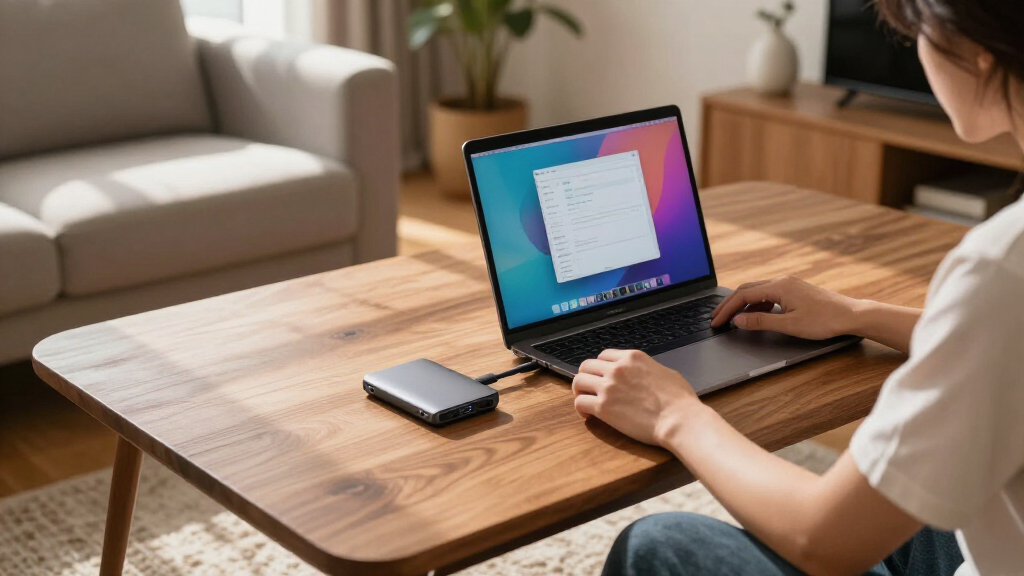
How We Picked
My ranking is built around what actually differentiates portable external SSDs in 2026: real-world sustained speed, durability ratings, price per gigabyte, and ecosystem reliability. Rated peak speeds only count when the drive can hold them during long file transfers, so I weighed Gen 2×2 drives (2,000MB/s class) against Gen 2 drives (1,000MB/s class) with the caveat that port compatibility gates the former. Warranty length and brand track record mattered too, because a failed portable SSD often means lost footage or backups with no recovery option.
The ordering logic is straightforward: premium speed picks rank highest for power users, mainstream balanced drives fill the middle, and budget drives earn their placement only when the price gap justifies the compromises. Sub-500GB models rank lower despite low prices, because small capacities cost more per gigabyte and fill up fast for video work. Within brands, I treated capacity variants as separate picks only when they changed the value equation — otherwise I flagged the best capacity to buy within a family.
Factors to Consider When Choosing Portable External SSDs
Before settling on a specific drive, it helps to understand the bigger picture of the portable SSD market — the mistakes buyers make, the specs that get overhyped, and where extra money actually buys something useful. These six factors shaped my rankings and should shape your decision too.
Match the Speed Tier to Your Ports
The single most wasteful mistake in this category is paying Gen 2×2 prices for a laptop that only has Gen 2 ports. A 2,000MB/s drive plugged into a 10Gbps port caps out around 1,050MB/s — identical to a drive costing far less. Check your computer’s port specifications before buying anything above the 1,000MB/s tier. Gen 2×2 only makes sense if you have a recent desktop, a Thunderbolt 4/USB4 machine with compatible ports, or a current-generation flagship phone. The reverse also applies: nobody editing 4K video off a fast NAS should buy a 550MB/s budget drive, because scrubbing large files will stutter. Speed tiers are about fit, not prestige.
Sustained Writes Matter More Than Peak Speeds
Manufacturer speed ratings are burst figures measured over short transfers. What separates a good portable SSD from a frustrating one is how long it holds that speed before the internal cache fills and the drive throttles — sometimes dropping below 300MB/s mid-transfer. Drives with dynamic RAM caches or high-endurance NAND handle 100GB+ video file copies gracefully; budget drives with thin controllers often don’t. This is a spec you won’t find on the box, which is why brand track record and professional reviews matter more for off-brand listings. If you regularly move massive project files, budget-tier savings can cost you real time on every single transfer. Casual photo backups won’t expose this weakness at all.
Ruggedness Ratings: What IP65 Actually Means
Dust and water resistance ratings appear frequently in this category, but they’re not equal. IP65 means the drive survives dust and low-pressure water jets — not submersion. SanDisk’s Extreme line pairs this with drop protection and, in some versions, a rubberized shell that genuinely survives backpack abuse. Bare aluminum drives like the Samsung T7 are sturdy against compression but offer no ingress protection at all. Ask yourself honestly where the drive will live: a padded laptop sleeve makes ruggedness nearly irrelevant, while a camera bag on outdoor shoots makes it the deciding factor. Don’t pay a ruggedness premium for a desk-bound backup drive.
The Cost-per-Gigabyte Trap of Small Capacities
Small-capacity SSDs look cheap but cost disproportionately more per gigabyte. A 128GB or 256GB drive often costs 50–70% of a 1TB drive while storing a fraction of the data — and modern workflows fill 256GB with a single long 4K shoot or a few large games. My guidance: treat 500GB as the practical floor for most buyers and 1TB as the sweet spot where price per gigabyte bottoms out across every brand in this roundup. Only buy sub-256GB drives as utility storage for installer images, recovery partitions, or document transfers. If budget forces a choice between a fast 256GB drive and a slower 1TB drive, the larger drive usually wins because speed you can notice beats capacity you constantly juggle — unless your workload is small files.
Brand Reliability and Warranty Coverage
Portable SSDs fail rarely, but when they do, you often lose the only copy of something irreplaceable. Established brands — Samsung, SanDisk, Lexar — back their drives with three- to five-year warranties and maintain firmware and software ecosystems (encryption tools, health monitoring). Off-brand drives frequently offer one-year warranties at best and no software support. That’s not a reason to never buy budget drives; it’s a reason to never trust any single drive as your only copy. A cheap SSK drive used in a mirrored or cloud-synced workflow is a perfectly rational choice. The same drive holding your only wedding footage is a gamble.
Encryption and Hardware Security
If your drive travels with sensitive work documents or client data, hardware AES-256 encryption deserves more attention than it usually gets. Samsung and SanDisk ship software that enables password protection with hardware-level encryption, which doesn’t slow transfers the way software encryption can. Off-brand drives generally offer nothing beyond the OS-level options like BitLocker or FileVault, which work fine but add friction and can be forgotten at the worst moment. None of this matters for media libraries or game storage. But for anyone subject to data-handling policies at work, native encryption support can narrow your realistic choices to two or three drives on this list before price even enters the conversation.
Frequently Asked Questions
Is a 2,000MB/s portable SSD worth it if my laptop only has regular USB-C ports?
Usually not. A Gen 2×2 drive plugged into a standard 10Gbps USB-C port will cap at roughly 1,050MB/s, which is exactly what a cheaper Gen 2 drive like the Samsung T7 or SSK 1TB already delivers. The premium you pay for Gen 2×2 is only justified if you have a compatible port on a recent desktop, a USB4/Thunderbolt machine that supports it, or a current flagship phone. There is one forward-looking argument: buying Gen 2×2 now means the drive won’t feel slow on your next computer. That’s reasonable if you upgrade laptops every few years, but if your current machine is your machine for the foreseeable future, save the money or spend it on capacity instead.
Why are some 1TB drives almost twice the price of others with the same rated speed?
Rated speed is just one cost factor, and honestly the least reliable one for predicting what you’ll pay. The price differences come from NAND quality, controller sophistication, sustained-write performance, warranty length, and the brand’s support infrastructure. A Samsung T7 and an off-brand drive may both claim 1,050MB/s on paper, but the T7 holds speed during long transfers, carries a longer warranty, and ships with mature software. Whether that’s worth double the price depends on your data: casual file shuttling makes the budget drive rational, while irreplaceable footage or daily professional use makes the premium drive cheap insurance. Check sustained-write impressions for whichever budget drive tempts you before committing.
Can I use a portable external SSD as a permanent boot drive or working drive for video editing?
You can, with caveats. A Gen 2 drive at ~1,000MB/s handles 4K ProRes and most 10-bit editing workflows smoothly, and Gen 2×2 drives cover heavier codecs comfortably. The concerns are longevity and sustained performance: portable SSDs have less thermal headroom than internal drives, so hour-long editing sessions can trigger throttling on thinner enclosures, and the NAND in budget drives may wear faster under constant write cycles. For a boot drive specifically, portable SSDs work over USB but you’ll sacrifice some responsiveness and the setup is less robust than an internal NVMe. As a scratch or project drive, though, a good portable SSD is a completely legitimate choice — just buy one tier above your minimum need.
What capacity should I actually buy for photos, video, or gaming?
Work backwards from your file sizes rather than your current library. A RAW photo shooter adding 50GB per shoot fills a 500GB drive within a year of active shooting. 4K video is the real capacity killer — one hour of 10-bit footage can consume 100–200GB depending on codec, making 1TB the realistic minimum and 2TB the comfortable choice. For gaming, modern titles regularly hit 100–150GB each, so a 1TB drive holds maybe seven or eight games. The general pattern across this roundup: 1TB is where price per gigabyte is best on nearly every model, so if you’re torn between capacities, the 1TB version is almost always the smarter buy. Buy 2TB only when you know your content volume demands it.
Do I need IP65 water and dust resistance, or is that a marketing gimmick?
It depends entirely on where the drive travels. IP65 genuinely protects against dust and rain splashes, which matters for outdoor photographers, field videographers, and anyone whose gear bag isn’t gentle — that’s why SanDisk builds it into the Extreme line and charges accordingly. If your drive moves between a desk drawer and a laptop sleeve, the rating protects you from nothing you’ll ever encounter, and a bare aluminum drive like the Samsung T7 is equally safe in practice. One honest caveat: IP65 is not submersion protection, so it won’t save a drive dropped in a lake. Treat ruggedness as location insurance — worth paying for when the environment is genuinely rough, skippable when it isn’t.
Are magnetic backing drives like the 1TB magnetic SSD a gimmick?
Not entirely, but the magnet should be a bonus rather than the reason you buy. Magnetically mounting an SSD to a laptop lid or a computer case is genuinely convenient for people who move between stations, and it eliminates the dangling-drive-on-a-cable problem. The tradeoff is that magnet-first drives are almost always from smaller brands, which means less warranty coverage and fewer reviews confirming sustained-write behavior — the 2,000MB/s rating deserves extra scrutiny for the throttling reasons covered above. Strong magnets also pose a small risk around mechanical hard drives and some laptops, though modern SSDs themselves are immune to magnetic data loss. If the concept appeals to you, verify the underlying drive’s performance reputation first, then enjoy the mounting convenience.
Conclusion
After comparing all 15 drives, the right choice maps cleanly to buyer type. Best overall goes to the Samsung T9 1TB — its Gen 2×2 speed, mature software, and strong warranty make it the safest high-performance buy if your hardware can use it. Best value belongs to the Samsung T7 1TB, with the Lexar ES3 1TB as the even cheaper alternative if every dollar counts and you accept a shorter track record. Best premium pick is the SanDisk 2TB Extreme, which pairs big capacity with IP65 ruggedness for professionals working in the field. Best for beginners is the SanDisk 500GB or 1TB Portable SSD line, since it’s widely available, well documented, and hard to buy wrong. For specific needs: the SSK 128GB and 256GB drives suit utility and transfer tasks, the 1TB magnetic SSD fits mobile workstations that benefit from magnetic mounting, and the 512GB 2100MB/s drive targets Gen 2×2 users on a budget. Whatever you pick, remember the pattern that ran through this entire roundup: match the speed tier to your ports, buy at the 1TB sweet spot when possible, and never trust any single drive as your only copy.
Columbus Day / Indigenous Peoples' Day Picks
long weekend sales
As an affiliate, we earn on qualifying purchases.