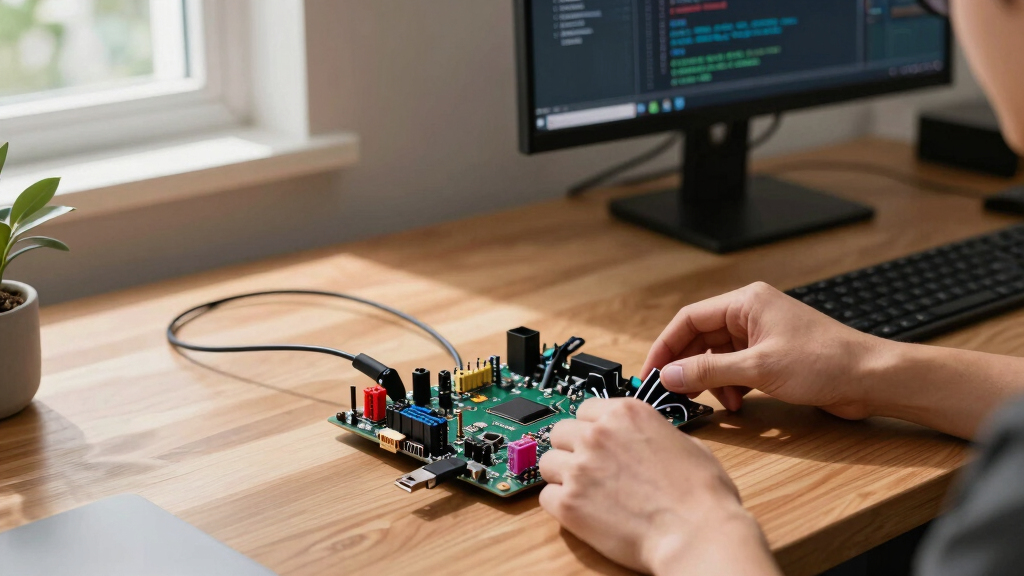

When searching for the best single-board computers (SBCs), the options can be overwhelming. The LattePanda 3 Delta stands out for its powerful x86 architecture, ideal for Windows-based projects, while the Raspberry Pi 5 8GB offers a versatile, widely supported platform for general use. The main tradeoffs involve balancing processing power, expandability, and price—higher performance often comes with increased complexity or cost. Whether you’re a hobbyist, developer, or enterprise user, understanding these differences is key. Continue reading to see how these options compare and find the best SBC for your needs.

Get the latest gadgets delivered free with Prime
- Fast, free delivery on millions of items
- Prime Video, Amazon Music and more included
- Member-only deals all year
Key Takeaways
- The LattePanda 3 Delta provides a Windows-friendly x86 experience with added Arduino compatibility, making it a versatile choice for makers needing desktop-class performance.
- The Raspberry Pi 5 8GB offers a significant upgrade over previous Pi models, especially with its upgraded CPU and GPU, suitable for media, IoT, and development projects.
- High-end options like NVIDIA Jetson Orin Nano excel in AI and machine learning applications but come at a premium price and complexity.
- Compact and specialized boards like the ESP32 Max V1.0 are perfect for IoT projects but lack the raw power for heavier workloads.
- Choosing the right SBC depends heavily on your specific use case—whether it’s general computing, AI, or embedded projects—and balancing cost versus capability.
| LattePanda 3 Delta x86 Single Board Computer with Intel N5105, 8GB RAM, 64GB eMMC, and Arduino Coprocessor |  | Best Overall for Versatile Edge Computing | RAM: 8 GB DDR4 | Storage: 64 GB eMMC | CPU Model: Intel Celeron N5105 (2.9 GHz) | VIEW LATEST PRICE | See Our Full Breakdown |
| Raspberry Pi 5 8GB |  | Best Value for High-Performance DIY Computing | RAM: 8 GB LPDDR4X | Processor Speed: 2.4 GHz | Connectivity Technology: Bluetooth, HDMI | VIEW LATEST PRICE | See Our Full Breakdown |
| Raspberry Pi 3 Model B+ |  | Best for Basic Projects and Education | RAM: 1 GB LPDDR3 | Processor: 1.4GHz 64-bit quad-core Cortex | Connectivity: Bluetooth 4.2/BLE, Dual-band Wi-Fi | VIEW LATEST PRICE | See Our Full Breakdown |
| Orange Pi 4 Pro 4GB Single Board Computer with AI NPU and Wi-Fi 6 |  | Best for AI and Industrial Applications | SoC: Allwinner A733 | CPU: 2x Cortex-A76 + 6x Cortex-A55 @ 2.0GHz | GPU: Imagination BXM-4-64 | VIEW LATEST PRICE | See Our Full Breakdown |
| Radxa Rock 2A Single Board Computer, RK3528A Quad-Core CPU, GPU, 4K HDMI and Gigabit Ethernet (RS113-D4T0) |  | Best for Media and Embedded Projects | Processor: RK3528A Quad-Core | GPU: Integrated GPU | Display Output: 4K HDMI | VIEW LATEST PRICE | See Our Full Breakdown |
| NVIDIA Jetson Orin Nano Super Developer Kit | 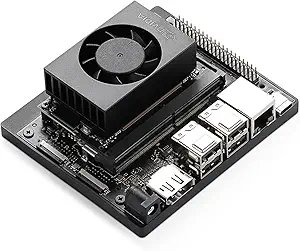 | Best for High-Performance Edge AI and Robotics | Memory: 8 GB | Processor: 6-core ARM Cortex-A78AE | GPU: Ampere GPU | VIEW LATEST PRICE | See Our Full Breakdown |
| Cubie A5E Single Board Computer with 8-Core CPU and Dual Gigabit Ethernet |  | Best for Industrial-Grade Networking and Computing | CPU: Allwinner A527/T527 8-core | RAM: 1 GB | Storage Support: M.2 NVMe SSD | VIEW LATEST PRICE | See Our Full Breakdown |
| ESP32 Development Board Max V1.0 (QA009) – Compatible with Arduino, USB-C, Wi-Fi & Bluetooth |  | Best for IoT and Lightweight Embedded Projects | RAM Memory: 448 KB | Storage Capacity: 4 MB | Processor Speed: 240 MHz | VIEW LATEST PRICE | See Our Full Breakdown |
| Raspberry Pi 4 Model B 8GB Single Board Computer |  | Best for General-Purpose Computing and Media Projects | RAM: 8 GB | Processor Speed: 1.5 GHz | USB Ports: 2 (USB 3.0) | VIEW LATEST PRICE | See Our Full Breakdown |
More Details on Our Top Picks
LattePanda 3 Delta x86 Single Board Computer with Intel N5105, 8GB RAM, 64GB eMMC, and Arduino Coprocessor
The LattePanda 3 Delta stands out for its native Windows and Linux support, making it ideal for complex software development, especially when compared to the Raspberry Pi 5, which relies solely on Raspberry Pi OS. Its onboard Arduino coprocessor simplifies hardware integration, perfect for robotics projects, but this feature adds to the price and complexity for users who only need basic computing. Dual M.2 slots support high-speed NVMe SSDs and 5G modules, offering significant expandability for industrial or edge AI applications, unlike the Raspberry Pi 3 B+ that has limited expansion options. However, its 64GB eMMC might fill up quickly with large datasets, and the fan-cooled design can be noisier than passive SBCs. Overall, this pick is best for developers needing a powerful, flexible, and hardware-integrated platform, willing to invest in a higher-cost solution.
Pros:- Supports native Windows 10/11 and Linux for software flexibility
- Integrated Arduino coprocessor simplifies hardware projects
- Dual M.2 slots support high-speed storage and 5G modules
- Wi-Fi 6 and 2.5GbE for fast networking
Cons:- 64GB eMMC storage may be limiting for large projects
- Higher price compared to basic SBCs like Raspberry Pi
Best for: Engineers building robotics, edge AI, or industrial solutions requiring Windows/Linux compatibility and hardware expansion.
Not ideal for: Casual hobbyists or educational users seeking low-cost, low-maintenance SBCs without complex hardware needs.
- RAM:8 GB DDR4
- Storage:64 GB eMMC
- CPU Model:Intel Celeron N5105 (2.9 GHz)
- Operating System:Windows 10/11 & Linux
- Connectivity:Wi-Fi 6 (802.11ax), 2.5GbE Ethernet
- Expansion Slots:Dual M.2 (NVMe/SATA/5G)
- USB Ports:5
- Display Support:Triple (Dual 4K HDMI/Type-C, 1080P eDP)
- Cooling:Fan-cooled
Bottom line: Ideal for professionals needing a high-performance, expandable SBC for industrial, robotics, or AI edge applications.
Raspberry Pi 5 8GB
The Raspberry Pi 5 8GB offers a significant power boost over the Pi 3 B+ with a 2.4 GHz quad-core ARM processor and supports 4K HDMI output, making it an excellent choice for media, development, and hobby projects. Compared to the LattePanda 3 Delta, it lacks native Windows support and hardware expansion options like M.2 slots, but it compensates with a much lower price point and a large community ecosystem. Its 8GB LPDDR4X RAM provides ample memory for multitasking, although it requires external storage via SD card, unlike the onboard eMMC of the LattePanda. The Pi 5 excels for users needing a reliable, affordable platform with broad OS support, but it’s less suitable for industrial or hardware-intensive robotics projects requiring native Windows or hardware expansion.
Pros:- Powerful 2.4 GHz quad-core processor
- Supports 4K HDMI output and multiple OS
- Large 8GB RAM for multitasking
- Affordable compared to high-end SBCs
Cons:- Requires external SD card for storage, limiting speed and capacity
- Lacks onboard M.2 or other hardware expansion slots
- No native Windows support
Best for: Hobbyists, students, or developers seeking a cost-effective, high-performance SBC for media, coding, or DIY projects.
Not ideal for: Industrial automation or robotics developers needing native Windows support or hardware expansion capabilities.
- RAM:8 GB LPDDR4X
- Processor Speed:2.4 GHz
- Connectivity Technology:Bluetooth, HDMI
- Operating System:Raspberry Pi OS
- Processor Brand:ARM
- USB Ports:4
Bottom line: Best suited for users who want a capable, affordable SBC for media, programming, and general DIY tasks without hardware expansion needs.
Raspberry Pi 3 Model B+
The Raspberry Pi 3 Model B+ remains a popular choice for entry-level projects, thanks to its 1.4GHz quad-core processor and dual-band Wi-Fi, making it suitable for basic IoT, media, and learning setups. Compared to the Pi 5, it has less processing power and RAM, but its lower cost and extensive accessory ecosystem make it accessible for beginners. Its 1GB LPDDR3 RAM limits performance for more demanding applications, and it does not include onboard storage—users must rely on SD cards. It’s not compatible with smart home devices that require higher network security or advanced connectivity, but it’s a reliable, straightforward platform for simple, educational, or prototyping projects that don’t require high performance or expansion.
Pros:- Decent quad-core 1.4 GHz processor
- Dual-band Wi-Fi and Ethernet support
- Supports multiple operating systems
- Wide availability and accessory support
Cons:- Limited to 1GB RAM, restricting multitasking
- No onboard storage, depends on SD card
- Less powerful than newer SBCs like Pi 5 or LattePanda
Best for: Students, educators, and hobbyists starting with basic IoT or media projects with budget constraints.
Not ideal for: Advanced robotics, edge AI, or industrial automation requiring native Windows or hardware expandability.
- RAM:1 GB LPDDR3
- Processor:1.4GHz 64-bit quad-core Cortex
- Connectivity:Bluetooth 4.2/BLE, Dual-band Wi-Fi
- Ethernet:Yes
- USB Ports:4
- Operating Systems:Multiple OS support
Bottom line: Best for beginners and educational projects where low cost and simplicity outweigh high performance and expandability.
Orange Pi 4 Pro 4GB Single Board Computer with AI NPU and Wi-Fi 6
The Orange Pi 4 Pro offers a high-performance octa-core CPU with a dedicated AI NPU, making it a compelling choice for AI inference, robotics, and industrial projects. Its 2.0GHz Allwinner A733 processor and 4GB LPDDR5 RAM outperform many SBCs in raw processing, and the integrated 3 TOPS AI NPU supports edge AI tasks more efficiently than the Raspberry Pi series. Compared to the Radxa Rock 2A, it provides more dedicated AI hardware and Wi-Fi 6, but it has less onboard storage and a smaller form factor that can limit expansion. Its support for Android, Linux, and OpenHarmony OS makes it flexible for various deployment scenarios, though the learning curve for open-source development can be steeper. This SBC makes the most sense for AI, robotics, or industrial automation where hardware acceleration and cutting-edge connectivity are priorities.
Pros:- Octa-core CPU with 2.0GHz speed and AI NPU
- Supports multiple OS including Android and Linux
- Wi-Fi 6 and Bluetooth 5.4 for fast connectivity
- PoE and Gigabit Ethernet simplify deployment
Cons:- Limited onboard storage (requires eMMC or M.2 modules)
- Smaller PCB size may restrict expansion options
- Higher complexity for beginners in open-source environments
Best for: Developers working on AI inference, robotics, or industrial automation requiring high processing power and fast networking.
Not ideal for: Casual hobbyists or users needing simple media playback or basic development without AI acceleration.
- SoC:Allwinner A733
- CPU:2x Cortex-A76 + 6x Cortex-A55 @ 2.0GHz
- GPU:Imagination BXM-4-64
- NPU:3 TOPS @ INT8
- Memory:4GB LPDDR5
- Connectivity:Wi-Fi 6, Bluetooth 5.4
- Ports:1x USB 3.0, 3x USB 2.0
- Display:HDMI 2.0 (4K@60Hz)
Bottom line: This SBC is best for AI, robotics, and industrial projects where hardware acceleration and connectivity speed are essential.
Radxa Rock 2A Single Board Computer, RK3528A Quad-Core CPU, GPU, 4K HDMI and Gigabit Ethernet (RS113-D4T0)
The Radxa Rock 2A excels as a compact, efficient SBC suitable for media centers, embedded systems, and development projects, especially with its RK3528A quad-core processor and 4K HDMI output. It matches the needs of hobbyists who want a solid performance at a reasonable price, but it doesn’t match the raw power or hardware expandability of the LattePanda or Orange Pi boards. Its onboard GPU supports 4K HDMI playback, making it a good choice for multimedia applications, yet its onboard storage options are limited, relying on eMMC or microSD. The broad compatibility with RP5 ecosystem makes it appealing for expansion, but its smaller size can restrict additional hardware connections. Overall, it’s a strong choice for media applications and embedded solutions that prioritize efficiency and compatibility, not extensive hardware expansion.
Pros:- Supports 4K HDMI output for media playback
- Compact size with broad ecosystem compatibility
- Efficient quad-core CPU
- Reasonably priced for multimedia and embedded projects
Cons:- Limited onboard storage options
- Smaller PCB size may restrict hardware expansion
- Less powerful than high-end SBCs like LattePanda or Orange Pi Pro
Best for: Media enthusiasts, embedded developers, and hobbyists creating compact digital signage or media centers.
Not ideal for: Edge AI or robotics projects requiring high processing power or native Windows support.
- Processor:RK3528A Quad-Core
- GPU:Integrated GPU
- Display Output:4K HDMI
- Network:Gigabit Ethernet
- Memory:4 GB
- Storage:microSD/eMMC
- Dimensions:3.5″ x 3.5″ x 0.5″
Bottom line: Best suited for media and embedded projects where compact size and multimedia support are priorities over hardware expandability.
NVIDIA Jetson Orin Nano Super Developer Kit
This developer kit stands out for its up to 67 TOPS of AI performance, making it ideal for complex AI applications like robotics and vision systems. Compared with the Raspberry Pi 4, which offers a modest CPU and no dedicated AI hardware, the Jetson Orin Nano provides unmatched AI inference capabilities at the edge. Its compact design and extensive connectors support rapid prototyping of AI-powered products. The downside is the higher price point and potentially steeper learning curve due to NVIDIA’s ecosystem. This pick makes the most sense for developers who need powerful AI inference without sacrificing size or flexibility, especially in autonomous systems or smart cameras. Key specs include: 8GB RAM, 6-core ARM CPU, Ampere GPU, multiple camera interfaces, Linux OS.
Pros:- Exceptional AI processing capability with up to 67 TOPS
- Supports multiple high-resolution camera modules
- Broad ecosystem with NVIDIA AI software and tools
- Compact form factor suitable for edge deployments
Cons:- High cost compared to simpler SBCs like Raspberry Pi
- Requires familiarity with NVIDIA’s ecosystem and AI frameworks
Best for: Engineers and researchers building AI-driven robots or advanced vision systems needing top-tier inference performance.
Not ideal for: Casual hobbyists or educational users who don’t require high AI throughput and prefer simpler setups.
- Memory:8 GB
- Processor:6-core ARM Cortex-A78AE
- GPU:Ampere GPU
- Connectivity:Multiple camera interfaces, USB, Ethernet
- AI Performance:Up to 67 TOPS
- Operating System:Linux
Bottom line: This kit is perfect for professionals developing AI applications that demand high inference power at the edge.
Cubie A5E Single Board Computer with 8-Core CPU and Dual Gigabit Ethernet
The Cubie A5E excels in industrial environments, thanks to its 8-core Allwinner A527/T527 CPU and dual 1000Mbps Ethernet ports, making it ideal for reliable networked systems. Unlike the Raspberry Pi 4, which is more general-purpose, the Cubie A5E emphasizes industrial robustness and dual Ethernet for redundancy or segregated networks. Its support for M.2 NVMe SSDs provides high-speed local storage, perfect for data logging or edge computing. The inclusion of an NPU (on the T527 model) offers additional computational power, but this makes the device more specialized and less suited for simple projects. It’s best for users needing industrial connectivity and processing in embedded systems. Specs include: 1GB RAM, 8-core CPU, dual Ethernet, Wi-Fi 6, NVMe support, Debian OS.
Pros:- Industrial-grade 8-core CPU for demanding tasks
- Dual Gigabit Ethernet ports for network reliability
- Supports high-speed NVMe SSDs for local storage
- Includes NPU for enhanced AI or computational workloads
Cons:- Limited RAM (1 GB) may restrict complex multitasking
- Designed for industrial use, less for general consumer projects
Best for: Industrial automation engineers requiring reliable network connectivity and high performance in embedded systems.
Not ideal for: Home hobbyists or casual makers seeking simple, low-cost SBCs with broad software support.
- CPU:Allwinner A527/T527 8-core
- RAM:1 GB
- Storage Support:M.2 NVMe SSD
- Connectivity:Dual Gigabit Ethernet, Wi-Fi 6
- NPU:2TOPs (T527 model)
- Dimensions:3.5″ x 3.5″ x 0.5″
Bottom line: This SBC is targeted at industrial environments where network resilience and processing power are priorities.
ESP32 Development Board Max V1.0 (QA009) – Compatible with Arduino, USB-C, Wi-Fi & Bluetooth
The ESP32 Max V1.0 offers a compact, versatile platform suited for IoT and robotics, with Wi-Fi and Bluetooth connectivity built-in. Unlike the Raspberry Pi 4, which targets more intensive computing, the ESP32 is optimized for low-power, networked sensor applications. Its compatibility with Arduino and MicroPython makes it accessible for hobbyists and rapid prototyping, while the integrated ESD protection enhances durability in field deployments. However, its limited RAM and storage mean it’s unsuitable for complex applications or multimedia tasks. This device is best for those needing wireless control and sensor interfacing in small form factors. Specs include: 448 KB RAM, 4 MB storage, 240 MHz processor, Wi-Fi, Bluetooth, USB-C.
Pros:- Supports Arduino IDE and MicroPython for flexible development
- Built-in Wi-Fi and Bluetooth for seamless IoT connectivity
- Electrostatic discharge protection enhances reliability
- Compact size facilitates integration in small projects
Cons:- Limited RAM and storage restrict application complexity
- Processor speed may be insufficient for demanding tasks
Best for: IoT developers and hobbyists creating connected sensors or simple robots.
Not ideal for: Users requiring high-performance computing or multimedia capabilities.
- RAM Memory:448 KB
- Storage Capacity:4 MB
- Processor Speed:240 MHz
- Connectivity:Wi-Fi, Bluetooth
- Operating System:ESP32 (freeRTOS)
- Total USB Ports:1
Bottom line: This board is ideal for lightweight IoT projects that prioritize connectivity and size over raw power.
Raspberry Pi 4 Model B 8GB Single Board Computer
The Raspberry Pi 4 Model B with 8GB RAM provides a significant boost in CPU speed and memory over previous models, making it suitable for a broad range of tasks from media centers to mini servers. Unlike the NVIDIA Jetson Nano, which excels at AI inference, the Pi 4 offers more flexibility with software and peripherals, supporting dual 4K displays and USB 3.0 for faster data transfer. Its reliance on external Wi-Fi adapters and higher power consumption are tradeoffs compared to more integrated boards. This choice is best for users who need a versatile, low-cost platform for general computing, with some multimedia or networking capabilities. Key specs: 8GB RAM, 1.5 GHz CPU, dual 4K HDMI, USB 3.0, Ethernet, Raspberry Pi OS.
Pros:- Fast CPU and ample RAM for multitasking
- Supports dual 4K displays via micro HDMI
- USB 3.0 for rapid data transfers
- Broad community support and extensive software ecosystem
Cons:- Requires external Wi-Fi dongle for wireless connectivity
- Higher power draw with 3A USB-C power supply
- Limited internal storage options
Best for: Hobbyists and developers building versatile projects like media servers, smart home hubs, or lightweight desktops.
Not ideal for: Edge AI applications requiring high processing throughput or real-time inference.
- RAM:8 GB
- Processor Speed:1.5 GHz
- USB Ports:2 (USB 3.0)
- Connectivity:Ethernet, Bluetooth 5.0
- Video Output:Dual 4K HDMI
- Power Input:USB Type-C (5V 3A)
Bottom line: This SBC is best suited for users seeking a flexible, desktop-like experience with a low-cost, powerful platform.
How We Picked
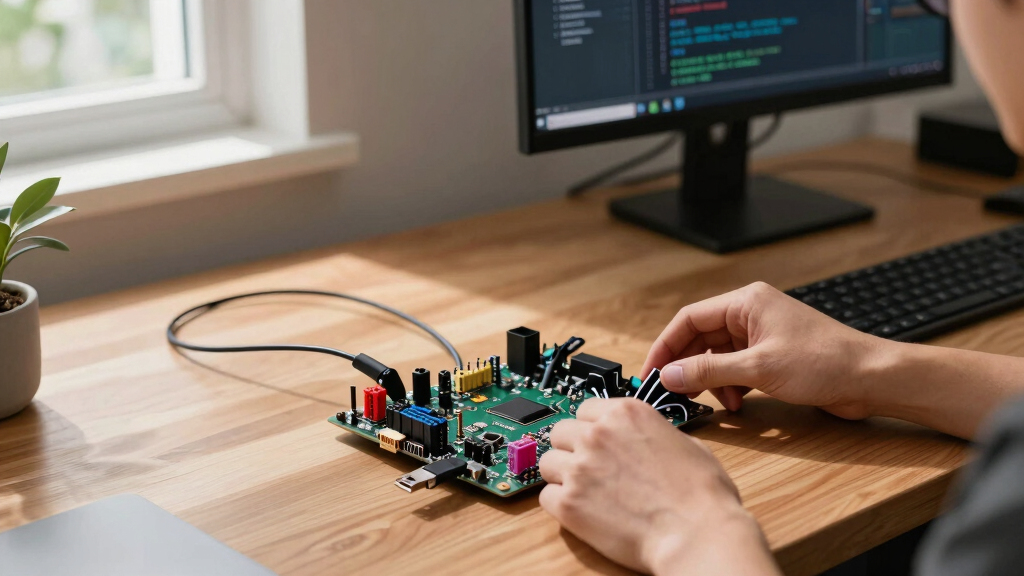
In selecting these single-board computers, I focused on key criteria that matter most to a broad range of users. Performance metrics like CPU and GPU capabilities determine what tasks the SBC can handle, while usability factors such as connectivity options and community support influence ease of deployment. Build quality and expandability are also critical, especially for development or industrial applications. Price was a significant factor, but I prioritized value—offering options from budget-friendly to premium. The ranking reflects a combination of versatility, power, and user-friendliness, aiming to match different buyer profiles and project needs.Factors to Consider When Choosing Best Single-board Computers
Choosing the best single-board computer requires weighing several important factors. Consider your primary use case, whether it’s media processing, AI development, or simple IoT projects. Compatibility with existing hardware and software ecosystems can save time and frustration. Performance needs should match your workload—more demanding tasks require more powerful CPUs and GPUs. Price and future expandability are also key, especially if your project might scale or evolve. Being aware of common pitfalls, like overpaying for unnecessary specs or choosing incompatible hardware, helps ensure you make the right investment.Performance and Processing Power
Understanding the CPU and GPU capabilities of an SBC tells you what kind of workloads it can handle. For example, a quad-core ARM processor might suffice for basic IoT tasks, but machine learning or desktop applications demand more powerful options like the NVIDIA Jetson Orin Nano. Matching your project’s complexity with the SBC’s processing power prevents bottlenecks and wasted investment. Remember, higher performance often means increased cost and complexity, so balance your needs carefully.
Connectivity and Expandability
Evaluate what ports and interfaces your project requires—USB, HDMI, Ethernet, Wi-Fi, Bluetooth, or GPIO pins. Boards like the Raspberry Pi 5 provide extensive connectivity options suitable for multimedia and network projects, while specialized boards like Cubie A5E offer dual Ethernet for network-heavy applications. Expandability features, such as PCIe or M.2 slots, can future-proof your setup, but add cost and complexity. Consider whether you need onboard storage or if external options suffice, as this impacts overall flexibility.
Community Support and Ecosystem
A large, active community can significantly simplify troubleshooting and project development. Platforms like Raspberry Pi benefit from extensive tutorials, forums, and software compatibility, making them ideal for beginners. In contrast, more niche boards like Radxa Rock or LattePanda may require deeper technical knowledge but offer specialized features. Evaluate the availability of software updates, peripherals, and documentation to ensure your project remains manageable and scalable over time.
Price and Long-Term Value
While initial cost is an obvious consideration, also factor in long-term value—availability of accessories, support, and upgrade paths. Budget boards may suffice for simple tasks but can limit expansion or performance. Premium options like NVIDIA Jetson Orin or LattePanda offer advanced features but at a higher price point. Balance your project scope with your budget—sometimes investing a bit more upfront saves money and effort later.
Power Consumption and Size
If your project is portable or runs on limited power, these aspects become critical. Compact boards like ESP32 are excellent for battery-powered IoT devices, whereas larger SBCs require more power and space. Consider whether your setup needs passive cooling or active cooling solutions, as this impacts size and noise. For embedded or remote installations, lower power consumption and smaller footprints often outweigh raw performance.
Frequently Asked Questions
Which single-board computer is best for running a full desktop environment?
The LattePanda 3 Delta offers the most desktop-like experience among SBCs, thanks to its x86 architecture and Windows compatibility. It supports standard desktop applications and peripherals, making it suitable for lightweight workstation tasks or development environments. However, it consumes more power and costs significantly more than ARM-based options like the Raspberry Pi. For users needing a true desktop experience in a small form factor, this option balances power and usability effectively.
Are high-performance SBCs like NVIDIA Jetson worth the extra cost?
High-performance SBCs such as the NVIDIA Jetson Orin Nano are definitely worth considering if your projects involve AI, machine learning, or intensive data processing. They provide GPU acceleration that significantly surpasses general-purpose SBCs, enabling faster development and deployment of AI models. However, they come with higher costs, increased power requirements, and more complex setup processes. For purely hobbyist or casual use, a less expensive option may suffice, but for professional AI applications, the investment pays off in speed and capability.
Can I use a Raspberry Pi for industrial or embedded applications?
Yes, Raspberry Pi models, especially the latest Pi 5, are increasingly being used in industrial and embedded environments thanks to their low cost, wide support, and GPIO flexibility. However, they may lack the robustness and extended durability required for harsh environments unless paired with protective enclosures and industrial-grade accessories. For critical or highly specialized industrial tasks, dedicated industrial SBCs might be better, but for prototyping and controlled environments, Raspberry Pi remains a popular choice.
What should I prioritize if I want to build an AI or robotics project?
Prioritize SBCs with strong GPU or NPU capabilities, such as the NVIDIA Jetson Orin Nano or Orange Pi 4 Pro. These boards support AI frameworks and provide hardware acceleration, dramatically reducing processing time. Expandability and sensor interfaces are also important, so look for boards with multiple I/O options and support for peripherals. Budget appropriately, as high-performance AI SBCs typically cost more, but they will save development time and increase project reliability.
Is it better to choose a more powerful SBC now or start with a less capable one and upgrade later?
Starting with a slightly more capable SBC can save you from needing an upgrade soon, especially if your project’s scope might expand over time. However, overspending on unnecessary power can lead to wasted resources in simple applications. Consider your current needs and future plans—if you expect growth, investing in a higher-end board now could make sense. Conversely, for quick prototypes or educational projects, a budget-friendly, lower-power SBC often provides enough headroom to learn and experiment effectively.
Conclusion
For most users seeking a reliable all-around option, the Raspberry Pi 5 8GB offers a balanced mix of power, support, and affordability. If you need a high-performance platform for AI or intensive computing, the NVIDIA Jetson Orin Nano makes the most sense. Budget-conscious hobbyists or IoT developers should consider boards like the ESP32 Max V1.0, which excel in low-power, small-form projects. Beginners will find the Raspberry Pi 4 Model B 8GB a friendly starting point, while professionals with complex requirements might prefer the LattePanda 3 Delta for Windows-based development. Match your choice to your project’s demands and future plans for the best results. As an affiliate, we earn on qualifying purchases.Halloween Picks
halloween