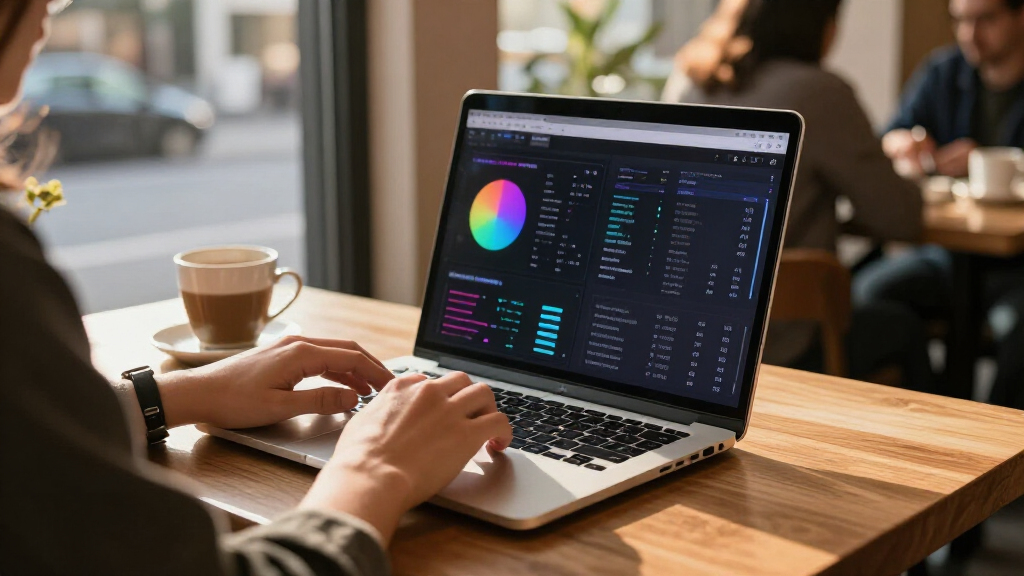

The best AI laptop overall in this lineup is the HP OmniBook 16 AI, which pairs a Ryzen AI processor with 32GB of memory and a 2K touchscreen for a capable everyday setup. The Apple MacBook Air 13-inch with M5 is a strong fit for buyers who prefer macOS, while the Acer Nitro V 16S AI brings dedicated RTX graphics for gaming and GPU-heavy work. The main tradeoffs are Windows versus macOS, portable size versus a roomy screen, and dedicated graphics versus quieter everyday efficiency. Memory and storage also vary widely, so the model name alone does not tell the whole story. Continue reading for the full breakdown and help matching an AI laptop to your workload.

Get the latest gadgets delivered free with Prime
- Fast, free delivery on millions of items
- Prime Video, Amazon Music and more included
- Member-only deals all year
Complete the kit



Key Takeaways
- HP OmniBook 16 AI leads as the balanced Windows pick: its Ryzen AI 7, 32GB RAM, 1TB SSD, and 16-inch 2K touchscreen make it a stronger multitasking choice than the 16GB, 512GB configurations in several smaller models.
- The Acer Nitro V 16S is the clear graphics specialist: its RTX 5060 separates it from laptops relying on integrated graphics, making it the lineup’s better match for gaming and GPU-accelerated creative applications.
- Apple’s two MacBook Air options mainly differ in screen space: the 13-inch M5 version favors portability, while the 15-inch model offers a larger view without changing the listed memory and storage configuration.
- Several 17.3-inch models prioritize workspace over portability: the HP OmniBook 7 pairs a Core Ultra 7 with 32GB RAM, while other large HP options have Core Ultra 5 configurations and should not be treated as equivalent based on screen size alone.
- AI branding does not guarantee ample local storage: the HP OmniBook 3 includes a 2K OLED screen and Snapdragon X platform but only 256GB SSD, so buyers with large files should weigh storage capacity alongside processor features.
| HP OmniBook 5 16-inch AI Laptop, Snapdragon X, 16 GB RAM, 512 GB SSD, 2K OLED Display, Windows 11 Home |  | Best for Battery Life and OLED | Display: 16-inch OLED, 1920 x 1200, 300 nits | Processor: Snapdragon X X1-26-100, 8 cores, up to 2.97 GHz | Graphics: Integrated Qualcomm Adreno GPU | VIEW LATEST PRICE | See Our Full Breakdown |
| Acer Aspire 14 AI Copilot+ PC, 14-inch WUXGA Touchscreen, Intel Core Ultra 5 226V, 16GB LPDDR5X, 1TB SSD |  | Best for Everyday Copilot+ Use | Display: 14-inch WUXGA IPS LED touchscreen, 1920 x 1200, 60Hz | Processor: Intel Core Ultra 5 226V | NPU performance: Up to 40 TOPS | VIEW LATEST PRICE | See Our Full Breakdown |
| Apple MacBook Air 13-inch with M5 chip, 16GB memory, 512GB SSD, and 12MP Center Stage camera |  | Best Compact Mac AI Laptop | Chip: Apple M5 | Display: 13.6-inch Liquid Retina | Memory: 16GB unified memory | VIEW LATEST PRICE | See Our Full Breakdown |
| Acer Aspire 14 AI Laptop, 14-inch Touchscreen, Intel Core Ultra 7 258V, 32GB RAM, 1TB SSD | 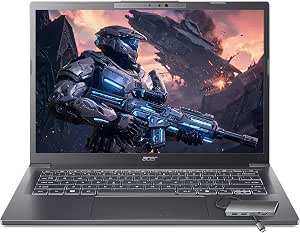 | Best for AI Multitasking | Processor: Intel Core Ultra 7 258V, 8-core, up to 4.8GHz | NPU: Intel AI Boost, 47 TOPS | Graphics: Integrated Intel Arc 140V | VIEW LATEST PRICE | See Our Full Breakdown |
| NIMO N158 15.6-Inch FHD Laptop, AMD Ryzen 7 8745HS, 32GB DDR5 RAM, 1TB SSD |  | Best for Upgradeable Hardware | Processor: AMD Ryzen 7 8745HS, 8 cores and 16 threads, up to 4.9GHz | Graphics: Integrated AMD Radeon 780M | Display: 15.6-inch Full HD anti-glare, 1920 x 1080 | VIEW LATEST PRICE | See Our Full Breakdown |
| HP OmniBook 7 17.3-inch FHD Touchscreen Laptop |  | Best Large-Screen AI Laptop | Display: 17.3-inch FHD IPS touchscreen, 400 nits | Processor: Intel Core Ultra 7 258V | Memory: 32GB LPDDR5 | VIEW LATEST PRICE | See Our Full Breakdown |
| HP 15.6-Inch Touchscreen Laptop with Intel Core Ultra 7 155H |  | Best Touchscreen for Everyday Office Work | Display: 15.6-inch FHD IPS touchscreen, 1920 × 1080, 60 Hz | Processor: Intel Core Ultra 7 155H, 16 cores, up to 4.8 GHz | Memory: 16GB DDR5 SODIMM, 4800 MHz | VIEW LATEST PRICE | See Our Full Breakdown |
| Apple MacBook Air 15-inch Laptop with M5 Chip |  | Best Premium macOS AI Laptop | Display: 15.3-inch Liquid Retina | Processor: Apple M5 chip | Memory: 16GB unified memory | VIEW LATEST PRICE | See Our Full Breakdown |
| HP 17.3-inch Laptop with Intel Core Ultra 5, 32GB RAM, and 1TB SSD |  | Best for High Memory and Storage on a Large Screen | Processor: Intel Core Ultra 5 225U, 12 cores, 14 threads, up to 4.8 GHz | AI acceleration: Intel AI Boost NPU, 12 TOPS | Memory: 32GB DDR5 RAM | VIEW LATEST PRICE | See Our Full Breakdown |
| HP OmniBook 3 14-inch Next Gen AI PC |  | Best Compact Copilot+ PC | Display: 14-inch OLED, 1920 × 1200, 300 nits | Processor: Snapdragon X X1-26-100, 8 cores, up to 2.97 GHz | Graphics: Integrated Qualcomm Adreno GPU | VIEW LATEST PRICE | See Our Full Breakdown |
| HP Pavilion 17.3-inch Laptop with Intel Core Ultra 5, 16GB RAM, and 512GB SSD |  | Best for a Large-Screen Everyday Workspace | Processor: Intel Core Ultra 5 225U, up to 4.8 GHz | AI acceleration: Intel AI Boost NPU, up to 12 TOPS | Memory: 16GB DDR5 | VIEW LATEST PRICE | See Our Full Breakdown |
| HP OmniBook 16 AI Laptop, AMD Ryzen AI 7 445, 32GB RAM, 1TB SSD, 16-inch 2K Touchscreen |  | Best Overall for On-Device AI and Everyday Work | Processor: AMD Ryzen AI 7 445, 6 cores, up to 4.6 GHz | NPU performance: 50 TOPS | Memory: 32GB DDR5 | VIEW LATEST PRICE | See Our Full Breakdown |
| Acer Nitro V 16S AI Gaming Laptop, Ryzen 7 260, RTX 5060, 16-inch WUXGA 180Hz Display, 32GB DDR5, 1TB SSD |  | Best for GPU-Driven AI and Gaming | Processor: AMD Ryzen 7 260 | Graphics: NVIDIA GeForce RTX 5060 Laptop GPU | GPU AI performance: 572 AI TOPS | VIEW LATEST PRICE | See Our Full Breakdown |
| NIMO 17.3-Inch Laptop with AMD Ryzen AI 9 HX 370, 32GB DDR5 RAM, and 1TB SSD |  | Best for Upgrades and Big-Screen Flexibility | Processor: AMD Ryzen AI 9 HX 370, 12 cores and 24 threads | Graphics: AMD Radeon 890M integrated graphics | Memory: 32GB DDR5 5600MHz; upgradeable to 64GB | VIEW LATEST PRICE | See Our Full Breakdown |
| HP Pro Business Copilot AI Laptop PC, 17.3-inch Touchscreen, Intel Ultra 7 255U, 32GB DDR5, 1TB SSD, Wi-Fi 6, Webcam, Backlit Keyboard, Fingerprint Reader, Bundle with PCO Laptop Cooler |  | Best for a Windows 11 Pro Big-Screen Office Setup | Processor: Intel Core Ultra 7 255U, 12 cores and 14 threads, up to 5.2 GHz | Memory: 32GB DDR5 | Storage: 1TB SSD | VIEW LATEST PRICE | See Our Full Breakdown |
| AI laptop | Display | Memory | Storage | Processor |
|---|---|---|---|---|
| HP OmniBook 5 16-inch AI Lapto | 16-inch OLED, 1920 x 1200, 300 nits | 16GB LPDDR5x-8448 | 512GB PCIe Gen4 NVMe M.2 SSD | Snapdragon X X1-26-100, 8 cores, up to 2.97 GHz |
| Acer Aspire 14 AI Copilot+ PC | 14-inch WUXGA IPS LED touchscreen, 1920 x 1200, 60Hz | 16GB LPDDR5X | 1TB Gen 4 SSD | Intel Core Ultra 5 226V |
| Apple MacBook Air 13-inch with | 13.6-inch Liquid Retina | 16GB unified memory | 512GB SSD | — |
| Acer Aspire 14 AI Laptop | 14-inch IPS WUXGA touchscreen, 1920 x 1200, 60Hz | 32GB LPDDR5X | 1TB PCIe NVMe SSD | Intel Core Ultra 7 258V, 8-core, up to 4.8GHz |
| NIMO N158 15.6-Inch FHD Laptop | 15.6-inch Full HD anti-glare, 1920 x 1080 | 32GB DDR5 5600MHz, expandable to 64GB | 1TB PCIe 4.0 NVMe SSD, expandable to 4TB | AMD Ryzen 7 8745HS, 8 cores and 16 threads, up to 4.9GHz |
| HP OmniBook 7 17.3-inch FHD To | 17.3-inch FHD IPS touchscreen, 400 nits | 32GB LPDDR5 | 1TB SSD listed; 512GB, 1TB, or 2TB options described | Intel Core Ultra 7 258V |
| HP 15.6-Inch Touchscreen Lapto | 15.6-inch FHD IPS touchscreen, 1920 × 1080, 60 Hz | 16GB DDR5 SODIMM, 4800 MHz | 512GB PCIe M.2 SSD | Intel Core Ultra 7 155H, 16 cores, up to 4.8 GHz |
| Apple MacBook Air 15-inch Lapt | 15.3-inch Liquid Retina | 16GB unified memory | 512GB SSD | Apple M5 chip |
| HP 17.3-inch Laptop with Intel | 17.3-inch HD+ (1600 × 900), antiglare, 250 nits | 32GB DDR5 RAM | 1TB PCIe NVMe M.2 SSD | Intel Core Ultra 5 225U, 12 cores, 14 threads, up to 4.8 GHz |
| HP OmniBook 3 14-inch Next Gen | 14-inch OLED, 1920 × 1200, 300 nits | 16GB LPDDR5x-8448 | 256GB PCIe Gen4 NVMe M.2 SSD | Snapdragon X X1-26-100, 8 cores, up to 2.97 GHz |
| HP Pavilion 17.3-inch Laptop w | 17.3-inch HD+ (1600 × 900), anti-glare, 250 nits | 16GB DDR5 | 512GB PCIe NVMe M.2 SSD | Intel Core Ultra 5 225U, up to 4.8 GHz |
| HP OmniBook 16 AI Laptop | 16-inch 1920 × 1200 IPS touchscreen | 32GB DDR5 | 1TB PCIe NVMe SSD | AMD Ryzen AI 7 445, 6 cores, up to 4.6 GHz |
| Acer Nitro V 16S AI Gaming Lap | 16-inch WUXGA IPS, 1920 × 1200 | 32GB DDR5 5600MHz; stated maximum 32GB | 1TB PCIe Gen 4 SSD | AMD Ryzen 7 260 |
| NIMO 17.3-Inch Laptop with AMD | 17.3-inch, 16:9; resolution not specified | 32GB DDR5 5600MHz; upgradeable to 64GB | 1TB SSD | AMD Ryzen AI 9 HX 370, 12 cores and 24 threads |
| HP Pro Business Copilot AI Lap | 17.3-inch LCD touchscreen, 1600 × 900 | 32GB DDR5 | 1TB SSD | Intel Core Ultra 7 255U, 12 cores and 14 threads, up to 5.2 GHz |
More Details on Our Top Picks
HP OmniBook 5 16-inch AI Laptop, Snapdragon X, 16 GB RAM, 512 GB SSD, 2K OLED Display, Windows 11 Home
The HP OmniBook 5 is the pick for buyers who want a large, vivid screen without giving up on-the-go endurance. Its 16-inch OLED panel gives movies, photos, and dark-mode interfaces richer contrast than the IPS touchscreens on the Acer Aspire 14 AI models. The Snapdragon X processor and 16GB of memory suit everyday productivity and Windows AI features, while the stated battery life of up to 34 hours and 45 minutes is unusually generous—though actual runtime depends on workload. At 3.5 pounds, it is less convenient to carry than the 3-pound Acer Aspire 14 AI Copilot+ PC. The 512GB SSD also offers less room than that Acer’s 1TB drive, and the memory is onboard, limiting future upgrades. I’d choose it for screen quality and unplugged use, not graphics-heavy creation.
Pros:- 16-inch OLED display provides high contrast at 1920 x 1200 resolution.
- Long stated battery life and 65W USB-C fast charging support mobile work.
- 16GB LPDDR5x memory and a 512GB PCIe Gen4 SSD cover typical productivity needs.
- FHD IR camera with privacy shutter supports secure sign-in and video calls.
Cons:- Onboard memory cannot be upgraded later.
- At 3.5 pounds, it is heavier to carry than the 14-inch Acer Aspire 14 AI Copilot+ PC.
- Integrated Adreno graphics are not suited to demanding GPU-heavy workloads.
Best for: Frequent travelers and home-office users who want a large OLED screen, long stated battery life, and enough memory for routine multitasking.
Not ideal for: Buyers who need upgradeable memory, a larger built-in SSD, or a lighter laptop for daily commuting.
- Display:16-inch OLED, 1920 x 1200, 300 nits
- Processor:Snapdragon X X1-26-100, 8 cores, up to 2.97 GHz
- Graphics:Integrated Qualcomm Adreno GPU
- Memory:16GB LPDDR5x-8448
- Storage:512GB PCIe Gen4 NVMe M.2 SSD
- Battery life:Up to 34 hours and 45 minutes
- Wireless:Wi-Fi 6E and Bluetooth 5.3
- Weight:3.5 pounds
Our verdict“Choose the HP OmniBook 5 if a large OLED screen and long stated battery life matter more than low carry weight or upgradeable memory.”
Acer Aspire 14 AI Copilot+ PC, 14-inch WUXGA Touchscreen, Intel Core Ultra 5 226V, 16GB LPDDR5X, 1TB SSD
The Acer Aspire 14 AI Copilot+ PC makes the most sense for buyers who want a compact Windows laptop with a clear AI-PC focus, without moving to a higher-tier processor. Its 40-TOPS NPU supports compatible on-device AI features, while the touchscreen and 180-degree hinge make it adaptable for presentations, shared viewing, and everyday navigation. Compared with the HP OmniBook 5, it trades the larger OLED screen and longer stated battery life for a lighter 3-pound aluminum design and a roomier 1TB SSD. Its 16GB of memory is fixed, and integrated Arc graphics are better suited to casual creative tasks than demanding 3D work. Acer’s up-to-22-hour battery figure comes from specified video playback testing, so I would not treat it as a guaranteed runtime for mixed workloads.
Pros:- 40-TOPS NPU enables compatible Copilot+ AI features.
- 14-inch WUXGA touchscreen and 180-degree hinge offer flexible everyday use.
- 1TB Gen 4 SSD provides more built-in storage than the HP OmniBook 5.
- Aluminum chassis, 3-pound weight, and 1080p FHD IR webcam suit mobile work.
Cons:- 16GB LPDDR5X memory is not listed as upgradeable.
- Integrated Intel Arc 130V graphics are a limitation for demanding graphics workloads.
- The up-to-22-hour battery figure is based on specified video playback testing.
Best for: Students and mobile professionals who want a lightweight touchscreen Windows laptop with Copilot+ features and a 1TB SSD.
Not ideal for: People who need dedicated graphics, upgradeable memory, or an OLED display for frequent media and photo work.
- Display:14-inch WUXGA IPS LED touchscreen, 1920 x 1200, 60Hz
- Processor:Intel Core Ultra 5 226V
- NPU performance:Up to 40 TOPS
- Graphics:Integrated Intel Arc 130V
- Memory:16GB LPDDR5X
- Storage:1TB Gen 4 SSD
- Battery:65Wh; up to 22 hours under specified video playback test conditions
- Weight:3 pounds
Our verdict“Pick the Acer Aspire 14 AI Copilot+ PC for a portable touchscreen Windows AI laptop with generous storage, rather than for high-end graphics or guaranteed all-day runtime.”
Apple MacBook Air 13-inch with M5 chip, 16GB memory, 512GB SSD, and 12MP Center Stage camera
The 13-inch MacBook Air with M5 is the strongest fit here for buyers who prefer macOS and want a particularly light laptop for everyday work. At 2.71 pounds, it is easier to carry than the HP OmniBook 5 and the Acer Aspire 14 AI Copilot+ PC, while its 13.6-inch Liquid Retina display keeps the overall design compact. The 12MP Center Stage camera and Wi-Fi 7 add useful refinements for video calls and newer wireless networks. Its 16GB unified memory and 512GB SSD are suitable for common productivity tasks, but the listed specs do not provide an NPU TOPS figure or Windows Copilot+ feature set for direct comparison with Acer’s Intel-based AI laptops. Buyers also give up a touchscreen and have only two Thunderbolt 4 ports, MagSafe, and a headphone jack for connections.
Pros:- At 2.71 pounds, it is the lightest option in this five-laptop group.
- M5 chip pairs with 16GB unified memory for everyday macOS work.
- 12MP Center Stage camera is well suited to video calls.
- Wi-Fi 7 and MagSafe charging complement the compact design.
Cons:- The 13.6-inch display is smaller than the screens on the HP OmniBook 5 and both Acer Aspire 14 models.
- The listed specifications do not state NPU performance or Windows Copilot+ compatibility.
- Port selection is limited to two Thunderbolt 4 ports, MagSafe, and a headphone jack.
Best for: Mac users, students, and frequent travelers who prioritize low carry weight, a quality video-call camera, and a compact everyday laptop.
Not ideal for: Windows-only users, buyers who need a touchscreen, or people seeking a clearly specified Windows Copilot+ NPU feature set.
- Chip:Apple M5
- Display:13.6-inch Liquid Retina
- Memory:16GB unified memory
- Storage:512GB SSD
- Camera:12MP Center Stage
- Wireless:Wi-Fi 7 and Bluetooth 6
- Battery life:Up to 18 hours
- Weight:2.71 pounds
Our verdict“Choose the MacBook Air if you want a light, compact macOS laptop and do not need a touchscreen or Windows-specific AI features.”
Acer Aspire 14 AI Laptop, 14-inch Touchscreen, Intel Core Ultra 7 258V, 32GB RAM, 1TB SSD
For buyers who keep many apps open or work with larger creative files, the Acer Aspire 14 AI stands out for its 32GB of memory and Intel Core Ultra 7 processor. Its 47-TOPS Intel AI Boost NPU gives it the highest stated NPU performance among these five products, while the included 8-in-1 USB hub can help expand a mobile desk setup. Compared with the Core Ultra 5 Acer Aspire 14 AI Copilot+ PC, this model offers twice the memory and a more powerful listed processor, but its webcam is only 720p rather than 1080p FHD IR. The 14-inch WUXGA touchscreen is practical for daily work, though its 60Hz IPS panel is less striking than the HP OmniBook 5’s OLED. Integrated graphics also set a limit for demanding GPU-heavy creation.
Pros:- 47-TOPS Intel AI Boost NPU has the highest stated NPU performance in this group.
- 32GB LPDDR5X memory supports heavier multitasking than the 16GB Acer Aspire 14 AI Copilot+ PC.
- 1TB PCIe NVMe SSD provides substantial built-in storage.
- Includes an 8-in-1 USB hub and offers USB4, USB 3.2, and HDMI connections.
Cons:- 720p webcam is lower resolution than the 1080p camera on the Acer Aspire 14 AI Copilot+ PC.
- 60Hz IPS display lacks the richer contrast of the HP OmniBook 5’s OLED.
- Integrated Intel Arc graphics are not a substitute for a discrete GPU in demanding creative work.
Best for: Multitaskers and mobile professionals who need 32GB of memory, strong stated NPU performance, and a 1TB SSD in a 14-inch touchscreen laptop.
Not ideal for: Video-call-heavy buyers who want a high-resolution webcam, or creators who need a discrete GPU or higher-refresh display.
- Processor:Intel Core Ultra 7 258V, 8-core, up to 4.8GHz
- NPU:Intel AI Boost, 47 TOPS
- Graphics:Integrated Intel Arc 140V
- Memory:32GB LPDDR5X
- Storage:1TB PCIe NVMe SSD
- Display:14-inch IPS WUXGA touchscreen, 1920 x 1200, 60Hz
- Camera:720p HD webcam with integrated microphone
- Weight:3.09 pounds
Our verdict“Choose this Acer for memory-intensive multitasking and the strongest stated NPU figure here, but look elsewhere for a better webcam or discrete graphics.”
NIMO N158 15.6-Inch FHD Laptop, AMD Ryzen 7 8745HS, 32GB DDR5 RAM, 1TB SSD
The NIMO N158 is the practical choice for buyers who value upgrade options and plentiful connections more than a clearly specified AI-PC feature set. Its Ryzen 7 8745HS, 32GB of DDR5 memory, and integrated Radeon 780M graphics make it a capable foundation for general work and lighter creative tasks. Unlike the Acer Aspire 14 AI with 32GB RAM, the NIMO’s memory can be expanded to 64GB; its storage can also grow from 1TB to 4TB. The tradeoff is that its product details do not list an NPU or AI-specific TOPS rating, so it is harder to compare directly with the Copilot+ Acer models for on-device AI features. The 15.6-inch anti-glare screen gives more workspace than the 14-inch options, but it is Full HD rather than OLED or WUXGA, and the webcam is 2MP.
Pros:- Memory is expandable from 32GB to 64GB, unlike the listed Acer Aspire 14 AI memory configuration.
- 1TB PCIe 4.0 SSD can be expanded to 4TB.
- USB4, HDMI 2.1, three USB-A ports, and a Micro SD reader provide broad connectivity.
- 15.6-inch anti-glare display offers a larger work area than the 14-inch laptops in this group.
Cons:- Product details do not specify an NPU or AI performance rating, making its AI-laptop credentials less clear than the Acer Copilot+ models.
- Full HD resolution lacks the higher 1920 x 1200 resolution of both Acer Aspire 14 displays.
- Integrated Radeon 780M graphics are not a replacement for a discrete GPU.
Best for: Hands-on buyers who want a larger everyday laptop with upgradeable memory and storage, broad port selection, and room to grow.
Not ideal for: People specifically shopping for a certified Copilot+ AI experience, an OLED or touchscreen display, or a laptop with a listed NPU specification.
- Processor:AMD Ryzen 7 8745HS, 8 cores and 16 threads, up to 4.9GHz
- Graphics:Integrated AMD Radeon 780M
- Display:15.6-inch Full HD anti-glare, 1920 x 1080
- Memory:32GB DDR5 5600MHz, expandable to 64GB
- Storage:1TB PCIe 4.0 NVMe SSD, expandable to 4TB
- Battery:75Wh lithium-polymer
- Wireless:Wi-Fi 6E and Bluetooth 5.2
- Ports:USB4, USB-C 3.2 Gen 2, HDMI 2.1, three USB-A, Micro SD reader, 3.5mm audio
Our verdict“Pick the NIMO N158 if upgradeable memory and storage matter more to you than a clearly specified NPU or Copilot+ feature set.”
HP OmniBook 7 17.3-inch FHD Touchscreen Laptop
I’d choose the HP OmniBook 7 when a roomy touchscreen matters as much as local AI capability. Its Core Ultra 7 258V, 32GB of memory, and Intel Arc 140V graphics give it a stronger memory and graphics setup than the HP 15.6-inch Core Ultra 7, which has 16GB. The 17.3-inch, 400-nit display is better suited to desk-based multitasking and presentations than the compact HP OmniBook 3, though this laptop weighs 5.2 pounds and is less convenient to carry. The 5MP IR camera supports Windows Hello, while Thunderbolt 4 and HDMI 2.1 make external-display setups flexible. My main reservation is the sales condition: this unit was resealed for an SSD upgrade, and its described storage options conflict with the listed 1TB configuration. Integrated graphics also use shared memory, so it is not a substitute for a dedicated GPU.
Pros:- 17.3-inch FHD touchscreen rated at 400 nits
- 32GB memory paired with a Core Ultra 7 258V processor
- Thunderbolt 4 and HDMI 2.1 support external-display setups
- 5MP IR webcam supports Windows Hello
Cons:- Resealed after an SSD upgrade, with a one-year seller warranty
- Storage is listed as 1TB but the description gives multiple capacity options
- Intel Arc graphics use shared memory rather than dedicated video memory
Best for: Desk-based professionals who want a large touchscreen, 32GB of memory, and Windows Hello for calls and multitasking.
Not ideal for: Frequent travelers and buyers who want a factory-sealed laptop or need confirmed SSD capacity and dedicated graphics.
- Display:17.3-inch FHD IPS touchscreen, 400 nits
- Processor:Intel Core Ultra 7 258V
- Memory:32GB LPDDR5
- Storage:1TB SSD listed; 512GB, 1TB, or 2TB options described
- Graphics:Integrated Intel Arc 140V, up to 16GB shared memory
- Operating system:Windows 11 Pro 64-bit
- Camera:5MP IR webcam
- Ports:Thunderbolt 4, USB-C, USB-A, HDMI 2.1, headphone/mic
- Weight:5.2 pounds
Our verdict“Choose this for a large, well-connected Windows AI laptop with 32GB of memory, provided you accept its resealed condition and verify the SSD configuration.”
HP 15.6-Inch Touchscreen Laptop with Intel Core Ultra 7 155H
The HP 15.6-inch Core Ultra 7 is the straightforward choice for office and study tasks when you want a touchscreen, a numeric keypad, and modern connectivity without stepping up to a 17.3-inch machine. Its Core Ultra 7 155H has 16 cores and integrated Intel Arc graphics, while the 16GB of DDR5 memory and 512GB SSD cover ordinary multitasking and document storage. Compared with the HP OmniBook 7, it gives up half the memory and a larger, brighter screen, but avoids the resealed-unit caveat of that listing. The Thunderbolt 4 port and HDMI make connecting a dock or monitor easier, and the backlit keyboard with number pad suits spreadsheet-heavy work. The tradeoffs are its 5.4-pound weight and a stated 16GB memory ceiling, which leaves less room for demanding workloads or future expansion.
Pros:- Core Ultra 7 155H processor with 16 cores and integrated Intel Arc graphics
- 15.6-inch FHD IPS touchscreen
- Backlit keyboard includes a numeric keypad
- Thunderbolt 4 and HDMI support external displays and accessories
Cons:- Memory is listed at 16GB maximum, limiting headroom for heavier workloads
- At 5.4 pounds, it is cumbersome for frequent travel
- Battery life is described as all-day without a specific runtime
Best for: Students and office users who want a touchscreen, numeric keypad, and Thunderbolt connectivity for everyday Windows work.
Not ideal for: People running memory-heavy creative or AI workloads, or buyers who need a lightweight laptop for daily commuting.
- Display:15.6-inch FHD IPS touchscreen, 1920 × 1080, 60 Hz
- Processor:Intel Core Ultra 7 155H, 16 cores, up to 4.8 GHz
- Memory:16GB DDR5 SODIMM, 4800 MHz
- Storage:512GB PCIe M.2 SSD
- Graphics:Integrated Intel Arc Graphics
- Operating system:Windows 11 Home
- Ports:USB-C, USB-A, HDMI, Thunderbolt 4 with DisplayPort 2.1
- Keyboard:Backlit keyboard with numeric keypad
- Weight:5.4 pounds
Our verdict“Pick this for touchscreen office work and spreadsheet use, but choose the HP OmniBook 7 if you need 32GB of memory.”
Apple MacBook Air 15-inch Laptop with M5 Chip
The 15-inch MacBook Air with M5 is the premium pick for buyers who want a large, high-resolution screen without the bulk of most large-screen laptops. At 3.32 pounds, it is much easier to carry than the 5.2-pound HP OmniBook 7, and Apple lists battery life of up to 18 hours. The M5 chip and Apple Intelligence features make it the natural fit for people already working in Apple’s ecosystem; Wi-Fi 7, a 12MP Center Stage camera, and a six-speaker system add polish for calls and media. Its 15.3-inch Liquid Retina display offers more room than the 13-inch MacBook Air M5 in the wider roundup, but the two Thunderbolt 4 ports limit direct connections unless you use a hub. Buyers should also check that their required AI apps and workflows run well on macOS.
Pros:- M5 chip supports Apple Intelligence features
- 15.3-inch Liquid Retina display supports one billion colors
- Listed battery life is up to 18 hours
- 12MP Center Stage camera and six-speaker audio system
Cons:- Only two Thunderbolt 4 ports, so several wired accessories may require a hub
- Some features rely on compatible Apple devices or services
- 16GB unified memory may constrain demanding multitasking
Best for: Apple users who want a portable large-screen laptop for everyday work, video calls, and Apple Intelligence features.
Not ideal for: Buyers who need Windows-only AI software, numerous built-in ports, or more than 16GB of memory.
- Display:15.3-inch Liquid Retina
- Processor:Apple M5 chip
- Memory:16GB unified memory
- Storage:512GB SSD
- Camera:12MP Center Stage
- Wireless:Wi-Fi 7, Bluetooth 6
- Battery life:Up to 18 hours
- Ports:Two Thunderbolt 4 ports, MagSafe charging port, headphone jack
- Weight:3.32 pounds
Our verdict“Choose this if you want a lightweight, large-screen Mac for Apple-based AI features and can work within its limited ports and macOS app selection.”
HP 17.3-inch Laptop with Intel Core Ultra 5, 32GB RAM, and 1TB SSD
I’d put this HP on the shortlist for buyers who prioritize 32GB of memory and 1TB of storage for office multitasking, study files, and a large local library. Its Core Ultra 5 225U includes an Intel AI Boost NPU rated at 12 TOPS, but that figure is more modest than the Copilot+ class positioning of the HP OmniBook 3; this is better treated as a general-purpose laptop with AI acceleration than a specialist AI machine. The 17.3-inch display gives documents room to breathe, yet its 1600 × 900 resolution and 250-nit brightness are clear compromises beside the OmniBook 7’s FHD, 400-nit touchscreen. A privacy-shutter camera and included expansion hub help with desk use, though the 720p camera and integrated Intel graphics keep the package focused on everyday tasks rather than demanding creative work.
Pros:- 32GB DDR5 memory supports heavier everyday multitasking
- 1TB NVMe SSD provides substantial local storage
- 17.3-inch antiglare display offers ample workspace
- Camera privacy shutter and included hub add practical desk-use features
Cons:- 1600 × 900 resolution is below Full HD
- 250-nit brightness can be limiting in bright rooms
- 12-TOPS NPU and integrated graphics are not aimed at demanding AI or GPU workloads
Best for: Home-office users who keep many applications and files open and value 32GB of memory, 1TB storage, and a 17.3-inch display.
Not ideal for: Buyers who want a sharp, bright screen for detailed creative work or seek stronger local AI and graphics performance.
- Processor:Intel Core Ultra 5 225U, 12 cores, 14 threads, up to 4.8 GHz
- AI acceleration:Intel AI Boost NPU, 12 TOPS
- Memory:32GB DDR5 RAM
- Storage:1TB PCIe NVMe M.2 SSD
- Display:17.3-inch HD+ (1600 × 900), antiglare, 250 nits
- Operating system:Windows 11 Home
- Camera:720p HD camera with privacy shutter and temporal noise reduction
- Ports:2 USB-A, USB-C with Power Delivery and DisplayPort, HDMI 1.4b, audio jack
- Wireless:Wi-Fi 6, Bluetooth 5.4
Our verdict“Choose this for memory, storage, and a large work area, but favor the HP OmniBook 7 if screen quality is a higher priority.”
HP OmniBook 3 14-inch Next Gen AI PC
The HP OmniBook 3 is the portable AI-focused choice here: its Snapdragon X processor, 16GB of memory, and Copilot+ PC features target buyers who want Windows AI tools in a compact 3.1-pound laptop. Its 14-inch OLED panel and 1920 × 1200 resolution give it a sharper, richer-looking screen than the lower-resolution display on the 17.3-inch HP Core Ultra 5, while the listed battery claim of up to 41 hours and 45 minutes is unusually ambitious. I would treat that figure as a manufacturer claim rather than a guaranteed runtime. Compared with the HP OmniBook 7, this model is easier to carry and has an IR camera, but its 256GB SSD leaves far less room for files and applications. The memory is onboard, so buyers should choose carefully if they expect heavier workloads.
Pros:- Snapdragon X platform with Copilot+ PC features
- 14-inch OLED display with 1920 × 1200 resolution and 100% DCI-P3 color
- Light 3.1-pound design with a 1080p FHD IR camera
- Manufacturer-listed battery life of up to 41 hours and 45 minutes
Cons:- 256GB SSD can fill quickly with apps and local files
- 16GB memory is onboard and not described as upgradeable
- Advertised battery life is a claim, not a guaranteed runtime
Best for: Students and mobile professionals who want a light Windows Copilot+ laptop with an OLED screen and prioritize portability over storage capacity.
Not ideal for: Users with large media libraries or demanding workloads that need more than 16GB of memory or 256GB of storage.
- Display:14-inch OLED, 1920 × 1200, 300 nits
- Processor:Snapdragon X X1-26-100, 8 cores, up to 2.97 GHz
- Graphics:Integrated Qualcomm Adreno GPU
- Memory:16GB LPDDR5x-8448
- Storage:256GB PCIe Gen4 NVMe M.2 SSD
- Operating system:Windows 11 Home
- Battery life:Up to 41 hours and 45 minutes, manufacturer claim
- Camera:1080p FHD IR camera with HDR auto-switch
- Weight:3.1 pounds
Our verdict“Pick this compact Copilot+ PC for portability and an OLED screen, but look elsewhere if you need roomy storage or expandable memory.”
HP Pavilion 17.3-inch Laptop with Intel Core Ultra 5, 16GB RAM, and 512GB SSD
I’d choose this Pavilion when a roomy screen matters more than high-resolution detail. Its 17.3-inch display gives documents and side-by-side windows space, while the Core Ultra 5 225U and 16GB of memory suit everyday productivity and multitasking. The Intel AI Boost NPU offers up to 12 TOPS, but that’s a modest AI engine beside the 50-TOPS NPU in the HP OmniBook 16 AI. The bigger compromise is the screen itself: 1600 × 900 resolution and 250-nit brightness make it less appealing for fine text, detailed creative work, or bright rooms. Compared with the more capable OmniBook 16, this Pavilion is simpler and has less memory and storage, but its large-format layout still suits a home or school desk. I also value the webcam privacy shutter and practical USB-C, USB-A, and HDMI connections.
Pros:- 17.3-inch anti-glare screen provides generous room for everyday work.
- 16GB DDR5 memory and a 512GB NVMe SSD support routine multitasking and file storage.
- Webcam privacy shutter adds a simple physical privacy measure.
- USB-C with Power Delivery and DisplayPort, USB-A, and HDMI cover common peripherals and displays.
Cons:- 1600 × 900 resolution is less crisp than the 1920 × 1200 screen on the HP OmniBook 16 AI.
- 250-nit brightness can be limiting in bright environments.
- The NPU’s up-to-12-TOPS performance is modest next to the stronger AI hardware in several roundup alternatives.
Best for: Students and home-office users who want a large screen for documents, browsing, and routine multitasking, and who mainly work indoors.
Not ideal for: AI-heavy creators, frequent travelers, or anyone who needs a sharp, bright display; its 12-TOPS NPU and 1600 × 900, 250-nit screen are limiting.
- Processor:Intel Core Ultra 5 225U, up to 4.8 GHz
- AI acceleration:Intel AI Boost NPU, up to 12 TOPS
- Memory:16GB DDR5
- Storage:512GB PCIe NVMe M.2 SSD
- Display:17.3-inch HD+ (1600 × 900), anti-glare, 250 nits
- Graphics:Integrated Intel Graphics
- Camera:720p HD with temporal noise reduction and privacy shutter
- Wireless:Wi-Fi 6 and Bluetooth 5.4
- Operating system:Windows 11 Home
Our verdict“Choose this Pavilion for a budget-conscious, large-screen everyday setup, not for demanding on-device AI or detailed visual work.”
HP OmniBook 16 AI Laptop, AMD Ryzen AI 7 445, 32GB RAM, 1TB SSD, 16-inch 2K Touchscreen
This OmniBook 16 is the most balanced AI-focused work pick in this group: its 50-TOPS NPU gives it substantially more stated AI processing capacity than the 12-TOPS NPU in the HP Pavilion 17.3-inch, while 32GB RAM and a 1TB SSD leave more room for demanding multitasking and local files. The 16-inch, 1920 × 1200 touchscreen also makes text and workspaces sharper than the Pavilion’s 1600 × 900 panel, without going as large as the 17.3-inch models. A 1080p IR camera with a privacy shutter and Windows Hello support is a practical upgrade for frequent video calls. Its tradeoff is portability: this is still a large laptop, and the integrated Radeon 840M is not a substitute for the Acer Nitro V 16S’s dedicated RTX 5060 when graphics-heavy work or gaming is the priority.
Pros:- 50-TOPS NPU is the strongest stated processor-side AI capability among these five picks.
- 32GB DDR5 RAM and a 1TB NVMe SSD provide room for heavier multitasking and local projects.
- 16-inch 1920 × 1200 IPS touchscreen offers more workspace and sharper detail than the Pavilion’s HD+ panel.
- 1080p IR camera, privacy shutter, Windows Hello support, and Windows 11 Pro suit professional workflows.
Cons:- The 16-inch chassis is less convenient to carry than a compact AI laptop.
- Integrated Radeon 840M graphics trail the dedicated RTX 5060 in the Acer Nitro V 16S for GPU-heavy tasks.
- Wi-Fi 6 is listed, rather than a newer wireless standard.
Best for: Professionals and power users who want strong stated NPU capacity, ample memory, a touchscreen, and Windows 11 Pro for AI-assisted productivity.
Not ideal for: Frequent travelers seeking a compact laptop, or gamers and graphics creators who need dedicated GPU performance.
- Processor:AMD Ryzen AI 7 445, 6 cores, up to 4.6 GHz
- NPU performance:50 TOPS
- Memory:32GB DDR5
- Storage:1TB PCIe NVMe SSD
- Display:16-inch 1920 × 1200 IPS touchscreen
- Graphics:AMD Radeon 840M
- Camera:1080p FHD IR camera with manual privacy shutter
- Operating system:Windows 11 Pro
- Wireless:Wi-Fi 6 and Bluetooth 5.4
Our verdict“Pick the OmniBook 16 AI for the strongest blend here of NPU capability, memory, storage, and a sharper work-focused touchscreen.”
Acer Nitro V 16S AI Gaming Laptop, Ryzen 7 260, RTX 5060, 16-inch WUXGA 180Hz Display, 32GB DDR5, 1TB SSD
For buyers whose AI workloads lean on graphics rather than only an NPU, the Nitro V 16S fills a different role from the HP OmniBook 16 AI. Its RTX 5060 Laptop GPU is listed at 572 AI TOPS and brings dedicated graphics features, making this the more compelling choice for gaming and GPU-accelerated creative or AI tasks. The 180Hz display keeps fast motion smoother than the OmniBook’s standard touchscreen, and 100% sRGB coverage is useful for color-conscious work. The tradeoffs are meaningful: the 16-inch WUXGA screen is not described as a touchscreen, the supplied data gives no NPU figure comparable to the HP’s 50 TOPS, and 32GB is already the stated memory maximum. I’d favor this Acer for graphics performance, but choose the OmniBook for a more conventional productivity-first AI laptop.
Pros:- RTX 5060 Laptop GPU is specified at 572 AI TOPS and supports ray tracing and DLSS 4.
- 180Hz refresh rate gives fast-moving games and content smoother motion.
- 100% sRGB coverage suits color-sensitive creative work better than basic narrow-gamut screens.
- 32GB DDR5 memory and a 1TB PCIe Gen 4 SSD provide substantial capacity for games and projects.
Cons:- Memory is already at the stated 32GB maximum, limiting future RAM upgrades.
- The WUXGA display is not listed as a touchscreen, unlike the HP OmniBook 16 AI.
- No NPU performance figure is provided, making direct comparison with the OmniBook’s 50-TOPS NPU difficult.
Best for: Gamers and creators who want a dedicated GPU for graphics-heavy applications, GPU-accelerated AI work, and smooth high-refresh-rate play.
Not ideal for: Buyers who prioritize a touchscreen, a clearly specified high-performance NPU, or the option to expand memory beyond 32GB.
- Processor:AMD Ryzen 7 260
- Graphics:NVIDIA GeForce RTX 5060 Laptop GPU
- GPU AI performance:572 AI TOPS
- Display:16-inch WUXGA IPS, 1920 × 1200
- Refresh rate:180Hz
- Color coverage:100% sRGB
- Memory:32GB DDR5 5600MHz; stated maximum 32GB
- Storage:1TB PCIe Gen 4 SSD
- Expansion:Two DDR5 slots; two M.2 slots, one M.2 slot available
Our verdict“Choose the Nitro V 16S if dedicated GPU performance, gaming, and fast motion matter more than touch input or expandable memory.”
NIMO 17.3-Inch Laptop with AMD Ryzen AI 9 HX 370, 32GB DDR5 RAM, and 1TB SSD
The NIMO stands out for buyers who want a powerful processor and a laptop they can expand later. Its 12-core, 24-thread Ryzen AI 9 HX 370, 32GB of DDR5, and Radeon 890M graphics make it a more ambitious integrated-graphics option than the everyday HP Pavilion 17.3-inch. It also offers a practical upgrade path: memory can reach 64GB, and a second M.2 slot is available for another SSD. That flexibility is unusual beside the HP OmniBook 16 AI, which arrives with 32GB and 1TB but is described without comparable expansion details. The compromises are the large 17.3-inch footprint, a 58Wh battery that may need charging during extended use, and integrated graphics that cannot match the Nitro V 16S’s dedicated RTX 5060 for GPU-heavy workloads. Display resolution is not specified, so I wouldn’t choose it for assured high-detail viewing.
Pros:- Ryzen AI 9 HX 370 has 12 cores and 24 threads for demanding processor-side workloads.
- Memory can be upgraded to 64GB using two DDR5 SO-DIMM slots.
- Two M.2 PCIe 4.0 x4 slots allow storage expansion, including an available second slot.
- USB4, USB-C, HDMI, three USB-A ports, and an SD card reader provide broad connectivity.
Cons:- The 17.3-inch size is less convenient to carry than the 16-inch HP OmniBook 16 AI.
- Radeon 890M is integrated graphics, unlike the Nitro V 16S’s dedicated RTX 5060.
- The 58Wh battery may require charging during extended use, and the display resolution is not specified.
Best for: Technically minded users who want a large-screen AI laptop with strong processor specifications, broad ports, and room to upgrade memory and storage.
Not ideal for: Commuters, buyers needing stated display sharpness, or users whose GPU-intensive gaming and AI workloads call for dedicated graphics.
- Processor:AMD Ryzen AI 9 HX 370, 12 cores and 24 threads
- Graphics:AMD Radeon 890M integrated graphics
- Memory:32GB DDR5 5600MHz; upgradeable to 64GB
- Memory slots:Two DDR5 SO-DIMM slots
- Storage:1TB SSD
- Storage expansion:Two M.2 2280 PCIe 4.0 x4 slots
- Display:17.3-inch, 16:9; resolution not specified
- Battery:58Wh lithium-polymer
- Ports:USB4, USB-C, HDMI, three USB-A, SD card reader, 3.5mm combo audio
Our verdict“Choose the NIMO if upgrade options and a large workspace outweigh portability, battery endurance, and dedicated-GPU performance.”
HP Pro Business Copilot AI Laptop PC, 17.3-inch Touchscreen, Intel Ultra 7 255U, 32GB DDR5, 1TB SSD, Wi-Fi 6, Webcam, Backlit Keyboard, Fingerprint Reader, Bundle with PCO Laptop Cooler
This HP Pro is aimed at office buyers who want a large touch display, Windows 11 Pro, and room for substantial day-to-day multitasking. The Core Ultra 7 255U, 32GB DDR5, and 1TB SSD make it better equipped for busy work than the 16GB HP Pavilion 17.3-inch, while the fingerprint reader supports convenient sign-in. The listed bundle also includes a laptop cooler, though the product data does not quantify what that adds to sustained performance. Its central compromise is the display: despite being a 17.3-inch touchscreen, it is only 1600 × 900, so the smaller 16-inch HP OmniBook 16 AI offers sharper 1920 × 1200 detail and a stated 50-TOPS NPU. The HP Pro’s specs list no NPU figure, and its keyboard is not backlit, which may frustrate users working in dim spaces.
Pros:- Intel Core Ultra 7 255U, 32GB DDR5, and 1TB SSD are well suited to busy office multitasking.
- 17.3-inch touchscreen supports direct interaction and gives a large work area.
- Windows 11 Pro and a fingerprint reader suit business-oriented use.
- Bundle includes a PCO laptop cooler.
Cons:- 1600 × 900 resolution is less detailed than the HP OmniBook 16 AI’s 1920 × 1200 display.
- The keyboard is not backlit, making dim-room use less convenient.
- No NPU performance figure is provided, and the 4.62-pound weight is less suitable for frequent travel.
Best for: Office users who want Windows 11 Pro, a large touchscreen, fingerprint sign-in, and substantial memory and storage for multitasking at a desk.
Not ideal for: Buyers who need a crisp high-resolution display, a backlit keyboard, documented NPU performance, or a lighter everyday carry.
- Processor:Intel Core Ultra 7 255U, 12 cores and 14 threads, up to 5.2 GHz
- Memory:32GB DDR5
- Storage:1TB SSD
- Display:17.3-inch LCD touchscreen, 1600 × 900
- Graphics:Intel Integrated Graphics
- Operating system:Windows 11 Pro
- Weight:4.62 lbs
- Ports:USB-C 10Gbps, two USB-A 5Gbps, HDMI 1.4b, headphone/mic combo, AC smart pin
- Bundle:Includes PCO Laptop Cooler
Our verdict“Pick this HP Pro for a desk-based business workflow that values a large touchscreen and Windows 11 Pro over display sharpness or portability.”
How We Picked
I ranked these laptops around the buyer outcomes behind the phrase AI laptop: useful processor capability for supported AI workloads, enough memory for everyday multitasking, practical storage, screen and chassis fit, and versatility beyond AI features. I gave more weight to balanced configurations than to branding alone. A dedicated GPU earns a distinct place for gaming and graphics-heavy applications, while a larger RAM and SSD configuration can matter more for general work than a headline AI label.
The ordering reflects the listed specifications and intended use, not claims of hands-on testing or performance benchmarks. Models with clear strengths—such as 32GB memory, a high-resolution display, or RTX graphics—rank ahead for buyers who can use those advantages, but their drawbacks still matter. I treat Windows Copilot+ systems, conventional Intel or AMD laptops, and Apple silicon Macs as different routes rather than assuming one platform suits everyone. Where a listing omits details such as battery capacity, weight, or a specific NPU rating, I avoid assuming those qualities.
Factors to Consider When Choosing Best AI Laptops
To choose among these AI laptops, start with the work you expect the machine to do locally, then match the platform and configuration to that workload. The biggest mistakes are buying for an AI label alone, underestimating storage needs, and choosing a large screen without accounting for how often you carry the laptop.
Separate AI features from general computing power
AI laptops can use an NPU, CPU, GPU, or a combination, and those components are not interchangeable for every task. An NPU can handle supported on-device features efficiently, but the applications you use must be built to take advantage of it. A dedicated GPU, like the RTX 5060 in the Acer Nitro V 16S, is more relevant when your work includes demanding graphics or games. For office work, calls, and writing assistance, a capable general-purpose processor may matter more than a large graphics chip. Check the requirements for your main software before paying for hardware aimed at workloads you do not run. Also separate local AI processing from cloud services, since an AI-branded laptop does not make every online feature work offline.
Choose a platform around your software and habits
Windows laptops offer a wide range of sizes, processors, and configurations in this roundup, including Snapdragon, Intel, and AMD options. The MacBook Air models make more sense for buyers whose work already fits macOS or who value continuity with Apple devices. Platform choice can affect application compatibility, file workflows, peripheral support, and how familiar the machine feels to use. Before switching, check whether specialist work software, school tools, or accessories support the new system. Copilot+ branding also does not mean every Windows laptop has the same processor architecture or feature support. Match the operating system to your regular tasks first, then compare the hardware within that group.
Set a memory and storage floor for your workload
Memory affects how comfortably a laptop handles many open applications, large documents, and browser tabs at once. The contrast in this lineup is meaningful: some systems have 16GB, while several work-focused configurations offer 32GB. Choose based on the number and type of applications you run together, not on the assumption that AI features alone demand more memory. Storage is a separate decision: 256GB can fill quickly with media, games, project files, and offline content, while 1TB leaves more room for a growing local library. Find out whether a model’s storage can be upgraded before relying on that as a future fix. If most files live in cloud services, you may need less local capacity, but offline work still calls for breathing room.
Balance screen size against carrying comfort
A 17.3-inch display can make side-by-side documents and spreadsheets easier to read, but a larger laptop is less convenient for frequent commuting. A 13- or 14-inch model is easier to fit into a smaller bag and use in tight spaces, though you may want an external monitor for long desk sessions. The 15- and 16-inch options sit between those use cases, with roomier screens without reaching the largest format in this group. Resolution and panel type matter too: a 2K OLED screen may suit readers who value sharp detail and contrast, while a high-refresh gaming panel serves a different purpose. Touchscreen capability helps with direct interaction, but it should not outweigh keyboard comfort or display fit. Decide where the laptop will spend most of its time before choosing by diagonal size alone.
Read processor names and configurations carefully
Similar-looking model names can hide different chips, memory amounts, and storage capacity. Within the Acer Aspire 14 options, one configuration lists a Core Ultra 5 with 16GB RAM, while another has a Core Ultra 7 and 32GB; those are not simply cosmetic variations. Likewise, the HP OmniBook range includes distinct screen sizes, processors, and SSD capacities. Check the full configuration attached to the exact listing, including operating system and display details. Do not assume that a newer-sounding family name guarantees better results for your application than a different processor with more memory or a discrete GPU. When two configurations seem close, prioritize the component your real workload is most likely to strain.
Pay for specialization only when it solves a real problem
A dedicated gaming GPU can be worthwhile for games, 3D work, and software that uses GPU acceleration, but it adds hardware that everyday writing and browsing may not need. A large 32GB configuration can help with heavier multitasking, yet buyers with light workloads may get more practical value from a portable machine or a better-fitting display. Premium materials or platform features are useful only if they improve your daily routine, such as compatibility with the software you already use. For shared or business use, pay attention to security and administration features, not just processor branding. For travel, battery life and weight should influence the choice, but those details are not fully specified for every model here, so verify them before purchase. The right upgrade is the one that removes a limitation you actually face.
Frequently Asked Questions
Do I need a Copilot+ laptop to use AI features?
No. Copilot+ branding identifies a category of Windows PCs with specific hardware and feature support, but many AI tools run through a browser or cloud service and do not require that label. Some local features do depend on compatible hardware, so check the requirements for the exact applications you plan to use. The Snapdragon-based HP OmniBook options and the Intel- and AMD-based models take different hardware routes, and their supported features may vary. If your use is mostly web-based chat, transcription, or image tools, app compatibility and a dependable internet connection may matter more than the badge. Choose a Copilot+ model when its supported local features match a real need.
Should I choose a Windows AI laptop or a MacBook Air?
Choose based on your software and workflow rather than the AI label. The MacBook Air M5 models suit people who prefer macOS or already rely on Apple devices, while the Windows options offer more variety in display size, hardware configuration, and dedicated graphics. Check whether required work, school, or creative applications run on your preferred system before deciding. If gaming or a particular Windows-only program matters, a Windows laptop may be the simpler fit. If your applications work well on macOS and portability matters, the 13-inch Air is the more compact Apple choice; the 15-inch model gives you more screen area.
Is 16GB of RAM enough for an AI laptop?
For routine browsing, video calls, office documents, and moderate multitasking, 16GB can be a sensible configuration. Heavy creative projects, virtual machines, large datasets, and many demanding applications running together can benefit from 32GB. In this roundup, several 32GB choices also pair that memory with 1TB or more of storage, which can suit users keeping larger projects on the laptop. Do not buy extra memory just because a product is called an AI laptop; first identify the applications and workload that would use it. Also check whether the memory is upgradeable, since some laptop designs do not allow later expansion.
Which of these laptops makes the most sense for gaming or GPU-heavy creative work?
The Acer Nitro V 16S is the most direct fit in this lineup because it lists an RTX 5060, unlike the other models that rely on integrated graphics in their listed configurations. That makes it the standout option for games and software that benefits from a dedicated GPU. Still, check the requirements of your games or creative tools, along with display, cooling, and battery expectations, before choosing it. A discrete GPU can make a laptop less focused on light, quiet portability than a thin everyday machine. If your work is mostly documents, web tasks, and calls, a balanced model such as the HP OmniBook 16 AI may be a better match.
Is a 256GB SSD enough, or should I choose a larger drive?
A 256GB SSD can work if you mostly use web applications, keep few large files offline, and have reliable cloud storage. It can feel restrictive once you add a large photo or video library, games, or several substantial work projects. The HP OmniBook 3 is the only listed option here with 256GB, while multiple alternatives offer 512GB or 1TB. Remember that the operating system and applications use part of the drive, so usable space will be less than the stated capacity. If you cannot confirm that storage is upgradeable, choose a capacity that fits your expected files from the start.
Conclusion
For most buyers seeking a capable Windows machine with room for multitasking, I recommend the HP OmniBook 16 AI as the best overall, thanks to its 32GB RAM, 1TB SSD, and 16-inch 2K touchscreen. For a best value choice among the listed specifications, the Acer Aspire 14 AI with Core Ultra 5, 16GB RAM, and 1TB SSD offers a practical balance of compact size and storage without stepping up to the higher-memory configuration. The best premium fit depends on your platform preference: the 15-inch MacBook Air M5 offers a larger Apple display, while the HP OmniBook 7 combines a 17.3-inch screen with Core Ultra 7 and 32GB RAM. For beginners who want a straightforward, portable everyday laptop, I would start with the 13-inch MacBook Air if macOS suits their apps, or the 14-inch Acer Aspire if they prefer Windows. For gaming and GPU-heavy work, choose the Acer Nitro V 16S; for a large work area, compare the 17.3-inch HP options carefully; and for storage-heavy work, favor a 1TB configuration over the OmniBook 3’s 256GB drive.
Halloween Picks
halloween
As an affiliate, we earn on qualifying purchases.