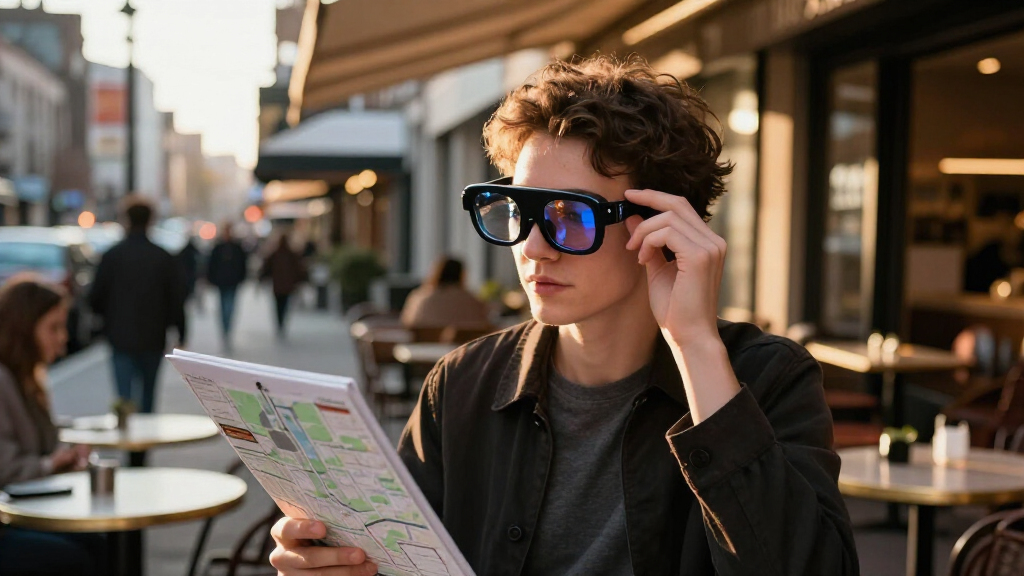

Choosing the right pair of augmented reality smart glasses in 2027 means balancing immersive visual fidelity against comfort and connectivity. The RayNeo Air 4 Pro stands out as the best overall choice, offering a massive 201-inch virtual display with HDR10 support that transforms any space into a cinema. For those prioritizing spatial computing capabilities, the XREAL One Pro delivers native 3DoF tracking via its dedicated X1 chip, providing a more stable image than competitors. However, buyers must weigh the high brightness and screen real estate of premium models against the battery drain and bulk associated with standalone spatial computers like the Rokid Max 2. This guide breaks down these tradeoffs to help you select the device that fits your specific workflow or entertainment needs.

Get the latest gadgets delivered free with Prime
- Fast, free delivery on millions of items
- Prime Video, Amazon Music and more included
- Member-only deals all year
Complete the kit



Key Takeaways
- Dedicated spatial chips like the X1 in XREAL models significantly reduce motion-to-photon latency compared to phone-driven solutions, making them better for gaming.
- Audio quality varies drastically; models with integrated B&O or custom drivers offer a far more immersive experience than those relying on open-ear speakers.
- Standalone spatial computers (like Rokid Station2) add bulk but free you from tethering, whereas tethered glasses offer longer usage time limited by the host device’s battery.
- Screen brightness is the primary differentiator for outdoor use; most consumer AR glasses remain dim, with only top-tier HDR models performing well in daylight.
- AI-focused glasses like the INMO GO3 sacrifice full-screen video immersion for lightweight, text-based utility and real-time translation features.
| RayNeo Air 4 Pro AR/XR Glasses with HDR10, 201-Inch Virtual Display, and 120Hz |  | Best for HDR Movies and 3D | Brand: RayNeo | Model number: XRGF39-1 | Virtual display size: 201 inches | VIEW LATEST PRICE | See Our Full Breakdown |
| RayNeo Air 4 Pro AR/XR Glasses with HDR10 Display and B&O Audio |  | Best for Lightweight Plug-and-Play Viewing | Virtual display size: 201 inches | Display format: HDR10 | Refresh rate: 120 Hz | VIEW LATEST PRICE | See Our Full Breakdown |
| XREAL One Pro AR Glasses with X1 Chip, 171-Inch 120Hz FHD Display and Native 3DoF | 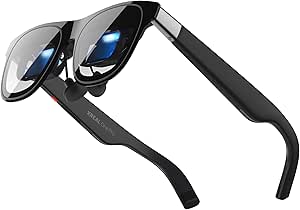 | Best for Native Spatial Tracking | Processor: XREAL X1 | Tracking: Native 3DoF; optional 6DoF with XREAL Eye | Virtual screen size: Up to 171 inches | VIEW LATEST PRICE | See Our Full Breakdown |
| Rokid Max 2 Black AR Glasses |  | Best for Built-In Myopia Adjustment | Display: Micro-OLED | Virtual screen size: 215 inches at 6 meters | Field of view: 50° | VIEW LATEST PRICE | See Our Full Breakdown |
| XREAL 1S AR Glasses with X1 Chip and Native 3DoF |  | Best for Native 3DoF with High Resolution | Processor: X1 chip | Virtual screen size: Up to 500 inches | Resolution: 1920 × 1200 | VIEW LATEST PRICE | See Our Full Breakdown |
| DOMARS AR/XR Video Glasses with 3-Screen Micro-OLED Display |  | Best for a Multi-Screen Workspace | Display: Micro-OLED, 1920 × 1200 | Refresh rate: 120Hz in description; product information also lists 160Hz | Spatial features: Three-screen layout; 3DoF support | VIEW LATEST PRICE | See Our Full Breakdown |
| XREAL One Pro AR Glasses with X1 Chip, 171-Inch Virtual Display and 120Hz Refresh Rate | | Best for Standalone Spatial Viewing | Chip: XREAL X1 | Display: Sony 0.55-inch Micro-OLED | Refresh rate: 120Hz | VIEW LATEST PRICE | See Our Full Breakdown |
| RayNeo Air 3s AR/XR Glasses with 201-Inch 120Hz FHD HueView Display |  | Best for Straightforward Gaming and Video | Display type: OLED | Resolution: 1920 × 1080 | Refresh rate: 120Hz | VIEW LATEST PRICE | See Our Full Breakdown |
| Rokid AR Spatial Glasses with Max2 and Station2 Spatial Computer |  | Best Complete Spatial Computing Bundle | Operating system: YodaOS-Master | Display: OLED, 1920 × 1200 | Refresh rate: 120Hz | VIEW LATEST PRICE | See Our Full Breakdown |
| INMO GO3 Smart Glasses with AI Translation and AR Display |  | Best for Translation and Hands-Free Prompts | Operating system: RTOS | Display: Dual-eye monochrome LED | Maximum display brightness: 1500 nits | VIEW LATEST PRICE | See Our Full Breakdown |
| XREAL xbx a01+ AR Glasses with 147-Inch Virtual Display |  | Best for Portable Media Consumption | Weight: 62 g | Virtual Screen Size: 147 inches | Display Technology: Dual Full HD Micro-OLED | VIEW LATEST PRICE | See Our Full Breakdown |
| augmented reality smart glasse | Refresh rate | Connectivity | Display |
|---|---|---|---|
| RayNeo Air 4 Pro AR/XR Glasses | 120 Hz | USB-C | — |
| RayNeo Air 4 Pro AR/XR Glasses | 120 Hz | USB Type-C | — |
| XREAL One Pro AR Glasses with | 120 Hz | USB-C video output | Sony 0.55-inch Micro-OLED |
| Rokid Max 2 Black AR Glasses | 120 Hz | USB-C | Micro-OLED |
| XREAL 1S AR Glasses with X1 Ch | Up to 120 Hz in 3DoF mode; 90 Hz global refresh | USB-C DisplayPort | — |
| DOMARS AR/XR Video Glasses wit | 120Hz in description; product information also lists 160Hz | Wi-Fi, Bluetooth, USB Type-C, wireless screen mirroring | Micro-OLED, 1920 × 1200 |
| XREAL One Pro AR Glasses with | 120Hz | USB-C video input; connected device must support video output | Sony 0.55-inch Micro-OLED |
| RayNeo Air 3s AR/XR Glasses wi | 120Hz | — | — |
| Rokid AR Spatial Glasses with | 120Hz | — | OLED, 1920 × 1200 |
| INMO GO3 Smart Glasses with AI | — | Bluetooth; requires a compatible smartphone | Dual-eye monochrome LED |
| XREAL xbx a01+ AR Glasses with | — | USB-C DisplayPort | — |
More Details on Our Top Picks
RayNeo Air 4 Pro AR/XR Glasses with HDR10, 201-Inch Virtual Display, and 120Hz
I’d put this RayNeo first for buyers who want a big-screen viewing accessory with a strong emphasis on video. Its HDR10 image, 120Hz refresh rate, and support for native 3D films and 2D-to-3D conversion give it a broader movie toolkit than the XREAL One Pro, whose standout advantage is native 3DoF tracking. Bang & Olufsen-tuned spatial audio adds an open-ear listening option without requiring separate headphones. The tradeoff is that this is primarily a private display, not a self-contained AR computer: it has no internal battery and depends on a compatible USB-C device for power and content. I’d choose it for film and casual gaming, but buyers who want spatial anchoring should look at XREAL instead.
Pros:- HDR10 and a 201-inch virtual display suit immersive video viewing.
- 120Hz refresh rate supports smoother motion in compatible games and video.
- Native 3D and 2D-to-3D conversion give it more 3D viewing options than the XREAL One Pro listing.
- Bang & Olufsen-tuned spatial audio provides open-ear listening.
Cons:- No internal battery, so use depends on power from a connected device.
- Requires a compatible USB-C source, limiting use with devices that lack video output over USB-C.
- The optional Sound Tube accessory is sold separately.
Best for: Movie watchers and casual gamers who want HDR, 3D viewing, and a large personal screen from a compatible USB-C phone, computer, or console.
Not ideal for: Buyers seeking standalone glasses, built-in battery power, or native spatial tracking; the glasses rely on a connected device and do not list tracking features.
- Brand:RayNeo
- Model number:XRGF39-1
- Virtual display size:201 inches
- Maximum resolution:819 × 461
- Refresh rate:120 Hz
- Connectivity:USB-C
- Weight:2.88 ounces
- Power:No internal battery
Our verdict“Choose this RayNeo for HDR and 3D viewing from a compatible USB-C device, but pick the XREAL One Pro if native 3DoF tracking matters more.”
RayNeo Air 4 Pro AR/XR Glasses with HDR10 Display and B&O Audio
This version of the RayNeo Air 4 Pro makes the most sense for buyers who want a lightweight USB-C display and a clearly listed range of devices, including iPhone 15/16/17, iPad, Steam Deck, and consoles. At 2.72 ounces, it is slightly lighter than the other listed Air 4 Pro, while keeping the same 201-inch HDR10 presentation, 120Hz refresh, 3D support, and four Bang & Olufsen-tuned speakers. Compared with the Rokid Max 2, it emphasizes HDR and 3D features rather than built-in myopia adjustment. Like the other RayNeo, it is not a standalone AR system: it needs a compatible connected device and has no internal battery. I’d favor it when portability and device compatibility are the priorities, not when vision correction or spatial tracking is the deciding factor.
Pros:- Light 2.72-ounce design is marginally lighter than the other listed RayNeo Air 4 Pro.
- HDR10, 120Hz, and a 201-inch virtual display suit video and gaming.
- Four B&O-tuned speakers provide open-ear spatial audio.
- Compatibility is specified for a broad set of phones, tablets, computers, and gaming devices.
Cons:- Requires a compatible USB-C-connected device and has no internal battery.
- No native spatial tracking is listed, unlike the XREAL One Pro and XREAL 1S.
- The optional Sound Tube accessory is sold separately.
Best for: People who switch among supported phones, tablets, laptops, and gaming devices and want a light personal screen for video or play.
Not ideal for: Buyers who need standalone operation, native 3DoF tracking, or built-in myopia correction; this model depends on a connected source and does not list those capabilities.
- Virtual display size:201 inches
- Display format:HDR10
- Refresh rate:120 Hz
- Audio:Four speakers tuned by Bang & Olufsen
- Connectivity:USB Type-C
- Weight:2.72 ounces
- Power:No internal battery
- Warranty:1 year
Our verdict“Pick this RayNeo for a light, broadly compatible HDR and 3D viewing setup, but choose the Rokid Max 2 if built-in myopia adjustment is more useful.”
XREAL One Pro AR Glasses with X1 Chip, 171-Inch 120Hz FHD Display and Native 3DoF
I’d rank the XREAL One Pro highest for buyers who want a screen that can stay positioned in space, rather than only a large image in front of them. Its X1 chip enables native 3DoF tracking with a stated 3 ms motion-to-photon latency, making it a more spatially oriented pick than either RayNeo Air 4 Pro, which focuses on HDR video and 3D viewing. The 171-inch virtual screen is smaller on paper than the RayNeo’s 201-inch display, but the 57° field of view and Sony Micro-OLED panel support a focused viewing experience. There are limits: full 6DoF anchoring requires the optional XREAL Eye, and HDMI sources may need an adapter or Beam. I’d choose it for spatial viewing, not for plug-and-play use with every device.
Pros:- Native 3DoF tracking and stated 3 ms motion-to-photon latency support spatial screen positioning.
- Sony Micro-OLED panel refreshes at up to 120Hz.
- Adjustable lens tint and two listed IPD fit ranges offer ways to tune viewing comfort.
- Bose-tuned audio is built into the glasses.
Cons:- 6DoF spatial anchoring requires the optional XREAL Eye.
- HDMI devices may require an additional Beam or adapter.
- Its listed virtual screen is 171 inches, smaller than the 201-inch RayNeo Air 4 Pro displays.
Best for: USB-C video users who want native 3DoF screen positioning for work, gaming, or watching content with a more spatial feel.
Not ideal for: People who need full 6DoF anchoring without buying an accessory or who primarily connect HDMI-only devices.
- Processor:XREAL X1
- Tracking:Native 3DoF; optional 6DoF with XREAL Eye
- Virtual screen size:Up to 171 inches
- Field of view:57°
- Display:Sony 0.55-inch Micro-OLED
- Refresh rate:120 Hz
- Brightness:Up to 700 nits
- Connectivity:USB-C video output
- Audio:Tuned by Bose
Our verdict“Choose the XREAL One Pro if native 3DoF positioning matters more than the RayNeo models’ larger listed screen and HDR-focused video features.”
Rokid Max 2 Black AR Glasses
The Rokid Max 2 is the clearest fit for buyers who need built-in myopia adjustment rather than spatial tracking or a long list of 3D features. Its adjustment dial supports up to 600 diopters, which may let some nearsighted users view the display without separate prescription inserts. It also offers a 215-inch Micro-OLED screen, 120Hz refresh, and interchangeable nose pads. Against the RayNeo Air 4 Pro, the Rokid trades HDR10 and listed 3D conversion for an unusually practical vision feature and a larger stated screen. That advantage has firm boundaries: astigmatism and presbyopia are not supported, and users above the stated myopia range need separate prescription lenses. It also lacks the native 3DoF tracking listed for the XREAL One Pro, so I’d treat it as a personal display rather than a spatial-computing pick.
Pros:- Built-in adjustment supports myopia up to 600 diopters.
- 215-inch Micro-OLED virtual display and 120Hz refresh suit immersive viewing.
- Interchangeable cushioned nose pads allow some fit adjustment.
- Powered by a compatible connected device, so it does not need its own battery charging.
Cons:- Does not support astigmatism or presbyopia correction.
- Myopia beyond 600 diopters requires separate prescription lenses.
- Requires a compatible USB-C device and does not list native 3DoF tracking.
Best for: Nearsighted USB-C device owners whose prescription falls within the glasses’ adjustment range and who want a large personal display.
Not ideal for: People with astigmatism, presbyopia, or myopia beyond the stated range, and buyers seeking native spatial tracking or standalone operation.
- Display:Micro-OLED
- Virtual screen size:215 inches at 6 meters
- Field of view:50°
- Refresh rate:120 Hz
- Brightness:Up to 600 nits
- Myopia adjustment:Up to 600 diopters
- Connectivity:USB-C
- Weight:75 g
Our verdict“Choose the Rokid Max 2 if its built-in myopia adjustment matches your vision needs; choose the XREAL One Pro for native spatial tracking instead.”
XREAL 1S AR Glasses with X1 Chip and Native 3DoF
The XREAL 1S is a strong choice for buyers who want native 3DoF and a stated 1920 × 1200 resolution without stepping up to the One Pro’s narrower role as a tracking-focused option. Its X1 chip supports spatial viewing modes, while the listed screen size reaches 500 inches; that figure describes the virtual display, not a physically larger panel. Compared with the RayNeo Air 4 Pro, the 1S gives up the RayNeo’s explicit HDR10 and 3D-conversion emphasis in favor of spatial modes and higher listed resolution. The tradeoffs are source-device requirements and limited 3D performance: it needs USB-C DisplayPort, and real 3D mode is listed at up to 30 fps with 90–100 ms latency. Full 6DoF anchoring requires the separately mentioned XREAL Eye.
Pros:- 1920 × 1200 OLED resolution gives a detailed virtual display.
- Native 3DoF through the X1 chip supports spatial viewing modes.
- Refresh rates reach 120Hz in 3DoF mode.
- Bose-tuned open-ear audio and listed 100% UV protection add practical viewing features.
Cons:- Requires a USB-C DisplayPort-enabled source device.
- 6DoF anchoring requires the separately mentioned XREAL Eye.
- Real 3D mode is limited to up to 30 fps and has stated latency of 90–100 ms.
Best for: USB-C DisplayPort phone, computer, and console users who want a high-resolution virtual screen with native 3DoF modes.
Not ideal for: Buyers with devices lacking USB-C DisplayPort, or people who prioritize low-latency real 3D and full 6DoF without an accessory.
- Processor:X1 chip
- Virtual screen size:Up to 500 inches
- Resolution:1920 × 1200
- Display type:OLED
- Spatial tracking:Native 3DoF
- Refresh rate:Up to 120 Hz in 3DoF mode; 90 Hz global refresh
- Field of view:52°
- Connectivity:USB-C DisplayPort
- Audio:Bose-tuned open-ear audio
Our verdict“Choose the XREAL 1S for high-resolution viewing with native 3DoF, but favor the RayNeo Air 4 Pro if HDR10 and 3D conversion matter more.”
DOMARS AR/XR Video Glasses with 3-Screen Micro-OLED Display
The DOMARS is a better fit for people who want several virtual work surfaces than for buyers seeking a simple personal cinema screen. Its spatial station enables a three-screen layout, while the 1920 × 1200 Micro-OLED display, 120Hz listing, and 3DoF support also suit video and gaming. At 75g, the glasses are lighter to wear than a system centered on a separate computer, and the 0 to -6.00D myopia adjustment may reduce the need for prescription inserts for some users.
Compared with the RayNeo Air 3s, DOMARS offers a more work-oriented setup, but its multi-screen feature depends on the included spatial station. That adds capability and another device to carry. I would also treat the display claims cautiously: the supplied information conflicts on refresh rate, field of view, and virtual screen size.
Pros:- Spatial station enables a three-screen workspace with 3DoF support
- 75g glasses include adjustable myopia correction from 0 to -6.00D
- Micro-OLED resolution is listed as 1920 × 1200
- Station includes a 5000mAh battery and supports Wi-Fi, Bluetooth, and USB-C
Cons:- Three-screen use requires carrying and connecting the spatial station
- Supplied specifications conflict on refresh rate, field of view, and virtual screen size
Best for: People who want a portable three-screen workspace and are comfortable carrying the spatial station alongside the glasses
Not ideal for: Buyers who want straightforward plug-in viewing, verified display specifications, or multi-screen use without a separate station
- Display:Micro-OLED, 1920 × 1200
- Refresh rate:120Hz in description; product information also lists 160Hz
- Spatial features:Three-screen layout; 3DoF support
- Myopia adjustment:0 to -6.00D
- Glasses weight:75g
- Spatial station battery:5000mAh
- Connectivity:Wi-Fi, Bluetooth, USB Type-C, wireless screen mirroring
- Compatible devices:Smartphones, laptops, handheld consoles, and gaming systems
Our verdict“Choose DOMARS if a station-powered three-screen workspace matters more to you than a simpler, more specification-consistent glasses setup.”
XREAL One Pro AR Glasses with X1 Chip, 171-Inch Virtual Display and 120Hz Refresh Rate
The XREAL One Pro stands out for spatial viewing without a separate computing station: its built-in X1 chip and native 3DoF tracking let the virtual screen stay positioned as you move. The 120Hz Sony Micro-OLED display, 57° field of view, and 3ms motion-to-photon latency make it a compelling choice for responsive gaming and large-screen viewing. Electrochromic tint is useful when room lighting changes, while Bose-tuned audio avoids the need for headphones in quieter settings.
Compared with the Rokid Max2 and Station2, this setup is more glasses-centered and does not rely on a station for native 3DoF. The tradeoff is that 6DoF anchoring requires the optional XREAL Eye, and USB-C only works when the connected device outputs video. Buyers should check that compatibility before choosing it.
Pros:- Built-in X1 chip provides native 3DoF tracking without a separate station
- 120Hz Sony Micro-OLED display with a 57° field of view
- Electrochromic tint and up to 700 nits brightness adapt to different viewing conditions
- Bose-tuned audio is built into the glasses
Cons:- 6DoF spatial anchoring requires the separately available XREAL Eye accessory
- USB-C compatibility depends on the connected device supporting video output
Best for: Portable-screen buyers who want native 3DoF tracking, a high-refresh display, and compatible USB-C devices
Not ideal for: People who need full 6DoF anchoring out of the box or plan to connect devices without USB-C video output
- Chip:XREAL X1
- Display:Sony 0.55-inch Micro-OLED
- Refresh rate:120Hz
- Field of view:57°
- Virtual screen:Up to 171 inches
- Tracking:Native 3DoF; optional 6DoF with XREAL Eye
- Motion-to-photon latency:3ms
- Connectivity:USB-C video input; connected device must support video output
Our verdict“Pick the XREAL One Pro for a capable glasses-first spatial display, provided your devices support USB-C video and native 3DoF meets your needs.”
RayNeo Air 3s AR/XR Glasses with 201-Inch 120Hz FHD HueView Display
The RayNeo Air 3s is the straightforward pick for buyers who mainly want a large, smooth virtual screen for games and video. Its 1920 × 1080 OLED panel runs at 120Hz, and the listed 650-nit brightness gives the image more headroom than a basic display in brighter indoor settings. Built-in speakers use a dual opposing acoustic chamber design, so casual viewing does not require separate headphones. TÜV SÜD low-blue-light and flicker-free certifications also distinguish it from the more spatial-workspace-oriented Rokid Max2 with Station2.
That simplicity comes with fewer productivity features than the station-based DOMARS and Rokid systems, which offer three-screen layouts. RayNeo also lists no water resistance, and its recommendation to take a 10-minute break after every 30 minutes of use may not suit extended sessions. I’d choose it for personal entertainment, not as a substitute for a tracked multi-window workspace.
Pros:- 1920 × 1080 OLED display with a 120Hz refresh rate
- Listed 201-inch virtual screen and up to 650-nit brightness
- Built-in speakers use a dual opposing acoustic chamber design
- TÜV SÜD low-blue-light and flicker-free certifications
Cons:- Does not offer the listed three-screen workspace of DOMARS or Rokid Max2 with Station2
- Not water resistant
- Manufacturer recommends a 10-minute break after every 30 minutes of use
Best for: Gamers and video viewers who want a high-refresh OLED virtual screen with built-in speakers and broad device compatibility
Not ideal for: People seeking three-screen productivity, water resistance, or uninterrupted long viewing sessions
- Display type:OLED
- Resolution:1920 × 1080
- Refresh rate:120Hz
- Virtual screen:201 inches
- Maximum display brightness:650 nits
- Audio:Built-in speakers with dual opposing acoustic chambers
- Compatible devices:iPhone, Android, Mac, Nintendo Switch, and PS5
- Water resistance:Not water resistant
Our verdict“Choose the RayNeo Air 3s for personal gaming and video viewing, not for multi-screen spatial work or extended sessions without breaks.”
Rokid AR Spatial Glasses with Max2 and Station2 Spatial Computer
The Rokid Max2 and Station2 make the most sense as a glasses-and-computer bundle for users who want more than a floating video screen. The Station2 runs YodaOS-Master and brings three-screen multitasking, adjustable viewing modes, 8GB of RAM, and 128GB of storage to the 1920 × 1200, 120Hz OLED glasses. Their 75g weight and myopia adjustment up to 600 degrees help keep the wearable side practical, while the station can charge during use.
Compared with the XREAL One Pro, Rokid includes a dedicated spatial computer rather than relying on a connected device for its main features; that also means more weight to carry, and listed station runtime is 3.5 hours. App behavior has limits: Android three-screen mode requires DLNA, while Netflix and Apple TV support only 0DoF. Astigmatism correction is not supported, and neither component is water resistant.
Pros:- Station2 enables three-screen multitasking and adjustable viewing modes
- 1920 × 1200 OLED display runs at 120Hz
- 75g glasses include myopia adjustment up to 600 degrees
- Station2 supports charging while in use and includes 128GB of storage
Cons:- Station2 is an additional 0.31kg device, with listed runtime of 3.5 hours
- Android three-screen mode requires DLNA; Netflix and Apple TV are limited to 0DoF
- Astigmatism correction is not supported, and the system is not water resistant
Best for: Buyers who want a bundled spatial computer for multi-screen viewing, supported apps, and compatible console gaming
Not ideal for: People who need long untethered sessions, 6DoF streaming-app playback, astigmatism correction, or water resistance
- Operating system:YodaOS-Master
- Display:OLED, 1920 × 1200
- Refresh rate:120Hz
- Maximum brightness:600 nits
- Glasses weight:75g
- Station weight and battery:0.31kg; 5000mAh
- Station runtime:3.5 hours
- Memory and storage:8GB RAM; 128GB storage
- Myopia adjustment:Up to 600 degrees
Our verdict“Choose the Rokid bundle if its station-powered multitasking matters more than a lighter glasses-only setup or unrestricted app tracking.”
INMO GO3 Smart Glasses with AI Translation and AR Display
The INMO GO3 serves a different purpose from the XREAL One Pro or RayNeo Air 3s: its dual-eye monochrome display is built for translation, captions, navigation, and teleprompter prompts, not cinema-sized video. Support for 98 translation languages, an 8MP camera, and an AI meeting assistant make it more relevant to multilingual conversations and work than to immersive gaming. At 53g, it is also lighter than the 75g DOMARS and Rokid glasses, and two magnetic swap-in batteries are included for a claimed up to eight hours each.
That practical focus brings a clear tradeoff: the monochrome LED display is less suited to rich media than the Micro-OLED and OLED screens elsewhere in this roundup. Bluetooth connectivity depends on a compatible smartphone, and the glasses are not water resistant. I’d shortlist this for communication tools worn on the go, not as a general-purpose AR entertainment display.
Pros:- Real-time translation supports 98 languages
- Dual-eye display supports captions, navigation, and an invisible teleprompter
- 8MP camera and AI meeting assistant add communication tools
- Two magnetic swap-in batteries are included, each rated for up to eight hours
Cons:- Monochrome LED display is less suited to video and gaming than the OLED options in this roundup
- Bluetooth use requires a compatible smartphone
- Not water resistant
Best for: Frequent travelers, multilingual professionals, and presenters who want translation, live captions, or discreet teleprompter prompts
Not ideal for: Buyers seeking color-rich movies, spatial gaming, or smartphone-independent connectivity
- Operating system:RTOS
- Display:Dual-eye monochrome LED
- Maximum display brightness:1500 nits
- Translation languages:98
- Camera:8MP
- Battery life:Up to 8 hours
- Included batteries:Two magnetic swap-in batteries
- Weight:53g
- Connectivity:Bluetooth; requires a compatible smartphone
Our verdict“Choose the INMO GO3 for wearable translation and speaking prompts, but pick XREAL or RayNeo if your priority is immersive visual entertainment.”
XREAL xbx a01+ AR Glasses with 147-Inch Virtual Display
This model stands out for its lightweight 62 g design and 1600-nit brightness, making it ideal for viewing content on the go without the eye strain common in dimmer displays. Compared to the XREAL One Pro, which offers a larger 171-inch view and native spatial tracking, the a01+ focuses on simplicity and portability rather than immersive spatial computing. The dual Full HD Micro-OLED panels deliver sharp images with HDR10 support, ensuring colors pop even in brighter environments. However, the 50° field of view feels narrower than the 201-inch equivalents from RayNeo, limiting peripheral immersion. It is a pragmatic choice for users who prioritize comfort and screen clarity over advanced tracking features, though the lack of included prescription lenses adds friction for glasses wearers.Pros:- Extremely lightweight at 62 g for extended wear
- Bright 1600-nit Micro-OLED panels with HDR10 support
- Simple USB-C DisplayPort connectivity for broad device compatibility
Cons:- Narrower 50° field of view compared to larger competitors
- Prescription lenses are not included and must be purchased separately
Best for: Commuters and travelers who want a lightweight, bright screen for movies and games without bulky hardware.
Not ideal for: Users requiring prescription lenses out of the box or those seeking a wider field of view for spatial productivity.
- Weight:62 g
- Virtual Screen Size:147 inches
- Display Technology:Dual Full HD Micro-OLED
- Resolution:1920 x 1080 per eye
- Maximum Brightness:1600 nits
- HDR Support:HDR10
- Field of View:50°
- Connectivity:USB-C DisplayPort
Our verdict“A solid, portable option for media consumption, but less immersive than premium spatial glasses.”
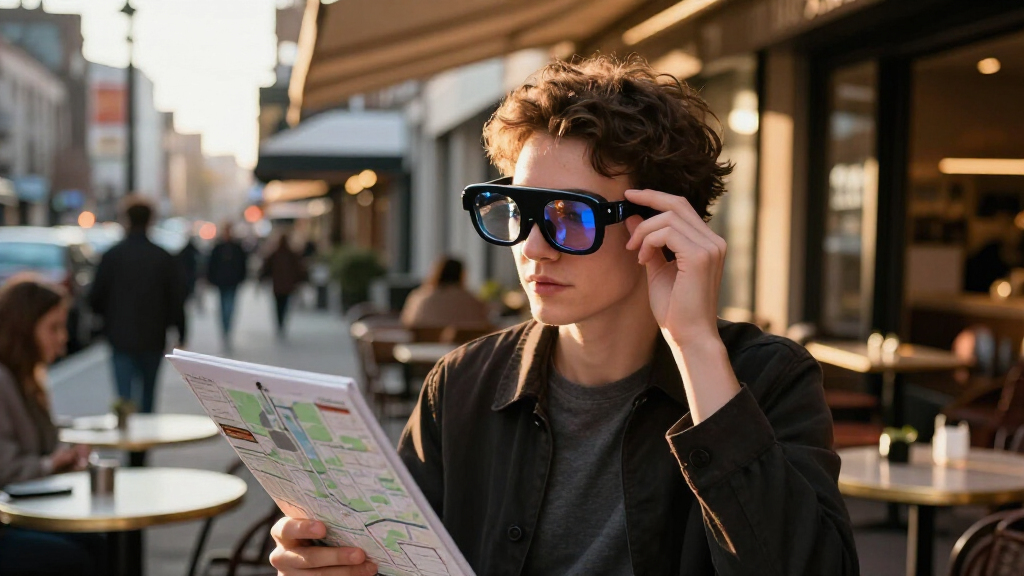
How We Picked
I evaluated these eleven devices based on three core pillars: visual performance, spatial stability, and ergonomic design. Visual performance was judged not just by resolution, but by perceived pixel density (PPD) and color accuracy, with HDR10 support acting as a key differentiator for media consumption. Spatial stability was assessed by examining whether the device relies on software-based head tracking or dedicated hardware chips, which directly impacts motion sickness and image lock-on reliability.
Ergonomic design was critical, as many AR glasses fail due to excessive weight or poor heat dissipation. I prioritized models that maintain a center of gravity close to the face and offer adjustable nose pads or temple lengths. Finally, I considered ecosystem compatibility, ensuring that recommended devices work seamlessly with the most common Android, iOS, and PC environments without requiring obscure adapters or proprietary apps.
| augmented reality smart glasse | Display |
|---|---|
| RayNeo Air 4 Pro AR/XR Glasses | — |
| RayNeo Air 4 Pro AR/XR Glasses | — |
| XREAL One Pro AR Glasses with | Sony 0.55-inch Micro-OLED |
| Rokid Max 2 Black AR Glasses | Micro-OLED |
| XREAL 1S AR Glasses with X1 Ch | — |
| DOMARS AR/XR Video Glasses wit | Micro-OLED, 1920 × 1200 |
| XREAL One Pro AR Glasses with | Sony 0.55-inch Micro-OLED |
| RayNeo Air 3s AR/XR Glasses wi | — |
| Rokid AR Spatial Glasses with | OLED, 1920 × 1200 |
| INMO GO3 Smart Glasses with AI | Dual-eye monochrome LED |
| XREAL xbx a01+ AR Glasses with | — |
Factors to Consider When Choosing Augmented Reality Smart Glasses
Before committing to a specific pair of smart glasses, it is helpful to understand the underlying technologies that drive the user experience. These factors often determine whether a device feels like a futuristic tool or a frustrating gimmick.Display Technology and Brightness
Most consumer AR glasses use micro-OLED panels, which provide perfect blacks and vibrant colors but struggle with brightness in sunny environments. If you plan to use your glasses outdoors or in bright rooms, look for models with HDR10 support and high nits, such as the RayNeo Air 4 Pro. In contrast, indoor-only users might prefer the higher pixel density of 1080p per eye displays found in the XREAL One Pro, which offer sharper text for productivity tasks. Be aware that higher brightness often generates more heat, so check reviews for thermal management if you plan long sessions.
Spatial Computing vs. Screen Mirroring
There is a distinct difference between glasses that simply mirror your phone screen and those that offer spatial computing. Screen mirroring is passive and relies entirely on your phone’s orientation, which can lead to jittery images when you move. Devices with dedicated spatial chips, like the XREAL X1 or Rokid’s Station2, anchor the virtual screen in 3D space, allowing you to look around a fixed display. This feature is essential for gaming or multitasking but adds cost and complexity. Decide if you need a fixed virtual monitor or just a portable screen.
Connectivity and Tethering
Almost all lightweight AR glasses require a USB-C cable to connect to a host device, which can create cable strain and limit movement. Some premium kits include a standalone spatial computer (like the Rokid Station2), which removes the tether but adds weight to your pocket or backpack. If you are a mobile gamer, the tether might be annoying, but if you are watching movies on a plane, the lack of a separate battery pack is a plus. Check if the glasses support direct USB-C DP Alt Mode from your specific phone or console, as compatibility issues are common.
Audio Integration and Privacy
Open-ear audio is standard in AR glasses to keep you aware of your surroundings, but sound leakage is a major concern in quiet spaces like libraries or offices. Premium models invest in directional speakers or partnerships with audio brands like B&O to minimize leakage. If privacy is important, look for glasses that support Bluetooth headphones or have superior directional audio tuning. Cheaper models often have tinny, leaky speakers that disturb everyone nearby, ruining the immersive experience.
Prescription Compatibility
If you wear glasses, you cannot simply wear AR glasses over them. You must check if the manufacturer offers magnetic prescription inserts that clip onto the lenses. Some brands, like XREAL and RayNeo, have robust prescription services, while others do not. Buying a model without prescription support will render it useless for you unless you wear contacts. Always verify the diopter adjustment range if you have mild vision correction needs, as built-in dials are convenient but limited in range.
Frequently Asked Questions
Do augmented reality smart glasses work with the iPhone 15 and later?
Yes, most modern AR glasses with USB-C connectors work with iPhone 15 and newer models via DisplayPort Alt Mode. However, you must ensure the iPhone is running the latest iOS version and that the glasses’ app is compatible with iOS. Some features, like native spatial tracking or 3D content, may be limited on iOS compared to Android due to Apple’s restrictions on external display APIs. Always check the specific manufacturer’s compatibility list for your iPhone model before purchasing.Can I use these glasses for competitive gaming, or is latency too high?
For casual gaming, most tethered AR glasses provide acceptable latency. However, for competitive gaming where milliseconds matter, dedicated spatial chips like the X1 in the XREAL One Pro offer lower motion-to-photon latency than phone-mirrored solutions. Even with these improvements, wireless solutions still lag behind wired monitors. If you play fast-paced FPS games, prioritize models with dedicated hardware processing and a direct wired connection to your console or PC to minimize input lag.How do I prevent motion sickness when using AR glasses?
Motion sickness in AR glasses is often caused by a mismatch between your inner ear’s balance sense and your visual input. To prevent this, choose glasses with 3DoF or 6DoF tracking that anchors the virtual screen in space, rather than just mirroring your head movements. Start with short sessions to allow your brain to adapt, and ensure the display is calibrated correctly for your IPD (interpupillary distance). Avoid moving your head rapidly while the virtual screen is still rendering, as this exacerbates nausea.Are these glasses suitable for reading long documents or coding?
While AR glasses can display large virtual monitors, they are generally not ideal for reading small text for extended periods due to potential eye strain and lower effective resolution compared to high-DPI computer monitors. Models with higher PPD (pixels per degree) like the XREAL One Pro handle text better, but you may still experience fatigue after an hour or two. For heavy productivity work, a traditional monitor is still superior, but AR glasses are excellent for occasional large-screen multitasking or viewing reference materials while keeping your hands free.What is the difference between 3DoF and 6DoF in these devices?
3DoF (Three Degrees of Freedom) tracks your head’s rotation (looking left, right, up, down) but not your physical position in space. This means the virtual screen stays fixed relative to your head’s orientation but moves if you lean forward or back. 6DoF adds position tracking, allowing the virtual screen to remain anchored in the physical room even if you walk around it. Most consumer AR glasses currently offer 3DoF via software or dedicated chips, while true 6DoF is usually reserved for heavier, standalone headsets or requires external sensors.Conclusion
Choosing the right augmented reality smart glasses depends heavily on your primary use case. For the best overall balance of visual fidelity and audio quality, I recommend the RayNeo Air 4 Pro, especially if you consume a lot of HDR video content. If you are a gamer or need stable spatial anchoring for multitasking, the XREAL One Pro with its dedicated X1 chip is the superior technical choice. For those seeking a completely untethered experience and willing to carry an extra device, the Rokid AR Spatial Glasses with the Station2 computer offer the most freedom. Beginners or budget-conscious buyers should consider the XREAL 1S or RayNeo Air 3s for a solid entry point into the category without the premium price tag. Finally, if your focus is on AI assistance and translation rather than full-screen media, the INMO GO3 is the only specialized option in this lineup that fits that niche.
Halloween Picks

Haunted Hill Farm 2-Ft. Zombie Raccoon Halloween Animatronic

DomKom 6 ft Halloween Inflatable Ghosts Roasting Marshmallows

12.2 ft Halloween Inflatable Outdoor Decoration – Giant Pumpkin
As an affiliate, we earn on qualifying purchases.