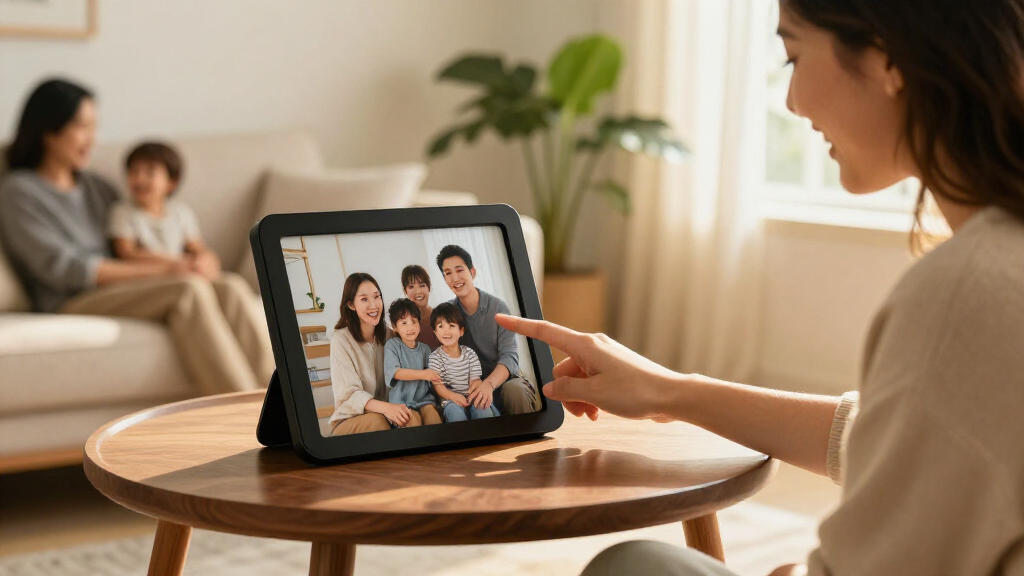

Smart digital photo frames make it easier to share new photos with family, but the best choice depends on whether you value simple setup, a larger display, or app-based photo sharing. I name the Aura Carver HD my best overall pick for a polished, connected experience, while the Skylight 10-Inch stands out for straightforward operation and the Humblestead 15.6-Inch for displaying photos on a larger screen. The main tradeoffs are screen size versus counter space, easy sharing versus storage flexibility, and a streamlined service versus a more configurable setup. The lineup also includes several 10.1-inch Frameo models with similar core features, so small differences in storage, mounting, and setup matter. Read on for the full breakdown, selection criteria, and advice on choosing a frame that fits how your household shares photos.

Get the latest gadgets delivered free with Prime
- Fast, free delivery on millions of items
- Prime Video, Amazon Music and more included
- Member-only deals all year
Complete the kit



Key Takeaways
- The Aura Carver HD leads for a connected, polished experience, while the Aura Cool White offers a similar product family in a different finish; color is not the main reason to choose between them.
- The 15.6-inch Humblestead, Frameo, and Pastigio models prioritize viewing size, but they need more display space than the many 10- to 10.1-inch options.
- Frameo appears across multiple models, so compare each frame’s stated storage, mounting, screen details, and setup rather than assuming the shared app name means identical hardware.
- Several 10.1-inch frames list 32GB storage, including options from BIGASUO, Akimart, AEEZO, and other listings; the more useful distinction may be how easily family members can send photos.
- Skylight is a strong beginner-minded alternative to feature-heavy Frameo listings, while shoppers who want a large display should focus on the 15.6-inch models instead of treating screen size as a minor spec.
| BIGASUO Frameo 10.1-Inch Wi-Fi Digital Picture Frame, 32GB |  | Best for Expandable Storage | Display: 10.1-inch IPS touchscreen | Resolution: 1280 × 800 | Internal storage: 32GB | VIEW LATEST PRICE | See Our Full Breakdown |
| Aura Carver HD Digital Picture Frame, 10.1-Inch, Black |  | Best for Unlimited Cloud Sharing | Display size: 10.1 inches | Resolution: WXGA | Aspect ratio: 16:9 | VIEW LATEST PRICE | See Our Full Breakdown |
| Humblestead 15.6 Inch WiFi Digital Picture Frame with 64GB Storage and FHD Touchscreen |  | Best for Large, High-Resolution Viewing | Display size: 15.6 inches | Resolution: 1920 × 1080 (Full HD) | Display type: IPS touchscreen | VIEW LATEST PRICE | See Our Full Breakdown |
| 15.6-Inch Frameo Wi-Fi Digital Picture Frame, 64GB |  | Best for Local Media Flexibility | Display: 15.6-inch IPS touchscreen | Resolution: 1920 × 1080 (Full HD) | Aspect ratio: 16:9 | VIEW LATEST PRICE | See Our Full Breakdown |
| Frameo Digital Photo Frame – 10.1-inch Wi-Fi Smart HD IPS Touchscreen with Auto-Rotate and App Sharing |  | Best for Simple Family Sharing | Display size: 10.1 inches | Resolution: 1280 × 800 | Aspect ratio: 16:10 | VIEW LATEST PRICE | See Our Full Breakdown |
| TIKVITO 10.1-Inch Wi-Fi Digital Picture Frame |  | Best for Touchscreen Simplicity | Display: 10.1-inch touchscreen | Resolution: 1280 × 800 | Aspect ratio: 16:10 | VIEW LATEST PRICE | See Our Full Breakdown |
| Frameo 10.1 Inch WiFi Digital Photo Frame, 32GB, 1280×800 IPS HD Touch Screen, Auto-Rotate Wall Mount, Easy Share Photos/Videos from Phone |  | Best for Adjustable Viewing | Display: 10.1-inch IPS touchscreen | Resolution: 1280 × 800 | Viewing angle: 178° | VIEW LATEST PRICE | See Our Full Breakdown |
| Akimart 10.1-Inch Wi-Fi Digital Photo Frame with 32GB Memory |  | Best for Built-In Extras | Display: 10.1-inch IPS LCD touchscreen | Resolution: 1280 × 800 | Internal storage: 32 GB | VIEW LATEST PRICE | See Our Full Breakdown |
| Frameo 10.1-Inch Wi-Fi Digital Picture Frame, 32 GB |  | Best for Controlled Family Sharing | Display: 10.1-inch IPS touchscreen | Resolution: 1280 × 800 | Aspect ratio: 16:10 | VIEW LATEST PRICE | See Our Full Breakdown |
| 10.1-Inch Wi-Fi Digital Picture Frame with IPS Touchscreen |  | Best for Wall-Mount Flexibility | Display: 10.1-inch IPS touchscreen | Resolution: 1280 × 800 | Viewing angle: 178° | VIEW LATEST PRICE | See Our Full Breakdown |
| Aura Carver Cool White Digital HD Picture Frame, 10.1-Inch |  | Best for Effortless Sharing | Display: 10.1-inch calibrated HD display | Resolution: WXGA | Aspect ratio: 16:9 | VIEW LATEST PRICE | See Our Full Breakdown |
| 10.1-Inch Wi-Fi Digital Picture Frame with Touchscreen and 32GB Storage |  | Best for Flexible Local Storage | Display: 10.1-inch IPS touchscreen | Resolution: 1280 × 800 | Aspect ratio: 16:10 | VIEW LATEST PRICE | See Our Full Breakdown |
| Skylight 10-Inch Wi-Fi Digital Picture Frame, Black |  | Best for Simple Gift Setup | Display: 10-inch touchscreen | Resolution: 1280 × 800 | Aspect ratio: 16:9 | VIEW LATEST PRICE | See Our Full Breakdown |
| Pastigio Frameo 15.6-Inch Wi-Fi Digital Picture Frame |  | Best Large-Screen Pick | Display: 15.6-inch IPS touchscreen | Resolution: 1920 × 1080 (1080p) | Aspect ratio: 16:9 | VIEW LATEST PRICE | See Our Full Breakdown |
| AEEZO 10.1-Inch Digital Picture Frame with 32GB Storage |  | Best for Automatic Display Adjustments | Display: 10.1-inch IPS touchscreen | Resolution: 1280 × 800 (WXGA) | Aspect ratio: 16:10 | VIEW LATEST PRICE | See Our Full Breakdown |
| smart digital photo frame | Resolution | Display | Aspect ratio | Power |
|---|---|---|---|---|
| BIGASUO Frameo 10.1-Inch Wi-Fi | 1280 × 800 | 10.1-inch IPS touchscreen | 1.75:1 | Corded electric |
| Aura Carver HD Digital Picture | WXGA | — | 16:9 | Corded electric |
| Humblestead 15.6 Inch WiFi Dig | 1920 × 1080 (Full HD) | — | — | Corded electric |
| 15.6-Inch Frameo Wi-Fi Digital | 1920 × 1080 (Full HD) | 15.6-inch IPS touchscreen | 16:9 | DC |
| Frameo Digital Photo Frame | 1280 × 800 | — | 16:10 | Corded electric |
| TIKVITO 10.1-Inch Wi-Fi Digita | 1280 × 800 | 10.1-inch touchscreen | 16:10 | Corded electric |
| Frameo 10.1 Inch WiFi Digital | 1280 × 800 | 10.1-inch IPS touchscreen | — | — |
| Akimart 10.1-Inch Wi-Fi Digita | 1280 × 800 | 10.1-inch IPS LCD touchscreen | — | — |
| Frameo 10.1-Inch Wi-Fi Digital | 1280 × 800 | 10.1-inch IPS touchscreen | 16:10 | — |
| 10.1-Inch Wi-Fi Digital Pictur | 1280 × 800 | 10.1-inch IPS touchscreen | — | — |
| Aura Carver Cool White Digital | WXGA | 10.1-inch calibrated HD display | 16:9 | Corded electric |
| 10.1-Inch Wi-Fi Digital Pictur | 1280 × 800 | 10.1-inch IPS touchscreen | 16:10 | Corded electric |
| Skylight 10-Inch Wi-Fi Digital | 1280 × 800 | 10-inch touchscreen | 16:9 | Corded electric |
| Pastigio Frameo 15.6-Inch Wi-F | 1920 × 1080 (1080p) | 15.6-inch IPS touchscreen | 16:9 | Corded electric |
| AEEZO 10.1-Inch Digital Pictur | 1280 × 800 (WXGA) | 10.1-inch IPS touchscreen | 16:10 | — |
More Details on Our Top Picks
BIGASUO Frameo 10.1-Inch Wi-Fi Digital Picture Frame, 32GB
The BIGASUO Frameo is a sensible fit for households that want app-based sharing without stepping up to a large display. Its 10.1-inch IPS touchscreen and 1280 × 800 resolution suit a desk or bedside table, while 32GB of built-in storage gives it more room for local photos than the 16GB Frameo 10.1-inch model in this roundup. Micro SD support adds room for a growing collection without relying entirely on Wi-Fi. The Frameo app lets people send photos and videos remotely, and touchscreen controls make slideshow and display settings accessible on the device. The tradeoff is a smaller screen than the 15.6-inch Humblestead and Frameo options, and it needs corded power. Choose it for flexible storage in a compact format, not for a large, wall-filling display.
Pros:- Frameo app supports remote photo and video sharing from iOS and Android devices.
- 32GB internal storage plus Micro SD support gives room to grow a local library.
- IPS touchscreen provides direct access to slideshow and display settings.
- Compact 10.1-inch format fits desks and smaller shelves.
Cons:- The 10.1-inch display is less suited to viewing across a large room than the 15.6-inch models.
- Corded power limits placement to locations near an outlet.
Best for: Families who want remote Frameo sharing and the option to expand local storage on a compact tabletop frame.
Not ideal for: Buyers who want a large wall-mounted viewing area or a frame that can run without a power cable.
- Display:10.1-inch IPS touchscreen
- Resolution:1280 × 800
- Internal storage:32GB
- Expandable storage:Micro SD card support
- Connectivity:Wi-Fi
- Aspect ratio:1.75:1
- Power:Corded electric
- Dimensions:7.2 × 10.5 inches
Our verdict“Choose the BIGASUO if you want a compact Frameo frame with more built-in storage than the 16GB alternative and room to expand it.”
Aura Carver HD Digital Picture Frame, 10.1-Inch, Black
The Aura Carver HD stands apart from the storage-card approach of the BIGASUO: it offers unlimited photo and video storage through the Aura app and supported services, with no subscription fee listed in the product details. That makes it a strong match for relatives who will keep sending new pictures and do not want to manage a memory card. Setup is described as taking about a minute, while automatic brightness adjustment and on/off scheduling help the frame blend into daily routines. It also supports short videos with sound and wireless screen mirroring from a Windows PC. The limit is connectivity: connected sharing depends on Wi-Fi, and video clips stop at 30 seconds. Buyers who prefer local storage or expandable cards may favor the BIGASUO instead.
Pros:- Unlimited photo and video storage through the Aura app and supported services.
- Automatic brightness adjustment responds to room lighting.
- Quick setup and automatic on/off reduce routine device management.
- Plays videos up to 30 seconds with sound and supports Windows PC screen mirroring.
Cons:- Wi-Fi is required for connected sharing features.
- Video clips are limited to 30 seconds.
- No expandable local storage option is listed.
Best for: Families sharing a steady stream of photos with relatives who want app-based uploads and do not want to manage storage cards.
Not ideal for: Buyers who need dependable local playback without Wi-Fi or want to send longer video clips.
- Display size:10.1 inches
- Resolution:WXGA
- Aspect ratio:16:9
- Connectivity:Wi-Fi
- Storage:Unlimited photo and video storage
- Video support:Up to 30 seconds with sound
- Power:Corded electric
- Warranty:1 year
Our verdict“Pick the Aura Carver if ongoing app sharing and unlimited storage matter more than local card expansion or longer videos.”
Humblestead 15.6 Inch WiFi Digital Picture Frame with 64GB Storage and FHD Touchscreen
For buyers who want photos to read clearly from across a room, the Humblestead 15.6-inch frame makes a stronger case than the compact BIGASUO or Aura Carver. Its 1920 × 1080 IPS touchscreen pairs a large viewing area with Full HD resolution, while 64GB of built-in storage keeps a sizable collection available locally. The AiMOR app supports remote sharing and multiple senders, which suits families contributing from different phones. Desktop placement and wall mounting add flexibility, and auto-rotation accommodates portrait or landscape images. Its main compromise is video: shared clips are limited to 15 seconds, shorter than the Aura Carver’s 30-second limit. It also requires constant power, and the product data does not establish ongoing software update support.
Pros:- 15.6-inch Full HD IPS touchscreen offers a large, clear viewing area.
- 64GB of internal storage provides substantial room for local photos.
- AiMOR app supports remote sharing with multiple users.
- Can sit on a desktop or mount on a wall, with auto-rotation for either orientation.
Cons:- Requires constant corded power.
- Shared video clips are limited to 15 seconds, compared with the Aura Carver’s 30-second limit.
- Software update support status is unspecified.
Best for: Families who want a large, wall-mountable Full HD display with ample local storage and contributions from multiple people.
Not ideal for: Buyers with limited wall or shelf space, or those who prioritize longer shared video clips and documented software support.
- Display size:15.6 inches
- Resolution:1920 × 1080 (Full HD)
- Display type:IPS touchscreen
- Internal storage:64GB
- Expandable storage:SD card support
- Connectivity:Wi-Fi
- Power:Corded electric
- Dimensions:15.35 × 9.57 inches
Our verdict“Choose the Humblestead for a large Full HD family display with generous storage, provided short video limits and corded power suit your setup.”
15.6-Inch Frameo Wi-Fi Digital Picture Frame, 64GB
This 15.6-inch Frameo combines the large Full HD screen found on the Humblestead with more ways to play locally stored media. Alongside 64GB of built-in storage, it accepts SD cards and USB flash drives, and its built-in speaker handles audio during playback. That makes it a useful choice for someone who wants remote app sharing but also keeps photos or videos on removable media. The Frameo app supports iOS and Android, though video uploads are capped at 15 seconds—the same limit as the Humblestead and shorter than the Aura Carver’s. Wi-Fi is restricted to 2.4GHz, and the USB port does not transfer photos directly from a computer. This is the better fit for flexible local playback, not for buyers seeking broad network-band support.
Pros:- 15.6-inch Full HD IPS touchscreen provides a broad viewing area.
- 64GB built-in storage plus SD card and USB flash drive support offers local media flexibility.
- Frameo app enables remote sharing from iOS and Android.
- Built-in speaker and portrait or landscape orientation support varied playback and placement.
Cons:- Wi-Fi supports only the 2.4GHz band.
- App-shared video clips are limited to 15 seconds.
- USB does not support direct photo transfers from a computer.
Best for: Households that want a large Frameo display with internal and removable-media playback options.
Not ideal for: Buyers whose network relies on 5GHz Wi-Fi or who expect to copy photos directly from a computer over USB.
- Display:15.6-inch IPS touchscreen
- Resolution:1920 × 1080 (Full HD)
- Aspect ratio:16:9
- Built-in storage:64GB
- Connectivity:2.4GHz Wi-Fi
- Local storage support:SD cards and USB flash drives
- Video upload limit:15 seconds via app
- Power:DC
Our verdict“Choose this Frameo model over the Humblestead if removable-media playback and a built-in speaker matter more than broader Wi-Fi support.”
Frameo Digital Photo Frame – 10.1-inch Wi-Fi Smart HD IPS Touchscreen with Auto-Rotate and App Sharing
The Frameo 10.1-inch is the straightforward pick for families who want relatives to send photos without learning a complicated interface. Its 1280 × 800 IPS touchscreen and automatic image rotation support portrait or landscape viewing, while the app allows multiple people to send content remotely. The setup is especially suited to older relatives or less technical recipients who may prefer direct touchscreen controls. At 16GB, its built-in storage is lower than the BIGASUO’s 32GB, though Micro SD support adds capacity up to 32GB. Video clips are capped at 15 seconds, and the frame needs constant power. Its 2.4GHz-only Wi-Fi is another limit; compared with the Aura Carver, it favors expandable local storage over unlimited cloud storage.
Pros:- Simple touchscreen interface suits less technical users.
- Auto-rotation supports portrait and landscape photos.
- Multiple people can send photos through the Frameo app.
- Micro SD support expands on the 16GB built-in storage.
Cons:- 16GB built-in storage is less than the BIGASUO’s 32GB and the 64GB large-screen models.
- Video playback is limited to 15 seconds per clip.
- Supports only 2.4GHz Wi-Fi and requires corded power.
Best for: Families setting up a simple shared frame for seniors or non-technical relatives, especially when auto-rotation is useful.
Not ideal for: Buyers who want more built-in storage, longer video clips, or support beyond 2.4GHz Wi-Fi.
- Display size:10.1 inches
- Resolution:1280 × 800
- Aspect ratio:16:10
- Built-in memory:16GB
- Micro SD support:Up to 32GB
- Connectivity:2.4GHz Wi-Fi
- Compatible devices:iOS and Android
- Power:Corded electric
Our verdict“Pick this Frameo for an easy shared frame for a senior or non-technical relative, but choose the BIGASUO if you want more built-in storage.”
TIKVITO 10.1-Inch Wi-Fi Digital Picture Frame
The TIKVITO pairs a 10.1-inch touchscreen with Wi-Fi sharing and 32 GB of storage, making it a straightforward choice for households that want remote photo updates without relying on a memory card. Its 1280 × 800 resolution suits everyday family pictures, while auto-rotation lets the display adapt to portrait or landscape photos. Compared with the Akimart 10.1-Inch Wi-Fi Digital Photo Frame, TIKVITO lists fewer extras: Akimart adds microSD expansion, collage mode, and calendar functions. The TIKVITO’s appeal is a simpler feature set, not broader customization. Its plastic frame with a wood finish offers a warmer look than plain black models, though it does not provide the feel of a wood-built frame. Corded power also limits placement, so plan for an outlet nearby.
Pros:- 10.1-inch touchscreen makes browsing and adjusting photos direct
- Wi-Fi supports remote photo and video sharing
- 32 GB of built-in storage holds photos for offline viewing
- Auto-rotation accommodates portrait and landscape images
Cons:- Plastic construction may look less substantial than a wood frame
- Corded power restricts placement near an outlet
Best for: Households that want a wood-look frame, touchscreen controls, and Wi-Fi photo sharing without a long list of extra functions.
Not ideal for: Buyers who want expandable storage or features such as calendar and collage modes, or who need a frame that can sit far from an outlet.
- Display:10.1-inch touchscreen
- Resolution:1280 × 800
- Aspect ratio:16:10
- Storage:32 GB
- Connectivity:Wi-Fi
- Orientation:Auto-rotation
- Frame material and finish:Plastic with wood finish
- Power:Corded electric
- Warranty:One year
Our verdict“Choose the TIKVITO if you want a wood-look touchscreen frame with generous built-in storage and a relatively simple feature set.”
The Frameo 10.1-inch frame suits homes where the display may be viewed from different seats or adjusted as room lighting changes. Its IPS screen with a 178° viewing angle helps photos remain visible off-center, while brightness controls, sleep timers, and auto-rotate give owners more control over daily display behavior. Like the TIKVITO 10.1-Inch Wi-Fi Digital Picture Frame, it has a 1280 × 800 touchscreen and 32 GB of storage; this Frameo model distinguishes itself with stated IPS viewing performance and configurable settings. Sharing runs through the Frameo app, but Wi-Fi is limited to 2.4 GHz, which can rule it out for networks configured only for 5 GHz. App-shared videos also stop at 15 seconds, so it is better for brief moments than longer clips.
Pros:- IPS display has a stated 178° viewing angle
- Frameo app supports sharing from iPhone and Android devices
- 32 GB of storage supports offline photo viewing
- Auto-rotate, brightness adjustment, and sleep timer add useful control
Cons:- Connects only to 2.4 GHz Wi-Fi networks
- App-shared videos are limited to 15 seconds
- Plastic frame and corded power limit material appeal and placement flexibility
Best for: Families who want a remotely updated frame with broad off-center visibility and controls for brightness and sleep schedules.
Not ideal for: People whose home Wi-Fi uses only 5 GHz or who want to display longer video clips.
- Display:10.1-inch IPS touchscreen
- Resolution:1280 × 800
- Viewing angle:178°
- Storage:32 GB
- Wi-Fi:2.4 GHz only
- Video limit:15 seconds per clip
- Display controls:Auto-rotate, brightness adjustment, and sleep timer
- Power and frame material:Corded electric; plastic
- Warranty:One year
Our verdict“Pick this Frameo model for flexible viewing and display controls, provided your Wi-Fi supports 2.4 GHz and short clips are enough.”
Akimart 10.1-Inch Wi-Fi Digital Photo Frame with 32GB Memory
Akimart is the most feature-packed option here for people who want more than a rotating photo slideshow. Alongside its 10.1-inch IPS touchscreen and Frameo app sharing, it includes calendar, collage, and album functions, plus adjustable display settings. Those extras make it a stronger fit than the TIKVITO 10.1-Inch Wi-Fi Digital Picture Frame for a shared household display that also serves as a simple calendar or photo organizer. It also supports microSD expansion, giving owners another way to add or move images beyond its 32 GB internal storage. The tradeoff is that remote sharing depends on both Wi-Fi and the app, and videos are capped at 15 seconds. Its tabletop-only mounting information may also suit shelves better than buyers seeking a wall display.
Pros:- Frameo app supports remote photo and short-video sharing
- MicroSD slot adds storage and transfer flexibility
- Calendar, collage, and album features broaden its use
- IPS touchscreen supports viewing from multiple angles
Cons:- Videos are limited to 15 seconds
- Remote sharing requires Wi-Fi and the app
- Listed as tabletop-mounted, which may not fit wall-display plans
Best for: Families who want a tabletop frame that combines remote photo sharing with calendar, album, collage, and expandable-storage features.
Not ideal for: Buyers seeking longer video playback, a stated wall-mount option, or photo sharing without Wi-Fi and an app.
- Display:10.1-inch IPS LCD touchscreen
- Resolution:1280 × 800
- Internal storage:32 GB
- Expandable storage:MicroSD card
- Video format and limit:MP4; up to 15 seconds
- Orientation:Portrait and landscape with auto-rotation
- Additional features:Calendar, collage mode, albums, and adjustable display settings
- Mounting:Tabletop
- Warranty:One year
Our verdict“Choose Akimart if you want a tabletop Frameo display with more organization tools and microSD support than the simpler TIKVITO.”
Frameo 10.1-Inch Wi-Fi Digital Picture Frame, 32 GB
This Frameo model is a strong fit when several relatives will send photos but the frame owner wants to control who can contribute. Sharing is restricted to invited friends and family, giving it a clearer access setup than the TIKVITO 10.1-Inch Wi-Fi Digital Picture Frame, whose supplied details do not specify invitation controls. It also pairs a 1280 × 800 IPS touchscreen with 32 GB of storage, microSD support, calendar sync, and collage mode. That mix makes it more adaptable for a family hub than a bare-bones display, though the 15-second video limit applies to app-sent clips. MicroSD support is capped at 32 GB, with FAT32 recommended, so it is not a route to very large libraries. The one-year replacement service and lifetime technical support add a support option absent from the other listed warranty details.
Pros:- Invited-contact sharing gives the owner control over who sends photos
- 32 GB internal storage plus microSD support aids transfers and backups
- Calendar sync and collage mode add household-display functions
- Includes one-year replacement service and lifetime technical support
Cons:- App-shared video clips are limited to 15 seconds
- MicroSD support is limited to 32 GB, with FAT32 recommended
- Corded power limits where the frame can be placed
Best for: Families who want invited-contact controls for remote photo sharing, plus microSD transfers and basic calendar or collage functions.
Not ideal for: People who need longer video clips, high-capacity card support, or a frame that can run without a power cord.
- Display:10.1-inch IPS touchscreen
- Resolution:1280 × 800
- Aspect ratio:16:10
- Storage:32 GB internal
- MicroSD support:Up to 32 GB; FAT32 recommended
- App video limit:Up to 15 seconds
- Sharing access:Invited friends and family
- Additional features:Calendar sync, collage mode, and adjustable display settings
- Support:One-year replacement service; lifetime technical support
Our verdict“Choose this Frameo if invited-family access and extra transfer options matter more than longer videos or larger memory cards.”
10.1-Inch Wi-Fi Digital Picture Frame with IPS Touchscreen
This white frame stands out for buyers deciding where a smart display should live: it supports wall mounting, portrait or landscape viewing, and automatic rotation. Its 178° viewing angle and 1280 × 800 IPS touchscreen also suit a room where people approach the display from different directions. Compared with the 32 GB Frameo models in this lineup, it starts with 16 GB of internal storage, but a microSD card up to 32 GB can extend capacity. That gives it a practical expansion path, though the built-in library space is smaller. The app supports iOS and Android photo sharing, while video clips are limited to 15 seconds. Its two-year warranty is longer than the one-year coverage listed for several alternatives, but corded power still dictates the frame’s placement.
Pros:- Wall-mountable design supports more placement choices
- Automatic rotation accommodates portrait and landscape photos
- MicroSD expansion can add up to 32 GB
- Two-year warranty exceeds the one-year coverage listed for several alternatives
Cons:- 16 GB of built-in storage is less than the 32 GB offered by the TIKVITO and Frameo models
- App-shared videos are limited to 15 seconds
- Corded power is required
Best for: Buyers who want a white, wall-mountable frame with automatic orientation, expandable storage, and a longer stated warranty.
Not ideal for: People who want at least 32 GB built in, longer video playback, or placement away from a power outlet.
- Display:10.1-inch IPS touchscreen
- Resolution:1280 × 800
- Viewing angle:178°
- Internal storage:16 GB
- Expandable storage:MicroSD card up to 32 GB
- Orientation:Portrait and landscape with automatic rotation
- Video limit:Up to 15 seconds
- Mounting and power:Wall-mountable; corded electric
- Warranty:Two years
Our verdict“Pick this frame if wall mounting and a two-year warranty matter more to you than having 32 GB built in.”
Aura Carver Cool White Digital HD Picture Frame, 10.1-Inch
The Aura Carver is my pick for households that want a frame to stay current without managing memory cards or storage limits. Its free unlimited storage and sharing through the Aura app and other services make it less restrictive than the Skylight 10-Inch, which has 8 GB onboard. Setup is designed to take about a minute, and the display adjusts to room lighting, helping photos remain comfortable to view as ambient light changes. It also handles live photos and video with sound, giving it more motion-friendly sharing than the AEEZO 10.1-Inch, whose supplied details focus on still-photo importing and app sharing. The tradeoff is dependence on Wi-Fi for setup and sharing, plus a 30-second video cap. I’d choose it for easy ongoing sharing, not offline-first use.
Pros:- Unlimited photo and video storage without a subscription fee
- Quick setup and sharing through the Aura app and other services
- Display automatically adjusts brightness to room lighting
- Supports live photos, short videos with sound, and wireless screen mirroring
Cons:- Wi-Fi is required for setup and sharing
- Video clips are limited to 30 seconds
Best for: Families who want relatives to send photos remotely without managing storage capacity or memory cards
Not ideal for: People who need offline sharing or want to play longer video clips
- Display:10.1-inch calibrated HD display
- Resolution:WXGA
- Aspect ratio:16:9
- Connectivity:Wi-Fi
- Storage:Unlimited, free
- Video support:Up to 30 seconds with sound
- Power:Corded electric
- Warranty:1 year
Our verdict“Choose the Aura Carver if simple, ongoing Wi-Fi sharing and unlimited storage matter more than offline transfers or longer videos.”
10.1-Inch Wi-Fi Digital Picture Frame with Touchscreen and 32GB Storage
This 10.1-inch frame suits buyers who want app-based sharing but also prefer keeping a substantial photo library on the device. Its 32 GB of internal storage and Micro SD expansion up to 64 GB offer more direct control than the Skylight 10-Inch, which lists 8 GB and no SD option. The IPS touchscreen gives owners a way to manage settings at the frame, while auto-rotation and brightness adjustment reduce routine fiddling when placement or room light changes. Compared with the AEEZO 10.1-Inch, it has a similar storage-and-import approach, so neither is a direct-play card reader: SD media must be imported before playback. Its key limit is short video support at just 15 seconds, and the app-based transfer still relies on Wi-Fi.
Pros:- 32 GB internal storage with Micro SD expansion up to 64 GB
- Photos and videos can be shared through the AiMOR app
- Touchscreen provides direct setup and control
- Auto-rotation and brightness adjustment support flexible placement
Cons:- Video clips are limited to 15 seconds
- Files on Micro SD cards must be imported before playback
- Wi-Fi is needed for app-based sharing
Best for: Families who want a touchscreen frame with ample onboard capacity and the option to import additional files from a Micro SD card
Not ideal for: People who want longer video clips or expect to play files directly from an SD card without importing them
- Display:10.1-inch IPS touchscreen
- Resolution:1280 × 800
- Aspect ratio:16:10
- Internal storage:32 GB
- Expandable storage:Micro SD cards up to 64 GB
- Photo formats:JPG/JPEG, BMP, PNG
- Video support:MP4, up to 15 seconds
- Power:Corded electric
Our verdict“Pick this frame if onboard and expandable storage matter more than longer clips or direct playback from removable media.”
Skylight 10-Inch Wi-Fi Digital Picture Frame, Black
The Skylight is the straightforward choice when the frame is a gift and the recipient should be able to see a prepared set of pictures right away. Its Gift Mode lets the frame be personalized before unboxing, a feature not listed for the Aura Carver or the 10.1-Inch AiMOR frame. Once connected, photos and videos can arrive through the Skylight app; offline mode then keeps photos already stored on the frame viewable without Wi-Fi. That offline access is useful, but it does not make the frame independent for new arrivals: receiving or uploading content still requires a connection. Storage is also limited to 8 GB, below the 32 GB offered by the Pastigio 15.6-Inch and several other picks here. I’d favor it for gifting and uncomplicated photo sharing, not large libraries or offline transfer flexibility.
Pros:- Gift Mode allows personalization before the frame is unboxed
- Photos and videos can be sent remotely through the Skylight app
- Offline mode displays photos already stored on the frame
- Touchscreen supports direct interaction
Cons:- Wi-Fi is required to receive or upload new photos
- 8 GB storage is less than the 32 GB offered by the Pastigio 15.6-Inch
- No SD card storage option is listed
Best for: Gift-givers who want to preload a frame and let a recipient view stored photos even when Wi-Fi is unavailable
Not ideal for: Households with large photo collections or anyone who wants an SD card option for adding media
- Display:10-inch touchscreen
- Resolution:1280 × 800
- Aspect ratio:16:9
- Storage:8 GB
- Connectivity:Wi-Fi
- Control:App
- Offline viewing:Photos already stored on the frame
- Power:Corded electric
Our verdict“Choose the Skylight for a gift-ready setup and offline viewing of stored photos, but skip it if you need expandable capacity.”
Pastigio Frameo 15.6-Inch Wi-Fi Digital Picture Frame
The Pastigio stands apart from the 10-inch options by making photos easier to see across a room: its 15.6-inch 1080p IPS touchscreen gives shared albums more presence than the Aura Carver or Skylight. It also pairs the larger display with 32 GB onboard storage and several ways to transfer files, including the Frameo app, SD card, and USB drive. That makes it a stronger fit for a household with mixed sharing habits than the Wi-Fi-only Skylight. Local transfers do come with conditions: USB drives need FAT32 formatting, and computer transfer is limited to Windows with a USB-C cable. Video clips stop at 15 seconds, as they do on the 10.1-Inch AiMOR frame. Its plastic construction and corded power also make it a less flexible choice for discreet placement.
Pros:- Large 15.6-inch 1080p IPS touchscreen
- 32 GB built-in storage with external storage support up to 32 GB
- Transfers supported through Frameo, SD card, USB drive, or Windows computer
- Includes reactions, auto-rotation, brightness adjustment, and sleep mode
Cons:- Video clips are limited to 15 seconds
- Computer transfers are supported on Windows only and require a USB-C cable
- USB drives must use FAT32 format
Best for: Families who want a large shared display and a mix of app-based and removable-media transfer options
Not ideal for: Buyers with limited counter or shelf space, Mac-only file workflows, or a need for longer video playback
- Display:15.6-inch IPS touchscreen
- Resolution:1920 × 1080 (1080p)
- Aspect ratio:16:9
- Built-in storage:32 GB
- External storage:Up to 32 GB
- Video support:MP4, up to 15 seconds
- Computer transfer:Windows only; USB-C cable required
- Power:Corded electric
Our verdict“Pick the Pastigio if a room-filling screen and varied transfer methods outweigh its size and file-format restrictions.”
AEEZO 10.1-Inch Digital Picture Frame with 32GB Storage
The AEEZO is a practical fit for buyers who want a compact frame to adapt as its surroundings change. Its built-in light sensor adjusts brightness automatically, and automatic rotation helps photos display correctly when the frame is repositioned. Compared with the Aura Carver, which also adjusts to room lighting, the AEEZO offers 32 GB of local storage and SD-card importing up to 64 GB; the Aura instead stands out for unlimited storage and support for live photos and short videos. The AiMOR app handles remote sharing, while the touchscreen provides local controls. Its SD slot is not a direct-play shortcut: files must be imported to the frame first, much like the 10.1-Inch AiMOR frame. Corded power also limits where it can sit, so this is best for a fixed spot near an outlet.
Pros:- 32 GB of internal storage
- SD card support up to 64 GB for importing files
- Automatic photo orientation and brightness adjustment
- Remote sharing through the AiMOR app
Cons:- SD-card files must be imported before viewing
- Corded power restricts placement
- Wi-Fi is needed for app-based remote sharing
Best for: People who want a 10.1-inch frame that adjusts orientation and brightness automatically and keeps a substantial local library
Not ideal for: Buyers who need battery-powered placement, direct SD-card playback, or unlimited cloud storage
- Display:10.1-inch IPS touchscreen
- Resolution:1280 × 800 (WXGA)
- Aspect ratio:16:10
- Internal storage:32 GB
- SD card support:Up to 64 GB; files must be imported
- Connectivity:Wi-Fi
- Photo sharing app:AiMOR
- Warranty:1 year limited
Our verdict“Choose the AEEZO for automatic display adjustments and a large local library, provided you are comfortable importing card files and keeping it plugged in.”
How We Picked
I ranked these smart digital photo frames around the job buyers expect them to do: receive photos from phones, display them clearly, and stay simple enough for the recipient to enjoy. I weighed the listed screen size and display details, Wi-Fi and app-sharing approach, storage, setup and controls, orientation or mounting flexibility, and the likely fit for a home, gift recipient, or family group. A large screen can suit a shared living space, but it ranks lower for buyers with limited shelf or wall space; generous storage is helpful, but it cannot make up for a sharing process that feels complicated.
The ranking favors frames with a clear role and a useful balance of display, sharing, and usability. The Aura Carver HD leads as the most well-rounded connected option in this lineup; Skylight earns a place for buyers who want a more approachable experience, while the 15.6-inch frames rank for people who value a larger image above compact placement. Similar-looking 10.1-inch Frameo models are separated by their stated configurations and practical flexibility, not by assuming that one brand name makes them interchangeable. Product listings do not establish every detail, such as long-term app policies or exact panel performance, so I avoid treating unlisted capabilities as proven advantages.
| smart digital photo frame | Power |
|---|---|
| BIGASUO Frameo 10.1-Inch Wi-Fi | Corded electric |
| Aura Carver HD Digital Picture | Corded electric |
| Humblestead 15.6 Inch WiFi Dig | Corded electric |
| 15.6-Inch Frameo Wi-Fi Digital | DC |
| Frameo Digital Photo Frame | Corded electric |
| TIKVITO 10.1-Inch Wi-Fi Digita | Corded electric |
| Frameo 10.1 Inch WiFi Digital | — |
| Akimart 10.1-Inch Wi-Fi Digita | — |
| Frameo 10.1-Inch Wi-Fi Digital | — |
| 10.1-Inch Wi-Fi Digital Pictur | — |
| Aura Carver Cool White Digital | Corded electric |
| 10.1-Inch Wi-Fi Digital Pictur | Corded electric |
| Skylight 10-Inch Wi-Fi Digital | Corded electric |
| Pastigio Frameo 15.6-Inch Wi-F | Corded electric |
| AEEZO 10.1-Inch Digital Pictur | — |
Factors to Consider When Choosing Smart Digital Photo Frames
Before choosing a frame, decide how photos will reach it and where it will live. Those choices often matter more day to day than a single storage number or a small difference in screen size.
Choose a sharing setup your family will actually use
A connected frame works best when sending photos is easy for the people who will contribute to it. Before buying, check whether the sharing process depends on a specific app, an account, or an invitation, and whether grandparents or less technical relatives can follow it. A frame with many settings may suit the person managing a household collection but add friction for occasional contributors. Ask who will add photos after the initial setup, not just who will unwrap the gift. If several relatives will send images, prioritize a clear, repeatable process over a long feature list. That practical check can matter more than a small difference in stated storage.
Match screen size to viewing distance and placement
A 10- or 10.1-inch frame is easier to place on a desk, bedside table, or narrow shelf, while a 15.6-inch display is more visible across a room. Larger does not automatically mean better: the frame needs enough space, a suitable viewing angle, and a location where it will not dominate the room. Think about whether people will see it while passing by or sit close enough to appreciate smaller details. Measure the shelf or wall area, including room for a stand or cable, before choosing a larger model. If the frame is meant for a shared family room, a bigger screen may pay off; for a personal desk, a compact size is usually easier to live with.
Treat storage as a plan, not just a number
Storage capacity helps when a frame needs to hold a large collection locally, but buyers should first ask how photos are delivered and whether the frame can use external storage. A listed 32GB or 64GB figure does not, by itself, explain how much space remains available after system software or how videos affect capacity. If family members send a steady stream of images, decide whether you want the frame to keep a changing selection or preserve a larger archive. Check the product details for supported file types and storage expansion rather than assuming every frame handles them the same way. Choosing more capacity can be useful, but it is not a substitute for a sharing method that fits your household.
Check orientation, mounting, and power before gifting
Portrait and landscape photos can look different depending on whether the frame supports auto-rotation or can be mounted in the needed orientation. If most family photos are vertical, a frame that only sits comfortably in landscape may leave too much unused screen space. Wall placement also changes how easily someone can reach touch controls and whether a power cable will be visible. Confirm the included stand or mounting method in the listing, especially for a recipient who may not want to buy extra hardware. For a gift, consider setting up the frame and testing its placement before wrapping it. A frame that fits the recipient’s room is more likely to stay in use.
Know what kind of smart features you need
Some buyers want a simple way to display shared photos, while others expect video playback, remote management, or smart-home integrations. Do not assume that every Wi-Fi frame offers the same functions just because it can receive photos from a phone. Confirm support for the features you would use, and check whether any depend on an ongoing service or a particular app. If the frame will show still photos only, a straightforward model may be a better fit than one with extra controls. Buyers who want to manage collections remotely should prioritize that workflow before paying extra for unrelated specifications. A shorter feature list can be an advantage when ease of use is the main goal.
Balance a polished experience against flexibility
A tightly guided app experience can make setup easier, but it may offer fewer choices than a frame built around a more configurable sharing platform. The tradeoff is especially relevant when the frame will be used by several people with different phones or comfort levels. Look for clear information about account setup, invited senders, privacy controls, and what happens if the Wi-Fi connection drops. If a frame is a gift, think about who will handle troubleshooting after delivery. A simpler setup may reduce support needs; a more flexible one may suit a family that likes to organize and manage photo collections. Choose based on the people who will maintain the frame, not only the person buying it.
Frequently Asked Questions
Should I choose Aura or a Frameo-based frame for sharing with family?
I would choose by the sharing experience your family prefers rather than by brand name alone. Aura Carver models make the most sense for buyers drawn to a polished, connected setup, while the Frameo listings offer several screen sizes and configurations to compare. Check how each product handles adding senders, account setup, and photo management before you buy. If relatives have different levels of technical confidence, ask who will help them get started. The most suitable option is the one contributors can use without needing regular help.
Is a 15.6-inch frame worth choosing over a 10.1-inch model?
A 15.6-inch frame makes sense when people will view it from across a room or when a larger photo display is the main goal. A 10.1-inch model is easier to fit on a bedside table, desk, or crowded shelf, and can be a more natural gift for a small space. Compare the intended viewing distance as well as the physical dimensions. Also check how the frame sits or mounts and where its power cable will run. If the frame will be seen up close, a larger screen may take up room without adding much practical value.
Does a frame with 64GB storage always make more sense than one with 32GB?
No. More listed storage can help if you plan to keep a larger collection on the frame, but it does not tell you how easy the frame is to manage or what other storage options it supports. Consider how often photos will be added, whether videos are part of the collection, and whether you expect to keep old images indefinitely. Check the listing for file support and any expansion options instead of relying on capacity alone. For a frame that displays a rotating set of family photos, a simpler sharing workflow may matter more than the larger number.
What should I verify before buying a smart photo frame as a gift?
Start with the recipient’s Wi-Fi access, available display space, and comfort with using a phone app or touchscreen. Then check whether you can set up the frame and invite contributors before handing it over. Confirm the stand or mounting method, power requirements, and any account or app steps that the recipient will need to manage. If the frame is for someone who prefers minimal technology, favor a clear setup process over advanced controls. A little preparation can prevent the gift from arriving as a device that needs immediate troubleshooting.
Can a Wi-Fi photo frame keep displaying photos if the internet goes down?
That depends on the model and whether the images are stored locally, so check the product information rather than assuming all Wi-Fi frames behave alike. A frame may need internet access to receive new photos while still showing images already saved on its internal storage. If reliable display during an outage matters, look for explicit details about offline playback and local storage. Also ask whether the frame needs a connection for setup or regular account checks. This is especially relevant for a frame in a room with weak Wi-Fi or for a recipient who rarely manages home-network settings.
Conclusion
For most buyers, I recommend the Aura Carver HD as best overall for its well-rounded connected approach. Choose the Skylight 10-Inch for beginners who want a straightforward frame, and compare the 32GB 10.1-inch Frameo options for value when storage and app-based sharing are priorities. The Humblestead 15.6-Inch is my large-screen pick for a living room or shared space; the 15.6-inch Frameo and Pastigio alternatives also suit shoppers focused on a bigger display. For a premium-minded choice, I would start with Aura, while buyers who need a specific finish can compare its Carver Black and Cool White versions. Match the frame to its recipient, room, and photo-sharing habits before choosing.