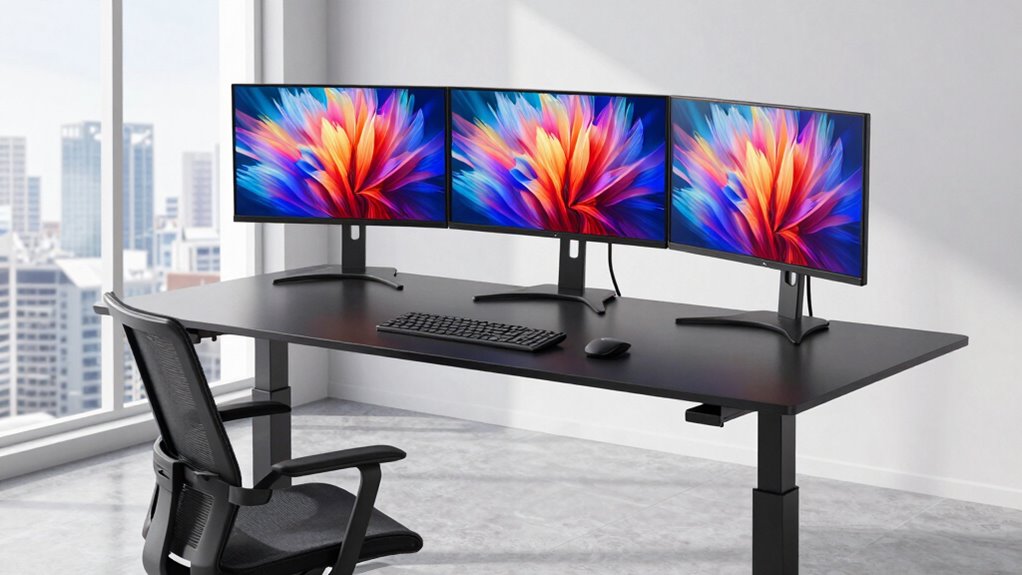

Running two or three monitors changes what you need from a standing desk: the surface has to be wide enough to keep screens at a comfortable distance, the frame has to stay steady when loaded, and any wobbling gets amplified at monitor height. After comparing 12 options, the OffiGo 63-Inch L-Shaped Electric Standing Desk stands out as the best overall pick for multi-monitor users thanks to its deep corner surface and quad-motor-free but stable lift. If you already own a desk you like, the VERSADESK PowerPro 40 converts it without giving up much stability, and the VEKEN 55-Inch Electric Standing Desk is the smart budget pick for a straight two-monitor layout. The main tradeoff in this category is between converters (cheap, no rewiring) and full electric desks (more room, more storage, better ergonomics long-term). Read on for the full breakdown.

Get the latest gadgets delivered free — and shop member deals
- Fast, free delivery on millions of items
- Access to Prime Big Deal Days deals on October 6–7
- Prime Video, Amazon Music and more included
Complete the kit



Key Takeaways
- Converters like the TechOrBITS, VIVO, VERSADESK and Rocelco handle dual monitors fine on paper, but only the VERSADESK PowerPro’s powered lift keeps three screens from tilting during height changes.
- The OffiGo L-shaped models separated themselves from straight desks because corner depth lets you push monitors back to a proper arm’s-length viewing distance — the single biggest ergonomic win for multi-monitor users.
- Built-in storage (HUANUO‘s drawers, AODK‘s keyboard tray combo) matters more here than on single-monitor desks, since towers, docks and cable clutter multiply with each added screen.
- The Mount-It! rolling workstation is the only pick that solves the multi-monitor mobility problem, but its 40-inch width caps you at two smaller screens.
- White finishes like the VEKEN and OffiGo U-shaped desk look sharp but show cable runs and monitor-stand scuffs far more than the black and rustic-brown options.
| TechOrbits 32-Inch Standing Desk Converter with Keyboard Tray |  | Best Value Converter for Dual Monitors | Width: 31.5 inches | Depth: 24.4 inches | Height range: 4.3–19.7 inches | VIEW ON AMAZON | See Our Full Breakdown |
| VIVO 32-Inch Height-Adjustable Standing Desk Converter, Black (DESK-V000K) |  | Best for Simple Setup | Surface dimensions: 31.5 x 15.7 inches | Keyboard tray dimensions: 31.3 x 11.8 inches (10.5 inches at center) | Height adjustment range: 4.2–19.7 inches | VIEW ON AMAZON | See Our Full Breakdown |
| HUANUO 48 × 24-Inch Electric Standing Desk with 2 Drawers, Black | 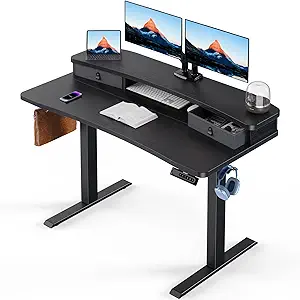 | Best Freestanding Desk for a Compact Monitor Setup | Dimensions: 48 × 24 inches | Height range: 27.5–46.4 inches | Maximum weight recommendation: 176 pounds | VIEW ON AMAZON | See Our Full Breakdown |
| OffiGo 63-Inch L-Shaped Electric Standing Desk with 4 Drawers, Rustic Brown |  | Best for Expansive Multi-Monitor Workspaces | Shape: Reversible L-shaped | Dimensions: 21.2 x 63 x 29.9 inches | Height range: 29.9–46.1 inches in description; 30–47.6 inches in product information | VIEW ON AMAZON | See Our Full Breakdown |
| VERSADESK PowerPro 40 Inch Electric Standing Desk Converter with Keyboard Tray |  | Best Premium Converter for Heavy Monitor Arrays | Width: 40 inches | Capacity: Up to 80 lbs | Adjustment: Electric push-button motorized | VIEW ON AMAZON | See Our Full Breakdown |
| Veken 55 Inch Electric Standing Desk, White |  | Best for a Wide, Simple Monitor Setup | Desktop size: 55 x 23.6 inches | Height range: 28.3–46.5 inches | Weight capacity: 154 lbs | VIEW ON AMAZON | See Our Full Breakdown |
| OffiGo 63-Inch Reversible L-Shaped Electric Standing Desk, Black |  | Best for a Multi-Monitor Corner Setup | Shape: L-shaped | Dimensions: 47.2 x 63 x 27.9 inches | Height range: 27.9–46.1 inches | VIEW ON AMAZON | See Our Full Breakdown |
| ErGear 48 x 24 Inch Height Adjustable Electric Standing Desk, Black |  | Best for a Compact Two-Monitor Setup | Size: 48 x 24 inches | Height range: 28.35–46.46 inches | Weight capacity: 176 lbs | VIEW ON AMAZON | See Our Full Breakdown |
| Rocelco DADR-46 Height-Adjustable Standing Desk Converter with Retractable Keyboard Tray, Black |  | Best Converter for an Existing Desk | Work surface: 45.75 x 23.25 inches | Keyboard tray: 25.75 x 11.25 inches; retractable | Height range: 5–20 inches | VIEW ON AMAZON | See Our Full Breakdown |
| Mount-It! Mobile Standing Desk with Dual Monitor Mount, 40-Inch Wide Height-Adjustable Rolling Computer Workstation |  | Best Mobile Workstation with Monitor Mounts | Work surface width: 40 inches | Tabletop height range: 37.25–55 inches | Monitor mount height: Up to 72.25 inches | VIEW ON AMAZON | See Our Full Breakdown |
| OffiGo 55-Inch U-Shaped Electric Standing Desk with Keyboard Tray, White |  | Best U-Shaped Dual-Monitor Layout | Desk shape: U-shaped | Width: 55 inches | Height range: 28.3 to 46.5 inches | VIEW ON AMAZON | See Our Full Breakdown |
| AODK 55 Inch Standing Desk with Drawers & Keyboard Tray, Rustic Brown |  | Best for Storage and Cable Control | Desk size: 55 inches | Height range: 29.9 to 46.1 inches | Lifting mechanism: Electric | VIEW ON AMAZON | See Our Full Breakdown |
| standing desk for multiple monitor | Height range |
|---|---|
| TechOrbits 32-Inch Standing De | 4.3–19.7 inches |
| VIVO 32-Inch Height-Adjustable | — |
| HUANUO 48 × 24-Inch Electric S | 27.5–46.4 inches |
| OffiGo 63-Inch L-Shaped Electr | 29.9–46.1 inches in description; 30–47.6 inches in product information |
| VERSADESK PowerPro 40 Inch Ele | — |
| Veken 55 Inch Electric Standin | 28.3–46.5 inches |
| OffiGo 63-Inch Reversible L-Sh | 27.9–46.1 inches |
| ErGear 48 x 24 Inch Height Adj | 28.35–46.46 inches |
| Rocelco DADR-46 Height-Adjusta | 5–20 inches |
| Mount-It! Mobile Standing Desk | — |
| OffiGo 55-Inch U-Shaped Electr | 28.3 to 46.5 inches |
| AODK 55 Inch Standing Desk wit | 29.9 to 46.1 inches |
More Details on Our Top Picks
TechOrbits 32-Inch Standing Desk Converter with Keyboard Tray
The TechOrbits 32-inch converter gives a dual-monitor setup a dedicated raised surface while keeping your existing desk. Its 31.5-inch width and separate keyboard tray make it a more complete workstation than a simple riser, and the pneumatic lift adjusts from sitting to standing heights without a motor. Compared with the VERSADESK PowerPro, it has a lower 33-pound capacity and manual height adjustment, so it is better suited to a lighter setup than multiple monitors on arms plus a laptop. The particle board top is another compromise against the PowerPro’s carbon steel construction. I’d choose TechOrbits when the goal is an affordable, mostly assembled way to raise two monitors, provided the combined equipment weight stays within its limit.
Pros:- 31.5-inch surface can accommodate a computer or dual monitors
- Pneumatic lift adjusts between sitting and standing positions
- Separate keyboard tray keeps input devices on a lower tier
- Mostly assembled, with only the keyboard tray to attach
Cons:- 33-pound capacity limits heavier multi-monitor setups
- Particle board work surface is less substantial than the PowerPro’s carbon steel construction
Best for: People with an existing desk and two lightweight monitors who want a separate keyboard tray and manual height adjustment.
Not ideal for: Buyers with heavy monitor arms, a laptop, or other equipment that could approach the 33-pound capacity.
- Width:31.5 inches
- Depth:24.4 inches
- Height range:4.3–19.7 inches
- Maximum weight capacity:33 lbs
- Lift mechanism:Pneumatic
- Top material:Particle board
- Frame material:Aluminum
- Included feature:Separate keyboard tray
Our verdict“Choose TechOrbits for a lighter dual-monitor workstation on an existing desk when manual adjustment and its 33-pound limit fit your setup.”
VIVO 32-Inch Height-Adjustable Standing Desk Converter, Black (DESK-V000K)
The VIVO DESK-V000K is a straightforward choice for dual monitors when you already have a desk and want the keyboard to rise with the screen surface. Its 31.5-inch top is similar in width to the TechOrbits converter, but the synchronized keyboard tray avoids leaving the keyboard behind when the platform moves. That makes it a tidier single-motion adjustment, though both converters share a 33-pound load recommendation that rules out particularly heavy equipment. The VIVO’s alloy steel frame and three-year warranty add reassurance compared with the TechOrbits model’s aluminum frame, while the PowerPro is the stronger fit for heavier monitor arrays thanks to its 80-pound capacity and electric lift. I’d pick VIVO for a modest dual-monitor setup where minimal assembly matters more than motorized adjustment.
Pros:- 31.5-inch surface accommodates a dual-monitor arrangement
- Keyboard tray moves in sync with the main surface
- Minimal assembly required
- Three-year manufacturer warranty
Cons:- 33-pound maximum recommendation limits heavier equipment
- Requires an existing desk and does not provide a standalone base
Best for: Desk users with two standard monitors who want a synchronized keyboard tray and minimal assembly.
Not ideal for: People using heavy monitor arms or a monitor-and-laptop combination that could exceed 33 pounds.
- Surface dimensions:31.5 x 15.7 inches
- Keyboard tray dimensions:31.3 x 11.8 inches (10.5 inches at center)
- Height adjustment range:4.2–19.7 inches
- Maximum weight recommendation:33 pounds
- Item weight:26 pounds
- Frame material:Alloy steel
- Top material:Engineered wood
- Warranty:3-year manufacturer warranty
Our verdict“Choose VIVO for a simple, light dual-monitor setup where a synchronized keyboard tray matters more than a higher load limit.”
HUANUO 48 × 24-Inch Electric Standing Desk with 2 Drawers, Black
Unlike the TechOrbits and VIVO converters, the HUANUO 48 × 24-inch desk replaces the work surface instead of sitting on an existing desk. Its 176-pound recommended capacity and rear edge compatible with C-clamp monitor mounts give a two-monitor setup more room and support than the 32-inch converters. Four height presets also make it easier to return to saved sitting and standing positions. The tradeoff is a relatively compact desktop for a full workstation: compared with the OffiGo 63-inch L-shaped desk, it offers less room to spread monitors, peripherals, and paperwork across separate zones. Two drawers and an open cubicle help organize smaller items, but assembly is required and is recommended for two people. This is my pick for a freestanding desk when monitor mounting and storage matter more than an expansive footprint.
Pros:- 176-pound recommended capacity supports a substantial monitor setup
- Rear edge is compatible with C-clamp monitor mounts
- Four presets simplify switching between saved heights
- Two drawers and an open cubicle provide built-in storage
Cons:- Assembly is required and is recommended for two people
- 48-inch width gives less room than the OffiGo 63-inch L-shaped desk
Best for: Home-office users who want a freestanding electric desk for two monitors, clamp-mounted arms, and basic storage.
Not ideal for: People who need a wide multi-monitor command center or want a desk that arrives ready to use without assembly.
- Dimensions:48 × 24 inches
- Height range:27.5–46.4 inches
- Maximum weight recommendation:176 pounds
- Height presets:4
- Drawers:2
- Storage:Open cubicle
- Top material:Engineered wood
- Base and frame material:Carbon steel
Our verdict“Choose HUANUO for a compact freestanding electric desk with monitor-mount compatibility and storage, if you can handle assembly.”
OffiGo 63-Inch L-Shaped Electric Standing Desk with 4 Drawers, Rustic Brown
For a workstation that needs distinct zones for multiple monitors, a laptop, and active paperwork, the OffiGo 63-inch L-shaped desk offers a broader layout than the HUANUO’s 48-inch straight desktop. Its reversible corner design can put the longer work area on either side, while three height presets and built-in outlets and USB ports keep daily adjustments and charging within reach. Four fabric drawers add storage, though they are less substantial than solid drawers and do not change the desk’s main advantage: spread-out surface area. Unlike the VERSADESK PowerPro, this is a complete freestanding desk rather than a converter for an existing worktop. Assembly is required, and the supplied height details conflict, so buyers who need a precise maximum standing height should verify it before choosing this model.
Pros:- 63-inch L-shaped layout provides separate work zones
- Reversible configuration supports left- or right-side setups
- Three electric height presets
- Built-in outlets, USB, and Type-C charging
Cons:- Assembly is required
- Published height information conflicts between 46.1 and 47.6 inches
- Fabric drawers offer less rigid storage than solid drawers
Best for: People building a corner workstation with multiple monitors, a laptop, and separate areas for active tasks.
Not ideal for: Buyers with limited floor space or those who need a clearly confirmed maximum desk height before purchase.
- Shape:Reversible L-shaped
- Dimensions:21.2 x 63 x 29.9 inches
- Height range:29.9–46.1 inches in description; 30–47.6 inches in product information
- Height presets:3
- Drawers:4 fabric drawers
- Power and charging:3 outlets, 1 USB port, 1 Type-C port
- Tabletop thickness:0.47 inches
- Frame material:Industrial-grade steel
Our verdict“Choose OffiGo when a corner layout and broad workspace matter most, after confirming the height range suits your standing posture.”
VERSADESK PowerPro 40 Inch Electric Standing Desk Converter with Keyboard Tray
The VERSADESK PowerPro is the converter in this group best suited to a heavier, more involved monitor arrangement: its 80-pound capacity and 40-inch width are intended to support up to three monitors plus a laptop. Push-button electric adjustment removes the manual lifting required by the TechOrbits and VIVO converters, and the two-tier design gives the keyboard its own level. Cable grommets and a USB port help keep a crowded surface manageable. That capability comes with a practical limit: monitor arms are sold separately, and the converter still sits on an existing desk, so it does not provide the broad independent layout of the OffiGo L-shaped desk. It also takes more commitment than a basic pneumatic riser. I’d choose it for multiple screens when keeping the existing desk matters and the added capacity is useful.
Pros:- 80-pound capacity supports a heavier equipment load
- 40-inch two-tier surface is designed for up to three monitors plus a laptop
- Electric push-button height adjustment
- Ships fully assembled and includes a lifetime warranty
Cons:- Monitor arms and monitors are not included
- Requires an existing desk and occupies its surface
- The higher-capability motorized design is more involved than a basic pneumatic converter
Best for: Users with an existing desk and multiple monitors, including a laptop, who want electric adjustment and higher equipment capacity.
Not ideal for: Buyers who need a complete freestanding desk, or whose monitors and arms would make the converter’s footprint unsuitable.
- Width:40 inches
- Capacity:Up to 80 lbs
- Adjustment:Electric push-button motorized
- Material:Carbon steel
- Monitor support:Up to 3 monitors plus laptop; monitor arms sold separately
- Features:Keyboard tray, USB charging port, 3 cable grommets, child safety lock
- Assembly:Ships fully assembled
- Warranty:Lifetime warranty
Our verdict“Choose the PowerPro when you need an electric converter with room and capacity for several screens, and already have a suitable desk.”
Veken 55 Inch Electric Standing Desk, White
The 55-inch desktop gives a pair of monitors room to sit side by side, with space left for everyday work gear. Built-in cable management helps keep that larger surface tidier, while memory presets make it easier to return to saved sitting and standing heights. Compared with the more compact ErGear 48 x 24 Inch desk, the Veken gives monitors and peripherals more elbow room; ErGear offers more presets and a higher stated weight capacity. The Veken’s 154-pound capacity suits a typical monitor setup, though I’d account for monitor arms and other equipment before loading the surface heavily. Its top is made from two boards, and stability can vary with the floor and load. Choose it for straightforward space; skip it if you need a single-piece desktop.
Pros:- 55 x 23.6-inch surface gives multiple monitors room to spread out
- Memory presets make switching between saved sitting and standing heights convenient
- Built-in cable management helps contain cords across the wide desktop
- Carbon steel frame has a stated 154-pound weight capacity
Cons:- Desktop is made from two boards rather than one continuous piece
- Stability may vary with floor conditions and the weight on the desk
- Two people are recommended for assembly
Best for: Home office users who want two monitors on a roomy, straightforward electric desk with saved height settings
Not ideal for: Buyers who need a single-piece desktop or plan to load the desk with several heavy monitors and accessories
- Desktop size:55 x 23.6 inches
- Height range:28.3–46.5 inches
- Weight capacity:154 lbs
- Memory presets:Included
- Motor noise:Under 52 dB
- Top material:Laminated engineered wood
- Frame material:Carbon steel / stainless steel
- Warranty:2 years (parts and labor)
Our verdict“Choose the Veken if you want a wide electric desk for a typical multi-monitor setup and can work with its two-piece top.”
OffiGo 63-Inch Reversible L-Shaped Electric Standing Desk, Black
If multiple monitors share space with laptops, documents, or other equipment, this reversible L-shaped desk offers a broader layout than the rectangular Veken 55 Inch Electric Standing Desk. Its sub-desktop can be configured on either side, giving buyers more choice in how the setup fits a room. The 78.7-inch diagonal work surface gives a multi-monitor workstation room to spread across the two sections, while three memory presets support repeatable sitting and standing positions. That footprint is the tradeoff: the desk weighs 61.6 pounds and needs room for its corner layout, so it is less suited to a compact office. Assembly is also required. I’d pick it over the ErGear 48 x 24 Inch desk when a single rectangular surface feels too constrained, but skip it if the room cannot accommodate an L.
Pros:- L-shaped work area separates monitor zones and leaves space for other equipment
- Reversible sub-desktop supports left- or right-side layouts
- Electric height adjustment includes three memory presets
- Reinforced, bolted construction is designed for stability
Cons:- Large L-shaped footprint needs more room than a rectangular desk
- Assembly is required
- At 61.6 pounds, it is less convenient to move around
Best for: Remote workers or creators with several monitors, a laptop, and paperwork who can dedicate a corner to a standing desk
Not ideal for: Small-room buyers who need a compact rectangular desk or frequently rearrange their workspace
- Shape:L-shaped
- Dimensions:47.2 x 63 x 27.9 inches
- Height range:27.9–46.1 inches
- Diagonal work surface:78.7 inches
- Memory presets:3
- Lifting mechanism:Electric
- Layout:Reversible sub-desktop; left- or right-side configuration
- Weight:61.6 pounds
Our verdict“Choose the OffiGo if your multi-monitor setup needs distinct work zones and your room has space for a reversible L-shaped desk.”
ErGear 48 x 24 Inch Height Adjustable Electric Standing Desk, Black
The ErGear is a compact rectangular pick for buyers who want electric height adjustment without giving a small office an L-shaped footprint. Its 48 x 24-inch surface can suit a modest two-monitor arrangement, though monitors on broad stands may leave less room for a keyboard and other gear than on the Veken 55 Inch Electric Standing Desk. ErGear counters with four memory presets and a stated 176-pound capacity, exceeding the Veken on both preset count and listed load. Those figures make it flexible for shared workstations, but the 0.67-inch tabletop is relatively thin, and buyers with heavier setups should still check the total load against the desk’s capacity. The low-VOC materials and simplified assembly add practical appeal. Choose it when space and saved heights matter more than a broad desktop.
Pros:- 48 x 24-inch format fits more compact work areas
- Four memory presets support quick changes between saved heights
- Stated 176-pound capacity is higher than the Veken 55 Inch desk’s listed capacity
- Low-VOC materials and simplified assembly suit a home office
Cons:- Smaller surface leaves less room for peripherals than wider desks
- 0.67-inch tabletop may feel thin compared with thicker desktop options
- Assembly is required
Best for: Apartment workers or home office users with two modest monitors who want a compact electric desk and several saved heights
Not ideal for: People using large monitor stands, several heavy displays, or accessories that need more desktop width
- Size:48 x 24 inches
- Height range:28.35–46.46 inches
- Weight capacity:176 lbs
- Memory presets:4
- Tabletop thickness:0.67 inches
- Frame material:Alloy steel
- Finish:Laminated
- Mounting type:Freestanding
Our verdict“Choose the ErGear for a compact two-monitor workspace where four saved heights matter more than extra desktop area.”
Rocelco DADR-46 Height-Adjustable Standing Desk Converter with Retractable Keyboard Tray, Black
The Rocelco gives buyers a way to raise a multi-monitor setup while keeping their existing desk. Its 45.75 x 23.25-inch work surface accommodates multiple monitors, and the retractable keyboard tray lets the keyboard sit separately when the converter is raised. Gas-piston assistance adjusts the platform from 5 to 20 inches, and it arrives assembled, making setup simpler than installing a full desk like the ErGear 48 x 24 Inch model. The main constraint is the 45-pound capacity: monitors, keyboard, and other items all count toward that limit, so check your equipment’s combined weight. Height is added on top of the existing desk, too, which may affect seated ergonomics. This is a practical space-saving route, but a full electric desk offers a more integrated height-adjustable workstation.
Pros:- Broad work surface can accommodate multiple monitors
- Retractable keyboard tray separates typing position from the monitor surface
- Gas-piston assistance adjusts the platform without a motorized desk frame
- Arrives assembled for placement on an existing desk
Cons:- 45-pound capacity can limit heavier multi-monitor equipment
- Requires an existing desk with room to support the converter
- Optional floor stand is sold separately
Best for: Desk owners who want to raise two or more monitors and add a retractable keyboard tray without replacing their existing furniture
Not ideal for: Buyers with heavy monitor setups, little spare desk depth, or a need for a fully integrated standing desk
- Work surface:45.75 x 23.25 inches
- Keyboard tray:25.75 x 11.25 inches; retractable
- Height range:5–20 inches
- Weight capacity:Up to 45 lbs
- Adjustment mechanism:Gas piston assist
- Assembly:None required
- Cable management:Grommet hole
- Color:Black
Our verdict“Choose the Rocelco if you want a ready-to-place converter for an existing desk and your monitor setup fits within its 45-pound capacity.”
Mount-It! Mobile Standing Desk with Dual Monitor Mount, 40-Inch Wide Height-Adjustable Rolling Computer Workstation
For buyers who want monitor positioning built into a mobile workstation, the Mount-It! combines a 40-inch work surface with mounts for two monitors up to 27 inches. The mounts adjust through rotation, swivel, and tilt, which gives more control over screen placement than the desktop-only Veken 55 Inch Electric Standing Desk. Locking casters let the workstation move between rooms and secure in place, while shelves can hold a PC tower, printer, or accessories. Its 132-pound capacity applies to the workstation, so account for the displays and shelf equipment together. The rolling frame and shelves also take up floor space, and assembly may be needed. This is a distinct fit for flexible rooms; choose a standard desk instead if you want a cleaner, fixed multi-monitor setup.
Pros:- Dual mounts support two compatible monitors up to 27 inches
- Monitor mounts offer rotation, swivel, and tilt adjustments
- Locking caster wheels make the workstation mobile and securable
- Multiple shelves provide space for a PC tower, printer, or accessories
Cons:- Monitor compatibility is limited to displays up to 27 inches
- Rolling frame and shelves require usable floor space
- Assembly may be required
Best for: Teachers, trainers, or home users who need two mounted monitors and want to roll their workstation between locations
Not ideal for: Buyers with monitors larger than 27 inches or those who need a compact, stationary desk with a broad desktop
- Work surface width:40 inches
- Tabletop height range:37.25–55 inches
- Monitor mount height:Up to 72.25 inches
- Monitor compatibility:Two monitors up to 27 inches
- VESA compatibility:75 x 75 mm; 100 x 100 mm
- Monitor adjustment:360° rotation, 180° swivel, 80° tilt
- Weight capacity:132 lbs
- Mobility:Four caster wheels with locking casters
Our verdict“Choose the Mount-It! if you need a movable workstation with built-in mounts for two monitors up to 27 inches.”
OffiGo 55-Inch U-Shaped Electric Standing Desk with Keyboard Tray, White
I place the OffiGo 55-Inch U-Shaped Desk here because its recessed center and two-monitor stand keep screens close without forcing a wide arm clamp setup. Compared with the AODK 55 Inch Standing Desk, it gives more wraparound surface for speakers, notebooks, and mic arms, while the keyboard tray frees desk depth for larger displays. The three electric presets and built-in power make daily sit-stand changes less fiddly for a dual-screen workstation. The tradeoff is that the U-shape demands more floor space and the 154-pound limit is adequate, but not as generous as a heavier frame might suggest if you add a full monitor arm, printer, and audio gear.
Pros:- U-shaped surface keeps two monitors and accessories within reach
- Included two-monitor stand reduces clamp clutter
- Three presets make sit-stand changes quick
- Built-in outlets, USB ports, keyboard tray, and hooks reduce desk mess
Cons:- U-shaped footprint needs more floor space than a straight 55-inch desk
- 154-pound capacity leaves less margin for heavy audio gear or printers
- Assembly is required before the electric controls and accessories are ready
Best for: Dual-monitor users who want a wraparound command-center layout with built-in power and a keyboard tray
Not ideal for: Compact rooms or heavy peripheral users who need more than 154 pounds of capacity
- Desk shape:U-shaped
- Width:55 inches
- Height range:28.3 to 46.5 inches
- Height adjustment:Electric with 3 preset buttons
- Power:3 outlets and 2 USB ports
- Monitor stand:Accommodates 2 monitors
- Lighting:10 colors and 10 dynamic modes
- Weight capacity:154 lbs
- Color:White
Our verdict“Choose this U-shaped desk if you want two monitors wrapped around you and don’t mind trading floor space for a cockpit-style layout.”
AODK 55 Inch Standing Desk with Drawers & Keyboard Tray, Rustic Brown
I’d slot the AODK 55 Inch Standing Desk for buyers who want a dual-monitor shelf without letting cables and office clutter take over. Against the OffiGo 55-Inch U-Shaped Desk, it gives up some wraparound desk area, but it answers with two fabric drawers, a hidden cable tray, and a full monitor shelf that raises screens to a more comfortable line of sight. The three memory presets make switching between seated and standing positions simple, and the power strip belongs exactly where a multi-screen setup creates power bricks. My hesitation is the finish and storage style: rustic brown and fabric drawers suit a cozy office, but they may not feel as crisp as a clean white surface or as sturdy as hard drawers.
Pros:- Full monitor shelf helps lift dual screens to a more comfortable viewing line
- Hidden cable tray and built-in power reduce clutter
- Two drawers and keyboard tray keep small items off the desktop
- Three memory presets simplify height changes
Cons:- 65.1-pound weight makes repositioning a two-person job
- Fabric drawers may not hold up like solid drawers under heavy use
- Rustic brown finish may clash with lighter or white office furniture
Best for: Home-office users with two monitors who want drawers, cable control, and a warmer wood-look finish
Not ideal for: Buyers who need to move the desk often or prefer hard-sided drawers and a crisp white surface
- Desk size:55 inches
- Height range:29.9 to 46.1 inches
- Lifting mechanism:Electric
- Height memory presets:3
- Power:3 AC outlets and 2 USB ports
- Drawers:2 fabric drawers
- Monitor shelf:Full-sized shelf
- Cable management:Hidden tray
- Color:Rustic Brown
Our verdict“Pick this desk if you want a dual-monitor shelf with practical storage and cable control, but skip it if you move your workstation often.”
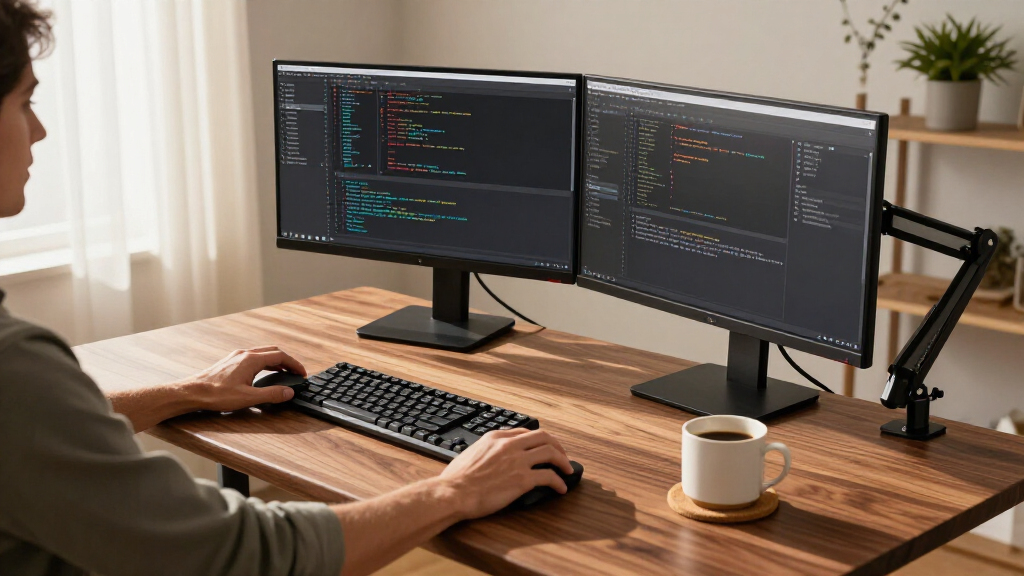
How We Picked
I judged every option through one specific lens: how well it supports a multi-monitor setup. That meant prioritizing usable surface width (55+ inches for dual 27-inch screens side by side), depth (at least 24 inches so monitors aren’t in your face), and stability under load — a desk that wobbles with 40+ pounds of screens on it fails no matter how nice its features are. For electric desks, I looked at lifting capacity, memory presets, and whether the frame design resists side-to-side sway at standing height. For converters, the bar was whether dual monitors stay level during adjustment and whether the keyboard tray actually fits a full-size board.
I also weighed versatility and practicality: storage for the docks and cables multi-monitor setups generate, ease of assembly, and whether each product serves a distinct buyer. That’s why the ranking runs from full L-shaped desks (most surface, most expensive) down through straight electric desks and finally converters — each tier trades space and stability for price and convenience, and the order reflects which tradeoffs most multi-monitor buyers regret least.
Factors to Consider When Choosing Standing Desk For Multiple Monitors
Before picking from the twelve options above, it helps to understand what actually makes or breaks a standing desk for multiple monitors. These are the factors that separate a setup you’ll love from one you’ll tolerate.Surface Width and Depth Matter More Than You Think
Two 27-inch monitors side by side eat up roughly 50 inches before you add speakers or a laptop, and that’s the mistake most buyers make: they buy a desk rated for ‘dual monitors’ that only fits them edge-to-edge. Width determines whether monitors fit; depth determines whether they’re usable. At anything under 24 inches of depth, your screens sit too close, forcing your eyes to work harder and your monitor arms to overhang the back edge. The L-shaped desks in this roundup solve this naturally — the corner section gives you depth a straight 55-inch top can’t. Measure your actual monitor arrangement on a table first, then add four inches of breathing room. Buyers who skip this step end up replacing the desk within a year.
Stability: The Multi-Monitor Dealbreaker
Every pound of monitor weight amplifies wobble, and wobble at standing height is the number-one reason people abandon their sit-stand routine. Single-motor straight desks are fine up to about two screens; three or more demands a heavier-duty frame or an L-shaped base. Two-leg frames with center-mounted crossbars resist front-to-back shake better than basic T-frames, and converters are only as stable as the desk underneath them — a wobbly old table undermines even the best converter. Check the listed weight capacity, then mentally subtract your monitors, stands, and anything else living on the desktop. If you’re within 20% of the limit, size up. A rigid desk you trust at full extension gets used; a shaky one becomes a very expensive sitting desk.
Converter vs. Full Desk: The Real Tradeoff
Converters like the TechOrBITS, VIVO, Rocelco and VERSADESK let you keep your current desk, install nothing, and spend less — but they raise only your monitors and keyboard, not your whole work surface, which means notebooks, coffee, and paperwork stay at sitting height. Full electric desks cost more and require assembly, but they move everything and usually add storage. Manual-spring converters also require a deliberate two-hand lift, which matters if you adjust height several times a day — powered lifters like the VERSADESK bridge this gap at a premium. The honest rule: converters suit people who already own a good, deep desk; everyone else gets more long-term value from a full desk. Buyers who choose a converter purely to save money often upgrade within two years anyway.
Storage and Cable Management Multiply With Each Monitor
One monitor means one cable. Three monitors, a dock, a laptop charger and speakers mean a nest that will take over your desktop unless the desk itself helps. Drawers, under-desk trays, and grommet holes aren’t luxuries in a multi-monitor setup — they’re infrastructure. The HUANUO and AODK desks with built-in drawers let you hide docks and clutter off the surface, while desks with no cable provisions force you to buy aftermarket trays and velcro. Keyboard trays are divisive: they free up surface space for monitors, but they constrain keyboard positioning and don’t work for everyone’s typing posture. Think about your full setup — screens, power, peripherals — before choosing a bare-bones top.
Motor Quality, Presets, and Adjustment Frequency
If you plan to alternate between sitting and standing several times a day, memory presets stop being a gimmick and become the feature you use most. Cheaper single-motor desks move slower, hum louder, and wear out faster under heavy multi-monitor loads. Dual-motor desks lift more evenly, which matters when your monitors are mounted asymmetrically — a single motor can torque the desktop slightly out of level. Noise matters too if you take calls in the same room; budget motors are audible enough to interrupt conversations. Also check the adjustment range: shorter users need a desk that drops below 28 inches, and tall users need one that clears 46. A desk with the wrong range is a mismatch no accessory can fix.
Layout Shape: Straight, L-Shaped, or Mobile
Straight desks fit against a wall and work for linear two-monitor arrangements. L-shaped desks (both OffiGo corner models) wrap around you, which places a third monitor at a natural angle and adds the depth multi-monitor viewing demands — but they eat an entire corner of the room and don’t relocate easily. The U-shaped OffiGo goes further still, surrounding you on three sides, and is only worth it if you genuinely run three-plus screens all day. Mobile workstations like the Mount-It! trade surface area for the ability to roll between rooms, which suits presentations and shared spaces rather than permanent home offices. Match the shape to your room before your ambition: a big L-shaped desk in a small room feels cramped fast, and returning these things is a hassle.
Frequently Asked Questions
Can a desk converter really hold two or three monitors safely?
Most quality converters are rated for 30–45 pounds, which covers two standard monitors plus stands — but the rating isn’t the whole story. What matters is whether the platform stays level as it rises: gas-spring and manual units like the TechOrBITS and VIVO can tilt briefly when the load is uneven, while the powered VERSADESK PowerPro lifts straight up regardless of weight distribution. Three monitors is where most converters hit their limit, both in weight and in surface area, since a 32–40 inch platform leaves little room once screens are properly spaced. If you’re running three or more displays, a full electric desk is the safer long-term choice. Also remember a converter inherits the stability of the desk beneath it, so a lightweight table undermines even a well-built unit.
Is an L-shaped standing desk worth it just for two monitors?
Possibly not — two monitors fit comfortably on a 55-inch straight desk like the VEKEN or AODK, and an L-shape mainly earns its cost when you run three screens, need a second work zone, or want your primary monitor pushed further back than a straight top allows. That said, the corner section does deliver a genuine ergonomic benefit: extra depth lets you sit at a proper arm’s length from your screens, which reduces eye strain over long sessions. If your room has an unused corner and your budget stretches that far, the L-shaped OffiGo models future-proof you for a third display. If you’re tight on space or money, a deep straight desk handles two monitors just as well. Don’t pay for the corner unless your setup actually wraps around you.
How wide does a standing desk need to be for dual 27-inch or 32-inch monitors?
For two 27-inch monitors, budget at least 55 inches of surface so the screens have side spacing and room for speakers or a laptop — the VEKEN 55 and AODK 55 hit this exactly. Two 32-inch monitors realistically want 63 inches or more, which is where the OffiGo L-shaped options and wider tops come in. If your monitors use stands rather than arms, add another few inches because factory bases are wider than the panels. Monitor arms can rescue a borderline-narrow desk by letting you overlap the screens’ dead bezel space, but they add cost and clamp depth requirements. The most common regret in this category is buying a 48-inch desk for two large monitors and discovering they sit uncomfortably close together.
Do I need memory presets if I’m the only one using the desk?
Even solo users benefit more than they expect, because presets remove the friction of finding your exact standing and sitting heights each time. Without them, you eyeball the height daily, drift a few centimeters off, and gradually develop neck and wrist strain from a slightly wrong position. Presets also make alternating more often more likely — one button press versus 15 seconds of holding a button and squinting at a display. That said, if you sit all day and stand only occasionally, presets are a convenience rather than a necessity, and a basic two-button desk like the ErGear serves you fine. The more frequently you change position, the more the preset feature earns its keep. Shared desks, on the other hand, should treat presets as mandatory.
Are built-in drawers and keyboard trays good ideas or gimmicks?
Drawers are almost always a net positive for multi-monitor setups, because docks, chargers, and spare cables multiply with every screen, and a drawer gets that clutter off the surface — the HUANUO and both storage-equipped OffiGo models demonstrate how much cleaner a desktop looks when the infrastructure hides away. Just check that drawers don’t block the crossbar or your legroom at standing height, since some budget designs put them exactly where your knees go. Keyboard trays are more personal: they reclaim valuable surface area for your monitors, which genuinely helps on tight 48–55 inch tops, but they lock your keyboard into one position and can aggravate wrist angles for some typists. If you have the desktop space to spare, skip the tray and keep your keyboard on the surface. If width is your constraint, a tray is a legitimate space solution rather than a gimmick.
Conclusion
The right pick depends on how many screens you run and what you’re working with. For the best overall multi-monitor experience, the OffiGo 63-Inch L-Shaped Electric Standing Desk with 4 Drawers delivers the depth, stability, and storage that serious multi-screen setups demand. The best value goes to the VEKEN 55-Inch Electric Standing Desk, which handles two monitors capably at a friendlier price, while the ErGear 48 x 24 is the smart budget choice for a single large monitor plus a laptop. For beginners or anyone not ready to replace their existing desk, the VERSADESK PowerPro 40 offers powered height adjustment without any assembly of a full frame — the TechOrBITS and VIVO converters cover the same need for less. On the premium end, the OffiGo U-Shaped desk surrounds you in screens for three-plus monitor workflows. For specific needs: the Mount-It! Mobile Standing Desk rolls your dual-monitor rig between rooms, the HUANUO and AODK desks with drawers tame cable-heavy setups, and the OffiGo L-shaped in black suits tighter corners. Whatever you choose, size for the monitors you’ll own in two years, not just today’s — that’s the one mistake this roundup surfaced again and again.
Fall Picks
fall essentials
As an affiliate, we earn on qualifying purchases.