
TL;DR
The right AI machine depends on whether a workload runs a cloud model, a smaller local model or a large model and serving stack. Apple’s memory limits and Nvidia’s CUDA support shape the hardware choice, while leading closed models remain available only through cloud services.
A comparison published November 19, 2026, finds that an AI workload’s memory needs and software support matter more than the machine’s size: a Mac mini can run an always-on agent that calls cloud models, while large local models and Nvidia-first tools call for different hardware. The comparison uses manufacturer specifications and software documentation, rather than independent performance tests.

Get the latest gadgets delivered free with Prime
- Fast, free delivery on millions of items
- Prime Video, Amazon Music and more included
- Member-only deals all year
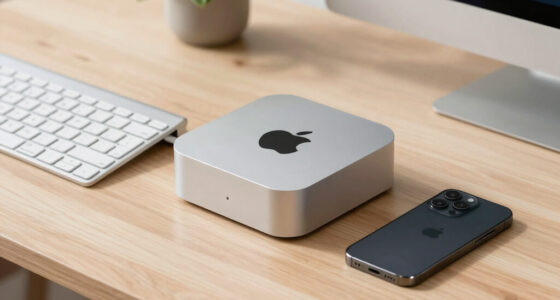
For an agent that sends requests to a cloud model, the computer mainly keeps the agent, files and tools running. The source lists the base Mac mini’s idle power at 4 watts, making it a compact option for that role. But the model and prompts still go to the cloud, so this setup does not keep those interactions on the local machine.
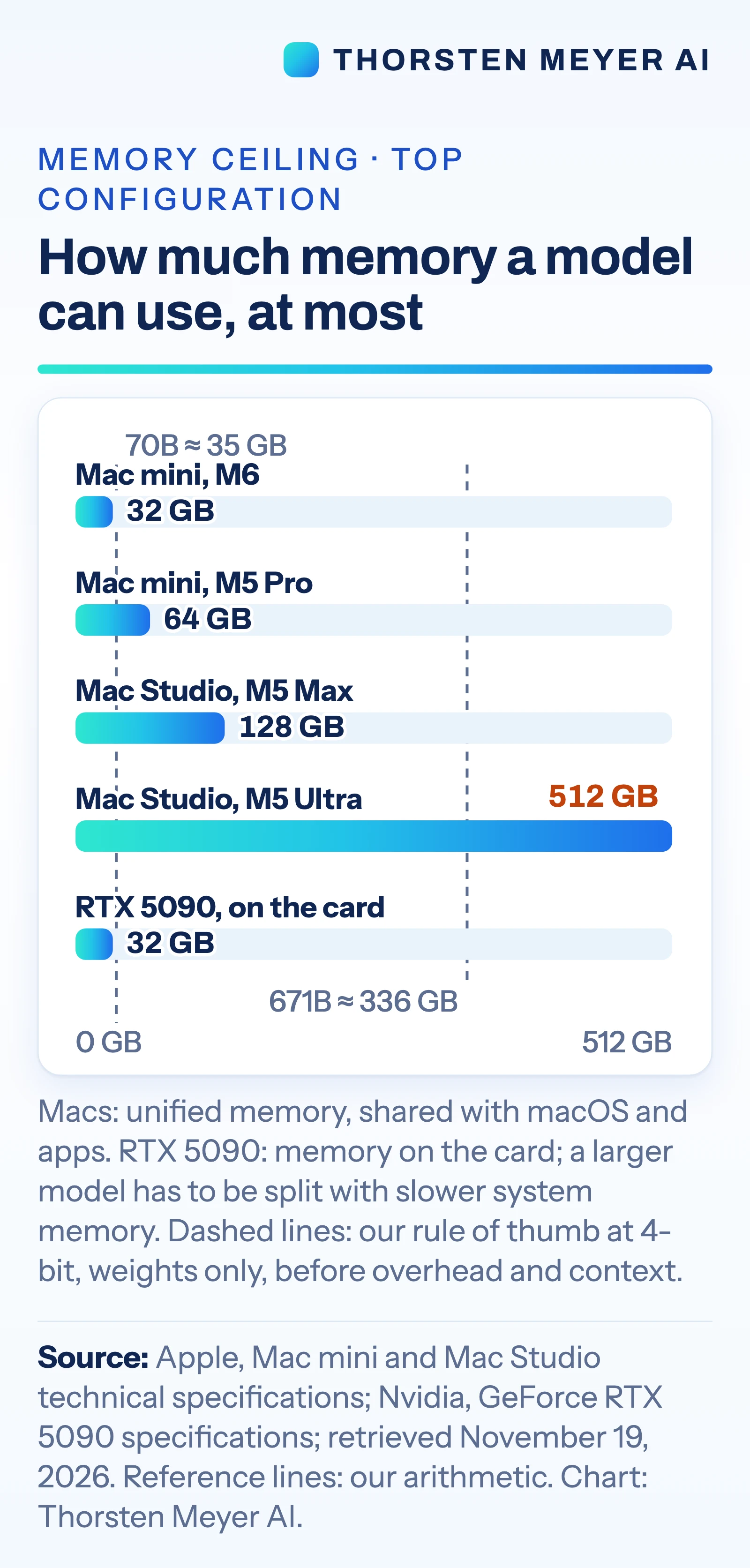
For local models, memory capacity is a key limit. The Mac mini tops out at 64 GB of unified memory in the configurations cited, while the Mac Studio reaches 128 GB with M5 Max or 512 GB with M5 Ultra. An Nvidia GeForce RTX 5090 has 32 GB of graphics memory. The source estimates that a 70-billion-parameter model needs about 35 GB for weights at 4-bit precision, before overhead and conversation context; actual usable capacity depends on those additional demands.
Software compatibility also affects the choice. The source says vLLM, a model-serving engine, ships CUDA binaries and points Apple silicon users to a community-maintained plugin. Apple’s MLX tools support LoRA and QLoRA fine-tuning, and PyTorch supports GPU training on Mac. These capabilities do not establish that every workload will run at the same speed or scale on each system.
Choosing Hardware for AI Workloads
The practical consequence is that “running AI” describes several different jobs. A local computer that keeps an agent available can be modest if a remote model handles the demanding inference. A private assistant that runs a small open model needs enough memory to hold the weights and working context. A very large local model may require a high-memory workstation, while workloads built around Nvidia’s CUDA ecosystem may be easier to deploy on a GPU PC.
Power and cost also differ. The source lists the M5 Ultra Mac Studio at up to 385 watts for the full system. Nvidia rates the RTX 5090 card alone at 575 watts and recommends a 1,000-watt system power supply. The cited M5 Ultra Mac Studio starts at $5,499 in US list pricing. Those figures describe different configurations and do not show comparative performance or total ownership cost.
Cloud APIs remain relevant for users who need the strongest closed models or only need heavy computing occasionally. They avoid buying and maintaining high-end local hardware, but bring per-token charges and send prompts and data to an external service. The right tradeoff depends on privacy requirements, usage patterns, software and budget.
Products Worth Considering

Apple AirPods Pro (2nd Generation) Wireless Earbuds with MagSafe Charging Case (Lightning)
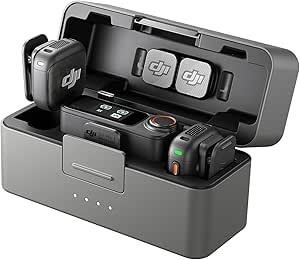
DJI Mic 3 Wireless Microphone (2 Transmitters, 1 Receiver, Charging Case)

Logitech MX Mechanical Wireless Illuminated Keyboard, Tactile Quiet, Graphite
As an affiliate, we earn on qualifying purchases.
What the Specifications Show
Apple’s August 25, 2026, Mac mini launch described the computer as “the leading desktop for always-on agentic computing,” according to the source. That positioning reflects one use case: running an agent process continuously. It does not by itself establish that the mini is suitable for training large models or serving many users.
The comparison’s memory estimates use a rule of thumb of roughly 0.5 GB per billion parameters for 4-bit weights alone. On that basis, 671 billion parameters would require about 336 GB before overhead and context. The source presents this as a sizing estimate, not a benchmark or guarantee that a particular model will run well on a given computer.
Apple’s documented option for linking Macs into a cluster involves Thunderbolt 5 connections between each pair of Macs and a setting changed in macOS Recovery. The source notes that the base M6 Mac mini has Thunderbolt 4. This makes clustering a possible but more involved setup, rather than an automatic way around the memory limits of a single machine.
Performance Still Needs Testing
The comparison does not provide independent speed tests for the listed systems, including the M5 Ultra with very large models. Published memory and power specifications cannot show how quickly a particular model will respond, how much context it can handle, or how many users it can serve. Results will depend on model quantization, software versions and workload.
The source also does not establish the total cost of running a cloud API versus buying and operating a local system. API prices, usage volume, electricity costs and hardware configuration would all affect that calculation. A local agent that calls a cloud model still sends its prompts and data to that service; the privacy terms depend on the provider and setup.
Test With Your Own Workload
Before choosing hardware, identify whether the model will run locally or through an API, then estimate the memory required for its weights, context and software overhead. Check whether the tools you rely on support the intended platform, especially if they depend on CUDA. For workloads that could fit several options, compare them with the same model and representative tasks; the cited specifications alone do not settle performance.
Specifications and software support can change as Apple, Nvidia and tool developers release new products and updates. The source provides a snapshot checked on November 19, 2026; it does not report a later benchmark or product milestone.
Key Questions
Can a Mac mini run an AI agent all day?
Yes, if the agent mainly runs its own loop and calls a cloud model. The source lists the base Mac mini at 4 watts idle; that figure is not a measure of power use under load. Cloud model requests still send prompts and data to the provider.
How much memory does local AI need?
It depends on the model and its working context. The source’s estimate for 4-bit weights is about 0.5 GB per billion parameters, before overhead and context, so a 70-billion-parameter model is estimated at about 35 GB for weights alone.
When does a GPU PC make more sense?
A PC with an Nvidia GPU may be a better fit when the software stack is built for CUDA, or when the workload needs fast inference and serving tools designed around Nvidia hardware. The cited RTX 5090 has 32 GB of memory on the card; the source does not provide comparative speed tests.
Can a Mac fine-tune an AI model?
The source says Apple’s MLX tools support LoRA and QLoRA, and PyTorch’s Mac backend supports GPU training. Fine-tuning generally needs more memory than running the same model, so feasibility depends on the model and task.
When should someone use a cloud API?
A cloud API is an option when a user needs a leading closed model or wants access to substantial computing without buying local hardware. It can involve per-token charges, and prompts and data leave the user’s machine.
Source: Thorsten Meyer AI