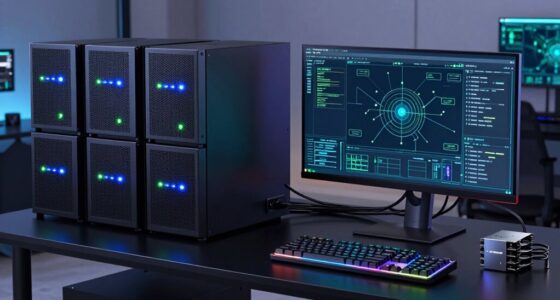
For a capable everyday development setup, I’d start with the BOSGAME P6: its Ryzen 9 6900HX, 24GB of RAM, and 1TB SSD give it a strong balance for coding, multitasking, and local projects. The GEEKOM IT13 Max offers a higher tier of CPU performance, while the ASUS Ascent GX10 stands apart for developers with memory intensive AI workloads. The main tradeoffs are processing headroom, memory and storage capacity, and how much hardware you need for your tools. Less expensive configurations can handle lighter coding but may need upgrades sooner as projects grow. Read on for my full breakdown of how each mini PC fits different developer needs.

Get the latest gadgets delivered free with Prime
- Fast, free delivery on millions of items
- Prime Video, Amazon Music and more included
- Member-only deals all year
Complete the kit



Key Takeaways
- The BOSGAME P6 is the most balanced pick: its 24GB of RAM and 1TB PCIe 4.0 SSD give developers more room for multitasking and project files than the entry configurations in this lineup.
- The GEEKOM IT13 Max targets CPU heavy work: its Core Ultra 9 185H and 1TB SSD make it a stronger fit for demanding builds than the Ryzen 3 systems, though it has 16GB of RAM.
- The ASUS Ascent GX10 serves a specialized role: its NVIDIA GB10 Superchip and 128GB of memory suit memory intensive AI development, but exceed what most general coding setups need.
- Several Ryzen 3 options share a practical baseline: the KAMRUI Pinova P2 and ACEMAGIC K1 pair 16GB of RAM with 256GB SSDs, while the C4 Plus and BOSGAME E5 Plus start at 8GB.
- Storage and memory can matter as much as processor choice: virtual machines, containers, and large toolchains may strain a basic configuration even when light coding feels responsive.
| C4 Plus Mini PC with Ryzen 5 3501U, 8GB RAM, and 256GB SSD |  | Best for Multi-Network Setups | Processor: AMD Ryzen 5 3501U, 4 cores/8 threads, 2.1–3.7 GHz | Graphics: Integrated Radeon Vega 8, 1200 MHz | Memory: 8GB DDR4 SODIMM; expandable to 32GB | VIEW ON AMAZON | See Our Full Breakdown |
| VZMORE AX9 Max Mini PC with AMD Ryzen AI 9 HX 470 |  | Best Overall for Demanding Development | Processor: AMD Ryzen AI 9 HX 470, 12 cores/24 threads, up to 5.2GHz | Graphics: AMD Radeon 890M, RDNA 3.5 | Memory: 32GB DDR5-5600; expandable up to 256GB | VIEW ON AMAZON | See Our Full Breakdown |
| BOSGAME P6 Mini PC with AMD Ryzen 9 6900HX, 24GB RAM, 1TB PCIe 4.0 SSD |  | Best for Balanced Work and Home Lab Use | Processor: AMD Ryzen 9 6900HX, 8 cores/16 threads, up to 4.9GHz | Graphics: AMD Radeon 680M integrated graphics | Memory: 24GB LPDDR5X, 4800MT/s | VIEW ON AMAZON | See Our Full Breakdown |
| KAMRUI Pinova P2 Mini PC, AMD Ryzen 3 7330U, 16GB RAM, 256GB SSD |  | Best for Compact Developer Desks | Processor: AMD Ryzen 3 7330U, 4 cores/8 threads, up to 4.3GHz | Graphics: Integrated AMD Radeon Graphics, 6 CUs, up to 1.8GHz | Memory: 16GB LPDDR4X | VIEW ON AMAZON | See Our Full Breakdown |
| ASUS Ascent GX10 Mini PC with NVIDIA GB10 Superchip and 128GB Memory |  | Best for Local AI Development | Processor: NVIDIA GB10 Grace Blackwell Superchip | AI performance: Up to 1 petaFLOP | Memory: 128GB | VIEW ON AMAZON | See Our Full Breakdown |
| BOSGAME E5 Plus Mini PC with AMD Ryzen 3 5400U, 8GB RAM, 256GB SSD |  | Best for Multi-Display Networking Labs | Processor: AMD Ryzen 3 5400U, 4 cores / 8 threads, up to 4.0GHz | Graphics: Integrated AMD Radeon Graphics, up to 1600MHz | Memory: 8GB DDR4; expandable to 64GB via two SODIMM slots | VIEW ON AMAZON | See Our Full Breakdown |
| BOSGAME E5 Mini PC with Ryzen 3 5300U |  | Best Value Developer Starter | Processor: AMD Ryzen 3 5300U, 4 cores / 8 threads, up to 3.8GHz | Memory: 16GB DDR4; listed as upgradable to 64GB, though product information conflicts | Storage: 512GB M.2 2280 NVMe SSD | VIEW ON AMAZON | See Our Full Breakdown |
| ACEMAGIC K1 Mini PC with AMD Ryzen 3 Pro 7330U, 16GB RAM and 256GB SSD |  | Best Compact Desk Fit | Processor: AMD Ryzen 3 Pro 7330U, 4 cores / 8 threads, up to 4.3GHz | Graphics: AMD Radeon Graphics, 5 cores, 1400MHz | Memory: 16GB LPDDR4 3200MT/s, non-expandable | VIEW ON AMAZON | See Our Full Breakdown |
| GEEKOM IT13 Max Mini PC, Intel Core Ultra 9 185H, 16GB DDR5, 1TB SSD |  | Best for CPU-Heavy Builds | Processor: Intel Core Ultra 9 185H | Processor TDP: 65 watts | Memory: 16GB DDR5 | VIEW ON AMAZON | See Our Full Breakdown |
| ACEMAGICIAN S3A Mini PC with Ryzen 7 H 255, 16GB RAM, and 512GB SSD |  | Best for Integrated Graphics and Parallel Work | Processor: AMD Ryzen 7 H 255, 8 cores / 16 threads, up to 4.9GHz | Graphics: AMD Radeon 780M, 12 cores, 2600MHz | Memory: 16GB LPDDR5, 6400MT/s | VIEW ON AMAZON | See Our Full Breakdown |
| mini pc for developer | Processor | Memory | Storage | Graphics |
|---|---|---|---|---|
| C4 Plus Mini PC with Ryzen 5 3 | AMD Ryzen 5 3501U, 4 cores/8 threads, 2.1–3.7 GHz | 8GB DDR4 SODIMM; expandable to 32GB | 256GB M.2 2280 SATA SSD; additional M.2 2280 NVMe PCIe 3.0 x4 slot | Integrated Radeon Vega 8, 1200 MHz |
| VZMORE AX9 Max Mini PC with AM | AMD Ryzen AI 9 HX 470, 12 cores/24 threads, up to 5.2GHz | 32GB DDR5-5600; expandable up to 256GB | 1TB SSD; up to 5TB combined PCIe 4.0 storage | AMD Radeon 890M, RDNA 3.5 |
| BOSGAME P6 Mini PC with AMD Ry | AMD Ryzen 9 6900HX, 8 cores/16 threads, up to 4.9GHz | 24GB LPDDR5X, 4800MT/s | 1TB M.2 NVMe PCIe 4.0 x4 SSD | AMD Radeon 680M integrated graphics |
| KAMRUI Pinova P2 Mini PC | AMD Ryzen 3 7330U, 4 cores/8 threads, up to 4.3GHz | 16GB LPDDR4X | 256GB M.2 SSD | Integrated AMD Radeon Graphics, 6 CUs, up to 1.8GHz |
| ASUS Ascent GX10 Mini PC with | NVIDIA GB10 Grace Blackwell Superchip | 128GB | — | — |
| BOSGAME E5 Plus Mini PC with A | AMD Ryzen 3 5400U, 4 cores / 8 threads, up to 4.0GHz | 8GB DDR4; expandable to 64GB via two SODIMM slots | 256GB M.2 2280 SATA SSD; additional M.2 2280 NVMe PCIe 3.0 x4 slot | Integrated AMD Radeon Graphics, up to 1600MHz |
| BOSGAME E5 Mini PC with Ryzen | AMD Ryzen 3 5300U, 4 cores / 8 threads, up to 3.8GHz | 16GB DDR4; listed as upgradable to 64GB, though product information conflicts | 512GB M.2 2280 NVMe SSD | — |
| ACEMAGIC K1 Mini PC with AMD R | AMD Ryzen 3 Pro 7330U, 4 cores / 8 threads, up to 4.3GHz | 16GB LPDDR4 3200MT/s, non-expandable | 256GB M.2 2280 SSD; expandable up to 2TB | AMD Radeon Graphics, 5 cores, 1400MHz |
| GEEKOM IT13 Max Mini PC | Intel Core Ultra 9 185H | 16GB DDR5 | 1TB SSD | Integrated Intel Arc Graphics |
| ACEMAGICIAN S3A Mini PC with R | AMD Ryzen 7 H 255, 8 cores / 16 threads, up to 4.9GHz | 16GB LPDDR5, 6400MT/s | 512GB PCIe 4.0 NVMe SSD; expandable up to 4TB | AMD Radeon 780M, 12 cores, 2600MHz |
More Details on Our Top Picks
C4 Plus Mini PC with Ryzen 5 3501U, 8GB RAM, and 256GB SSD
The C4 Plus earns its place for developers who need two wired network connections or a simple multi-display desk without a large desktop. Its dual Gigabit Ethernet is unusual among these picks and can help with a home lab, network testing, or separating work and lab traffic. It also supports three displays, though its USB-C video output tops out at 1080p. Compared with the KAMRUI Pinova P2, it has less memory out of the box but adds a second Ethernet port and an NVMe expansion slot alongside its SATA drive. The 8GB RAM and 256GB SSD are the main constraints for modern IDEs, containers, and local services, so plan to upgrade if those are part of your routine.
Pros:- Dual Gigabit Ethernet suits network labs and separate wired connections.
- Supports up to three displays.
- Expandable memory and a separate NVMe storage slot.
- Pre-installed Windows 11 Pro with Ubuntu and Linux support.
Cons:- Ships with only 8GB RAM, which can constrain IDEs and concurrent workloads.
- The 256GB SATA SSD leaves limited room for projects and virtual machine images.
- USB-C video output is limited to 1080p at 60Hz.
Best for: Developers building a small home lab who need dual wired Ethernet and plan to upgrade memory.
Not ideal for: Developers who routinely run several containers or virtual machines and want ample memory and storage without upgrades.
- Processor:AMD Ryzen 5 3501U, 4 cores/8 threads, 2.1–3.7 GHz
- Graphics:Integrated Radeon Vega 8, 1200 MHz
- Memory:8GB DDR4 SODIMM; expandable to 32GB
- Storage:256GB M.2 2280 SATA SSD; additional M.2 2280 NVMe PCIe 3.0 x4 slot
- Display outputs:HDMI 2.0 and DisplayPort up to 4K at 60Hz; USB-C up to 1080p at 60Hz
- Networking:Dual Gigabit Ethernet, Wi-Fi 5, Bluetooth 5.0
- Operating system:Pre-installed Windows 11 Pro; supports Ubuntu and Linux
Our verdict“Choose the C4 Plus for a compact dual-Ethernet lab machine if you are prepared to expand its memory and storage.”
VZMORE AX9 Max Mini PC with AMD Ryzen AI 9 HX 470
The VZMORE AX9 Max is the strongest all-round developer workstation in this group: its 12-core, 24-thread processor, 32GB of DDR5, and 1TB SSD give demanding IDEs, builds, and parallel services more room to run than the BOSGAME P6. Its adjustable 45W, 54W, and 65W modes let buyers choose between quieter operation and higher performance, while vapor-chamber cooling is designed for sustained workloads. Four display outputs, dual USB4, and dual 2.5GbE also make it easier to build a capable desk or fast local network. The tradeoff is that it remains an integrated-graphics system, so GPU-heavy work and demanding games may exceed its reach. Memory and storage expansion are appealing, but those capacities and display features depend on compatible components and setups.
Pros:- 12-core/24-thread processor and 32GB DDR5 suit concurrent development workloads.
- Two USB4 ports, dual 2.5GbE, and support for up to four displays.
- Selectable power modes and vapor-chamber cooling.
- Expandable memory and storage, with Windows 11 Pro and Linux compatibility.
Cons:- Integrated Radeon graphics may not meet demanding GPU compute or gaming needs.
- Some USB4 and display functions depend on compatible devices, cables, or software.
- The advertised overall AI performance does not by itself establish performance for a specific local AI workload.
Best for: Developers who run parallel builds, several services, or compatible local AI workflows and want a broad port selection.
Not ideal for: GPU developers who need dedicated graphics for heavy compute or a system with measured performance for their specific workload.
- Processor:AMD Ryzen AI 9 HX 470, 12 cores/24 threads, up to 5.2GHz
- Graphics:AMD Radeon 890M, RDNA 3.5
- Memory:32GB DDR5-5600; expandable up to 256GB
- Storage:1TB SSD; up to 5TB combined PCIe 4.0 storage
- Performance modes:45W Silent, 54W Normal, 65W Performance
- Display outputs:Two HDMI 2.1 and two USB4 Type-C; supports up to four displays
- Networking:Dual 2.5GbE, Wi-Fi 7, Bluetooth 5.4
- Operating system:Windows 11 Pro; compatible with Linux including Ubuntu
Our verdict“Pick the AX9 Max for a powerful, flexible development desk when integrated graphics are sufficient.”
BOSGAME P6 Mini PC with AMD Ryzen 9 6900HX, 24GB RAM, 1TB PCIe 4.0 SSD
The BOSGAME P6 makes a persuasive middle ground for developers who want strong everyday performance and a roomy SSD without stepping up to the VZMORE AX9 Max‘s newer 12-core processor. Its Ryzen 9 6900HX and 24GB of LPDDR5X give it headroom for multitasking, light content work, and a modest collection of local services; the 1TB PCIe 4.0 drive also offers more working space than the 256GB drives in the KAMRUI Pinova P2 and C4 Plus. Dual Ethernet and support for a second NVMe drive make it a useful small home server. The memory is fixed LPDDR5X, however, so buyers cannot expand RAM as workloads grow. Integrated Radeon 680M graphics are suited to lighter graphics work, not demanding GPU development.
Pros:- Ryzen 9 6900HX and 24GB LPDDR5X support substantial everyday multitasking.
- 1TB PCIe 4.0 SSD with room for a second NVMe drive.
- Dual Ethernet and Wi-Fi 6E suit a small server or flexible desk setup.
- Supports up to three 4K displays.
Cons:- LPDDR5X memory is not listed as expandable.
- Integrated graphics are intended for light gaming and graphics workloads.
- Bluetooth 5.3 requires a driver download.
Best for: Developers who want a compact daily workstation that can also host lightweight home lab services.
Not ideal for: Developers planning frequent memory upgrades or GPU-intensive development workloads.
- Processor:AMD Ryzen 9 6900HX, 8 cores/16 threads, up to 4.9GHz
- Graphics:AMD Radeon 680M integrated graphics
- Memory:24GB LPDDR5X, 4800MT/s
- Storage:1TB M.2 NVMe PCIe 4.0 x4 SSD
- Expandable storage:Up to 8TB with an additional M.2 NVMe drive
- Display support:Up to three 4K displays at 60Hz via HDMI, DisplayPort, and USB-C
- Connectivity:Wi-Fi 6E, Bluetooth 5.2 (Bluetooth 5.3 with driver), dual 1Gbps Ethernet
- Operating system:Windows 11 Pro; compatible with Ubuntu
Our verdict“Choose the P6 for a balanced workstation and light home server if its fixed 24GB memory fits your plans.”
KAMRUI Pinova P2 Mini PC, AMD Ryzen 3 7330U, 16GB RAM, 256GB SSD
The KAMRUI Pinova P2 is the desk-space pick for developers who want a small, quiet machine for coding and everyday tooling. Its 16GB memory gives it a more workable starting point for an IDE and browser than the C4 Plus‘s 8GB, and the included VESA mount makes it easy to tuck behind a compatible monitor. Three 4K display support can suit a compact multi-screen desk, while two M.2 slots provide a path to add storage. The Ryzen 3 7330U is a lower-tier choice than the Ryzen 9 in the BOSGAME P6, so heavy builds or several virtual machines are a less natural fit. Storage starts at just 256GB, and the listed 4TB expansion ceiling describes supported capacity, not included space.
Pros:- Compact case includes a VESA mount for a clean monitor setup.
- 16GB LPDDR4X provides more starting memory than the C4 Plus.
- Supports up to three 4K displays at 60Hz.
- Two M.2 slots allow storage expansion.
Cons:- Ryzen 3 performance is less suited to heavy builds than the BOSGAME P6’s Ryzen 9.
- The included 256GB SSD can fill quickly with projects and development tools.
- The listed 4TB maximum expansion capacity is not included.
Best for: Developers with limited desk space who mainly code, browse documentation, and use a few everyday tools.
Not ideal for: Developers compiling large projects, running multiple virtual machines, or keeping large datasets on the included drive.
- Processor:AMD Ryzen 3 7330U, 4 cores/8 threads, up to 4.3GHz
- Graphics:Integrated AMD Radeon Graphics, 6 CUs, up to 1.8GHz
- Memory:16GB LPDDR4X
- Storage:256GB M.2 SSD
- Storage expansion:Two M.2 2280 slots; supports up to 4TB total
- Display output:Up to three 4K displays at 60Hz
- Networking:Gigabit Ethernet, Wi-Fi, Bluetooth
- Dimensions:5.05 x 5.05 x 1.73 inches
Our verdict“Choose the Pinova P2 for a space-saving coding desk if your workload is moderate and you can add storage later.”
ASUS Ascent GX10 Mini PC with NVIDIA GB10 Superchip and 128GB Memory
The ASUS Ascent GX10 has the most specialized role here: local AI development that benefits from substantial memory and NVIDIA’s development ecosystem. Its 128GB memory and GB10 Grace Blackwell Superchip are presented for private on-device inference and fine-tuning models up to 200B parameters, a very different aim from the general-purpose CPU focus of the VZMORE AX9 Max. NVLink-C2C and ConnectX-7 support high-speed communication, and the system can be stacked with a second GX10 for dual-system use. That focus narrows its appeal: developers looking for a general coding machine or broad everyday workload balance may get more useful versatility from the BOSGAME P6 or VZMORE. The stated 1 petaFLOP figure is AI performance, not a guarantee for every framework or model workflow.
Pros:- 128GB memory is aimed at large local AI workloads.
- Designed for private on-device inference and AI development frameworks.
- NVLink-C2C and ConnectX-7 provide high-speed system communication.
- Supports stacking a second GX10 for dual-system use.
Cons:- Its AI-first design is less suited to buyers seeking a balanced general-purpose developer PC.
- Dual-system stacking requires a second GX10.
- The stated AI performance does not establish results for every model or framework.
Best for: AI engineers who need a compact NVIDIA-based system for private on-device inference or model fine-tuning.
Not ideal for: General software developers who do not need AI-focused compute, or buyers expecting dual-system capacity from one unit.
- Processor:NVIDIA GB10 Grace Blackwell Superchip
- AI performance:Up to 1 petaFLOP
- Memory:128GB
- Networking:NVIDIA ConnectX-7
- Interconnect:NVIDIA NVLink-C2C
- Form factor:Mini PC
- Model fine-tuning support:Advertised support for models up to 200B parameters
Our verdict“Pick the GX10 for NVIDIA-centered local AI development when its specialized compute is more useful than a general-purpose mini PC.”
BOSGAME E5 Plus Mini PC with AMD Ryzen 3 5400U, 8GB RAM, 256GB SSD
The dual 2.5GbE ports give this E5 Plus a clear role for developers building network services, testing routing, or connecting to fast wired storage. It also supports three 4K displays, useful for keeping code, logs, and documentation visible at once. Compared with the BOSGAME E5, its Ryzen 3 5400U has a slightly higher listed boost clock, but the E5 Plus arrives with just 8GB RAM and a 256GB SATA SSD. That leaves less room for containers, virtual machines, and project files before an upgrade becomes necessary. Two memory slots support up to 64GB, and a second M.2 slot accepts NVMe storage, so it can grow into a more capable workstation. I’d choose it for wired lab connectivity; for a ready-to-code setup, the E5’s 16GB and NVMe drive are a stronger starting point.
Pros:- Two 2.5GbE ports support fast wired lab and storage connections.
- Three 4K display outputs allow a broad multi-monitor workspace.
- Two SODIMM slots support up to 64GB of memory.
- A second M.2 slot provides a path to NVMe storage expansion.
Cons:- The included 8GB RAM is restrictive for multitasking and development environments.
- The 256GB SATA SSD is slower and smaller than the E5’s 512GB NVMe drive.
- Wi-Fi 5 is an older wireless standard.
Best for: Developers setting up a compact wired networking lab who plan to upgrade memory and storage.
Not ideal for: Developers who need to run several virtual machines or large container stacks immediately without upgrading the included 8GB RAM.
- Processor:AMD Ryzen 3 5400U, 4 cores / 8 threads, up to 4.0GHz
- Graphics:Integrated AMD Radeon Graphics, up to 1600MHz
- Memory:8GB DDR4; expandable to 64GB via two SODIMM slots
- Storage:256GB M.2 2280 SATA SSD; additional M.2 2280 NVMe PCIe 3.0 x4 slot
- Display outputs:HDMI 2.0, DisplayPort, and USB-C; up to three 4K displays at 60Hz
- Networking:Dual 2.5GbE LAN, Wi-Fi 5, Bluetooth 5.0
- Operating system:Windows 11 Pro; supports Ubuntu
- Warranty:1 year for the machine; 3 years for parts
Our verdict“Pick the E5 Plus for its dual 2.5GbE lab connectivity if you are prepared to upgrade its memory and storage.”
BOSGAME E5 Mini PC with Ryzen 3 5300U
The BOSGAME E5 is the most straightforward entry point here for everyday coding: its 16GB RAM and 512GB NVMe SSD are a more usable starting configuration than the E5 Plus’s 8GB and SATA storage. That extra memory gives an editor, browser, and local development services more breathing room, while NVMe storage helps with project loading and builds. Like the E5 Plus, it offers dual 2.5GbE and support for three displays, making it unusually flexible for a small starter system. Its Ryzen 3 5300U is a modest four-core processor, though, so sustained compilation and multiple virtual machines will outgrow it sooner than the Ryzen 7 H 255 in the ACEMAGICIAN S3A. One listing conflict also clouds the upgrade path: memory is described as both capped at 16GB and expandable to 64GB. I’d treat the included configuration as the dependable case.
Pros:- 16GB RAM is a more comfortable starting point for coding and browser multitasking than the E5 Plus’s 8GB.
- 512GB NVMe storage offers more capacity and faster access than the E5 Plus’s 256GB SATA drive.
- Dual 2.5GbE ports and up to three displays support lab and multi-monitor setups.
- Includes a VESA mount for attaching the compact PC behind a monitor.
Cons:- The Ryzen 3 5300U has limited headroom for heavy builds and multiple virtual machines.
- The product information conflicts on whether memory is expandable beyond 16GB.
- Wi-Fi 5 lacks the newer wireless standard found on some alternatives.
Best for: Students and early-career developers who want a compact Windows 11 Pro machine with usable memory and storage from the start.
Not ideal for: Developers building large projects, running several virtual machines, or relying on a confirmed memory upgrade beyond the included capacity.
- Processor:AMD Ryzen 3 5300U, 4 cores / 8 threads, up to 3.8GHz
- Memory:16GB DDR4; listed as upgradable to 64GB, though product information conflicts
- Storage:512GB M.2 2280 NVMe SSD
- Additional storage:Second M.2 slot supports an SSD up to 2TB
- Display support:Up to three displays; USB-C supports 4K at 60Hz
- Networking:Dual 2.5GbE Ethernet, Wi-Fi 5, Bluetooth 5.0
- Ports:HDMI, DisplayPort, USB-C, two USB 3.2, and two USB 2.0
- Operating system:Windows 11 Pro
Our verdict“Choose the E5 for an affordable-feeling developer starting point with 16GB RAM, NVMe storage, and useful wired networking.”
ACEMAGIC K1 Mini PC with AMD Ryzen 3 Pro 7330U, 16GB RAM and 256GB SSD
At 5.04 inches square and 500g, the ACEMAGIC K1 is a space-conscious pick for a developer whose desk or travel setup has little room to spare. Its Ryzen 3 Pro 7330U and 16GB of memory suit editors, web development, and lighter local services, while six USB-A ports make it easy to keep peripherals attached. Compared with the BOSGAME E5, the K1 has a newer listed processor but gives up the E5’s dual 2.5GbE networking and larger included NVMe drive. The K1’s memory is non-expandable, which sets a firm limit for container-heavy work or virtual machines; its 256GB SSD also leaves less space for projects until expanded. Storage can grow to 2TB, and three display outputs help turn its small footprint into a multi-screen desk. I’d favor it for compactness over long-term memory flexibility.
Pros:- Small, lightweight chassis fits cramped desks and compact work areas.
- Ryzen 3 Pro 7330U and 16GB RAM suit routine coding and multitasking.
- Six USB-A ports accommodate several peripherals without a hub.
- Storage can be expanded up to 2TB, and three displays are supported.
Cons:- Non-expandable 16GB memory limits growth for containers and virtual machines.
- The included 256GB SSD is smaller than the BOSGAME E5’s 512GB NVMe drive.
- Gigabit Ethernet lacks the dual 2.5GbE ports offered by the BOSGAME E5 models.
Best for: Developers with limited desk space who primarily use an editor, browser, and a modest set of local tools.
Not ideal for: Container-heavy developers or virtual-machine users who need to expand RAM, or network-lab builders who want multiple fast Ethernet ports.
- Processor:AMD Ryzen 3 Pro 7330U, 4 cores / 8 threads, up to 4.3GHz
- Graphics:AMD Radeon Graphics, 5 cores, 1400MHz
- Memory:16GB LPDDR4 3200MT/s, non-expandable
- Storage:256GB M.2 2280 SSD; expandable up to 2TB
- Video output:HDMI 2.0, DisplayPort 1.4, USB-C; supports up to three displays
- Networking:Gigabit Ethernet, Wi-Fi 5, Bluetooth 4.2
- Ports:Six USB-A, one USB-C, HDMI, DisplayPort, RJ45 Ethernet, and 3.5mm audio
- Dimensions and weight:5.04 x 5.04 x 1.61 inches; 500g
Our verdict“Choose the K1 when a very small developer PC matters more than upgradeable memory or fast multi-port networking.”
GEEKOM IT13 Max Mini PC, Intel Core Ultra 9 185H, 16GB DDR5, 1TB SSD
The Core Ultra 9 185H gives this GEEKOM a different job from the Ryzen 3 systems: it is aimed at developers who want more processor headroom for larger builds, heavier multitasking, or creative workloads. Its 1TB SSD also starts with substantially more project space than the 256GB ACEMAGIC K1 and the 512GB BOSGAME E5. Four-display support can help keep an IDE, test output, reference material, and communication tools visible together. That capability comes with a meaningful limit: just 16GB DDR5 may constrain large local workloads, and the supplied details do not specify an upgrade path. The S3A lists 16GB too, but its eight-core Ryzen 7 H 255 and Radeon 780M make it the clearer choice for developers who also prioritize integrated graphics. I’d put the IT13 Max first for CPU-focused work, with memory capacity as the main caveat.
Pros:- Core Ultra 9 185H targets demanding builds and heavy multitasking.
- The 1TB SSD provides more project space than the smaller drives in the E5 and K1.
- Supports up to four simultaneous displays.
- Supports Windows and major Linux distributions and includes a 3-year warranty.
Cons:- 16GB RAM may limit large builds, containers, and virtual machines.
- The provided product data does not confirm a memory upgrade path.
- The 65-watt processor rating points to a more power-demanding class than the lower-power Ryzen 3 options.
Best for: Developers who prioritize a high-end processor, roomy included storage, and up to four displays for demanding desktop workflows.
Not ideal for: Users whose build, container, or virtual-machine workload needs more than 16GB RAM, or who require confirmed memory expansion details.
- Processor:Intel Core Ultra 9 185H
- Processor TDP:65 watts
- Memory:16GB DDR5
- Storage:1TB SSD
- Graphics:Integrated Intel Arc Graphics
- Display support:Up to four simultaneous displays; maximum listed resolution 7680 × 4320
- Video outputs:HDMI, DisplayPort, and USB-C
- Operating system and warranty:Linux; supports Windows and major Linux distributions; 3-year warranty
Our verdict“Choose the IT13 Max for processor-heavy development and four-display flexibility if 16GB RAM fits your workload.”
ACEMAGICIAN S3A Mini PC with Ryzen 7 H 255, 16GB RAM, and 512GB SSD
The ACEMAGICIAN S3A pairs an eight-core, 16-thread Ryzen 7 H 255 with Radeon 780M graphics, making it the strongest fit here for developers who compile in parallel or need capable integrated graphics for visual tools. Its three performance modes offer a way to tune the system around work sessions, and USB4 plus three 4K display support add flexible desk connectivity. Against the GEEKOM IT13 Max, the S3A has fewer listed display outputs and less included storage, but its stated processor and graphics configuration make its role easier to target. Both arrive with 16GB RAM, so neither is an obvious choice for memory-heavy virtual-machine stacks. The S3A’s LPDDR5 memory is listed as 16GB, with no upgrade option provided; storage, by contrast, can expand up to 4TB. I’d pick it for compute and graphics balance, while accepting a fixed memory ceiling.
Pros:- Eight cores and 16 threads offer more parallel processing capacity than the Ryzen 3 options.
- Radeon 780M graphics are suited to graphics-heavy tools and visual development work.
- 512GB PCIe 4.0 storage can expand up to 4TB.
- USB4 and support for three 4K displays give flexible monitor and peripheral connections.
Cons:- 16GB LPDDR5 memory is listed without an expansion path.
- The included 512GB SSD is smaller than the GEEKOM IT13 Max’s 1TB drive.
- Listed power consumption is 54 watts, higher than the Ryzen 3 models.
Best for: Developers who compile across multiple cores or use graphics-heavy tools and want upgradeable storage in a compact Windows system.
Not ideal for: Developers who need more than 16GB RAM for virtual machines, large containers, or memory-intensive data work.
- Processor:AMD Ryzen 7 H 255, 8 cores / 16 threads, up to 4.9GHz
- Graphics:AMD Radeon 780M, 12 cores, 2600MHz
- Memory:16GB LPDDR5, 6400MT/s
- Storage:512GB PCIe 4.0 NVMe SSD; expandable up to 4TB
- Display support:Up to three 4K displays
- Video outputs:HDMI 2.0, DP 2.0, USB4 Type-C
- Power and cooling:54 watts; dual-fan air cooling
- Operating system and warranty:Windows 11 Pro; 2-year warranty; lifetime technical support
Our verdict“Choose the S3A for its eight-core processor and Radeon 780M if your development work benefits from parallel processing or stronger integrated graphics.”
How We Picked
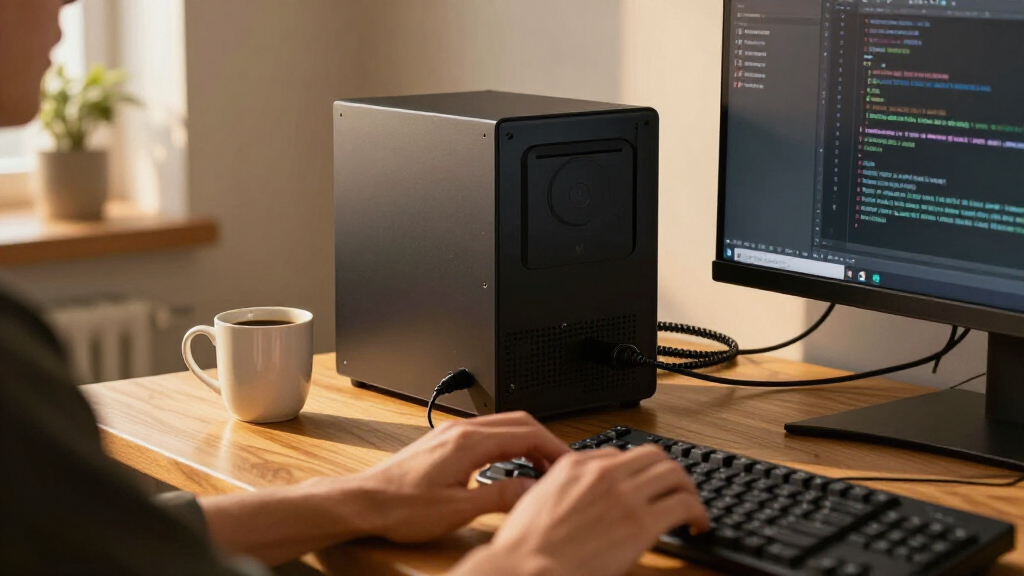
I compared these systems by how well their listed processors, memory, and storage match common development workloads: editors and browsers, compiling, containers, virtual machines, and local AI work. I gave more weight to balanced configurations that offer useful headroom across several tasks, then separated specialist systems from everyday coding machines. The BOSGAME P6 ranks first for its combination of a Ryzen 9 processor, 24GB RAM, and 1TB SSD; the GEEKOM IT13 Max follows for CPU focused workloads, and the ASUS Ascent GX10 earns a distinct place for AI workloads rather than general value.
For the remaining picks, I considered whether each configuration gives a developer enough memory and storage to avoid an immediate bottleneck, and whether its stated hardware has a clear use case. Models with 16GB RAM are more comfortable starting points for multitasking than the 8GB options, while 256GB SSDs leave less room for toolchains and local data. Product details supplied here do not specify every upgrade path, port, cooling behavior, or operating system, so buyers should confirm those points before choosing. I rank by developer fit and configuration balance, not by a claim that every system suits every workflow.
| mini pc for developer | Operating system |
|---|---|
| C4 Plus Mini PC with Ryzen 5 3 | Pre-installed Windows 11 Pro; supports Ubuntu and Linux |
| VZMORE AX9 Max Mini PC with AM | Windows 11 Pro; compatible with Linux including Ubuntu |
| BOSGAME P6 Mini PC with AMD Ry | Windows 11 Pro; compatible with Ubuntu |
| KAMRUI Pinova P2 Mini PC | — |
| ASUS Ascent GX10 Mini PC with | — |
| BOSGAME E5 Plus Mini PC with A | Windows 11 Pro; supports Ubuntu |
| BOSGAME E5 Mini PC with Ryzen | Windows 11 Pro |
| ACEMAGIC K1 Mini PC with AMD R | — |
| GEEKOM IT13 Max Mini PC | — |
| ACEMAGICIAN S3A Mini PC with R | — |
Factors to Consider When Choosing Mini Pc For Developers
Choosing a developer mini PC starts with the work you expect it to do over the next few years. A compact system can handle a full coding setup, but a small case makes it especially useful to check memory, storage, cooling, and upgrade details before buying.
Match the CPU to your build workload
Most editor, browser, and scripting work does not need a flagship processor, but compile times can grow with project size and parallel builds. A higher tier CPU makes more sense when you regularly build large codebases, run several services locally, or work across multiple development environments at once. Compare processor generations and sustained performance information where available; a model name alone does not show how a small chassis handles long workloads. For occasional coding, diverting budget from CPU to more memory or storage may improve daily use more. Think about the slowest part of your current workflow before paying for extra compute.
Plan memory around containers and virtual machines
Memory use adds up quickly when an IDE, browser tabs, databases, containers, and a virtual machine run together. Sixteen gigabytes is a more comfortable starting point for many general development setups, while heavier local workloads can benefit from more. A common mistake is to judge a machine by how smoothly it opens an editor, then discover that the same setup struggles once multiple services are running. Check whether RAM is upgradeable, how many slots are available, and whether the listed capacity is soldered or replaceable. If the system cannot be upgraded, choose capacity for your likely workload rather than your first week of use.
Estimate storage for tools, repositories, and local data
Development storage holds more than source code: SDKs, dependency caches, container images, test data, and virtual machine disks can consume space steadily. A 256GB drive can work for focused projects, but it leaves less breathing room if you keep several toolchains or datasets locally. One sensible approach is to prioritize a larger internal SSD when you need portable, always available project space, and use external storage for archives or bulky files you rarely open. Check the drive type, replacement options, and whether a second storage slot exists. Keep room for free space as well, since a nearly full drive can complicate updates and workflows.
Treat local AI as a separate hardware decision
AI development ranges from calling hosted APIs to running models locally, and those jobs need very different hardware. For API based work, a balanced CPU, sufficient RAM, and reliable networking may matter more than a specialist AI chip. Local model work can depend on accelerator support, compatible software, memory capacity, and the size of the models you plan to run. Do not assume a large memory figure alone guarantees compatibility or fast inference; check the software stack and supported workloads. Pay for dedicated AI hardware when local experimentation is a real part of your work, not just a possible future interest.
Check cooling, ports, and upgrade access
A mini PC’s small footprint is useful on a crowded desk, but sustained builds can keep its processor busy longer than everyday browsing does. Look for independent information about noise and thermal behavior under load, since a short burst of speed does not describe a long compile. Count the ports you need for monitors, wired networking, storage, and debugging devices, then confirm the exact versions and display capabilities. Also check whether the case can be opened easily and whether memory or storage replacement affects support coverage. These practical details can decide whether a fast system fits your desk and routine.
Frequently Asked Questions
Is 16GB of RAM enough for software development on a mini PC?
For one IDE, browser, and a modest local project, 16GB can be a workable starting point. Containers, virtual machines, large browser sessions, and mobile development tools can use that capacity quickly when run together. If your workload regularly includes several of those at once, look for more memory or a confirmed upgrade path. The BOSGAME P6’s 24GB configuration offers more headroom than the 16GB systems in this roundup, while the ASUS Ascent GX10 is aimed at much more memory intensive work. Check whether the RAM can be replaced before treating a smaller configuration as a future proof choice.
Should I choose a faster processor or a larger SSD?
Choose based on the delay or limitation you actually encounter. Large builds and parallel workloads benefit from a stronger processor, while a small SSD can become frustrating as toolchains, container images, and local datasets accumulate. For light coding and a growing set of projects, storage capacity may improve day to day convenience more than a top tier CPU. If builds are already the bottleneck and storage use is modest, favor CPU performance. The P6 and IT13 Max both pair high tier processors with 1TB drives, offering a more balanced starting point than a system with a 256GB SSD.
Can a mini PC replace my desktop for development?
It can replace a desktop for many editor based, web, and general application development workflows, provided its processor, memory, and storage match your projects. The smaller case may limit cooling during long, heavy workloads, and compact systems often offer fewer upgrade options than a tower. Before switching, check your monitor connections, required ports, operating system needs, and whether you rely on a discrete GPU. A mini PC also changes how you plan repairs and upgrades, so verify access to memory and storage. Developers who run sustained compute or graphics workloads should compare workload performance and cooling evidence, not just the form factor.
Is the ASUS Ascent GX10 a good choice for ordinary coding?
It can run ordinary coding tasks, but its NVIDIA GB10 Superchip and 128GB of memory are most relevant when local AI or other memory intensive workloads justify them. For general software development, that specialized capability may sit unused while a balanced system such as the BOSGAME P6 or GEEKOM IT13 Max better matches everyday build and multitasking needs. Confirm support for your intended frameworks, drivers, and development environment before choosing the GX10 for AI work. If you mostly use hosted AI services, you may not need its specialized hardware. The right choice depends on whether local model development is a regular workload.
What should I verify before buying a mini PC for Linux development?
Check Linux support for the exact processor, integrated or dedicated graphics, Wi-Fi, Bluetooth, and networking hardware in the configuration you plan to buy. Look for reports covering the distribution and kernel version you intend to use, since support can vary even between models from the same brand. Confirm that firmware settings, sleep behavior, and display outputs work with your setup if those matter to your routine. Also check the return and support terms in case a device has an unsupported component. A processor spec alone cannot confirm a smooth Linux installation.
Conclusion
For one compact system that balances everyday development, multitasking, and storage, I recommend the BOSGAME P6 as the best overall. The BOSGAME E5 or KAMRUI Pinova P2 can make more sense for lighter projects and tighter budgets, though buyers should check their exact memory and upgrade needs; I’d favor the Pinova P2 for beginners who want a 16GB starting configuration. For CPU heavy builds, choose the GEEKOM IT13 Max; for local AI work that can use its specialized hardware and large memory capacity, choose the ASUS Ascent GX10. The right pick depends on whether your daily limit is compute, memory, storage, or AI capability, so match that constraint before choosing a compact case.