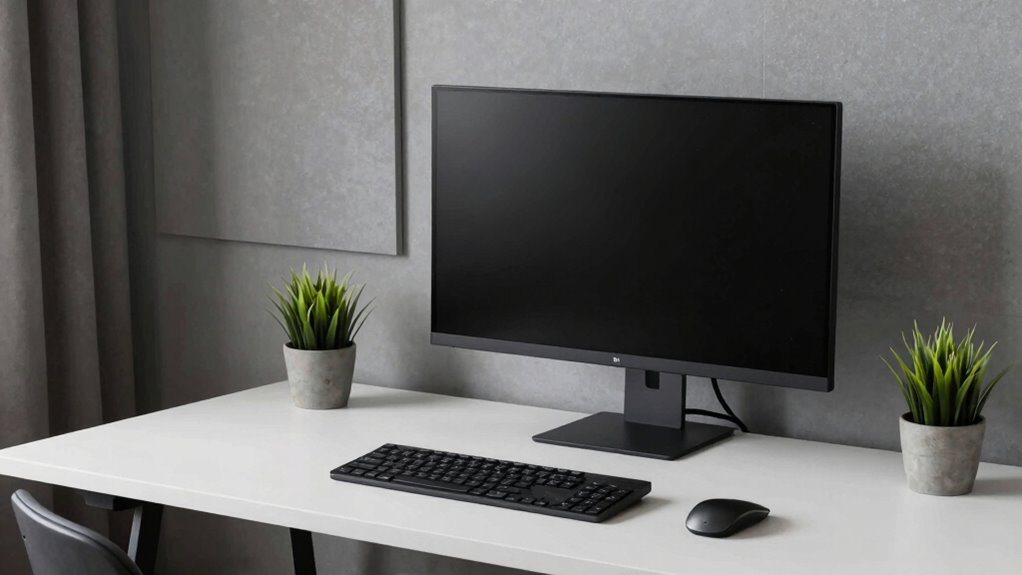

Shopping for a quiet workstation desktop means balancing three things that rarely coexist: real processing power, near-silent cooling, and a price that makes sense for your workload. The HP Z2 Tower G4 stands out as my best overall pick because its eight-core i9-9900K handles heavy multitasking while its tower chassis keeps fan noise low under sustained loads. If you need certified graphics grunt for CAD or 3D work, the HP Z4 G4 with its Quadro M4000 is the stronger (though bulkier and pricier) choice, while the Dell Pro Micro QCM1250 proves a tiny mini PC can be genuinely silent thanks to its low-power 35W processor. The main tradeoff you’ll face in this category is refurbished enterprise workstations offering maximum power per dollar versus newer compact machines offering efficiency and silence. Keep reading for the full breakdown of all twelve machines and who each one suits best.

Get the latest gadgets delivered free with Prime
- Fast, free delivery on millions of items
- Prime Video, Amazon Music and more included
- Member-only deals all year
Complete the kit


Key Takeaways
- Tower workstations like the HP Z2 Tower G4 and HP Z4 G4 stay quieter under sustained loads because their larger cases allow slower-spinning fans — compact machines only win on silence when paired with low-wattage T-series processors.
- The biggest value split in this roundup is refurbished enterprise gear (Z440, OptiPlex 7060/7070) versus new 14th-gen hardware (Dell Tower i3-14100, Dell Business i5-14500): used towers win on cores and memory capacity, new machines win on efficiency and DDR5 support.
- Quadro graphics (M4000, K2000) only matter if you run certified professional applications; for general office or development work, integrated graphics on newer i5/i7 chips are quieter and generate less heat.
- The 8GB machines in this lineup (OptiPlex 3070 Micro, Acer Aspire) are the weakest picks for workstation duty — memory, not CPU speed, is the first bottleneck most buyers hit.
- Mini PCs (Lenovo M720Q, Dell Pro Micro) are the safest bet for genuinely silent desks, but their 35W processors trade away roughly 20–30% of sustained performance compared with full-power tower chips.
| HP Z4 G4 Workstation Tower – Intel Xeon W-2133, 64GB RAM, 512GB NVMe SSD + 2TB HDD, Quadro M4000 8GB, Windows 11 Pro (Refurbished) |  | Best Overall Workstation Power | Processor: Intel Xeon W-2133 6-core (3.6GHz base, up to 3.9GHz turbo) | RAM: 64GB DDR4 | Storage: 512GB NVMe M.2 SSD + 2TB HDD | VIEW ON AMAZON | See Our Full Breakdown |
| HP Z2 Tower G4 Workstation, Intel 8-Core i9-9900K 3.6GHz, 64GB DDR4 RAM, 1TB NVMe PCIe M.2 SSD, Windows 11 Pro (Renewed) |  | Best Upgrade Platform | Processor: Intel Core i9-9900K 8-core, 3.6GHz | RAM: 64GB DDR4 | Storage: 1TB NVMe PCIe M.2 SSD | VIEW ON AMAZON | See Our Full Breakdown |
| Dell OptiPlex 7070 SFF Desktop with Intel Core i7-9700, 32GB RAM, 1TB NVMe SSD, Wi-Fi 6E, and Windows 11 Pro |  | Best Value Complete Package | Processor: Intel Core i7-9700, 8-core, 3.0GHz up to 4.7GHz | Memory: 32GB DDR4 | Storage: 1TB M.2 NVMe SSD | VIEW ON AMAZON | See Our Full Breakdown |
| Dell Tower Desktop with Intel Core i3-14100, 16GB DDR5 RAM, and 1TB PCIe SSD |  | Best Modern Architecture | Processor: Intel Core i3-14100, 4 cores/8 threads, 3.5GHz base, 4.7GHz turbo | Memory: 16GB DDR5 | Storage: 1TB PCIe NVMe SSD | VIEW ON AMAZON | See Our Full Breakdown |
| Dell OptiPlex 3070 Micro Refurbished Desktop, Intel Core i5-9500, 8GB RAM, 250GB SSD, Windows 11 Pro |  | Best Ultra-Compact Budget Pick | Processor: Intel Core i5-9500, 9th generation, hexa-core | Memory: 8GB DDR4 | Storage: 250GB SSD | VIEW ON AMAZON | See Our Full Breakdown |
| Acer Aspire Business Desktop, Intel Celeron, 8GB RAM, 256GB SSD |  | Best Budget Quiet Desk Companion | Processor: Intel Celeron, up to 4.6 GHz | Memory: 8 GB | Storage: 256 GB PCIe SSD | VIEW ON AMAZON | See Our Full Breakdown |
| Dell Pro Micro QCM1250 Mini PC, i5-14500T, 32GB DDR5, 1TB SSD |  | Best Compact Workstation | Processor: Intel Core i5-14500T, 14 cores | Memory: 32GB DDR5 | Storage: 1TB SSD | VIEW ON AMAZON | See Our Full Breakdown |
| Dell OptiPlex 7060 SFF Desktop, i7-8700, 32GB RAM, 512GB NVMe (Renewed) | 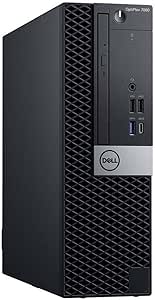 | Best Value Multitasker | Processor: Intel Core i7-8700, 6 cores, up to 4.60 GHz | Memory: 32GB DDR4 | Storage: 512GB M.2 NVMe SSD | VIEW ON AMAZON | See Our Full Breakdown |
| HP Z440 Workstation (Xeon E5-1650 v4, 16GB RAM, Quadro K2000) – Renewed |  | Best for Specialized Software on a Budget | Processor: Intel Xeon E5-1650 v4, 6 cores, 3.6 GHz | Memory: 16 GB DDR3, 4 slots free | Storage: 1 TB NVMe SSD | VIEW ON AMAZON | See Our Full Breakdown |
| Dell Business Desktop, i5-14500, 16GB DDR5, 512GB SSD |  | Best Balanced New Tower | Processor: Intel Core i5-14500, 14 cores, 20 threads, up to 5.0 GHz | Memory: 16GB DDR5 | Storage: 512GB PCIe SSD | VIEW ON AMAZON | See Our Full Breakdown |
| HP ProDesk 400 G7 SFF Business Desktop |  | Best Budget Desk Companion for Light Work | Processor: Intel Celeron G5905 (2 Cores, 3.5GHz) | RAM: 16GB DDR4 | Storage: 1TB HDD + 256GB PCIe SSD | VIEW ON AMAZON | See Our Full Breakdown |
| Lenovo ThinkCentre M720Q Mini PC (Renewed) |  | Best Tiny Footprint for Noise-Sensitive Desks | Processor: Intel Core i5-8400T (6 Cores, 35W) | RAM: 16GB DDR4 | Storage: 500GB NVMe M.2 SSD | VIEW ON AMAZON | See Our Full Breakdown |
| quiet workstation desktop | Processor | Storage | Memory | Condition |
|---|---|---|---|---|
| HP Z4 G4 Workstation Tower | Intel Xeon W-2133 6-core (3.6GHz base, up to 3.9GHz turbo) | 512GB NVMe M.2 SSD + 2TB HDD | — | Certified Refurbished |
| HP Z2 Tower G4 Workstation | Intel Core i9-9900K 8-core, 3.6GHz | 1TB NVMe PCIe M.2 SSD | — | Renewed |
| Dell OptiPlex 7070 SFF Desktop | Intel Core i7-9700, 8-core, 3.0GHz up to 4.7GHz | 1TB M.2 NVMe SSD | 32GB DDR4 | Renewed |
| Dell Tower Desktop with Intel | Intel Core i3-14100, 4 cores/8 threads, 3.5GHz base, 4.7GHz turbo | 1TB PCIe NVMe SSD | 16GB DDR5 | — |
| Dell OptiPlex 3070 Micro Refur | Intel Core i5-9500, 9th generation, hexa-core | 250GB SSD | 8GB DDR4 | Refurbished |
| Acer Aspire Business Desktop | Intel Celeron, up to 4.6 GHz | 256 GB PCIe SSD | 8 GB | — |
| Dell Pro Micro QCM1250 Mini PC | Intel Core i5-14500T, 14 cores | 1TB SSD | 32GB DDR5 | — |
| Dell OptiPlex 7060 SFF Desktop | Intel Core i7-8700, 6 cores, up to 4.60 GHz | 512GB M.2 NVMe SSD | 32GB DDR4 | Renewed |
| HP Z440 Workstation | Intel Xeon E5-1650 v4, 6 cores, 3.6 GHz | 1 TB NVMe SSD | 16 GB DDR3, 4 slots free | Renewed |
| Dell Business Desktop | Intel Core i5-14500, 14 cores, 20 threads, up to 5.0 GHz | 512GB PCIe SSD | 16GB DDR5 | — |
| HP ProDesk 400 G7 SFF Business | Intel Celeron G5905 (2 Cores, 3.5GHz) | 1TB HDD + 256GB PCIe SSD | — | — |
| Lenovo ThinkCentre M720Q Mini | Intel Core i5-8400T (6 Cores, 35W) | 500GB NVMe M.2 SSD | — | Renewed |
More Details on Our Top Picks
HP Z4 G4 Workstation Tower – Intel Xeon W-2133, 64GB RAM, 512GB NVMe SSD + 2TB HDD, Quadro M4000 8GB, Windows 11 Pro (Refurbished)
The HP Z4 G4 earns the top spot because it is the only option in this lineup that arrives ready for professional 3D and CAD work out of the box. The Quadro M4000 with four DisplayPorts means a multi-monitor design setup needs no extra hardware, something the Dell OptiPlex 7070 SFF cannot match with its two-display limit. HP’s workstation chassis engineering also matters for the quiet angle: large-diameter, low-RPM cooling fans and a thermally generous tower design keep noise down under sustained loads, where compact boxes spin fans harder. The tradeoff is age — the Xeon W-2133 and Quadro M4000 are several generations behind, so buyers chasing cutting-edge rendering performance should look at newer platforms instead of this one.
Pros:- Workstation-class Quadro M4000 8GB GPU with four DisplayPorts for multi-monitor setups
- 64GB RAM plus dual-drive storage combines fast NVMe boot with 2TB of bulk capacity
- Large tower chassis with workstation cooling design runs quietly under sustained workloads
- Windows 11 Pro pre-installed with a warranty on a certified refurbished unit
Cons:- Older-generation CPU and GPU will struggle with the most demanding modern workloads
- Refurbished condition can vary unit to unit despite certification
Best for: CAD designers, 3D modelers, and engineers who need certified workstation hardware and multi-monitor support without buying new
Not ideal for: Buyers wanting current-generation performance or GPU-heavy modern rendering — the Quadro M4000 predates recent advances
- Processor:Intel Xeon W-2133 6-core (3.6GHz base, up to 3.9GHz turbo)
- RAM:64GB DDR4
- Storage:512GB NVMe M.2 SSD + 2TB HDD
- GPU:NVIDIA Quadro M4000 8GB (4x DisplayPort)
- Power Supply:750W high-efficiency PSU
- Connectivity:USB 3.1, dual 1GbE LAN, audio in/out
- OS:Windows 11 Pro 64-bit
- Condition:Certified Refurbished
Our verdict“This is the pick for professionals who need quiet, multi-monitor workstation capability today and can accept yesterday’s silicon in exchange.”
HP Z2 Tower G4 Workstation, Intel 8-Core i9-9900K 3.6GHz, 64GB DDR4 RAM, 1TB NVMe PCIe M.2 SSD, Windows 11 Pro (Renewed)
Where the HP Z4 G4 ships complete, the Z2 Tower G4 takes the opposite approach: strong CPU foundation, no graphics card included, and plenty of headroom to grow. That makes it the smarter buy for anyone who already owns a GPU or plans to add a modern one — you avoid paying twice for graphics, which is exactly what happens with the Z4’s older Quadro. The 8-core i9-9900K actually outpaces the Z4’s Xeon in single- and multi-threaded speed, so day-to-day responsiveness favors this machine. The tower format also supports quiet, high-airflow cooling with room for larger heatsinks. Just budget for the missing pieces: graphics card, keyboard, mouse, and WiFi are all separate purchases, and the renewed status means inspecting the unit on arrival.
Pros:- i9-9900K 8-core CPU delivers strong performance for modeling, editing, and simulation work
- Excellent expandability for future GPU, storage, and memory upgrades
- Tower chassis accommodates large coolers for quiet operation under load
- Clean Windows 11 Pro install with no bloatware
Cons:- No graphics card included — an essential purchase for any visual workload
- Keyboard, mouse, and WiFi not included
- Renewed condition means variable cosmetic and component wear
Best for: Upgraders and builders who want a fast 8-core workstation chassis and already have (or will choose) their own graphics card
Not ideal for: Buyers wanting a complete plug-and-play system — GPU, keyboard, mouse, and WiFi all cost extra
- Processor:Intel Core i9-9900K 8-core, 3.6GHz
- RAM:64GB DDR4
- Storage:1TB NVMe PCIe M.2 SSD
- Graphics Card:Not included (sold separately)
- OS:Windows 11 Pro
- Form Factor:Tower workstation
- Condition:Renewed
Our verdict“The right choice if you’d rather build your perfect quiet workstation around a powerful CPU than accept a fixed configuration.”
Dell OptiPlex 7070 SFF Desktop with Intel Core i7-9700, 32GB RAM, 1TB NVMe SSD, Wi-Fi 6E, and Windows 11 Pro
The OptiPlex 7070 SFF lands in the value sweet spot by bundling what others leave out. Unlike the HP Z2 Tower G4, it includes a wireless keyboard, mouse, and Wi-Fi 6E — a genuinely modern wireless adapter that many pricier renewed machines skip. The 8-core i7-9700 with 32GB of RAM handles the office multitasking and light creative work that defines most quiet-desk setups, and the small form factor tucks behind a monitor with far less fan noise than a full tower working hard. The compromise is ceiling: compared with the Z4 G4’s 64GB and workstation GPU, this Dell tops out as a productivity machine, and its compact case limits expansion to low-profile graphics options at most. For a complete, quiet, desk-ready package, though, it is hard to beat.
Pros:- Includes wireless keyboard, mouse, and Wi-Fi 6E — rare completeness in this price territory
- 8-core i7-9700 with 32GB RAM handles heavy multitasking smoothly
- 1TB NVMe SSD provides fast boot and load times
- Compact chassis runs quietly and saves desk space
Cons:- Renewed condition rather than new
- Small form factor restricts future graphics and expansion options
Best for: Home-office professionals who want a desk-ready system with peripherals, wireless connectivity, and dual-monitor support included
Not ideal for: Anyone planning GPU upgrades or heavy 3D work — the small form factor chokes expansion room
- Processor:Intel Core i7-9700, 8-core, 3.0GHz up to 4.7GHz
- Memory:32GB DDR4
- Storage:1TB M.2 NVMe SSD
- Wireless:Wi-Fi 6E (AX210)
- Display Support:2x DisplayPort, supports two displays
- USB Ports:5x USB 3.1, 4x USB 2.0
- OS:Windows 11 Pro
- Condition:Renewed
Our verdict“Buy it if you want everything in the box and quiet office performance; skip it if upgrade path matters.”
Dell Tower Desktop with Intel Core i3-14100, 16GB DDR5 RAM, and 1TB PCIe SSD
This Dell tower is the newest silicon in the batch, and it shows in ways that matter for a quiet workstation. The 14th-gen i3-14100 is a low-power, efficient chip — and efficient chips produce less heat, which means slower-spinning fans and a quieter desk. Pair that with fast DDR5 memory and a 1TB PCIe SSD, and everyday productivity feels snappier than the specs suggest. Compared with the renewed OptiPlex 7070, this machine offers newer platform features: USB-C, HDMI 2.1, Wi-Fi 6, Bluetooth, and support for up to four FHD displays. The obvious limitation is the integrated UHD 730 graphics and a 4-core CPU — fine for documents, browsing, and spreadsheets, but the HP Z4 G4 is in a different league for any 3D workload. Know your workload before choosing.
Pros:- Current-generation 14th-gen platform with efficient, cool-running performance
- 16GB DDR5 and 1TB PCIe NVMe SSD feel fast for everyday work
- Supports up to four FHD or two 4K displays with HDMI 2.1 and DisplayPort 1.4
- Modern connectivity including USB-C, Wi-Fi 6, and Bluetooth
Cons:- Integrated UHD 730 graphics unsuited to demanding visual workloads
- 4-core processor limits headroom for heavy multitasking or compute tasks
Best for: Productivity-focused professionals who value current-gen efficiency, quiet thermals, and multi-monitor office setups
Not ideal for: 3D designers or video editors — integrated graphics and a 4-core CPU cap creative performance
- Processor:Intel Core i3-14100, 4 cores/8 threads, 3.5GHz base, 4.7GHz turbo
- Memory:16GB DDR5
- Storage:1TB PCIe NVMe SSD
- Graphics:Intel UHD 730
- Wireless:Wi-Fi 6 (802.11ax), Bluetooth
- Display Support:Up to 4 FHD monitors or 2 4K displays
- Ports:USB-C 3.2 Gen 1, 3x USB 3.2, 4x USB 2.0, HDMI 2.1, DisplayPort 1.4, Gigabit Ethernet
- OS:Windows 11 Pro 64-bit
Our verdict“The best pick for a modern, quiet, new-condition office desktop — as long as graphics work isn’t on the agenda.”
Dell OptiPlex 3070 Micro Refurbished Desktop, Intel Core i5-9500, 8GB RAM, 250GB SSD, Windows 11 Pro
The OptiPlex 3070 Micro wins on footprint alone — it mounts behind a monitor or sits nearly invisible on a shelf, making it the quietest-desk option here by virtue of minimal moving parts and a low-power 35W-class design. Compared with the Lenovo ThinkCentre M720Q, it plays in the same micro category but arrives with a cleaner Windows 11 Pro setup for business use. The hexa-core i5-9500 handles office applications without strain, and built-in Wi-Fi plus Bluetooth keep cabling to a minimum. The compromises are real, though: 8GB of RAM and a 250GB SSD will pinch quickly if you juggle large files, many browser tabs, or creative software. It also shares the renewed-condition caveat of the HP and Dell machines above it. Treat it as a capable, quiet terminal rather than a primary powerhouse.
Pros:- Micro form factor fits behind monitors or on crowded desks
- Low-power hexa-core i5 runs cool and quiet for everyday office tasks
- Wi-Fi and Bluetooth included for wireless setups
- Windows 11 Pro pre-installed
Cons:- 8GB RAM limits heavy multitasking and modern application overhead
- 250GB SSD fills quickly with large files or many applications
- Refurbished condition with no upgrade-friendly interior
Best for: Space-constrained home offices, reception desks, and secondary workstations where silence and a tiny footprint outrank raw power
Not ideal for: Power users — 8GB RAM and 250GB storage fill up fast under demanding workloads
- Processor:Intel Core i5-9500, 9th generation, hexa-core
- Memory:8GB DDR4
- Storage:250GB SSD
- Wireless:Wi-Fi and Bluetooth adapter
- OS:Windows 11 Pro
- Form Factor:Micro desktop
- Condition:Refurbished
Our verdict“A sensible ultra-compact choice for light, quiet office work — just don’t expect it to be your only serious machine.”
Acer Aspire Business Desktop, Intel Celeron, 8GB RAM, 256GB SSD
Not every quiet workstation needs workstation horsepower. The Acer Aspire Business Desktop earns a spot as the lowest-pressure pick in this lineup because its Celeron chip and integrated UHD 730 graphics draw so little power that the cooling fan rarely has to work hard — which is exactly what makes a desk quiet. Compared with the Dell Business Desktop (i5-14500), it gives up most multitasking headroom, but it also costs and stresses far less for basic office duty. Dual HDMI outputs mean a two-monitor setup works out of the box, and Wi-Fi 6 plus an SD card reader round out a sensible connectivity loadout. The tradeoff is blunt: 256GB of storage fills fast, and anything beyond documents, browsers, and video calls will feel sluggish.
Pros:- Low-power Celeron keeps fan noise minimal
- Two HDMI outputs support dual monitors out of the box
- Wi-Fi 6, Bluetooth, and SD card reader included
- Keyboard and mouse bundled
Cons:- 256GB SSD fills quickly with modern software
- Integrated graphics and Celeron performance limit demanding tasks
Best for: Writers, admin staff, and front-desk users who need a near-silent machine for documents, email, and dual-monitor web work
Not ideal for: Anyone juggling large spreadsheets, many browser tabs, or media work — the Celeron and 8GB of RAM will bottleneck quickly
- Processor:Intel Celeron, up to 4.6 GHz
- Memory:8 GB
- Storage:256 GB PCIe SSD
- Graphics:Intel UHD Graphics 730
- Operating system:Windows 11 Home
- Ports:7 USB, 2 HDMI, Ethernet, VGA, SD card reader
- Dimensions:14.2 x 6.4 x 19.3 inches, 13.2 lb
Our verdict“A sensible budget choice for quiet, light-duty desk work — just don’t expect it to grow with heavier workloads.”
Dell Pro Micro QCM1250 Mini PC, i5-14500T, 32GB DDR5, 1TB SSD
If silence and desk space are your top priorities, the Dell Pro Micro QCM1250 is the strongest argument in this batch. Its 35W i5-14500T is the efficiency-tuned sibling of the chip in the Dell Business Desktop (B0H4YQXLL6), meaning near-identical responsiveness with less heat — and less fan noise. At roughly the size of a hardcover book, it mounts behind a monitor and effectively disappears from both your desk and your ears. Compared with the renewed Lenovo ThinkCentre M720Q, it offers a much newer 14-core processor, double the memory standard, and a three-year warranty. The compromises are real, though: integrated UHD 770 graphics cap GPU-heavy work, and the tiny chassis leaves little room for internal upgrades.
Pros:- Efficient 35W 14-core processor runs cool and quiet
- 32GB DDR5 and 1TB SSD handle heavy multitasking
- Supports three displays at up to 4K
- Windows 11 Pro plus three-year warranty
Cons:- Integrated graphics limit visual and 3D work
- Minimal internal upgrade path in the micro form factor
Best for: Professionals in shared or open offices who want triple-display productivity with virtually no audible fan noise or desk footprint
Not ideal for: Users who want internal expandability or GPU-accelerated rendering — the micro chassis and integrated graphics close both doors
- Processor:Intel Core i5-14500T, 14 cores
- Memory:32GB DDR5
- Storage:1TB SSD
- Graphics:Intel UHD 770 integrated
- Operating system:Windows 11 Pro
- Display support:Up to 3 displays, up to 4K
- Wireless:Wi-Fi 6E, Bluetooth
- Dimensions:7.2 x 7 x 1.4 inches, 2.81 kg
Our verdict“The quietest full-productivity option here — ideal when performance matters but noise and footprint don’t belong on your desk.”
Dell OptiPlex 7060 SFF Desktop, i7-8700, 32GB RAM, 512GB NVMe (Renewed)
The Dell OptiPlex 7060 SFF hits a sweet spot this roundup otherwise misses: serious multitasking muscle at a value price. Its six-core i7-8700 with 32GB of RAM out-muscles the newer-but-lighter Acer Aspire Celeron build for heavy browser sessions and office software, and the NVMe SSD keeps boot and load times quick. The small-form-factor chassis runs noticeably hushed under typical office loads since the cooling system was designed for corporate fleet duty. Against the Dell Pro Micro QCM1250, you trade the modern micro footprint and warranty length for a larger box that still hides under a desk easily. Buyers should accept two realities: it’s a renewed machine, and the SFF case leaves only cramped room for future expansion.
Pros:- Six-core i7 with 32GB RAM handles heavy multitasking
- Fast NVMe SSD for quick boot and file access
- Dual DisplayPort outputs for a two-monitor setup
- Wi-Fi, Bluetooth, and wireless keyboard/mouse included
Cons:- Renewed condition may not satisfy buyers wanting new hardware
- Small form factor limits future expansion
Best for: Budget-conscious professionals who want 32GB of RAM and six-core multitasking for spreadsheets, tabs, and dual monitors without paying new-retail prices
Not ideal for: Buyers who insist on factory-new hardware or plan to add a dedicated GPU later — the renewed status and SFF case work against both
- Processor:Intel Core i7-8700, 6 cores, up to 4.60 GHz
- Memory:32GB DDR4
- Storage:512GB M.2 NVMe SSD
- Operating system:Windows 11 Pro
- Ports:5 USB 3.0, 2 USB 2.0, 2 DisplayPort, DVD+RW
- Connectivity:Wi-Fi, Bluetooth
- Condition:Renewed
Our verdict“The smart value play for quiet, RAM-hungry office work — if renewed hardware doesn’t bother you.”
HP Z440 Workstation (Xeon E5-1650 v4, 16GB RAM, Quadro K2000) – Renewed
This is the only machine in this batch with a dedicated graphics card, and that changes who it’s for. The HP Z440 exists for people whose software — CAD, older editing suites, certain medical or engineering tools — specifically wants NVIDIA Quadro drivers, something the integrated graphics in the Dell Pro Micro and Dell i5-14500 tower can’t provide. The six-core Xeon and 1TB NVMe SSD hold up for content work, and the tower’s large, slow-spinning fans keep it surprisingly calm at moderate loads. But be clear-eyed: this is 2015-era hardware with DDR3 memory, a Quadro K2000 that’s weak by modern standards, and no operating system included, so you’ll install one yourself. Compared with the Z4 G4 elsewhere in this roundup, it’s the cheaper, older sibling.
Pros:- Dedicated Quadro K2000 with certified drivers for professional apps
- Six-core Xeon handles video and multimedia work
- 1TB NVMe SSD for fast storage
- Amazon Renewed Guarantee covers replacement or refund
Cons:- No operating system included — separate purchase and install required
- 2015-era DDR3 memory and dated GPU performance
Best for: Users locked into legacy Quadro-certified applications who want certified graphics and workstation-class hardware at minimal cost
Not ideal for: General office users and modern gamers — the old platform, absent OS, and aging GPU make it a poor all-around pick
- Processor:Intel Xeon E5-1650 v4, 6 cores, 3.6 GHz
- Memory:16 GB DDR3, 4 slots free
- Storage:1 TB NVMe SSD
- Graphics:NVIDIA Quadro K2000, 4 GB GDDR5
- Max display resolution:3840 x 2160 via DisplayPort
- Expansion:5 slots
- Operating system:None included
- Condition:Renewed
Our verdict“Buy it only if your software demands Quadro graphics; everyone else should look at the newer Intel-based options.”
Dell Business Desktop, i5-14500, 16GB DDR5, 512GB SSD
The Dell Business Desktop (i5-14500) is the well-rounded middle of this roundup: a current-generation 14-core, 20-thread processor that stays efficient enough to keep fan noise low during everyday work. It shares its silicon family with the Dell Pro Micro QCM1250 but in a standard tower, trading some compactness for easier serviceability and a friendlier price. With 16GB of DDR5 and a 512GB PCIe SSD, it comfortably runs Office suites, development environments, and dozens of tabs — a clear step up from the Acer Aspire Celeron build for anyone whose workload has grown. Both HDMI and DisplayPort are on hand for dual monitors, plus USB-C for modern docks. The honest weaknesses: integrated graphics rule out GPU-heavy tasks, and there’s no webcam for those wanting video calls handled in-hardware.
Pros:- 14-core, 20-thread current-gen processor multitasks smoothly
- 16GB DDR5 plus fast PCIe SSD
- HDMI, DisplayPort, and USB-C support modern dual-monitor docks
- Wi-Fi 6, Bluetooth, and Ethernet all included
Cons:- Integrated graphics limit visual workloads
- No webcam included
Best for: Mainstream professionals who want a new, modern, quiet tower that handles demanding office multitasking for years
Not ideal for: 3D, AI, or gaming workloads — integrated graphics simply aren’t built for them
- Processor:Intel Core i5-14500, 14 cores, 20 threads, up to 5.0 GHz
- Memory:16GB DDR5
- Storage:512GB PCIe SSD
- Operating system:Windows 11 Pro
- Graphics:Integrated
- Ports:USB-A, USB-C, HDMI, DisplayPort, audio combo jack
- Connectivity:Wi-Fi 6, Bluetooth, Ethernet
- Dimensions:12.76 x 6.06 x 11.53 in, 9.17 lb
Our verdict“The best all-around new tower here for quiet, capable everyday work — just not for graphics-heavy jobs.”
HP ProDesk 400 G7 SFF Business Desktop
Not every quiet workstation needs workstation-class muscle — some buyers just want a near-silent, compact box for email, documents, and web apps. That is exactly where this ProDesk fits. The Celeron G5905 runs cool, so the small fans barely spin up under office loads, making it one of the quietest options here for basic tasks. Compared with the Dell OptiPlex 3070 Micro, the SFF chassis trades a little desk footprint for dual storage: the 256GB PCIe SSD keeps boots snappy while the 1TB HDD archives files cheaply. The tradeoff is real, though — where the Dell i3-14100 tower comfortably handles heavier multitasking, this dual-core chip will struggle with large spreadsheets, many browser tabs, or any media work. Windows 11 Pro plus TPM 2.0 gives it legitimate business credentials at the entry level.
Pros:- Cool-running Celeron keeps fan noise minimal for office workloads
- Dual storage combines fast SSD boots with 1TB of cheap HDD capacity
- 16GB RAM is generous at this tier and smooths out everyday multitasking
- Windows 11 Pro with TPM 2.0 and HP Wolf Security suits managed business fleets
Cons:- Dual-core Celeron G5905 is underpowered compared with every Core i5/i7 option here
- The 1TB HDD portion is slow and can cause stutters when accessing archived files
- Only one HDMI and one DisplayPort limits flexible multi-monitor setups
Best for: Small businesses or front-desk staff who need a silent, space-saving PC for documents, email, and light web work
Not ideal for: Anyone running CAD, large datasets, or heavy multitasking — the dual-core Celeron is the slowest processor in this roundup
- Processor:Intel Celeron G5905 (2 Cores, 3.5GHz)
- RAM:16GB DDR4
- Storage:1TB HDD + 256GB PCIe SSD
- Operating System:Windows 11 Pro
- Form Factor:Small Form Factor (11.9 x 10.6 x 3.7 inches)
- Video Outputs:1 x HDMI, 1 x DisplayPort
- Connectivity:Gigabit Ethernet, Wi-Fi, Bluetooth
- Security:TPM 2.0, HP Wolf Security
Our verdict“A sensible pick only if silence, desk space, and budget matter more than raw performance for genuinely light workloads.”
Lenovo ThinkCentre M720Q Mini PC (Renewed)
The M720Q is about as close to silent computing as this roundup gets — a micro chassis with a 35W six-core i5-8400T that produces so little heat the fan rarely becomes audible. It sits between two obvious rivals: it is far more capable than the Dell OptiPlex 3070 Micro (which pairs a similar chip with only 8GB RAM and a 250GB SSD), yet less powerful than the newer Dell Pro Micro QCM1250 with its 14th-gen i5 and DDR5. Where it wins is balance — 16GB of RAM and a 500GB NVMe drive mean it feels responsive immediately, with no storage bottleneck. Two caveats deserve attention: this is a renewed unit, so condition and lifespan carry some uncertainty, and the listing’s processor model is inconsistent between title and description, so confirm the exact CPU before ordering.
Pros:- Low-power 35W six-core processor keeps the micro chassis virtually silent
- 16GB RAM plus NVMe storage delivers responsive everyday multitasking
- Micro form factor mounts behind a monitor or tucks entirely out of sight
- Windows 11 Pro with Wi-Fi and Bluetooth covers a complete desk setup
Cons:- Renewed condition means variable wear and typically shorter warranty coverage
- Listing shows conflicting CPU models (i5-8400T vs i5-8500T), so specs must be confirmed with the seller
- Aging 8th-gen processor trails newer mini PCs like the Dell Pro Micro in efficiency and speed
Best for: Home-office users and librarians-of-quiet spaces who want a genuinely inaudible, palm-sized PC that still handles real multitasking
Not ideal for: Buyers who want warranty peace of mind or guaranteed specs — the renewed condition and inconsistent CPU listing demand verification
- Processor:Intel Core i5-8400T (6 Cores, 35W)
- RAM:16GB DDR4
- Storage:500GB NVMe M.2 SSD
- Operating System:Windows 11 Pro
- Form Factor:Micro desktop
- Connectivity:Wi-Fi, Bluetooth
- Condition:Renewed
Our verdict“The strongest choice for buyers whose top priority is a silent, nearly invisible computer — provided they accept renewed-unit risk.”

How We Picked
I evaluated each machine through one specific lens: how well it delivers workstation-class capability without making itself heard. That meant looking at thermal design first — tower cases with room for large, slow fans ranked above cramped small-form-factor builds, unless the machine used a low-wattage processor that barely needs cooling at all. Sustained performance came second: a quiet machine that throttles the moment you render or compile isn’t a workstation, so I favored configurations with enough cores, memory headroom, and NVMe storage to hold boost clocks under real workloads.
From there, I weighed value trajectory and condition. Several of these are refurbished enterprise units, so I compared what each config offers per dollar against new 14th-gen alternatives, factoring in warranty risk and upgrade paths. Finally, I considered who each machine is actually for — a certified-graphics tower for CAD users is a different product than a silent mini PC for a library-quiet home office, and the ranking reflects those distinct roles rather than a single performance score.
| quiet workstation desktop | Condition | Operating system |
|---|---|---|
| HP Z4 G4 Workstation Tower | Certified Refurbished | — |
| HP Z2 Tower G4 Workstation | Renewed | — |
| Dell OptiPlex 7070 SFF Desktop | Renewed | — |
| Dell Tower Desktop with Intel | — | — |
| Dell OptiPlex 3070 Micro Refur | Refurbished | — |
| Acer Aspire Business Desktop | — | Windows 11 Home |
| Dell Pro Micro QCM1250 Mini PC | — | Windows 11 Pro |
| Dell OptiPlex 7060 SFF Desktop | Renewed | Windows 11 Pro |
| HP Z440 Workstation | Renewed | None included |
| Dell Business Desktop | — | Windows 11 Pro |
| HP ProDesk 400 G7 SFF Business | — | Windows 11 Pro |
| Lenovo ThinkCentre M720Q Mini | Renewed | Windows 11 Pro |
Factors to Consider When Choosing Quiet Workstation Desktop
Choosing a quiet workstation desktop involves more than picking the fastest spec sheet. The factors below explain how noise, power, and long-term flexibility interact — and where buyers commonly go wrong.Chassis Size and Acoustics Are Linked
The single biggest mistake buyers make is assuming small computers are automatically quiet. Small-form-factor and mini PCs concentrate heat in a tight space, which forces small fans to spin fast — the exact recipe for whiny, intrusive noise. Towers like the HP Z2 and Z4 stay quiet under load because physics works in their favor: bigger heatsinks and larger fans moving air slowly produce the same cooling at a fraction of the acoustic output. The exception is mini PCs built around 35-watt T-series processors, like the Dell Pro Micro and Lenovo M720Q, which generate so little heat that passive or near-passive cooling suffices. Decide first whether you need full-power chips or can live with efficiency-class processors, because that decision determines whether compact or tower is the quieter route for you.
Refurbished Versus New: The Real Tradeoff
Most of the strong value in this category comes from off-lease enterprise workstations, and that’s not an accident — corporate machines were built to higher durability standards than consumer desktops and are depreciated hard after three years. The catch is condition variance: a renewed unit may have worn fans, dried thermal paste, or a battery-backed RAID card that beeps unexpectedly, all of which affect noise. If you go refurbished, plan to inspect fans on arrival and budget for a repaste if the machine was heavily used. New machines with 14th-gen Intel chips give you DDR5, modern efficiency, and a clean warranty, but you’ll pay more per core. For buyers who can do basic maintenance, refurbished towers remain the performance-per-dollar winner.
Memory Headroom Determines Workstation Legitimacy
The difference between a business desktop and a true workstation often comes down to memory, not the CPU badge. Both top picks in this roundup ship with 64GB because sustained workloads — large datasets, virtual machines, heavy browser-based development — exhaust 16GB quickly, and once swapping to disk begins, your quiet machine’s SSD becomes the bottleneck. A common error is buying a machine at 8GB and assuming an upgrade is trivial later; some compact units have limited slots or soldered configurations that cap your ceiling. Check both the installed capacity and the maximum supported capacity before buying. Towers accept more memory more cheaply, which is another hidden reason they hold their value better for professional use.
Certified Graphics Only Matter for Specific Software
Quadro cards in machines like the Z4 G4 and Z440 exist for one reason: ISV certification. Applications in the CAD, GIS, and medical imaging world are validated against professional GPUs, and some features simply won’t run on consumer or integrated graphics. If your software doesn’t fall into that category, a Quadro is dead weight — it adds a fan, adds heat, and adds cost without improving your experience. Modern integrated graphics handle multiple 4K monitors, video playback, and light GPU compute with ease. Be honest about your software stack before paying for a graphics card you’ll never stress.
Storage Configuration Shapes Long-Term Speed
Every machine in this lineup includes some SSD storage, but the configurations differ in ways that matter two years from now. A single small SSD fills up fast, and a machine that boots from a 250GB drive will spend its life fighting for space. Dual-drive setups, like the Z4 G4’s NVMe-plus-2TB-HDD pairing or the ProDesk 400 G7’s SSD-plus-HDD combo, give you fast boot and app loading plus bulk storage for archives. Also check whether the NVMe drive sits on a PCIe 3.0 or 4.0 bus — the difference is invisible day to day, but it affects how well the drive holds up as it fills. Prioritize at least 512GB of NVMe storage, and treat anything less as a planned upgrade.
Power Efficiency and Heat Output Compound Over Time
A workstation desktop runs eight or more hours a day, and the wattage difference between an older Xeon platform and a modern efficiency chip adds up on your power bill and in your room’s temperature. Older six-and-eight-core Xeon systems draw substantially more idle power than 14th-gen equivalents, and every extra watt of heat is a watt your fans must dissipate — which directly affects noise. If your machine lives in a small, warm office, a hotter system will spin its fans up more often regardless of how quiet it is on paper. Buyers chasing maximum cores on a budget should factor this in: the Z440’s twelve-thread Xeon is powerful, but it works harder and louder to deliver that power than a newer i5.
Frequently Asked Questions
Are refurbished workstations like the HP Z4 G4 reliable enough for daily professional use?
Off-lease enterprise workstations are generally solid bets because they were built with higher-grade components than consumer desktops and typically lived gentle lives in climate-controlled offices. The risk isn’t the core hardware — it’s the wear items: fans, thermal paste, and spinning hard drives. A renewed Z4 G4 with a fresh NVMe drive is a very different proposition from one still running its original HDD. My advice is to buy from sellers who specify tested components, open the case within the return window to listen for bearing noise, and repaste the CPU if the machine shows thermal throttling. Treated that way, a refurbished workstation can easily serve another five years of professional duty.
Is a mini PC actually quiet enough for recording or audio work?
For most audio-sensitive environments, yes — but choose carefully. Mini PCs built around 35-watt processors, like the Dell Pro Micro QCM1250 and Lenovo ThinkCentre M720Q in this lineup, run their fans so rarely and so gently that they’re effectively inaudible at arm’s length. Full-power mini PCs are a different story: cramming a 65-watt chip into a liter of volume means audible fan noise under load. There’s also coil whine to think about, which varies unit to unit and can’t be judged from specs. If dead silence is non-negotiable, the low-power mini form factor is the safest bet; if you need sustained CPU grunt, a well-cooled tower will actually be quieter under load than a struggling compact machine.
Do I need a Quadro graphics card, or is integrated graphics enough?
It depends entirely on your software. Quadro cards earn their keep through ISV certification — programs like SolidWorks, AutoCAD, and various medical and GIS applications are validated against them, and some features are locked to certified hardware. If you’re doing software development, data analysis, office work, or media consumption, integrated graphics on the i7-9700 or i5-14500 handle multiple monitors and everyday GPU tasks without issue, and they do it silently with no extra fan. The Quadro K2000 in the Z440 is also old enough that its certification value has shrunk; modern software increasingly expects newer GPU architectures. Pay for professional graphics only when a specific application demands it.
How much RAM do I realistically need in a workstation desktop?
For office and browsing, 16GB is a comfortable floor, but workstation workloads consume memory differently. Running virtual machines, large spreadsheets, local AI models, or heavy development environments can push past 32GB quickly, which is why both top picks in this roundup ship with 64GB. Memory pressure matters more for perceived quiet, too: when your system starts swapping to disk, sustained storage and CPU activity keeps fans elevated for longer stretches. Check the maximum supported capacity as well as installed capacity — the Z-series towers accept far more memory than small-form-factor machines, which protects your upgrade path. If you’re choosing between a faster CPU and more RAM at the same price, take the RAM.
Is an older Xeon workstation still worth buying over a new 14th-gen desktop?
For pure multi-threaded throughput per dollar, older Xeon systems like the Z440 and Z4 G4 remain competitive because enterprise depreciation hands you eight cores and ECC memory at consumer-desktop prices. Where they fall behind is efficiency: a 2017-era Xeon platform draws noticeably more power at idle and under load than a 14th-gen i5-14500, which translates to more heat, more fan activity, and higher running costs over years of eight-hour days. Newer chips also bring DDR5, quicker single-core speeds that benefit everyday responsiveness, and modern warranty coverage. If you render or compile for hours daily and upfront cost is the constraint, the Xeon route wins; if your machine runs mixed light-to-moderate workloads, the newer hardware is the smarter long-term buy.
Conclusion
Mapping these twelve machines to real buyers: the HP Z2 Tower G4 is my best overall pick — its eight-core i9, 64GB of RAM, and roomy tower chassis deliver sustained performance at genuinely low noise levels. The HP Z4 G4 takes best premium honors for anyone whose work depends on certified Quadro graphics and massive storage, provided desk space and budget allow. For best value, the renewed Dell OptiPlex 7070 SFF offers a six-core i7, 32GB of RAM, and NVMe storage at a fraction of new-machine cost, while the Dell Tower with i3-14100 is the smartest new-hardware budget option thanks to modern DDR5 efficiency. Beginners and silence-first buyers should head straight to the Dell Pro Micro QCM1250, which pairs a low-power 14th-gen chip with a nearly fanless design. Finally, for a specific niche — a tiny silent secondary workstation — the Lenovo ThinkCentre M720Q fits where nothing else will. Skip the 8GB configurations unless your workload is strictly light office work; everyone else has a clearly better option above.
Halloween Picks
halloween
As an affiliate, we earn on qualifying purchases.