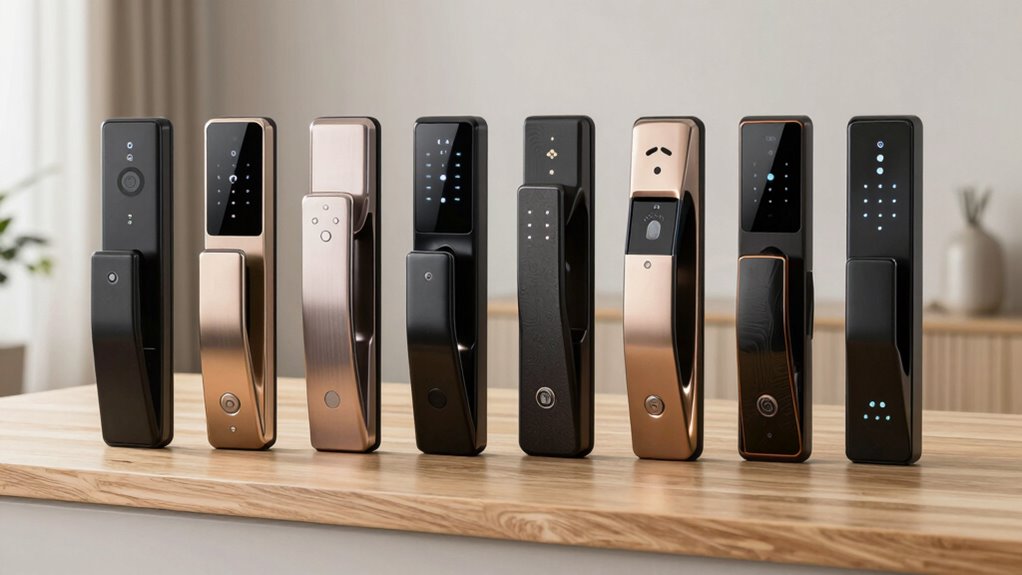
A biometric smart lock can make everyday entry faster, but the right choice depends on your door, preferred access method, and need for remote control. I rank the ULTRALOQ Bolt SE as the best overall for its fingerprint access, Wi-Fi, and Matter over Thread support. The Wyze Palm Lock stands out for hands-free palm vein recognition, while the eLinkSmart SL-P6BF suits buyers who need a biometric padlock rather than a door lock. The tradeoffs across this group include installation fit, app and hub requirements, and how you get in when biometrics or power fail. Read on for the full comparison, buying criteria, and picks for different needs.

Get the latest gadgets delivered free — and shop member deals
- Fast, free delivery on millions of items
- Access to Prime Big Deal Days deals on October 6–7
- Prime Video, Amazon Music and more included
Complete the kit



Key Takeaways
The ULTRALOQ Bolt SE is the most versatile door-lock pick here, combining fingerprint access with Wi-Fi and Matter over Thread; buyers should still confirm deadbolt fit and network requirements before choosing it.
The Wyze Palm Lock takes a different approach from the fingerprint-heavy lineup: palm vein recognition avoids touching a sensor, but that access style may not suit every household or budget.
The eLinkSmart SL-P6BF is the standout for securing gates, lockers, or equipment with a padlock, while the other picks are designed around door hardware.
Many models pair fingerprints with a keypad, app, or card, but those additions matter only if they fit how household members actually enter and share access.
Product names alone do not confirm door compatibility. Check door thickness, backset, bore holes, latch type, and whether the lock replaces a knob, handle, or deadbolt before ordering.
| Wyze Palm Lock Smart Door Lock with Palm Vein Recognition |  | Best for Touch-Free Entry | Unlock methods: Palm vein recognition, keypad, mechanical key, voice control | Connectivity: Wi-Fi | Voice compatibility: Alexa, Google Assistant | VIEW ON AMAZON | See Our Full Breakdown |
| GHome Smart Fingerprint Door Knob with Keypad and App Control |  | Best Value for Shared Interior Access | Unlock methods: Fingerprint, keypad code, Bluetooth app, mechanical key | Fingerprint capacity: Up to 20 | Password capacity: Up to 20 | VIEW ON AMAZON | See Our Full Breakdown |
| Smart Fingerprint Door Knob with App Control, Silver |  | Best for Flexible Interior Modes | Unlock methods: Fingerprint, app, mechanical key | Color: Silver | App connectivity: Bluetooth range | VIEW ON AMAZON | See Our Full Breakdown |
| Yamiry YR01 Smart Door Lock with Fingerprint Keypad |  | Best for Rental Access Options | Model: YR01 | Unlock methods: Fingerprint, Bluetooth app, passcode, key fob, mechanical key, Alexa | Wi-Fi gateway: Required separately for Alexa and remote control | VIEW ON AMAZON | See Our Full Breakdown |
| KLLOQUE K10B Smart Fingerprint Door Knob, Matte Black |  | Best for Matte Black Interior Doors | Model: K10B | Color: Matte black | Unlock methods: Fingerprint, app, mechanical key | VIEW ON AMAZON | See Our Full Breakdown |
| eLinkSmart SL-P6BF Fingerprint Padlock with Bluetooth App Control |  | Best Biometric Padlock | Brand and model: eLinkSmart SL-P6BF | Unlock methods: Fingerprint and Bluetooth app | Fingerprint unlock speed: About 0.2 seconds | VIEW ON AMAZON | See Our Full Breakdown |
| Sifely S Smart Door Lock with Handle and Keypad |  | Best for Flexible Entry | Brand and model: Sifely S | Unlock methods: Fingerprint, keypad, app, key fob, key card, and physical key | Connectivity: Bluetooth; remote access via optional WiFi Gateway | VIEW ON AMAZON | See Our Full Breakdown |
| ULTRALOQ Bolt SE Wi-Fi Smart Deadbolt with Fingerprint Access and Matter over Thread |  | Best for Connected Homes | Brand and model: ULTRALOQ Bolt SE | Access methods: Fingerprint, passcode, smartphone app, web portal, eKey, voice control, and mechanical keys | Fingerprint and passcode capacity: Up to 50 fingerprints and 50 codes | VIEW ON AMAZON | See Our Full Breakdown |
| Philips 4200 Series Wi-Fi Keypad Deadbolt with Handle |  | Best Hub-Free Handle Set | Series: Philips 4200 | Connectivity: 2.4 GHz Wi-Fi; no hub required | Access methods: App, PIN codes, fingerprint, Alexa, and Google Assistant | VIEW ON AMAZON | See Our Full Breakdown |
| Biometric Fingerprint Door Knob with Keypad, Keyless Entry, and IC Card Access |  | Best High-Capacity Door Knob | Unlock methods: Fingerprint, password, 2 mechanical keys, and 4 IC cards | Fingerprint capacity: Up to 100 | Password capacity: Up to 50 | VIEW ON AMAZON | See Our Full Breakdown |
| Fingerprint Smart Door Handle with Keypad |  | Best for Shared Access | Unlock methods: Fingerprint, password, IC card, app, and 2 mechanical keys | Fingerprint capacity: Up to 100 | Password capacity: Up to 50 | VIEW ON AMAZON | See Our Full Breakdown |
| Smart Fingerprint Door Lock with Knob and Keypad |  | Best for Quick Installation | Unlock methods: Fingerprint, keypad passcode, NFC card, mechanical key, and app | Fingerprint unlock time: 0.5 seconds | App features: Permanent and temporary access, entry logs, and silent mode | VIEW ON AMAZON | See Our Full Breakdown |
| Veise VE017 Fingerprint Smart Door Lock with App Control, Matte Black |  | Best for Local Access Monitoring | Model and color: VE017; matte black | Unlock methods: Fingerprint, app, authorized access, fob card, code, code sharing, voice assistant with G1 Gateway, and mechanical key | Fingerprint recognition: Under 0.2 seconds; claimed 99.99% accuracy | VIEW ON AMAZON | See Our Full Breakdown |
| Wyze Lock Bolt v2 Fingerprint Smart Lock with Wi-Fi |  | Best Wi-Fi Deadbolt | Model: WLCKB2 | Unlock methods: Fingerprint, keypad code, app, and physical key | Connectivity: Built-in Wi-Fi | VIEW ON AMAZON | See Our Full Breakdown |
| biometric smart lock | Unlock methods |
|---|---|
| Wyze Palm Lock Smart Door Lock | Palm vein recognition, keypad, mechanical key, voice control |
| GHome Smart Fingerprint Door K | Fingerprint, keypad code, Bluetooth app, mechanical key |
| Smart Fingerprint Door Knob wi | Fingerprint, app, mechanical key |
| Yamiry YR01 Smart Door Lock wi | Fingerprint, Bluetooth app, passcode, key fob, mechanical key, Alexa |
| KLLOQUE K10B Smart Fingerprint | Fingerprint, app, mechanical key |
| eLinkSmart SL-P6BF Fingerprint | Fingerprint and Bluetooth app |
| Sifely S Smart Door Lock with | Fingerprint, keypad, app, key fob, key card, and physical key |
| ULTRALOQ Bolt SE Wi-Fi Smart D | — |
| Philips 4200 Series Wi-Fi Keyp | — |
| Biometric Fingerprint Door Kno | Fingerprint, password, 2 mechanical keys, and 4 IC cards |
| Fingerprint Smart Door Handle | Fingerprint, password, IC card, app, and 2 mechanical keys |
| Smart Fingerprint Door Lock wi | Fingerprint, keypad passcode, NFC card, mechanical key, and app |
| Veise VE017 Fingerprint Smart | Fingerprint, app, authorized access, fob card, code, code sharing, voice assistant with G1 Gateway, and mechanical key |
| Wyze Lock Bolt v2 Fingerprint | Fingerprint, keypad code, app, and physical key |
More Details on Our Top Picks
Wyze Palm Lock Smart Door Lock with Palm Vein Recognition
The Wyze Palm Lock stands apart from the fingerprint models in this group by recognizing palm veins, so you can unlock without touching a reader or keypad. That makes it a distinctive fit for households that want a contact-free daily routine, while its keypad, mechanical keys, and voice control give guests and family members alternatives. Unlike the Bluetooth-only GHome Smart Fingerprint Door Knob, Wyze offers Wi-Fi control and alerts when the door is ajar or someone tampers with the lock. The tradeoff is reliance on Wi-Fi for smart features, along with upkeep for its two batteries. Its BHMA Grade 3 rating and IP53 weather resistance provide useful context, but buyers should weigh those details against the different door hardware and access needs of each home.
Pros:- Palm vein recognition enables touch-free unlocking
- Keypad, mechanical keys, and voice control add alternatives
- Wi-Fi control supports guest codes and customizable alerts
- Dual-battery setup includes USB-C emergency charging
Cons:- Smart features depend on a working Wi-Fi connection
- Main and secondary batteries need monitoring or replacement
Best for: Households that want touch-free palm vein entry with Wi-Fi alerts and several backup access methods
Not ideal for: Buyers who want fingerprint recognition, a simple interior knob, or smart controls that do not depend on Wi-Fi
- Unlock methods:Palm vein recognition, keypad, mechanical key, voice control
- Connectivity:Wi-Fi
- Voice compatibility:Alexa, Google Assistant
- Guest access:Up to 50 unique or one-time codes
- Battery life:Main battery up to 6 months; secondary battery up to 2 weeks
- Emergency charging:USB-C
- Weather resistance:IP53
- Certification:BHMA Grade 3
- Security features:Auto lock, anti-peep keypad, tamper and ajar alarms
Our verdict“Choose the Wyze Palm Lock if touch-free palm recognition and Wi-Fi alerts matter more than avoiding battery upkeep.”
GHome Smart Fingerprint Door Knob with Keypad and App Control
The GHome Smart Fingerprint Door Knob combines a fingerprint reader and keypad in an interior knob, making it a flexible choice for households that need several ways to get through a door. Its capacity for 20 fingerprints and 20 passwords suits a small family or shared office, and locally stored fingerprint data means recognition does not depend on a cloud service. Compared with the Smart Fingerprint Door Knob with App Control, Silver, GHome adds keypad entry without requiring a separate gateway for its listed unlocking methods. The limitation is that app control works only within Bluetooth range, so it does not offer the same remote access reach as the Wi-Fi-connected Wyze Palm Lock. A five-second auto-lock can also be too quick for people who regularly carry items through the doorway.
Pros:- Supports up to 20 fingerprints and 20 passwords
- Fingerprint data is stored locally
- Fingerprint, keypad, Bluetooth app, and key entry provide alternatives
- Rechargeable battery is rated for up to 10,000 unlocks
Cons:- App control is limited to Bluetooth range
- Five-second auto-lock may be too short for some routines
- Battery life varies with how often the lock is used
Best for: Families or small offices that want fingerprint and code access on an interior door, with several registered users
Not ideal for: People who need remote unlocking away from home or want a longer, adjustable auto-lock delay
- Unlock methods:Fingerprint, keypad code, Bluetooth app, mechanical key
- Fingerprint capacity:Up to 20
- Password capacity:Up to 20
- Recognition time:0.2 seconds
- Auto-lock delay:5 seconds
- Battery:Rechargeable 400 mAh; up to 10,000 unlocks or 300+ days, depending on use
- Door thickness:1⅜–2¼ inches
- Material and finish:Aluminum, glossy silver
- Warranty:1 year
Our verdict“Pick GHome for a shared interior door where fingerprint and keypad access matter more than remote app control.”
Smart Fingerprint Door Knob with App Control, Silver
This silver fingerprint knob earns a place for the way its four operating modes adapt an interior door to different routines: Passage leaves it unlocked, Privacy limits access, Silent reduces sound, and Normal relocks after seven seconds. That range gives it a different emphasis from the GHome Smart Fingerprint Door Knob, which pairs a keypad with a shorter five-second auto-lock but lists fewer modes. The app can handle fingerprint setup, access records, and sharing while you are within Bluetooth range; remote control requires a separately purchased gateway. That makes the lock better suited to people managing a bedroom or office nearby than owners who want Wi-Fi access from elsewhere. Check the door fit before choosing it: the product is intended for interior doors and is not suitable for doors with weather strips.
Pros:- Four modes cover passage, normal, privacy, and silent use
- Fingerprint, app, and mechanical-key entry are available
- App supports access records and sharing within Bluetooth range
- USB-C rechargeable battery
Cons:- Remote control requires a separately purchased gateway
- Not suitable for doors with weather strips
- Advertised battery life is not a guaranteed duration
Best for: People fitting an interior bedroom or office door who want distinct passage, privacy, and silent settings
Not ideal for: Owners of doors with weather strips or buyers who need remote control without a separate gateway
- Unlock methods:Fingerprint, app, mechanical key
- Color:Silver
- App connectivity:Bluetooth range
- Remote control:Requires separately purchased gateway
- Operating modes:Passage, Normal with 7-second auto-lock, Privacy, Silent
- Battery:Rechargeable; advertised up to 1-year battery life
- Charging port:USB Type-C
- Installation:Screwdriver installation
- Compatibility:Interior doors; not suitable for doors with weather strips
Our verdict“Choose this knob for an interior door where its four modes are more useful than keypad access or remote connectivity.”
Yamiry YR01 Smart Door Lock with Fingerprint Keypad
The Yamiry YR01 is the most varied entry setup among these five picks: residents can use a fingerprint, passcode, key fob, mechanical key, Bluetooth app, or Alexa. That mix can help a rental host accommodate different guests and routines, and the app’s temporary and permanent codes plus unlock records are useful for managing access. Compared with the GHome Smart Fingerprint Door Knob, Yamiry is aimed at a standard American wooden door and supports reversible handle orientation, rather than a knob format with a stated door-thickness range. Its broad access menu comes with a caveat: Alexa and remote access require a separately sold Wi-Fi gateway. The product data also limits compatibility to most standard American wooden doors, so buyers with other door constructions should verify fit before relying on its straightforward installation claim.
Pros:- Six listed entry methods, including fingerprint and key fob
- App manages temporary and permanent codes and unlock records
- Reversible handle orientation accommodates left- or right-handed doors
- Includes two key fobs, two mechanical keys, and an adjustable latch
Cons:- Alexa and remote access require a separately sold Wi-Fi gateway
- Compatibility is specified for most standard American wooden doors
Best for: Rental hosts and households with varied access needs who have a compatible standard American wooden door
Not ideal for: Buyers who need remote control or Alexa without buying a separate gateway, or whose door is outside the stated compatibility
- Model:YR01
- Unlock methods:Fingerprint, Bluetooth app, passcode, key fob, mechanical key, Alexa
- Wi-Fi gateway:Required separately for Alexa and remote control
- Door compatibility:Most standard American wooden doors
- Handle orientation:Reversible for left- or right-handed doors
- Installation:About 10 minutes
- Included components:Exterior assembly, interior assembly, 2 key fobs, 2 mechanical keys, screw set, adjustable latch
- Recommended use:Indoor and exterior doors
Our verdict“Choose the Yamiry YR01 for a compatible rental property where multiple entry methods and managed codes are useful.”
KLLOQUE K10B Smart Fingerprint Door Knob, Matte Black
The KLLOQUE K10B brings fingerprint, app, and key entry to interior bedroom and office doors, with Passage, Normal, Privacy, and Silent modes for changing how the door behaves. Its matte black finish gives it a clear style distinction from the silver Smart Fingerprint Door Knob with App Control, while both use Bluetooth for app features and require a separate gateway for remote control. KLLOQUE’s Normal mode relocks after five seconds, compared with seven seconds on that silver model; the shorter interval may suit a quick-entry routine but gives less time to move through with bags or equipment. The maker advertises up to a year of battery life, but the product data does not provide usage conditions. It also excludes doors with weather stripping, limiting where this interior-focused knob will fit.
Pros:- Matte black finish offers a darker alternative to the silver interior knob
- Fingerprint, app, and mechanical-key entry
- Passage, Normal, Privacy, and Silent modes
- Rechargeable battery uses USB-C
Cons:- App control is limited to Bluetooth range unless a separate gateway is purchased
- Not suitable for doors with weather strips
- Five-second auto-lock may be too short for some users
Best for: Buyers furnishing a bedroom or office with a compatible interior door who prefer a matte black finish and fingerprint entry
Not ideal for: People with weather-stripped doors or those who need remote app access without adding a gateway
- Model:K10B
- Color:Matte black
- Unlock methods:Fingerprint, app, mechanical key
- Operating modes:Passage, Normal with 5-second auto-lock, Privacy, Silent
- App connectivity:Bluetooth range; remote control requires a separate gateway
- Battery and charging:Rechargeable, USB Type-C; advertised 1-year battery life
- Installation:Screwdriver installation
- Recommended use:Bedroom and office doors
- Warranty:1 year
Our verdict“Pick the KLLOQUE K10B for a compatible interior door if matte black styling and a quick auto-lock suit your routine.”
eLinkSmart SL-P6BF Fingerprint Padlock with Bluetooth App Control
The eLinkSmart SL-P6BF is the lineup’s pick for securing a gate, locker, or storage unit where a fingerprint reader matters more than door access features. Its stated 0.2-second fingerprint unlock and app-based access sharing make it quicker to use than carrying a key, while unlock records help track use. Compared with the Sifely S, this is a portable padlock rather than a handle-and-deadbolt system, so it cannot provide the same range of entry methods or door coverage. The hardened steel shackle and metal body suit everyday lockup needs, but this is still a rechargeable device: the battery needs attention, and Bluetooth app features depend on having a compatible phone nearby. Choose it for portable biometric access, not a connected front-door setup.
Pros:- Fingerprint unlocking is specified at about 0.2 seconds
- Bluetooth app supports fingerprint management, access sharing, and unlock records
- Hardened steel shackle and metal body
- USB-C rechargeable battery is rated for up to about 2,000 unlocks per charge
Cons:- Needs periodic charging
- App functions require a compatible phone within Bluetooth range
Best for: People who want fingerprint access and shared entry records for a gate, locker, or storage space
Not ideal for: Homeowners seeking a remotely managed front-door lock or anyone who wants to avoid charging a lock
- Brand and model:eLinkSmart SL-P6BF
- Unlock methods:Fingerprint and Bluetooth app
- Fingerprint unlock speed:About 0.2 seconds
- Battery:110 mAh rechargeable lithium
- Battery life:Up to 6 months standby or about 2,000 unlocks per charge
- Charging:USB-C
- Materials:Alloy steel and zinc alloy body; hardened steel shackle
- Warranty:12 months
Our verdict“Pick the eLinkSmart for portable fingerprint-secured access where its app records are useful and charging is manageable.”
Sifely S Smart Door Lock with Handle and Keypad
The Sifely S earns its place for households or rentals where fingerprints are only one of several useful ways to get inside. Alongside biometrics, it accepts a keypad code, app, key fob, key card, and physical key; that range gives guests and family members alternatives if they do not want to enroll a fingerprint. Compared with the ULTRALOQ Bolt SE, the Sifely includes a handle and supports more listed credential types, while ULTRALOQ offers built-in Wi-Fi for remote access. Sifely’s app functions use Bluetooth nearby, and remote unlocking or voice control depends on a separate WiFi Gateway. Its DIY installation and reversible handle help it fit more door orientations, but buyers should check gateway requirements before expecting away-from-home control.
Pros:- Offers fingerprint, keypad, app, key fob, key card, and physical key entry
- App supports guest codes and access logs
- DIY installation is designed for most standard doors without extra drilling
- Reversible handle accommodates left- or right-hand doors
Cons:- Remote access requires an optional WiFi Gateway
- Alexa and Google Assistant controls also require the gateway
Best for: Rental hosts and households that need fingerprints plus codes, cards, fobs, and keys for different users
Not ideal for: Buyers who need remote access or voice control without adding a WiFi Gateway
- Brand and model:Sifely S
- Unlock methods:Fingerprint, keypad, app, key fob, key card, and physical key
- Connectivity:Bluetooth; remote access via optional WiFi Gateway
- Smart home compatibility:Alexa and Google Assistant via optional WiFi Gateway
- Installation:DIY; fits most standard doors without extra drilling
- Handle:Reversible for left- or right-hand doors
- Included components:Mounting plate, rubber gasket, face plate, back plate, bolt assembly, 2 keys, and 2 key cards
- Warranty:One year
Our verdict“Choose the Sifely S if varied credentials and guest access matter more than built-in remote connectivity.”
ULTRALOQ Bolt SE Wi-Fi Smart Deadbolt with Fingerprint Access and Matter over Thread
The ULTRALOQ Bolt SE is the strongest fit here for buyers who want biometric entry tied to a broader connected-home setup. It combines fingerprint access with passcodes, eKeys, mechanical keys, app and web access, and built-in 2.4 GHz Wi-Fi for remote control. Unlike the Sifely S, it does not need an optional WiFi Gateway for its stated Wi-Fi remote access; Matter over Thread still requires a compatible hub. Capacity for up to 50 fingerprints and 50 codes helps households give each person a credential. The IP65 rating and stated battery life of up to 18 months add practical flexibility, though Wi-Fi is limited to 2.4 GHz and there is no included door sensor. It makes more sense for connected entry than for buyers seeking a simple fingerprint-only lock.
Pros:- Built-in 2.4 GHz Wi-Fi supports remote access
- Fingerprint, passcode, eKey, app, web, voice, and mechanical-key entry
- Supports up to 50 fingerprints and 50 passcodes
- IP65 weather resistance and stated battery life of up to 18 months
Cons:- Matter over Thread requires a compatible hub
- Wi-Fi supports 2.4 GHz only
- Door sensor is not included
Best for: Smart-home households that want fingerprint and code access with built-in Wi-Fi remote control
Not ideal for: Buyers without a compatible Matter hub who expect Thread features, or those who need a door sensor included
- Brand and model:ULTRALOQ Bolt SE
- Access methods:Fingerprint, passcode, smartphone app, web portal, eKey, voice control, and mechanical keys
- Fingerprint and passcode capacity:Up to 50 fingerprints and 50 codes
- Connectivity:2.4 GHz Wi-Fi; Matter over Thread requires a compatible hub
- Battery life:Up to 18 months
- Weather resistance:IP65
- Material:Zinc alloy
- Warranty:Lifetime mechanical; 18-month electronic
Our verdict“Pick the Bolt SE for feature-rich connected access, provided its 2.4 GHz Wi-Fi and hub requirements fit your setup.”
Philips 4200 Series Wi-Fi Keypad Deadbolt with Handle
The Philips 4200 Series suits buyers who want fingerprint entry and remote app control without setting up a separate hub. Its direct 2.4 GHz Wi-Fi connection supports remote control and status checks, and the included matching handle gives the door a coordinated set. Compared with the ULTRALOQ Bolt SE, it keeps the smart-home setup more straightforward by connecting directly to Wi-Fi, while ULTRALOQ adds Matter over Thread support when paired with a compatible hub. Philips specifies fingerprint unlocking in 0.3 seconds and adjustable auto-lock, but that feature is off by default, so buyers need to turn it on. It also relies on alkaline batteries that are not included and calls for close router proximity. Check door thickness and Wi-Fi coverage before choosing it.
Pros:- Connects directly to 2.4 GHz Wi-Fi without a hub
- Supports fingerprint, PIN codes, app, and voice assistant access
- Includes a matching handle set
- Auto-lock delay can be adjusted from 0 to 180 seconds
Cons:- Batteries are not included, and rechargeable batteries are not recommended
- Wi-Fi guidance calls for placement within 33 feet of the router
- Auto-lock is off by default and must be enabled
Best for: Homeowners who want fingerprint access, a matching handle, and remote app control without a hub
Not ideal for: People with weak 2.4 GHz Wi-Fi near the door or buyers who want auto-lock enabled out of the box
- Series:Philips 4200
- Connectivity:2.4 GHz Wi-Fi; no hub required
- Access methods:App, PIN codes, fingerprint, Alexa, and Google Assistant
- Fingerprint unlock time:0.3 seconds
- Auto-lock:Adjustable from 0 to 180 seconds; off by default
- Battery life and type:Up to 6 months; standard 1.5 V alkaline batteries, not included
- Door thickness:1-3/8 to 1-3/4 inches (38 to 50 mm)
- Wi-Fi range guidance:Keep within 33 ft (10 m) of router
Our verdict“Choose the Philips 4200 if you want a hub-free fingerprint deadbolt and matching handle, and your door has reliable nearby Wi-Fi.”
Biometric Fingerprint Door Knob with Keypad, Keyless Entry, and IC Card Access
This biometric door knob is aimed at buyers who want a generous number of local credentials without app or Wi-Fi setup. It stores up to 100 fingerprints and 50 passwords, with IC cards and mechanical keys as additional entry options. That capacity gives a larger household more room for individual access than the Philips 4200 Series, whose supplied details emphasize Wi-Fi and app control instead. The tradeoff is a simpler connected feature set: the product data lists no app or remote access, and first use requires registering an administrator fingerprint. Installation is designed for compatible wooden doors without drilling or wiring, but door thickness still needs to fall within its stated range. Its USB port can supply emergency power from a power bank; it does not recharge the internal batteries.
Pros:- Stores up to 100 fingerprints and 50 passwords
- Provides fingerprint, password, IC card, and mechanical-key entry
- Fingerprint recognition is specified at less than one second
- Designed for installation without drilling or wiring
Cons:- Administrator fingerprint setup is required before use
- USB emergency-power port does not charge internal batteries
- Listed for wooden doors within a specified thickness range
Best for: Larger households with compatible wooden doors that want many fingerprint and password slots without app setup
Not ideal for: Buyers who need remote access, app-managed users, or a USB port that recharges the lock
- Unlock methods:Fingerprint, password, 2 mechanical keys, and 4 IC cards
- Fingerprint capacity:Up to 100
- Password capacity:Up to 50
- Fingerprint recognition:Less than 1 second
- Door thickness:1.18–1.97 inches
- Door compatibility:Wooden doors; left- or right-swing
- Installation:No drilling or wiring
- Emergency power:USB port for external power bank; does not charge internal batteries
- Color:Black
Our verdict“Choose this knob for high local credential capacity on a compatible wooden door when remote app control is not a priority.”
Fingerprint Smart Door Handle with Keypad
The Fingerprint Smart Door Handle suits households that need to give access to several people: it stores up to 100 fingerprints and 50 passwords, more than the Wyze Lock Bolt v2’s combined limit of 50 codes or fingerprints. Its five entry methods—fingerprint, password, IC card, app, and key—also give residents alternatives when a fingerprint reader or phone is inconvenient. A USB-C emergency power port and low-battery alert provide backup cues, though the lock still needs four AAA batteries that are not included. The listed 0.2-second recognition time and screwdriver installation make it a practical retrofit candidate, but fit depends on the door’s thickness and backset. Choose it for enrollment capacity and entry flexibility; skip it if you want confirmed Wi-Fi features or have a nonstandard door.
Pros:- Stores up to 100 fingerprints and 50 passwords
- Five entry methods include fingerprint, app, IC card, password, and mechanical key
- USB-C emergency power and a low-battery alarm offer backup support
- Designed for screwdriver installation on many standard US residential doors
Cons:- Four AAA batteries are required and are not included
- Compatibility depends on matching the door thickness and backset
- Product data does not specify connectivity details for app control
Best for: Families, shared homes, or small rental properties that need fingerprint and password access for many people
Not ideal for: Buyers who need included batteries, verified remote-control features, or a lock that fits doors outside the listed dimensions
- Unlock methods:Fingerprint, password, IC card, app, and 2 mechanical keys
- Fingerprint capacity:Up to 100
- Password capacity:Up to 50
- Recognition speed:0.2 seconds
- Batteries:4 AAA; not included
- Door backset:2-3/8 in (60 mm) or 2-3/4 in (70 mm)
- Door thickness:1-3/8–2-1/8 in (35–55 mm)
- Emergency power:USB-C port
- Warranty:12 months
Our verdict“Choose this handle if a large household needs many fingerprint and password entries and its dimensions match your door.”
Smart Fingerprint Door Lock with Knob and Keypad
This knob is aimed at buyers who want app-managed entry without taking on drilling or wiring: the product is designed for no-drill installation on compatible wooden doors. Its app supports permanent and temporary access, entry logs, and silent mode, while auto-lock can secure the door after a preset interval. That gives it a more access-management-focused feature set than the Fingerprint Smart Door Handle with Keypad, whose listing emphasizes high fingerprint capacity instead. The main catch is setup: until an administrator fingerprint is registered, any fingerprint can unlock it. The USB port can supply emergency power from a power bank, but it does not recharge the internal batteries. This is a convenient fit for a suitable door and a careful first-time setup, but not for buyers who need broad door compatibility or a foolproof out-of-box configuration.
Pros:- Designed to install without drilling or wiring
- App supports permanent and temporary access, entry logs, and silent mode
- Auto-lock can secure the door after a preset time
- Fingerprint, passcode, NFC card, app, and mechanical key provide several entry options
Cons:- Any fingerprint can unlock the door until an administrator fingerprint is registered
- USB emergency power does not charge the internal batteries
- Listed compatibility is limited to wooden doors 1.18–1.97 inches thick
Best for: Renters or homeowners with compatible wooden doors who want app-based temporary access and a no-drill installation
Not ideal for: People who may skip setup steps, need a lock for doors outside the listed thickness range, or expect emergency USB power to recharge the batteries
- Unlock methods:Fingerprint, keypad passcode, NFC card, mechanical key, and app
- Fingerprint unlock time:0.5 seconds
- App features:Permanent and temporary access, entry logs, and silent mode
- Auto-lock:Available; preset time
- Compatible door thickness:1.18–1.97 inches
- Door compatibility:Wooden doors; left- or right-swing
- Installation:No drilling or wiring
- Emergency power:USB port for external power bank; does not charge internal batteries
Our verdict“Pick this knob if easy installation and temporary app access matter most and you can complete administrator setup before relying on it.”
Veise VE017 Fingerprint Smart Door Lock with App Control, Matte Black
The Veise VE017 is a good match for buyers who want to review entry activity while keeping stored access data on the lock: its listing specifies AES-128 encrypted local storage, alerts, and access logs. Fingerprint, code, fob card, app, and key entry give it more ways in than the Smart Fingerprint Door Lock with Knob and Keypad, whose standout case is no-drill installation and temporary app access. The VE017 also adds a configurable 0–180-second auto-lock timer and IP55 water resistance. Its remote access and voice-assistant options have a catch: they require the separately sold G1 Gateway. Four AA batteries are also not included, and the claimed battery life varies with use. Choose it for local monitoring and flexible access; look elsewhere if gateway-free remote control is essential.
Pros:- Stores access data locally with AES-128 encryption and supports alerts and access logs
- Fingerprint, app, code, fob card, and mechanical key entry
- Auto-lock timer can be set from 0 to 180 seconds
- IP55 water resistance and a USB-C emergency power port
Cons:- Remote access and voice-assistant features require the separately sold G1 Gateway
- Four AA batteries are not included, and battery life varies with use
- DIY installation requires a screwdriver and compatible door dimensions
Best for: Homeowners who want encrypted local access records, alerts, and several entry methods in a DIY-installed lock
Not ideal for: Buyers who require remote access or voice-assistant integration without purchasing a separate gateway, or who want included batteries
- Model and color:VE017; matte black
- Unlock methods:Fingerprint, app, authorized access, fob card, code, code sharing, voice assistant with G1 Gateway, and mechanical key
- Fingerprint recognition:Under 0.2 seconds; claimed 99.99% accuracy
- Auto-lock timer:0–180 seconds
- Data security:AES-128 encrypted local storage
- Battery:4 AA/LR6 alkaline batteries; not included
- Claimed battery life:About 12 months; varies with use
- Water resistance:IP55
- Gateway:Veise G1 Gateway sold separately for remote access and voice-assistant features
Our verdict“Choose the VE017 if local encrypted access records and configurable auto-lock matter more than gateway-free remote control.”
Wyze Lock Bolt v2 Fingerprint Smart Lock with Wi-Fi
Unlike the three handle or knob options in this batch, the Wyze Lock Bolt v2 is a deadbolt with built-in Wi-Fi, so app connectivity does not depend on a separately sold gateway like the Veise VE017 does for remote access. Its adaptive fingerprint scanner, keypad, app, and physical key cover common entry situations, while auto-lock and tamper alarms add security features beyond basic biometric access. The tradeoff is capacity: it supports up to 50 codes or fingerprints, below the Fingerprint Smart Door Handle with Keypad’s 100 fingerprints plus 50 passwords. It also uses eight AA batteries, though they are included, and the claimed battery life is up to eight months. This makes sense for buyers prioritizing connected deadbolt control and alarms over a large user roster.
Pros:- Built-in Wi-Fi enables app connectivity without a separate gateway
- Adaptive fingerprint scanning is claimed to unlock in under a second
- Auto-lock and tamper alarms add security functions
- Includes 8 AA batteries and has USB-C emergency power
Cons:- Capacity is limited to 50 codes or fingerprints combined
- Uses 8 AA batteries and claims up to 8 months of battery life
- Remote control and live-feed unlocking depend on the Wyze app and compatible devices
Best for: Homeowners who want a Wi-Fi connected fingerprint deadbolt with app control, auto-lock, and tamper alerts
Not ideal for: Households that need more than 50 total codes or fingerprints, or buyers seeking longer stated battery life
- Model:WLCKB2
- Unlock methods:Fingerprint, keypad code, app, and physical key
- Connectivity:Built-in Wi-Fi
- Code and fingerprint capacity:Up to 50
- Battery life:Up to 8 months
- Included batteries:8 AA
- Emergency power:USB-C
- Weather resistance:IP53
- Features:Auto-lock and tamper alarms
Our verdict“Choose the Wyze if built-in Wi-Fi and deadbolt alerts matter more to you than accommodating a large number of users.”
How We Picked
I ranked these 14 options by how well their biometric access serves a clear buyer need, then weighed usability, installation type, connectivity, backup entry methods, and build purpose. A fingerprint lock with a keypad or app can suit shared household access, while a palm vein model offers a touch-free alternative and a fingerprint padlock serves a different job altogether. I gave more weight to useful combinations and clear roles than to feature counts alone.
The order also reflects the tradeoffs buyers need to resolve. The ULTRALOQ Bolt SE leads for its broader connectivity mix, while Wyze’s two locks offer more focused alternatives; the remaining door knobs, handles, and keypad locks compete on simpler access or varied entry methods. Because listings and configurations can differ, I treat exact fit, included hardware, connectivity requirements, backup access, and power details as items to verify with the manufacturer before purchase.
Factors to Consider When Choosing Biometric Smart Lock
Before choosing a biometric smart lock, I would start with the door and the household’s entry habits. Sensor type matters, but so do mechanical fit, fallback access, connectivity, and who needs permission to enter. These checks help separate useful convenience from features that add setup or maintenance without solving your particular problem.
Match the lock to your door hardware
Smart locks replace different parts of a door: some are knobs, some handles, and others deadbolts. Measure door thickness and backset, and check the bore-hole dimensions and latch style against the manufacturer’s specifications. A lock that uses the wrong hardware format may require extra parts or may not fit at all. Also check whether the door is left or right handed and whether the interior space can accommodate the lock body. When replacing a deadbolt, confirm that the existing bolt and strike plate work with the new assembly. This compatibility check often matters more than a longer access-method list.
Choose a biometric method that fits your routine
Fingerprint readers suit people who want a quick, familiar touch interaction, but wet, dirty, or worn fingertips can make access less dependable. Palm vein recognition offers touch-free entry, though it asks users to present a hand in the sensor’s intended position. Think about children, older adults, visitors, and anyone whose fingerprints may be difficult for a reader to recognize. A keypad or card can give those users another path inside, if the specific model includes one. Avoid assuming that every person will use biometrics equally well; set up and test backup credentials for the people who need them.
Plan for power loss and biometric failures
A biometric lock still needs a mechanical or electronic fallback. Check whether the model has a physical keyway, keypad, card access, or an external emergency power connection, and learn how those methods work before installation. Battery life depends on use, radio activity, temperature, and battery type, so look for low-battery alerts and an accessible replacement process. A key backup is less useful if it is stored inside the locked home. For a household with frequent guests, a keypad may be easier to manage than distributing physical keys. Make sure every regular user knows the fallback procedure.
Decide how much connectivity you need
Bluetooth, Wi-Fi, Thread, and smart-home standards serve different purposes. Bluetooth may support nearby app control, while Wi-Fi can enable remote access but may add network setup and battery demands. Thread and Matter support can help a lock work within a compatible smart-home setup, but check whether a border router or other hub is required. If you only need fingerprint entry at the door, app connectivity may not justify extra configuration. If you manage access remotely, verify which features work away from home and whether they require a separate bridge or subscription. Confirm compatibility with your existing ecosystem before buying.
Think through shared access and privacy
For families, rentals, or frequent visitors, the number of fingerprints, codes, cards, and app users a lock supports can shape daily convenience. Check whether credentials can be added or removed individually, and whether the app records entry events or allows temporary access. Those tools can simplify turnover, but they also mean deciding who controls the account and how access is revoked. Read the manufacturer’s privacy details to understand how biometric data is stored and whether it leaves the lock. Prefer a setup where you can remove a departing user’s access without resetting everyone else’s. Do not assume that an app’s presence guarantees every sharing feature.
Pay for features that solve a real problem
Higher connectivity and multiple entry methods can be useful when several people share a door or you manage access remotely. For a single user who mainly wants keyless entry, a simpler keypad-and-fingerprint model may be easier to maintain. A padlock makes sense for gates or lockers, but it does not replace a residential deadbolt. Consider the total setup, including hubs, compatible hardware, and replacement batteries, rather than the lock alone. Also weigh how the exterior design and weather exposure match the installation site. Choose the few capabilities that fit your routine and leave the rest out of the decision.
Frequently Asked Questions
What should I check before replacing my existing deadbolt with a biometric lock?
Start by identifying whether the model is a deadbolt, knob, or handle replacement, since those formats are not interchangeable. Measure your door thickness, backset, bore hole, and edge bore, then compare them with the installation requirements. Check the door’s handing and whether the lock supports your latch and strike arrangement. If you rent or live in a shared building, consider whether installation changes can be reversed. A fit check can prevent choosing a feature-rich lock that cannot be mounted on your door.
Is fingerprint entry enough, or should I choose a lock with a keypad too?
A fingerprint-only setup can work well when the same people use the door and their prints register reliably. A keypad gives visitors and household members another option when a finger is wet, dirty, injured, or hard for the reader to recognize. It can also make it easier to share a temporary code than to enroll someone’s fingerprint. The tradeoff is that codes must be managed and kept private. I would favor a second entry method for shared homes or frequent guests.
Will a Wi-Fi biometric lock work remotely without extra equipment?
Not always: remote features depend on the exact lock configuration, home network, and any bridge or hub the manufacturer requires. Wi-Fi in a product name does not by itself confirm that every app feature works from outside the home. Matter over Thread products may also rely on compatible Thread infrastructure. Check the setup guide for required equipment and supported remote functions before purchase. If you only need local fingerprint entry, a simpler connection setup may be easier to live with.
What happens if the fingerprint reader or batteries stop working?
The answer depends on the model’s backup methods, so check for a keyway, keypad, card, or emergency power contact. Keep the specified replacement batteries available and pay attention to low-power alerts rather than waiting for the lock to stop responding. If there is a physical key, store it somewhere accessible outside the locked home. Enroll more than one finger where the manufacturer permits, since a single registered print can become inconvenient after an injury. Learn the emergency procedure before you need it.
Can I use a biometric padlock instead of a smart door lock?
A biometric padlock such as the eLinkSmart SL-P6BF serves gates, lockers, and other compatible hasps; it does not replace a door knob or deadbolt. Check the shackle dimensions and the lock’s intended exposure before using it outdoors. A door lock usually offers hardware designed to secure a door and may provide a different range of access controls. Choose based on the object you need to secure, not just the biometric feature. For a home’s main entry, select a model designed for that door’s lock format.
Conclusion
For the broadest mix of door access and smart-home connectivity, I would start with the ULTRALOQ Bolt SE as best overall, after confirming fit and required network equipment. Buyers seeking a touch-free approach should compare the Wyze Palm Lock, while the eLinkSmart SL-P6BF is my pick for a compatible gate or locker. For value, look first at the simpler fingerprint knob and keypad options, then verify their hardware fit, backup entry, and app requirements rather than paying for features you will not use. Beginners may prefer a straightforward keypad-and-fingerprint model with a clear fallback method and manageable setup. For premium connectivity, the ULTRALOQ’s Matter over Thread and Wi-Fi combination stands apart in this lineup; the right choice still depends on your existing smart-home gear and door measurements.
Fall Picks
fall essentials
As an affiliate, we earn on qualifying purchases.