TL;DR
Microsoft is testing a new feature for Windows 11 Insiders that enables users to select the size of the Start menu. The update also introduces improved taskbar positioning and toggle options for menu sections. These changes aim to enhance user customization and privacy.
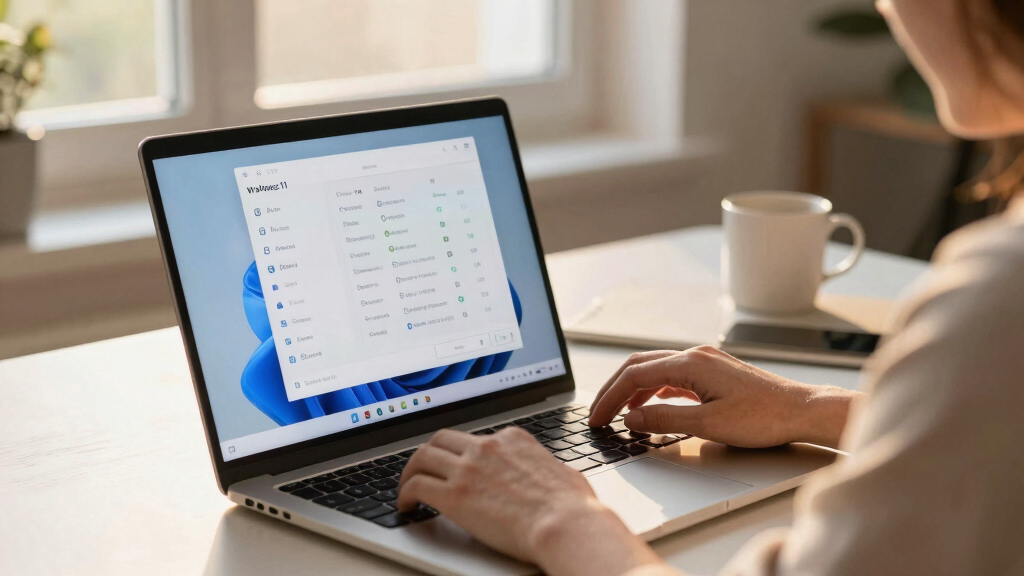
Microsoft is testing a new feature for Windows 11 that allows Insiders to select their preferred Start menu size—either small or large—marking a significant step toward more user customization.
The update, now available to Windows Insiders in the Experimental channel, enables users to choose between small and large Start menus via the settings menu. This choice will be maintained consistently across multiple displays, addressing user feedback about the menu’s size, which was reported to have nearly doubled after a November update last year.
Additionally, the new build introduces section-level toggles within the Start menu, allowing users to show or hide pinned apps, recommended items, and all apps. This feature aims to simplify the Start menu interface based on user preferences. A separate control for file recommendations is also included, enabling users to disable these suggestions in the Start menu without affecting other areas, and privacy options to hide user profile details when sharing screens are available.
Microsoft is also expanding customization of the taskbar, allowing it to be positioned on any screen edge—top, bottom, left, or right—with options for icon alignment, including left, centered, and top alignments depending on the placement. These features are part of ongoing efforts to improve personalization and user control over the Windows 11 interface.
Why It Matters
This development is significant because it addresses longstanding user feedback about the size and layout of the Windows 11 Start menu and taskbar. By offering more granular control, Microsoft enhances user experience, especially for those with multiple displays or specific workflow needs. The privacy options also reflect growing emphasis on user data protection and customization in Windows.

5-in-1 Win Repair & Reinstall Bootable USB Flash Drive – Fix, Recover, or Reinstall Windows 11 (amd64 + arm64) / 10/7 – Includes PE Tools, Driver Pack, Antivirus, Data Recovery & Password Reset
Dual USB-A & USB-C Bootable Drive – compatible with nearly all Windows PCs, laptops, and tablets (UEFI &…
As an affiliate, we earn on qualifying purchases.
As an affiliate, we earn on qualifying purchases.
Background
Since its release, Windows 11 has undergone multiple updates aimed at improving usability and customization. The November update previously increased the Start menu size, which received mixed feedback. Microsoft’s ongoing testing with Insiders indicates a focus on refining the user interface based on community input, with features like adjustable menu size and taskbar positioning being part of broader efforts to tailor Windows to individual preferences.
“We’re exploring ways to give users more control over their Start menu and taskbar experience, and these features are part of that effort.”
— Microsoft spokesperson
“The Start menu has nearly doubled in size after the November update, prompting Microsoft to investigate user feedback and test new options.”
— Windows Latest
Azar Displays 106698-BLK 11×17 BLACK Window Display w/Suction Cups
Perfect for Window Displays: Showcase your posters, artwork, or promotional materials with this sleek 11×17 black window display,…
As an affiliate, we earn on qualifying purchases.
As an affiliate, we earn on qualifying purchases.
What Remains Unclear
It is not yet clear when these features will be rolled out to the general public or whether they will undergo further changes based on Insiders’ feedback. The full scope of customization options and their stability in wider releases remain to be seen.
Windows 11 start menu toggle apps
As an affiliate, we earn on qualifying purchases.
As an affiliate, we earn on qualifying purchases.
What’s Next
Microsoft will continue to gather feedback from Insiders over the next few weeks, with potential for these features to be included in a future Windows 11 update for all users. Monitoring feedback and performance will determine the final implementation and timing.

3M Bright Screen Privacy Filter for Microsoft Surface Pro 8, 9, Pro X and 11 13in, 3:2, BPTMS002
Our proprietary Advanced Nanolouver technology transmits up to 85% of the screen’s light, ensuring a perfect balance of…
As an affiliate, we earn on qualifying purchases.
As an affiliate, we earn on qualifying purchases.
Key Questions
When will these features be available to all Windows 11 users?
There is no official timeline yet; Microsoft is currently testing these features with Insiders, and wider availability depends on feedback and further development.
Not yet. These options are in testing and will be available once Microsoft releases an update to the general public.
Will these features affect my existing Start menu layout?
No, the new options allow you to choose your preferred size and layout, which will be maintained across displays once set.
Are privacy features like hiding your profile picture available now?
Yes, the update includes a toggle to hide your profile picture and name in the Start menu for privacy reasons, currently in testing.
What is the benefit of positioning the taskbar on different edges?
It allows users to tailor their workspace for better ergonomics or workflow preferences, especially on multiple displays or specific screen setups.

![Yt-dlp – [Announcement] Bun support is now limited and deprecated](https://geeksalad.org/wp-content/uploads/2026/05/yt-dlp-announcement-bun-support-is-now-limited-and-deprecated-featured-560x300.jpg)