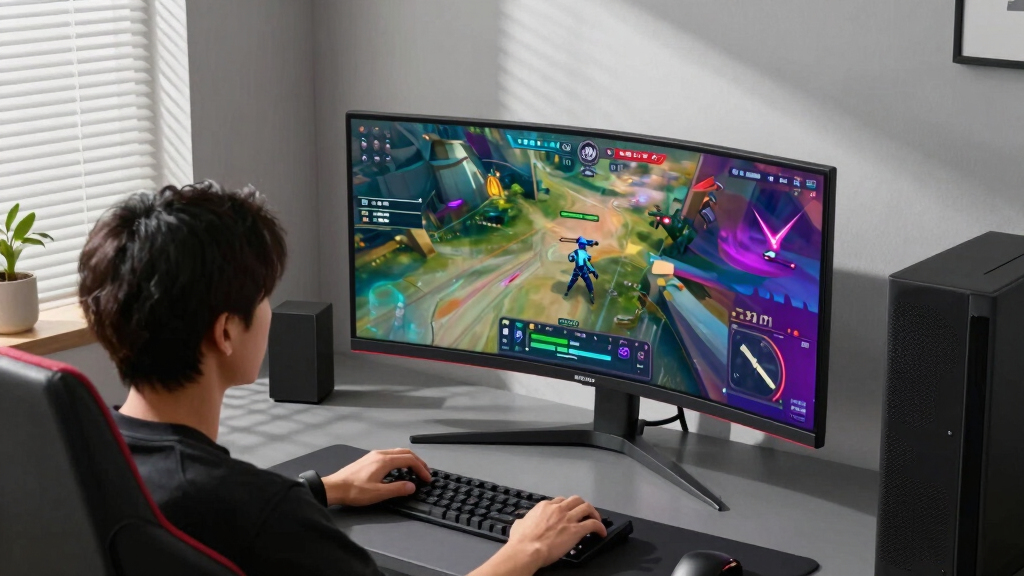

For gamers seeking smooth, responsive gameplay, high refresh rate monitors are essential. The best options deliver 165Hz or higher, reducing motion blur and tearing for a more immersive experience. The Samsung Odyssey G55C stands out as the overall top pick thanks to its curved 32-inch display and fast 165Hz refresh rate, ideal for competitive gaming. Meanwhile, the SANSUI 240Hz Curved Monitor offers ultra-fast performance for serious enthusiasts, though it may lack some premium features. These monitors vary in size, resolution, and feature set, so understanding the tradeoffs is key. Continue reading for a detailed breakdown to help you find the perfect high refresh rate gaming monitor.
Prime for Young Adults — start your free trial
Fast free delivery, streaming and member deals for eligible 18–24 year olds.
Try it freeAs an affiliate, we earn on qualifying purchases.
Key Takeaways
- Top picks balance high refresh rates with resolution and response times for optimal gaming performance.
- Curved screens and larger sizes tend to enhance immersion but often come at a higher price point.
- Feature sets like HDR support and adaptive sync vary greatly and impact visual quality and smoothness.
- Entry-level options often offer 144Hz or 165Hz, while premium models push beyond with 200Hz or ultra-wide formats.
- Build quality, stand adjustability, and connectivity options are important for long-term usability.
| Samsung 32” Odyssey G5 QHD Gaming Monitor with 180Hz, HDR10, and Adjustable Stand |  | Best Overall High Refresh Rate Gaming Monitor | Screen Size: 32 inches | Resolution: QHD (2560 x 1440) | Refresh Rate: 180Hz | VIEW LATEST PRICE | See Our Full Breakdown |
| SANSUI 24 Inch Curved 240Hz Gaming Monitor with FHD 1080P, HDR, and FreeSync |  | Best Compact High Refresh Rate Monitor | Screen Size: 24 inches | Refresh Rate: 240Hz | Response Time: 1ms (MPRT) | VIEW LATEST PRICE | See Our Full Breakdown |
| Samsung 27″ Odyssey G5 Gaming Monitor (G51F) |  | Best Mid-Size High Refresh Rate Monitor | Display Size: 27 inches | Resolution: QHD (2560 x 1440) | Refresh Rate: 180Hz | VIEW LATEST PRICE | See Our Full Breakdown |
| Acer Nitro 27 Inch QHD Gaming Monitor with AMD FreeSync, 180Hz, and HDR Support |  | Best for Color Accuracy and Response Time | Resolution: 2560 x 1440 | Panel Type: IPS | Refresh Rate: 180Hz | VIEW LATEST PRICE | See Our Full Breakdown |
| Acer Nitro KG241Y 23.8” Full HD Gaming Monitor with AMD FreeSync Premium, 165Hz, and ZeroFrame Design |  | Best Budget High Refresh Rate Monitor | Screen Size: 23.8 inches | Resolution: 1920 x 1080 | Refresh Rate: 165Hz | VIEW LATEST PRICE | See Our Full Breakdown |
| SAMSUNG 27” Odyssey G5 QHD Gaming Monitor with HDR10, 200Hz Refresh Rate and IPS Panel |  | Best Overall for High-Performance Gaming | Screen Size: 27” | Resolution: QHD (2560×1440) | Refresh Rate: 200Hz | VIEW LATEST PRICE | See Our Full Breakdown |
| Acer Nitro 27″ WQHD Gaming Monitor with AMD FreeSync Premium |  | Best Value for High Refresh Rate and Sharp Visuals | Screen Size: 27 Inches | Resolution: 2560 x 1440 (WQHD) | Refresh Rate: 240 Hz | VIEW LATEST PRICE | See Our Full Breakdown |
| Acer Nitro 27″ WQHD Curved Gaming Monitor (EDA270U) |  | Best for Immersive Curved Visuals at a Competitive Price | Screen Size: 27 Inches | Resolution: 2560 x 1440 | Refresh Rate: 180Hz | VIEW LATEST PRICE | See Our Full Breakdown |
| SANSUI 27″ Curved 240Hz Gaming Monitor (FHD 1080P, 1500R Curve) |  | Best for High-Speed, Budget-Friendly Gaming | Screen Size: 27 inches | Resolution: 1920×1080 (FHD) | Refresh Rate: 240Hz | VIEW LATEST PRICE | See Our Full Breakdown |
| SANSUI 32-Inch Curved 240Hz Full HD Gaming Monitor with HDR, Metal Stand, and DP Cable Included |  | Best for Larger Screen Gaming on a Budget | Screen Size: 32 Inches | Resolution: 1920×1080 (FHD) | Refresh Rate: 240Hz | VIEW LATEST PRICE | See Our Full Breakdown |
| LG UltraGear 32-inch Curved Gaming Monitor (Model 32GS60QC-B) – QHD, 180Hz, 1ms Response Time |  | Best Overall for Immersive High-Performance Gaming | Screen Size: 32 inches | Resolution: QHD (2560×1440) | Refresh Rate: 180 Hz | VIEW LATEST PRICE | See Our Full Breakdown |
| Samsung Odyssey G55C 32″ Curved Gaming Monitor |  | Best for Sharp Visuals and Competitive Play | Screen Size: 32 inches | Resolution: QHD (2560×1440) | Refresh Rate: 165 Hz | VIEW LATEST PRICE | See Our Full Breakdown |
| Samsung Odyssey G5 34″ Ultra-Wide Gaming Monitor with 1000R Curved Screen, WQHD, 165Hz, FreeSync Premium |  | Best for Ultra-Wide Immersive Gaming with High Refresh Rate | Size: 34 inches | Curvature: 1000R | Resolution: WQHD (2560×1440) | VIEW LATEST PRICE | See Our Full Breakdown |
More Details on Our Top Picks
Samsung 32” Odyssey G5 QHD Gaming Monitor with 180Hz, HDR10, and Adjustable Stand
This model stands out for its impressive combination of a 180Hz refresh rate and 1ms response time, delivering ultra-smooth gameplay that surpasses many 144Hz options. Its QHD resolution and IPS panel provide vibrant visuals with wide viewing angles, while HDR10 support adds depth and contrast—especially noticeable compared to lower-spec monitors like the Acer Nitro KG241Y. The adjustable stand enhances ergonomic comfort, making this a versatile choice. However, its size of 32 inches might overwhelm smaller setups, and glare can be an issue in bright environments due to the IPS panel. This pick makes the most sense for gamers seeking a high-performance, immersive experience, willing to accommodate a larger display.
Pros:- Ultra-smooth 180Hz refresh rate and 1ms response time for competitive gaming
- Vivid QHD resolution with wide viewing angles thanks to IPS panel
- HDR10 support enhances contrast and shadow details
- Highly adjustable ergonomic stand
Cons:- Large 32-inch size may be unsuitable for small desks
- IPS panel can exhibit glare in bright lighting
Best for: Gamers who want a large, immersive display with high refresh rate and color accuracy.
Not ideal for: Users with limited desk space or those preferring a smaller, more compact monitor.
- Screen Size:32 inches
- Resolution:QHD (2560 x 1440)
- Refresh Rate:180Hz
- Response Time:1ms (GtG)
- Panel Type:IPS
- HDR Support:HDR10
Bottom line: This monitor is ideal for gamers who prioritize visual quality and smooth gameplay in a larger format.
SANSUI 24 Inch Curved 240Hz Gaming Monitor with FHD 1080P, HDR, and FreeSync
This 24-inch curved monitor is tailored for competitive players who need extremely high refresh rates without taking up much space. The 240Hz refresh rate and 1ms MPRT response deliver ultra-smooth motion, making it a better choice than the Samsung Odyssey G5 G51F for fast-paced titles. Its curved 1500R screen enhances immersion, while HDR support and a broad 124% sRGB color gamut boost visual vibrancy. Nevertheless, it lacks built-in speakers and has a limited tilt adjustment range, which might inconvenience some users. The VA panel, while high in contrast, can lag behind IPS in response overdrive, making it less ideal for fast reflex shooters in bright environments. This monitor suits gamers who want quick response and a compact footprint.
Pros:- Outstanding 240Hz refresh rate for ultra-smooth motion
- Curved design enhances immersion in fast-paced games
- HDR support and broad color gamut improve visual richness
- Includes DP cable with FreeSync support
Cons:- No built-in speakers or extensive tilt adjustment
- VA panel may have slower overdrive response compared to IPS
Best for: Competitive gamers needing rapid refresh rates in a smaller, curved display.
Not ideal for: Users who prefer wide viewing angles or need extensive ergonomic adjustments.
- Screen Size:24 inches
- Refresh Rate:240Hz
- Response Time:1ms (MPRT)
- Display Type:VA Panel
- Color Gamut:124% sRGB
- HDR Support:HDR
Bottom line: Best suited for fast-paced competitive gaming where space efficiency and ultra-high refresh rates matter most.
Samsung 27″ Odyssey G5 Gaming Monitor (G51F)
This 27-inch monitor strikes a balance between size and performance, featuring a 180Hz refresh rate and 1ms response time, making it a compelling choice over smaller 24-inch models like the SANSUI 24 Curved. Its QHD resolution and HDR10 support produce crisp, vibrant visuals, especially for gaming and multimedia. AMD FreeSync further reduces tearing, but it lacks the extensive connectivity options of some higher-end models. The stand offers tilt, pivot, and height adjustments, providing ergonomic flexibility. However, it does not include built-in speakers, and the relatively limited connectivity might be a drawback for multi-device setups. Overall, this monitor is well-suited for gamers wanting a larger display with excellent performance at a reasonable price point.
Pros:- Smooth 180Hz refresh rate with 1ms response time
- Vivid visuals with QHD resolution and HDR10
- Ergonomic stand with tilt, pivot, and height adjustments
Cons:- Limited connectivity options compared to premium models
- No built-in speakers
Best for: Gamers seeking a larger, high-performance monitor with good ergonomic adjustments.
Not ideal for: Users needing extensive port options or integrated audio features.
- Display Size:27 inches
- Resolution:QHD (2560 x 1440)
- Refresh Rate:180Hz
- Response Time:1ms
- HDR Support:HDR10
Bottom line: Ideal for gamers wanting a larger, high-refresh monitor with good image quality and comfort features.
Acer Nitro 27 Inch QHD Gaming Monitor with AMD FreeSync, 180Hz, and HDR Support
This 27-inch IPS monitor emphasizes both high refresh rate and color fidelity, with a 180Hz refresh rate and a 0.5ms response time. Compared to the Samsung Odyssey G5, it offers a broader DCI-P3 95% color coverage, making it more appealing to creative professionals or those who value accurate visuals. Its HDR10 support enhances contrast, while the IPS panel reduces glare and maintains consistent color across viewing angles. The limited port selection—just one DisplayPort and two HDMI—may not suit extensive multi-device setups. The ‘up to 0.5ms’ response time indicates very fast performance, but actual response can vary depending on settings. This monitor is a good pick for gamers who prioritize response time and color accuracy in a mid-sized package.
Pros:- Extremely fast 0.5ms response time for minimal ghosting
- High refresh rate (180Hz) ideal for competitive gaming
- Excellent color accuracy with DCI-P3 95% coverage
Cons:- Limited port options for multiple devices
- Response time is ‘up to’ rather than guaranteed
Best for: Gamers and creators seeking fast response with color fidelity in a 27-inch IPS display.
Not ideal for: Users needing multiple ports or a more budget-friendly option.
- Resolution:2560 x 1440
- Panel Type:IPS
- Refresh Rate:180Hz
- Response Time:Up to 0.5ms
- Color Coverage:DCI-P3 95%
- HDR Support:HDR 10
Bottom line: Best suited for gamers who want quick reactions paired with vibrant, accurate visuals.
Acer Nitro KG241Y 23.8” Full HD Gaming Monitor with AMD FreeSync Premium, 165Hz, and ZeroFrame Design
This 23.8-inch Full HD monitor offers a 165Hz refresh rate and 1ms VRB response time, providing a solid gaming experience at a lower price point compared to larger or higher-resolution options. Its ZeroFrame design supports multi-monitor setups seamlessly, making it ideal for streamers or multitaskers. AMD FreeSync Premium reduces tearing, but the lower resolution means less detail compared to QHD or 4K models like the Samsung Odyssey G5. The 72% NTSC color gamut is adequate for gaming but falls short for creative work. The limited port selection and modest size make it less versatile for complex setups. This monitor is best for budget-conscious gamers who prioritize high refresh rate and smooth motion over resolution and advanced features.
Pros:- High 165Hz refresh rate for smooth gameplay
- Fast 1ms VRB response time reduces ghosting
- ZeroFrame design facilitates multi-monitor setups
Cons:- Limited to Full HD resolution
- Basic color gamut not suitable for color-critical tasks
- Limited port options
Best for: Budget-conscious gamers who want a high refresh rate in a smaller, cost-effective package.
Not ideal for: Creative professionals or those needing higher resolution for detailed work.
- Screen Size:23.8 inches
- Resolution:1920 x 1080
- Refresh Rate:165Hz
- Response Time:1ms VRB
- Panel Type:VA
- HDR Support:HDR
Bottom line: Ideal for gamers seeking a budget-friendly, high-refresh monitor for fast action and multi-monitor setups.
SAMSUNG 27” Odyssey G5 QHD Gaming Monitor with HDR10, 200Hz Refresh Rate and IPS Panel
This Samsung Odyssey G5 stands out for combining a sharp QHD resolution with an ultra-fast 200Hz refresh rate, making it ideal for gamers who want both clarity and smoothness. Its 1ms response time and AMD FreeSync Premium support address common issues like screen tearing and lag, competing well against the Acer XV272U’s higher refresh rate of 240Hz. The IPS panel offers wide viewing angles, but at 27 inches, it may be too large for compact setups, and slight color shifting can occur at extreme angles. This monitor is a strong all-rounder for immersive, high-quality gaming experiences, especially if you value vibrant visuals alongside speed.
Pros:- 200Hz refresh rate and 1ms response time for ultra-smooth gameplay
- QHD resolution delivers crisp and detailed visuals
- AMD FreeSync Premium reduces tearing and lag
Cons:- 27-inch size may be too large for smaller desks or spaces
- IPS panel can exhibit slight color shifting at extreme viewing angles
Best for: Gamers seeking a balanced mix of sharp visuals and high refresh rate for competitive or immersive play
Not ideal for: Users with limited desk space or those preferring larger screens for more immersive setups, due to its 27-inch size
- Screen Size:27”
- Resolution:QHD (2560×1440)
- Refresh Rate:200Hz
- Response Time:1ms
- Panel Type:IPS
- HDR Support:HDR10
Bottom line: This monitor is perfect for gamers who want a high-quality, fast, and detailed display without sacrificing color accuracy or viewing angles.
Acer Nitro 27″ WQHD Gaming Monitor with AMD FreeSync Premium
Compared with the Samsung Odyssey G5, the Acer XV272U offers a slightly higher refresh rate of 240Hz, making it a solid choice for fast-paced competitive gaming. Its 27-inch WQHD resolution ensures sharp visuals, while the 1ms response time and FreeSync Premium support help minimize tearing and input lag. The ergonomic stand with tilt, height, swivel, and pivot adjustments enhances comfort during extended gaming sessions. However, its higher price point reflects its premium features, and it’s heavier, which might be a concern for those frequently adjusting their setup. This monitor is well suited for gamers who prioritize speed and clarity but are willing to invest more for it.
Pros:- 240Hz refresh rate for ultra-smooth gaming
- WQHD resolution for detailed visuals
- Multiple ports including HDMI 2.0 and DisplayPort 1.4
Cons:- Higher price compared to some 1080p options
- Heavier build (11.5 lbs), less portable for frequent adjustments
Best for: Competitive gamers who want the highest refresh rate within a WQHD display and adjustable ergonomics
Not ideal for: Casual users or those on a strict budget, as it tends to be more expensive due to its high-refresh-rate capabilities
- Screen Size:27 Inches
- Resolution:2560 x 1440 (WQHD)
- Refresh Rate:240 Hz
- Response Time:1ms
- Panel Type:IPS
- Ports:DisplayPort 1.4, HDMI 2.0 x2
Bottom line: Ideal for competitive gamers who want high refresh rates with crisp visuals and flexible connectivity options.
Acer Nitro 27″ WQHD Curved Gaming Monitor (EDA270U)
This Acer Nitro features a 180Hz refresh rate and a 1500R curved design, offering an immersive experience similar to the Sansui 27″ with 240Hz but with a slight reduction in speed. Its 1ms VRB response time and HDR10 support help maintain smooth visuals, and the curved form factor enhances immersion for fast-paced gaming. While it lacks the extra connectivity options of the Acer XV272U, its curved screen provides a more engaging viewing experience, especially for racing or FPS games. The weight and absence of USB hubs might be drawbacks for some users, but overall, it balances speed, curvature, and affordability well.
Pros:- Curved 1500R screen enhances immersion
- 180Hz refresh rate suitable for competitive gaming
- HDR10 support for better contrast and colors
Cons:- Lower refresh rate than Sansui 240Hz model
- Limited connectivity options without USB hubs
Best for: Gamers who prefer curved displays for heightened immersion without sacrificing much speed
Not ideal for: Gamers seeking the absolute highest refresh rate (240Hz+) or those needing extensive connectivity options
- Screen Size:27 Inches
- Resolution:2560 x 1440
- Refresh Rate:180Hz
- Response Time:1ms VRB
- Display Technology:IPS
- HDR Support:HDR10
Bottom line: Suitable for gamers who want a curved display at a solid refresh rate for immersive gameplay without top-tier speed.
SANSUI 27″ Curved 240Hz Gaming Monitor (FHD 1080P, 1500R Curve)
The Sansui 27″ offers a 240Hz refresh rate and 1ms MPRT, making it a top choice for fast-paced esports and competitive gaming on a budget. Its 1500R curved screen enhances immersion, rivaling pricier curved monitors like the Acer EDA270U. Despite its lower resolution of 1080p, its vibrant color coverage (130% sRGB, 95% DCI-P3) and HDR support deliver rich visuals. Its limited tilt adjustment and absence of USB hubs may be inconvenient for some, but the overall package prioritizes speed and affordability. It’s an excellent pick for gamers who want speed and immersion without paying a premium.
Pros:- 240Hz refresh rate for ultra-smooth gameplay
- 1500R curved design for immersion
- Vibrant color coverage with HDR support
Cons:- 1080p resolution may feel outdated for some
- Limited tilt adjustment and no USB ports
Best for: Budget-conscious gamers focused on high refresh rates and immersive curved displays
Not ideal for: Users looking for 1440p resolution or extensive connectivity options
- Screen Size:27 inches
- Resolution:1920×1080 (FHD)
- Refresh Rate:240Hz
- Response Time:1ms MPRT
- Curvature:1500R
- Color Gamut:130% sRGB
Bottom line: Perfect for budget gamers prioritizing speed and curved immersion over resolution and extensive features.
SANSUI 32-Inch Curved 240Hz Full HD Gaming Monitor with HDR, Metal Stand, and DP Cable Included
This SANSUI 32-inch curved monitor offers a substantial size boost over smaller options, with a 240Hz refresh rate and 1ms MPRT, making it ideal for gamers who want an expansive view. Its HDR support and 125% sRGB coverage ensure vibrant visuals, comparable to smaller, more expensive screens. The 32-inch size provides a more immersive experience, though the resolution remains at 1080p, which might feel limiting for some. The metal stand adds stability but increases weight, and the lack of built-in speakers could be a downside for casual use. Overall, it balances size and speed, offering good value for those prioritizing screen real estate.
Pros:- Large 32-inch curved screen enhances immersion
- 240Hz refresh rate for smooth gameplay
- HDR support and vibrant color coverage
Cons:- 1080p resolution may limit clarity on such a large screen
- No built-in speakers, requiring external audio
Best for: Gamers wanting a large, curved display for immersive play on a budget
Not ideal for: Those seeking higher resolution or built-in audio features for casual or multimedia use
- Screen Size:32 Inches
- Resolution:1920×1080 (FHD)
- Refresh Rate:240Hz
- Response Time:1ms MPRT
- Curvature:1500R
- Color Gamut:125% sRGB
Bottom line: Great for large-screen enthusiasts who prioritize speed and immersion without the need for 1440p or higher resolution.
LG UltraGear 32-inch Curved Gaming Monitor (Model 32GS60QC-B) – QHD, 180Hz, 1ms Response Time
This LG UltraGear monitor stands out for its combination of a large, 32-inch curved VA panel with a high 180Hz refresh rate and rapid 1ms response time, making it ideal for fast-paced games. Compared to the Samsung Odyssey G55C, it offers a slightly higher refresh rate, but the VA panel’s slower pixel response may result in minor motion blur during rapid action sequences. The 1000R curvature enhances immersion, especially in larger setups, and AMD FreeSync ensures tear-free gameplay. However, VA panels often have narrower viewing angles and less accurate color reproduction than IPS screens, which could matter for multiplayer or color-sensitive tasks. This monitor is best suited for gamers seeking a balanced mix of performance and immersive design, willing to accept some color and viewing angle compromises. It excels in delivering smooth gameplay, especially in competitive titles, thanks to its high refresh rate and quick response time.
Pros:- 180Hz refresh rate for ultra-smooth gaming performance
- 1000R curved panel for immersive experience
- AMD FreeSync technology eliminates screen tearing
- Multiple connectivity options (HDMI and DisplayPort)
Cons:- VA panel may show slower motion handling compared to IPS
- The steep 1000R curvature might be uncomfortable for some users
Best for: Gamers who prioritize immersive, high-performance gameplay on a large curved display and are comfortable with VA panel characteristics.
Not ideal for: Creative professionals or color-critical users who need the most accurate color reproduction and wide viewing angles.
- Screen Size:32 inches
- Resolution:QHD (2560×1440)
- Refresh Rate:180 Hz
- Response Time:1ms GtG
- Panel Type:VA (LED)
- Curvature:1000R
- Color Gamut:99% sRGB
- HDR Support:HDR10
- Ports:2 HDMI, 1 DisplayPort
Bottom line: This monitor is best for gamers seeking an immersive, high-refresh experience with smooth visuals on a large curved screen.
Samsung Odyssey G55C 32″ Curved Gaming Monitor
The Samsung Odyssey G55C offers a QHD resolution with a 165Hz refresh rate and a 1ms MPRT response time, providing sharp visuals and fluid motion, especially compared to standard 144Hz models. Its 1000R curved display enhances immersion in fast-paced games, while AMD FreeSync and HDR10 support deliver tear-free, vibrant images. Compared to the LG 32GS60QC, the G55C’s slightly lower refresh rate is offset by its faster response time, making it ideal for gamers prioritizing quick reactions. However, its 32-inch size can demand more desk space and may be overwhelming for smaller setups. The price point reflects its premium features, but users should weigh this against their room constraints. This monitor makes sense for competitive players who want crisp visuals and minimal motion blur on a large, curved display.
Pros:- WQHD resolution for detailed visuals
- 165Hz refresh rate with 1ms MPRT for smooth motion
- Curved 1000R design enhances immersion
- HDR10 and FreeSync Premium for vibrant, tear-free gameplay
Cons:- Large size may require significant desk space
- Higher price compared to mid-range alternatives
Best for: Players seeking a large, curved monitor with high resolution and fast response for competitive gaming and immersive visuals.
Not ideal for: Users with limited desk space or those who prefer a flatter screen for productivity or casual gaming.
- Screen Size:32 inches
- Resolution:QHD (2560×1440)
- Refresh Rate:165 Hz
- Response Time:1ms (MPRT)
- Panel Type:VA with HDR10
- Curvature:1000R
- Color Gamut:Vivid Colors
- Adaptive Sync:FreeSync Premium
- Connectivity:HDMI, DisplayPort
Bottom line: This monitor is ideal for gamers who want a sharp, fast, and immersive large curved display for competitive play.
Samsung Odyssey G5 34″ Ultra-Wide Gaming Monitor with 1000R Curved Screen, WQHD, 165Hz, FreeSync Premium
This Samsung Odyssey G5 combines a 34-inch ultra-wide WQHD display with a 1000R curvature that envelops the user for a truly immersive gaming experience. Its 165Hz refresh rate and 1ms MPRT response time ensure smooth, blur-free motion, rivaling smaller, high-refresh-rate monitors but on a larger scale. The inclusion of AMD FreeSync Premium and HDR10 support guarantees tear-free, vibrant visuals across the expansive screen. Compared with the 32-inch options, the G5’s ultra-wide aspect ratio provides more screen real estate, ideal for multitasking or simulation games, but its size demands a spacious desk. The premium features come at a higher cost, suited for dedicated gamers who want a seamless large-format experience. This monitor is perfect for immersive single-player adventures or multi-window multitasking combined with high refresh rates.
Pros:- Ultra-wide 34″ display for immersive gameplay
- 165Hz refresh rate and 1ms response time for fluid motion
- 1000R curvature enhances engagement
- HDR10 and FreeSync Premium for vivid, tear-free visuals
Cons:- Large size requires significant desk space
- Premium price may be prohibitive for casual gamers
Best for: Gamers who want an expansive, ultra-wide experience with high refresh rates and vibrant visuals for immersive gameplay.
Not ideal for: Smaller desk setups or users primarily focused on competitive gaming in tight spaces.
- Size:34 inches
- Curvature:1000R
- Resolution:WQHD (2560×1440)
- Refresh Rate:165 Hz
- Response Time:1ms (MPRT)
- Panel Type:VA with HDR10
- Adaptive Sync:FreeSync Premium
- Additional Features:HDR10, ultra-wide aspect ratio
Bottom line: This ultra-wide monitor suits gamers seeking a large, immersive display with high refresh and excellent visual quality.
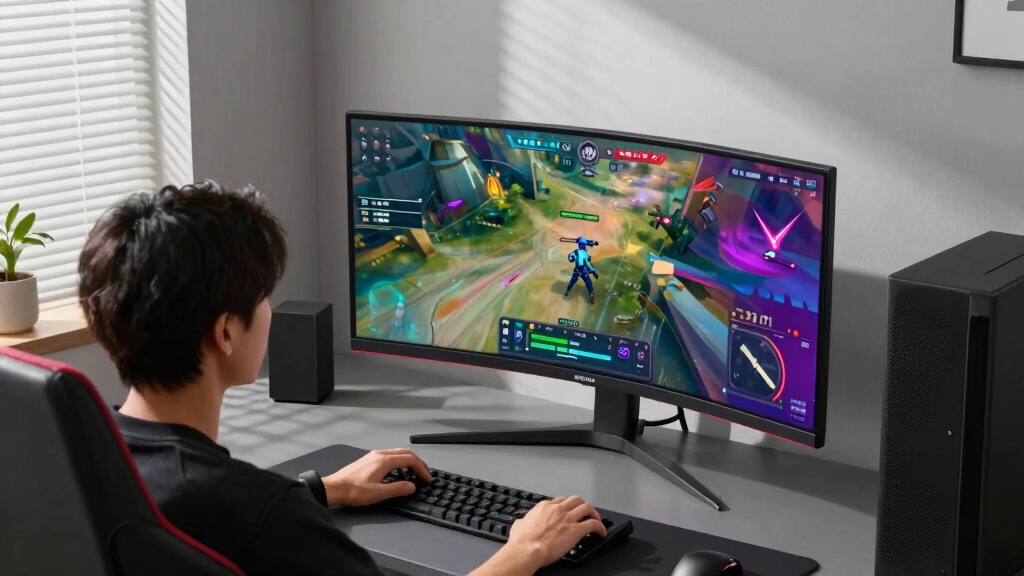
How We Picked
To evaluate these gaming monitors, I focused on key criteria that matter most to gamers: refresh rate, response time, resolution, and adaptive sync technologies like FreeSync or G-Sync. Performance metrics such as input lag and motion handling were prioritized, along with build quality and ergonomic features. I also considered value for money, ensuring each model offers a compelling mix of performance and features at its price point. The ranking reflects a combination of raw performance, feature set, and overall versatility, making it easier for different types of gamers to find suitable options.Factors to Consider When Choosing Gaming Monitors With High Refresh Rate
Choosing the right high refresh rate gaming monitor involves balancing several factors. Besides raw refresh rate, resolution and response times directly influence smoothness and clarity during fast-paced gameplay. It’s also important to consider adaptive sync support, which minimizes tearing without sacrificing responsiveness. Size and curvature can enhance immersion but may impact desk space and budget. Additionally, build quality and ergonomic features ensure comfort during extended gaming sessions. Finally, price often reflects a combination of these features, so understanding your priorities helps avoid overpaying for unnecessary extras.Refresh Rate and Response Time
The core of any high refresh rate monitor is, of course, its refresh rate. A 165Hz or higher refresh rate reduces motion blur and ghosting, crucial for fast-paced gaming. Response time complements this by minimizing input lag and trailing artifacts, with 1ms to 3ms being typical for gaming models. Keep in mind that higher refresh rates demand more powerful GPUs to fully leverage their potential, so ensure your hardware matches your monitor choice. Balancing refresh rate with response time maximizes responsiveness, especially in competitive titles.
Resolution and Screen Size
While higher resolutions like QHD or 4K offer sharper visuals, they also require more GPU power to maintain high frame rates. Most gaming monitors with high refresh rates hover around 1080p, 1440p, or WQHD, striking a good balance between visual quality and performance. Screen size impacts immersion; larger (27-32 inches) enhances the experience but can become overwhelming on small desks. Curved screens often improve focus and reduce distortion at larger sizes, yet they tend to come with a premium price.
Adaptive Sync Technologies
Technologies like FreeSync and G-Sync help eliminate screen tearing and reduce stuttering, providing smoother gameplay. Compatibility with your GPU is a key consideration—check whether the monitor supports FreeSync, G-Sync, or both. Some models include adaptive sync over HDMI and DisplayPort, increasing versatility. While these features improve visual stability, they can add to the cost. For competitive gaming, a monitor with low input lag and effective sync support makes a noticeable difference in responsiveness.
Build Quality and Ergonomics
Durable construction and adjustable stands improve comfort during long gaming sessions. Look for height adjustability, tilt, and swivel features to customize your setup. Good build quality also includes sturdy stands and minimal bezel distraction. These details matter more over time than initial impressions, especially if you plan to use the monitor intensively. Some ultra-wide or curved models may sacrifice adjustability for immersive design, so weigh these tradeoffs carefully.
Price and Future-Proofing
High refresh rate monitors range from affordable 165Hz models to premium 200Hz or ultra-wide options. While spending more often yields better performance, not everyone needs the absolute fastest or largest screen. Consider your current hardware capabilities and whether the monitor’s features align with your gaming style. Investing in a slightly higher-end model can future-proof your setup, but be wary of paying for features you won’t use immediately. Balance your budget with your performance expectations for long-term satisfaction.
Frequently Asked Questions
Is a 240Hz monitor worth it over a 165Hz for gaming?
Moving from 165Hz to 240Hz can offer smoother motion and potentially a slight competitive edge, especially in fast-paced shooters. However, the difference is often subtle and depends heavily on your hardware and the types of games you play. If your GPU can consistently deliver high frame rates close to 240fps, then the upgrade makes more sense. Otherwise, 165Hz remains an excellent, more affordable choice that still significantly improves over standard 60Hz displays.
Do curved monitors provide a better gaming experience?
Curved monitors can enhance immersion by wrapping the image around your field of view, especially on larger or ultrawide screens. They often reduce distortion at the edges, making fast movements appear more natural. However, the benefits depend on screen size and personal preference; some gamers prefer flat screens for their simplicity and compatibility with multiple monitors. Curved models may also come at a higher price and sometimes limit adjustability, so consider your desk setup and gaming style.
Can I use a high refresh rate monitor for non-gaming tasks?
Yes, high refresh rate monitors can improve general use by providing smoother scrolling and more responsive interactions. They are especially beneficial for fast-paced editing, video playback, and any activity where fluid motion enhances experience. However, if you primarily use your monitor for productivity or media consumption, you might prioritize resolution, color accuracy, and ergonomics over refresh rate. For gaming and creative work, a high refresh rate can be a versatile upgrade.
What is the best size for a high refresh rate gaming monitor?
Most gamers find 27 inches to be an ideal size for high refresh rate monitors, balancing immersion with desk space. Larger screens, like 32 inches, can enhance immersion but may require a higher resolution to prevent pixelation and ensure clarity. Ultrawide options, like 34 inches, offer an expansive view but also demand more powerful hardware. Your choice should consider your desk setup, field of view, and the types of games you play most often.
Is it necessary to buy a monitor with HDR for gaming?
HDR support can significantly improve visual quality by providing brighter highlights and better contrast, especially in games with rich visual effects. However, not all HDR implementations are equal; some monitors only support basic HDR, which might not make a noticeable difference. For competitive gaming, response times and refresh rates tend to matter more, but for immersive single-player experiences, HDR can enhance the overall atmosphere. Consider your primary gaming style and the quality of HDR support before choosing a monitor.
Conclusion
If you’re a competitive gamer or want the most responsive experience, the Samsung Odyssey G55C offers an excellent balance of high refresh rate, size, and quality. Budget-conscious players should consider the Acer Nitro KG241Y for solid 165Hz performance without breaking the bank. For those seeking premium features and larger screens, the Samsung Odyssey G5 34-inch Ultra-Wide provides immersive gameplay with 165Hz and high resolution. Beginners or casual gamers should focus on models with at least 165Hz and good ergonomic features, while enthusiasts can opt for ultra-wide or 200Hz+ options to future-proof their setup. Ultimately, choose based on your gaming style, hardware, and budget to get the best experience in 2026.
Flea & tick season Picks
flea and tick prevention
As an affiliate, we earn on qualifying purchases.