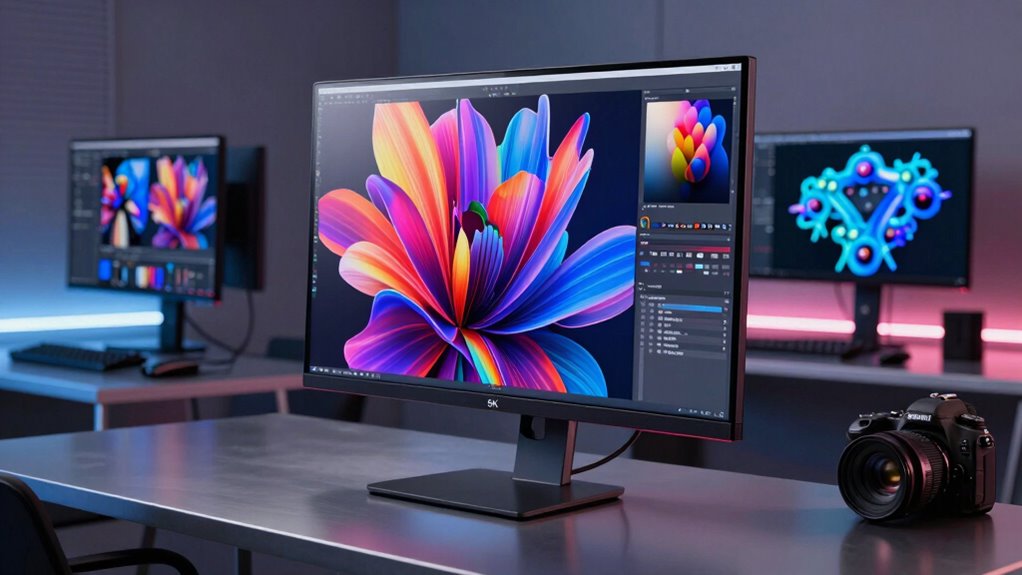

For most creative professionals, I’d start with the BenQ PD2730S: its 27-inch 5K format suits detailed Mac and design workflows without taking over a desk. The ASUS ProArt PA27JCV is another strong fit for a USB-C professional setup, while the Dell UltraSharp U4025QW favors creators who need a wide workspace for timelines and multiple windows. The main tradeoff is between the sharp, familiar workspace of a 27-inch 5K display and the added room—but different pixel density and desk demands—of a 5K2K ultrawide. Connectivity, color-focused features, refresh rate, and budget priorities can also change which screen makes sense. Read on for my comparison of all 11 options and a guide to choosing one for your work.

Get the latest gadgets delivered free with Prime
- Fast, free delivery on millions of items
- Prime Video, Amazon Music and more included
- Member-only deals all year
Complete the kit



Key Takeaways
- 27-inch 5K is the clearest fit for fine-detail work. The BenQ PD2730S, ASUS ProArt PA27JCV, and ViewSonic VP2788-5K pair high pixel density with a conventional workspace.
- Ultrawide models trade vertical resolution for room to work. The 40-inch LG UltraFine 40U990A, INNOCN 40C1U, and Dell U4025QW offer broad layouts at 5120 × 2160 rather than 5120 × 2880.
- USB-C power delivery can simplify a laptop desk. Several 27-inch KTC options and the ASUS and BenQ models include USB-C charging, but buyers should match the connection and power needs to their own computer.
- Refresh rate is not uniform across this group. The INNOCN 34C1U advertises 120Hz and the 40C1U 100Hz, making them distinct choices for motion-heavy work compared with more conventional creative monitors.
- Mac-focused features do not make every 5K screen interchangeable. Compare the intended computer, color workflow, ports, ergonomics, and available desk space before choosing among the BenQ, LG, ASUS, and ViewSonic options.
| BenQ MA270S 27-Inch 5K 5120×2880 Nano Gloss Monitor for Mac Creators |  | Best for Mac Creators | Screen size: 27 inches | Resolution: 5120 × 2880 (5K) | Panel: LED IPS, Nano Gloss finish | VIEW ON AMAZON | See Our Full Breakdown |
| LG UltraFine 40U990A 40″ 5K2K Curved Ultrawide Monitor (Bundle) |  | Best Premium Ultrawide | Screen size: 40 inches | Resolution: 5120 × 2160 (5K2K) | Panel: Nano IPS Black | VIEW ON AMAZON | See Our Full Breakdown |
| INNOCN 40C1U 40 Inch 5K Ultrawide Monitor (5120 x 2160, 100Hz, IPS, USB-C) |  | Best Value Ultrawide for Color Work | Screen size: 40 inches | Resolution: 5120 × 2160 (5K ultrawide) | Aspect ratio: 21:9 | VIEW ON AMAZON | See Our Full Breakdown |
| KTC 27-Inch 5K Monitor with Dual Mode and 65W USB-C |  | Best for Creative Work and Faster Motion | Screen size: 27 inches | Resolution modes: 5120 × 2880 at 60Hz; 2560 × 1440 at up to 120Hz | Color coverage: 99% DCI-P3, 100% sRGB | VIEW ON AMAZON | See Our Full Breakdown |
| KTC 27 Inch 5K Monitor (H27P3), 5120 x 2880 IPS Display with 65W Type-C, Dual Mode, HDR 400 |  | Best for 5K Detail on a Flexible Setup | Screen size: 27 inches | Resolution: 5120 × 2880 | Pixel density: 217 PPI | VIEW ON AMAZON | See Our Full Breakdown |
| INNOCN 34C1U 34-Inch 5K Ultrawide Monitor, 120Hz, 5120 x 2160 |  | Best for Ultrawide Multitasking | Screen size: 34 inches | Resolution: 5120 × 2160 | Aspect ratio: 21:9 | VIEW ON AMAZON | See Our Full Breakdown |
| ASUS ProArt PA27JCV 27″ 5K USB-C Professional Monitor for Mac |  | Best for Color-Critical Work | Screen size: 27 inches | Resolution: 5120 × 2880 | Panel: IPS, LED-backlit | VIEW ON AMAZON | See Our Full Breakdown |
| BenQ PD2730S 27-Inch 5K Monitor |  | Best for Thunderbolt Workflows | Screen size: 27 inches | Resolution: 5120 × 2880 | Pixel density: 218 PPI | VIEW ON AMAZON | See Our Full Breakdown |
| ViewSonic VP2788-5K 27-Inch 5K Mac-Ready IPS Designer Monitor |  | Best for Multi-Display Setups | Screen size: 27 inches | Resolution: 5120 × 2880 | Panel: IPS | VIEW ON AMAZON | See Our Full Breakdown |
| LG 27MD5KL-B 27-inch 5K Ultrafine Monitor |  | Best for a Straightforward Mac Desk | Screen size: 27 inches | Resolution: 5120 × 2880 | Panel and aspect ratio: IPS, 16:9 | VIEW ON AMAZON | See Our Full Breakdown |
| Dell UltraSharp U4025QW 40-inch 5K2K WUHD Curved LED Monitor |  | Best for Wide-Canvas Creative Work | Model: U4025QW | Screen size: 40 inches | Viewable screen size: 39.7 inches | VIEW ON AMAZON | See Our Full Breakdown |
| 5k monitor for creative professional | Screen size | Resolution | Panel | Color gamut |
|---|---|---|---|---|
| BenQ MA270S 27-Inch 5K 5120×28 | 27 inches | 5120 × 2880 (5K) | LED IPS, Nano Gloss finish | P3 |
| LG UltraFine 40U990A 40" 5K2K | 40 inches | 5120 × 2160 (5K2K) | Nano IPS Black | 99% DCI-P3 |
| INNOCN 40C1U 40 Inch 5K Ultraw | 40 inches | 5120 × 2160 (5K ultrawide) | IPS, matte | 135% sRGB, 106% DCI-P3 |
| KTC 27-Inch 5K Monitor with Du | 27 inches | — | — | — |
| KTC 27 Inch 5K Monitor | 27 inches | 5120 × 2880 | IPS | — |
| INNOCN 34C1U 34-Inch 5K Ultraw | 34 inches | 5120 × 2160 | — | 135% sRGB, 106% DCI-P3 |
| ASUS ProArt PA27JCV 27" 5K USB | 27 inches | 5120 × 2880 | IPS, LED-backlit | 99% DCI-P3, 100% sRGB, 95% Adobe RGB |
| BenQ PD2730S 27-Inch 5K Monito | 27 inches | 5120 × 2880 | — | — |
| ViewSonic VP2788-5K 27-Inch 5K | 27 inches | 5120 × 2880 | IPS | — |
| LG 27MD5KL-B 27-inch 5K Ultraf | 27 inches | 5120 × 2880 | — | 99% DCI-P3 |
| Dell UltraSharp U4025QW 40-inc | 40 inches | — | — | — |
More Details on Our Top Picks
BenQ MA270S 27-Inch 5K 5120×2880 Nano Gloss Monitor for Mac Creators
I’d put the BenQ MA270S near the top for Mac-focused creative work because its 27-inch 5K resolution, P3 gamut, and Mac color tuning prioritize crisp detail and familiar color handling. Two Thunderbolt 4 ports, daisy chaining, and up to 96W power delivery can simplify a desk built around a MacBook and other peripherals. Compared with the KTC H27P3, the BenQ offers a more Mac-specific feature set and a more adjustable stand, while the KTC adds a 2K high-refresh mode. The MA270S is limited to 60Hz, so it is less suited to fast motion, and its Nano Gloss finish can reflect bright windows or lights. I’d choose it for Mac color workflows and skip it if a matte screen or higher refresh rate matters more.
Pros:- 27-inch 5120 × 2880 resolution provides fine detail for image editing and dense desktop layouts.
- Mac color tuning and P3 gamut are tailored to Mac creative workflows.
- Two Thunderbolt 4 ports support daisy chaining and up to 96W power delivery.
- Stand adjusts for height, tilt, swivel, and pivot.
Cons:- The 60Hz refresh rate is less suited to fast motion and high-frame-rate gaming.
- Nano Gloss can show reflections in bright workspaces.
- Mac-specific controls and tuning may offer less benefit to users with simpler or non-Mac setups.
Best for: Mac creators who want a sharp 27-inch 5K display, P3 color, Thunderbolt daisy chaining, and a stand with full ergonomic adjustment.
Not ideal for: People working in bright, reflective rooms or prioritizing high-refresh gaming and motion work; its glossy panel and 60Hz limit may frustrate them.
- Screen size:27 inches
- Resolution:5120 × 2880 (5K)
- Panel:LED IPS, Nano Gloss finish
- Refresh rate:60Hz
- Color gamut:P3
- Thunderbolt:2 × Thunderbolt 4
- Power delivery:Up to 96W / 15W
- Stand adjustments:Height, tilt, swivel, and pivot
Our verdict“Choose the MA270S if Mac color workflows and an adjustable 5K desk setup matter more than a matte finish or higher refresh rate.”
LG UltraFine 40U990A 40″ 5K2K Curved Ultrawide Monitor (Bundle)
The LG UltraFine 40U990A is the premium workspace pick for creators who want a wide timeline, color-rich image, and room for multiple full-height windows. Its 40-inch, 5120 × 2160 curved screen gives more horizontal space than the 27-inch BenQ MA270S, though the BenQ has the higher vertical resolution for fine detail across a conventional 16:9 canvas. LG pairs 99% DCI-P3 coverage and a True Black 600 HDR certification with 120Hz, which suits both color-focused work and smoother motion. Thunderbolt 5, 96W power delivery, Ethernet, and a built-in KVM support a capable single-cable desk. The tradeoff is substantial desk space, and this 5K2K ultrawide has fewer vertical pixels than a 5120 × 2880 display. I’d pick it for a wide editing workspace, not for compact desks or pixel-dense vertical layouts.
Pros:- 40-inch 21:9 screen gives editing timelines and side-by-side windows ample horizontal room.
- 99% DCI-P3 coverage and True Black 600 certification support color-rich creative work.
- 120Hz refresh rate and FreeSync Premium provide smoother motion than the 60Hz BenQ MA270S.
- Thunderbolt 5, 96W power delivery, Ethernet, and built-in KVM support a streamlined workstation.
Cons:- The 40-inch curved display needs substantial desk space.
- Its 5120 × 2160 resolution has fewer vertical pixels than standard 5120 × 2880 5K monitors.
- The premium connectivity and display feature set may be unnecessary for a single-device or basic editing setup.
Best for: Video editors and multitasking creatives who want a large curved ultrawide, broad DCI-P3 coverage, and one-cable connectivity.
Not ideal for: Creators with compact desks or workflows that need the vertical workspace and pixel density of a 27-inch 5120 × 2880 screen.
- Screen size:40 inches
- Resolution:5120 × 2160 (5K2K)
- Panel:Nano IPS Black
- Curvature:2500R
- Refresh rate:120Hz
- Color gamut:99% DCI-P3
- HDR:VESA DisplayHDR True Black 600
- Connectivity:Thunderbolt 5 ×2, USB-C, USB-A, HDMI 2.1, DisplayPort 2.1, Ethernet
- Power delivery:Up to 96W via Thunderbolt 5
Our verdict“Pick the LG if a wide, smooth, color-focused editing workspace matters more than 5K’s taller 2880-pixel canvas.”
INNOCN 40C1U 40 Inch 5K Ultrawide Monitor (5120 x 2160, 100Hz, IPS, USB-C)
The INNOCN 40C1U brings a 40-inch 5120 × 2160 workspace and factory-calibrated Delta-E under 2 to creators who want an ultrawide for editing and multitasking. Its 100Hz refresh rate also makes desktop motion smoother than on the 60Hz BenQ MA270S. The matte IPS panel helps in brighter rooms, while 106% DCI-P3 coverage supports a broad color range. Compared with the LG UltraFine 40U990A, the INNOCN offers a less elaborate connection set: USB-C delivers 65W, and its stated HDR level is HDR400 rather than True Black 600. That makes it a more straightforward option for a laptop-centered editing desk, but the lower power delivery may not keep every high-powered laptop charged under load. Its large footprint and one-year warranty are worth weighing before choosing it.
Pros:- Factory-calibrated Delta-E under 2 is a useful starting point for color-sensitive work.
- 106% DCI-P3 coverage supports a broad range of saturated colors.
- Matte IPS screen and adjustable stand suit practical everyday workstation use.
- 100Hz refresh rate is smoother than the 60Hz BenQ MA270S.
Cons:- USB-C power delivery is limited to 65W and may be insufficient for some high-power laptops.
- HDR400 and 1200:1 contrast offer less specified contrast capability than the LG UltraFine 40U990A.
- A 40-inch ultrawide needs a large desk, and the listed warranty is one year.
Best for: Laptop-based editors who want a large matte ultrawide with factory-calibrated color and USB-C charging for everyday creative work.
Not ideal for: Owners of high-power laptops who need stronger charging, or creators seeking the LG 40U990A’s Thunderbolt 5, Ethernet, and higher-tier HDR certification.
- Screen size:40 inches
- Resolution:5120 × 2160 (5K ultrawide)
- Aspect ratio:21:9
- Panel:IPS, matte
- Refresh rate:100Hz
- Color accuracy:Delta-E < 2, factory calibrated
- Color gamut:135% sRGB, 106% DCI-P3
- USB-C power delivery:65W
- Warranty:1 year
Our verdict“Choose the 40C1U for factory-calibrated color and a spacious matte ultrawide if 65W charging and basic HDR meet your needs.”
KTC 27-Inch 5K Monitor with Dual Mode and 65W USB-C
For someone who alternates between detailed creative work and faster motion, this KTC 27-inch 5K monitor has a distinct advantage: it pairs 5120 × 2880 at 60Hz with a 1440p mode listed at up to 120Hz. The drop to 1440p trades fine detail for a higher refresh rate, giving it a flexibility the BenQ MA270S does not offer. With 99% DCI-P3 coverage, 100% sRGB, and Delta-E under 2, it is built for color-aware work, and 500 cd/m² brightness gives it more stated brightness than the KTC H27P3. USB-C provides 65W power delivery, though the listed ports do not include Thunderbolt or HDMI 2.1. The source description gives conflicting 1440p refresh-rate figures, so I’d verify that mode before buying. This is a compelling hybrid on paper, but less suited to buyers who need one unambiguous 5K mode and no resolution compromise.
Pros:- 5120 × 2880 mode provides sharp detail for design and image editing.
- 99% DCI-P3, 100% sRGB, and Delta-E under 2 support color-focused workflows.
- 1440p mode offers a listed refresh rate up to 120Hz for smoother motion.
- 65W USB-C power delivery adds laptop charging to the display connection.
Cons:- The 1440p refresh-rate information is inconsistent in the supplied product details.
- The faster mode requires dropping from 5K to 1440p.
- Listed HDMI 2.0 and DisplayPort 1.4 connectivity lacks Thunderbolt.
Best for: Designers who want a 27-inch 5K workspace for color work and a lower-resolution mode with a higher refresh rate.
Not ideal for: Buyers who need a clearly specified high-refresh mode, Thunderbolt connectivity, or a display that stays at 5K for all motion work.
- Screen size:27 inches
- Resolution modes:5120 × 2880 at 60Hz; 2560 × 1440 at up to 120Hz
- Color coverage:99% DCI-P3, 100% sRGB
- Color accuracy:ΔE < 2
- Brightness:500 cd/m²
- HDR:HDR400
- USB-C power delivery:65W
- Video ports:DisplayPort 1.4 ×1, HDMI 2.0 ×1
Our verdict“Choose this KTC if you value a color-focused 5K mode plus a 1440p high-refresh option and can confirm the mode details before purchase.”
KTC 27 Inch 5K Monitor (H27P3), 5120 x 2880 IPS Display with 65W Type-C, Dual Mode, HDR 400
The KTC H27P3 is a practical pick for creators who want a 27-inch 5K screen with a second mode for less demanding, faster-moving tasks. Its 217 PPI resolution makes fine interface details and high-resolution images look crisp; switching to 1440p at 120Hz can make motion smoother, though text and artwork lose some of that 5K sharpness. Compared with the KTC 27-inch Dual Mode alternative in this roundup, the H27P3 lists a three-year warranty and 2000:1 contrast, while the other KTC specifies 99% DCI-P3 and Delta-E under 2. The H27P3 lists 135% sRGB gamut area, but that figure alone does not establish color accuracy for a calibrated creative workflow. Its tilt-only stand is also less adaptable than the BenQ MA270S. I’d favor it for a compact 5K setup where USB-C and dual mode matter more than ergonomic adjustment.
Pros:- 217 PPI at 5120 × 2880 delivers fine detail for image editing and dense desktop layouts.
- Dual mode supports 5K at 60Hz or 1440p at 120Hz.
- 65W full-function USB-C supports connectivity and laptop power delivery.
- Three-year warranty is longer than the one-year coverage listed for the INNOCN 40C1U.
Cons:- The built-in stand adjusts only for tilt, unlike the height, swivel, and pivot adjustments on the BenQ MA270S.
- The supplied specs do not state DCI-P3 coverage or a Delta-E figure for color-critical work.
- The 5K mode is limited to 60Hz, and the faster mode reduces resolution to 1440p.
Best for: Mac mini and laptop-based creators seeking a compact 27-inch 5K display with USB-C and a 1440p high-refresh mode.
Not ideal for: Color-critical professionals who need stated DCI-P3 coverage and color accuracy, or anyone who needs height and pivot adjustments without adding a monitor arm.
- Screen size:27 inches
- Resolution:5120 × 2880
- Pixel density:217 PPI
- Refresh rate:60Hz at 5K; 120Hz at 1440p
- Panel:IPS
- Brightness:500 cd/m²
- HDR:HDR400
- USB-C power delivery:65W
- Warranty:3 years
Our verdict“Choose the H27P3 if compact 5K detail, USB-C, and a 1440p high-refresh mode outweigh color-accuracy documentation and stand flexibility.”
INNOCN 34C1U 34-Inch 5K Ultrawide Monitor, 120Hz, 5120 x 2160
The INNOCN 34C1U suits creative professionals who want a wide timeline and room for reference windows beside their canvas. Its 5120 × 2160 resolution spreads work across a 21:9 panel, while the 120Hz refresh rate makes scrolling and motion feel smoother than on the 60Hz ASUS ProArt PA27JCV. USB-C with 65W power delivery can simplify a laptop desk, though it supplies less charging headroom than the ASUS’s 96W connection. The VA panel’s 3000:1 contrast gives dark scenes more depth, but viewing angles may be less forgiving than the IPS panels in the BenQ PD2730S and ViewSonic VP2788-5K. Factory calibration and broad gamut figures are useful starting points; buyers doing color-critical work should still check their workflow’s calibration needs. HDR400 is entry-level, so this is a workspace-first choice rather than a high-impact HDR display.
Pros:- 5120 × 2160 resolution across a spacious 21:9 workspace
- 120Hz refresh rate for smoother scrolling and motion
- USB-C with 65W power delivery supports a simpler laptop setup
- Height, swivel, and tilt adjustments support ergonomic positioning
Cons:- VA panel may show less consistent color at off-center viewing angles than the IPS alternatives
- HDR400 offers limited HDR impact
- 65W USB-C charging is less suited to higher-power laptops than the ASUS PA27JCV’s 96W
Best for: Video editors and multitasking creators who want a wide 21:9 workspace, smoother motion, and a one-cable laptop connection.
Not ideal for: Color-critical teams that need IPS viewing consistency or creators who expect strong HDR effects.
- Screen size:34 inches
- Resolution:5120 × 2160
- Aspect ratio:21:9
- Panel and refresh rate:VA, 120Hz
- Color gamut:135% sRGB, 106% DCI-P3
- USB-C power delivery:65W
- HDR:HDR400 ready
- Stand adjustments:Height, swivel, tilt
Our verdict“Choose the INNOCN 34C1U if a wide, smooth editing workspace matters more to you than IPS viewing consistency or stronger HDR.”
ASUS ProArt PA27JCV 27″ 5K USB-C Professional Monitor for Mac
For creators who need broad color coverage and a sharply defined 27-inch canvas, the ASUS ProArt PA27JCV makes a strong case. Its Calman Verified Delta E<2 calibration and coverage of DCI-P3, sRGB, and Adobe RGB suit work that moves between photo, video, and web deliverables. That range is more explicitly documented than the BenQ PD2730S’s 98% P3 coverage, while the ASUS adds 96W USB-C power delivery and Auto KVM for switching between two computers. The trade is a standard 60Hz refresh rate, so motion feels less fluid than on the INNOCN 34C1U. Its 16:9 shape also gives less side-by-side timeline space than that ultrawide. Brightness and color-temperature sensors can help adapt the screen to a room, but this remains a focused creator display rather than a high-refresh all-purpose screen.
Pros:- Calman Verified factory calibration with Delta E<2
- Coverage listed for DCI-P3, sRGB, and Adobe RGB
- USB-C delivers up to 96W and Auto KVM supports two-computer workflows
- Brightness and color-temperature sensors respond to room conditions
Cons:- 60Hz refresh rate is less fluid than the INNOCN 34C1U’s 120Hz
- 16:9 provides less horizontal workspace than the ultrawide options
- A 27-inch 5K display may be unnecessary for buyers with less demanding color workflows
Best for: Photographers, designers, and Mac-based creators who need calibrated color across several common production gamuts and switch between two computers.
Not ideal for: Editors who prioritize a wide timeline or high refresh rate, and buyers whose work does not benefit from broad-gamut color.
- Screen size:27 inches
- Resolution:5120 × 2880
- Panel:IPS, LED-backlit
- Aspect ratio:16:9
- Refresh rate:60Hz
- Color gamut:99% DCI-P3, 100% sRGB, 95% Adobe RGB
- Color accuracy:Calman Verified, Delta E<2
- USB-C power delivery:96W
- Auto KVM:Yes
Our verdict“Pick the ASUS ProArt PA27JCV for calibrated color and flexible Mac-centered workflows when refresh rate and ultrawide space are secondary.”
BenQ PD2730S 27-Inch 5K Monitor
The BenQ PD2730S is aimed at creators whose monitor needs to anchor a fast-connected desk. Its Thunderbolt 4 link combines display, up to 90W charging, and transfers up to 40Gbps, while the built-in KVM helps share a keyboard and mouse across two systems. That makes it a practical alternative to the ASUS ProArt PA27JCV, which offers more listed gamut coverage and 96W charging but not the same Thunderbolt 4 workflow in its supplied specifications. BenQ’s 218 PPI 5K panel and 98% P3 coverage suit detailed design work, and the Nano Matte finish is intended to limit distracting reflections. The listed data does not specify its refresh rate or factory color accuracy, so color-managed buyers may prefer the ASUS’s explicit calibration details. Thunderbolt display support also depends on certified cables and compatible hardware.
Pros:- Thunderbolt 4 supports up to 40Gbps data transfer
- Up to 90W power delivery reduces laptop cabling
- Built-in KVM switches keyboard and mouse control between two systems
- 218 PPI 5K resolution and 98% P3 coverage support detailed creative work
Cons:- Full Thunderbolt display support requires compatible hardware and certified cables
- The supplied specifications do not state factory calibration accuracy
- Its specialized workflow features may add little for general office use
Best for: Designers and editors with Thunderbolt 4 computers who want a high-density 5K display, fast transfers, and shared peripherals across two systems.
Not ideal for: Buyers without Thunderbolt-compatible hardware or color-critical professionals who require documented factory calibration and gamut coverage beyond P3.
- Screen size:27 inches
- Resolution:5120 × 2880
- Pixel density:218 PPI
- Panel finish:Nano Matte
- Color coverage:98% P3
- Contrast ratio:2000:1
- Connectivity:Thunderbolt 4
- Power delivery:Up to 90W
- KVM switch:Built-in
Our verdict“Choose the BenQ PD2730S if Thunderbolt connectivity and a KVM matter as much as a detailed 5K canvas.”
ViewSonic VP2788-5K 27-Inch 5K Mac-Ready IPS Designer Monitor
The ViewSonic VP2788-5K earns its place for creators building a multi-display desk around a Mac or Thunderbolt workstation. Its Thunderbolt 4 daisy chaining can link up to two 5K monitors, while 100W power delivery gives it more laptop-charging headroom than the BenQ PD2730S’s 90W. Pantone Validated color and listed coverage of 100% sRGB and 99% DCI-P3 make it a clear fit for design and photo work, though the ASUS ProArt PA27JCV provides the more specific Delta E<2 calibration claim and also lists Adobe RGB coverage. The ViewSonic’s fully adjustable stand adds height, swivel, tilt, and rotation for portrait layouts. Its full Thunderbolt setup depends on compatible hardware, and driving two 5K screens can challenge older computers. Choose it for expansion flexibility, not a guaranteed upgrade in color accuracy over every alternative.
Pros:- Thunderbolt 4 daisy chaining supports up to two 5K monitors
- 100W power delivery can charge compatible laptops
- Pantone Validated with 100% sRGB and 99% DCI-P3 coverage
- Stand adjusts for height, tilt, swivel, and rotation
Cons:- Daisy chaining and full performance require Thunderbolt 4-compatible hardware
- Driving two 5K displays can exceed the capabilities of older systems
- The supplied specifications do not state a Delta E accuracy figure
Best for: Mac designers and video editors with Thunderbolt 4 systems who plan to run two 5K displays and value flexible stand positioning.
Not ideal for: Owners of older computers that cannot drive multiple high-resolution displays, or color specialists who need the ASUS’s stated Delta E<2 calibration and Adobe RGB coverage.
- Screen size:27 inches
- Resolution:5120 × 2880
- Panel:IPS
- Color coverage:100% sRGB, 99% DCI-P3
- Color certification:Pantone Validated
- Connectivity:Thunderbolt 4, USB-C, HDMI, DisplayPort
- Thunderbolt power delivery:100W
- Daisy chaining:Up to two 5K monitors via Thunderbolt 4 output
- Stand adjustments:Tilt, swivel, rotate, height
Our verdict“The VP2788-5K suits creators who want Thunderbolt expansion and portrait-capable ergonomics in a color-focused 5K display.”
LG 27MD5KL-B 27-inch 5K Ultrafine Monitor
The LG 27MD5KL-B is a straightforward fit for Mac creators who want a sharp 27-inch 5K screen and familiar Thunderbolt 3 connectivity. Its 99% DCI-P3 coverage and 500-nit brightness support detailed photo and video work, while up to 94W power delivery can charge a compatible laptop through the monitor. Three USB-C ports add room for peripherals, though this model’s listed connection set is less expansive than the ViewSonic VP2788-5K’s mix of Thunderbolt 4, HDMI, and DisplayPort. The LG’s 1100:1 contrast ratio is also lower than the BenQ PD2730S’s listed 2000:1, which may matter when judging dark tones. Its 14ms response time and Thunderbolt 3 generation make it a less compelling pick for fast motion or newer multi-display workflows. For a single Mac workstation, its core combination remains clear and usable.
Pros:- 27-inch 5120 × 2880 IPS display offers a high-density workspace
- 99% DCI-P3 coverage and 500-nit brightness suit visual editing
- Thunderbolt 3 supplies up to 94W power delivery
- Three USB-C ports provide connections for peripherals
Cons:- 14ms response time is a weak fit for fast-moving content
- 1100:1 contrast is below the BenQ PD2730S’s listed 2000:1
- Thunderbolt 3 lacks the ViewSonic VP2788-5K’s listed Thunderbolt 4 daisy-chain support
Best for: Mac photographers and video editors who want a single 27-inch 5K display, wide P3 color, and laptop charging over Thunderbolt 3.
Not ideal for: Creators seeking high refresh rates, Thunderbolt 4 daisy chaining, or a wide 21:9 editing canvas.
- Screen size:27 inches
- Resolution:5120 × 2880
- Panel and aspect ratio:IPS, 16:9
- Color gamut:99% DCI-P3
- Brightness:500 nits
- Contrast ratio:1100:1
- Connectivity:1 Thunderbolt 3, 3 USB Type-C
- Power delivery:Up to 94W
- Response time:14ms
Our verdict“Pick the LG 27MD5KL-B for a single-screen Mac setup that values 5K detail, P3 color, and Thunderbolt charging over newer connectivity.”
Dell UltraSharp U4025QW 40-inch 5K2K WUHD Curved LED Monitor
I’d choose the Dell UltraSharp U4025QW for creative workflows that benefit from a broad, continuous workspace: a 39.7-inch curved screen with a 21:9 aspect ratio can keep a timeline, reference material, and editing tools visible side by side. Its 5K2K WUHD resolution offers more horizontal room than the BenQ MA270S and other 27-inch 5K options, though those standard-format screens may suit work that prioritizes a compact layout. The 600-nit brightness is a useful fit for brighter rooms, and USB Type-C supports data transfer. The tradeoff is the ultrawide format: it may not match workflows that favor a taller canvas, and the supplied details don’t specify color coverage or additional ports. I’d rank it for workspace width, not as a stand-in for every color-critical specification.
Pros:- 39.7-inch viewable curved screen provides substantial room for creative tools and references
- 21:9 aspect ratio favors wide timelines and side-by-side work
- 600-nit brightness suits well-lit workspaces
- USB Type-C supports data transfer
Cons:- 5K2K ultrawide format offers less vertical workspace than a standard 5K screen
- The provided specifications do not state color coverage or calibration features
- Additional connectivity details are not provided
Best for: Video editors and designers who want a large ultrawide workspace for timelines, panels, and reference material on one screen.
Not ideal for: Portrait-oriented design or print professionals who need a taller 27-inch 5K canvas and documented color coverage.
- Model:U4025QW
- Screen size:40 inches
- Viewable screen size:39.7 inches
- Resolution class:5K2K WUHD
- Aspect ratio:21:9
- Display type:Curved LED
- Brightness:600 nits
- Response time:5 ms
- Connectivity:USB Type-C
Our verdict“Choose the U4025QW if your creative work benefits more from a wide, bright canvas than from a taller standard-format 5K display.”

How We Picked
I ranked these monitors around how well their stated features serve common creative tasks: image detail, workspace shape, computer connectivity, refresh rate, and practical fit for a desk. A 27-inch 5120 × 2880 panel offers a different balance from a 40-inch 5120 × 2160 ultrawide, so I treated those as distinct approaches rather than assuming the bigger screen is automatically better. I also weighed Mac-oriented positioning, USB-C power delivery, and listed professional display features where the product names and specifications provided them.
The order favors monitors with a clear role and a useful balance for creative work, then gives specialized alternatives their place. That puts the BenQ PD2730S first as a focused 27-inch professional option, with the ASUS ProArt and other Mac-ready 5K screens close behind for buyers with different connection or workflow needs. The KTC and INNOCN models stand out for dual-mode or higher-refresh features, while the large LG and Dell screens suit buyers who value width over 5K vertical resolution. Product names alone do not establish measured color accuracy or real-world performance, so I avoid treating unprovided test results as facts.
| 5k monitor for creative professional | Panel |
|---|---|
| BenQ MA270S 27-Inch 5K 5120×28 | LED IPS, Nano Gloss finish |
| LG UltraFine 40U990A 40" 5K2K | Nano IPS Black |
| INNOCN 40C1U 40 Inch 5K Ultraw | IPS, matte |
| KTC 27-Inch 5K Monitor with Du | — |
| KTC 27 Inch 5K Monitor | IPS |
| INNOCN 34C1U 34-Inch 5K Ultraw | — |
| ASUS ProArt PA27JCV 27" 5K USB | IPS, LED-backlit |
| BenQ PD2730S 27-Inch 5K Monito | — |
| ViewSonic VP2788-5K 27-Inch 5K | IPS |
| LG 27MD5KL-B 27-inch 5K Ultraf | — |
| Dell UltraSharp U4025QW 40-inc | — |
Factors to Consider When Choosing 5k Monitor For Creative Professionals
Before choosing a 5K monitor, I’d map the screen to the work and computer that will drive it. Resolution is only one part of the decision: screen shape, scaling, connectivity, color workflow, and desk setup can matter just as much once a display becomes part of a daily creative routine.
Match Resolution and Screen Shape to Your Canvas
A 27-inch 5120 × 2880 screen and a 40-inch 5120 × 2160 ultrawide do not provide the same working experience. The 27-inch format concentrates pixels into a compact area, which can suit fine interface details, illustrations, and photo work. An ultrawide gives more horizontal room for editing timelines, side-by-side panels, and long documents, but it has fewer vertical pixels than a 5K 27-inch display. Think about whether your work needs a taller canvas or a wider one before comparing screen size. Also measure viewing distance: a large curved panel can feel immersive but may dominate a shallow desk. Match the display shape to the layout of your software, not just the diagonal measurement.
Check the Full Computer and Cable Path
A monitor’s USB-C port is useful only if it supports the video signal, data, and laptop charging your setup requires. Check your computer’s display output, supported resolution and refresh rate, and the cable specification before buying. A 65W power-delivery figure, as listed for the KTC models, may suit some laptops but may not replace a higher-wattage charger during demanding work. If you use a desktop workstation, a monitor’s built-in USB-C charging may matter less than its other inputs and hub functions. Multi-monitor setups also need a check of port availability and how the computer handles multiple high-resolution displays. Confirming the whole connection chain can prevent an expensive screen from running below its intended resolution or refresh rate.
Set Color Requirements Before Paying for a Pro Label
Creative work varies: a photographer preparing images for print has different color needs from a video editor assembling a rough cut. Product names that include “ProArt,” “Designer,” or “Mac-ready” describe positioning, but they do not replace checking gamut coverage, calibration support, uniformity information, and color-management compatibility. Look for independent measurements or manufacturer specifications that match the workflow you actually have. If color-critical delivery matters, account for a calibration device and a consistent viewing environment as part of the setup. Buyers doing general design, illustration, or content work may value resolution and connectivity more than specialized color controls. Pay for documented capabilities that solve a real task rather than assuming a professional label guarantees them.
Treat Refresh Rate as a Workflow Choice
Higher refresh rates can make scrolling, cursor movement, and animation previews feel smoother, and they may appeal to creators who also play games. They do not by themselves establish color fidelity, editing accuracy, or panel response quality. Check whether your computer can drive the target resolution at the advertised refresh rate over the connection you plan to use. Consider whether your applications and source material benefit from faster motion or whether your time is spent mostly on static layouts and detailed image work. A model listing 100Hz or 120Hz may fit a mixed work-and-play desk, while a lower-refresh professional display could still be the more appropriate choice for a color-focused workflow. Avoid trading away a needed resolution, port, or ergonomic feature for a number you rarely use.
Budget for the Whole Desk Setup
The monitor is only one part of a usable workstation. A 40-inch ultrawide can require more desk depth, a sturdy stand, and a comfortable viewing distance, while a 27-inch screen can leave room for reference materials or a second display. Check stand adjustments and VESA mounting support if your preferred setup depends on height, tilt, or an arm. Think through glare, lighting, and how often you move the screen; glossy and matte finishes can behave differently in a bright room. If the monitor will be your laptop’s hub, include the cost and space for any cables or adapters it needs. A display that fits the room and daily routine may serve better than a larger model with features your setup cannot use.
Frequently Asked Questions
Should I choose a 27-inch 5K monitor or a 40-inch 5K2K ultrawide for creative work?
I’d choose the 27-inch 5K format when fine detail, a compact desk footprint, and a taller workspace matter most. The 40-inch 5K2K options provide substantially more horizontal room for timelines and side-by-side windows, but their 2160-pixel vertical resolution is lower than the 2880 pixels on the 27-inch models. That difference can affect how much vertical content fits on screen and how dense text and interface elements appear. Measure the available desk depth and check your usual viewing distance before committing to a large curved screen. If possible, compare your actual software layout on both shapes rather than relying on diagonal size alone.
Will these 5K monitors work well with any Mac?
Compatibility depends on the Mac model, its supported external display modes, and the cable or dock between the computer and monitor. A display being described as Mac-ready does not mean every Mac can drive it at full resolution and refresh rate. Check Apple’s specifications for the exact computer and compare them with the monitor’s required input and refresh rate. USB-C charging also varies by model and may not supply enough power for every MacBook under load. Verify the complete connection path before buying, especially if you plan to use a dock or connect more than one external display.
Is a 5K monitor worth it if I mostly edit photos and design graphics?
It can be a good fit if crisp interface text, detailed image inspection, and a clean single-screen workspace are priorities. Resolution alone does not tell you whether a screen is suitable for color-critical photo work, so look for relevant gamut, calibration, and uniformity information. If your work is mainly web graphics or general design, a high-resolution panel may provide more value than features aimed at specialized print or video workflows. Consider how your operating system scales interface elements at 5K and whether the resulting workspace feels comfortable at your normal viewing distance. The best choice depends on both image detail and the color checks your deliverables require.
Should I pay more for a 100Hz or 120Hz 5K ultrawide?
I’d pay extra attention to refresh rate if your work includes frequent timeline scrubbing, animation, fast scrolling, or if the display also serves as a gaming screen. A higher rate can make motion feel smoother, but it does not guarantee more accurate color or better image quality. Confirm that your computer and connection can supply the advertised refresh rate at the monitor’s native resolution. If most of your work involves still images, layouts, or documents, ports, ergonomics, and documented color performance may matter more. Compare the full feature set rather than letting refresh rate decide the purchase on its own.
Can a 65W USB-C monitor replace my laptop charger?
It may replace a separate charger for some laptops during typical work, but that depends on the laptop’s power requirements and workload. A computer that draws more than 65W may charge slowly or continue using battery power during demanding tasks. Check the laptop maker’s recommended adapter wattage and compare it with the monitor’s USB-C power-delivery rating. Also confirm that the same USB-C connection carries the video signal at the resolution and refresh rate you want. If charging headroom matters, keep a suitable laptop charger available even when using the monitor as a hub.
Conclusion
For the best overall balance, I’d begin with the BenQ PD2730S; the ASUS ProArt PA27JCV is a compelling alternative for a USB-C professional setup. For best value features, compare the KTC 27-inch 5K models, especially if dual mode and 65W USB-C match your needs, while checking the exact model specification before ordering. The LG UltraFine 40U990A and Dell UltraSharp U4025QW make stronger premium choices for buyers who need a broad curved workspace. Beginners may find a standard 27-inch 5K monitor easier to place and configure than a 40-inch ultrawide; the ViewSonic VP2788-5K and LG 27MD5KL-B are Mac-oriented options to compare. For motion-heavy mixed work, look at the INNOCN 34C1U or 40C1U, while creators who want a classic high-density Mac screen can weigh the BenQ MA270S against the ASUS and ViewSonic. My final choice would follow the shape of your work, the capabilities of your computer, and the color evidence available for your workflow.
Fall Picks
fall essentials
As an affiliate, we earn on qualifying purchases.