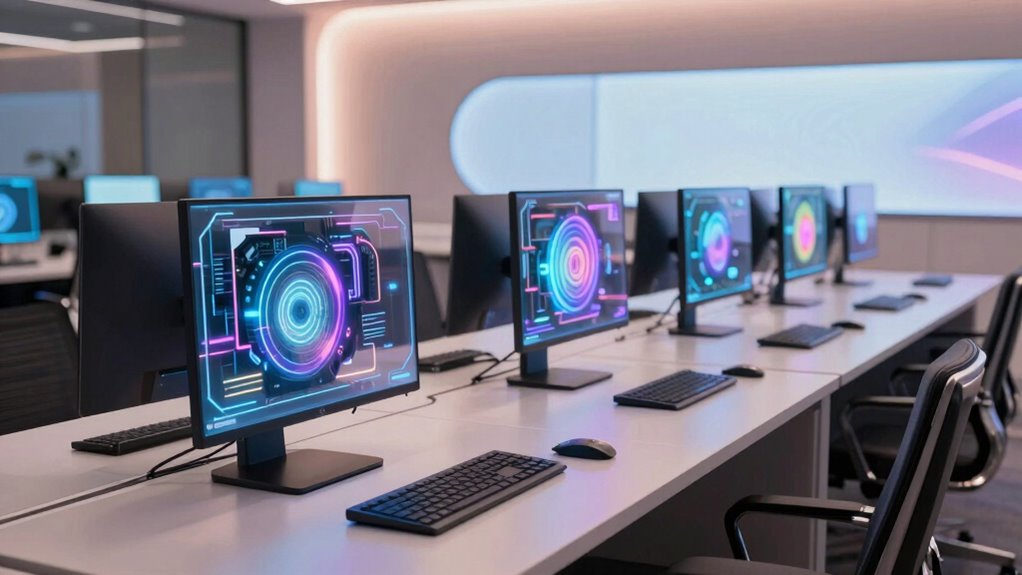
For most office teams, I’d start with the HP OmniDesk Business Desktop with Core Ultra 7 265: its 32GB of memory and choice of 1TB or 2TB storage suit demanding multitasking, while the business-focused models add Windows 11 Pro. The HP ProDesk 4 SFF G1i is a strong fit when manageability and a smaller desktop matter, and the GEEKOM A9 Max stands out for buyers who want capable AI hardware in a compact mini PC. The main tradeoffs are tower expandability versus desk space, business features versus simpler home configurations, and local AI capability versus the needs of everyday office apps. I ranked these options around practical work performance, memory and storage, business readiness, and form factor—not AI branding alone. Read on for the full breakdown and advice on matching a PC to your office workload.

Get the latest gadgets delivered free — and shop member deals
- Fast, free delivery on millions of items
- Access to Prime Big Deal Days deals on October 6–7
- Prime Video, Amazon Music and more included
Complete the kit



Key Takeaways
- The HP OmniDesk Core Ultra 7 265 desktops lead for general office work: they pair 32GB RAM with a choice of storage configurations, while the Pro versions add Windows 11 Pro for business deployment.
- The HP ProDesk 4 SFF G1i is the clearest compact business choice because its small-form-factor design, vPro-equipped Core Ultra 5, and Windows 11 Pro emphasize manageability over maximum storage.
- The GEEKOM mini PCs trade tower flexibility for a smaller footprint; the A9 Max models bring Ryzen AI processors and 32GB memory to tight desks, though buyers should check port needs and upgrade options.
- Similar OmniDesk listings differ in details that affect office fit: Windows 11 Home versus Pro, 1TB versus 2TB SSDs, and included keyboard and mouse can matter more than the shared Core Ultra 7 265 label.
- AI hardware is not a substitute for planning the workload: a 32GB configuration and suitable storage help with multitasking, but local AI tools, video calls, and document work still depend on software support and the rest of the setup.
| HP ProDesk 4 SFF G1i Business Desktop, Intel Core Ultra 5 235 vPro, 32GB DDR5 RAM, 1TB SSD, Windows 11 Pro |  | Best for Managed Office Fleets | Processor: Intel Core Ultra 5 235 vPro, 14 cores, up to 5.0 GHz | Memory: 32GB DDR5 RAM; configurable up to 64GB | Storage: 1TB SSD | VIEW ON AMAZON | See Our Full Breakdown |
| AMD Ryzen AI Halo Personal AI Desktop Computer, Windows 11 Pro |  | Best for Local AI Workloads | Processor: AMD Ryzen AI Max+ 395, 16 cores and 32 threads | Graphics: AMD Radeon 8060S integrated graphics, 40 RDNA 3.5 compute units | NPU: AMD XDNA 2, up to 50 TOPS | VIEW ON AMAZON | See Our Full Breakdown |
| GEEKOM A9 Max AI Mini PC (AMD Ryzen AI 9 HX 370, 32GB DDR5, 1TB SSD) |  | Best Compact AI Office PC | Processor: AMD Ryzen AI 9 HX 370, 12 cores and 24 threads | NPU: XDNA 2, 50 TOPS; up to 80 TOPS total AI performance | Graphics: AMD Radeon 890M, 16 RDNA 3.5 compute units | VIEW ON AMAZON | See Our Full Breakdown |
| GEEKOM GT15 Max Mini PC, Intel Core Ultra 9 285H (99 TOPS), 32GB DDR5 + 1TB SSD |  | Best for Heavy Multitasking | Processor: Intel Core Ultra 9 285H, 16 cores, up to 5.4 GHz | AI performance: Up to 99 TOPS combined CPU, GPU, and NPU performance | Graphics: Intel Arc 140T integrated GPU, 8 Xe-cores | VIEW ON AMAZON | See Our Full Breakdown |
| HP OmniDesk Business Desktop Computer, Intel Core Ultra 7 265, 32GB DDR5 RAM, 2TB SSD |  | Best for Storage-Heavy Office Work | Processor: Intel Core Ultra 7 265, 20 cores, up to 5.3 GHz | Memory: 32GB DDR5 4800MHz, maximum 64GB | Storage: 2TB PCIe M.2 SSD | VIEW ON AMAZON | See Our Full Breakdown |
| HP OmniDesk Next Gen AI Business Desktop, Intel Core Ultra 7 265, 32GB DDR5 RAM, 1TB SSD, Keyboard & Mouse, Windows 11 Pro |  | Best for Windows Pro Office Setups | Processor: Intel Core Ultra 7 265, 20 cores and 20 threads | Memory: 32GB DDR5 | Storage: 1TB PCIe M.2 SSD | VIEW ON AMAZON | See Our Full Breakdown |
| GEEKOM A9 Max AI Mini PC, AMD Ryzen AI 9 HX 470 (86 TOPS), 32GB DDR5, 2TB SSD |  | Best Compact AI Workstation | Processor: AMD Ryzen AI 9 HX 470, 12 cores and 24 threads, up to 5.2GHz | AI acceleration: Up to 86 TOPS total; XDNA 2 NPU up to 55 TOPS | Graphics: AMD Radeon 890M | VIEW ON AMAZON | See Our Full Breakdown |
| HP OmniDesk Desktop PC, Intel Core Ultra 7 265, 32 GB RAM, 2 TB SSD, Windows 11 Home, Dark Wood (M03-0060, 2025) | | Best for Extra Built-In Storage | Processor: Intel Core Ultra 7 265 | Memory: 32GB DDR5 | Storage: 2TB PCIe Gen4 NVMe M.2 SSD | VIEW ON AMAZON | See Our Full Breakdown |
| HP OmniDesk Business Desktop with Intel Core Ultra 7 265, 32GB DDR5 RAM, and 1TB SSD |  | Best for Buyers Who Prefer a Familiar Tower Setup | Processor: Intel Core Ultra 7 265, 20 cores, up to 4.9GHz | Memory: 32GB DDR5, 4800MHz | Maximum memory: 64GB | VIEW ON AMAZON | See Our Full Breakdown |
| HP OmniDesk M03 Business Desktop PC, Intel Core Ultra 7 265, 32GB DDR5 RAM, 2TB SSD, Windows 11 Pro, Wi-Fi 6, Wired Keyboard and Mouse, with ADATA 64GB USB Flash Drive |  | Best Pro Bundle for File-Heavy Office Work | Processor: Intel Core Ultra 7 265, 20 cores and 20 threads, up to 5.3GHz | Graphics: Integrated Intel Graphics | Memory: 32GB DDR5 | VIEW ON AMAZON | See Our Full Breakdown |
| Dell Pro Tower Business Desktop, Intel Core Ultra 5 235, 32GB DDR5, 1TB PCIe SSD, Windows 11 Pro |  | Best for Expandable Office Setups | Processor: Intel Core Ultra 5 235, 14 cores (6 Performance + 8 Efficient), up to 5.0GHz | NPU: 13 TOPS | Memory: 32GB DDR5 RAM | VIEW ON AMAZON | See Our Full Breakdown |
| ai pc for office productivity | Processor | Memory | Storage | Operating system |
|---|---|---|---|---|
| HP ProDesk 4 SFF G1i Business | Intel Core Ultra 5 235 vPro, 14 cores, up to 5.0 GHz | 32GB DDR5 RAM; configurable up to 64GB | 1TB SSD | Windows 11 Pro |
| AMD Ryzen AI Halo Personal AI | AMD Ryzen AI Max+ 395, 16 cores and 32 threads | 128GB LPDDR5x unified memory at 8000 MT/s | 2TB M.2 SSD | Windows 11 Pro |
| GEEKOM A9 Max AI Mini PC | AMD Ryzen AI 9 HX 370, 12 cores and 24 threads | 32GB DDR5, expandable to 128GB | 1TB PCIe Gen4 SSD; dual slots support up to 8TB | Windows 11 |
| GEEKOM GT15 Max Mini PC | Intel Core Ultra 9 285H, 16 cores, up to 5.4 GHz | 32GB DDR5, expandable to 128GB | 1TB SSD; dual NVMe slots support up to 6TB total | — |
| HP OmniDesk Business Desktop C | Intel Core Ultra 7 265, 20 cores, up to 5.3 GHz | 32GB DDR5 4800MHz, maximum 64GB | 2TB PCIe M.2 SSD | Windows 11 Pro |
| HP OmniDesk Next Gen AI Busine | Intel Core Ultra 7 265, 20 cores and 20 threads | 32GB DDR5 | 1TB PCIe M.2 SSD | Windows 11 Pro |
| GEEKOM A9 Max AI Mini PC | AMD Ryzen AI 9 HX 470, 12 cores and 24 threads, up to 5.2GHz | 32GB DDR5, expandable to 128GB | 2TB SSD; dual PCIe Gen4 NVMe slots, up to 8TB total | Windows 11 |
| HP OmniDesk Desktop PC | Intel Core Ultra 7 265 | 32GB DDR5 | 2TB PCIe Gen4 NVMe M.2 SSD | Windows 11 Home |
| HP OmniDesk Business Desktop w | Intel Core Ultra 7 265, 20 cores, up to 4.9GHz | 32GB DDR5, 4800MHz | 1TB PCIe M.2 SSD | Windows 11 Home |
| HP OmniDesk M03 Business Deskt | Intel Core Ultra 7 265, 20 cores and 20 threads, up to 5.3GHz | 32GB DDR5 | 2TB PCIe M.2 SSD | Windows 11 Pro |
| Dell Pro Tower Business Deskto | Intel Core Ultra 5 235, 14 cores (6 Performance + 8 Efficient), up to 5.0GHz | 32GB DDR5 RAM | 1TB PCIe SSD | Windows 11 Professional 64-bit |
More Details on Our Top Picks
HP ProDesk 4 SFF G1i Business Desktop, Intel Core Ultra 5 235 vPro, 32GB DDR5 RAM, 1TB SSD, Windows 11 Pro
The HP ProDesk 4 SFF G1i is the clearest fit here for offices that value manageability and a compact, familiar business setup over ambitious local AI workloads. Its Core Ultra 5 235 vPro, Windows 11 Pro, and HP Wolf Pro Security suit everyday documents, meetings, and managed deployments; two 4K display outputs help keep a desk productive without adding a graphics card. Compared with the more powerful HP OmniDesk Business Desktop, it has less processor and storage headroom, but its small form factor is easier to place in a crowded office. The main caveat is its upgrade history: it was resealed for a memory or SSD upgrade, and configurations can vary. Buyers should confirm the delivered components and account for the seller-provided one-year warranty.
Pros:- Small form factor fits space-constrained workstations
- Windows 11 Pro, vPro, TPM 2.0, and HP Wolf Pro Security support managed office use
- Broad USB and display connections simplify peripheral setup
- Supports two displays at up to 4K resolution
Cons:- Resealed for a memory or SSD upgrade, with configuration details that may vary
- Integrated graphics and Core Ultra 5 offer less headroom for demanding AI or creative workloads than higher-tier options
- One-year warranty is provided by the seller
Best for: IT-managed small offices that need a compact Windows 11 Pro desktop for documents, video calls, and two-monitor workflows.
Not ideal for: Buyers who need a factory-sealed system, a clearly specified upgrade path, or substantial local AI and graphics performance.
- Processor:Intel Core Ultra 5 235 vPro, 14 cores, up to 5.0 GHz
- Memory:32GB DDR5 RAM; configurable up to 64GB
- Storage:1TB SSD
- Operating system:Windows 11 Pro
- Graphics:Integrated Intel Graphics
- Display support:Up to two displays at 4K and 60 Hz
- Wireless:Wi-Fi 6E and Bluetooth 5.3
- Form factor:Small Form Factor; 12.13 x 11.95 x 3.94 in; 10 lb
- Security and warranty:TPM 2.0, HP Wolf Pro Security (1 year), and seller-provided one-year warranty
Our verdict“Choose the ProDesk for a compact, security-minded office workstation when fleet management matters more than high-end AI performance.”
AMD Ryzen AI Halo Personal AI Desktop Computer, Windows 11 Pro
The AMD Ryzen AI Halo serves a different office need from the HP ProDesk 4 SFF G1i: running sizable AI models locally instead of focusing on standard managed desktop work. Its 128GB of unified memory and Radeon 8060S graphics are aimed at models described as reaching 200 billion parameters, while the XDNA 2 NPU adds up to 50 TOPS. That memory capacity is the key differentiator against the GEEKOM A9 Max AI Mini PC, which starts with 32GB and is expandable, but does not list the same unified-memory configuration. For routine office documents and calls, this specialized capacity may go unused. The compact 6-inch chassis and 10GbE, Wi-Fi 7, and Windows 11 Pro make it easier to slot into a technical office, though buyers should expect a more AI-focused setup than a conventional fleet desktop.
Pros:- 128GB unified memory is suited to large local AI workloads
- Supports models described as up to 200 billion parameters
- Ryzen AI Max+ 395 combines 16 CPU cores with Radeon 8060S graphics
- 10GbE, Wi-Fi 7, and Bluetooth 5.4 provide modern connectivity
Cons:- Specialized local AI capacity may go unused in routine office work
- Only HDMI 2.1b is listed for video output, limiting connection flexibility compared with the GEEKOM GT15 Max
- The provided product data does not specify warranty coverage
Best for: AI developers and technical office teams who need substantial unified memory to run large local models alongside Windows 11 Pro work.
Not ideal for: General office buyers who mainly use email, documents, and video meetings and would not use local model inference.
- Processor:AMD Ryzen AI Max+ 395, 16 cores and 32 threads
- Graphics:AMD Radeon 8060S integrated graphics, 40 RDNA 3.5 compute units
- NPU:AMD XDNA 2, up to 50 TOPS
- Memory:128GB LPDDR5x unified memory at 8000 MT/s
- Memory bandwidth:256 GB/s
- Storage:2TB M.2 SSD
- Operating system:Windows 11 Pro
- Networking:10GbE LAN, Wi-Fi 7, and Bluetooth 5.4
- Dimensions:6 x 6 x 2 in
Our verdict“Pick the Ryzen AI Halo when large local AI models are a real office requirement and its specialized memory capacity justifies the focus.”
GEEKOM A9 Max AI Mini PC (AMD Ryzen AI 9 HX 370, 32GB DDR5, 1TB SSD)
The GEEKOM A9 Max is for office desks where a small footprint and useful AI acceleration matter as much as standard productivity. Its Ryzen AI 9 HX 370 and 50 TOPS NPU support Copilot+ and local AI tools, while upgradeable memory and dual SSD slots leave room to grow as workloads change. That makes it more flexible than the HP ProDesk 4 SFF G1i for expansion and multi-display work, but less tailored to managed fleets because its listed Windows 11 edition is not Pro. Compared with the GEEKOM GT15 Max, the A9 Max offers a stronger stated total AI figure and four 8K display support; the GT15 Max, however, lists dual 2.5GbE and Intel Arc graphics. Integrated Radeon graphics still have limits for demanding games and creative tasks, and sustained heavy work in a compact chassis can bring heat or fan noise.
Pros:- 50 TOPS NPU supports local AI and Copilot+ workflows
- RAM expands to 128GB and dual SSD slots support up to 8TB
- Supports up to four 8K displays
- Wi-Fi 7, dual USB4, and dual 2.5GbE LAN offer flexible connections
Cons:- Ships with Windows 11, with no Pro edition specified
- Integrated Radeon 890M graphics do not match a discrete GPU for demanding workloads
- Compact chassis may run hot or produce fan noise under sustained heavy loads
Best for: Hybrid office users and technical professionals who want a tiny Windows desktop for Copilot+ tasks, multiple displays, and future memory or storage upgrades.
Not ideal for: IT teams requiring Windows 11 Pro as listed, or users who need discrete graphics for sustained high-end creative work.
- Processor:AMD Ryzen AI 9 HX 370, 12 cores and 24 threads
- NPU:XDNA 2, 50 TOPS; up to 80 TOPS total AI performance
- Graphics:AMD Radeon 890M, 16 RDNA 3.5 compute units
- Memory:32GB DDR5, expandable to 128GB
- Storage:1TB PCIe Gen4 SSD; dual slots support up to 8TB
- Display support:Up to four 8K displays
- Connectivity:Wi-Fi 7, Bluetooth 5.4, dual USB4, dual 2.5GbE LAN, and dual HDMI 2.1
- Operating system:Windows 11
- Warranty:3-year limited warranty
Our verdict“Choose the A9 Max for a small, upgradeable AI office PC when multi-display support and a capable NPU matter more than Windows Pro or discrete graphics.”
GEEKOM GT15 Max Mini PC, Intel Core Ultra 9 285H (99 TOPS), 32GB DDR5 + 1TB SSD
The GEEKOM GT15 Max suits office users who keep many demanding applications open, connect several screens, or want room to expand the system later. Its 16-core Core Ultra 9, 32GB upgradeable DDR5, and dual NVMe slots give it more CPU and storage headroom than the HP ProDesk 4 SFF G1i. Four display outputs can also support a complex desk setup. Against the GEEKOM A9 Max, it lists a higher combined AI performance figure and dual 2.5G LAN, while the A9 Max offers a 50 TOPS NPU and four 8K display support. For typical office AI features, headline TOPS alone will not determine every workload’s speed. The GT15 Max uses integrated Arc graphics, and its compact chassis may struggle to dissipate heat quietly under sustained turbo loads.
Pros:- 16-core processor and 32GB upgradeable memory suit demanding multitasking
- Dual NVMe slots allow up to 6TB of storage
- Supports up to four simultaneous displays
- Dual USB4 and dual 2.5G LAN expand desk and network options
Cons:- Integrated graphics are less capable than discrete GPUs for demanding creative or gaming work
- Compact chassis may limit sustained thermal performance at high power
- Windows 11 edition is not specified as Pro
Best for: Power users who run large office workloads across several displays and want upgradeable memory and storage in a compact desktop.
Not ideal for: Buyers seeking discrete graphics, quiet sustained performance under heavy loads, or an office desktop with Windows 11 Pro specified.
- Processor:Intel Core Ultra 9 285H, 16 cores, up to 5.4 GHz
- AI performance:Up to 99 TOPS combined CPU, GPU, and NPU performance
- Graphics:Intel Arc 140T integrated GPU, 8 Xe-cores
- Memory:32GB DDR5, expandable to 128GB
- Storage:1TB SSD; dual NVMe slots support up to 6TB total
- Display support:Up to four simultaneous displays
- Ports:2x USB4, 2x HDMI 2.0, Mini DisplayPort 1.4, and 2x 2.5G LAN
- Security:TPM 2.0 and Kensington lock support
- Warranty:3-year limited warranty
Our verdict“Choose the GT15 Max for a compact multi-screen office workstation with strong CPU headroom and straightforward component upgrades.”
HP OmniDesk Business Desktop Computer, Intel Core Ultra 7 265, 32GB DDR5 RAM, 2TB SSD
The HP OmniDesk Business Desktop balances a strong office processor with ample memory and a roomy 2TB SSD, making it the straightforward choice for teams handling large local files alongside everyday productivity. Its Core Ultra 7 265 has more cores than the ProDesk’s Core Ultra 5 235 vPro, and the extra storage doubles the ProDesk’s listed capacity. Compared with the GEEKOM GT15 Max, this HP is a conventional business tower with Windows 11 Pro specified, while the GEEKOM offers more flexible multi-display connectivity and upgradeable memory. The OmniDesk’s original seal was opened for upgrades, so the warranty is split: PCOnline US covers the upgraded RAM and SSD, while HP covers the other components for one year. Buyers who prioritize a compact chassis or clearly unified warranty terms may prefer another option.
Pros:- 20-core Core Ultra 7 265 supports demanding office multitasking
- 32GB DDR5 and 2TB SSD provide useful memory and local file capacity
- Windows 11 Pro is pre-installed
- USB-A, USB-C, HDMI, DisplayPort, and Ethernet support varied desk setups
Cons:- Original seal was opened for third-party RAM and SSD upgrades
- Upgraded components have PCOnline US coverage while other components have HP coverage
- Larger and heavier than compact mini PC alternatives
Best for: Small business teams that need Windows 11 Pro, 32GB of memory, and generous local storage for office files and multitasking.
Not ideal for: Buyers who need a factory-sealed PC, a single clear warranty provider for every component, or the compact size of a mini PC.
- Processor:Intel Core Ultra 7 265, 20 cores, up to 5.3 GHz
- Memory:32GB DDR5 4800MHz, maximum 64GB
- Storage:2TB PCIe M.2 SSD
- Operating system:Windows 11 Pro
- Ports:5 USB Type-A, 2 USB Type-C, 4 HDMI, and Ethernet
- Wireless:Wi-Fi 6 and Bluetooth
- Dimensions:13.27 x 6.1 x 12.4 in
- Weight:11.8 lb
- Warranty:One year on upgraded RAM and SSD from PCOnline US; one year manufacturer coverage on other components
Our verdict“Choose the OmniDesk when a conventional Windows 11 Pro desktop with substantial storage matters more than compact size or a single-source warranty.”
HP OmniDesk Next Gen AI Business Desktop, Intel Core Ultra 7 265, 32GB DDR5 RAM, 1TB SSD, Keyboard & Mouse, Windows 11 Pro
The HP OmniDesk Next Gen AI Business Desktop is the straightforward office pick for buyers who want Windows 11 Pro and a capable processor without configuring a system themselves. Its 20-core Core Ultra 7 265 and 32GB of DDR5 memory give common workloads such as large spreadsheets, video calls, and switching among office apps room to run smoothly. Compared with the Windows 11 Home HP OmniDesk Desktop PC, this model is better aligned with workplaces that need Pro edition features, though it includes half the SSD capacity. The Copilot key and Wi-Fi 6 add convenience, while the supplied keyboard and mouse help get a desk setup started. Integrated Intel Graphics limit GPU-heavy creative work, and a monitor is not included.
Pros:- 20-core Core Ultra 7 265 paired with 32GB DDR5 suits busy office multitasking
- Windows 11 Pro fits business-oriented setups
- 1TB PCIe M.2 SSD and Wi-Fi 6 support responsive everyday use
- Includes a wired keyboard and mouse
Cons:- Integrated Intel Graphics are a poor fit for demanding graphics workloads
- No monitor is included
- Copilot features may depend on internet access and service availability
Best for: Office teams or home workers who need Windows 11 Pro, strong multitasking, and a desktop ready for standard desk peripherals.
Not ideal for: People doing GPU-heavy editing or gaming, or buyers who need a monitor and large built-in storage.
- Processor:Intel Core Ultra 7 265, 20 cores and 20 threads
- Memory:32GB DDR5
- Storage:1TB PCIe M.2 SSD
- Graphics:Intel Graphics
- Operating system:Windows 11 Pro
- Wireless:Wi-Fi 6 and Bluetooth
- Front ports:USB-C 10Gbps, USB-C 5Gbps, two USB-A 10Gbps, two USB-A 5Gbps, headset combo jack
- Video outputs:DisplayPort and HDMI
Our verdict“Choose this OmniDesk for a Windows 11 Pro office system with strong multitasking and included peripherals, provided you already have a monitor.”
GEEKOM A9 Max AI Mini PC, AMD Ryzen AI 9 HX 470 (86 TOPS), 32GB DDR5, 2TB SSD
The GEEKOM A9 Max packs a stronger local AI and expansion story into a mini PC than the office-focused HP towers here. Its Ryzen AI 9 HX 470 has an NPU rated up to 55 TOPS, while total AI acceleration is listed at up to 86 TOPS; that headroom suits buyers exploring local AI tools alongside regular office work. The 2TB SSD, dual NVMe slots, and memory expansion to 128GB offer more room to grow than the 1TB HP OmniDesk models. Four-display support and dual 2.5GbE LAN can also suit a dense workstation setup. This flexibility comes with a tradeoff: Windows 11 is listed without the Pro edition specified, and integrated Radeon graphics remain less capable than a discrete GPU for sustained graphics work.
Pros:- Ryzen AI 9 HX 470 provides up to 55 TOPS from its NPU
- 2TB SSD with dual NVMe slots and support for up to 8TB total
- Memory can be expanded from 32GB up to 128GB
- Supports four displays and includes USB4, Wi-Fi 7, and dual 2.5GbE LAN
Cons:- Windows 11 Pro is not specified
- Integrated Radeon 890M is less suitable than a discrete GPU for demanding graphics work
- Some of its high-end AI and expansion capability may go unused in routine office workloads
Best for: Power users fitting local AI experiments, multiple displays, and expandable storage into a compact office workstation.
Not ideal for: Organizations that require Windows 11 Pro out of the box or users whose work depends on discrete GPU performance.
- Processor:AMD Ryzen AI 9 HX 470, 12 cores and 24 threads, up to 5.2GHz
- AI acceleration:Up to 86 TOPS total; XDNA 2 NPU up to 55 TOPS
- Graphics:AMD Radeon 890M
- Memory:32GB DDR5, expandable to 128GB
- Storage:2TB SSD; dual PCIe Gen4 NVMe slots, up to 8TB total
- Display support:Up to four independent displays with 8K output
- Connectivity:USB4, HDMI 2.1, dual 2.5GbE LAN, Wi-Fi 7
- Operating system:Windows 11
- Warranty:3-year limited warranty
Our verdict“Pick the A9 Max if compact size and local AI capability matter more than a specified Windows Pro edition or discrete graphics.”
HP OmniDesk Desktop PC, Intel Core Ultra 7 265, 32 GB RAM, 2 TB SSD, Windows 11 Home, Dark Wood (M03-0060, 2025)
For office users who keep active projects and files on the desktop, the HP OmniDesk M03-0060 doubles the included SSD capacity of the 1TB HP OmniDesk Next Gen AI Business Desktop while retaining a Core Ultra 7 265 and 32GB of DDR5 memory. That gives local documents and creative project files more room without changing the overall office-oriented performance profile. Support for up to four displays can help with a multi-screen desk, and Wi-Fi 6 and Bluetooth 5.4 cover everyday connections. The main distinction is its Windows 11 Home edition: it may suit individuals, but buyers seeking the Pro edition should look at the other HP OmniDesk. Integrated Intel Graphics also make it a poor match for graphics-heavy work.
Pros:- 2TB PCIe Gen4 NVMe SSD offers more local file space than the 1TB HP models
- 32GB DDR5 and Core Ultra 7 265 support busy office multitasking
- Supports up to four displays
- Wi-Fi 6 and Bluetooth 5.4 provide current wireless connectivity
Cons:- Windows 11 Home lacks the business edition specified on some competing HP models
- Integrated Intel Graphics limit demanding graphics work
- Keyboard, mouse, and monitor are not listed as included
Best for: Home office users who want 2TB of built-in storage, multitasking capacity, and support for a multi-display desk.
Not ideal for: Business buyers who specifically require Windows 11 Pro or users who need graphics performance for demanding creative workloads.
- Processor:Intel Core Ultra 7 265
- Memory:32GB DDR5
- Storage:2TB PCIe Gen4 NVMe M.2 SSD
- Graphics:Intel Graphics
- Operating system:Windows 11 Home
- Display support:Up to four displays
- Wireless:Wi-Fi 6 and Bluetooth 5.4
- Color:Dark Wood
- Model:M03-0060, 2025
Our verdict“Choose this HP if 2TB of storage and multi-display support matter more than Windows 11 Pro or included peripherals.”
HP OmniDesk Business Desktop with Intel Core Ultra 7 265, 32GB DDR5 RAM, and 1TB SSD
This HP OmniDesk combines the Core Ultra 7 265 and 32GB of DDR5 memory with the same 1TB SSD capacity as the Pro-equipped HP OmniDesk reviewed above. Its Windows 11 Home edition makes it a more basic fit for office users who do not need Pro features, and the listing includes a wired keyboard and mouse. A meaningful caveat is that the original seal was opened for upgrades; the upgraded RAM and SSD have separate one-year coverage from PCOnline US, while other components retain the manufacturer’s one-year coverage. That makes its coverage details less straightforward than the sealed HP OmniDesk Next Gen AI Business Desktop. The listing also gives inconsistent port counts, so buyers planning around exact connections should verify the configuration before purchase.
Pros:- Core Ultra 7 265 and 32GB DDR5 support demanding office multitasking
- 1TB PCIe M.2 SSD provides local storage for work files
- Includes a wired QWERTY keyboard and mouse
- Wi-Fi 6, Bluetooth, and Ethernet are listed
Cons:- Original seal was opened for upgrades
- Windows 11 Home instead of Pro
- Port counts are inconsistent in the listing
Best for: Home office buyers who want a Core Ultra 7 desktop with 32GB RAM and included wired peripherals, and are comfortable with an upgraded unit.
Not ideal for: Business purchasers requiring Windows 11 Pro, buyers who want a sealed original configuration, or anyone who needs clearly verified port counts.
- Processor:Intel Core Ultra 7 265, 20 cores, up to 4.9GHz
- Memory:32GB DDR5, 4800MHz
- Maximum memory:64GB
- Storage:1TB PCIe M.2 SSD
- Operating system:Windows 11 Home
- Connectivity:Wi-Fi 6, Bluetooth, Ethernet
- Dimensions:13.27 × 6.1 × 12.4 inches
- Weight:11.8 pounds
- Coverage:One year on upgraded RAM and SSD from PCOnline US; remaining components retain original one-year manufacturer coverage
Our verdict“Consider this HP for a capable Home edition office desktop with peripherals included, if the opened seal and split coverage suit you.”
HP OmniDesk M03 Business Desktop PC, Intel Core Ultra 7 265, 32GB DDR5 RAM, 2TB SSD, Windows 11 Pro, Wi-Fi 6, Wired Keyboard and Mouse, with ADATA 64GB USB Flash Drive
The HP OmniDesk M03 Business Desktop brings together Windows 11 Pro, 32GB of DDR5 memory, and a 2TB SSD, making it a good fit for offices that store substantial working files locally. Compared with the sealed HP OmniDesk Next Gen AI Business Desktop, it offers twice the SSD capacity and adds a 64GB USB flash drive, while keeping a similar Core Ultra 7 265 platform and wired peripherals. The tradeoff is the upgrade history: its seal was opened, with three-year coverage from PCOnline US on the upgraded RAM and SSD and one-year manufacturer coverage on the remaining components. That split is less simple than a uniform warranty. Integrated Intel Graphics suit office applications, but not demanding GPU workloads.
Pros:- Windows 11 Pro and 32GB DDR5 are suited to business multitasking
- 2TB PCIe M.2 SSD provides more built-in capacity than the 1TB OmniDesk models
- Includes wired keyboard, mouse, and an ADATA 64GB USB drive
- Broad front and rear USB connectivity plus Wi-Fi 6 and Ethernet
Cons:- Original seal was opened for upgrades
- Warranty length and provider differ between upgraded parts and remaining components
- Integrated Intel Graphics are limited for GPU-heavy work
Best for: Office workers who need Windows 11 Pro, larger local storage, and included keyboard, mouse, and portable file storage.
Not ideal for: Buyers who prioritize a sealed original configuration, uniform warranty coverage, or discrete graphics for GPU-intensive applications.
- Processor:Intel Core Ultra 7 265, 20 cores and 20 threads, up to 5.3GHz
- Graphics:Integrated Intel Graphics
- Memory:32GB DDR5
- Storage:2TB PCIe M.2 SSD
- Operating system:Windows 11 Pro
- Wireless and network:Wi-Fi 6, Bluetooth, Ethernet RJ-45
- Front ports:Two USB-C, four USB-A, headphone/microphone combo jack
- Rear ports:Four USB-A 2.0, audio-out, DisplayPort, HDMI, Ethernet RJ-45
- Coverage:Three years on upgraded RAM and SSD from PCOnline US; one year on remaining components from manufacturer
Our verdict“Choose this bundle for Windows 11 Pro and 2TB of local storage if the opened seal and split warranty are acceptable.”
Dell Pro Tower Business Desktop, Intel Core Ultra 5 235, 32GB DDR5, 1TB PCIe SSD, Windows 11 Pro
For office work centered on documents, spreadsheets, video calls, and several open apps, the Dell Pro Tower pairs a 14-core Core Ultra 5 235 with 32GB of memory and a 1TB SSD. That makes it a practical, ready-to-work choice for multitasking, while Windows 11 Pro adds business security and management features. Its DisplayPort and HDMI outputs support two displays, giving desk-based users room for a larger workflow. Compared with the smaller HP ProDesk 4 SFF G1i, this tower takes up more space, but its tower form is a better fit for buyers who value a traditional desktop layout and broad port access. The tradeoff is its integrated Intel graphics and modest 13-TOPS NPU: this is suited to everyday office AI features, not demanding GPU work or heavy local AI workloads. Wi-Fi also depends on the included USB adapter.
Pros:- 14-core Core Ultra 5 processor and 32GB DDR5 memory support busy office multitasking
- 1TB PCIe SSD provides quick storage for work files and applications
- DisplayPort 1.4a and HDMI 2.1 support two displays, including 4K at 60Hz
- Windows 11 Pro and a wide selection of front and rear ports suit business desks
Cons:- Integrated Intel graphics are a poor fit for demanding graphics workloads
- Wireless networking uses a USB Wi-Fi adapter rather than built-in Wi-Fi
- Tower form occupies more desk or floor space than the HP ProDesk 4 SFF G1i
Best for: Small-business and home-office users who want Windows 11 Pro, 32GB memory, and dual-display connections in a conventional desktop tower.
Not ideal for: Buyers seeking a compact desk setup, built-in Wi-Fi, or strong graphics for GPU-heavy work and gaming.
- Processor:Intel Core Ultra 5 235, 14 cores (6 Performance + 8 Efficient), up to 5.0GHz
- NPU:13 TOPS
- Memory:32GB DDR5 RAM
- Storage:1TB PCIe SSD
- Graphics:Intel Graphics
- Operating system:Windows 11 Professional 64-bit
- Display outputs:DisplayPort 1.4a and HDMI 2.1; supports 4K at 60Hz
- Networking:Gigabit Ethernet and included USB Wi-Fi adapter
- Dimensions and weight:12.77 × 6.06 × 11.54 inches; 12 lb
Our verdict“Choose the Dell Pro Tower for a Windows 11 Pro office desktop with ample memory and dual-display support, provided its larger case and adapter-based Wi-Fi suit your setup.”

How We Picked
I ranked these PCs for office productivity by looking at the details that shape a workday: processor tier, 32GB memory, SSD capacity, operating system, form factor, and stated business features. I gave more weight to balanced configurations for multitasking and deployment than to AI performance figures by themselves, since an NPU or TOPS claim does not guarantee that a buyer’s office apps will use it. Windows 11 Pro and vPro features strengthen a desktop’s case for managed business environments; compact mini PCs earn points for desk space but face practical limits around expansion and connectivity.
The OmniDesk Core Ultra 7 systems rank highly because they offer a consistent productivity baseline, with configurations that vary in storage and business readiness. The ProDesk and Dell tower options follow for buyers prioritizing business administration or a conventional desktop footprint with Core Ultra 5 processors. GEEKOM models serve compact or AI-focused needs, but their role depends on verifying ports, thermals, and upgrade paths for the intended setup. Where several listings share a processor and memory, I distinguish them by OS, storage, and included accessories rather than treating near-identical configurations as separate performance leaders.
| ai pc for office productivity | Operating system | Graphics |
|---|---|---|
| HP ProDesk 4 SFF G1i Business | Windows 11 Pro | Integrated Intel Graphics |
| AMD Ryzen AI Halo Personal AI | Windows 11 Pro | AMD Radeon 8060S integrated graphics, 40 RDNA 3.5 compute units |
| GEEKOM A9 Max AI Mini PC | Windows 11 | AMD Radeon 890M, 16 RDNA 3.5 compute units |
| GEEKOM GT15 Max Mini PC | — | Intel Arc 140T integrated GPU, 8 Xe-cores |
| HP OmniDesk Business Desktop C | Windows 11 Pro | — |
| HP OmniDesk Next Gen AI Busine | Windows 11 Pro | Intel Graphics |
| GEEKOM A9 Max AI Mini PC | Windows 11 | AMD Radeon 890M |
| HP OmniDesk Desktop PC | Windows 11 Home | Intel Graphics |
| HP OmniDesk Business Desktop w | Windows 11 Home | — |
| HP OmniDesk M03 Business Deskt | Windows 11 Pro | Integrated Intel Graphics |
| Dell Pro Tower Business Deskto | Windows 11 Professional 64-bit | Intel Graphics |
Factors to Consider When Choosing Ai Pc For Office Productivity
Choosing an AI PC for office work starts with the work itself, not the AI label. I’d check the software, displays, security policies, and desk setup the computer must support, then decide which hardware differences will affect everyday use.
Match AI features to software you will actually use
An AI processor can handle compatible tasks locally, which may help with responsiveness or keep some processing on the device. Those benefits depend on the applications and features your organization uses; a high TOPS figure alone does not tell you whether a workflow is supported. Ask IT which AI functions are approved and whether they run locally or through cloud services. For email, spreadsheets, browser tabs, and video calls, memory and a reliable platform can matter more than the processor’s AI headline. Avoid paying for specialized capability based only on a product name. Revisit the question when the software vendor documents a concrete feature your team needs.
Choose memory for the busiest workday
Memory affects how comfortably a PC can keep many applications open at once. A 32GB configuration gives office users room for large spreadsheets, video meetings, and browser-heavy research without making each task compete for space. Buyers handling basic documents may get by with less, but a desktop purchase often stays in service through changing workloads. Check whether memory is replaceable and whether the system has open slots before assuming an upgrade will be simple. A mini PC can save desk space while offering fewer options for later changes. Set memory needs against the expected service life, not just the first month of use.
Size storage around files, not just the operating system
A 1TB SSD is a sensible starting point for many office deployments, especially when documents live in managed cloud storage. Local video, design files, virtual machines, or large data sets can make a 2TB drive more practical and reduce the need for external storage. Remember that the listed capacity is shared by Windows, applications, updates, and user files. Confirm whether a second drive can be added before choosing a smaller configuration. Teams that manage endpoints centrally may prefer standardizing on one capacity to simplify support. Avoid treating bundled USB storage as a replacement for encrypted, backed-up business storage.
Treat Windows editions and management as buying criteria
Windows 11 Pro can support business administration and security features that Home does not provide in the same way. The right edition depends on how devices join the organization’s management system and which policies IT needs to apply. A small office with personal accounts may have different requirements from a company using domain or device management. Check with the administrator before ordering a batch, since a mismatch can add setup work or require an edition change. vPro may also matter when remote management is part of the support plan, but its value depends on compatible infrastructure. Compare the complete deployment path, not only the processor model.
Decide between a tower and a mini PC from the whole setup
A tower usually offers more room for ports, cooling, and future hardware changes, which helps when a desk needs multiple peripherals or the PC will serve for years. A mini PC can clear space and mount out of sight, but it may require a separate display, webcam, and other accessories. Count the monitors and devices you need, then check the exact port list and display support for the configuration you plan to buy. Also consider ventilation: a compact computer needs an unobstructed position during sustained work. Do not assume every small PC is quiet under load or every tower is easy to expand. The best size is the one that fits the desk and support plan together.
Prioritize support and standardization for office fleets
For a single home office, included keyboard and mouse or a preferred case design may shape the decision. For a team, consistent configurations can simplify imaging, spare parts, onboarding, and troubleshooting. Ask about warranty terms, service access, and how replacement units will be handled before buying multiple systems. A less powerful desktop with the right business OS and support path can be easier to maintain than a faster model that falls outside the company standard. Bundled accessories are useful only if they meet your needs and are covered appropriately. Keep the full lifecycle workload in view when comparing similarly specified PCs.
Frequently Asked Questions
Do I need an AI PC for ordinary office apps?
Not necessarily. Documents, email, spreadsheets, and video meetings can run well on a capable conventional business desktop, and many AI features rely on cloud services rather than local hardware. An AI-capable processor is more relevant if your approved apps use on-device transcription, image processing, or other supported local functions. I’d confirm compatibility with the software you use before treating AI hardware as a requirement. A balanced processor, enough memory, and a suitable OS remain the safer priorities for general office work.
Should I choose Windows 11 Pro over Home for a work computer?
Choose Pro when your organization needs its management, security, or business deployment features. Home may suit a personal office PC that does not need to join the company’s device systems, but it can create friction if IT expects Pro. Confirm the edition requirement before purchase, especially when comparing OmniDesk listings that otherwise have similar hardware. A model bundled with Pro can save configuration work for a managed office. The right answer depends on how the computer will be administered, not simply whether the user works from home.
Is 32GB of RAM worth choosing for office productivity?
It is useful when a typical work session includes many browser tabs, large spreadsheets, collaboration apps, and video meetings at the same time. For basic document work, 32GB may be more headroom than necessary today, but it can extend the comfortable life of a desktop as software grows. Check whether the model allows memory upgrades if you are considering a lower configuration. Mini PCs can have tighter upgrade limits, so the initial choice may matter more. Match the capacity to both the current workload and the planned replacement cycle.
When is a mini PC a better office choice than a tower?
A mini PC makes sense when desk space is limited, the work is mostly standard office applications, and the needed displays and peripherals fit its ports. A tower is a safer fit when you expect hardware expansion, more connections, or sustained demanding workloads. Before choosing a mini PC, check monitor support, network options, ventilation, and whether memory or storage can be replaced. Include the cost and space for accessories in the decision, since compact systems do not always include every item a desk needs. The smaller footprint is most useful when it solves an actual workspace constraint.
How much SSD storage should I choose for a business desktop?
For office files stored in managed cloud services, 1TB can provide ample space for the operating system, apps, and a working cache. Choose more capacity when staff keep large files locally, work with media, or need room for multiple applications and datasets. Ask whether the desktop supports a second drive, since that may offer a simpler growth path than replacing the primary SSD. Cloud storage does not remove the need for endpoint backup and access controls. Base capacity on local data and retention policy rather than assuming every user needs the same amount.
Conclusion
For most office teams, I’d choose an HP OmniDesk Core Ultra 7 265 with Windows 11 Pro as the best overall balance, selecting 1TB or 2TB storage to match local file needs. The HP ProDesk 4 SFF G1i is my best fit for buyers who value a compact business system and vPro-oriented manageability; it also makes a straightforward beginner choice when IT needs a familiar Windows desktop. For best value, compare the specific OmniDesk listings and favor the configuration that supplies the required OS and storage without unnecessary extras. The GEEKOM A9 Max is the compact pick for desks where a mini PC matters, while buyers seeking a premium AI-focused small system can look at the Ryzen AI or higher-tier GEEKOM configurations after checking software support and connectivity. I’d select the Dell Pro Tower for a conventional business tower with Core Ultra 5 and Windows 11 Pro, especially when that form factor fits the office’s support plan.
Fall Picks
fall essentials
As an affiliate, we earn on qualifying purchases.