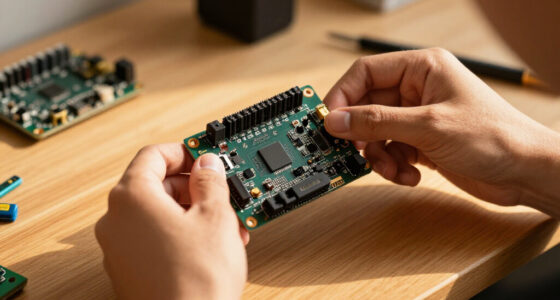
An audio interface for creators needs to do three things well: capture clean vocal or instrument audio, connect reliably to your computer, and stay simple enough that it never interrupts your workflow. After comparing six popular options, the Focusrite Scarlett Solo 4th Gen stands out as the best overall pick for its polished driver support, clean preamps, and easy clip-free gain — the safest choice if you record vocals or instruments regularly. The M-Audio M-Track Duo wins on value for creators on a tight budget, while the FIFINE AmpliGame SC3 is the clear fit for streamers who want live fader control and voice effects rather than music-recording fidelity. The main tradeoff in this category is price versus polish: cheap interfaces record fine audio, but pricier ones give you better preamps, software bundles, and long-term reliability. Read on for the full breakdown of what each model does best — and who should skip it.

Get the latest gadgets delivered free with Prime
- Fast, free delivery on millions of items
- Prime Video, Amazon Music and more included
- Member-only deals all year
Complete the kit



Key Takeaways
- The Scarlett Solo 4th Gen earned the top spot mainly through its 4th-Gen preamps, Clip Safe auto-gain, and mature driver support — polish the budget interfaces in this lineup can’t match.
- Two interfaces here (M-Audio M-Track Duo and Jolgoo) sell at entry-level prices and both deliver usable 48V phantom power, but neither matches the PIYONE Q28’s 192 kHz spec or the Scarlett’s software bundle.
- The PreSonus AudioBox Go is the only true all-in-one: its included Studio One software and content bundle make it the fastest path from unboxing to finished content, which is why it’s the beginner pick despite unremarkable specs.
- The FIFINE SC3 is functionally a different product — a streaming mixer with faders, mute buttons, and voice effects — so streamers and gamers should choose it on workflow, not audio fidelity.
- Every sub-$60 option in this roundup carries the same tradeoff: plasticky builds and minimal software. If you’ll record weekly, spending up to the Scarlett tier pays off in reliability alone.
| Focusrite Scarlett Solo 4th Gen USB-C Audio Interface |  | Best Overall | Connectivity: USB-C | Dynamic Range: 120dB | Inputs: 1 mic (XLR), 1 instrument (1/4-inch) | VIEW ON AMAZON | See Our Full Breakdown |
| PreSonus AudioBox Go Creator Complete Studio Bundle |  | Best Complete Starter Kit | Audio Interface: PreSonus AudioBox GO USB | Recording Software: Studio One 6 Artist Edition | Microphone: PreSonus M7 cardioid condenser | VIEW ON AMAZON | See Our Full Breakdown |
| PIYONE Q28 2-Input USB-C Audio Interface, 24-bit/192 kHz |  | Best Value for Two Inputs | Model: Q28 | Connection: USB-C | Inputs: 2 XLR/TRS combo inputs | VIEW ON AMAZON | See Our Full Breakdown |
| Jolgoo 2×2 USB Audio Interface, 24-Bit/192kHz Recording Card with Phantom Power |  | Best Budget Hi-Res Workhorse | Inputs: 2x XLR/Line combo | Sample Rate: 192kHz | Bit Depth: 24-bit | VIEW ON AMAZON | See Our Full Breakdown |
| M-Audio M-Track Duo USB Audio Interface |  | Best for Streaming and Podcasting | Audio Resolution: 48kHz | Inputs: 2 combo XLR/Line/Instrument with phantom power | Preamps: Crystal preamps | VIEW ON AMAZON | See Our Full Breakdown |
| FIFINE AmpliGame SC3 Gaming Audio Mixer |  | Best for Streamers and Live Creators | Channels: 4 independently controlled | Inputs: XLR microphone input with 48V phantom power | Connectivity: USB-C | VIEW ON AMAZON | See Our Full Breakdown |
| audio interface for creator | Inputs | Connectivity | Compatibility |
|---|---|---|---|
| Focusrite Scarlett Solo 4th Ge | 1 mic (XLR), 1 instrument (1/4-inch) | USB-C | — |
| PreSonus AudioBox Go Creator C | — | — | — |
| PIYONE Q28 2-Input USB-C Audio | 2 XLR/TRS combo inputs | — | Mac, PC, and mobile devices |
| Jolgoo 2×2 USB Audio Interface | 2x XLR/Line combo | USB-C and USB-A | Windows, macOS, iOS, Android; Ableton, Pro Tools, Audacity |
| M-Audio M-Track Duo USB Audio | 2 combo XLR/Line/Instrument with phantom power | USB | Mac, PC |
| FIFINE AmpliGame SC3 Gaming Au | XLR microphone input with 48V phantom power | USB-C | Windows and macOS |
More Details on Our Top Picks
Focusrite Scarlett Solo 4th Gen USB-C Audio Interface
The Scarlett Solo 4th Gen earns the top spot because it nails the fundamentals creators actually hear: 120dB dynamic range from the same converters used in Focusrite’s flagship interfaces, and an improved Air mode that adds presence and harmonic character to vocals and guitars before you ever touch a plugin. Compared with the M-Audio M-Track Duo, the Solo’s single mic preamp is audibly cleaner, though you sacrifice a second input. The bundled software stack — Pro Tools Intro+, Ableton Live Lite, Cubase LE, and Hitmaker Expansion — is the most generous in this lineup and can save a new creator real money on plugins. The tradeoff is structural: one mic plus one instrument input means no multi-channel sessions, so podcast duos and drum recordings are off the table. For solo songwriters and voiceover artists, that limitation rarely matters.
Pros:- Studio-grade converters with 120dB dynamic range borrowed from Focusrite’s flagship line
- Air mode adds analog-style presence and harmonic drive to vocals and guitars
- Generous bundled software including Pro Tools Intro+, Ableton Live Lite, and Hitmaker Expansion
- Compact USB-C design that travels easily for mobile sessions
Cons:- Only one mic and one instrument input, blocking any multi-mic recording
- No MIDI ports for connecting keyboards or controllers
- Premium brand pricing compared with budget rivals offering similar input counts
Best for: Solo songwriters, vocalists, and voiceover creators who want one pristine mic channel plus a guitar input and a serious software bundle
Not ideal for: Podcasters recording two people simultaneously — the single mic preamp can’t handle a duo interview
- Connectivity:USB-C
- Dynamic Range:120dB
- Inputs:1 mic (XLR), 1 instrument (1/4-inch)
- Generation:4th Gen
- Signal Processing:Improved Air mode
- Included Software:Pro Tools Intro+, Ableton Live Lite, Cubase LE, Hitmaker Expansion
Our verdict“The safest all-around pick for a solo creator who wants clean conversion, characterful preamps, and a software bundle that covers day one through album release.”
PreSonus AudioBox Go Creator Complete Studio Bundle
Most interfaces in this roundup ship alone, which means new creators still need a microphone, headphones, and software before recording a single note. The AudioBox Go bundle solves that in one box: interface, Studio One 6 Artist Edition, an M7 condenser microphone with stand adapter and windscreen, and HD7 monitoring headphones. This option makes the most sense for someone starting from zero — compared with buying the Focusrite Scarlett Solo and sourcing every accessory separately, the total cost of entry drops sharply. The compromises are real, though: the M7 is a capable but entry-level condenser that picks up room noise, and Studio One Artist limits some advanced features found in the full version. Still, nothing else here gets you from unopened box to finished track faster, which is exactly why a beginner should buy it.
Pros:- Everything needed to record on day one: interface, mic, headphones, and software
- Studio One 6 Artist Edition is a full-featured DAW, not a trial
- Condenser mic includes practical accessories like a windscreen and stand adapter
- HD7 headphones are tuned for monitoring rather than consumer listening
Cons:- Entry-level M7 condenser is sensitive to untreated room acoustics
- Studio One Artist lacks some features of the Professional version
- Components can’t be individually upgraded — you outgrow the whole kit at once
Best for: Complete beginners who own no gear and want a matched interface, mic, headphones, and DAW in a single purchase
Not ideal for: Creators who already own a microphone and headphones — they’d be paying twice for gear they have
- Audio Interface:PreSonus AudioBox GO USB
- Recording Software:Studio One 6 Artist Edition
- Microphone:PreSonus M7 cardioid condenser
- Microphone Accessories:Stand adapter and windscreen
- Headphones:PreSonus HD7 monitoring headphones
- Form Factor:Compact, portable interface
Our verdict“The fastest legitimate path from empty desk to first finished recording, as long as you accept entry-level components.”
PIYONE Q28 2-Input USB-C Audio Interface, 24-bit/192 kHz
The Q28’s pitch is simple: two combo inputs with phantom power and 24-bit/192 kHz recording at a price point where rivals like the M-Audio M-Track Duo cap out at 48kHz. For a podcast duo or a creator recording vocals and guitar simultaneously, that second XLR channel is the whole decision — the Focusrite Scarlett Solo simply can’t do it. Bus power and driver-free operation mean it works with a laptop or even a phone without a power brick, and the 3.5mm headphone jack with zero-latency monitoring covers the basics of tracking. Where it falls short of premium options is refinement rather than function: there’s no bundled professional software, no characterful preamp mode like Focusrite’s Air, and no MIDI. This model is better suited to creators whose priority is channel count and resolution on a tight budget, not studio polish.
Pros:- Two combo XLR/TRS inputs with 48V phantom power at a budget price
- 24-bit/192 kHz recording, higher resolution than similarly priced competitors
- Driver-free bus power works with Mac, PC, and mobile devices
- Zero-latency direct monitoring via a standard 3.5mm headphone output
Cons:- No bundled recording software or plugins to get started
- Unproven preamp quality compared with established brands like Focusrite or M-Audio
- Locked to two channels with no expansion path
Best for: Budget-conscious podcasters and duos who need two simultaneous mic channels with hi-res recording
Not ideal for: Producers who want bundled DAW software and premium preamp character — neither is included here
- Model:Q28
- Connection:USB-C
- Inputs:2 XLR/TRS combo inputs
- Audio Resolution:24-bit/192 kHz
- Phantom Power:48V
- Monitoring:Zero-latency direct monitoring
- Headphone Output:3.5 mm
- Power:USB bus-powered, no drivers required
- Compatibility:Mac, PC, and mobile devices
Our verdict“The most affordable way to record two sources at once in hi-res, provided you already have your DAW and microphones sorted.”
Jolgoo 2×2 USB Audio Interface, 24-Bit/192kHz Recording Card with Phantom Power
Where the PIYONE Q28 competes on inputs and the PreSonus bundle competes on included accessories, the Jolgoo stakes its claim on durability and flexibility. The rugged metal housing stands out in a price bracket dominated by plastic, and the inclusion of both USB-C and USB-A cables plus compatibility across Windows, macOS, iOS, and Android makes it the most connection-flexible option here. Independent gain control per channel and zero-latency monitoring round out a solid spec sheet for vocals, guitar, and podcast work in 24-bit/192kHz. The honest caveat: with no published preamp specifications, its two channels likely won’t match the cleanliness of the Scarlett Solo’s converters, and the plastic gain knobs feel like the first point of failure under heavy daily use. Creators who record in varied locations and want a box that survives a backpack will forgive that; studio perfectionists should spend more.
Pros:- Rugged metal housing unusual for this price tier
- 24-bit/192kHz recording across both channels with independent gain control
- Works with Windows, macOS, iOS, and Android out of the box, no drivers
- Includes both USB-C and USB-A cables for universal device compatibility
Cons:- No published preamp or converter specs compared with premium interfaces
- Plastic gain knobs may wear or feel imprecise over time
- No bundled software to offset the learning curve for new users
Best for: Mobile creators and multi-platform recorders who need a rugged, hi-res interface that works on any device they own
Not ideal for: Audio purists focused on preamp transparency — unverified conversion quality lags premium brands
- Inputs:2x XLR/Line combo
- Sample Rate:192kHz
- Bit Depth:24-bit
- Phantom Power:+48V
- Connectivity:USB-C and USB-A
- Power:USB-powered
- Compatibility:Windows, macOS, iOS, Android; Ableton, Pro Tools, Audacity
- Housing:Metal
Our verdict“A tough, hi-res, plug-and-anywhere interface for creators who move between devices and locations more than they chase pristine preamps.”
M-Audio M-Track Duo USB Audio Interface
The M-Track Duo isn’t trying to win a resolution contest — it caps at 48kHz, well below the Jolgoo or PIYONE Q28 at 192kHz. But for streaming and podcasting, where platforms compress everything anyway, that resolution ceiling barely matters. What does matter is that its two Crystal preamps handle a mic and a line source simultaneously with phantom power, and its flexible monitoring — 1/4-inch headphone out, stereo outs, and a USB/Direct switch — makes it easy to balance your voice against game audio or music live on air. Compared with the Q28, the M-Track Duo trades hi-res spec-sheet appeal for a trusted brand and MPC Beats software from Akai, which gives beat-makers an actual starting point. The limitations are clear: no MIDI, no hi-res recording, and older USB rather than USB-C. For spoken-word creators, none of that is a dealbreaker.
Pros:- Two combo XLR/Line/Instrument inputs with phantom power for condenser mics
- Flexible monitoring with USB/Direct switch, headphone out, and stereo outputs
- Includes MPC Beats production software from Akai Professional
- Established brand with reliable driver support on Mac and PC
Cons:- Limited to 48kHz audio resolution, well below budget competitors
- No MIDI connectivity for keyboards or controllers
- Older USB connection rather than USB-C
Best for: Streamers and podcasters who need two inputs and flexible live monitoring rather than studio-grade resolution
Not ideal for: Music producers recording hi-res masters — the 48kHz ceiling limits production quality headroom
- Audio Resolution:48kHz
- Inputs:2 combo XLR/Line/Instrument with phantom power
- Preamps:Crystal preamps
- Outputs:1/4-inch headphone output, stereo 1/4-inch outputs
- Monitoring:USB/Direct switch for zero-latency monitoring
- Connectivity:USB
- Compatibility:Mac, PC
- Included Software:MPC Beats (Akai Professional)
Our verdict“A dependable two-channel workhorse for spoken-word creators who value monitoring control and brand trust over resolution numbers.”
FIFINE AmpliGame SC3 Gaming Audio Mixer
Everything else in this roundup is a traditional audio interface, but the AmpliGame SC3 plays a different game: it puts live performance control front and center. Instead of digging through software menus mid-stream, you get four physical faders for microphone, line-in, headphones, and line-out, plus dedicated mute and monitoring buttons you can hit without looking. That’s a workflow the Focusrite Scarlett Solo simply can’t offer — it’s built for recording one clean track, not juggling audio sources on camera.
The tradeoffs are real, though. Unlike the Jolgoo 2×2 or Scarlett Solo, there’s no instrument input for guitar or bass, and the 48V phantom power only serves the XLR channel — USB microphones aren’t supported at all. Recording quality is geared toward streaming rather than studio-grade production, so podcasters chasing pristine vocal captures may prefer the Scarlett. But for creators whose content happens live, the hands-on control is worth it.
Pros:- Four independently controlled channels with physical faders for real-time audio blending
- XLR input with 48V phantom power opens the door to professional condenser microphones
- Instant mute and zero-latency monitoring buttons built for live, on-camera moments
- Customizable sound effects and voice-changing modes add entertainment value to streams
Cons:- No USB microphone support, which locks out a large share of beginner streamers
- XLR cable is not included, adding an extra purchase before first use
- Lacks an instrument input, so guitar and bass recording isn’t possible
Best for: Streamers, gamers, and live content creators who need to adjust mic, music, and game audio on the fly without touching software
Not ideal for: Musicians or studio-focused podcasters — there’s no instrument input, USB mic support is absent, and it prioritizes live mixing over pristine recording quality
- Channels:4 independently controlled
- Inputs:XLR microphone input with 48V phantom power
- Connectivity:USB-C
- Outputs:3.5 mm line out and headphone jack
- Extra Features:Mute/monitoring buttons, sound effects, voice changing, RGB lighting
- Compatibility:Windows and macOS
- Dimensions:4.44 x 6.45 x 1.6 inches
- Weight:0.5 kg
Our verdict“Buy this if your content is live and interactive — it trades studio polish for hands-on control that traditional interfaces like the Scarlett Solo don’t attempt.”

How We Picked
I ranked these interfaces against what actually matters to creators: preamp and converter quality (noise floor, headroom, resolution), ease of setup (driver behavior, plug-and-play simplicity, direct monitoring), build and controls (knob feel, durability, whether level meters exist), and included software value. Because creators work across podcasting, music, and streaming, I also weighed versatility — whether an interface handles condenser mics via 48V phantom power, instruments via Hi-Z inputs, and mobile or USB-C devices.
The ranking logic follows a simple principle: reliability and polish outrank raw specs. A 192 kHz badge means little if drivers misbehave or the unit hums, so proven platforms like the Scarlett and PreSonus placed above cheaper cards with flashier numbers. The budget options earned their spots by being genuinely serviceable at their price, and the FIFINE made the list because it solves a different creator problem — live stream control — better than any conventional interface here.
| audio interface for creator | Connectivity | Compatibility |
|---|---|---|
| Focusrite Scarlett Solo 4th Ge | USB-C | — |
| PreSonus AudioBox Go Creator C | — | — |
| PIYONE Q28 2-Input USB-C Audio | — | Mac, PC, and mobile devices |
| Jolgoo 2×2 USB Audio Interface | USB-C and USB-A | Windows, macOS, iOS, Android; Ableton, Pro Tools, Audacity |
| M-Audio M-Track Duo USB Audio | USB | Mac, PC |
| FIFINE AmpliGame SC3 Gaming Au | USB-C | Windows and macOS |
Factors to Consider When Choosing Audio Interface For Creators
Before picking a specific model, it helps to understand what actually separates interfaces — and where buyers most often waste money. These are the factors I’d weigh first.Preamp Quality Matters More Than Sample Rate
The most common marketing trap in this category is the 24-bit/192 kHz spec. Almost no creator needs 192 kHz — podcasts, music streaming platforms, and YouTube all work comfortably at 44.1 or 48 kHz. What you will hear every single session is preamp noise and headroom: a cheap preamp makes quiet condenser mics hissy and distorts loud vocals. This is why the Scarlett Solo ranks above cheaper cards with identical printed specs. If two interfaces both claim 24-bit/192 kHz, assume they sound different and let preamp reputation, gain range, and included metering break the tie. Spend your budget on the input stage, not the numbers on the box.
Phantom Power and Input Type
Every interface in this roundup offers 48V phantom power, but that doesn’t mean every mic works well with every unit. Power-hungry condenser mics need both phantom power and enough clean gain — and budget preamps sometimes run out of gain before your mic sounds full. If you sing or record spoken word with a condenser, prioritize interfaces with high gain ratings and gain-halo or metering feedback so you can see clipping before your listeners do. Guitarists and bassists should also confirm the interface has a Hi-Z instrument input rather than relying on an adapter into a mic preamp. Getting input type wrong is the number-one reason new creators return interfaces.
Latency and Direct Monitoring
Latency — the delay between speaking into your mic and hearing it back — can make recording feel disorienting and ruin vocal takes. Every interface here offers direct monitoring (zero-latency monitoring) that routes your mic straight to your headphones, bypassing the computer. But the implementation differs: some offer a simple on/off switch, others a blend knob that lets you mix your voice against playback. If you overdub vocals, record instruments, or monitor game audio while commentating, a blend knob is worth paying for. Also check that the unit has a proper headphone output with decent drive; a weak headphone amp forces you to crank levels and introduces its own noise.
Software Bundles: Hidden Value or Filler
Two interfaces at the same price can differ by a hundred dollars of included software. The Scarlett Solo ships with a legitimate DAW (Ableton Live Lite), plugins, and vocal processing tools, while the PreSonus bundle includes a full recording suite — these bundles can save a beginner from buying anything else for a year. Budget cards like the PIYONE and Jolgoo typically include little beyond a download link, meaning you’ll rely on free software like Audacity or GarageBand. That’s fine if you already have a workflow, but if you’re starting from zero, the bundle value can justify choosing a pricier interface. My advice: tally what you’d actually install and use, and ignore the rest.
Interface vs. Streaming Mixer
Creators often buy an interface when they actually need a mixer — or vice versa. A conventional interface like the Scarlett excels at recording one clean signal for later editing, but offers no live control: you can’t fade your mic mid-stream, hit a mute button when you cough, or trigger sound effects. The FIFINE SC3 flips this, giving streamers faders, buttons, and voice effects at the cost of recording-oriented fidelity and flexibility. Podcasters editing in post want an interface; live streamers want tactile control. Some creators genuinely benefit from owning both, but most should pick based on whether their content is recorded or broadcast live.
Build Quality and Long-Term Reliability
An interface sits on your desk getting bumped, unplugged, and dragged to different rooms for years. Metal-chassis units like the Scarlett and AudioBox Go survive this; lightweight plastic units develop scratchy knobs and loose USB ports — and a failing USB connection means dropouts mid-recording. Before buying, check the connector type (USB-C survives repeated plugging better than micro-USB) and whether knobs feel firm or wobbly. Also consider the brand’s driver track record: no-name interfaces sometimes stop receiving driver updates after operating-system changes. Paying more for a proven brand is partly an insurance policy on your whole recording setup.
Frequently Asked Questions
Is the Focusrite Scarlett Solo 4th Gen worth the extra money over a budget interface like the PIYONE Q28?
For most creators recording regularly, yes. The Scarlett’s advantages are practical rather than spec-sheet based: its Clip Safe feature automatically rescues loud takes that would otherwise distort, its gain halo shows your input level at a glance, and Focusrite’s drivers have a long track record of behaving across Windows and macOS updates. The PIYONE matches the 192 kHz spec and works fine for casual voice recording, but you give up the software bundle, the metering, and the resale value. If you record only occasionally, the savings are reasonable; if recording is part of your weekly workflow, the Scarlett pays for itself in avoided frustration and retakes.
Can I use the M-Audio M-Track Duo or Jolgoo for professional-sounding podcasts?
Yes, with the right expectations. Both deliver clean enough audio for podcasting, especially paired with a decent dynamic mic, since dynamic mics demand less from budget preamps. The real differences show up at the margins: noise floors are slightly higher, knobs feel cheaper, and neither includes serious software, so you’ll want a free DAW like Audacity or GarageBand. Where they fall short is gain-hungry condenser mics — you may hear hiss when pushing the input hard. For a first podcast setup or a secondary travel rig, they’re genuinely capable; just don’t expect them to grow with you into music production.
Should a streamer buy the FIFINE SC3 or a traditional audio interface?
It depends on whether your audio is live or recorded. The SC3 is built for live broadcasting: physical faders let you duck your mic instantly, mute buttons handle coughs, and built-in voice effects entertain chat without extra software. A traditional interface like the Scarlett records a cleaner, more flexible signal but gives you zero live control — adjusting volume means alt-tabbing into software mid-stream. Streamers who also record music, voiceovers, or edited videos will get more versatility from an interface and a software mixer like Voicemeeter. Pure live streamers will use the SC3’s hardware controls every single session and rarely miss the fidelity.
Is the PreSonus AudioBox Go bundle actually better for beginners, or is bundled software just filler?
The bundle is the real draw, not filler. Studio One Prime is a full-featured DAW with no trial countdown, and the included loops, samples, and app access mean a complete beginner can open the box and be producing content the same afternoon without buying anything. That removes the biggest beginner bottleneck, which is software choice paralysis rather than hardware. The interface itself is modest — capable but not exceptional — so intermediate users may outgrow it. But as a first purchase that shortens the path from unboxing to a finished track or episode, it does more than any bare interface at a similar price.
Do I need 24-bit/192 kHz recording for content creation?
Almost certainly not. Every major platform — YouTube, Spotify, podcast directories — delivers audio at 44.1 or 48 kHz, and recording higher doesn’t survive the final export. What higher bit depth (24-bit) does give you is recording headroom: you can set conservative levels without noise, which genuinely helps. But 192 kHz sampling mainly benefits sound design and pitch-shifting work that most creators never do. In this lineup, the 192 kHz badges on the PIYONE and Jolgoo are nice-to-haves, not reasons to buy. Judge these interfaces on preamp quality, monitoring, and reliability instead — those affect every recording you make.
Conclusion
The right pick here depends less on specs and more on what you create. Best overall goes to the Focusrite Scarlett Solo 4th Gen — the most reliable, best-supported interface in the lineup, and the one I’d point most creators toward. Best value is the M-Audio M-Track Duo, which covers the fundamentals at a price that leaves room in the budget for a better mic. Best for beginners is the PreSonus AudioBox Go bundle, because its software package turns a hardware purchase into a complete studio. Best for streamers is clearly the FIFINE AmpliGame SC3 — no other option here offers live faders, mute buttons, and voice effects. And for creators who want modern USB-C and 192 kHz capability without the Scarlett’s price, the PIYONE Q28 is the sensible spec-forward choice, with the Jolgoo as a serviceable bare-minimum backup. Match the interface to your workflow, not the spec sheet, and any of these will get your channel sounding professional.
Columbus Day / Indigenous Peoples' Day Picks
long weekend sales
As an affiliate, we earn on qualifying purchases.