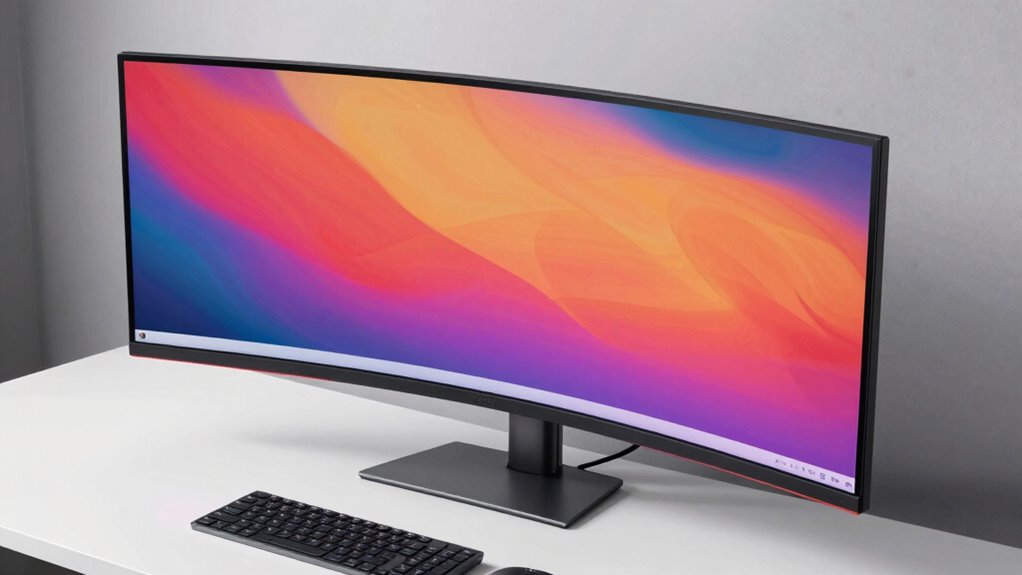
A curved monitor for productivity works best when it wraps your field of view without overwhelming your desk, and my top pick — the Samsung 34″ ViewFinity S65UA — nails that balance with a 1000R curve, USB-C power delivery, and an ergonomic stand that cheap ultrawides skip. If you want maximum screen real estate for spreadsheets and multitasking, the Samsung 49-inch Business Dual QHD replaces a two-monitor setup in one panel, while the Dell 34 Plus USB-C is the cleanest single-cable docking choice. The main tradeoff in this category is refresh rate versus color and comfort: gaming-focused 200Hz+ models like the SANSUI panels deliver speed but weaker stands and connectivity, while business-oriented monitors offer better ergonomics, USB-C, and eye-care features at lower refresh rates. Size is the other fork in the road — 34 inches suits most desks, but 49-inch monsters demand serious depth. Keep reading for the full breakdown of all 14 models and which one earns its spot on your desk.

Get the latest gadgets delivered free with Prime
- Fast, free delivery on millions of items
- Prime Video, Amazon Music and more included
- Member-only deals all year
Complete the kit



Key Takeaways
- USB-C with power delivery was the single biggest differentiator for productivity use — only the Samsung ViewFinity S65UA, Dell 34 Plus, and Samsung 49-inch Business monitor offer true single-cable laptop docking.
- High refresh rate gaming models (SANSUI 200Hz/240Hz, Sceptre 165Hz) cost less per inch but consistently cut corners on stands, color accuracy, and connectivity — a poor trade unless you also game.
- 1000R curvature (Samsung S65TC, S65UA) felt more immersive at arm’s length, while 1500R–1800R panels (LG, Sceptre, CRUA) suit larger screens or shared desks where aggressive wrapping causes distortion.
- The jump from 34 to 49 inches is a workflow decision, not just a size upgrade — dual QHD 49-inch panels replace multi-monitor arrays but require at least 2.5 feet of desk depth to sit at a comfortable distance.
- Budget 34-inch ultrawides under the big brands (ZZA, SANSUI) all use similar VA panels with built-in speakers; what you actually pay more for is stand adjustability, warranty support, and USB-C.
- 27-inch and 32-inch curved FHD options (Samsung S36GD, LG 32MR50C) only make sense for tight desks or secondary screens — their 1080p pixel density is noticeably softer than the WQHD 34-inch standard.


| curved monitor for productivity | Screen Size | Resolution | Refresh Rate | Curvature |
|---|---|---|---|---|
| LG 34U60ZB-B 34-inch UltraWide | 34 inches | 3440×1440 (WQHD) | 120Hz | 1800R |
| SANSUI 34-Inch Curved UWQHD Ga | 34 inches | 3440 × 1440 | 200Hz | 1500R |
| SANSUI 34-inch Curved 240 Hz U | 34 inches | UWQHD 3440×1440 | 240 Hz | — |
| LG 34WR55QK-B 34-Inch Curved U | 34 inches | 3440 × 1440 (WQHD) | 100Hz | — |
| Samsung 27-inch Essential S3 S | 27 inches | Full HD (1920×1080) | 100Hz | 1800R |
| Samsung 34" ViewFinity S65TC U | 34 inches | Ultra-WQHD | 100Hz | 1000R |
| Sceptre 34-Inch Curved Ultrawi | 34 inches | 3440 x 1440 | 165Hz | 1500R |
| Samsung 49-Inch Business Curve | 49 inches | Dual QHD (32:9) | 120Hz | 1000R |
| LG 32MR50C-B 32-Inch Curved FH | 32 inches | 1920 x 1080 (Full HD) | 100Hz | — |
| CRUA 49" DQHD 120Hz Ultrawide | 49 inches | DQHD 5120 x 1440 | 120Hz | 1500R |
| Dell 34 Plus USB-C Curved Moni | 34 inches | 3440 × 1440 (WQHD) | 120Hz | — |
| ZZA 34-Inch Curved Ultrawide W | 34 inches | 3440 × 1440 (WQHD) | 100Hz | 3800R |
| Samsung Viewfinity S65UA Serie | 34 inches | 3440 × 1440 (Ultra WQHD) | 100Hz | 1000R |
| Samsung 34-Inch Odyssey G5 Ult | 34 inches | WQHD (3440 × 1440) | 165Hz | 1000R |
More Details on Our Top Picks
LG 34U60ZB-B 34-inch UltraWide WQHD 120Hz HDR10 1800R Curved Monitor
This option stands out as the most balanced pick for a productivity-focused curved monitor. The 3440×1440 UltraWide canvas gives you room for two full documents side by side, and the 120Hz refresh rate makes scrolling through long spreadsheets and code noticeably smoother than the LG 34WR55QK-B’s 100Hz panel. Compared with the SANSUI 200Hz model, it trades raw speed for a more ergonomic height-adjustable stand and LG Switch software that lets you save window layouts — a genuine workflow advantage. HDR10 and 99% sRGB coverage keep colors accurate enough for design-adjacent work. The tradeoff: a 5ms response time means competitive gamers should look elsewhere, and hitting 120Hz depends on your graphics card.
Pros:- 120Hz refresh rate makes everyday scrolling and video smoother than standard 60Hz panels
- Height and tilt adjustment plus a space-saving stand support proper desk ergonomics
- LG Switch software enables saved screen layouts for repeatable multitasking setups
- 99% sRGB and HDR10 deliver accurate color for creative-adjacent work
Cons:- 5ms response time is a poor fit for fast-paced competitive gaming
- Best features, including screen layout tools, require installing LG Switch software
- Achieving the full 120Hz depends on your computer’s graphics capabilities
Best for: Professionals and hybrid workers who want one monitor for both deep multitasking and casual after-hours gaming
Not ideal for: Competitive esports players — the 5ms response time lags far behind the SANSUI 240Hz model’s 1ms spec
- Screen Size:34 inches
- Resolution:3440×1440 (WQHD)
- Aspect Ratio:21:9
- Refresh Rate:120Hz
- Curvature:1800R
- Color Coverage:99% sRGB
- HDR Support:HDR10
- Adjustments:Tilt, Height
- Connectivity:DisplayPort, HDMI, Headphone Jack
Our verdict“If you want a single curved monitor that handles serious work first and play second, this is the most well-rounded choice in the lineup.”
SANSUI 34-Inch Curved UWQHD Gaming Monitor, 200Hz
For buyers who want maximum specs per dollar, this SANSUI makes the most sense. It undercuts the LG 34U60ZB-B on price while delivering a higher 200Hz refresh rate, a tighter 1500R curve that wraps the screen into your field of view, and a fast 1ms response time — so motion stays crisp whether you’re scrolling code or gaming. The 3000:1 VA contrast also produces deeper blacks than typical IPS panels, which helps with video editing timelines and dim-office work. The compromises are real, though: the stand tilts only, with no height adjustment, and there are no built-in speakers, so budget for audio and a monitor arm or riser if ergonomics matter.
Pros:- 200Hz refresh rate and 1ms response time deliver fluid motion for work and play
- 1500R curvature creates an immersive wraparound viewing experience
- 3000:1 contrast ratio produces deeper blacks than typical office monitors
- Two HDMI 2.1 ports plus DisplayPort support multiple devices without cable swapping
Cons:- No built-in speakers means you need external audio
- Tilt-only stand with no height adjustment limits ergonomic positioning
Best for: Budget-conscious buyers who want ultrawide multitasking plus high-refresh gaming without paying premium-brand prices
Not ideal for: Laptop-based workers who want a single-cable setup — there’s no USB-C connectivity here, unlike the LG 34WR55QK-B
- Screen Size:34 inches
- Resolution:3440 × 1440
- Refresh Rate:200Hz
- Response Time:1ms
- Curvature:1500R
- Panel Type:VA LED
- Contrast Ratio:3000:1
- Ports:2 × HDMI 2.1, DisplayPort 1.4, 3.5mm audio
- Adaptive Sync:FreeSync / VRR
Our verdict“This is the smart pick if raw speed and screen real estate matter more to you than ergonomic stands and single-cable convenience.”
SANSUI 34-inch Curved 240 Hz UWQHD Gaming Monitor (3440×1440)
Think of this as the enthusiast sibling of the SANSUI 200Hz model — same 34-inch UWQHD canvas, but pushed to a 240Hz refresh rate with HDR400 for brighter highlights. Where the LG 34U60ZB-B prioritizes workflow polish, this one leans into visual tooling: AI-assisted features like blue-light reduction and Ultra Vivid modes genuinely help during long work sessions, while crosshair overlays serve the gaming side. Connectivity is the strongest here, with two HDMI 2.1 and two DisplayPort 1.4 inputs, so you can keep a work laptop and gaming PC plugged in simultaneously and switch with PIP/PBP. The catch: VRR only works over HDMI 2.1, there are no speakers, and the tilt-only stand again forces a VESA arm for proper ergonomics.
Pros:- 240Hz refresh rate with 1ms MPRT response delivers exceptionally fluid motion
- Four video inputs (2× HDMI 2.1, 2× DisplayPort) plus PIP/PBP support multi-device workflows
- HDR400 and AI visual modes improve both gaming vibrancy and long-session eye comfort
- VESA 100×100mm mounting allows easy arm or dual-monitor upgrades
Cons:- VRR and adaptive sync are limited to HDMI 2.1 connections
- No built-in speakers means external audio is required
- Stand offers tilt only, with no height adjustment
Best for: Work-by-day, game-by-night users who run multiple machines and want the smoothest motion available at this size
Not ideal for: Buyers focused purely on office ergonomics — no height adjustment and no speakers mean extra purchases to complete the setup
- Screen Size:34 inches
- Resolution:UWQHD 3440×1440
- Refresh Rate:240 Hz
- Response Time:1 ms (MPRT)
- Panel Type:VA
- HDR:HDR400
- Connectivity:HDMI 2.1 ×2, DisplayPort 1.4 ×2, earphone jack
- AI Features:Crosshair, Bluelight reduction, Sniper Scope, Ultra Vivid, AI PQ Visual Enhance
- Mounting:VESA 100×100mm compatible
Our verdict“Choose this if you split your time between a serious gaming rig and productivity work and refuse to compromise on smoothness.”
LG 34WR55QK-B 34-Inch Curved UltraWide WQHD Monitor
What separates this LG from every other 34-inch option here is the USB-C port with 65W power delivery — one cable from your laptop drives the display, charges the machine, and connects your peripherals through the built-in USB ports. That single-cable convenience is something neither SANSUI model offers, and it transforms the daily dock/undock routine for laptop users. The Picture-by-Picture support even lets you view two sources at once, handy for a desktop-plus-laptop setup. You give up speed compared with the 120Hz LG 34U60ZB-B, settling for 100Hz, but for document work and video calls the difference is barely perceptible. Just measure your desk first — the full 34-inch footprint plus stand demands real space.
Pros:- USB-C with 65W power delivery enables true single-cable laptop docking
- Height- and tilt-adjustable stand plus Reader Mode support all-day comfort
- Picture-by-Picture lets two computers share the screen simultaneously
- Generous port selection including 2 HDMI, 2 USB, and DisplayPort
Cons:- 100Hz refresh rate trails the 120Hz–240Hz options in this lineup
- OnScreen Control features require software installation on the host computer
- Large footprint may overwhelm smaller desks
Best for: Laptop professionals who want a one-cable dock-and-charge setup at a home or office desk
Not ideal for: Anyone with a shallow desk — the 34-inch curved panel and stand demand considerable depth and width
- Screen Size:34 inches
- Resolution:3440 × 1440 (WQHD)
- Aspect Ratio:21:9
- Refresh Rate:100Hz
- HDR:HDR10
- Color Gamut:Up to 99% sRGB
- USB-C Power Delivery:Up to 65W
- Ports:USB-C, 2 HDMI, 2 USB, DisplayPort, headphone jack
- Stand Adjustment:Height and tilt
Our verdict“If your workday revolves around a laptop, this is the most convenient curved ultrawide in the roundup thanks to its docking-style USB-C connectivity.”
Samsung 27-inch Essential S3 S36GD FHD 1800R Curved Computer Monitor
Not everyone needs — or has room for — a 34-inch ultrawide, and this Samsung fills that gap well. The 27-inch footprint fits shallow desks, dorm rooms, and secondary workstations where the LG 34WR55QK-B would simply not fit. Its eye comfort features, which cut blue light and screen flicker, matter more than specs suggest for anyone doing long stretches of reading and email, and the gentle 1800R curve still delivers that wraparound feel without the immersion-tilt of the SANSUI’s tighter 1500R. The obvious limitation is Full HD resolution: text is less crisp than on the WQHD panels elsewhere in this roundup, and there’s far less window real estate for side-by-side work. As a first curved monitor or a space-constrained second screen, though, it makes sense.
Pros:- Compact 27-inch size fits small desks and tight workspaces
- 100Hz refresh rate reduces lag and motion blur compared with standard 60Hz panels
- Blue-light reduction and flicker-free technology ease eye strain during long sessions
- 1800R curvature provides immersive viewing without overwhelming the field of view
Cons:- Full HD resolution delivers noticeably less crisp text than the 3440×1440 panels in this roundup
- Limited screen space restricts serious side-by-side multitasking
Best for: Students, home-office beginners, or anyone with a small desk wanting an affordable entry into curved monitors
Not ideal for: Multitaskers who juggle multiple windows — Full HD on 27 inches offers limited screen real estate and softer text than the WQHD ultrawides here
- Screen Size:27 inches
- Resolution:Full HD (1920×1080)
- Curvature:1800R
- Refresh Rate:100Hz
- Series:Essential S3 (S36GD)
- Eye Comfort:Blue-light reduction and flicker-free
Our verdict“A sensible first curved monitor for light productivity in tight spaces — skip it if your work depends on fitting many windows on screen.”
Samsung 34″ ViewFinity S65TC Ultra-WQHD 1000R Curved Computer Monitor
This option stands out for one reason above all: Thunderbolt 4 with 90W power delivery. Plug in a single cable and a laptop gets video, data, LAN, and a full charge — something the Sceptre C345B-QUT168, with its HDMI and DisplayPort-only setup, cannot match. The KVM switch lets one keyboard and mouse toggle between two computers, which changes how a multi-device workflow feels day to day. The 1000R curvature is aggressive for a work panel, keeping the edges of the 21:9 canvas inside a comfortable field of view. Compared with the LG 32MR50C-B, this model also adds TÜV-certified eye care and a height-adjustable stand. The tradeoff: 100Hz trails the 165Hz Sceptre, and the built-in speakers are fine for calls but thin for media.
Pros:- Thunderbolt 4 with 90W power delivery turns the monitor into a full docking station
- KVM switch controls two computers with a single keyboard and mouse
- Aggressive 1000R curvature matches the human field of view for comfortable long sessions
- Height-adjustable stand and TÜV-certified eye care support ergonomic all-day work
Cons:- 100Hz refresh rate trails competing ultrawides running at 165Hz or 200Hz
- Built-in speakers lack depth for music or video playback
Best for: Laptop-based professionals who want one-cable docking with charging and a KVM for managing a work and personal machine
Not ideal for: Buyers with desktop-only setups — much of this monitor’s value comes from Thunderbolt 4, which a typical desktop PC won’t use
- Screen Size:34 inches
- Resolution:Ultra-WQHD
- Curvature:1000R
- Aspect Ratio:21:9
- Refresh Rate:100Hz
- Connectivity:Thunderbolt 4, HDMI, DisplayPort, USB3 Hub, LAN
- Power Delivery:90W
- Features:HDR10, AMD FreeSync, KVM Switch, Built-In Speakers, Height Adjustable
Our verdict“This is the pick for professionals who want their monitor to double as a one-cable dock with KVM control rather than just a big screen.”
Sceptre 34-Inch Curved Ultrawide WQHD Gaming Monitor, 3440 x 1440, 165Hz, C345B-QUT168
For buyers who want 3440 x 1440 screen real estate without paying for docking extras, this Sceptre makes a strong case. It outpaces the Samsung ViewFinity S65TC on motion — 165Hz with a 1ms MPRT response time and FreeSync Premium — which pays off in fast-scrolling spreadsheets as much as in games. The matte finish cuts reflections in bright offices, a thoughtful touch the glossier competition often skips. Its VA panel delivers the deep contrast that makes text and dark interfaces pop during long work sessions. The compromises are real, though: 280 cd/m² brightness struggles near windows, there’s no USB-C power delivery for laptop charging, and the 1500R curve is gentler than Samsung’s 1000R. Anyone who mostly needs a single big canvas for windows side by side will still find it hits the productivity mark.
Pros:- 165Hz refresh rate with 1ms MPRT keeps scrolling and window dragging noticeably smooth
- Matte VA panel with 1,000,000:1 contrast renders deep blacks and resists glare
- 99% sRGB coverage handles color-sensitive everyday work
- Four video inputs (2x HDMI, 2x DisplayPort) allow multiple machines connected at once
Cons:- 280 cd/m² brightness is limited in brightly lit rooms
- No USB-C connectivity or power delivery for modern laptops
Best for: Budget-conscious multitaskers and after-hours gamers who want ultrawide WQHD space and high refresh without premium connectivity costs
Not ideal for: Laptop users who want single-cable docking and charging — HDMI and DisplayPort only means a separate power brick and adapter dongles
- Screen Size:34 inches
- Resolution:3440 x 1440
- Curvature:1500R
- Aspect Ratio:21:9
- Refresh Rate:165Hz
- Response Time:1ms MPRT
- Panel Type:VA, matte finish
- Adaptive Sync:AMD FreeSync Premium
- Ports:2 x HDMI, 2 x DisplayPort
Our verdict“A straightforward ultrawide that trades dock features for raw speed, ideal when screen space per dollar is the priority.”
Samsung 49-Inch Business Curved Dual QHD Monitor with USB-C
A 49-inch 32:9 Dual QHD panel is effectively two 27-inch QHD monitors fused into one seamless curve — no bezel gap in the middle. That single fact defines this pick: compared with running two separate screens, window snapping, timeline scrubbing, and side-by-side document work become frictionless. The 1000R curvature wraps the massive canvas around the user, which the flatter CRUA 49-inch at 1500R doesn’t do as aggressively. USB-C with 90W charging keeps laptop setups clean, and 120Hz plus DisplayHDR 400 round out the experience for video-heavy work. The obvious tradeoff is physical: this thing demands a deep, wide desk, and buyers with modest workspaces will feel cramped. Unlike the Samsung ViewFinity S65TC, there’s no KVM switch, so multi-computer users still need a separate solution.
Pros:- Dual QHD 32:9 canvas replaces a two-monitor setup with zero bezel gap
- USB-C with up to 90W charging supports clean single-cable laptop setups
- 120Hz refresh rate makes long document scrolling smoother than standard 60Hz panels
- VESA DisplayHDR 400 and 1000R curvature add immersion for video review work
Cons:- Enormous footprint demands substantial desk depth and width
- No KVM switch despite the business-focused positioning
Best for: Analysts, traders, editors, and engineers replacing a two-monitor setup with one uninterrupted 32:9 workspace
Not ideal for: Anyone with a shallow or narrow desk — at 49 inches and 32:9, ergonomic placement becomes a real constraint
- Screen Size:49 inches
- Resolution:Dual QHD (32:9)
- Curvature:1000R
- Refresh Rate:120Hz
- HDR:VESA DisplayHDR 400
- USB-C Charging:Up to 90W
- Inputs:DisplayPort, 2 x HDMI, USB, USB-C
Our verdict“The right choice when the goal is replacing a dual-monitor array with one seamless curved workspace.”
LG 32MR50C-B 32-Inch Curved FHD Monitor
Not everyone needs ultrawide real estate, and this LG is the sensible entry into curved displays. At 32 inches with a 100Hz refresh rate, it delivers smoother motion than standard 60Hz office panels while keeping the familiar 16:9 shape. Reader Mode cuts blue light for long document sessions, and Black Stabilizer lifts detail in dark content — small conveniences that matter during full workdays. Compared with the Sceptre C345B-QUT168, it gives up the 21:9 layout and the higher 165Hz refresh, but it also sheds the desk-space demands and complexity of an ultrawide. The honest tradeoff is resolution: Full HD at 32 inches produces visible pixels and less screen room for side-by-side windows, and the tilt-only stand means monitor-arm buyers will need VESA planning. For a first curved monitor or a secondary workstations screen, it holds up well.
Pros:- 100Hz refresh rate feels smoother than typical budget 60Hz office monitors
- Reader Mode and FlickerSafe-style eye comfort help during long text-heavy sessions
- Familiar 16:9 format fits desks and workflows that ultrawides disrupt
- AMD FreeSync prevents stutter in video playback and casual gaming
Cons:- Full HD resolution at 32 inches produces noticeably soft text and limited split-screen space
- Stand adjusts tilt only — no height or swivel without a separate arm
Best for: First-time curved monitor buyers and secondary-workstation builders who want a simple, affordable 16:9 curved screen
Not ideal for: Detail-oriented professionals like photographers or CAD users — Full HD across 32 inches looks soft and limits split-screen workspace
- Screen Size:32 inches
- Resolution:1920 x 1080 (Full HD)
- Refresh Rate:100Hz
- Panel Type:VA
- Adaptive Sync:AMD FreeSync
- Stand Adjustment:Tilt only
- Connectivity:HDMI
Our verdict“A low-commitment way into curved displays for everyday office work, as long as sharpness isn’t the top priority.”
CRUA 49″ DQHD 120Hz Ultrawide Curved Gaming Monitor – 1500R Curvature, FreeSync, White
This CRUA covers the fundamentals of a 49-inch ultrawide well: 5120 x 1440 resolution, 120Hz with FreeSync, HDMI 2.1, and a 120% sRGB color gamut that out-specs the Samsung 49-inch Business monitor’s color coverage for creative work. The full ergonomic stand — height, tilt, and lift — beats both the Samsung 49-inch’s fixed options and the tilt-only LG 32MR50C-B, making it easier to dial in a neutral neck position at this screen width. The white finish also stands apart in a sea of black panels, suiting brighter, design-forward setups. Where it falls short of the Samsung: no built-in speakers at all, so external audio is mandatory, and the 1500R curve is gentler than Samsung’s 1000R, which some immersion-focused buyers will notice at this width. Desk footprint remains the shared burden of every 32:9 display here.
Pros:- 120% sRGB coverage and 3000:1 contrast deliver accurate, punchy visuals for creative work
- Height, tilt, and lift adjustable stand — rare flexibility at this screen size
- HDMI 2.1 and DisplayPort 1.4 provide modern, high-bandwidth connectivity
- Distinctive white finish suits bright, styled workspaces
Cons:- No built-in speakers, requiring an external audio solution
- 1500R curvature is gentler than competing 1000R 49-inch panels, reducing wraparound immersion
Best for: Design-conscious multitaskers and hybrid work-plus-gaming users who want 49-inch real estate, strong color, and a white aesthetic
Not ideal for: Buyers wanting an all-in-one setup — the total absence of speakers and USB-C docking means extra peripherals and cables
- Screen Size:49 inches
- Resolution:DQHD 5120 x 1440
- Curvature:1500R
- Aspect Ratio:32:9
- Refresh Rate:120Hz
- Color Gamut:120% sRGB
- Stand Adjustability:Height, tilt, lift
- Ports:HDMI 2.1, DisplayPort 1.4, 3.5mm audio jack
Our verdict“A well-rounded 49-inch pick for users who prioritize ergonomics, color, and looks over integrated audio and docking.”
Dell 34 Plus USB-C Curved Monitor S3425DW, 34-Inch WQHD, 120Hz
This Dell earns the top spot because it treats productivity as the main event rather than an afterthought. The 120Hz refresh rate makes scrolling through long documents and dragging windows across the 21:9 workspace feel noticeably smoother than the Samsung Viewfinity S65UA, while the 65W USB-C connection lets a laptop user run video, data, and charging through a single cable. Compared with the budget-focused ZZA 34-inch ultrawide, the Dell’s 99% sRGB and 95% DCI-P3 coverage, 3000:1 contrast, and ComfortView Plus low-blue-light feature add up to a display that stays comfortable across a full workday. The built-in audio and matte finish round out a well-balanced package. The tradeoff: it weighs 20.7 pounds, so it’s a set-it-and-forget-it desk fixture, not something you’ll reposition often, and 65W charging is modest for power-hungry laptops.
Pros:- 120Hz refresh rate with FreeSync Premium for fluid window management
- Single-cable USB-C docking with 65W power delivery
- 99% sRGB and 95% DCI-P3 coverage with 3000:1 contrast
- ComfortView Plus and matte finish reduce eye strain over long sessions
Cons:- 20.7-pound build makes it awkward to move or reposition
- 65W charging falls short for power-hungry workstation laptops
Best for: Laptop-based professionals who want one cable for display, data, and charging with smooth 120Hz multitasking
Not ideal for: Owners of high-wattage workstation laptops — 65W power delivery may not keep larger machines fully charged under load
- Screen Size:34 inches
- Resolution:3440 × 1440 (WQHD)
- Panel Type:VA
- Refresh Rate:120Hz
- Color Coverage:99% sRGB, 95% DCI-P3
- Connectivity:USB-C (65W PD), 2 HDMI, 4 USB ports
- Brightness:300 nits
Our verdict“The most complete productivity package here — smooth, accurate, and dock-friendly, provided it stays put on your desk.”
ZZA 34-Inch Curved Ultrawide WQHD Monitor with Built-In Speakers
Not everyone needs docking features and wide color gamuts — sometimes you just want the 21:9 ultrawide workspace without the premium price. That’s where this ZZA model fits. You still get the same 3440 × 1440 resolution as the Dell S3425DW, plus a 100Hz refresh rate and FreeSync, which covers the essentials of smooth multitasking. The built-in speakers are a genuine convenience for video calls, something the Samsung Odyssey G5 doesn’t address at all, and at 15 pounds it’s far easier to move or mount than the Dell. Compromises show up in the details: 250-nit brightness is dimmer than the Dell’s 300 nits and will struggle near bright windows, and a single HDMI port plus DisplayPort limits how many machines you can keep plugged in.
Pros:- Full 3440 × 1440 ultrawide resolution at a lower price point
- 100Hz refresh rate with FreeSync for smooth daily use
- Built-in speakers handle calls and casual audio
- Lightweight 15-pound build with VESA mount support
Cons:- 250-nit brightness struggles in bright rooms
- Only one HDMI port limits multi-device setups
Best for: Students and home-office users who want an ultrawide curved workspace and speakers on a tight budget
Not ideal for: Multi-device workstations — with only one HDMI port and one DisplayPort, swapping cables between desktops and consoles gets old fast
- Screen Size:34 inches
- Resolution:3440 × 1440 (WQHD)
- Curvature:3800R
- Refresh Rate:100Hz
- Color Gamut:100% sRGB
- Connectivity:1 HDMI, DisplayPort
- Weight:15 pounds
Our verdict“The cheapest sensible path to a curved ultrawide desk setup — just don’t expect brightness or connectivity headroom.”
Samsung Viewfinity S65UA Series 34-Inch Ultrawide QHD Curved Monitor
This pick makes the most sense for buyers whose priority is comfort across eight-plus hours at the desk. The TUV-certified eye care — blue-light filtering plus flicker-free operation — is more thorough than the ComfortView Plus implementation on the Dell S3425DW, and the height-adjustable stand is something neither the Dell’s fixed ergonomics story nor the budget ZZA clearly match. The 1000R curvature wraps the 3440 × 1440 panel closer to your eyes than gentler curves, which many find reduces head movement when scanning between windows. With 90W over USB-C, it also out-charges the Dell’s 65W, making it friendlier to larger laptops. The catch is flexibility: connectivity leans heavily on USB-C with no HDMI or DisplayPort mentioned, and there’s no built-in speaker, so you’ll need external audio.
Pros:- TUV-certified blue-light and flicker-free eye care for extended sessions
- 90W USB-C power delivery charges most laptops over one cable
- Height-adjustable stand improves ergonomic fit
- Deep 1000R curvature reduces head movement across the ultrawide span
Cons:- Sparse connectivity beyond USB-C — no listed HDMI or DisplayPort
- No built-in speakers, so external audio is required
Best for: Professionals logging long hours who value ergonomics, eye comfort, and strong single-cable laptop charging
Not ideal for: Users with older desktops lacking USB-C — video output options are limited without adapters
- Screen Size:34 inches
- Resolution:3440 × 1440 (Ultra WQHD)
- Curvature:1000R
- Refresh Rate:100Hz
- USB-C Power Delivery:90W
- HDR:HDR10, 1 billion colors
- Stand:Height adjustable
Our verdict“The comfort-first choice — ideal if you live at your desk all day and run everything through a modern USB-C laptop.”
Samsung 34-Inch Odyssey G5 Ultra-Wide Curved Gaming Monitor
For buyers who spend the day in spreadsheets and the evening in games, the Odyssey G5 splits the difference better than anything else in this lineup. Its 165Hz refresh rate and 1ms response time outpace the Dell S3425DW’s 120Hz and leave the ZZA’s 100Hz well behind, while FreeSync Premium keeps fast motion clean. The 1000R curve and HDR10 deliver the same immersive wraparound feel as the Viewfinity S65UA, but tuned for play rather than desk comfort. As a pure productivity display, though, the gaps show: there’s no USB-C docking, no mentioned power delivery, and no built-in audio, so your desk will need its own cable management and speakers. The VA panel’s strength is contrast, but if you do color-critical work, an IPS alternative will serve you better.
Pros:- 165Hz refresh rate and 1ms response for smooth work and play
- Immersive 1000R curvature with HDR10 support
- FreeSync Premium reduces tearing during fast motion
- Same expansive 3440 × 1440 workspace as pricier productivity models
Cons:- No USB-C docking or power delivery for single-cable laptop setups
- No built-in speakers
- VA panel is less suited to color-critical work than IPS
Best for: Hybrid users who want a serious ultrawide for daytime work and competitive gaming after hours
Not ideal for: Color-critical creative professionals — the VA panel’s viewing-angle and color-shift characteristics favor IPS alternatives
- Screen Size:34 inches
- Resolution:WQHD (3440 × 1440)
- Panel Type:VA
- Curvature:1000R
- Refresh Rate:165Hz
- Response Time:1ms (MPRT)
- HDR:HDR10
- Adaptive Sync:AMD FreeSync Premium
Our verdict“Pick this if gaming performance matters as much as screen real estate; skip it if you want a clean single-cable office dock.”
How We Picked
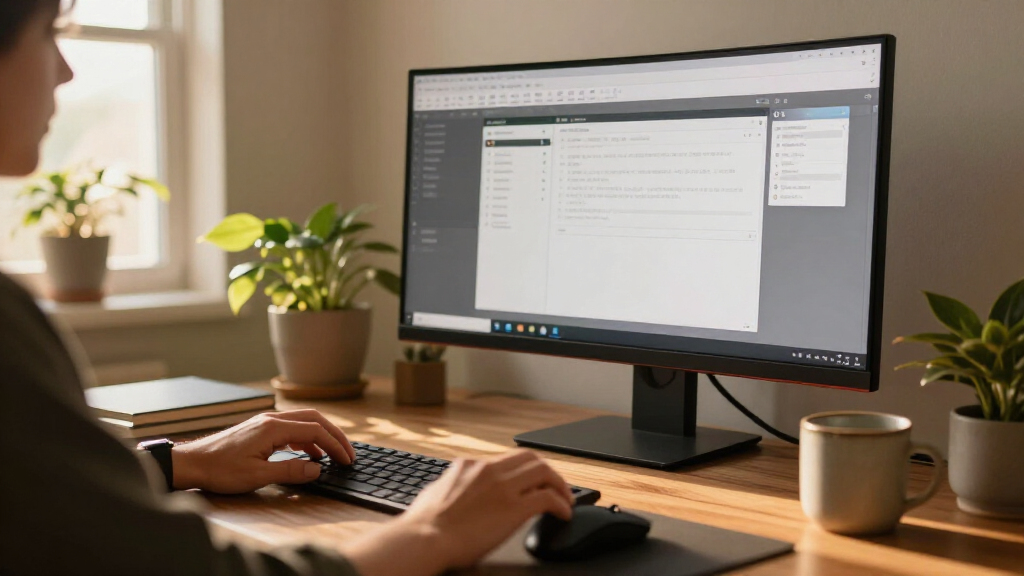
I evaluated every monitor through one lens: day-long work comfort and multitasking efficiency, not gaming performance. The criteria that separated the field were curvature matched to viewing distance, panel resolution relative to screen size, stand ergonomics (height, tilt, swivel), connectivity — specifically whether USB-C with power delivery enables single-cable laptop docking — and eye-comfort features like flicker-free backlighting and low blue light modes. Refresh rate mattered only up to a point: anything at 100Hz or above feels smooth for scrolling and window management, so the 240Hz gaming panels gained no productivity advantage over 100–120Hz business monitors.
Ranking followed practical value rather than raw specs. Monitors that combined WQHD resolution, a capable stand, and modern connectivity ranked above faster panels with wobbly fixed-height stands. The 49-inch models were judged on whether they genuinely replace a dual-monitor setup, and the smaller FHD curved screens were slotted for the narrow niches where they still make sense. Where two monitors were nearly identical on paper, warranty support, build quality, and software extras like KVM switching broke the tie.
Factors to Consider When Choosing Curved Monitor For Productivity
Before picking a specific model, it helps to understand what actually changes your daily work experience on a curved monitor — and where marketing specs mislead buyers. These are the factors that mattered most across all 14 comparisons.Curvature and Viewing Distance
Curvature is measured as a radius — 1000R wraps tighter than 1800R — and the right number depends entirely on how far you sit. A 1000R panel is designed for roughly a meter of viewing distance, so it feels immersive at a normal desk but can produce edge distortion if you sit farther back or share the screen with a colleague. Gentler 1500R and 1800R curves are more forgiving for deeper desks, couch-distance setups, and collaborative work where two people view the panel at an angle. The common mistake is assuming more curve is always better; a mismatch between curvature and distance causes more eye strain than a flat monitor would. Measure your actual eye-to-screen distance before choosing, and remember that wider screens naturally need gentler curves to stay comfortable. If your desk is shallow, prioritize aggressive curvature — if it’s deep, the subtler curves on LG’s panels will serve you better.
Resolution Versus Screen Size
Resolution only matters relative to panel size, and this is where budget buyers most often regret their purchase. A 34-inch ultrawide at 3440×1440 (WQHD) delivers crisp text at typical desk distance, but the same diagonal at 1080p-equivalent ultrawide produces visibly soft fonts after a full workday of reading and writing. The 27-inch and 32-inch FHD curved monitors in this lineup fall into that trap at the larger size — fine for video calls and dashboards, fatiguing for dense documents. On the other end, 49-inch dual QHD panels give you effectively two 27-inch QHD screens without a bezel gap, which is the only way that width stays sharp. My rule of thumb: never drop below 100 pixels per inch for text-heavy work, and treat HDR10 branding as a bonus rather than a buying reason — most of these monitors lack the brightness to make HDR meaningful. Resolution upgrades also future-proof you, since scaling a higher-resolution panel down always looks better than stretching a lower one up.
Connectivity and Single-Cable Docking
The most underappreciated productivity feature is USB-C with power delivery, because it turns your monitor into a docking station: one cable charges your laptop, carries video, and runs your peripherals through the monitor’s USB hub. If you dock and undock a laptop daily, this feature alone justifies paying more — it’s the difference between the Samsung ViewFinity S65UA and Dell 34 Plus versus every gaming-oriented panel here. Buyers who skip it end up juggling power bricks, HDMI cables, and dongles twice a day. Check the wattage too: 65W handles most ultrabooks, but 90W (as on the S65UA) covers larger performance laptops. Also look for KVM switching if you alternate between two computers, and verify the HDMI version supports the panel’s full refresh rate — some budget models silently cap refresh over certain inputs. Ethernet passthrough on the 49-inch business panels is another quiet time-saver for wired offices.
Ergonomics and All-Day Comfort
A monitor you’ll sit in front of for eight hours needs adjustability, and this is precisely where budget curved monitors cut costs. Height adjustment is the feature most often missing on sub-$300 panels — a fixed-height stand forces you into neck strain or a monitor riser, and tilt-only stands (common on Sceptre and SANSUI models) can’t fix a screen that’s too tall or too low. Before buying, check the stand specs for height range, swivel, and pivot, or budget for a VESA arm — most of these monitors do include the standard 100×100mm VESA mount, which is the cheapest ergonomic upgrade available. Eye comfort matters as much as posture: flicker-free backlighting and TUV-certified low blue light modes genuinely reduce end-of-day fatigue, and matte anti-glare coatings beat glossy finishes in bright offices. Weight matters too, since 49-inch panels need heavy-duty arms that basic monitor mounts can’t handle.
Panel Type and Color Work
Nearly every monitor in this category uses a VA panel, which delivers strong contrast and deep blacks but slower pixel response than IPS — irrelevant for office work, but a factor if you also game or edit video. VA panels also shift color slightly when viewed off-axis, which matters if you regularly share your screen with someone standing beside your desk. If your work involves photo editing, design, or print-adjacent color matching, verify the panel covers sRGB fully and check whether it ships factory-calibrated; most of these monitors do not, and the marketing claim of “1 billion colors” says nothing about accuracy. For spreadsheets, coding, and writing, none of this matters — prioritize resolution and comfort instead. One more practical note: VA black smearing in dark scenes is real but only visible in fast motion, so it won’t affect document work.
Ultrawide Versus Dual-Monitor Setups
The real question many buyers face isn’t which curved monitor, but whether a curved ultrawide beats two flat monitors. A 34-inch ultrawide replaces a messy dual 27-inch setup with no bezel gap, a single stand, and simpler cable management — and window-snapping tools make the extra width genuinely useful rather than just wide. A 49-inch dual QHD panel goes further, effectively giving you two QHD screens in one curved surface, which is ideal for traders, developers, and anyone who lives in reference-plus-workspace layouts. The tradeoffs: ultrawides cost more per pixel, some older applications don’t respect 21:9 aspect ratios, and you lose the physical separation that helps some people mentally partition tasks. Dual monitors still win if you need two full 4K surfaces or want to rotate one panel vertically for code and documents. If you currently work across two mismatched monitors and fight bezels daily, the upgrade to a single curved ultrawide is one of the most noticeable productivity improvements you can buy.
Frequently Asked Questions
Is a 1000R curve too aggressive for everyday office work?
For a single user at a standard desk depth of about two feet, 1000R is comfortable and arguably the most immersive option — it’s designed so the screen edges sit at a consistent distance from your eyes, which reduces the constant refocusing that flat ultrawides demand. Problems appear in two scenarios: if you sit farther back than a meter, the outer edges can bow noticeably, and if a second person regularly views the screen from the side, VA panel off-axis shift combines with the curve to distort the image. If your setup is collaborative or your desk is unusually deep, the 1500R–1800R panels from LG and Sceptre are safer choices. For solo work at normal desk distance, don’t fear the tighter curve — the Samsung S65TC and S65UA make it work beautifully.
Do I really need USB-C power delivery, or is HDMI enough?
If you use a desktop PC that never moves, HDMI is perfectly fine and you can save money with a gaming-oriented panel. If you dock a laptop even a few times a week, USB-C with power delivery changes your daily routine: one cable handles charging, video, and your keyboard, mouse, and external drives through the monitor’s hub. Check the wattage against your laptop — 65W covers most ultrabooks, while 90W on the Samsung ViewFinity S65UA handles performance machines that would drain on lower output. Also verify the port supports DisplayPort Alt Mode with data, since a few monitors have USB-C for power only. Among these 14 models, only the S65UA, Dell 34 Plus, and Samsung 49-inch Business monitor offer the full docking experience.
Is a 49-inch curved monitor overkill for productivity?
It depends entirely on your workflow and your desk. A 49-inch dual QHD panel replaces two 27-inch monitors with no bezel, which is transformative for traders, developers, video editors, and anyone who needs a reference window permanently open beside their main workspace. The catches are physical: you need roughly 2.5 to 3 feet of desk depth to sit far enough back, a sturdy desk since these panels are heavy, and acceptance that some applications don’t fully utilize 32:9 width. If your work fits comfortably on a 34-inch ultrawide with two or three snapped windows, the 49-inch format adds cost and neck movement without adding much speed. Treat it as a specialist tool — brilliant for the right user, excessive for everyone else.
Are the budget 34-inch ultrawides from SANSUI, ZZA, and Sceptre actually good for work?
Yes, with clear expectations about what you’re giving up. These panels typically use the same class of VA hardware as name-brand equivalents, so the core viewing experience — 3440×1440 resolution, decent contrast, high refresh — is genuinely solid for documents, browsing, and spreadsheets. What you sacrifice is everything around the panel: stands are usually tilt-only with no height adjustment, USB-C is absent, color calibration is unverified, factory quality control is less consistent, and warranty support can be slower if a unit arrives with backlight bleed or dead pixels. If you already own a VESA arm and connect via HDMI from a desktop, the savings are real. If you dock a laptop or care about ergonomics out of the box, spend the extra on the Dell or Samsung options.
Does refresh rate matter for productivity, or is 100Hz enough?
For pure office work, 100Hz is the point of diminishing returns — scrolling, window dragging, and cursor movement already look smooth, and anything above 120Hz delivers benefits you’d only notice in fast-motion gaming. The 200Hz and 240Hz panels in this lineup are priced for gamers who also work, not for workers who occasionally game. That said, going from a 60Hz monitor to any 100Hz+ panel is a noticeable daily comfort improvement, so don’t buy a legacy 60Hz model to save money. If you’re choosing between a 165Hz budget panel with a bad stand and a 100Hz business monitor with height adjustment and USB-C at similar cost, the 100Hz monitor is the better productivity buy every time. Spend your budget on comfort and connectivity before extra hertz.
Conclusion
Matching the right curved monitor to your situation comes down to three questions: how you connect, how big your desk is, and whether you game on the side. For most professionals, the Samsung 34″ ViewFinity S65UA is the best overall pick — it combines 1000R curvature, USB-C with 90W power delivery, a height-adjustable stand, and eye-care certification in one package, and it’s the monitor I’d put on a laptop-docking desk. For best value, the Sceptre C345B-QUT168 and SANSUI 34-inch WQHD deliver the full 3440×1440 ultrawide experience at budget prices, provided you add your own VESA arm and connect via HDMI.
For best premium, the Samsung 49-inch Business Dual QHD is the endgame multitasker that replaces an entire dual-monitor array with KVM switching and USB-C docking. The Dell 34 Plus is the strongest alternative if you want premium connectivity in a more desk-friendly 34-inch size. For beginners or small desks, the Samsung 27-inch S36GD offers a gentle, affordable introduction to curved viewing, while the LG 34WR55QK-B splits the difference with a trusted brand and forgiving 1000R-adjacent geometry. Gamers who work should shortlist the SANSUI 240Hz or Odyssey G5, accepting weaker stands and no USB-C in exchange for speed. Whatever you choose, prioritize resolution, ergonomics, and connectivity over headline specs — those are the factors that still matter a year into ownership.
Evergreen bestsellers Picks

TCL QM64L 85-Inch QD-Mini LED 4K Smart Fire TV

Samsung 85-Inch QN70H Neo QLED 4K Smart TV (2026)

KitchenAid Artisan Series 5-Quart Tilt-Head Stand Mixer, Dried Rose (KSM150PS)
As an affiliate, we earn on qualifying purchases.