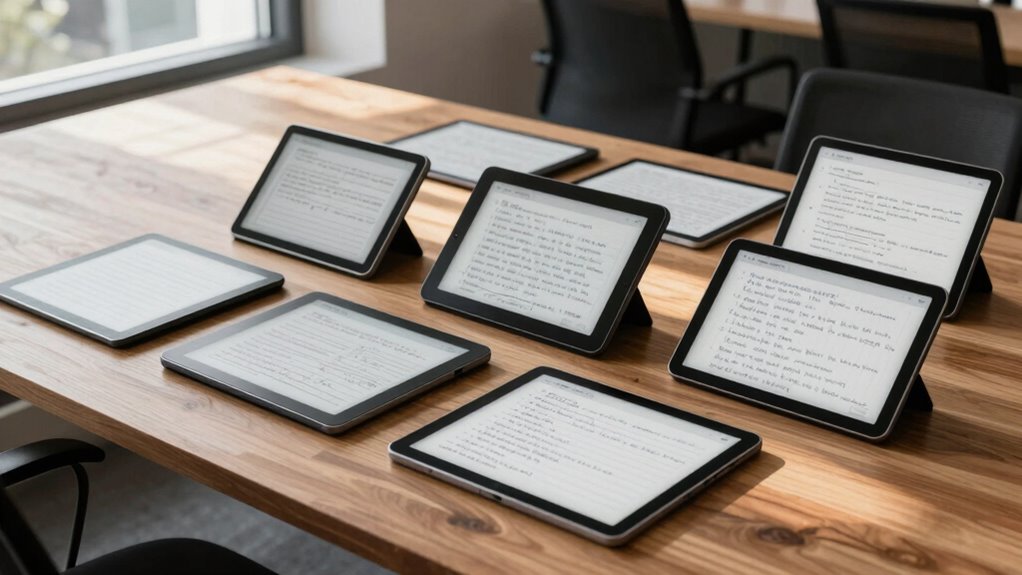

For a focused digital notebook, I’d start with the reMarkable Paper Pro: its large color display and Marker Plus make it the strongest all-around fit in this group. The Kindle Scribe suits readers who also want to annotate books, while the BOOX Go Color 7 Gen II favors portability and app flexibility. The main choice is between a distraction-light writing experience, color and software versatility, and a smaller device that is easier to carry. Stylus support, screen size, and how you plan to organize notes matter as much as the display itself. Read on for how each option fits a different note-taking routine.

Get the latest gadgets delivered free — and shop member deals
- Fast, free delivery on millions of items
- Access to Prime Big Deal Days deals on October 6–7
- Prime Video, Amazon Music and more included
Complete the kit



Key Takeaways
- reMarkable Paper Pro leads for a balanced notebook experience, while its larger format is less suited to frequent pocketable carry.
- Kindle Scribe stands apart when reading and annotating Kindle books are as important as handwritten notes.
- BOOX Go Color 7 Gen II prioritizes compactness and Android flexibility, with a smaller writing area than the larger tablets.
- VIWOODS AiPaper and AINOTE Air put AI features near the center of their appeal; buyers should weigh those tools against a more focused writing setup.
- The XPPen Magic Note Pad adds Android versatility and a large color screen, while the reMarkable models lean toward a more dedicated paper-like workflow.
| reMarkable Paper Pro with Marker Plus |  | Best Overall for Color Notes | Display size: 11.8 inches | Display type: Canvas Color e-ink | Included stylus: Marker Plus | VIEW ON AMAZON | See Our Full Breakdown |
| VIWOODS AiPaper 10.65″ AI E Ink Tablet with W2 Stylus Pro |  | Best for AI-Assisted Document Work | Screen size: 10.65 inches | Display: E Ink Carta 1300 | Resolution: 2560 × 1920 | VIEW ON AMAZON | See Our Full Breakdown |
| reMarkable Paper Pure 10.3-Inch Tablet with Marker Plus and Ocean Blue Sleeve Folio |  | Best for Focused Monochrome Writing | Display size: 10.3 inches | Display type: Third-generation black-and-white paper display | Digital ink response: 21 ms | VIEW ON AMAZON | See Our Full Breakdown |
| AINOTE Air AI Digital Notebook with 8.4″ Full Color Display |  | Best Compact Meeting Notebook | Display size: 8.4 inches | Display type: Full-color paper-like display | Weight: 320g | VIEW ON AMAZON | See Our Full Breakdown |
| reMarkable Paper Pro 11.8-Inch Color Paper Tablet with Marker Plus and Black Leather Book Folio |  | Best Premium Folio Bundle | Display: 11.8-inch Canvas Color | Reading light: Adjustable | Included pen: Marker Plus with built-in eraser | VIEW ON AMAZON | See Our Full Breakdown |
| reMarkable Paper Pro Move Digital Paper Tablet with Marker Plus |  | Best Compact E Ink Notebook | Display: 7.3-inch Canvas Color | Included accessories: Marker Plus, six spare Marker tips, USB-C cable | Note conversion: Handwriting to typed text | VIEW ON AMAZON | See Our Full Breakdown |
| Kindle Scribe (64GB) with Premium Pen – Tungsten |  | Best for Reading and Note Taking | Storage: 64GB | Display: 10.2-inch glare-free, 300 ppi front-lit | Battery life: Read for months; write for weeks | VIEW ON AMAZON | See Our Full Breakdown |
| BOOX Tablet Go Color 7 Gen II E Ink Tablet |  | Best for Android App Flexibility | Screen: 7 inches, Kaleido 3 Color E Ink | Resolution: 1680 x 1264; 300 ppi black and white, 150 ppi color | Processor and memory: Octa-core CPU, 4GB RAM | VIEW ON AMAZON | See Our Full Breakdown |
| XPPen Magic Note Pad 10.95-Inch Android Tablet with X3 Pro Pencil 2 |  | Best LCD Alternative for Detailed Notes | Display: 10.95-inch AG nano-etched LCD, TCL NXTpaper 3.0 | Refresh rate and modes: 90Hz; Monochrome LCD, Light Color, Nature Color | Color and brightness: 16.7 million colors; 400 nits | VIEW ON AMAZON | See Our Full Breakdown |
| e ink tablet for note taking | Display | Storage |
|---|---|---|
| reMarkable Paper Pro with Mark | — | — |
| VIWOODS AiPaper 10.65" AI E In | E Ink Carta 1300 | 128GB |
| reMarkable Paper Pure 10.3-Inc | — | — |
| AINOTE Air AI Digital Notebook | — | 64GB local |
| reMarkable Paper Pro 11.8-Inch | 11.8-inch Canvas Color | — |
| reMarkable Paper Pro Move Digi | 7.3-inch Canvas Color | — |
| Kindle Scribe | 10.2-inch glare-free, 300 ppi front-lit | 64GB |
| BOOX Tablet Go Color 7 Gen II | — | 64GB, with microSD expansion |
| XPPen Magic Note Pad 10.95-Inc | 10.95-inch AG nano-etched LCD, TCL NXTpaper 3.0 | 128GB |
More Details on Our Top Picks
reMarkable Paper Pro with Marker Plus
The 11.8-inch Canvas Color display gives this reMarkable room for diagrams, highlighted documents, and handwritten notes on one page, making it the most versatile writing surface among these five. Compared with the black-and-white reMarkable Paper Pure, color helps separate ideas at a glance; the Paper Pure may suit buyers who mainly want straightforward monochrome notes. The included Marker Plus, spare tips, handwriting conversion, and folders support a focused workflow without relying on a conventional tablet interface. Its tradeoff is a more contained software ecosystem than an Android-based option such as the VIWOODS AiPaper, and the color screen is unnecessary if your notes rarely use visual cues. The adjustable reading light helps with dim rooms, while the large screen and slim build balance desk work with portability.
Pros:- Large 11.8-inch color display makes diagrams and document highlights easier to distinguish.
- Marker Plus and spare tips are included for handwriting and sketching.
- Folders, tags, PDF annotation, and handwriting-to-text conversion support organized note workflows.
- Adjustable reading light and low-glare display suit reading and writing in varied lighting.
Cons:- Software is limited to the reMarkable ecosystem compared with more open tablet platforms.
- Color adds little value for buyers who mainly take plain monochrome notes.
- The listed features do not specify a built-in backlight independent of the adjustable reading light.
Best for: Students and professionals who annotate color-coded PDFs, sketch diagrams, and want a large, focused writing surface.
Not ideal for: Readers who need broad app choice or mostly write plain text; the monochrome Paper Pure may be a simpler fit.
- Display size:11.8 inches
- Display type:Canvas Color e-ink
- Included stylus:Marker Plus
- Spare Marker tips:6
- Lighting:Adjustable reading light
- Writing tools:Handwriting-to-text conversion
- Document support:PDF annotation
- Design:Ultra-slim, portable
Our verdict“Choose it for a large, focused color note-taking workspace; pick the Paper Pure if monochrome writing matters more than color.”
VIWOODS AiPaper 10.65″ AI E Ink Tablet with W2 Stylus Pro
The VIWOODS AiPaper pairs a high-resolution monochrome screen with tools for summarizing, translating, and organizing notes, giving document-heavy users a different priority from the color-focused reMarkable Paper Pro. Its 10.65-inch, 2560 × 1920 Carta 1300 display is sized for PDFs and long-form reading, while the W2 Stylus Pro’s 4096 pressure levels support detailed handwriting and markup. The included folio and replacement nibs make the package ready for regular carry, and 128GB gives it more listed storage than the AINOTE Air. These advantages come with familiar e-ink refresh latency, and monochrome limits color-coded annotation. Buyers should also weigh whether the AI features fit their workflow; if a quiet writing surface matters more than document assistance, the reMarkable Paper Pure offers a more focused alternative.
Pros:- High-resolution Carta 1300 screen is suited to detailed documents and extended reading.
- W2 Stylus Pro supports 4096 pressure levels for handwriting and annotation.
- AI tools can summarize, translate, and organize notes.
- 128GB storage and included folio, replacement nibs, and USB-C cable make a complete bundle.
Cons:- Monochrome display cannot show color-coded notes or illustrations in color.
- E-ink refresh latency can feel slow compared with LCD screens.
- The larger set of document tools may be unnecessary for buyers seeking a simple writing-only device.
Best for: Researchers and office users who read lengthy PDFs and want AI tools to help summarize, translate, and organize notes.
Not ideal for: Visual note-takers who rely on color coding or expect fast screen updates like a conventional LCD tablet.
- Screen size:10.65 inches
- Display:E Ink Carta 1300
- Resolution:2560 × 1920
- Storage:128GB
- Stylus:W2 Stylus Pro
- Stylus pressure levels:4096
- Pen gap:750 microns
- Included accessories:Folio cover, replacement nibs, USB-C cable
Our verdict“Pick the AiPaper if your notes start with long documents and benefit from AI assistance; choose the reMarkable Paper Pro for color markup.”
reMarkable Paper Pure 10.3-Inch Tablet with Marker Plus and Ocean Blue Sleeve Folio
The reMarkable Paper Pure makes the clearest case for buyers who want handwriting, document markup, and organization without needing a color display. Its 10.3-inch black-and-white screen is smaller than the 11.8-inch reMarkable Paper Pro, so it gives up some space for diagrams and side-by-side document work while keeping the focus on writing. A stated 21 ms digital ink response supports a responsive pen feel, and the included Marker Plus and Ocean Blue sleeve folio cover basic writing and carrying needs. Google Drive, Dropbox, and Microsoft Word integrations can help move notes into existing workflows. Compared with the VIWOODS AiPaper, this pick emphasizes a more focused note-taking system rather than AI document tools. Some features require a Connect subscription, and the monochrome display rules out color markup.
Pros:- 21 ms digital ink response time is suited to fluid handwriting.
- Templates, tags, and folders help keep notes organized.
- Supports document markup and handwriting-to-text conversion.
- Integrations include Google Drive, Dropbox, and Microsoft Word.
Cons:- Black-and-white display cannot distinguish color-coded notes or markup.
- Some features require a Connect subscription.
- Its 10.3-inch display gives less room than the 11.8-inch reMarkable Paper Pro.
Best for: Writers and students who want a distraction-light device for handwritten notes, document markup, and cloud sharing.
Not ideal for: People who annotate with color, need a larger canvas, or want all listed features without a Connect subscription.
- Display size:10.3 inches
- Display type:Third-generation black-and-white paper display
- Digital ink response:21 ms
- Included stylus:Marker Plus
- Included cover:Ocean Blue Sleeve Folio
- Note organization:Templates, tags, and folders
- Writing tools:Handwriting-to-text
- Integrations:Google Drive, Dropbox, and Microsoft Word
Our verdict“Choose the Paper Pure for focused monochrome notes and document markup, and the Paper Pro if color and extra screen space matter.”
AINOTE Air AI Digital Notebook with 8.4″ Full Color Display
At 320g with an 8.4-inch color display, the AINOTE Air is the portable pick for people whose note-taking happens in meetings, classes, and transit. Its real-time voice-to-text, 48-language transcription support, and meeting summaries set it apart from the larger reMarkable Paper Pro, which centers on handwriting and document markup rather than recorded conversation. The 4096-level pressure-sensitive pen adds handwritten notes alongside audio workflows, and 64GB of local storage keeps files on the device. That compact size is also a compromise: it leaves less room for PDFs and expansive diagrams than the VIWOODS AiPaper. Advanced features require an OfficeAI Pro subscription after the initial 90 days, so buyers should choose it for the transcription workflow rather than assume every AI function stays included. Its listed interface languages number seven.
Pros:- 320g weight and 8.4-inch size make it easy to carry between meetings or classes.
- Voice-to-text transcription supports 48 languages.
- AI meeting summaries and translation add tools beyond handwritten note capture.
- 64GB local storage and up to 25 days standby are listed.
Cons:- Small display offers less room for PDFs and diagrams than the reMarkable Paper Pro or VIWOODS AiPaper.
- Advanced features require an OfficeAI Pro subscription after the initial 90 days.
- The interface supports only seven languages.
Best for: Mobile professionals and students who need a lightweight notebook for handwritten notes, voice transcription, and multilingual meetings.
Not ideal for: PDF-heavy users who want a large writing canvas, or buyers unwilling to pay for advanced features after the trial period.
- Display size:8.4 inches
- Display type:Full-color paper-like display
- Weight:320g
- Storage:64GB local
- Pen pressure levels:4096
- Standby time:Up to 25 days
- Recording time:Up to 8 hours
- Transcription languages:48
- Interface languages:7
Our verdict“Choose the AINOTE Air for portable, transcription-led note-taking; choose a larger tablet if document markup is your main task.”
reMarkable Paper Pro 11.8-Inch Color Paper Tablet with Marker Plus and Black Leather Book Folio
This Paper Pro bundle has the same 11.8-inch Canvas Color display and core writing tools as the reMarkable Paper Pro with Marker Plus, but its included black leather Book Folio makes it the more presentation-ready package. For buyers who carry a tablet between meetings, that cover is the main distinction; it does not change the note-taking capabilities that separate the Paper Pro from the monochrome reMarkable Paper Pure. The Marker Plus includes a built-in eraser, and folders, tags, PDF annotation, and handwriting conversion cover common paper replacement tasks. Color supports visual organization and sketching, while the adjustable reading light helps with dimmer settings. The tradeoff is that this bundle still uses reMarkable’s focused software ecosystem, and the display’s color advantage may not matter for text-only notes. The pen is designed specifically for the tablet’s display.
Pros:- 11.8-inch Canvas Color screen supports color notes, sketches, and document markup.
- Black leather Book Folio is included for carrying and protection.
- Marker Plus has a built-in eraser and comes with six spare tips.
- Folders, tags, PDF annotation, and handwriting conversion support paper-like workflows.
Cons:- The tablet and Marker are designed around the reMarkable ecosystem.
- Color display may be unnecessary for text-only note-taking.
- The included stylus is designed to work exclusively with the tablet’s display.
Best for: Professionals who want the Paper Pro’s color writing tools bundled with a protective leather folio for regular carry.
Not ideal for: Buyers who already have a suitable cover, prefer an open app ecosystem, or take mostly monochrome notes.
- Display:11.8-inch Canvas Color
- Reading light:Adjustable
- Included pen:Marker Plus with built-in eraser
- Spare pen tips:6
- Included cover:Black leather Book Folio
- Connectivity accessory:USB-C cable
- Organization:Folders and tags
- Document tools:PDF annotation and handwriting-to-text conversion
Our verdict“Choose this bundle if you want the Paper Pro’s color note-taking setup with a leather folio included; the standard bundle has the same core tablet features.”
reMarkable Paper Pro Move Digital Paper Tablet with Marker Plus
The 7.3-inch color display makes this the most portable handwriting-first pick in this group. It suits quick notes on the move better than the larger Kindle Scribe, whose 10.2-inch screen gives more room for reading and writing but takes up more space. The included Marker Plus and spare tips mean the core writing kit is ready to go, while handwriting conversion, tags, folders, and app sync help keep notes usable beyond the tablet. Its small screen is the tradeoff: long documents and diagrams have less room than on the Scribe or the 11.8-inch reMarkable Paper Pro. Searching handwritten notes also requires a Connect subscription, which limits a useful way to retrieve older ideas.
Pros:- Compact 7.3-inch format is easy to carry
- Paper-like handwriting experience
- Converts handwriting to typed text
- Marker Plus and six spare tips are included
Cons:- Small screen leaves less room for long notes and documents
- Searching handwritten notes requires a Connect subscription
Best for: Commuters and students who want a lightweight, handwriting-focused color tablet for brief notes and quick capture.
Not ideal for: People who regularly annotate long PDFs, sketch large diagrams, or need searchable handwriting without a Connect subscription.
- Display:7.3-inch Canvas Color
- Included accessories:Marker Plus, six spare Marker tips, USB-C cable
- Note conversion:Handwriting to typed text
- Cloud sync:Notes sync to mobile and desktop apps
- Organization:Tags and folders
- Handwritten note search:Requires Connect subscription
Our verdict“Choose the Paper Pro Move if portability and quick handwriting matter more than workspace or subscription-free note search.”
Kindle Scribe (64GB) with Premium Pen – Tungsten
The Kindle Scribe is the strongest fit here for readers who want a large e-reader and a digital notebook in one device. Its 10.2-inch glare-free display gives more space for annotations than the compact reMarkable Paper Pro Move, and the front light supports reading across different lighting conditions. The included Premium Pen and tools for handwriting conversion and note summarization make it useful for capturing and reviewing thoughts without adding a separate tablet. The tradeoff is a more limited environment: it stays within Amazon’s ecosystem and lacks color. Compared with the Android-based BOOX Go Color 7 Gen II, it offers fewer app options, but its distraction-free focus may suit readers who want fewer competing tasks.
Pros:- 10.2-inch glare-free, front-lit display offers ample reading and writing space
- Premium Pen is included
- AI tools summarize notes and convert handwriting
- Battery life is rated for months of reading and weeks of writing
Cons:- Display does not support color
- Limited to Amazon’s ecosystem
Best for: Frequent Kindle readers who want room to annotate books and manage handwritten notes on the same device.
Not ideal for: Buyers who need color notes, broad Android app access, or a flexible tablet for non-Amazon workflows.
- Storage:64GB
- Display:10.2-inch glare-free, 300 ppi front-lit
- Battery life:Read for months; write for weeks
- Pen:Premium Pen included
- AI features:Note summarization and handwriting conversion
Our verdict“Pick the Kindle Scribe if reading Kindle books and annotating them matter more than color or open app access.”
BOOX Tablet Go Color 7 Gen II E Ink Tablet
The BOOX Go Color 7 Gen II stands out for buyers who want an E Ink notebook that can also run Android apps. Its 7-inch Kaleido 3 color screen and 195 g weight make it easier to carry than the Kindle Scribe, while Android 13, Wi-Fi, Bluetooth, and a microSD slot offer more flexibility for apps and files. That openness can suit people whose notes live across different services, but it also means this is less of a focused, ready-made notebook than the reMarkable Paper Pro Move. The InkSense stylus is sold separately, so writing adds another purchase and setup step. Color E Ink is also dimmer and lower-resolution in color than a conventional LCD, with possible ghosting—a noticeable compromise for detailed diagrams.
Pros:- Android 13 supports third-party apps
- Compact 195 g design with a 7-inch color display
- microSD slot expands storage beyond the built-in 64GB
- Adjustable warm and cool front light with physical page-turn buttons
Cons:- Active Stylus InkSense is not included
- Color E Ink appears darker and less detailed than LCD displays
- Ghosting may affect fast page changes or detailed work
Best for: Android users who want a pocketable color E Ink reader and note device with third-party apps and expandable storage.
Not ideal for: Writers who want a stylus included, a bright color screen, or a large surface for extended handwritten notes.
- Screen:7 inches, Kaleido 3 Color E Ink
- Resolution:1680 x 1264; 300 ppi black and white, 150 ppi color
- Processor and memory:Octa-core CPU, 4GB RAM
- Storage:64GB, with microSD expansion
- Operating system:Android 13
- Connectivity:Wi-Fi and Bluetooth 5.1
- Battery:2,300mAh Li-ion Polymer
- Dimensions and weight:156 x 137 x 6.4 mm; 195 g
Our verdict“Choose the BOOX if app flexibility and a compact color E Ink screen outweigh the separate stylus and smaller writing area.”
XPPen Magic Note Pad 10.95-Inch Android Tablet with X3 Pro Pencil 2
The XPPen Magic Note Pad is the outlier for someone who values a responsive, full-color canvas more than true E Ink. Its 10.95-inch LCD, 90Hz refresh rate, and included pressure-sensitive X3 Pro Pencil 2 support detailed handwriting and varied strokes, while the note tools cover handwriting conversion, audio recording, and PDF editing. Compared with the E Ink Kindle Scribe, it offers color and Google Play access, but its LCD is less suited to readers seeking the subdued screen and long reading stamina associated with E Ink. The 495 g body is also heavier than the BOOX Go Color 7 Gen II. Android 14 broadens its uses, though the product guidance recommends avoiding multiple apps at once, which can constrain multitasking.
Pros:- Large 10.95-inch anti-glare display with three viewing modes
- Included X3 Pro Pencil 2 supports 16,384 pressure levels
- Note tools include handwriting conversion, audio recording, and PDF editing
- Android 14 provides Google Play app access
Cons:- LCD display does not provide an E Ink reading experience
- At 495 g, it is heavier than the BOOX Go Color 7 Gen II
- Product guidance recommends avoiding multiple apps running at once
Best for: Note makers who need color, pressure-sensitive drawing, audio capture, and Android apps on a larger screen.
Not ideal for: Readers set on an actual E Ink display, a lightweight travel notebook, or running several apps side by side.
- Display:10.95-inch AG nano-etched LCD, TCL NXTpaper 3.0
- Refresh rate and modes:90Hz; Monochrome LCD, Light Color, Nature Color
- Color and brightness:16.7 million colors; 400 nits
- Operating system:Android 14
- Storage:128GB
- Stylus:X3 Pro Pencil 2 with 16,384 pressure levels
- Battery and charging:8,000mAh; 20W charger
- Weight and thickness:495 g; 7 mm
Our verdict“Choose the XPPen if a large, colorful writing and drawing surface matters more than E Ink’s display characteristics.”

How We Picked
I ranked these tablets around the job in the title: taking and returning to handwritten notes. That means I weighed writing-focused design, stylus pairing, screen area, portability, color usefulness, and how much the software invites a focused notebook routine. I also considered whether a device’s broader strengths—such as e-book annotation, Android apps, or AI tools—help a note taker enough to justify the added complexity.
The reMarkable Paper Pro takes the top position because it balances a generous writing canvas with a dedicated digital-paper approach. The Scribe ranks strongly for readers who annotate books, while compact and Android-based options serve buyers who value carry convenience or app choice over a larger, simpler notebook surface. The other reMarkable bundles and AI-oriented tablets target narrower preferences; their rank reflects that fit, not a claim that one feature set suits every buyer. I treated bundles with different folios or product naming as distinct listings, while recognizing that their core appeal may overlap.
Factors to Consider When Choosing E Ink Tablet For Note Taking
Before choosing a model, I’d map the tablet to the notes you actually make and how you expect to find them later. A good fit depends on more than whether the screen looks like paper.
Choose a writing area that matches your notes
A page-sized display gives you room for diagrams, meeting notes, and split-page layouts without constant zooming. Smaller screens are easier to carry, but handwriting can feel cramped when you write large or need to see a full page at once. Think about your typical note, not the largest possible task: a daily checklist needs less space than a lecture outline. If you mostly annotate books, a compact screen can be practical because the text already sets the page structure. A common mistake is choosing the biggest screen for comfort and then finding it stays at home. I’d favor the smallest display that can show your usual notes clearly.
Decide whether color helps you think
Color can make diagrams, highlights, and project notes easier to scan, especially when you use a consistent color code. It can also add complexity if your main habit is writing plain text and you rarely revisit visual marks. E Ink color screens do not resemble bright tablet displays, so consider whether muted color serves your workflow before making it a priority. A monochrome screen can keep the page simple and make color unnecessary rather than merely absent. Ask how you will use color after the first week: if it will distinguish categories or annotations, it may earn its place. If not, put more weight on writing feel and software.
Check the note retrieval workflow
Handwriting is only half the task; finding a note months later can matter more than capturing it quickly. Before buying, look for the organization methods you rely on, such as folders, tags, searchable handwriting, or exports to your existing services. These features vary by software and may depend on accounts or subscriptions, so check the current terms for the exact model and region. A polished notebook can still frustrate you if its file flow does not match how you work across devices. Consider whether you need searchable text or simply a dated stack of pages. The best system is the one you will keep organized without turning every note into an admin task.
Treat Android and AI as workflow choices
Android access can bring familiar apps and services, but every added app can also compete with the quiet, paper-like focus many people want from E Ink. AI tools may help summarize, transcribe, or organize information, though their usefulness depends on your privacy expectations, connection needs, language support, and how much cleanup their results require. Check which functions run on the device and which send content to an online service. If your notes include sensitive work, review data handling before relying on automatic processing. Buyers sometimes pay attention to feature lists without asking whether the tools fit a repeated habit. Choose flexibility or automation when you can name the task it will improve.
Account for portability beyond screen size
A compact tablet is easier to bring along, but the full carry setup includes the stylus, case, and charging accessories. Folios protect the screen and may keep a pen with the device, yet they can make a slim tablet bulkier. If you take notes while standing or moving between meetings, one-handed handling may matter more than a larger page. For desk-based study, a folio and broad writing canvas can be a better trade. Look at the complete bundle rather than comparing tablet dimensions alone. A device you carry consistently will usually serve a note-taking routine better than one with a more impressive screen that gets left behind.
Pay for the feature you will use repeatedly
Premium bundles can combine a stylus and folio, but included accessories are valuable only when they suit your grip, protection needs, and carrying style. A lower-feature model may be the better buy if you mainly need a reliable place to write and review notes. On the other hand, paying more for a larger canvas, color, or specialized software can make sense when it removes a recurring friction point. Compare the complete product listing, since similarly named models and bundles can differ in display, included pen, or case. Avoid assuming that a higher tier automatically means better handwriting or organization. Write down the two tasks that currently slow you down, then spend toward the features that address them.
Frequently Asked Questions
Should I choose the reMarkable Paper Pro or Kindle Scribe for handwritten notes?
I’d choose the reMarkable Paper Pro if a dedicated notebook and a larger color writing surface are the main goals. The Kindle Scribe makes more sense when you already read Kindle books and want notes and annotations in that reading routine. Consider where your notes need to live: a reading library and a notebook collection are different organizing centers. Also check which export and syncing options fit your current devices before deciding. Neither is automatically the better choice if your primary need is app flexibility.
Is a color E Ink tablet worth choosing if I mostly write in black ink?
Color is useful when you regularly distinguish categories, annotate charts, or mark ideas for later review. If your notes are mostly prose and simple lists, it may contribute little to your daily workflow. Color E Ink also looks different from a standard bright tablet screen, so photos and saturated graphics may not appear as vivid as expected. I’d choose color for a repeatable annotation habit, rather than as future-proofing on its own. Put screen size and software fit first if color has no clear job.
Will an Android E Ink tablet replace my regular tablet for note taking?
An Android model can run a broader range of apps, which helps if your notes depend on a particular service or workflow. That flexibility does not make every app pleasant on an E Ink screen; animation, scrolling, and color-heavy interfaces may feel less suited to the display. A dedicated notebook often keeps writing and review more direct. Check that the specific apps you depend on work well on the tablet and support your stylus needs. If you want one device for varied tasks, Android may be a good fit; for a focused writing tool, simplicity may matter more.
Do I need AI features to get useful notes from an E Ink tablet?
No: organized handwritten pages can be useful without automated summaries or transcription. AI features may save time when you often turn long notes into searchable text or action lists, but their results can still need review. Find out whether the functions need an internet connection, an account, or an external service, and check the data terms if your notes are sensitive. Language and handwriting recognition support can also affect results. I’d treat AI as a reason to choose a specific model only when it solves a task you already do often.
What should I check before buying a tablet with a bundled stylus and folio?
Confirm the exact model name and what the bundle includes, since related listings can package different accessories. Check whether the stylus supports the writing controls you care about and whether it attaches to or stores with the tablet in a way that suits your routine. A folio can protect the display and improve desk use, but it may add bulk when carried. Also look at replacement accessory compatibility and the maker’s support information for your region. These details can change the day-to-day experience more than a small difference between bundle names.
Conclusion
For the broadest dedicated note-taking fit here, I’d pick the reMarkable Paper Pro. The Kindle Scribe is my choice for readers who want handwritten annotations alongside books, while the BOOX Go Color 7 Gen II suits buyers who put compact size and Android flexibility first. For beginners, I’d favor the model whose notebook organization and stylus bundle feel straightforward for the way they already write; the reMarkable approach is a strong starting point for a focused routine. Buyers seeking AI assistance should compare the VIWOODS AiPaper and AINOTE Air around the specific tasks they want automated, while the XPPen offers a larger Android color option. For premium features and a broader writing canvas, choose the Paper Pro configuration that best matches your accessory needs; for value, focus on the least complex tablet that covers your essential note workflow.
Halloween Picks
halloween
As an affiliate, we earn on qualifying purchases.