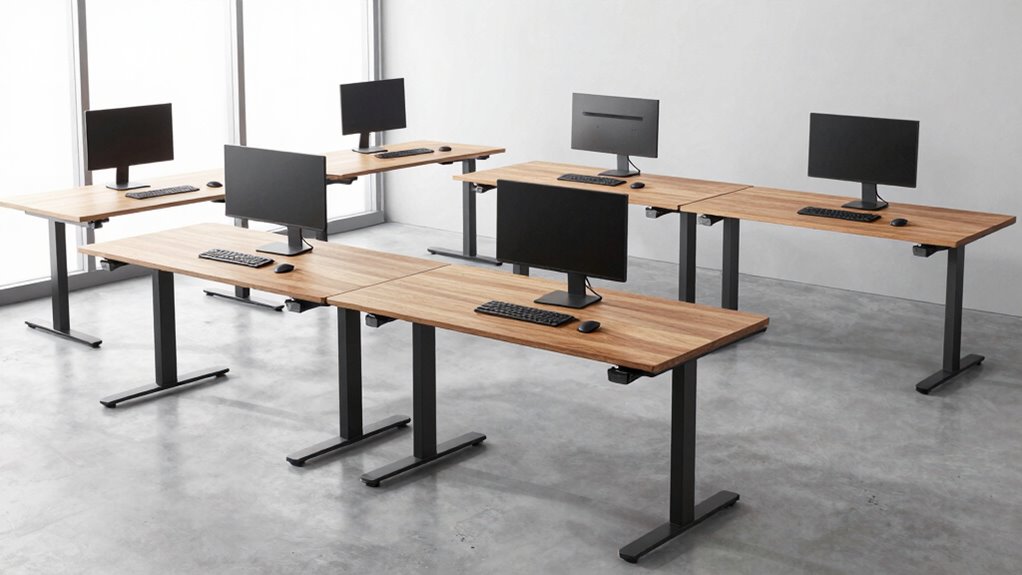

For most developers, the VIVO Black 71 × 30-Inch Standing Desk is my best overall pick because its broad surface can accommodate a monitor-heavy coding setup. The Farexon 71 × 28-Inch Desk adds a mouse pad, while the Dezctop Bifrost Elite pairs a smaller 47-inch top with a pegboard for compact, organized workspaces. The main tradeoffs are desktop space, built-in storage, and how much room you need for monitors, peripherals, and notes. A wider desk can make a multi-screen setup easier to arrange, while a smaller footprint may suit a bedroom office better. Read on for the full comparison and recommendations by developer setup.

Get the latest gadgets delivered free — and shop member deals
- Fast, free delivery on millions of items
- Access to Prime Big Deal Days deals on October 6–7
- Prime Video, Amazon Music and more included
Complete the kit



Key Takeaways
- VIVO’s 71 × 30-inch top gives developers the most room among these picks for multiple monitors and desk accessories.
- Dezctop’s 47-inch desk and pegboard suit compact workspaces where vertical organization matters more than a wide work surface.
- Farexon’s included mouse pad makes it a distinctive option for developers who want a ready-to-use pointing area across a broad desktop.
- The 63 × 30-inch desk with drawers and double shelves prioritizes built-in storage, but its extra furniture features may be unnecessary for a minimal coding setup.
- Fullpeak and MALOL offer mid-size alternatives; compare their footprint and added features against your monitor layout before choosing either over the wider desks.
| Farexon 71 × 28-Inch Electric Standing Desk with Mouse Pad, Oak Gray |  | Best for a Wide Developer Setup | Work surface: 71 × 28 inches | Height range: 28.35–45.6 inches | Memory presets: 3 | VIEW ON AMAZON | See Our Full Breakdown |
| Dezctop Bifrost Elite Electric Standing Desk with Pegboard, 47 in, Walnut |  | Best for Organized Compact Setups | Desktop size: 47 × 27.6 inches | Height range: 25.6–51.2 inches | Maximum load capacity: 265 lbs | VIEW ON AMAZON | See Our Full Breakdown |
| MALOL 56″ x 24″ Electric Standing Desk with Adjustable Footrest, Black |  | Best for Quiet, Compact Work Areas | Desktop size: 56 × 24 inches | Height range: 28–46 inches | Weight capacity: 177 lbs | VIEW ON AMAZON | See Our Full Breakdown |
| VIVO Black 71″ x 30″ Standing Desk (Desk-Kit-1B7B) |  | Best for Multi-Monitor Workstations | Work surface: 70.9 × 29.5 inches | Height range: 28.8–48 inches | Maximum load capacity: 220 lbs | VIEW ON AMAZON | See Our Full Breakdown |
| Electric Standing Desk with Adjustable Height, 63″ x 30″, 4 Drawers and Double Storage Shelves – Rustic Brown |  | Best for Built-In Storage | Desktop size: 63 × 30 inches | Height range: 27–46 inches | Weight capacity: 176 lbs | VIEW ON AMAZON | See Our Full Breakdown |
| Fullpeak 55-Inch Height Adjustable Standing Desk for Home Office, Brown |  | Best for a Tidy Multi-Monitor Setup | Desktop dimensions: 55 x 24 inches | Height range: 28.3 to 45.7 inches | Maximum load capacity: 176–178 pounds | VIEW ON AMAZON | See Our Full Breakdown |
| electric standing desk for developer | Height range | Memory presets | Frame material | Desktop size |
|---|---|---|---|---|
| Farexon 71 × 28-Inch Electric | 28.35–45.6 inches | 3 | Metal | — |
| Dezctop Bifrost Elite Electric | 25.6–51.2 inches | 4 | — | 47 × 27.6 inches |
| MALOL 56" x 24" Electric Stand | 28–46 inches | 3 | Industrial-grade steel | 56 × 24 inches |
| VIVO Black 71" x 30" Standing | 28.8–48 inches | 4 | Alloy steel | — |
| Electric Standing Desk with Ad | 27–46 inches | — | — | 63 × 30 inches |
| Fullpeak 55-Inch Height Adjust | 28.3 to 45.7 inches | 3 | Alloy steel | — |
More Details on Our Top Picks
Farexon 71 × 28-Inch Electric Standing Desk with Mouse Pad, Oak Gray
The Farexon pairs a wide 71 × 28-inch surface with three height presets, giving developers room for multiple monitors while keeping sit-to-stand changes simple. Its included mouse pad covers a useful stretch of the desktop, and lockable casters help when you need to reposition the desk. Compared with the Dezctop Bifrost Elite, Farexon offers more width but lacks its listed dual motors, higher weight capacity, and pegboard organization. The tradeoff is a four-panel desktop, which means more seams across the work area, plus assembly is recommended for two people. Its height range tops out below the VIVO’s 48 inches, so taller developers should compare their standing height needs before choosing.
Pros:- 71 × 28-inch work surface accommodates multiple monitors and peripherals
- Three memory buttons save preferred sitting and standing heights
- Large mouse pad is included
- Lockable casters make repositioning easier
Cons:- Four-panel desktop creates seams across the surface
- Assembly is recommended for two people
- 45.6-inch maximum height is lower than the VIVO’s 48-inch maximum
Best for: Developers who want a wide surface for multiple monitors, a supplied mouse pad, and the option to roll the desk between work areas
Not ideal for: Taller developers who need a higher maximum desk setting, or buyers who prefer a single-piece desktop
- Work surface:71 × 28 inches
- Height range:28.35–45.6 inches
- Memory presets:3
- Desktop material:Wood
- Frame material:Metal
- Included accessory:Large mouse pad
- Mobility:Lockable casters
- Assembly:Recommended for 2 people; about 30 minutes
Our verdict“Choose the Farexon if you want a wide, movable developer desk with a mouse pad and can work with its panel seams and moderate maximum height.”
Dezctop Bifrost Elite Electric Standing Desk with Pegboard, 47 in, Walnut
The Dezctop Bifrost Elite makes sense for developers who want their tools close at hand: its integrated pegboard, two shelves, and covered cable tray give accessories a home without taking over the desktop. Its dual motors, four presets, and 265-pound capacity also make it the strongest listed choice for a compact desk carrying several monitors or a desktop PC. Compared with the much wider VIVO Black 71-inch desk, this 47-inch model takes up less room but gives up substantial surface area. That narrower footprint suits a laptop and one-monitor setup better than a sprawling multi-display rig. Hooks, holders, and monitor mounts are sold separately, so the pegboard’s usefulness depends on whether you are willing to add compatible accessories.
Pros:- Integrated pegboard and two shelves organize frequently used accessories
- Hidden cable tray with magnetic cover keeps wiring out of sight
- Dual motors and four memory presets support frequent height changes
- 265-pound listed capacity provides room for substantial equipment
Cons:- 47-inch width limits space for large multi-monitor layouts
- Hooks, holders, and monitor mounts are sold separately
Best for: Developers with a smaller office who want built-in accessory organization and enough listed capacity for a multi-monitor setup
Not ideal for: Developers who need a broad surface for several large monitors, reference devices, and writing space
- Desktop size:47 × 27.6 inches
- Height range:25.6–51.2 inches
- Maximum load capacity:265 lbs
- Motor type:Dual electric motors
- Memory presets:4
- Cable management:Hidden tray with magnetic cover
- Storage:2 shelves and integrated pegboard
- Warranty:10-year limited
Our verdict“Pick the Bifrost Elite when compact organization and high listed capacity matter more than a wide monitor surface.”
MALOL 56″ x 24″ Electric Standing Desk with Adjustable Footrest, Black
The MALOL suits developers who want a mid-size desk and a listed motor noise level under 45 dB. Its 56 × 24-inch top is easier to fit into a home office than the VIVO’s 70.9 × 29.5-inch surface, while the digital display and three presets make repeatable height changes straightforward. The included adjustable footrest adds a place to shift your stance during standing sessions, and built-in cable management helps keep the smaller desktop clear. The compromise is capacity: at 177 pounds, it is below the Dezctop’s 265-pound rating and may leave less headroom for a heavy PC and several displays. The footrest also cannot sit where the motor is located, and the desk is described as heavy and bulky to assemble.
Pros:- 56 × 24-inch desktop fits more compact rooms than larger options such as the VIVO
- Motor noise is listed below 45 dB
- Digital display and three presets simplify repeat height changes
- Adjustable footrest and built-in cable management support a tidier standing setup
Cons:- 177-pound capacity is lower than the Dezctop Bifrost Elite’s listed 265 pounds
- Footrest cannot be placed where the motor is located
- Heavy, bulky construction may require two people for assembly
Best for: Developers setting up a smaller office who value quieter height adjustments, saved positions, and an adjustable footrest
Not ideal for: Developers with a heavy tower and several monitors, or anyone who needs a very wide desktop
- Desktop size:56 × 24 inches
- Height range:28–46 inches
- Weight capacity:177 lbs
- Memory presets:3
- Motor noise level:<45 dB
- Footrest capacity:45 kg
- Frame material:Industrial-grade steel
- Color:Black
Our verdict“Choose the MALOL for a quieter, smaller developer setup with a footrest, provided your equipment load fits its 177-pound capacity.”
VIVO Black 71″ x 30″ Standing Desk (Desk-Kit-1B7B)
The VIVO earns its place through sheer desktop space: its 70.9 × 29.5-inch top gives developers room to spread out multiple monitors, a keyboard, and reference material. Four memory presets make it easier to return to familiar sitting and standing positions, and the 220-pound capacity suits a substantial setup. Compared with the Farexon, it offers a slightly deeper listed work surface and a higher 48-inch maximum height; Farexon, in turn, includes a mouse pad and lockable casters. VIVO’s laminated particle-board top is the main compromise, since it may not hold up like solid wood, and the 57-pound unit can be awkward to move. Two-person assembly may also take time, so this is best treated as a settled workstation.
Pros:- 70.9 × 29.5-inch surface provides generous room for multi-monitor work
- Four memory presets support quick switching between saved positions
- 220-pound capacity supports a substantial equipment setup
- 48-inch maximum height exceeds the Farexon’s listed maximum
Cons:- Laminated particle-board top may be less durable than solid wood
- At 57 pounds, the desk can be difficult to move
- Assembly requires two people and may take time
Best for: Developers who need a broad, deep surface for several monitors, a keyboard, and desk references
Not ideal for: People who frequently move their desk or prioritize a solid-wood desktop over workspace size
- Work surface:70.9 × 29.5 inches
- Height range:28.8–48 inches
- Maximum load capacity:220 lbs
- Memory presets:4
- Top material:Laminated particle board
- Frame material:Alloy steel
- Weight:57 lbs
- Warranty:3-year limited
Our verdict“Choose the VIVO if your developer setup needs a deep, wide surface and the desk will mostly stay in one place.”
Electric Standing Desk with Adjustable Height, 63″ x 30″, 4 Drawers and Double Storage Shelves – Rustic Brown
This 63 × 30-inch desk is the storage-led choice in this group, with four drawers and double shelves for developers who need a place for notebooks, adapters, and other gear. The keypad saves three preferred heights, while the 27–46-inch range starts lower than the VIVO’s 28.8-inch minimum and supports a broad range of sitting positions. Its cable clips help manage wires, though the 176-pound capacity is the lowest listed among these products; developers with a tower, multiple monitors, and heavy accessories should compare it with the Dezctop or VIVO. Assembly instructions include a video guide, but an electric drill may be needed. The built-in storage is useful, though it adds bulk and is less flexible than organizing gear on the Bifrost Elite’s pegboard.
Pros:- Four drawers and double shelves provide substantial built-in storage
- 63 × 30-inch desktop offers room for monitors and peripherals
- Three keypad presets save preferred desk heights
- Cable clips and a video assembly guide are included
Cons:- 176-pound capacity is lower than the VIVO and Dezctop listings
- Assembly may require an electric drill
- Built-in storage adds bulk and offers less flexible accessory placement than a pegboard
Best for: Developers who want drawers and shelves for office supplies and accessories alongside a large desktop
Not ideal for: Developers with heavy multi-monitor equipment or those who want open legroom and a simple frame
- Desktop size:63 × 30 inches
- Height range:27–46 inches
- Weight capacity:176 lbs
- Drawers:4
- Storage shelves:2
- Control:Keypad with 3 memory presets
- Motor type:DC
- Color:Rustic brown
Our verdict“Pick this model if drawers and shelves are central to your developer workspace and your equipment load stays within its 176-pound capacity.”
Fullpeak 55-Inch Height Adjustable Standing Desk for Home Office, Brown
The Fullpeak’s 55-by-24-inch desktop gives developers room for multiple monitors and daily accessories without taking up as much floor space as the 71-inch Farexon or VIVO desks. Its three memory presets make it easy to switch between saved sitting and standing heights, while the under-desk organizer helps keep cables from hanging into the workspace. The alloy steel frame is listed with a capacity of up to 178 pounds, which gives this setup more room for equipment than a lightweight single-monitor arrangement. Compared with the larger desks in this roundup, Fullpeak trades width for a more compact footprint; its 45.7-inch maximum height may also be limiting for some taller users. Assembly is required, and the desk does not include a chair or monitor arms.
Pros:- Three memory presets support quick changes between preferred desk heights.
- 55-by-24-inch surface fits multiple monitors without the footprint of the 71-inch options.
- Alloy steel frame is listed to support up to 178 pounds.
- Under-desk cable organizer helps keep monitor and computer wires contained.
Cons:- Maximum height of 45.7 inches may not suit taller standing users.
- Assembly is required, even though tools are included.
- Chair and monitor arms are not included.
Best for: Developers who want room for two monitors and a keyboard, plus saved height settings, in a mid-size home office.
Not ideal for: Taller developers who need a higher standing position, or anyone planning a very wide multi-monitor setup that calls for a 71-inch desktop.
- Desktop dimensions:55 x 24 inches
- Height range:28.3 to 45.7 inches
- Maximum load capacity:176–178 pounds
- Frame material:Alloy steel
- Top material:Sustainable wood with scratch-resistant, waterproof finish
- Memory presets:3
- Cable management:Integrated under-desktop wire organizer
- Item weight:46.8 pounds
- Assembly time:Approximately 30 minutes
Our verdict“Choose the Fullpeak if you want a tidy, preset-driven desk for a multi-monitor development setup and do not need a wider surface or a higher maximum setting.”
How We Picked
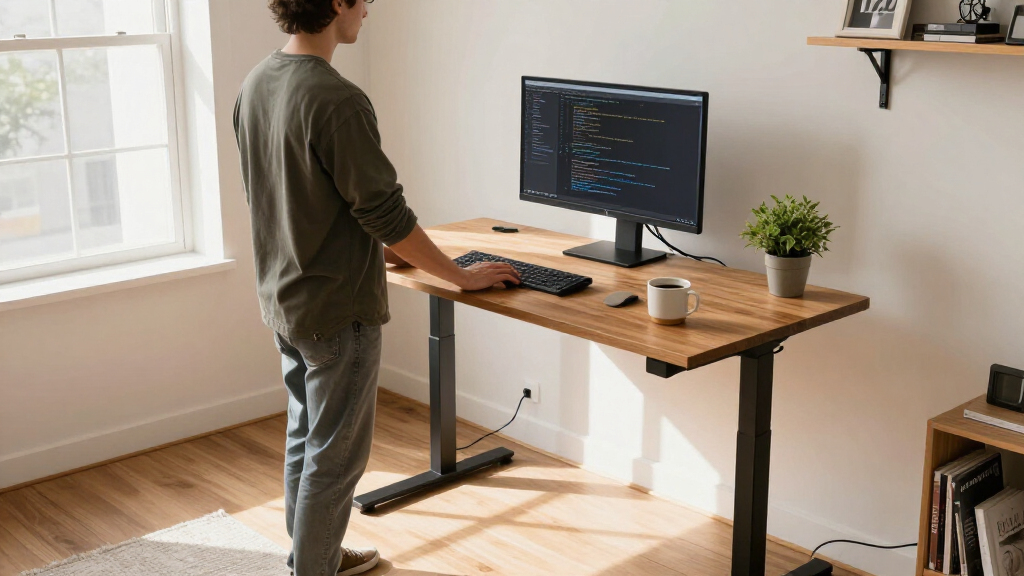
I compared these desks through the needs of developers who may spend long sessions switching between sitting and standing, arranging monitors, and keeping keyboards, pointing devices, and reference materials within reach. The listed desktop dimensions, storage features, and included accessories shaped the comparison. I gave more weight to usable surface area and fit for a coding setup than to extras that do not directly improve desk space or organization.
The ranking favors desks with a clear role and a useful balance of workspace and practical features. VIVO leads for its broad 71 × 30-inch top; Farexon follows with a similarly generous surface and included mouse pad. Dezctop ranks as the compact organization pick, while the drawer and shelf model suits buyers with storage needs. MALOL and Fullpeak round out the list as mid-size options whose appeal depends on whether the footrest or simpler home-office format fits your setup.
| electric standing desk for developer | Frame material |
|---|---|
| Farexon 71 × 28-Inch Electric | Metal |
| Dezctop Bifrost Elite Electric | — |
| MALOL 56" x 24" Electric Stand | Industrial-grade steel |
| VIVO Black 71" x 30" Standing | Alloy steel |
| Electric Standing Desk with Ad | — |
| Fullpeak 55-Inch Height Adjust | Alloy steel |
Factors to Consider When Choosing Electric Standing Desk For Developers
Choosing a desk for development starts with the shape of your working day and the equipment that stays on your desktop. These factors can help you narrow the field before focusing on individual models.
Plan Your Monitor Layout Before Choosing Width
Measure the full width of your monitors, stands, and speakers rather than relying on screen size alone. A multi-monitor setup can consume much more depth than expected when stands sit behind a keyboard and mouse. Leave room for a notebook or test device if those are part of your workflow. A larger top can prevent peripherals from crowding the main typing area, but it also needs enough floor space and a sensible monitor viewing distance. Sketch the arrangement on a table or mark it on the floor before buying. That quick check often reveals whether a compact desk will work or feel restrictive.
Treat Desk Depth as a Comfort Choice
Width gets attention, but depth affects how far you must reach and where the monitor sits. A deeper top can accommodate monitor arms, keyboards, and desk notes, while an excessively deep layout may push screens farther away than is comfortable. Check the desk dimensions against your chair position and room layout, including space for cables behind the desk. Developers using monitor arms should confirm how the clamp and cable routing fit around the back edge. Do not assume a large number in one dimension guarantees a comfortable work surface. Match both dimensions to the actual placement of your equipment.
Check the Height Range Against Your Body and Chair
A height-adjustable desk only helps if its sitting and standing positions suit your body. At sitting height, aim for relaxed shoulders and forearms close to level with the keyboard; while standing, the same posture should be possible without hunching or reaching up. Check the desk’s stated height range and compare it with your chair, footwear, and preferred keyboard setup. A footrest can change leg comfort, but it does not replace a desk height that supports a neutral arm position. Avoid choosing a model based only on how low or high it looks in product photos. Confirm the usable range before committing to a workspace arrangement.
Decide Whether Built-In Storage Helps Your Workflow
Drawers and shelves can keep notebooks, cables, and spare devices nearby, which may reduce desktop clutter. They also occupy space under the desk, where developers may want room for their legs, a footrest, or a computer tower. Pegboards use vertical wall space and can keep frequently used accessories visible, though they require a place to hang or mount items. Think through what you reach for during a normal work session and what can be stored elsewhere. Avoid paying attention to storage count alone; placement and access matter more. A clean desktop is useful only if stored items remain easy to retrieve.
Plan Cable Routing for Sitting and Standing
Raising a desk changes the path and tension of every connected cable. Check that monitor, power, and network cables have enough slack for the desk’s full movement, and keep them clear of moving parts. A cable tray or sleeve can make a setup easier to manage, but it should not create a tight bend or pull on a connector at standing height. Leave room for a power strip and consider where its cord will reach when the desk is raised. Test the proposed cable path with the desk at both ends of its range after setup. This small planning step can prevent intermittent monitor or peripheral connections later.
Frequently Asked Questions
Which desk is the strongest fit for a developer using two or more monitors?
The VIVO 71 × 30-inch desk has the broadest listed surface among these options, making it the clearest fit for a multi-monitor arrangement. Farexon’s 71 × 28-inch top is another spacious choice, with a slightly narrower depth and an included mouse pad. Measure monitor stands, speakers, and keyboard placement before deciding, since screen count alone does not determine the space you need. If your displays use clamp-mounted arms, check the rear edge and cable path as well.
Is a compact desk like the 47-inch Dezctop practical for coding?
It can work if your setup is intentionally compact, such as one main monitor or a laptop with a secondary display. The pegboard gives small accessories a place to live without taking up as much desktop area. A wide keyboard, large mouse movement area, or several side-by-side screens can make the top feel crowded. Measure your essential equipment and leave some clear space for daily tasks before choosing a compact model.
Should I choose drawers and shelves or keep the area under the desk open?
Choose built-in storage when you regularly use notebooks, adapters, or other supplies and want them close at hand. The 63 × 30-inch model with four drawers and double shelves is the storage-focused option in this group. Open space may be a better fit if you move your legs often, use a footrest, or keep a computer tower beneath the desk. Account for both seated legroom and any equipment that needs to fit underneath before prioritizing storage.
Does an included footrest make a desk a better choice for alternating between sitting and standing?
A footrest can give you another position to try during seated work, but it does not determine whether the desk height fits your posture. The MALOL model is the listed option with an adjustable footrest, so it may appeal to buyers who want that feature included. Check the sitting and standing height range against your body and chair, and consider whether the footrest leaves enough room for your feet. If your main concern is monitor and keyboard placement, prioritize the desk’s height range and surface layout first.
What should I measure before ordering a desk for a home office?
Measure the available floor width and depth, then account for the chair, walking path, and any nearby doors or drawers. Separately measure the desktop space your monitors and input devices occupy, including the extra clearance required by monitor arms. Check the space under the desk for knees, a footrest, and a computer tower, especially if the model has shelves or drawers. Finally, map the power outlet and cable route so the desk can rise without pulling on connections. These measurements help distinguish a desk that fits the room from one that also fits your working posture.
Conclusion
For most developers with a multi-monitor setup, I recommend the VIVO 71 × 30-inch desk as the best overall choice for its generous work surface. The Farexon is my value-minded pick for buyers who want a similarly broad top with an included mouse pad. Developers in compact rooms should look at the Dezctop Bifrost Elite, while those who want built-in storage should consider the 63 × 30-inch desk with drawers and double shelves. The MALOL is the beginner-friendly option for someone drawn to its adjustable footrest, and Fullpeak is a straightforward mid-size alternative. Match the desk to your equipment footprint, room, and preferred accessories, then verify the height range before deciding.
Evergreen bestsellers Picks
bestsellers
As an affiliate, we earn on qualifying purchases.